
【Linux】【CentOS】【FTP】FTP服务器安装与配置(vsftpd、lftp)
【初次学习、配置的笔记,如有不当,欢迎在评论区纠正 -- 萌狼蓝天 @ 2021-12-02】
基本概念
FTP访问方式
- 实体账号:本地账户
- 来宾账户:guest
- 匿名登录:anonymous fp
实训
环境搭建
安装FTP软件包
查询是否已安装FTP软件包 vsftpd
rpm -q vsftpd

查询vsftpd软件包的信息
yum info vsftpd
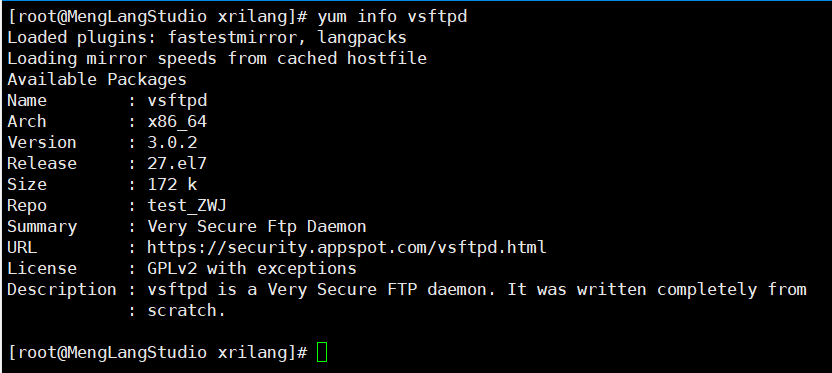
安装FTP软件包vsftpd
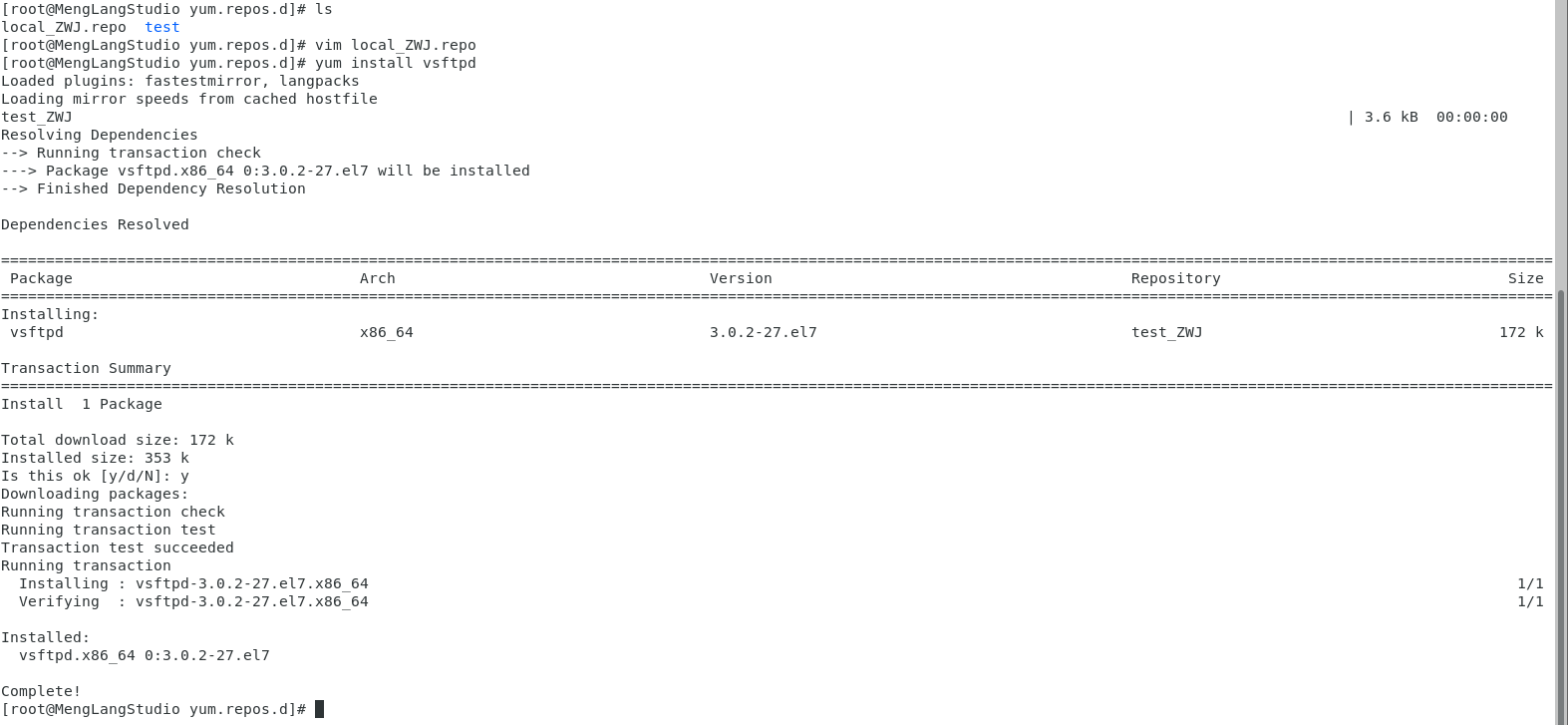
yum install vsftpd
关于错误代码256
[Errno 256] No more mirrors to try.
问题分析:我挂载的本地镜像,所以:应当在每次开机后重新挂载,才能使用的
问题解决方案:重新挂载了本地镜像,就可以成功下载了
安装FTP客户端lftp
查询是否已安装lftp
rpm -q lftp

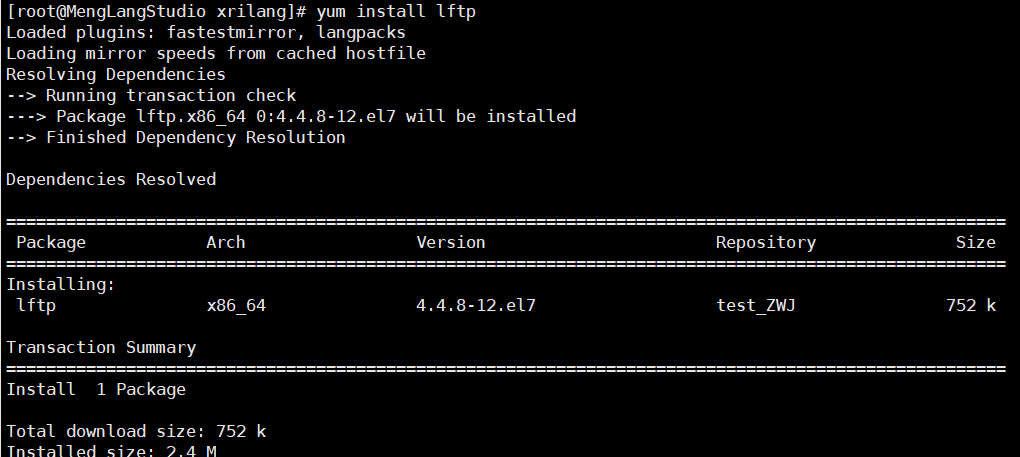
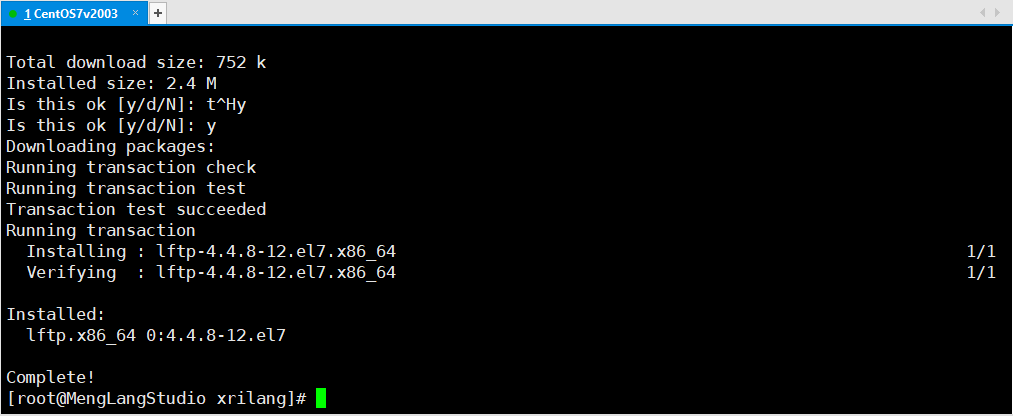
安装lftp
yum install lftp
修改FTP配置文件
配置文件所在位置 /etc/vsftpd/vsftpd.conf
vim /etc/vsftpd/vsftpd.conf
备份原来的配置文件
cd /etc/vsftpd/

ls

cp vsftpd.conf vsftpd.conf.bak

ls
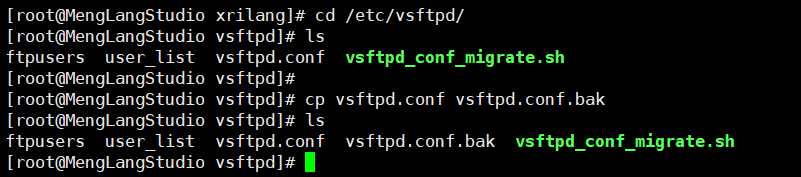
修改配置文件
vim vsftpd.conf
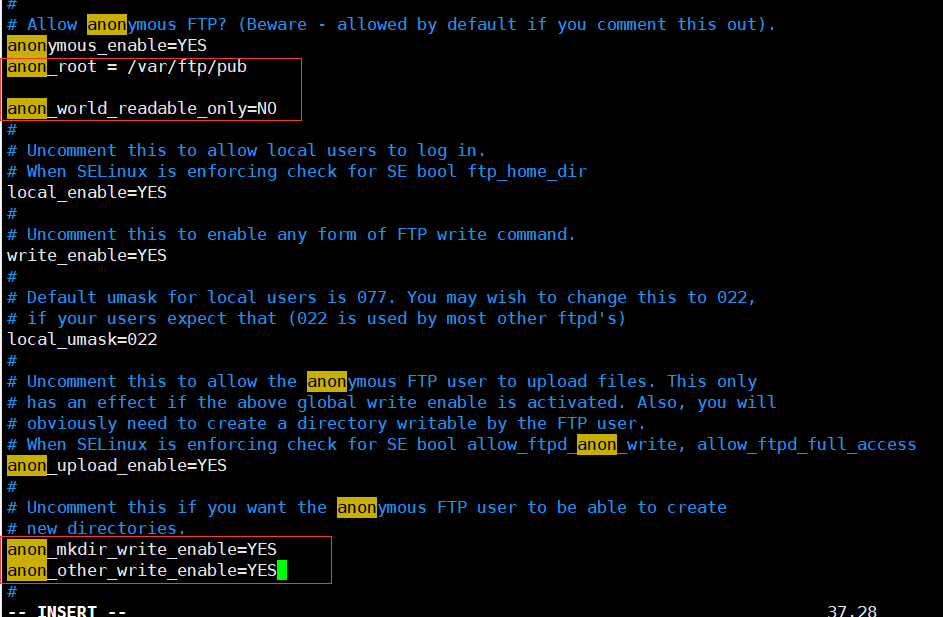
(1)允许匿名用户登陆,并设置匿名用户登陆路径
anonymous_enable=YES

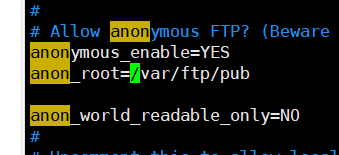
anon_root=/var/ftp/pub
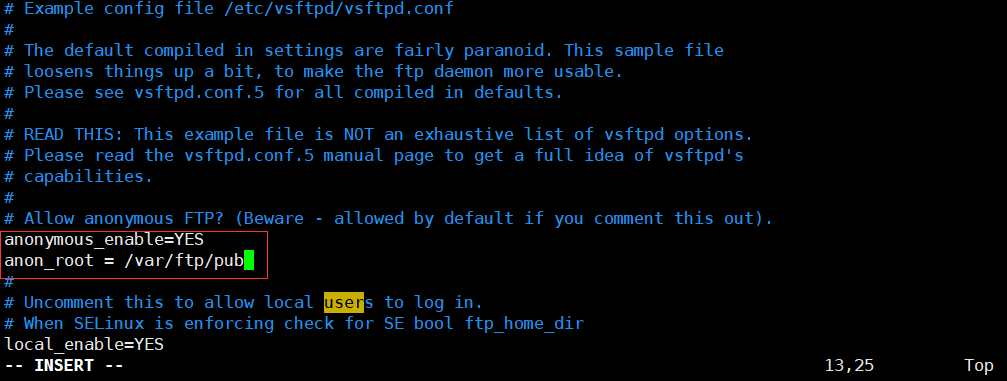
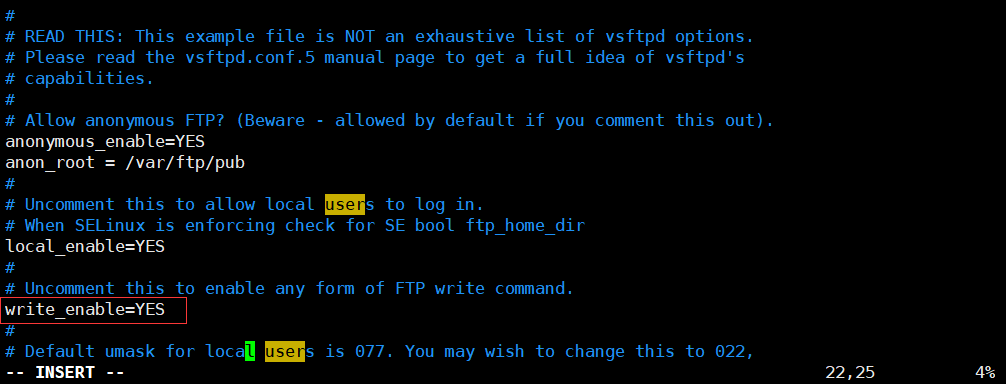
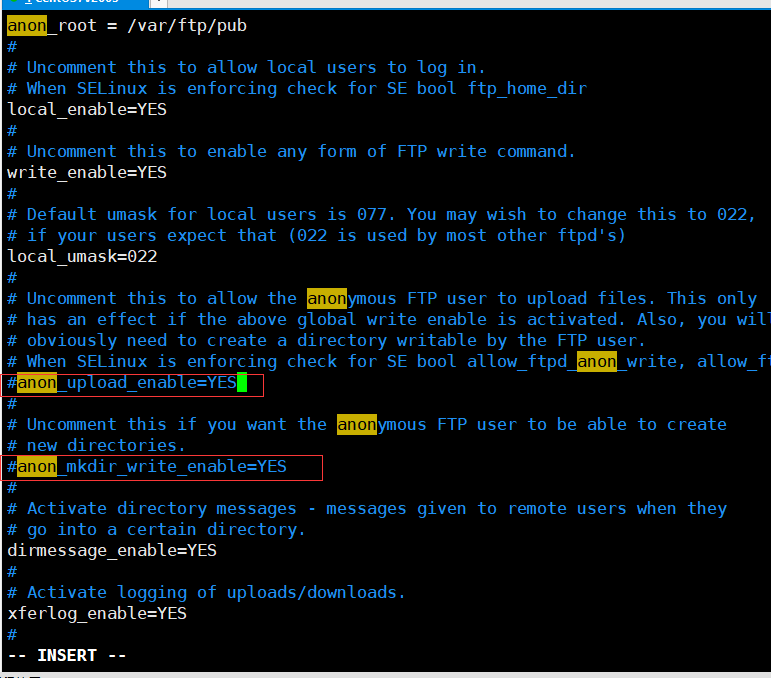
(2)是否允许用户有写入权限
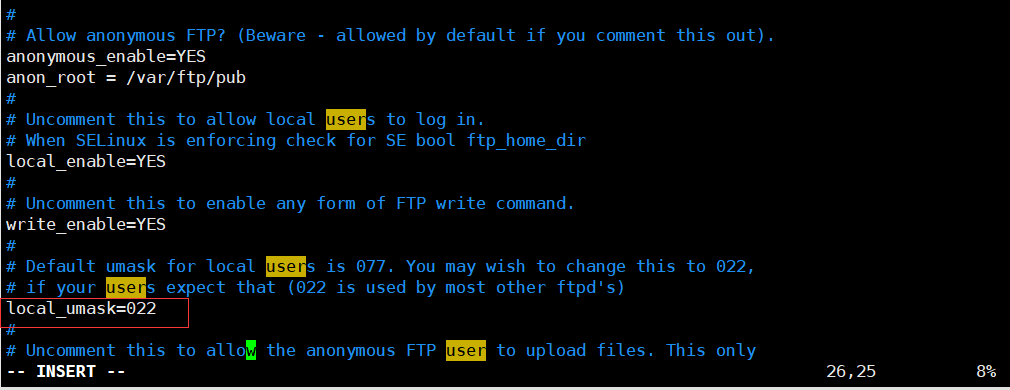
(3)设置用户的umask码为022
(创建目录权限为755rwxr-xr-x,创建文件权限为644)
(4)匿名用户操作权限设置
上传文件权限为yes;新建文件夹权限为yes;匿名用户其他写权限为yes;匿名用户下载不具备读权限的文件为no;

(5)其他设置
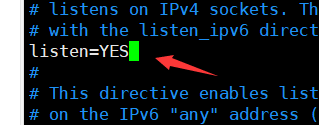
完整文件内容如下:
# Example config file /etc/vsftpd/vsftpd.conf

#

# The default compiled in settings are fairly paranoid. This sample file

# loosens things up a bit, to make the ftp daemon more usable.

# Please see vsftpd.conf.5 for all compiled in defaults.

#

# READ THIS: This example file is NOT an exhaustive list of vsftpd options.

# Please read the vsftpd.conf.5 manual page to get a full idea of vsftpd's

# capabilities.

#

# Allow anonymous FTP? (Beware - allowed by default if you comment this out).

anonymous_enable=YES

#

# Uncomment this to allow local users to log in.

# When SELinux is enforcing check for SE bool ftp_home_dir

local_enable=YES

#

# Uncomment this to enable any form of FTP write command.

write_enable=YES

#

# Default umask for local users is 077. You may wish to change this to 022,

# if your users expect that (022 is used by most other ftpd's)

local_umask=022

#

# Uncomment this to allow the anonymous FTP user to upload files. This only

# has an effect if the above global write enable is activated. Also, you will

# obviously need to create a directory writable by the FTP user.

# When SELinux is enforcing check for SE bool allow_ftpd_anon_write, allow_ftpd_full_access

anon_upload_enable=YES

anon_root=/var/ftp/pub

anon_mkdir_write_enable=YES

anon_other_write_enable=YES

anon_world_readable_only=NO

#

# Uncomment this if you want the anonymous FTP user to be able to create

# new directories.

anon_mkdir_write_enable=YES

#

# Activate directory messages - messages given to remote users when they

# go into a certain directory.

dirmessage_enable=YES

#

# Activate logging of uploads/downloads.

xferlog_enable=YES

#

# Make sure PORT transfer connections originate from port 20 (ftp-data).

connect_from_port_20=YES

#

# If you want, you can arrange for uploaded anonymous files to be owned by

# a different user. Note! Using "root" for uploaded files is not

# recommended!

#chown_uploads=YES

#chown_username=whoever

#

# You may override where the log file goes if you like. The default is shown

# below.

#xferlog_file=/var/log/xferlog

#

# If you want, you can have your log file in standard ftpd xferlog format.

# Note that the default log file location is /var/log/xferlog in this case.

xferlog_std_format=YES

#

# You may change the default value for timing out an idle session.

#idle_session_timeout=600

#

# You may change the default value for timing out a data connection.

#data_connection_timeout=120

#

# It is recommended that you define on your system a unique user which the

# ftp server can use as a totally isolated and unprivileged user.

#nopriv_user=ftpsecure

#

# Enable this and the server will recognise asynchronous ABOR requests. Not

# recommended for security (the code is non-trivial). Not enabling it,

# however, may confuse older FTP clients.

#async_abor_enable=YES

#

# By default the server will pretend to allow ASCII mode but in fact ignore

# the request. Turn on the below options to have the server actually do ASCII

# mangling on files when in ASCII mode. The vsftpd.conf(5) man page explains

# the behaviour when these options are disabled.

# Beware that on some FTP servers, ASCII support allows a denial of service

# attack (DoS) via the command "SIZE /big/file" in ASCII mode. vsftpd

# predicted this attack and has always been safe, reporting the size of the

# raw file.

# ASCII mangling is a horrible feature of the protocol.

#ascii_upload_enable=YES

#ascii_download_enable=YES

#

# You may fully customise the login banner string:

#ftpd_banner=Welcome to blah FTP service.

#

# You may specify a file of disallowed anonymous e-mail addresses. Apparently

# useful for combatting certain DoS attacks.

#deny_email_enable=YES

# (default follows)

#banned_email_file=/etc/vsftpd/banned_emails

#

# You may specify an explicit list of local users to chroot() to their home

# directory. If chroot_local_user is YES, then this list becomes a list of

# users to NOT chroot().

# (Warning! chroot'ing can be very dangerous. If using chroot, make sure that

# the user does not have write access to the top level directory within the

# chroot)

#chroot_local_user=YES

#chroot_list_enable=YES

# (default follows)

#chroot_list_file=/etc/vsftpd/chroot_list

#

# You may activate the "-R" option to the builtin ls. This is disabled by

# default to avoid remote users being able to cause excessive I/O on large

# sites. However, some broken FTP clients such as "ncftp" and "mirror" assume

# the presence of the "-R" option, so there is a strong case for enabling it.

#ls_recurse_enable=YES

#

# When "listen" directive is enabled, vsftpd runs in standalone mode and

# listens on IPv4 sockets. This directive cannot be used in conjunction

# with the listen_ipv6 directive.

listen=NO

#

# This directive enables listening on IPv6 sockets. By default, listening

# on the IPv6 "any" address (::) will accept connections from both IPv6

# and IPv4 clients. It is not necessary to listen on *both* IPv4 and IPv6

# sockets. If you want that (perhaps because you want to listen on specific

# addresses) then you must run two copies of vsftpd with two configuration

# files.

# Make sure, that one of the listen options is commented !!

listen_ipv6=YES

pam_service_name=vsftpd

userlist_enable=YES

tcp_wrappers=YES
设置匿名用户访问目录
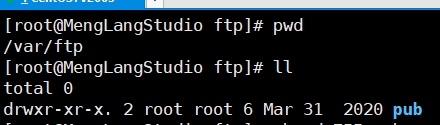
设置匿名用户访问目录/var/ftp/pub,该目录权限必须设置为755,
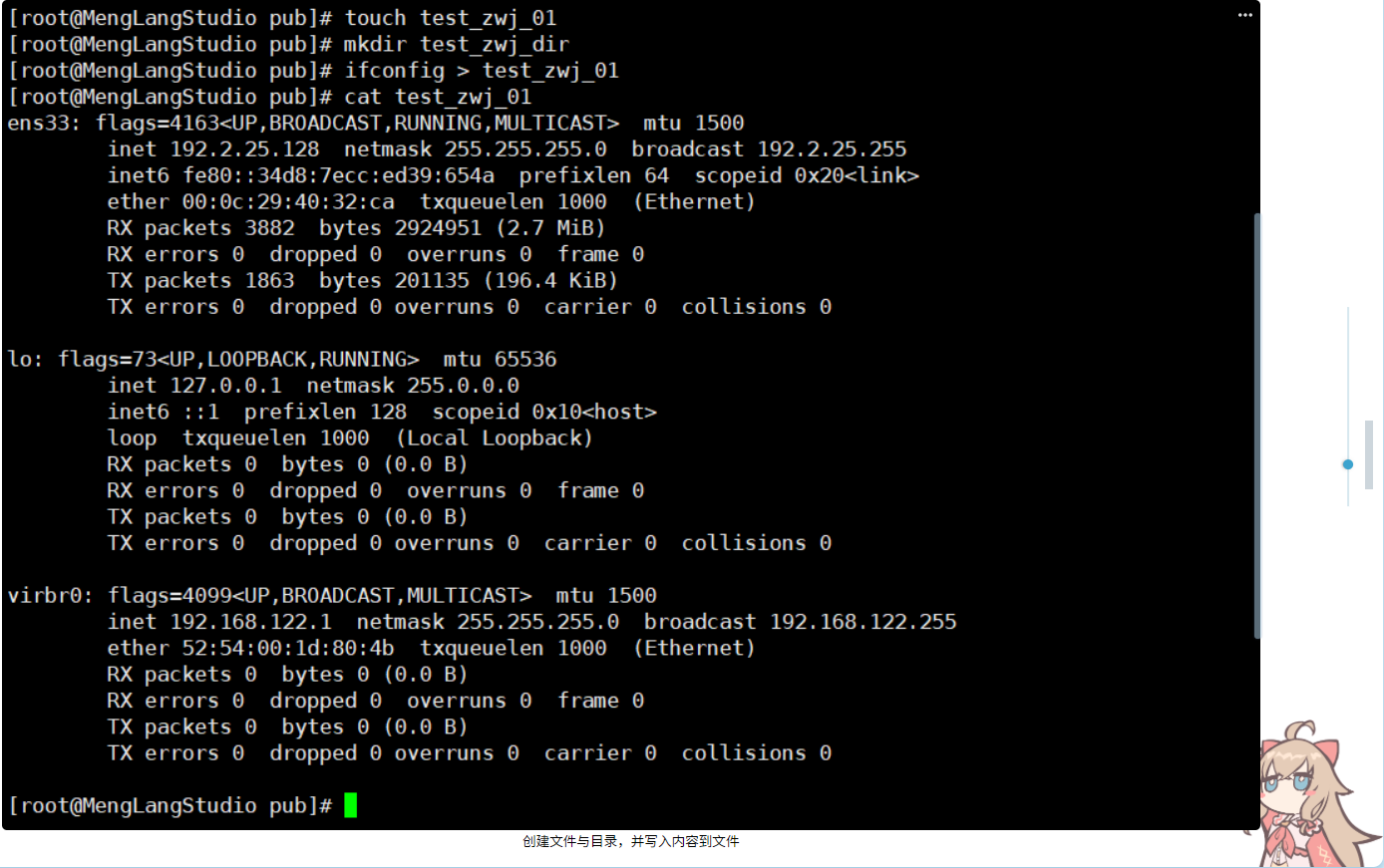
在该目录下新建文件test_XXX_01和目录test_XXX_dir,在文件test_XXX_01中随意输入若干内容;
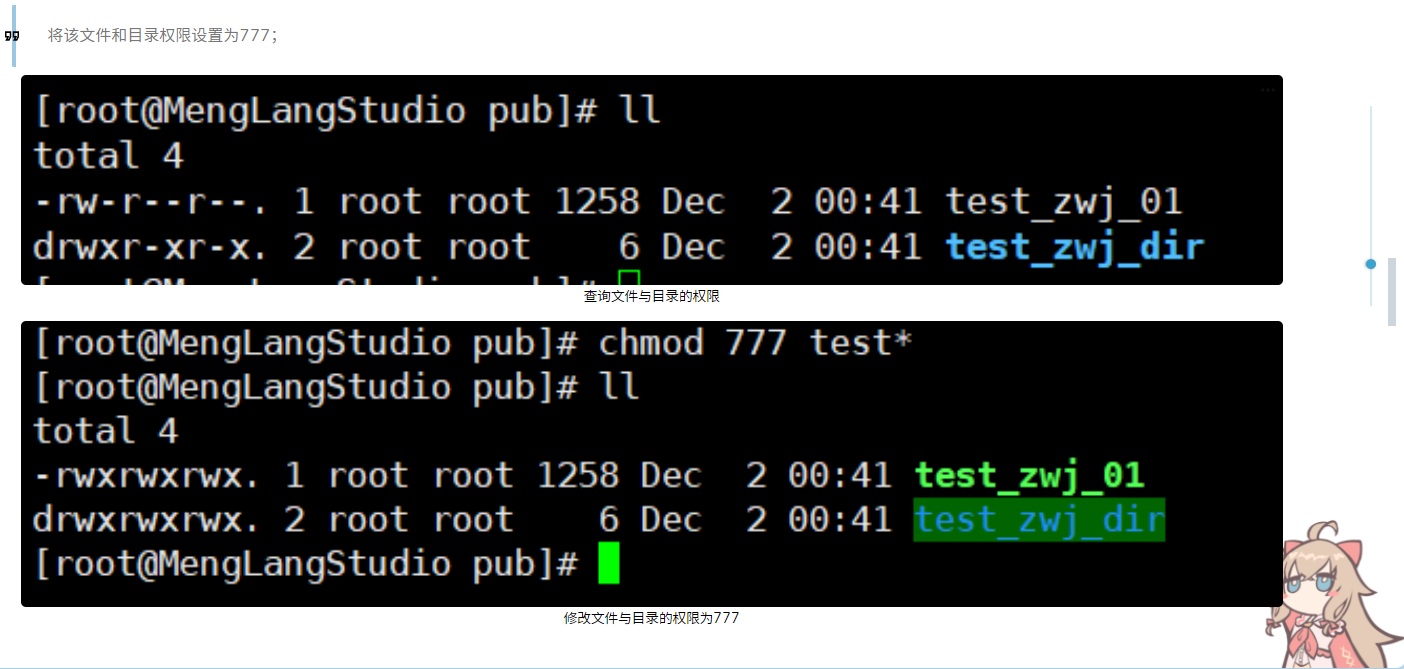
将该文件和目录权限设置为777;
关闭防火墙并重启ftp服务器
systemctl stop firewalld

systemctl restart vsftpd.service

# 设置开机启动

systemctl enable vsftpd.service
可能遇见的错误

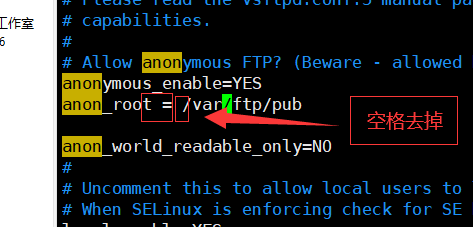
配置文件有误,检查输入或者修改的地方有没有多余的空格
解决方案
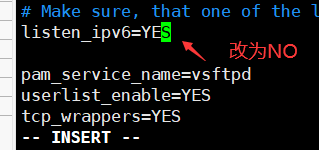
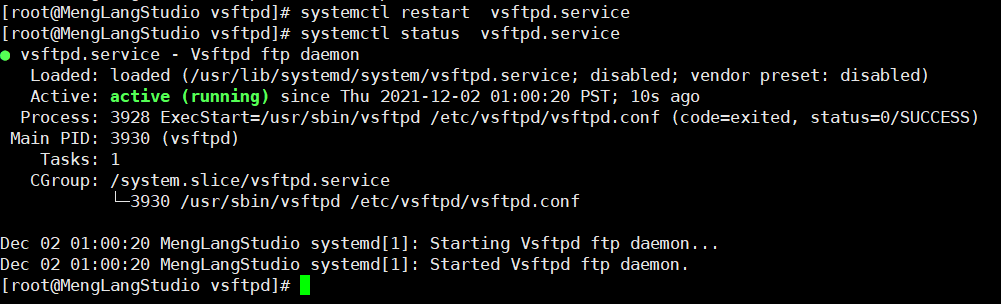
在ftp客户端,采用lftp软件访问ftp服务器
开启另外一台机器,切换到root身份安装lftp
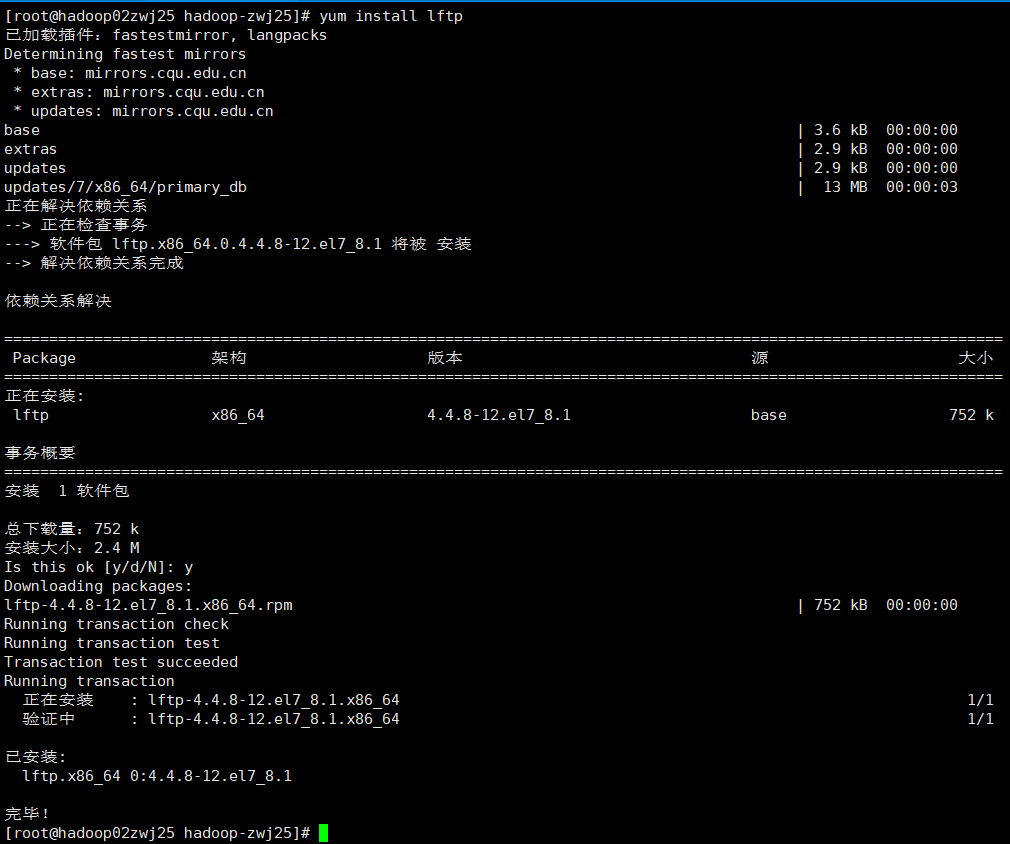
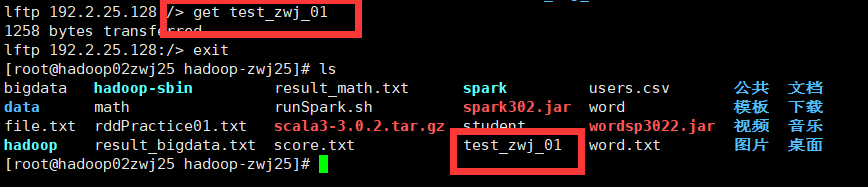
使用ftp远程连接
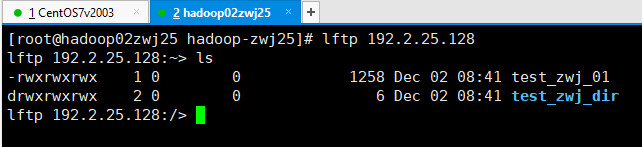
下载文件到本地
尝试在test_zwj_dir中新建目录并上传文件
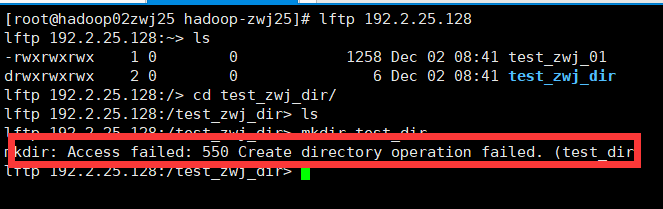
创建目录失败,解决方案如下:
在ftp服务端修改配置文件 vim /etc/selinux/config修改内容如下:
将SELINUX的值由enforcing修改为disabled
# This file controls the state of SELinux on the system.

# SELINUX= can take one of these three values:

#     enforcing - SELinux security policy is enforced.

#     permissive - SELinux prints warnings instead of enforcing.

#     disabled - No SELinux policy is loaded.

SELINUX=disabled

# SELINUXTYPE= can take one of three values:

#     targeted - Targeted processes are protected,

#     minimum - Modification of targeted policy. Only selected processes are protected.

#     mls - Multi Level Security protection.

SELINUXTYPE=targeted
重启服务 systemctl restart vsftpd.service
重启主机
开机后记得关闭防火墙,重启vsftp
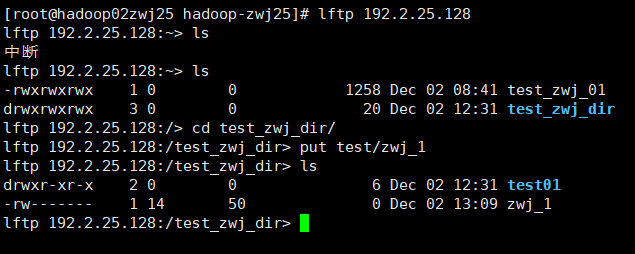
上传-成功
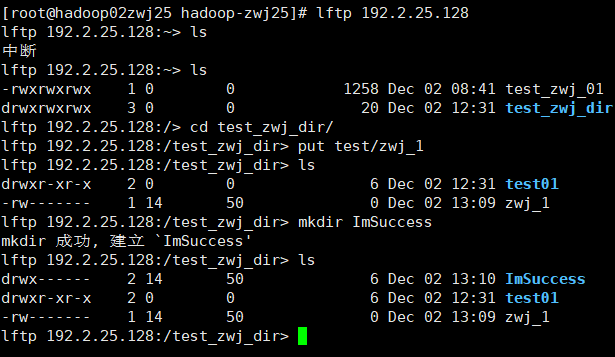
创建文件夹-成功
【Linux】【CentOS】【FTP】FTP服务器安装与配置(vsftpd、lftp)的更多相关文章
- 【转载并整理】Linux - centOS 6 SVN服务器安装、配置及开机启动
以前在windows上安装svn服务器,用的是VisualSVN-Server用起来还不错,但只能用在windows,在linux上部署使用是 subversion,具体说明如下 参考原文:http: ...
- centos 5 yum安装与配置vsFTPd FTP服务器
vsftpd作为FTP服务器,在Linux系统中是非常常用的.下面我们介绍如何在centos系统上安装vsftp. 什么是vsftpd vsftpd是一款在Linux发行版中最受推崇的FTP服务器程序 ...
- Linux CentOS 服务器搭建与初始化配置图文详解
这几天对服务器兴趣贼为浓厚,在虚拟机上装了一个CentOS7玩了玩,遇到过很多问题,比如网卡驱动设置,不能ping 等等问题,然后掏钱买个ECS搭服务器玩玩,下面就开始谢谢我的心路历程吧. 首先 买服 ...
- Linux centos系统安装后的基本配置,Linux命令
一.centos系统安装后的基本配置 .常用软件安装 yum install -y bash-completion vim lrzsz wget expect net-tools nc nmap tr ...
- Linux centos 安装 ftp(Vsftp) 与 设置ftp(Vsftp)
本文章只是简单搭建,因为公司只须要简单使用,虽然简单但是之前也走了一些弯路,所以决定把过程记录下来. 一.Vsftp安装与卸载 安装:yum install vsftpd 卸载:yum remove ...
- 2017.7.1 ftp文件服务器安装与配置(已验证可使用)
下载地址:http://learning.happymmall.com/ 1.点击exe文件 2.启动ftpserver 点击exe后,就出现如下画面:输入账户密码和勾选权限等. 并配置好对应的文件夹 ...
- Linux (centos )下Nginx+PHP+MySQL配置——自己的lnmp配置
说明:所有软件都是从官网上下载最新版的stable版本 ##################### 获取最新源码包###################### #建立独立的webserver#mkdi ...
- 【CentOS】samba服务器安装与配置
参考资料: http://www.cnblogs.com/mchina/archive/2012/12/18/2816717.html 1.简介 2.安装 3.配置 1.简介 Samba是一个能让Li ...
- Linux CentOS下MySQL的安装配置之浅谈
前期必备安装:VMware虚拟机,CentOS镜像[注意:Linux下使用CentOS MySQL是不用在官网下载的,只需要配置就OK了] 下面开始正式操作: //CentOS安装MySQL之浅谈 ...
- Linux CentOS 5.5 服务器安装图文教程
下面开始: 系统版本:CentOS 5.5 将镜像刻成光盘,设置BIOS将CDROM设置为第一启动 启动画面: 通过提示,按ENTER进入图形安装模式(E文不好的,赶紧补习去哈~~~) 我们按ENTE ...
随机推荐
- 不可忽视的Dubbo线程池
问题描述 线上突然出现Dubbo超时调用,时间刚好为Consumer端设置的超时时间. 有好几个不同的接口都报超时了 第1次调用超时,第2次(或第3次)重试调用非常快(正常水平) Dubbo调用超时的 ...
- [spojSUBST1]New Distinct Substrings
求出后缀数组和height数组,然后因为子串即后缀的前缀,考虑不断新增后缀然后计算贡献,如果以sa的顺序新增那么第i个就会产生n-sa[k]+1-h[k](n-sa[k]+1为总方案,h为不合法的方案 ...
- [atARC070F]HonestOrUnkind
考虑当$a\le b$时,构造两种方案,满足诚实的人不交,接下来要求对于任意询问,这两种方案的答案都有可能相同 考虑询问$(i,j)$,若$i$在两种方案中有一种不诚实,那么总可以让答案相同,又因为诚 ...
- [cf997E]Good Subsegments
一个区间为好区间当且仅当$\max_{l\le i\le r}a_{i}-\min_{l\le i\le r}a_{i}=r-l$,考虑固定右端点$r$,维护所有左端点$l$的上述式子左-右的值,那么 ...
- 深入理解Redis 数据结构—简单动态字符串sds
Redis是用ANSI C语言编写的,它是一个高性能的key-value数据库,它可以作用在数据库.缓存和消息中间件.其中 Redis 键值对中的键都是 string 类型,而键值对中的值也是有 st ...
- CF1444C Team-Building
考虑我们判定二分图染色的经典算法: 染色. 我们把所有不同颜色块之间的边都保存下来. 只在图中保留相同颜块之间的边,并对其染色. 我们考虑记\(g_i\)为一个点的所在联通块编号,\(f_i\)为他在 ...
- 【 [SCOI2016]幸运数字】
P3292 [SCOI2016]幸运数字 想法 倍增加上线性基就行惹 线性基的合并可以通过把一个线性基的元素插入到另一个里实现 #include<iostream> #include< ...
- Codeforces 1303G - Sum of Prefix Sums(李超线段树+点分治)
Codeforces 题面传送门 & 洛谷题面传送门 个人感觉这题称不上毒瘤. 首先看到选一条路径之类的字眼可以轻松想到点分治,也就是我们每次取原树的重心 \(r\) 并将路径分为经过重心和不 ...
- bcftools 提取vcf(snp/indel)文件子集
做群体变异检测后,通常会有提取子集的操作,之前没有发现bcftools有这个功能,都是自己写脚本操作,数据量一上来,速度真的是让人无语凝噎.这里记录下提取子vcf文件的用法,软件版本:bcftools ...
- 如何构建自己的KEGG数据库
本文转自Y叔公众号 自己KEGG数据库好处: 可重复性好 没网也可以进行分析 步骤 1 在KEGG官网找到自己物种的3字符缩写 2 加载Y叔获取kegg.db 的R包 1 ##安装Y叔的包 2 lib ...