
VOT-2016 代码评测工具的使用说明
VOT-2016 代码评测工具的使用说明
2018-10-14 09:37:04
VOT-2016 官网:http://www.votchallenge.net/vot2016/
评测代码链接:https://github.com/votchallenge/vot-toolkit
用到的工具: https://codeload.github.com/votchallenge/trax/zip/master
参考博文:
https://blog.csdn.net/sgfmby1994/article/details/78776465
https://blog.csdn.net/yao1131/article/details/78783236
Some Important Files:
1. Pre-trained pyMDNet models (pre-trained on VOT or OTB dataset and testing for OTB and VOT, respectively):
链接: https://pan.baidu.com/s/1ImnL8HHLdzgt6JyMYhk0YQ 提取码: bafq
2. pyMDNet code running successfully on VOT-2016 dataset:
链接: https://pan.baidu.com/s/11yTqfUSq8FmzdRviWITr7Q 提取码: c54h
warning:you need to install pyTorch 2.0 according to:
sudo pip install http://download.pytorch.org/whl/cu80/torch-0.2.0.post3-cp27-cp27mu-manylinux1_x86_64.whl
1. 第一步执行:toolkit_path.m
2. 第二部执行:workspace_create.m
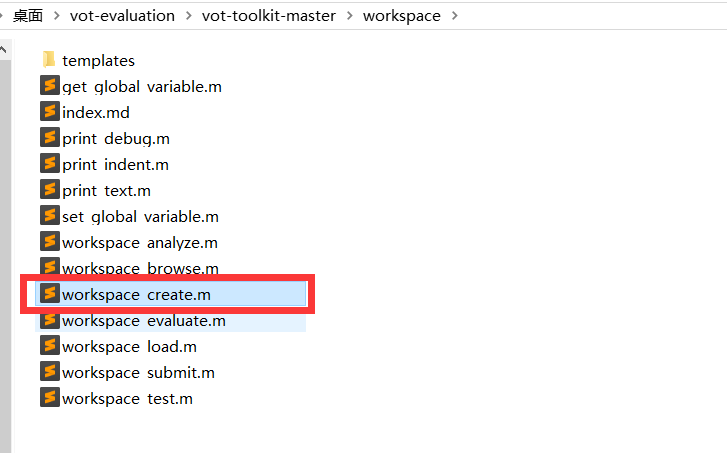
>> workspace_create
Select one of the available experiment stacks:
1 - test
2 - vot2013
3 - vot2014
4 - vot2015
5 - vot2016
6 - vot2017
7 - vot2018
8 - votlt2018
9 - vottir2015
10 - vottir2016
Selection: 5
Input an unique identifier for your tracker: attentionMDNet
Is your tracker written in any of the following languages?
1 - "Matlab"
2 - "Python"
3 - "C/C++"
4 - "Octave"
5 - "None of the above"
Selected option: 1
Verifying native components ...
使用 'Microsoft Visual C++ 2013 Professional' 编译。
MEX 已成功完成。
使用 'Microsoft Visual C++ 2013 Professional' 编译。
MEX 已成功完成。
使用 'Microsoft Visual C++ 2013 Professional' 编译。
MEX 已成功完成。
使用 'Microsoft Visual C++ 2013 Professional' 编译。
MEX 已成功完成。
使用 'Microsoft Visual C++ 2013 Professional' 编译。
MEX 已成功完成。
使用 'Microsoft Visual C++ 2013 Professional' 编译。
MEX 已成功完成。
使用 'Microsoft Visual C++ 2013 Professional' 编译。
MEX 已成功完成。
使用 'Microsoft Visual C++ 2013 Professional' 编译。
MEX 已成功完成。
使用 'Microsoft Visual C++ 2013 Professional' 编译。
MEX 已成功完成。
***************************************************************************
The VOT workspace has been configured
Please edit the tracker_attentionMDNet.m file to configure your tracker.
Then run run_test.m script to make sure that the tracker is working.
To run the experiments execute the run_experiments.m script.
***************************************************************************
【注意】在这个过程中,有可能遇到 trax 的错误:
Downloading TraX source from: https://github.com/votchallenge/trax/archive/master.zip
Please wait ... Unable to unpack TraX source code.
这个时候,我们可以手工下载解压这个软件,放到下图这个路径下:

要么就是你当前的 gcc 版本不匹配导致的,出现如下所示的错误,建议你将 gcc 换成 gcc-4.8 版本,然后重新编译就可以了。怎么换?建议看看这个博文:https://www.cnblogs.com/wangxiaocvpr/p/5385961.html
>> run_experiments

Initializing workspace ...

Checking for toolkit updates on GitHub.

Verifying native components ...

Loading sequences ...

Testing TraX protocol support for tracker run_vot.

Tracker execution interrupted: Invalid MEX-file '/home/vot-toolkit/native/traxclient.mexa64': /usr/local/MATLAB/R2017a/bin/glnxa64/../../sys/os/glnxa64/libstdc++.so.6: version `GLIBCXX_3.4.21' not found (required by /home/vot-toolkit/native/traxclient.mexa64).

TraX support not detected.

Error using tracker_load (line 128)

Tracker has not passed the TraX support test.

Error in run_experiments (line 8)

tracker = tracker_load('run_vot');
这个步骤执行完毕后,会生成几个文件,如下所示:
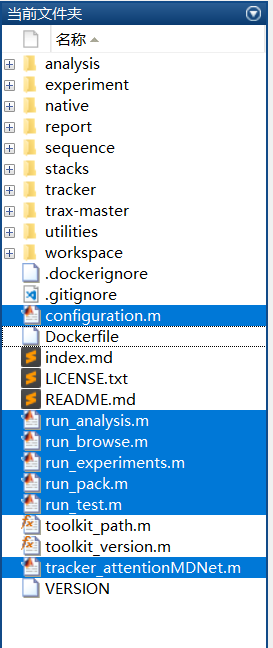
3. 打开 tracker_attentionMDNet.m,我们可以看到默认的代码如下:
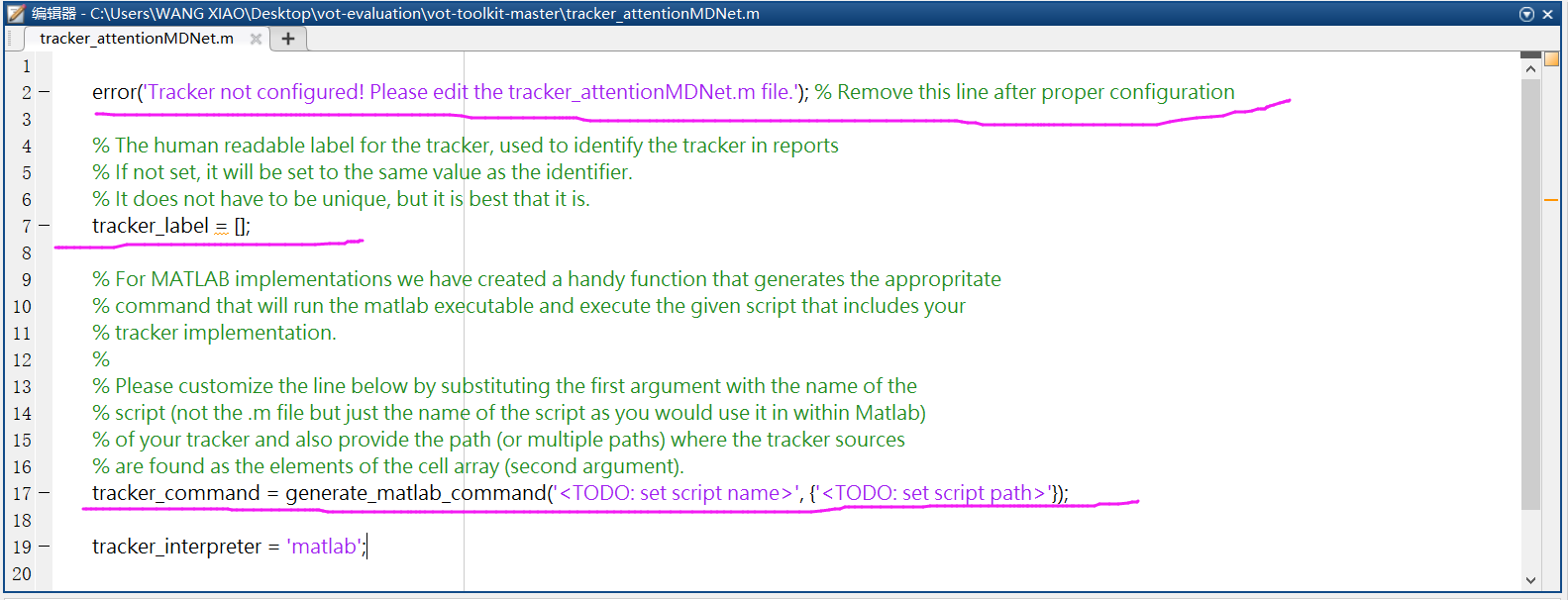
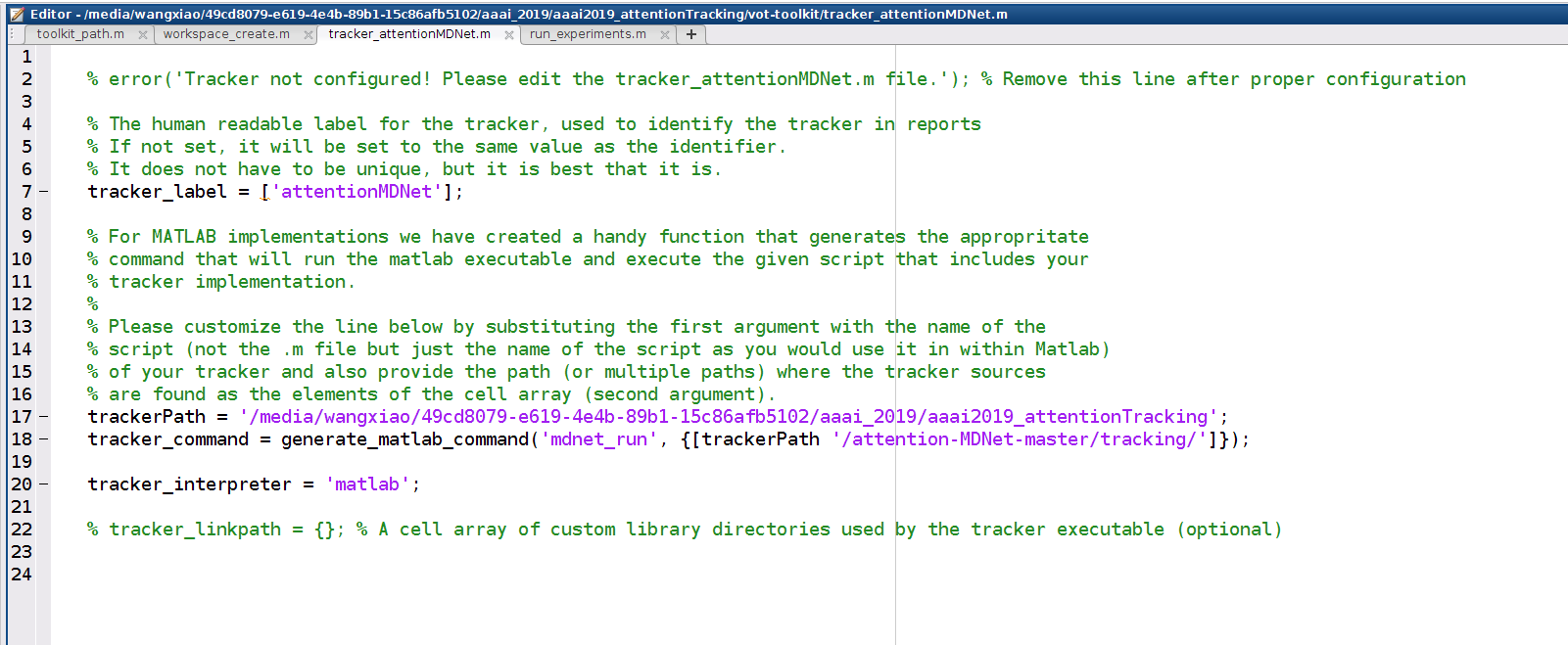
change the code into the following style:
step-1. command the second line;
step-2. change the line 17 according to your own tracker and path. and do not forget to add a '/' at the end of the file path.
4. open the run_experiments.m and run this script. It will begin to download the VOT-2016 dataset, just hold on ...

>> run_experiments
Initializing workspace ...
Checking for toolkit updates on GitHub.
Verifying native components ...
Loading sequences ...
Downloading sequence dataset "VOT2016 Challenge" with 60 sequences.
Downloading sequence "bag" ...
Downloading sequence "ball1" ...
...
when the dataset is downloaded, it shown me the following errors:
Testing TraX protocol support for tracker attentionMDNet.
Tracker execution interrupted: Unable to establish connection.
TraX support not detected.
Error using tracker_load (line 127)
Tracker has not passed the TraX support test.
Error in run_experiments (line 8)
tracker = tracker_load('attentionMDNet');
according to this blog: https://blog.csdn.net/HUSTbest_/article/details/80248610
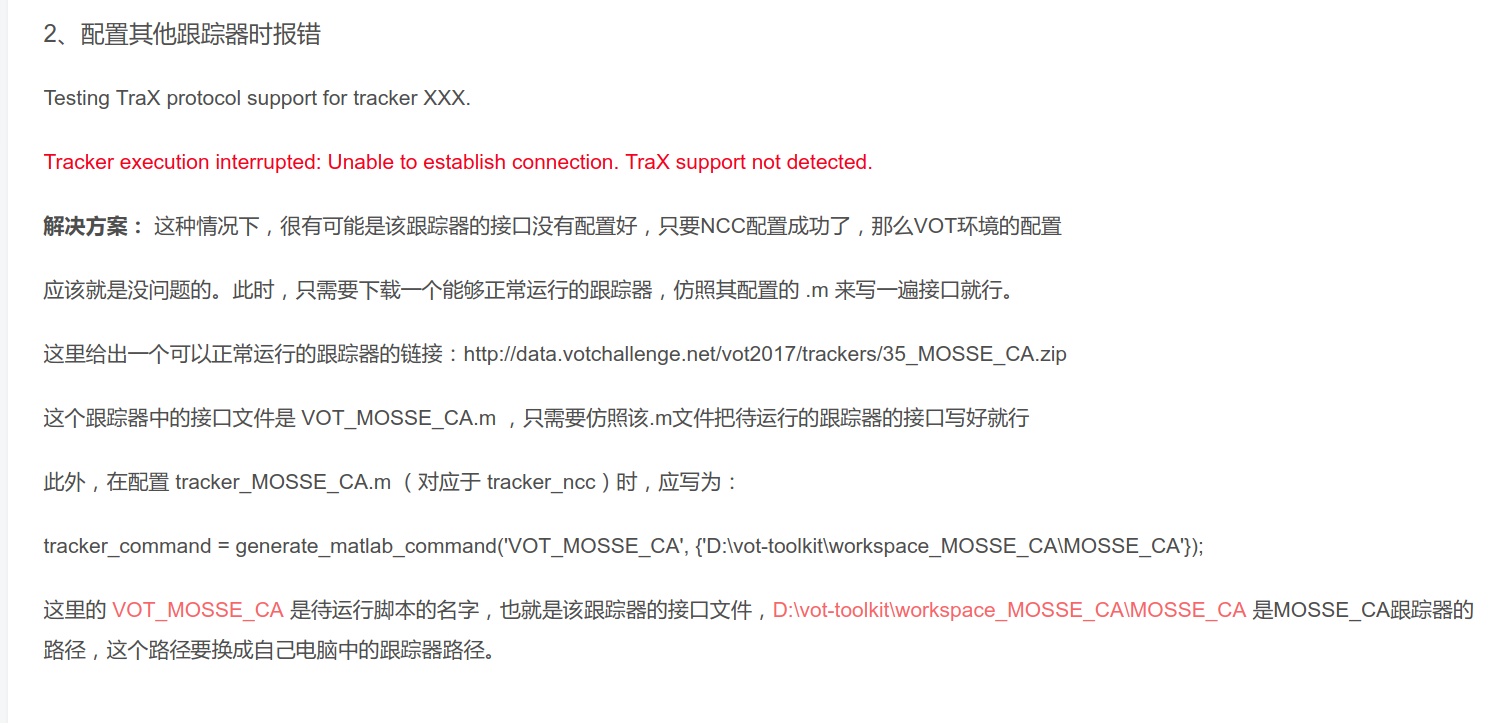
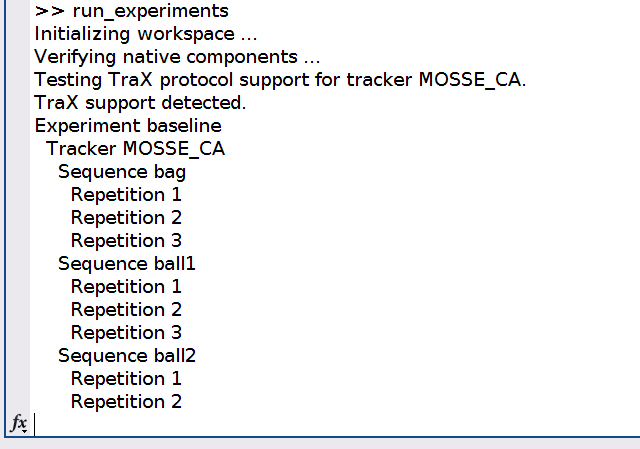
==>>> Ok, now let's compile this tracker first and check if it can success? yes, it indeed successfully run.
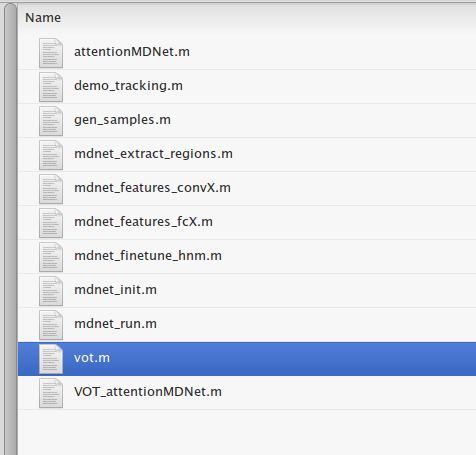
跑别人的算法成功了,但是自己的算法,还是不行啊。为什么呢?我们再仔细看下这个成功运行的 tracker,这个文件夹里面有一个 vot.m 函数,但是我们自己的跟踪算法文件夹中,却没有这个!god, damn it!
OK,知道是怎么回事了,就可以拷贝一份到我们自己的算法文件夹中就行了。执行后,发现可以正常进行 Trax 的通信了。
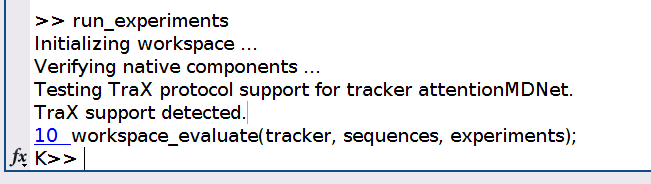
但是,这只是其中的一个步骤,我们必须得修改我们的代码,以使得满足 VOT 评测的格式以及运行方式。来,深呼吸,一步一步来:
reference blog: https://blog.csdn.net/aiqiu_gogogo/article/details/79454997
But we still find following errors when rewrite the code according to the reference tracker:
>> run_experiments
Initializing workspace ...
Verifying native components ...
WARNING: No configuration for tracker VOT_mdnet found
93 context = iterate(experiments, trackers, sequences, 'iterator', iterator, 'context', context);
Experiment baseline
Tracker VOT_mdnet
Sequence bag
Repetition 1
Tracker execution interrupted: First argument must be a string
Error using traxclient
First argument must be a string
Error in tracker_run (line 78)
data = traxclient(tracker.command, callback, ...
Error in experiment_supervised (line 71)
data = tracker_run(tracker, @callback, data);
Error in tracker_evaluate (line 57)
[files, metadata] = experiment_function(tracker, sequence, directory, parameters, scan);
Error in workspace_evaluate>execute_iterator (line 128)
tracker_evaluate(event.tracker, event.sequence, event.experiment);
Error in iterate (line 69)
context = iterator(event, context);
Error in workspace_evaluate (line 93)
context = iterate(experiments, trackers, sequences, 'iterator', iterator, 'context', context);
Error in run_experiments (line 10)
workspace_evaluate(tracker, sequences, experiments);
==>> How to solve ??? This maybe caused by your own code. you need to re-write the code and make it compactable with VOT evaluation tools.
When evaluation, you just run the run_analysis.m:
% This script can be used to perform a comparative analyis of the experiments in the same manner as for the VOT challenge

% You can copy and modify it to create a different analyis

addpath('/media/wangxiao/49cd8079-e619-4e4b-89b1-15c86afb5102/aaai_2019/aaai2019_attentionTracking/vot-toolkit'); toolkit_path; % Make sure that VOT toolkit is in the path

[sequences, experiments] = workspace_load();

% error('Analysis not configured! Please edit run_analysis.m file.'); % Remove this line after proper configuration

trackers = tracker_list('run_vot_V2'); % TODO: add more trackers here

workspace_analyze(trackers, sequences, experiments, 'report_AAAI2019_pyMDNet_AttentionV2', 'Title', 'Report for vot2016');
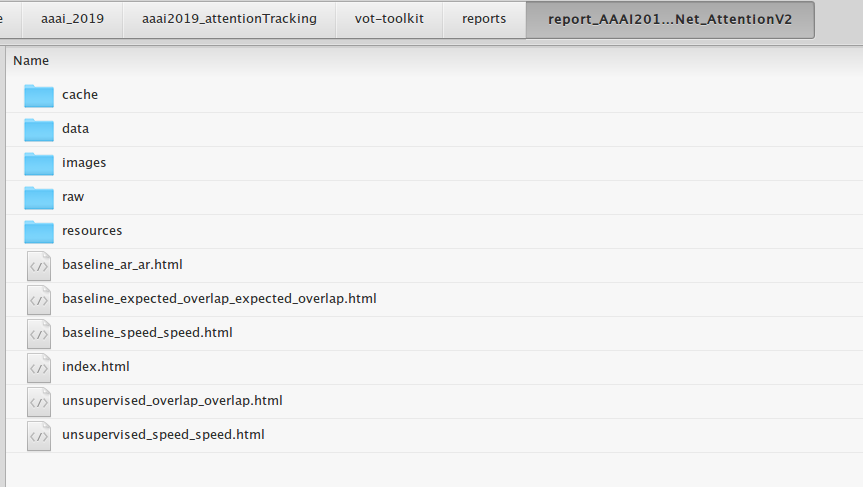
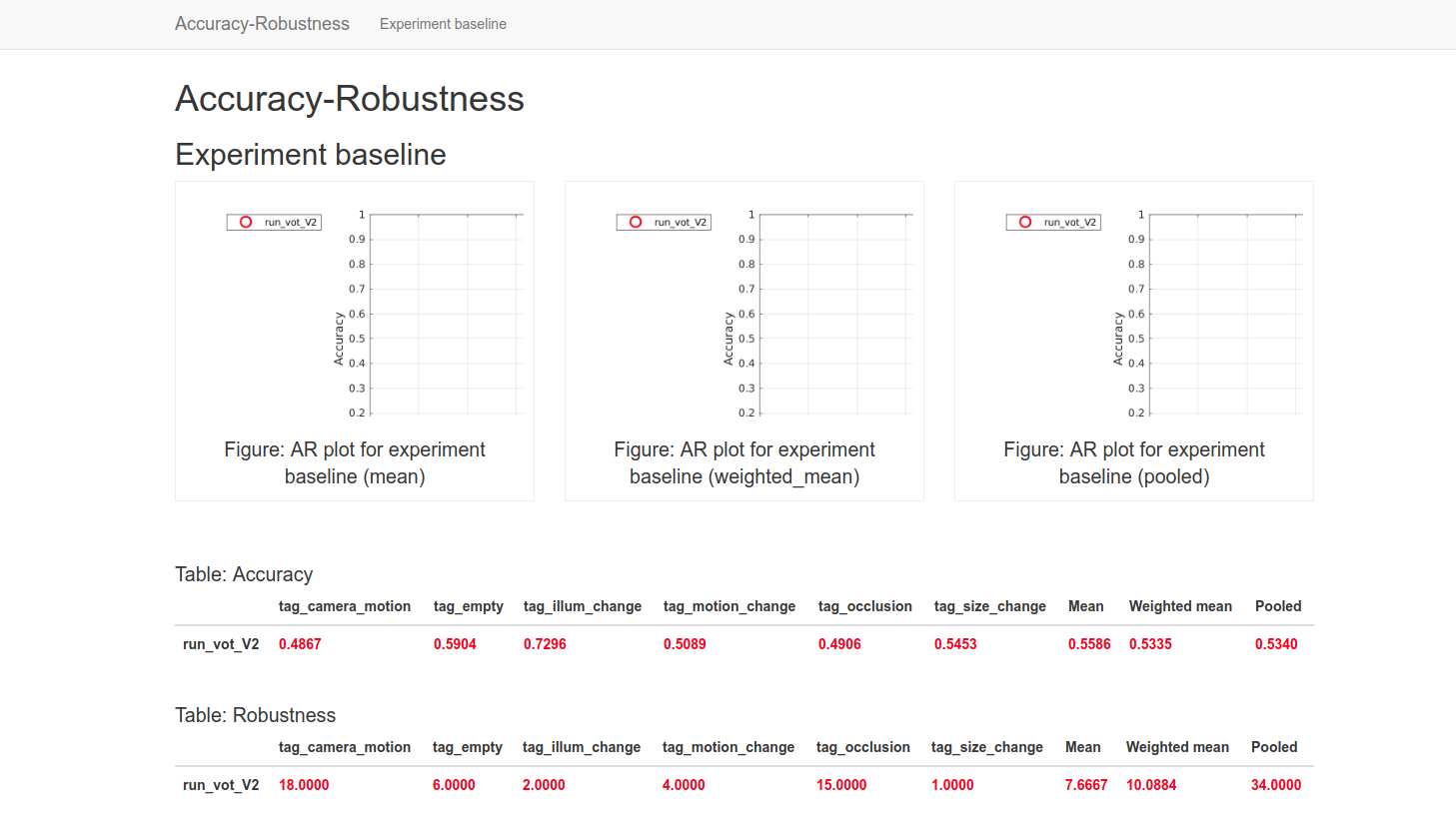
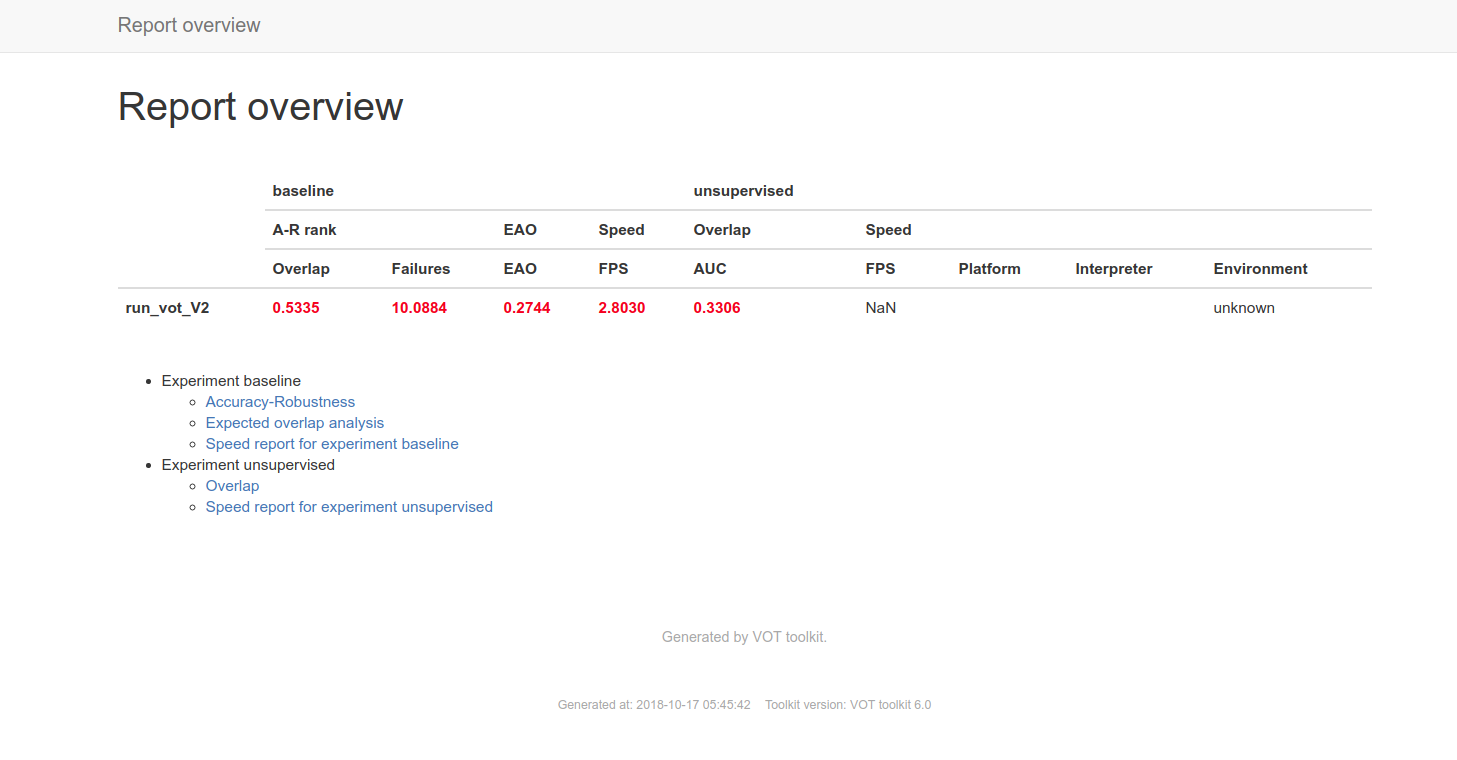
Then you can find the generated evaluation report as shown in above figures.
VOT-2016 代码评测工具的使用说明的更多相关文章
- Python实现代码统计工具——终极加速篇
Python实现代码统计工具--终极加速篇 声明 本文对于先前系列文章中实现的C/Python代码统计工具(CPLineCounter),通过C扩展接口重写核心算法加以优化,并与网上常见的统计工具做对 ...
- Java8 Stream性能如何及评测工具推荐
作为技术人员,学习新知识是基本功课.有些知识是不得不学,有些知识是学了之后如虎添翼,Java8的Stream就是兼具两者的知识.不学看不懂,学了写起代码来如虎添翼. 在上篇<Java8 Stre ...
- C和指针 第十八章 性能评测工具gprof
linux平台下的gprof评测工具可以对程序进行分析,需要在编译时加上-pg选项,如上一章的二叉树代码: gcc -pg main.c ArrayBinaryTree.h ArrayBinaryTr ...
- RubyCritic:一款不错的检测代码质量工具
关注代码质量是高效开发必须要做的一件事,那么在 Ruby 开发的过程中,是否有什么好的代码质量检测工具呢?下面由 Ruby 工程师路英瑞介绍一下 RubyCritic--一款还不错的代码质量检测工具. ...
- TCP协议的性能评测工具 — Tcpdive开源啦
Github地址:https://github.com/fastos/tcpdive 为什么要开发Tcpdive 在过去的几年里,随着移动互联网的飞速发展,整个基础网络已经发生了翻天覆地的变化. 用户 ...
- 好代码是管出来的——.Net中的代码规范工具及使用
上一篇文章介绍了编码标准中一些常用的工具,本篇就具体来介绍如何使用它们来完成代码管理. 本文主要内容有: Roslyn简介 开发基于Roslyn的代码分析器 常用的基于Roslyn的代码分析器 在.N ...
- Python实现C代码统计工具(三)
目录 Python实现C代码统计工具(三) 声明 一. 性能分析 1.1 分析单条语句 1.2 分析代码片段 1.3 分析整个模块 二. 制作exe Python实现C代码统计工具(三) 标签: Py ...
- Net中的代码规范工具及使用
Net中的代码规范工具及使用 https://www.cnblogs.com/selimsong/p/9209254.html 上一篇文章介绍了编码标准中一些常用的工具,本篇就具体来介绍如何使用它们来 ...
- SonarQube代码评审工具简介
SonarQube是一个代码评审工具,可以完成对多种类型代码的扫描,并生成报告.本文是一个简单的扫描Java代码的使用说明. 该工具主要分为两个部分: 服务端:用来保存和展示扫描结果. 客户端:或者说 ...
随机推荐
- 【大数据技术能力提升_2】numpy学习
numpy学习 标签(空格分隔): numpy python 数据类型 5种类型:布尔值(bool),整数(int),无符号整数(uint).浮点(float).复数(complex) 支持的原始类型 ...
- javascript_17-基本类型和引用类型
基本类型 直接存储值 Number . String .Boolean undefined.null 引用类型 存储引用 -Object.Array.Date.函数 包装基本类型--引用类型 func ...
- 使用FastJSON 对Map/JSON/String 进行互转
Fastjson是一个Java语言编写的高性能功能完善的JSON库,由阿里巴巴公司团队开发的主要特性主要体现在以下几个方面: 1.高性能 fastjson采用独创的算法,将parse的速度提升到极致, ...
- 机械师实时调度示例(I) - 实时规划
OptaPlanner创办人Geoffrey De Smet及其团队,在Red Hat 技术峰会上主题会场上,演示了一个通过OptaPlanner实现实时规划与调度的示例.Geoffrey及其团队专门 ...
- Linux postfix配置方法
第七题 配置邮件服务器 postfix学习网站:https://blog.csdn.net/mycms5/article/details/78773308 system1和systemc2分别执行 ...
- selenium 全天课整理(二)
# encoding=utf-8 ''' selenium 全天 二 ''' #unittest例子 from selenium import webdriver import unittest,ti ...
- [牛客网 -leetcode在线编程 -01] max-points-on-a-line -穷举
题目及题目来源 链接:https://www.nowcoder.com/questionTerminal/bfc691e0100441cdb8ec153f32540be2 来源:牛客网 首页 > ...
- 分布式调度平台XXL-JOB源码分析-调度中心
架构图 上图是我们要进行源码分析的2.1版本的整体架构图.其分为两大块,调度中心和执行器,本文先分析调度中心,也就是xxl-job-admin这个包的代码. 关键bean 在application.p ...
- php 常用字符串函数总结
php里面自带的字符串函数,日期函数,数组函数等,有时候可以帮助我们解决很复杂的问题,运用起来也比较简单. 下面总结了一下常用的字符串函数. addcslashes — 为字符串里面的部分字符添加反斜 ...
- 完成一个springboot项目的完整总结一
一. 项目的基础环境的搭建 1.javaJDK的安装和配置环境变量 2.mysql 3.eclipse 二.项目高级环境的搭建 使用maven前,一定要先安装JDK 1) 解压maven到briup目 ...