
Spring_使用 NamedParameterJdbcTemplate
applicationContext.xml
<?xml version="1.0" encoding="UTF-8"?>
<beans xmlns="http://www.springframework.org/schema/beans"
xmlns:xsi="http://www.w3.org/2001/XMLSchema-instance"
xmlns:context="http://www.springframework.org/schema/context"
xsi:schemaLocation="http://www.springframework.org/schema/beans http://www.springframework.org/schema/beans/spring-beans.xsd
http://www.springframework.org/schema/context http://www.springframework.org/schema/context/spring-context-4.1.xsd">
<!-- 导入资源文件 -->
<context:property-placeholder location="classpath:db.properties"/>
<context:component-scan base-package="om.hy.spring.JdbcTemplate">
</context:component-scan>
<!-- 配置C3P0数据源 -->
<bean id="dataSource"
class="com.mchange.v2.c3p0.ComboPooledDataSource">
<property name="user" value="${jdbc.user}"></property>
<property name="password" value="${jdbc.password}"></property>
<property name="jdbcUrl" value="${jdbc.jdbcUrl}"></property>
<property name="driverClass" value="${jdbc.driverClass}"></property>
<property name="initialPoolSize" value="${jdbc.initPoolSize}"></property>
<property name="maxPoolSize" value="${jdbc.maxPoolSize}"></property>
</bean>
<!-- 配置Spring 的 jdbcTemplate -->
<bean id="jdbcTemplate"
class="org.springframework.jdbc.core.JdbcTemplate">
<property name="dataSource" ref="dataSource"></property>
</bean>
<!-- 配置 NamedParameterJdbcTemplate, 该对象可以使用具名参数, 其没有无参数的构造器, 所以必须为其构造器指定参数 -->
<bean id="namedParameterJdbcTemplate"
class="org.springframework.jdbc.core.namedparam.NamedParameterJdbcTemplate">
<constructor-arg ref="dataSource"></constructor-arg>
</bean>
</beans>
JDBCTest.java
package om.hy.spring.JdbcTemplate;
import static org.junit.Assert.*;
import java.sql.SQLException;
import java.util.ArrayList;
import java.util.HashMap;
import java.util.List;
import java.util.Map;
import javax.sql.DataSource;
import org.junit.Test;
import org.springframework.context.ApplicationContext;
import org.springframework.context.support.ClassPathXmlApplicationContext;
import org.springframework.jdbc.core.BeanPropertyRowMapper;
import org.springframework.jdbc.core.JdbcTemplate;
import org.springframework.jdbc.core.RowMapper;
import org.springframework.jdbc.core.namedparam.BeanPropertySqlParameterSource;
import org.springframework.jdbc.core.namedparam.NamedParameterJdbcTemplate;
import org.springframework.jdbc.core.namedparam.SqlParameterSource;
public class JDBCTest {
private ApplicationContext ctx = null;
private JdbcTemplate jdbcTemplate ;
private EmployeeDao employeeDao;
private NamedParameterJdbcTemplate namedParameterJdbcTemplate;
{
ctx = new ClassPathXmlApplicationContext("applicationContext.xml");
jdbcTemplate = (JdbcTemplate) ctx.getBean("jdbcTemplate");
employeeDao = (EmployeeDao) ctx.getBean(EmployeeDao.class);
namedParameterJdbcTemplate = ctx.getBean(NamedParameterJdbcTemplate.class);
}
/**
* 使用具名参数时, 可以使用 update(String sql, SqlParameterSource paramSource) 方法进行更新操作
* 1. SQL 语句中的参数名和类的属性一致!
* 2. 使用 SqlParameterSource 的 BeanPropertySqlParameterSource 实现类作为参数.
*/
@Test
public void testNamedParameterJdbcTemplate2(){
String sql = "INSERT INTO employee(lastName, email, dpetId) "
+ "VALUES(:lastName,:email,:dpetId)";
Employee employee = new Employee();
employee.setLastName("XYZ");
employee.setEmail("xyz@sina.com");
employee.setDpetId(3);
SqlParameterSource paramSource = new BeanPropertySqlParameterSource(employee);
namedParameterJdbcTemplate.update(sql, paramSource);
}
/**
* 可以为参数起名字.
* 1. 好处: 若有多个参数, 则不用再去对应位置, 直接对应参数名, 便于维护
* 2. 缺点: 较为麻烦.
*/
@Test
public void testNamedParameterJdbcTemplate(){
String sql = "INSERT INTO employee(lastName, email, dpetId) VALUES(:ln,:email,:deptid)";
Map<String, Object> paramMap = new HashMap<String, Object>();
paramMap.put("ln", "FF");
paramMap.put("email", "ff@atguigu.com");
paramMap.put("deptid", 2);
namedParameterJdbcTemplate.update(sql, paramMap);
}
@Test
public void testEmployeeDao(){
System.out.println(employeeDao.getEmployee(1));
}
@Test
public void testQueryForObject2(){
String sql = "select count(*) from employee ";
long count = jdbcTemplate.queryForObject(sql, Long.class);
System.out.println(count);
}
@Test
public void testQueryForList(){
String sql = "select * from employee where id > ?";
RowMapper<Employee> rowMapper = new BeanPropertyRowMapper<Employee>(Employee.class);
List<Employee> employees = jdbcTemplate.query(sql, rowMapper, 2);
System.out.println(employees);
}
/**
* 从数据库中获取一条记录, 实际得到对应的一个对象
* 注意不是调用 queryForObject(String sql, Class<Employee> requiredType, Object... args) 方法!
* 而需要调用 queryForObject(String sql, RowMapper<Employee> rowMapper, Object... args)
* 1. 其中的 RowMapper 指定如何去映射结果集的行, 常用的实现类为 BeanPropertyRowMapper
* 2. 使用 SQL 中列的别名完成列名和类的属性名的映射. 例如 last_name lastName
* 3. 不支持级联属性. JdbcTemplate 到底是一个 JDBC 的小工具, 而不是 ORM 框架
*/
@Test
public void testQueryForObject(){
String sql = "select * from employee where id = ?";
RowMapper<Employee> rowMapper = new BeanPropertyRowMapper<Employee>(Employee.class);
Employee employee = jdbcTemplate.queryForObject(sql, rowMapper, 1);
System.out.println(employee);
}
/**
* 执行批量更新: 批量的 INSERT, UPDATE, DELETE
* 最后一个参数是 Object[] 的 List 类型: 因为修改一条记录需要一个 Object 的数组, 那么多条不就需要多个 Object 的数组吗
*/
@Test
public void testBatchInsert(){
String sql = "Insert into employee (lastName, email, dpetId) "
+ "values(?,?,?)";
List<Object[]> batchArgs = new ArrayList<Object[]>();
batchArgs.add(new Object[]{"AA", "aa@qq.com", 1});
batchArgs.add(new Object[]{"BB", "bb@qq.com", 1});
batchArgs.add(new Object[]{"CC", "cc@qq.com", 1});
batchArgs.add(new Object[]{"DD", "dd@qq.com", 1});
jdbcTemplate.batchUpdate(sql, batchArgs);
}
/**
* 执行 INSERT, UPDATE, DELETE
*/
@Test
public void testInsert(){
String sql = "Insert into employee (lastName, email, dpetId) "
+ "values(?,?,?)";
jdbcTemplate.update(sql, "TOM","tom@qq.com",1);
}
@Test
public void testDataSource() throws SQLException {
DataSource dataSource = ctx.getBean(DataSource.class);
System.out.println(dataSource.getConnection());
}
}
Spring_使用 NamedParameterJdbcTemplate的更多相关文章
- spring 课程
官网 参考文档 // 1. Spring_HelloWorld 20:22 // 2. Spring_IOC&DI概述 08:07 // 3. Spring_配置 Bean 21:58 // ...
- (转) Spring框架笔记(二十五)——NamedParameterJdbcTemplate与具名参数(转)
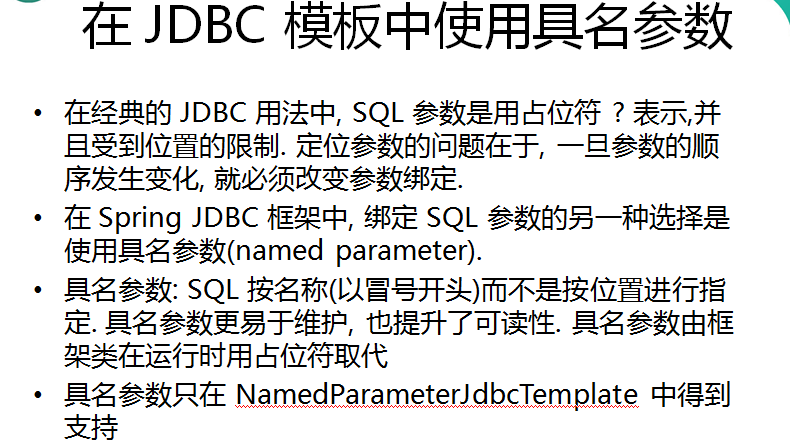
在经典的 JDBC 用法中, SQL 参数是用占位符 ? 表示,并且受到位置的限制. 定位参数的问题在于, 一旦参数的顺序发生变化, 就必须改变参数绑定. 在 Spring JDBC 框架中, 绑定 ...
- Spring 的 NamedParameterJdbcTemplate(转)
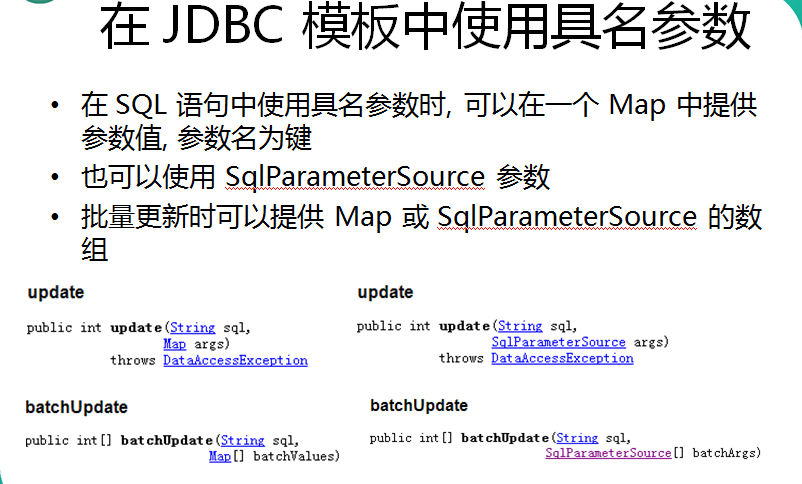
NamedParameterJdbcTemplate类是基于JdbcTemplate类,并对它进行了封装从而支持命名参数特性. NamedParameterJdbcTemplate主要提供以下三类方法 ...
- SPRING IN ACTION 第4版笔记-第十章Hitting the database with spring and jdbc-004-使用NamedParameterJdbcTemplate
为了使查询数据库时,可以使用命名参数,则要用NamedParameterJdbcTemplate 1.Java文件配置 @Bean public NamedParameterJdbcTemplate ...
- JdbcTemplate 、NamedParameterJdbcTemplate、SimpleJdbcTemplate的区别
一.JdbcTemplate 首先在配置文件中设置数据源 <bean id="dataSource" class="org.springframework.jdbc ...
- springJdbc like模糊查询,Spring namedParameterJdbcTemplate like查询
springJdbc like模糊查询,Spring namedParameterJdbcTemplate like查询, SpringJdbc命名参数like模糊查询,namedParameterJ ...
- Spring NamedParameterJdbcTemplate命名参数查询条件封装, NamedParameterJdbcTemplate查询封装
Spring NamedParameterJdbcTemplate命名参数查询条件封装, NamedParameterJdbcTemplate查询封装 >>>>>> ...
- Spring 具名参数NamedParameterJdbcTemplate
具名参数: 具名参数:SQL 按名称(以冒号开头)而不是按位置进行指定. 具名参数更易于维护, 也提升了可读性. 具名参数由框架类在运行时用占位符取代 我们之前一直是用JDBCTemplate 进行 ...
- NamedParameterJdbcTemplate
NamedParameterJdbcTemplate 在经典的 JDBC 用法中, SQL 参数是用占位符 ? 表示,并且受到位置的限制. 定位参数的问题在于, 一旦参数的顺序发生变化, 就必须改变参 ...
随机推荐
- 54、Android 粒子效果之雨(下雨的效果)
核心内容: 1.绘制下雨场景的个体.雨点(直线) 2.让直线动起来 3.处理边界问题 4.构造雨点对象 5.雨点大小设置 6.速度设置和角度设置等 7.添加多个雨点 8.抽离可以在 XML 中影响的属 ...
- http协议详解(2)
HTTP报文是面向文本的,报文中的每一个字段都是一些ASCII码串,各个字段的长度是不确定的.HTTP有两类报文:请求报文和响应报文. HTTP请求报文 一个HTTP请求报文由请求行(request ...
- 面试之Java持久层(十)
91,什么是ORM? 对象关系映射(Object-Relational Mapping,简称ORM)是一种为了解决程序的面向对象模型与数据库的关系模型互不匹配问题的技术: 简单的说,O ...
- 【BZOJ1491】[NOI2007]社交网络 Floyd
[BZOJ1491][NOI2007]社交网络 Description 在社交网络(socialnetwork)的研究中,我们常常使用图论概念去解释一些社会现象.不妨看这样的一个问题. 在一个社交圈子 ...
- [LintCode] 二叉树的后序遍历
The recursive solution is trivial and I omit it here. Iterative Solution using Stack (O(n) time and ...
- jQuery Validation Engine 表单验证,自定义规则验证方法
jQuery Validation Engine 表单验证说明文档http://code.ciaoca.com/jquery/validation-engine/ js加到jquery.validat ...
- 7.javascript如何调试代码
http://www.cnblogs.com/youring2/archive/2012/08/08/2624093.html
- 让select下的option选中
这里以默认选中当前月为例: HTML: 性别 <select name="sex" id="sex"> <option value=" ...
- PC京东登录页分析 curl
w 正确的组合,没有显示新页面的数据. <!doctype html> <html> <head> </head> <?php include(' ...
- ArcGIS runtime for wpf 部署
简介 ArcGIS runtime for wpf 是一个轻量级的产品,部署方便,甚至可以做到直接部署在U盘中,做到即插即用. 部署一般需要遵循如下几个步骤: 1. 设定部署许可 虽然ArcGIS r ...