
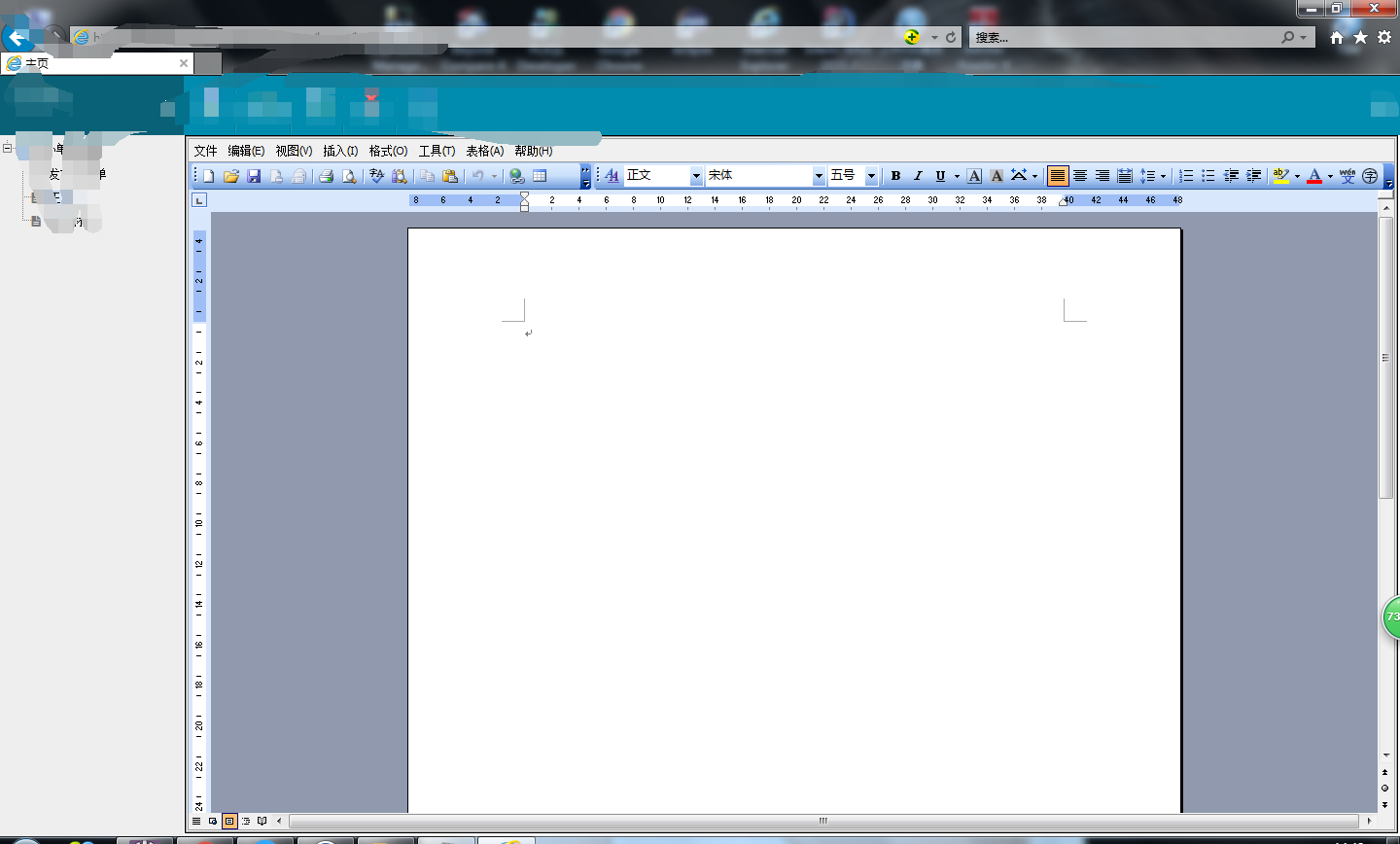
word在线问题
1.js代码如下
var sdata = "";
$(function(){
var pathdoc = path.split(".");
var explorer =navigator.userAgent ;
if(pathdoc[1]=="pdf"){
$("#printid").attr("src","../file_FileDownload_prints.action?path="+path);
}
if(pathdoc[1]=="doc"){
if((window.ActiveXObject || "ActiveXObject" in window)){
$("#printid").hide();
$("#1c").show();
var r = $("#1c");
var y = {};
//把自定义控件word 的各个属性存到数组中
y['id'] = r.attr("id");
y['ctype'] = 'word';
y['height'] = r.attr("height");
y['width'] = r.attr("weight");
y['uname'] = '';
y['ucode'] = '';
y['ctime'] = webform.getTime();
var cJ= webform;
if (cJ) {
y['uname'] = cJ.getUserName();
y['ucode'] = cJ.getUser();
cJ = null
}
//定义一个新的office方法,将属性数组y闯过去
var cT = new Office(y);
g_ctrls[r.attr("id")] = cT;
cT.render(r);
}else{
webform.confirm("是否下载word打印?",downloadword,"","","",wordclose);
}
}
})
function downloadword(){
$("#printid").attr("src","../file_FileDownload_prints.action?path="+path);
$(parent.document).find(".co-win-gray").hide();
$(parent.document).find(".co-win-uploaddiv").hide();
}
function wordclose(){
$(parent.document).find(".co-win-gray").hide();
$(parent.document).find(".co-win-uploaddiv").hide();
}
Office = function(c) {
this.divid = c['id'];
this.myobj = null;
this.ctype = c['ctype'];
this.shost = window.location.href.substr(0, window.location.href.lastIndexOf('cops'));
//word控件打开的时候执行的事件
this.openFile = function() {
try{
var a = '';
a = this.shost+"/file_FileDownload_fileUploadword.action?path="+path;
try {
//文件名为空,打开后台原始给出的文件
if (this.ctype == 'word') {
this.myobj.Open(a, true, "Word.Document");
}
} catch (e) {
a = '';
}
if (a == '') {
return;
}
//this.myobj封装好的方法
/*this.myobj.ProtectDoc(0, 2, "0x0xx0x0x0x");*/
/*this.myobj.ShowRevisions(1);
this.myobj.SetTrackRevisions(1);
this.myobj.SetCurrUserName(c['uname']);
this.myobj.SetCurrTime(c['ctime']);
this.myobj.Titlebar = false;*/
/*this.myobj.Menubar = false;*/
a = '';
}catch(e){
return;
}
}
//表单加载后执行的事件,执行打开word
this.render = function(a) {
a.append('<object id="' + c['id'] + 'x' + '" name="' + c['id'] + 'x' + '" style="visibility:visible;left: 0px; width: 100%; top: 0px; height: 100%;" classid="clsid:00460182-9E5E-11D5-B7C8-B8269041DD57" codebase="dsoframer.ocx#version=2,3,0,1"><PARAM NAME="_ExtentX" VALUE="19923"><PARAM NAME="_ExtentY" VALUE="16325"><PARAM NAME="BorderColor" VALUE="-2147483632"><PARAM NAME="BackColor" VALUE="-2147483643"><PARAM NAME="ForeColor" VALUE="-2147483640"><PARAM NAME="TitlebarColor" VALUE="-2147483635"><PARAM NAME="TitlebarTextColor" VALUE="-2147483634"><PARAM NAME="BorderStyle" VALUE="1"><PARAM NAME="Titlebar" VALUE="0"><PARAM NAME="Toolbars" VALUE="1"><PARAM NAME="Menubar" VALUE="1"><param name="_ExtentX" value="21458"><param name="_ExtentY" value="6350"><param name="BorderColor" value="-2147483632"><param name="BackColor" value="-2147483643"><param name="ForeColor" value="-2147483640"><param name="TitlebarColor" value="-2147483635"><param name="TitlebarTextColor" value="-2147483634"><param name="BorderStyle" value="1"><param name="Titlebar" value="0"><param name="Toolbars" value="1"><param name="Menubar" value="1"></object>');
try{
this.myobj = document.all[c['id'] + 'x'];
this.openFile();
window.scrollTo(c['height'])
}catch(e){
return;
}
}
};
2.java后台代码如下
public void fileUploadword() throws IOException{
if(getWriter() == false) return;
String path = request.getParameter("path");
path = Resource.getValue("temp")+ "Temp\\"+path;
//out.write(relativelyPath);
OpenFileByStream(path,true);
}
public void OpenFileByStream(String strUrl,Boolean isLocal) {
if(isLocal != true){
strUrl = request.getRealPath(strUrl.substring(strUrl.indexOf('/') + 1)).replace("\\", "/");
try {
strUrl = java.net.URLDecoder.decode(strUrl, "UTF-8");
} catch (UnsupportedEncodingException e1) {
e1.printStackTrace();
}
}
File fi = new File(strUrl);
boolean fileIs = (fi.exists());
if (fileIs) { //如果文件存在
response.reset();
response.setCharacterEncoding("gb2312");
// response.addHeader("WWW-Authenticate", "BASIC");
response.setHeader("WWW-Authenticate", "BASIC");
// response.setHeader("Cache-Control", "no-cache");
// response.setHeader("Pragma", "no-cache");
String extName = strUrl.substring(strUrl.lastIndexOf("."),
strUrl.length()).toUpperCase(); //后缀名转换为大写
boolean strName = (extName.endsWith(".DOC")
|| extName.endsWith(".DOCX") || extName.endsWith(".PDF")
|| extName.endsWith(".PPT") || extName.endsWith(".PPTX")
|| extName.endsWith(".TXT") || extName.endsWith(".XLS")
|| extName.endsWith(".XLSX") || extName.endsWith(".BMP")
|| extName.endsWith(".GIF") || extName.endsWith(".IEF")
|| extName.endsWith(".JPEG") || extName.endsWith(".JPG")
|| extName.endsWith(".PNG") || extName.endsWith(".TIFF")
|| extName.endsWith(".TIF"));
if (strName) {
if (".DOC".equals(extName)) {
response.setHeader("Content-type","application/msword");
} else if (".DOCX".equals(extName)) {
response.setHeader("Content-type","application/vnd.openxmlformats-officedocument.wordprocessingml.document");
} else if (".PDF".equals(extName)) {
response.setHeader("Content-type","application/pdf");
} else if (".TXT".equals(extName)) {
response.setHeader("Content-type","text/html");
} else if (".XLS".equals(extName)) {
response.setHeader("Content-type","application/vnd.ms-excel");
} else if (".XLSX".equals(extName)) {
response.setHeader("Content-type","application/vnd.openxmlformats-officedocument.spreadsheetml.sheet");
} else if (".PPT".equals(extName)) {
response.setHeader("Content-type","application/vnd.ms-powerpoint");
} else if (".PPTX".equals(extName)) {
response.setHeader("Content-type","application/vnd.openxmlformats-officedocument.presentationml.presentation");
} else if (".BMP".equals(extName)) {
response.setHeader("Content-type","image/bmp");
} else if (".GIF".equals(extName)) {
response.setHeader("Content-type","image/gif");
} else if (".IEF".equals(extName)) {
response.setHeader("Content-type","image/ief");
} else if (".JPEG".equals(extName)) {
response.setHeader("Content-type","image/jpeg");
} else if (".JPG".equals(extName)) {
response.setHeader("Content-type","image/jpeg");
} else if (".PNG".equals(extName)) {
response.setHeader("Content-type","image/png");
} else if (".TIFF".equals(extName)) {
response.setHeader("Content-type","image/tiff");
} else if (".TIF".equals(extName)) {
response.setHeader("Content-type","image/tif");
}
/*
* try { TransmitFile.downLoad(response, strUrl);
* response.flushBuffer(); } catch (Exception e) {
* e.printStackTrace(); }
*/
BufferedInputStream bis = null;
BufferedOutputStream bos = null;
try {
response.reset();
response.setCharacterEncoding("gb2312");
response.setContentType("application/x-msdownload");
String filename = strUrl.substring(
strUrl.lastIndexOf("/") + 1, strUrl.length());
// response.setHeader("Content-Disposition","attachment;filename="+new
// String(filename.getBytes("gb2312"),"iso8859-1"));
response.setHeader("Content-Disposition", "filename="
+ new String(filename.getBytes("gb2312"),
"iso8859-1"));
bis = new BufferedInputStream(new FileInputStream(strUrl));
bos = new BufferedOutputStream(response.getOutputStream());
byte[] buff = new byte[2048];
int bytesread;
while (-1 != (bytesread = bis.read(buff, 0, buff.length))) { //读取文件
bos.write(buff, 0, bytesread);
}
response.flushBuffer(); //将缓冲区的内容输出出来
} catch (Exception e) {
e.printStackTrace();
} finally {
if (bis != null) {
try {
bis.close(); //关闭流
} catch (IOException e) {
e.printStackTrace();
}
}
if (bos != null) {
try {
bos.close(); //关闭流
} catch (IOException e) {
e.printStackTrace();
}
}
}
// out.flush();
// out.close();
} else {
out.write("The file type is not supported in view.");
}
}
else{
out.write("The file is not exist.");
}
}、
word在线问题的更多相关文章
- word在线编辑\生成图片(包含截图与合并)
1.业务原因 word编辑后的文章复制到html编辑器(fck等)会发生排版错乱的情况,于是混沌了.需要有一个新的方法来终结,于是产生了word能不能在线编辑,后台保存,前台显示灯一系列问题. 2.首 ...
- 借助flexpaper实现word在线预览和打印
为了实现word能够在web上尽量以原始的排版样式展现出来,选择基于activex控件的方式太过于依赖某种浏览器,并且存在可能需要花费金钱购买相应的控件产品:于是借助flexpaper这种flash展 ...
- pdf转word在线转换器
昨天大学辅导员联系我让我pdf转word,一番搜索终于找到一款免费好用的在线转换器,亲测好使免费
- 实现pdf word在线浏览和下载
这篇实现的是在线展示pdf和word并且不能显示下载和打印按钮 一 下载功能: 因为html5给a标签新添加了一个属性download,这个属性可以直接实现下载文件的功能:<a href=&qu ...
- 实现word在线预览 有php的写法 也有插件似
<?php //header("Content-type:text/html;charset=utf-8"); //word转html 展示 $lj=$_GET['file' ...
- [转载]java开发实现word在线编辑及流转
OA公文流转系统主要用于处理企业日常工作中内外部的各种公文,包括了公文的拟稿.审批.传阅.公告.归档,多层上级可以对下级撰写的公文进行逐级审批或修改,待最高级人员确认无误后即可进行核稿和发文等操作,最 ...
- [原创]java开发实现word在线编辑及流转
OA公文流转系统主要用于处理企业日常工作中内外部的各种公文,包括了公文的拟稿.审批.传阅.公告.归档,多层上级可以对下级撰写的公文进行逐级审批或修改,待最高级人员确认无误后即可进行核稿和发文等操作,最 ...
- word在线预览编辑器
https://blog.csdn.net/liuli283/article/details/73776685 https://blog.csdn.net/mxljiayou/article/deta ...
- php实现word在线浏览功能。
http://laoniangke.com/php/2012/10/08/php-doc-webview.html
随机推荐
- jar包冲突与inode
包冲突 几乎上点规模的java系统就会遇到jar冲突,不负责任的讲排除依赖成了每次发布上线前必做的工作.虽然问题的本质都是jar冲突,但是表现上却有很多不同,从NoSuchMethodError,Cl ...
- vim 命令整理(自己经常使用)
vimm(vimsual)是Linux/UNIX系列OS中通用的全屏编辑器. vimm分为两种状态,即命令状态和编辑状态.在命令状态下.所键入的字符系统均作命令来处理.如:q代表退出,而编辑状态则是用 ...
- Linux批量杀死包括某个keyword的进程
ps -ef|grep ./amplxe-gui|grep -v grep|cut -c 9-15|xargs kill -9 批量杀死包括keyword"./amplxe-gui" ...
- Clang-Format: Visual Studio Style
PointerAlignment: Left UseTab: Never IndentWidth: 4 BreakBeforeBraces: Allman AllowShortIfStatements ...
- 基于Metronic的Bootstrap开发框架经验总结(18)-- 在代码生成工具Database2Sharp中集成对Bootstrap-table插件的分页及排序支持
在我们开发系统界面,包括Web和Winform的都一样,主要的界面就是列表展示主界面,编辑查看界面,以及一些辅助性的如导入界面,选择界面等,其中列表展示主界面是综合性的数据展示界面,一般往往需要对记录 ...
- dedecms在php7下的使用方法,织梦dedecsm后台一片空白的解决方法
前几天,一个老客户,最近升级了服务器,php到php7,把织梦dedecms转移到新服务器后,不能登录后台,让帮忙看一下. 我看了下他们的网站,使用的是织梦V57_UTF8_SP1前台页面是可以访问的 ...
- 43.Linux调试测试输入思路
当产品要发布之前,都会进行反复的测试输入,比如:测试按键,遥控,触摸等等. 当出现bug时,就还需要不停地找规律,修改程序,直到修复成功,会显的非常麻烦 答: 可以通过之前在35.Linux-分析并制 ...
- 简单介绍什么是协程及其在ES6中的实现方式
协程,英文名coroutine,是一种执行过程可以被暂停和恢复的方法.各个协程之间相互协作完成一个任务. 让我们来看一个关于发挥协程作用的例子.假定我们有一个生产者和消费者的关系,生产者创建物品并将物 ...
- C# TreeView 控件的综合使用方法
1.概述 该篇文章开发使用的语言c#,环境visualstudio2010,sql数据库.主要内容包括: (1)treeView控件添加根节点.子节点的基本方法,节点的删除. (2)把treeView ...
- xml文件生成方式一(字符串拼接,将多实体类对象写入xml文件)
1.xml文件生成,拼接字符串使用StringBuffer或StringBuilder 2.拼接好后写入文件即可,将多个实体类写入xml文件 3.这种方式比较简单,但是操作也比较麻烦 4.下面是我的代 ...