
Html飞机大战(十六): 完成"清除"敌机奖励类
好家伙,
我们先来尝试完成一个最简单的功能
正面buff:
1.消灭全图敌机
我们要先找一个好看一点的素材

把背景弄成透明的(搞了好久),感谢度娘的技术支持Photoshop中如何把图片的背景变成透明的-百度经验 (baidu.com)
你问我为什么是篮球?
只因你太美
为了方便测试,我们先弄个测试版本出来
// 全局函数 隔一段时间就来初始化一架敌机/奖励

    function createComponent() {

      const currentTime = new Date().getTime();

      if (currentTime - ENEMY_LASTTIME >= ENEMY_CREATE_INTERVAL) {

        let ran = Math.floor(Math.random() * 100);

        // if (ran < 55) {

        //   enemies.push(new Enemy(E1));

        // } else if (ran < 85 && ran > 55) {

        //   enemies.push(new Enemy(E2));

        // } else if (ran < 95 && ran > 85) {

        //   enemies.push(new Enemy(E3));

        // } else if (ran > 95) {

        //   awards.push(new award(C1));

        // }

        if (ran < 30) {

          enemies.push(new Enemy(E1));

        } else {

          awards.push(new award(C1));

        }

        ENEMY_LASTTIME = currentTime;

      }

    }
(将原本的敌机生产流程,变成只生产小敌机和奖励类)
这么做是为了方便测试
来吧,
1.奖励类图片素材路径
c1: "img/lanqiu.jpg"
const c1 = createImage(IMAGES.c1);
2.奖励类配置项
const C1 = {

      type: 4,

      width: 75,

      height: 75,

      life: 1,

      score: 1,

      img: c1,

      minSpeed: 5,

      maxSpeed: 10

    };
3.奖励类
这个奖励类的实现逻辑其实和敌机一样(没有动画渲染,甚至比敌机类更简单一点)
//初始化奖励类

    class award {

      constructor(config) {

        this.type = config.type;

        this.width = config.width;

        this.height = config.height;

        this.x = Math.floor(Math.random() * (480 - config.width));

        this.y = -config.height;

        this.life = config.life;

        this.score = config.score;

        this.img = config.img;

        this.live = true;

        this.speed = Math.floor(Math.random() * (config.minSpeed - config.maxSpeed + 1)) + config.maxSpeed;

        this.lastTime = new Date().getTime();

        this.deathIndex = 0;

        this.destory = false;

      }

      move() {

        const currentTime = new Date().getTime();

        if (currentTime - this.lastTime >= this.speed) {

          if (this.live) {

            this.y = this.y + 6;

            this.lastTime = currentTime;

          } else {

            this.destory = true;

          }

        }

      }

      paint(context) {

        context.drawImage(this.img, this.x, this.y, this.width, this.height);

      }

      outOfBounds() {

        if (this.y > 650) {

          return true;

        }

      }

      hit(o) {

        let ol = o.x;

        let or = o.x + o.width;

        let ot = o.y;

        let ob = o.y + o.height;

        let el = this.x;

        let er = this.x + this.width;

        let et = this.y;

        let eb = this.y + this.height;

        if (ol > er || or < el || ot > eb || ob < et) {

          return false;

        } else {

          return true;

        }

      }

      // collide() {

      //   this.life--;

      //   if (this.life === 0) {

      //     this.live = false;

      //     score += this.score;

      //   }

      // }

    }
4.全局渲染
// 全局函数 来绘制所有的子弹/敌人组件 绘制score&life面板

    function paintComponent() {

      for (let i = 0; i < hero.bulletList.length; i++) {

        hero.bulletList[i].paint(context);

      }

      for (let i = 0; i < enemies.length; i++) {

        enemies[i].paint(context);

      }

      for (let i = 0; i < awards.length; i++) {

        awards[i].paint(context);

      }

      context.font = "20px 微软雅黑";

      context.fillStyle = "red";

      context.textAlign = "left";

      context.fillText("score: " + score, 10, 20);

      context.textAlign = "right";

      context.fillText("life: " + life, 480 - 10, 20);

      //重置样式

      context.fillStyle = "black";

      context.textAlign = "left";

    }
5.全局移动
// 全局函数 来判断所有的子弹/敌人组件 "负责移动"

    function judgeComponent() {

      for (let i = 0; i < hero.bulletList.length; i++) {

        hero.bulletList[i].move();

      }

      for (let i = 0; i < enemies.length; i++) {

        enemies[i].move();

      }

      for (let i = 0; i < awards.length; i++) {

        awards[i].move();

      }

    }
6.全局碰撞判断
// 碰撞检测函数

    //此处的碰撞检测包括

    //1.子弹与敌机的碰撞

    //2.英雄与敌机的碰撞

    //3.英雄与随机奖励的碰撞

    function checkHit() {

      // 遍历所有的敌机

      for (let i = 0; i < awards.length; i++) {

        //检测英雄是否碰到奖励类

        if (awards[i].hit(hero)) {

          //当然了,这个随机奖励的样式也要删了

          awards.splice(i,1);

          //清除所有的敌机

          // for (let i = 0; i < enemies.length; i++) {

          //   enemies.splice(i, 1);

          // }

          enemies.length =0;

        }

      }

      for (let i = 0; i < enemies.length; i++) {

        //检测英雄是否撞到敌机

        if (enemies[i].hit(hero)) {

          //将敌机和英雄的destory属性改为true

          enemies[i].collide();

          hero.collide();

        }

        for (let j = 0; j < hero.bulletList.length; j++) {

          enemies[i].hit(hero.bulletList[j]);

          //检测子弹是否撞到敌机

          if (enemies[i].hit(hero.bulletList[j])) {

            //将敌机和子弹的destory属性改为true

            enemies[i].collide();

            hero.bulletList[j].collide();

          }

        }

      }

    }
看这里就好
for (let i = 0; i < awards.length; i++) {

        //检测英雄是否碰到奖励类

        if (awards[i].hit(hero)) {

          //当然了,这个随机奖励的样式也要删了

          awards.splice(i,1);

          //清除所有的敌机

          // for (let i = 0; i < enemies.length; i++) {

          //   enemies.splice(i, 1);

          // }

          enemies.length =0;

        }

      }
(全删了不就好了,刚开始是想着一个个删的)
来看看效果:
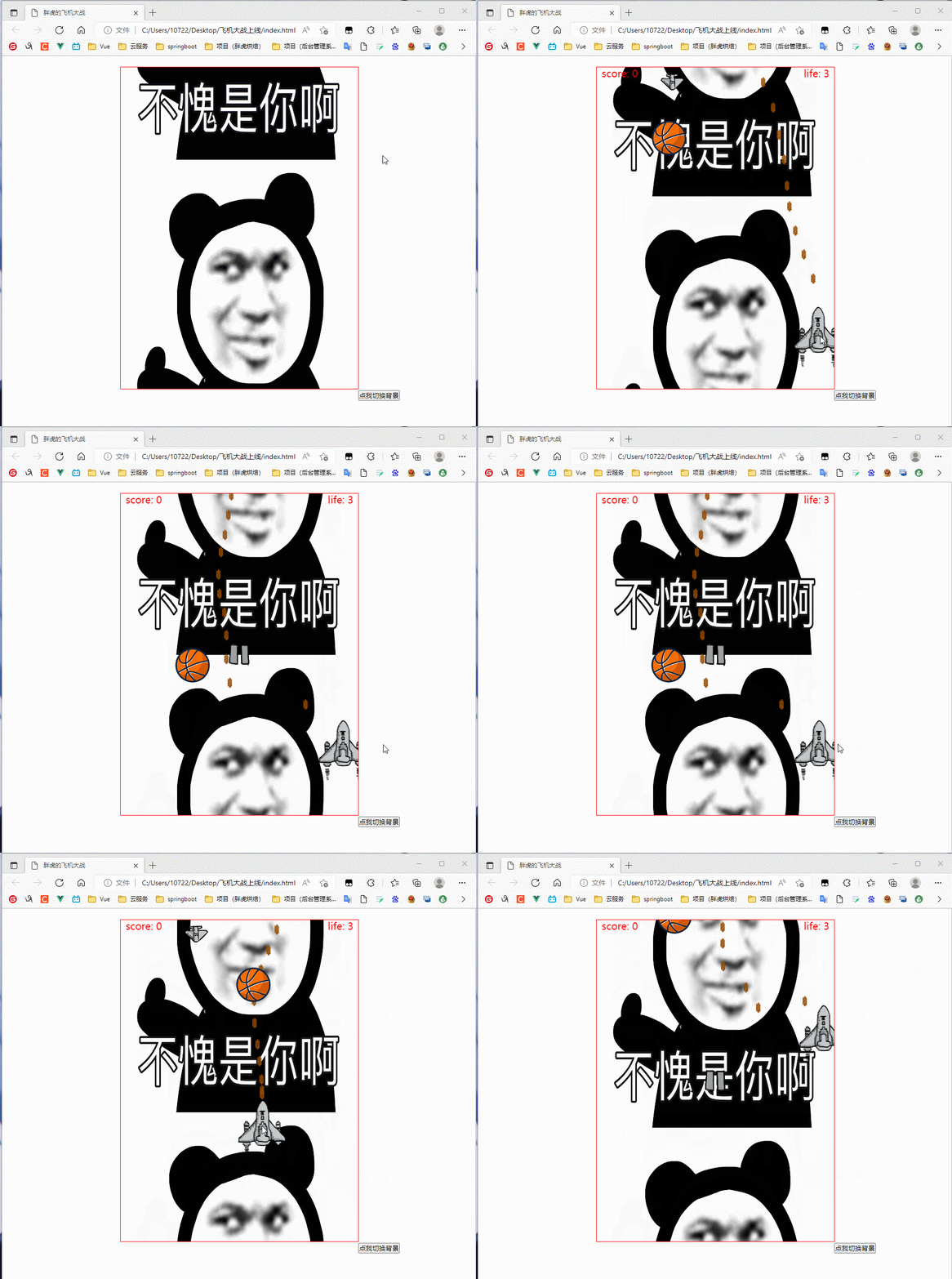
(非常nice)
现在我们调回上线版本
function createComponent() {

      const currentTime = new Date().getTime();

      if (currentTime - ENEMY_LASTTIME >= ENEMY_CREATE_INTERVAL) {

        let ran = Math.floor(Math.random() * 100);

        if (ran < 55) {

          enemies.push(new Enemy(E1));

        } else if (ran < 85 && ran > 55) {

          enemies.push(new Enemy(E2));

        } else if (ran < 95 && ran > 85) {

          enemies.push(new Enemy(E3));

        } else if (ran > 95) {

          awards.push(new award(C1));

        }

        ENEMY_LASTTIME = currentTime;

      }

    }
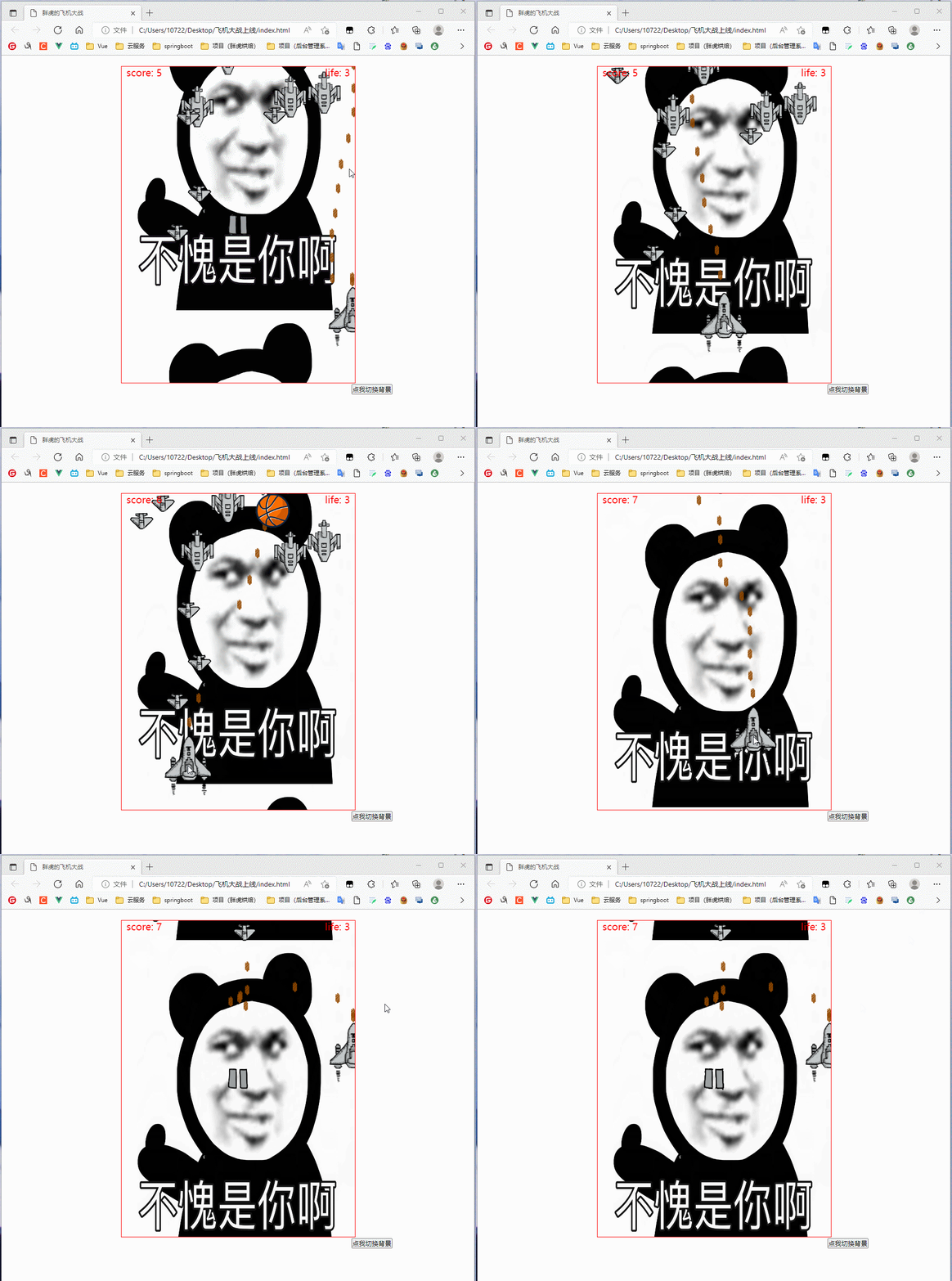
(随机奖励给个百分之五吧,不然太bug了)
来看看效果:
Html飞机大战(十六): 完成"清除"敌机奖励类的更多相关文章
- Html飞机大战(十八): 模块化+项目开源
好家伙,好久好久没有更新这个系列了 为了使文档更方便阅读,使代码更容易维护,来把这个飞机大战模块化 项目已开源: https://gitee.com/tang-and-han-dynasties/ ...
- 章节十六、3-TestNG方法和类注解
一.Test Suite(测试套件) 我们通常认为一个testcase就是一个测试方法,但是会有很多的testcase,所以我们不可能把所有的testcase放到同一个测试类中,假如需要测试的页面有1 ...
- HTML5学习笔记(十六):原型、类和继承【JS核心知识点】
理解原型 在JavaScript中,只要声明了一个函数,就会为该函数创建一个名为prototype的属性,该属性指向当前函数的原型对象. 而函数的原型对象有一个constructor属性,该属性指向刚 ...
- Java并发(十六):并发工具类——Exchanger
Exchanger(交换者)是一个用于线程间协作的工具类.Exchanger用于进行线程间的数据交换.它提供一个同步点,在这个同步点两个线程可以交换彼此的数据.这两个线程通过exchange方法交换数 ...
- JAVASE(十六) IO流 :File类、节点流、缓冲流、转换流、编码集、对象流
个人博客网:https://wushaopei.github.io/ (你想要这里多有) 1.File类型 1.1.File类的理解 File类是在java.io包下 File可以理解成一个文件 ...
- python版飞机大战代码简易版
# -*- coding:utf-8 -*- import pygame import sys from pygame.locals import * from pygame.font import ...
- 【cocos2d-x 3.7 飞机大战】 决战南海I (四) 敌机管理
敌方飞机应该不定时的出现,有自己的生命周期.运动轨迹.这个类用来管理敌机的产生.移动.爆炸.销毁等. 敌机管理类主要函数例如以下 //绑定控制器(更新分数) void bindController(C ...
- web版canvas做飞机大战游戏 总结
唠唠:两天的时间跟着做了个飞机大战的游戏,感觉做游戏挺好的.说是用html5做,发现全都是js.说js里一切皆为对象,写的最多的还是函数,都是函数调用.对这两天的代码做个总结,希望路过的大神指点一下, ...
- Cocos2d-x 3.0final 终结者系列教程16-《微信飞机大战》实现
看到cocos2d-x推出了3.1版本号,真是每月一次新版本号,速度. 另一个好消息就是http://cn.cocos2d-x.org/上线了,祝贺!啥时候把我的视频和教程放上去呢?!! . 视频下载 ...
- 我的第一个NPM包:panghu-planebattle-esm(胖虎飞机大战)使用说明
好家伙,我的包终于开发完啦 欢迎使用胖虎的飞机大战包!! 为你的主页添加色彩 这是一个有趣的网页小游戏包,使用canvas和js开发 使用ES6模块化开发 效果图如下: (觉得图片太sb的可以自己改 ...
随机推荐
- 一个简单的监控java进程获取日志的办法
公司里面一个长时间运行的环境会出现问题, 这边简单写了一个脚本自动获取日志信息 脚本如下 注意 我的path 其实就是复用的 我们应用里面的jdk 剩下的就非常简单了. 每个日志都自动打包 并且移除 ...
- error: Your local changes to the following files would be overwritten by merge
拉取代码出现 error: Your local changes to the following files would be overwritten by merge 解决方案 你团队其他成员修改 ...
- ABP系列文章收藏
1.ASP.NET样板开发框架ABP系列之ABP入门教程详解: https://www.php.cn/csharp-article-380181.html 2.官网中文翻译: https://www ...
- FM的一种简易解调方式
理论来源 <高低频电路设计与制作> 铃木雅臣 著.这位作者的书写的都不错 电路图 模拟思路 设输入信号为 \[s(t) = \sin(w_0 t + \Delta w\int_{- \in ...
- 提高Unity编译dll的速度
前言 我们有一个Unity纯C#开发的mmo项目(使用ILRuntime热更,开发阶段跑纯C#),在开发到后期之后,每次修改C#代码编译时间在25秒左右,这部分的等待时间是很长的, 我在想有没有办法可 ...
- 从零构建医疗领域知识图谱的KBQA问答系统:其中7类实体,约3.7万实体,21万实体关系。
从零构建医疗领域知识图谱的KBQA问答系统:其中7类实体,约3.7万实体,21万实体关系. 项目效果 以下两张图是系统实际运行效果: 1.项目运行方式 运行环境:Python3 数据库:neo4j 预 ...
- 8.1 Windows驱动开发:内核文件读写系列函数
在应用层下的文件操作只需要调用微软应用层下的API函数及C库标准函数即可,而如果在内核中读写文件则应用层的API显然是无法被使用的,内核层需要使用内核专有API,某些应用层下的API只需要增加Zw开头 ...
- 1.7 完善自定位ShellCode
在之前的文章中,我们实现了一个正向的匿名管道ShellCode后门,为了保证文章的简洁易懂并没有增加针对调用函数的动态定位功能,此类方法在更换系统后则由于地址变化导致我们的后门无法正常使用,接下来将实 ...
- PE格式:新建节并插入DLL
首先老样子,我们先来到PE节表位置处,并仿写一个.hack的节,该节大小为0x1000字节,在仿写前我们需要先来计算出.hack的虚拟偏移与实际偏移,先来查询一下当前节表结构,如下: 接着我们通过公式 ...
- 遥感图像处理笔记之【FastAI Multi-label image classification】
遥感图像处理学习(4) 前言 遥感系列第4篇.遥感图像处理方向的学习者可以参考或者复刻 本文初编辑于2023年12月15日 2024年1月24日搬运至本人博客园平台 文章标题:FastAI Multi ...