
黑马Mybatis快速入门
创建user表,添加数据,Mysql:
 1 create database mybatis;

 2 use mybatis;

 3 drop table if exists tb_user;

 4 create table tb_user(

 5 id int primary key auto_increment,

 6 username varchar(20),

 7 password varchar(20),

 8 gender char(1),

 9 addr varchar(30)

10 );

11 INSERT INTO tb_user VALUES (1, 'zhangsan', '123', '男', '北京');

12 INSERT INTO tb_user VALUES (2, '李四', '234', '女', '天津');

13 INSERT INTO tb_user VALUES (3, '王五', '11', '男', '西安');
创建模块,导入坐标 在创建好的模块中的 pom.xml 配置文件中添加依赖的坐标:
<?xml version="1.0" encoding="UTF-8"?>
<project xmlns="http://maven.apache.org/POM/4.0.0"
         xmlns:xsi="http://www.w3.org/2001/XMLSchema-instance"
         xsi:schemaLocation="http://maven.apache.org/POM/4.0.0 http://maven.apache.org/xsd/maven-4.0.0.xsd">
    <modelVersion>4.0.0</modelVersion>

    <groupId>org.example</groupId>
    <artifactId>mybatis-demo</artifactId>
    <version>1.0-SNAPSHOT</version>

    <properties>
        <maven.compiler.source>17</maven.compiler.source>
        <maven.compiler.target>17</maven.compiler.target>
    </properties>

    <dependencies>
        <dependency>
            <groupId>org.mybatis</groupId>
            <artifactId>mybatis</artifactId>
            <version>3.5.5</version>
        </dependency>

        <dependency>
            <groupId>mysql</groupId>
            <artifactId>mysql-connector-java</artifactId>
            <version>8.0.29</version>
        </dependency>

        <dependency>
            <groupId>junit</groupId>
            <artifactId>junit</artifactId>
            <version>4.13</version>
            <scope>test</scope>
        </dependency>

        <!-- 添加slf4j日志api -->
        <dependency>
            <groupId>org.slf4j</groupId>
            <artifactId>slf4j-api</artifactId>
            <version>1.7.20</version>
        </dependency>

        <!-- 添加logback-classic依赖 -->
        <dependency>
            <groupId>ch.qos.logback</groupId>
            <artifactId>logback-classic</artifactId>
            <version>1.2.3</version>
        </dependency>

        <!-- 添加logback-core依赖 -->
        <dependency>
            <groupId>ch.qos.logback</groupId>
            <artifactId>logback-core</artifactId>
            <version>1.2.3</version>
        </dependency>

    </dependencies>

</project>
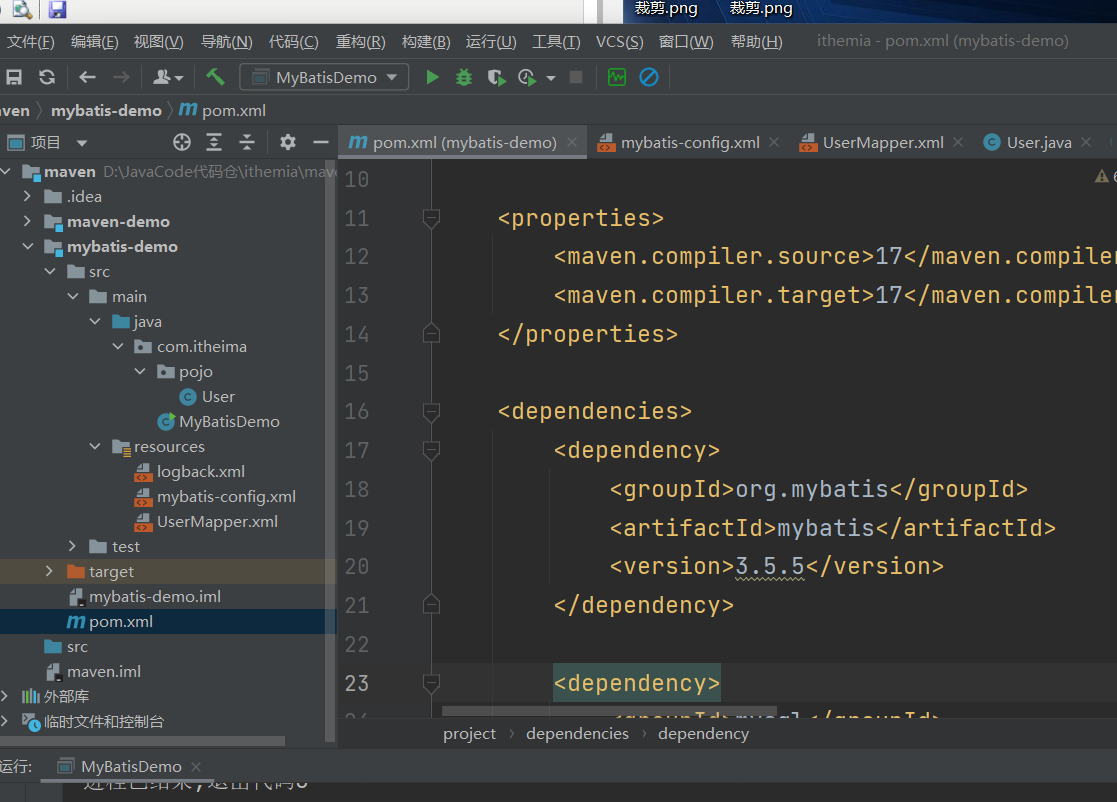
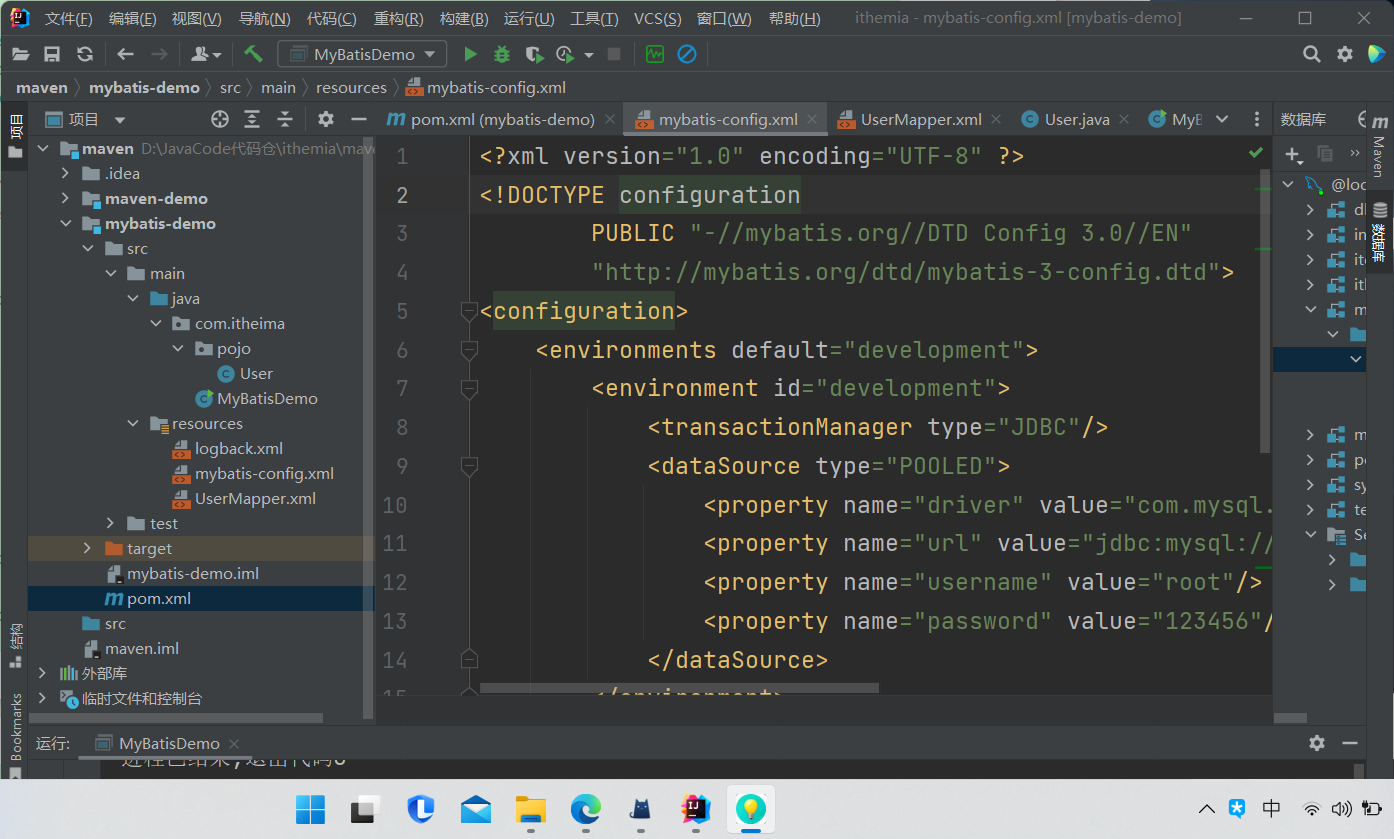
编写 MyBatis 核心配置文件 -- > 替换连接信息 解决硬编码问题 在模块下的 resources 目录下创建mybatis的配置文件 mybatis-config.xml ,内容如下:
<?xml version="1.0" encoding="UTF-8" ?>
<!DOCTYPE configuration
PUBLIC "-//mybatis.org//DTD Config 3.0//EN"
"http://mybatis.org/dtd/mybatis-3-config.dtd">
<configuration>
<environments default="development">
<environment id="development">
<transactionManager type="JDBC"/>
<dataSource type="POOLED">
<property name="driver" value="com.mysql.cj.jdbc.Driver"/>
<property name="url" value="jdbc:mysql:///mybatis?useSSL=false&serverTimezone=UTC"/>
<property name="username" value="root"/>
<property name="password" value="1234"/>
</dataSource>
</environment>
</environments>
<mappers>
<!-- 加载sql的映射文件 , -->
<mapper resource="UserMapper.xml"/>
</mappers>
</configuration>
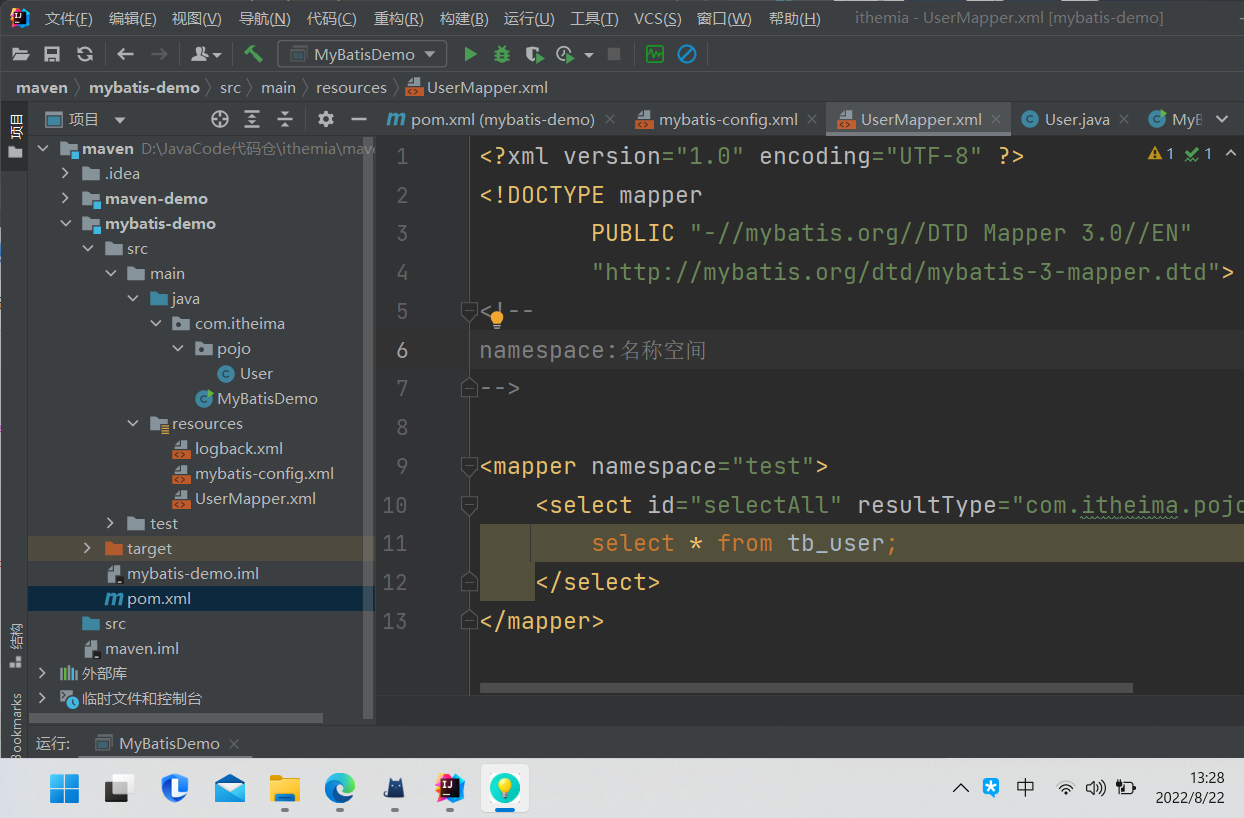
编写 SQL 映射文件 --> 统一管理sql语句,解决硬编码问题 在模块的 resources 目录下创建映射配置文件 UserMapper.xml ,内容如下:
 1 <?xml version="1.0" encoding="UTF-8" ?>

 2 <!DOCTYPE mapper

 3         PUBLIC "-//mybatis.org//DTD Mapper 3.0//EN"

 4         "http://mybatis.org/dtd/mybatis-3-mapper.dtd">

 5 <!--

 6 namespace:名称空间

 7 -->

 8

 9 <mapper namespace="test">

10     <select id="selectAll" resultType="com.itheima.pojo.User">

11         select * from tb_user;

12     </select>

13 </mapper>
在 com.itheima.pojo 包下创建 User,在 com.itheima 包下编写 MybatisDemo 测试: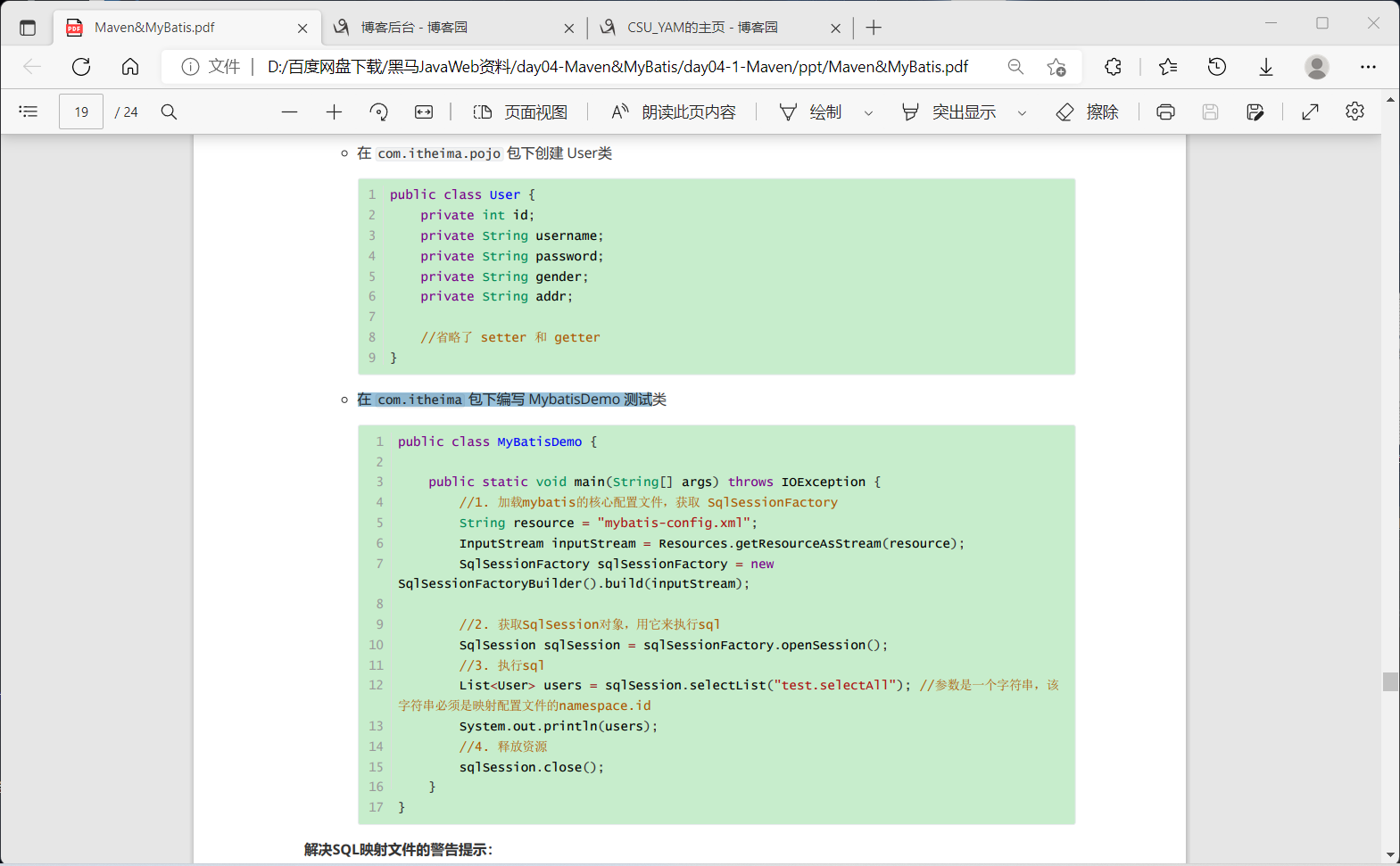
注意:mybatis-config.xml 文件 的 相关配置,如添加UTC和数据库账号密码,且pom.xml的数据库最好和已安装的数据库版本号相同,并且在idea左侧栏先连接上自己的数据库。
<property name="url" value="jdbc:mysql:///mybatis?useSSL=false&serverTimezone=UTC"/>
<property name="username" value="root"/>
<property name="password" value="123456"/>
单个条件(动态SQL)
BrandMapper.xml: 其中where 标签 和 choose 标签 使得 动态搜索(查询条件可能不全)得以实现
<select id="selectByConditionSingle" resultMap="brandResultMap">
    select *
    from tb_brand
    <where>
        <choose>

            <when test="status != null">
                status = #{status}
            </when>

            <when test="companyName != null and  companyName != ''">
                company_name like #{companyName}
            </when>

            <when test="brandName != null and brandName != '' ">
                brand_name like #{brandName}
            </when>

        </choose>
    </where>
</select>

MybatisTest.java :
 1     @Test

 2     public void testSelectByConditionSingle() throws IOException {

 3

 4         int status = 1;

 5         String companyName = "华为";

 6         String brandName = "华为";

 7

 8         companyName = "%" + companyName + "%";

 9         brandName =  "%" + brandName + "%";

10

11         Brand brand = new Brand();

12   //      brand.setStatus(status);

13    //   brand.setCompanyName(companyName);

14    //     brand.setBrandName(brandName);

15

16

17       //  Map map = new HashMap();

18         //map.put("status",status);

19         //  map.put("companyName",companyName);

20        // map.put("brandName",brandName);

21

22         String resource = "mybatis-config.xml";

23         InputStream inputStream = Resources.getResourceAsStream(resource);

24         SqlSessionFactory sqlSessionFactory = new SqlSessionFactoryBuilder().build(inputStream);

25

26         SqlSession sqlSession = sqlSessionFactory.openSession();

27

28         BrandMapper brandMapper = sqlSession.getMapper(BrandMapper.class);

29

30         // List<Brand> brands = brandMapper.selectByCondition(status, companyName, brandName);

31         // List<Brand> brands = brandMapper.selectByCondition(brand);

32

33

34         List<Brand> brands = brandMapper.selectByConditionSingle(brand);

35         System.out.println(brands);

36

37         sqlSession.close();

38

39

40     }
黑马Mybatis快速入门的更多相关文章
- MyBatis学习总结(一)——MyBatis快速入门
一.Mybatis介绍 MyBatis是一个支持普通SQL查询,存储过程和高级映射的优秀持久层框架.MyBatis消除了几乎所有的JDBC代码和参数的手工设置以及对结果集的检索封装.MyBatis可以 ...
- MyBatis快速入门
一.Mybatis介绍 MyBatis是一个支持普通SQL查询,存储过程和高级映射的优秀持久层框架.MyBatis消除了几乎所有的JDBC代码和参数的手工设置以及对结果集的检索封装.MyBatis可以 ...
- MyBatis学习总结(一)——MyBatis快速入门(转载)
本文转载自http://www.cnblogs.com/jpf-java/p/6013537.html MyBatis是一个支持普通SQL查询,存储过程和高级映射的优秀持久层框架.MyBatis消除了 ...
- MyBatis入门学习教程-MyBatis快速入门
一.Mybatis介绍 MyBatis是一个支持普通SQL查询,存储过程和高级映射的优秀持久层框架.MyBatis消除了几乎所有的JDBC代码和参数的手工设置以及对结果集的检索封装.MyBatis可以 ...
- MyBatis学习总结(一)——MyBatis快速入门
一.Mybatis介绍 MyBatis是一个支持普通SQL查询,存储过程和高级映射的优秀持久层框架.MyBatis消除了几乎所有的JDBC代码和参数的手工设置以及对结果集的检索封装.MyBatis可以 ...
- 【转】MyBatis学习总结(一)——MyBatis快速入门
[转]MyBatis学习总结(一)——MyBatis快速入门 一.Mybatis介绍 MyBatis是一个支持普通SQL查询,存储过程和高级映射的优秀持久层框架.MyBatis消除了几乎所有的JDBC ...
- MyBatis学习总结-MyBatis快速入门的系列教程
MyBatis学习总结-MyBatis快速入门的系列教程 [MyBatis]MyBatis 使用教程 [MyBatis]MyBatis XML配置 [MyBatis]MyBatis XML映射文件 [ ...
- MyBatis学习笔记(一)——MyBatis快速入门
转自孤傲苍狼的博客:http://www.cnblogs.com/xdp-gacl/p/4261895.html 一.Mybatis介绍 MyBatis是一个支持普通SQL查询,存储过程和高级映射的优 ...
- Java基础-SSM之mybatis快速入门篇
Java基础-SSM之mybatis快速入门篇 作者:尹正杰 版权声明:原创作品,谢绝转载!否则将追究法律责任. 其实你可能会问什么是SSM,简单的说就是spring mvc + Spring + m ...
- MyBatis学习总结(1)——MyBatis快速入门
一.Mybatis介绍 MyBatis是一个支持普通SQL查询,存储过程和高级映射的优秀持久层框架.MyBatis消除了几乎所有的JDBC代码和参数的手工设置以及对结果集的检索封装.MyBatis可以 ...
随机推荐
- 快捷打开cmd管理员模式
win+s-搜索cmd 直接回车:普通用户模式的cmd CTRL+SHIFT+回车:管理员模式的cmd
- 教你用JavaScript完成轮播图
案例介绍 欢迎来到我的小院,我是霍大侠,恭喜你今天又要进步一点点了!我们来用JavaScript编程实战案例,做一个轮播图.图片每3秒自动轮换,也可以点击左右按键轮播图片,当图片到达最左端或最右端时, ...
- Spring Boot整合log4j实战(一):排除自带依赖、日志重定向、测试类验证
〇.参考资料 1.springboot整合log4j全过程详解 https://blog.csdn.net/m0_60845963/article/details/123307232 2.Spring ...
- Idea中Git的常用操作及可能存在的问题
一.使用 1.从git上下载项目 (1)默认branch下载(pull) (2)指定branch下载 (3)克隆远程仓库到本地(git clone) git clone https://github. ...
- vba + ado +sql 连接数据库的常用操作方式
vba + ado +sql 连接Access.MySQL.Oracle Private Sub Connection_DBA() '********************************* ...
- 同步与异步 multiprocessing 进程对象多种方法
目录 同步与异步 阻塞与非阻塞 综合使用 创建进程的多种方式 前言 windows系统创建进程的问题(重要) multiprocessing模块之Process 展现异步 创建进程的方式(一):使用P ...
- 前端使用工具规范commit信息
前言 通过工具规范git提交信息也是工程化的一部分,在前端领域有一些工具为我们提供了相关功能,在这里做一下使用总结. commitlint commitlint是什么? 就像eslint用来检查js代 ...
- NSSCTF_HUBUCTF的web部分题解
checkin 题目: 主要是php弱比较和序列化知识点考察 <?php $username = "this_is_secret"; $password = "th ...
- Vue 中 Promise 的then方法异步使用及async/await 异步使用总结
转载请注明出处: 1.Promise 的 then 方法使用 then 方法是 Promise 中 处理的是异步调用,异步调用是非阻塞式的,在调用的时候并不知道它什么时候结束,也就不会等到他返回一个有 ...
- 02-Sed语法介绍
1 Sed语法介绍 介绍Sed支持的基本命令及其命令行语法,Sed可以通过以下两种形式进行调用: 学习sed命令使用之前,需要掌握正则表达式的用法. sed [-n] [-e] 'commands' ...