
stackoverflow愚人节彩蛋效果
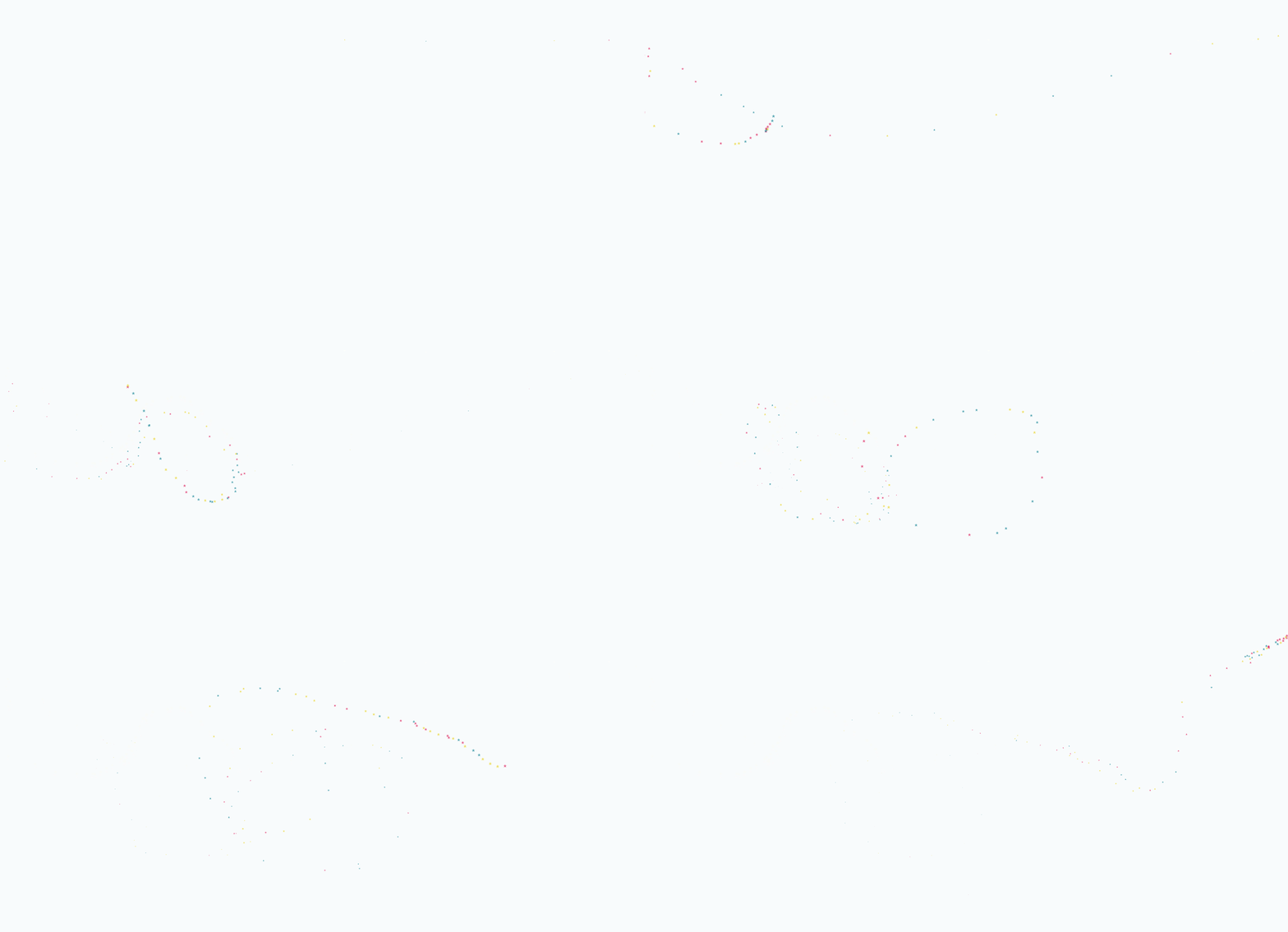
效果如图所示:
index.js
/*!

 * Fairy Dust Cursor.js

 * - 90's cursors collection

 * -- https://github.com/tholman/90s-cursor-effects

 * -- https://codepen.io/tholman/full/jWmZxZ/

 */

(function fairyDustCursor() {

  var possibleColors = ["#D61C59", "#E7D84B", "#1B8798"]

  var width = window.innerWidth;

  var height = window.innerHeight;

  var cursor = {x: width/, y: width/};

  var particles = [];

  function init() {

    bindEvents();

    loop();

  }

  // Bind events that are needed

  function bindEvents() {

    document.addEventListener('mousemove', onMouseMove);

    document.addEventListener('touchmove', onTouchMove);

    document.addEventListener('touchstart', onTouchMove);

    window.addEventListener('resize', onWindowResize);

  }

  function onWindowResize(e) {

    width = window.innerWidth;

    height = window.innerHeight;

  }

  function onTouchMove(e) {

    if( e.touches.length >  ) {

      for( var i = ; i < e.touches.length; i++ ) {

        addParticle( e.touches[i].clientX, e.touches[i].clientY, possibleColors[Math.floor(Math.random()*possibleColors.length)]);

      }

    }

  }

  function onMouseMove(e) {

    cursor.x = e.clientX;

    cursor.y = e.clientY;

    addParticle( cursor.x, cursor.y, possibleColors[Math.floor(Math.random()*possibleColors.length)]);

  }

  function addParticle(x, y, color) {

    var particle = new Particle();

    particle.init(x, y, color);

    particles.push(particle);

  }

  function updateParticles() {

    // Updated

    for( var i = ; i < particles.length; i++ ) {

      particles[i].update();

    }

    // Remove dead particles

    for( var i = particles.length -; i >= ; i-- ) {

      if( particles[i].lifeSpan <  ) {

        particles[i].die();

        particles.splice(i, );

      }

    }

  }

  function loop() {

    requestAnimationFrame(loop);

    updateParticles();

  }

  /**

   * Particles

   */

  function Particle() {

    this.character = "*";

    this.lifeSpan = ; //ms

    this.initialStyles ={

      "position": "absolute",

      "display": "block",

      "pointerEvents": "none",

      "z-index": "",

      "fontSize": "16px",

      "will-change": "transform"

    };

    // Init, and set properties

    this.init = function(x, y, color) {

      this.velocity = {

        x:  (Math.random() < 0.5 ? - : ) * (Math.random() / ),

        y:

      };

      this.position = {x: x - , y: y - };

      this.initialStyles.color = color;

      this.element = document.createElement('span');

      this.element.innerHTML = this.character;

      applyProperties(this.element, this.initialStyles);

      this.update();

      document.querySelector('body').appendChild(this.element);

    };

    this.update = function() {

      this.position.x += this.velocity.x;

      this.position.y += this.velocity.y;

      this.lifeSpan--;

      this.element.style.transform = "translate3d(" + this.position.x + "px," + this.position.y + "px, 0) scale(" + (this.lifeSpan / ) + ")";

    }

    this.die = function() {

      this.element.parentNode.removeChild(this.element);

    }

  }

  /**

   * Utils

   */

  // Applies css properties to an element.

  function applyProperties( target, properties ) {

    for( var key in properties ) {

      target.style[ key ] = properties[ key ];

    }

  }

  init();

})();
stackoverflow愚人节彩蛋效果的更多相关文章
- Android彩蛋效果,微信彩蛋效果
根据Android源码修改,具有微信彩蛋效果 主要代码 public static class Board extends FrameLayout { public static final bool ...
- 震惊!ConcurrentHashMap里面也有死循环,作者留下的“彩蛋”了解一下?
JDK BUG 这篇文章,聊一下我最近才知道的一个关于 JDK 8 的 BUG 吧. 首先说一下我是怎么发现这个 BUG 的呢? 大家都知道我对 Dubbo 有一定的关注,前段时间 Dubbo 2.7 ...
- 震惊!ConcurrentHashMap里面也有死循环,作者留的“彩蛋”?
JDK BUG 这篇文章,聊一下我最近才知道的一个关于 JDK 8 的 BUG 吧. 首先说一下我是怎么发现这个 BUG 的呢? 大家都知道我对 Dubbo 有一定的关注,前段时间 Dubbo 2.7 ...
- 实现了一个百度首页的彩蛋——CSS3 Animation简介
在百度搜索中有这样一个彩蛋:搜索“旋转”,“跳跃”,“反转”等词语,会出现相应的动画效果(搜索“反转”后的效果).查看源码可以发现,这些效果正是通过CSS3的animation属性实现的. 实现这个彩 ...
- 淘宝首页源码藏美女彩蛋(下)(UED新作2013egg)
我们已经知道,执行美女会得到"彩蛋",而正是彩蛋做到了taobaoUED展现给大家的神奇的前端魅力.今天我们来看看FP.egg&&FP.egg("%cjo ...
- [深入浅出Windows 10]模拟实现微信的彩蛋动画
9.7 模拟实现微信的彩蛋动画 大家在玩微信的时候有没有发现节日的时候发一些节日问候语句如“情人节快乐”,这时候会出现很多爱心形状从屏幕上面飘落下来,我们这小节就是要模拟实现这样的一种动画效果.可能微 ...
- Build 2019 彩蛋
N久没写过博客了… 最近在玩 APEX 但是手残党表示打到15级了,至今杀敌 4 人… 当快递员是越来越顺手了… 今年巨硬的 Build 大会会在 5 月 6-8 号召开 新发布的 Hololens ...
- EFCore Owned Entity Types,彩蛋乎?鸡肋乎?之鸡肋篇
鸡肋 鸡肋(Chicken ribs),现代汉语词语,出自<三国志·魏书·武帝纪>裴松之注引<九州春秋>曰:"夫鸡肋,弃之如可惜,食之无所得,以比汉中,知王欲还也.& ...
- 十三个有彩蛋的Linux命令
原文链接: https://my.oschina.net/u/4045573/blog/2986313 一键下载安装配置文本全部命令所需环境 sudo apt-get updategit clon ...
随机推荐
- 从URL输入到页面展现到底发生什么
前言 打开浏览器从输入网址到网页呈现在大家面前,背后到底发生了什么?经历怎么样的一个过程?先给大家来张总体流程图,具体步骤请看下文分解! 从URL输入到页面展现 总体来说分为以下几个过程: DNS ...
- 练习七 Procedure中使用DDL
1 在存储过程中使用ddl语句有如下异常: create or replace procedure test_create_table (Table_Name in VARCHAR2, column_ ...
- Codeforces.1110F.Nearest Leaf(线段树)
题目链接 \(dls\)讲过这道题,所以这不是线段树裸题吗,这场没打气气气气气=-= 现在是写着玩=v= \(Description\) 给定一棵\(n\)个点的树.\(q\)次询问,每次询问给定\( ...
- .ftl文件介绍
freemarker的文件一般以后缀ftl,ftl文件的头上要写<#assign ww=JspTaglibs["/WEB-INF/webwork.tld"] /这样才能在ft ...
- CC2431 代码分析④-衣锦还乡的CC2431
我们在第二节就分析到了 finishCollection( void ),但是当我们分析完第三节后,整个系统才真正执行到这里,我们依然像第二节一样把这个函数全部贴出来 /*************** ...
- [ZOJ1482]Partitions
[ZOJ1482]Partitions 题目大意: 给定一个\(n\times n(n\le3000)\)的\(\texttt 0/\texttt1\)矩阵,求去掉所有的\(1\)以后,矩阵被分成几个 ...
- docker 进入容器的mongodb
docker search mongo docker pull mongo docke run -p 27017:27017 -v $PWD/db:/data/db -d --name mymong ...
- CSharp遗传算法求解背包问题
断断续续写了四天,感觉背包问题是最适合了解遗传算法的问题模型 using System; using System.Collections.Generic; using System.Linq; us ...
- linux 常用命令解压压缩
tar -zxvf filename.tar.gz // 解包 tar -xvf filename.tar // 解包 tar -zcvf filename.tar.gz target // 制作ta ...
- 编程菜鸟的日记-初学尝试编程-C++ Primer Plus 第5章编程练习2
#include <iostream>using namespace std;const int MAXSIZE=100;int main(){ int a[MAXSIZE]; int s ...