
BaseControl按钮合集
BaseControl按钮合集
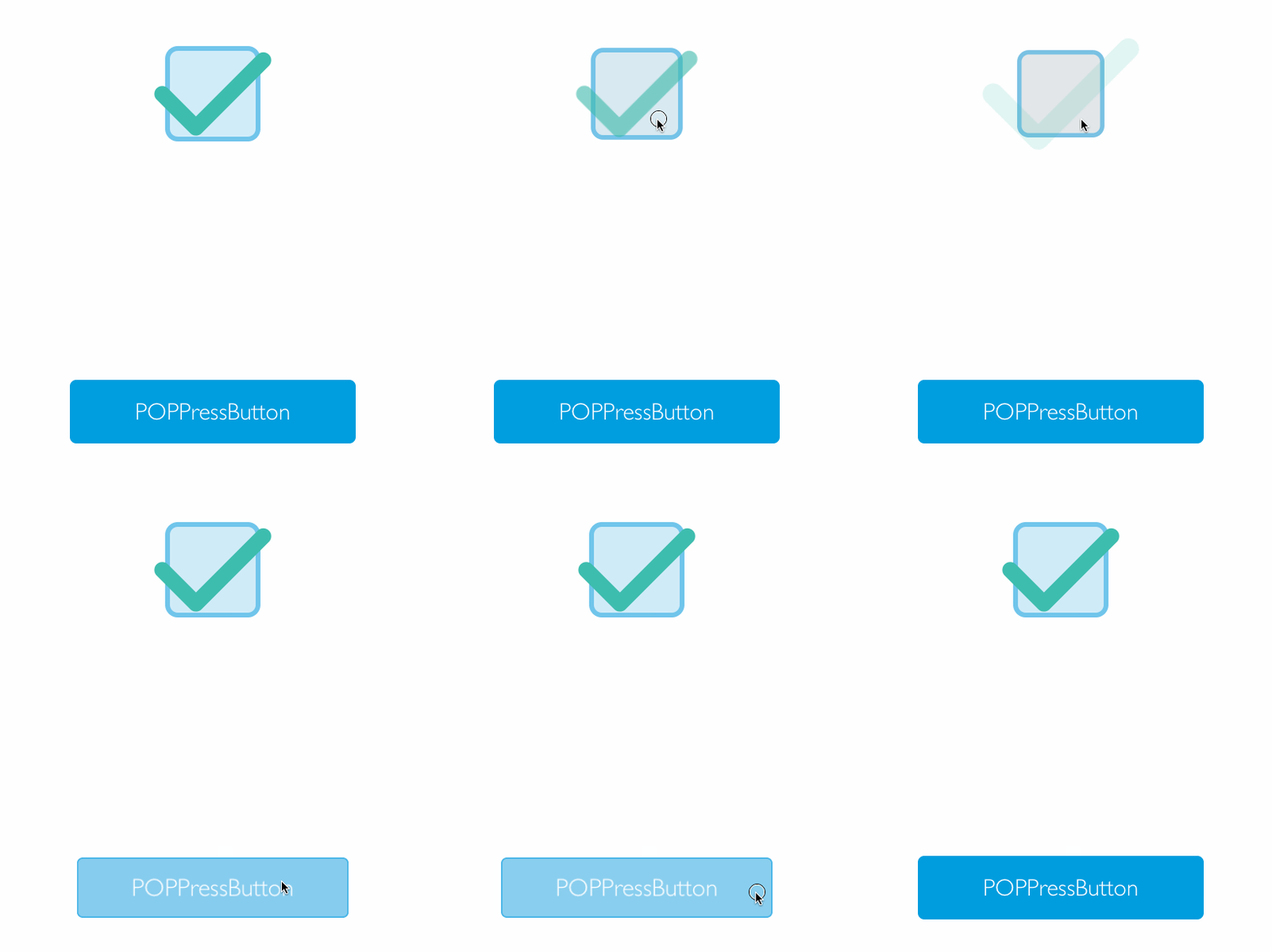
效果
源码
https://github.com/YouXianMing/Animations
//

//  POPBaseControl.h

//  Animations

//

//  Created by YouXianMing on 16/5/26.

//  Copyright © 2016年 YouXianMing. All rights reserved.

//

#import <UIKit/UIKit.h>

@class POPBaseControl;

@protocol POPBaseControlDelegate <NSObject>

/**

 *  缩放百分比事件

 *

 *  @param controll PressControll对象

 *  @param percent  百分比

 */

- (void)POPBaseControl:(POPBaseControl *)controll currentPercent:(CGFloat)percent;

/**

 *  事件触发

 *

 *  @param controll PressControll对象

 */

- (void)POPBaseControlEvent:(POPBaseControl *)controll;

@end

@interface POPBaseControl : UIView

/**

 *  代理

 */

@property (nonatomic, weak) id <POPBaseControlDelegate>  delegate;

/**

 *  动画时间,默认值为0.4

 */

@property (nonatomic) CFTimeInterval animationDuration;

/**

 *  目标对象

 */

@property (nonatomic, weak) id target;

/**

 *  事件

 */

@property (nonatomic) SEL      selector;

/**

 *  是否有效

 */

@property (nonatomic) BOOL     enabled;

/**

 *  是否选中

 */

@property (nonatomic) BOOL     selected;

#pragma mark - Properties used by SubClass & Methods Overwrite by subClass.

/**

 *  容器view,用于子类添加控件

 */

@property (nonatomic, strong, readonly) UIView  *contentView;

/**

 *  当前动画比例(子类继承的时候重载)

 *

 *  @param percent 比例

 */

- (void)currentPercent:(CGFloat)percent;

/**

 *  事件激活了

 */

- (void)controllEventActived;

@end
//

//  POPBaseControl.m

//  Animations

//

//  Created by YouXianMing on 16/5/26.

//  Copyright © 2016年 YouXianMing. All rights reserved.

//

#import "POPBaseControl.h"

#import "POP.h"

@interface POPBaseControl ()

@property (nonatomic, strong) UIView   *absView;

@property (nonatomic, strong) UIButton *button;

@property (nonatomic, strong) UIView   *contentView;

@property (nonatomic) CGFloat percent;

@end

@implementation POPBaseControl

- (void)layoutSubviews {

    [super layoutSubviews];

    _button.frame       = CGRectMake(, , self.frame.size.width, self.frame.size.height);

    _contentView.bounds = CGRectMake(, , self.frame.size.width, self.frame.size.height);

}

- (instancetype)initWithFrame:(CGRect)frame {

    if (self = [super initWithFrame:frame]) {

        // 动画时间

        _animationDuration = 0.4f;

        // 隐身的view

        _absView                        = [[UIView alloc] init];

        _absView.userInteractionEnabled = NO;

        _absView.backgroundColor        = [UIColor clearColor];

        [self addSubview:_absView];

        // 容器View

        _contentView                        = [[UIView alloc] initWithFrame:self.bounds];

        _contentView.userInteractionEnabled = NO;

        [self addSubview:_contentView];

        // 按钮

        _button = [[UIButton alloc] initWithFrame:self.bounds];

        [self addSubview:_button];

        // 按钮事件

        [_button addTarget:self action:@selector(touchBeginOrTouchDragEnter) forControlEvents:UIControlEventTouchDown | UIControlEventTouchDragEnter];

        [_button addTarget:self action:@selector(touchUpInside)   forControlEvents:UIControlEventTouchUpInside];

        [_button addTarget:self action:@selector(touchDragExitOrTouchCancel)   forControlEvents:UIControlEventTouchDragExit | UIControlEventTouchCancel];

    }

    return self;

}

#pragma mark - Animations.

- (void)touchUpInside {

    [self touchDragExitOrTouchCancel];

    [self controllEventActived];

    if (self.target && self.selector) {

#pragma clang diagnostic push

#pragma clang diagnostic ignored "-Warc-performSelector-leaks"

        [self.target performSelector:self.selector withObject:self];

#pragma clang diagnostic pop

    }

    if (self.delegate && [self.delegate respondsToSelector:@selector(POPBaseControlEvent:)]) {

        [self.delegate POPBaseControlEvent:self];

    }

}

- (void)touchDragExitOrTouchCancel {

    [_absView.layer pop_removeAllAnimations];

    POPBasicAnimation *scaleAnimation = [POPBasicAnimation animationWithPropertyNamed:kPOPLayerOpacity];

    scaleAnimation.toValue            = @();

    scaleAnimation.delegate           = self;

    scaleAnimation.duration           = _animationDuration;

    [_absView.layer pop_addAnimation:scaleAnimation forKey:nil];

}

- (void)touchBeginOrTouchDragEnter {

    [_absView.layer pop_removeAllAnimations];

    POPBasicAnimation *scaleAnimation = [POPBasicAnimation animationWithPropertyNamed:kPOPLayerOpacity];

    scaleAnimation.toValue            = @();

    scaleAnimation.delegate           = self;

    scaleAnimation.duration           = _animationDuration;

    [_absView.layer pop_addAnimation:scaleAnimation forKey:nil];

}

#pragma mark - POPAnimation's delegate.

- (void)pop_animationDidApply:(POPAnimation *)anim {

    NSNumber *toValue = (NSNumber *)[anim valueForKeyPath:@"currentValue"];

    _percent          = (toValue.floatValue - [POPBaseControl calculateConstantWithX1: y1: x2: y2:]) / [POPBaseControl calculateSlopeWithX1: y1: x2: y2:];

    [self currentPercent:_percent];

}

#pragma mark - Overwrite by subClass.

- (void)currentPercent:(CGFloat)percent {

}

- (void)controllEventActived {

}

#pragma mark - Math.

+ (CGFloat)calculateSlopeWithX1:(CGFloat)x1 y1:(CGFloat)y1 x2:(CGFloat)x2 y2:(CGFloat)y2 {

    return (y2 - y1) / (x2 - x1);

}

+ (CGFloat)calculateConstantWithX1:(CGFloat)x1 y1:(CGFloat)y1 x2:(CGFloat)x2 y2:(CGFloat)y2 {

    return (y1*(x2 - x1) - x1*(y2 - y1)) / (x2 - x1);

}

#pragma mark - setter & getter.

@synthesize enabled = _enabled;

- (void)setEnabled:(BOOL)enabled {

    _button.enabled = enabled;

}

- (BOOL)enabled {

    return _button.enabled;

}

@synthesize selected = _selected;

- (void)setSelected:(BOOL)selected {

    _button.selected = selected;

}

- (BOOL)selected {

    return _button.selected;

}

@end
说明
本人一共封装了3种按钮的基类控件,以上是一个示例演示,演示如何通过继承来实现想要的效果.

BaseControl按钮合集的更多相关文章
- Android 自定义View合集
自定义控件学习 https://github.com/GcsSloop/AndroidNote/tree/master/CustomView 小良自定义控件合集 https://github.com/ ...
- 不容错过的UI设计素材大合集
免费PSD素材 TETHR by InVision 这是出自InVision的8款PSD文件,其中包含了100个模板和超过500个UI控件.来自InVision和UI8的设计师一同协作完成了这套UI ...
- Android中的对话框AlertDialog使用技巧合集-转载
Android中的对话框AlertDialog使用技巧合集 文章来自:http://blog.csdn.net/blue6626/article/details/6641105 今天我用自 ...
- Web测试到底是在测什么(资料合集)
开始今晚的主题之前 先来看一张图, 这是老徐16年10月份,线上Web主题分享时整理的大纲 图片略模糊 看得清就好 Web测试, 进行抽离拆分,基本上就如上一些内容. 不管是测什么系统,什么功能,基本 ...
- FFmpeg示例程序合集-批量编译脚本
此前做了一系列有关FFmpeg的示例程序,组成了<最简单的FFmpeg示例程序合集>,其中包含了如下项目:simplest ffmpeg player: ...
- 【Oracle教程资源大合集】Oracle数据库免费学习资源汇总
Oracle的产品非常丰富,各类学习资源也五花八门,本文将介绍Oracle官方的免费教程与风哥整理的Oracle视频教程: 1.Oracle帮助中心 Oracle帮助中心也称为Oracle文档中心,这 ...
- 24个 CSS 高级技巧合集
上期入口:史上最全实用网络爬虫合集! 1.使用CSS复位 CSS复位可以在不同的浏览器上保持一致的样式风格.您可以使用CSS reset 库Normalize等,也可以使用一个更简化的复位方法: ** ...
- Power BI 3-4月功能更新培训合集
Power BI 3-4月功能更新培训合集 Power BI每月功能的更新,都有很多大咖精辟解读,我们一直也都是积极中期待,相信所有P友如是或更甚. 视频学习可以结合微软Power BI 3-4月文 ...
- 常用的js代码合集
!function(util){ window.Utils = util(); }( function(){ //document_event_attributes var DEA = "d ...
随机推荐
- 1 、在Linux(centos6.8)系统下的JDK安装与配置
一.解压jdk安装包: 附上jdk1.8的下载地址: http://www.oracle.com/technetwork/java/javase/downloads/jdk8-downloads-21 ...
- Bootstrap fileinput.js,最好用的文件上传组件
本篇介绍如何使用bootstrap fileinput.js(最好用的文件上传组件)来进行图片的展示,上传,包括springMVC后端文件保存. 一.demo 二.插件引入 <link ty ...
- 《JavaScript 高级程序设计》第一章:简介
JavaScript 历史 JavaScript的诞生的主要是当时的 netspace 公司谋求为自己的浏览器 Navigator 添加一种脚本语言,以便在本地客户端进行一些行为操作,而这一功能的需求 ...
- .NetCore下使用Prometheus实现系统监控和警报 (四)客户端代码处理
在代码中使用就比较简单了 Nuget包获取下 prometheus-net prometheus-net.AspNetCore 然后添加中间件就行了 app.UseMetricServer(); 默认 ...
- 话说 SVN 与 Git 之间的区别
如果你在读这篇文章,说明你跟大多数开发者一样对GIT感兴趣,如果你还没有机会来试一试GIT,我想现在你就要了解它了. GIT不仅仅是个版本控制系统,它也是个内容管理系统(CMS),工作管理系统等.如果 ...
- 2019-03-26 SpringBoot项目部署遇到跨域问题,记录一下解决历程
近期SpringBoot项目部署遇到跨域问题,记录一下解决历程. 要严格限制,允许哪些域名访问,在application.properties文件里添加配置,配置名可以自己起: cors.allowe ...
- BeautifulSoup使用总结
一.介绍 BeautifulSoup为一个python库,它可以接收一个HTML或XML的字符串或文件,并返回一个BeautifulSoup对象,之后我们可以使用BeautifulSoup提供的众多方 ...
- MySQL查询语句执行过程及性能优化-基本概念和EXPLAIN语句简介
网站或服务的性能关键点很大程度在于数据库的设计(假设你选择了合适的语言开发框架)以及如何查询数据上. 我们知道MySQL的性能优化方法,一般有建立索引.规避复杂联合查询.设置冗余字段.建立中间表.查询 ...
- 003.NTP客户端配置
一 NTP客户端同步方式 ntpdate定时任务同步 ntp服务同步 二 ntpdate定时任务同步 2.1 安装ntp软件 [root@client ~]# yum -y install ntp # ...
- [代码审计]云ec电商系统代码审计
0x00 前言 看了一下博客内最新的文章,竟然是3月28号的,一个多月没写文章了,博客都长草了. 主要是临近毕业,事情繁多,也没有啥时间和心情静下来写.. 不过现在的话,毕业的东西告一段落了,几乎没啥 ...