
Solr本地服务器搭建及查询
0.安装solr之前,确保已安装好java8, java -version 查看是否安装
1.新建本地目录solr1 并 解压两个压缩包文件
tar -xf apache-tomcat-7.0..tar.gz

tar -xf solr-4.10..tgz

mv apache-tomcat-7.0. tomcat7
2.将CATALINA_HOME写入到~/.bashrc
echo "export CATALINA_HOME=$basepath/tomcat7" >> ~/.bashrc

source ~/.bashrc
3.验证tomcat是否可以启动
./tomcat7/bin/startup.sh

curl http://localhost:8080
如果OK,则会出现首页源码,点击网址会如下:

4.配置solr,拷贝必要的包
mkdir -p solr-test

cp -r solr-4.10./example/solr solr-test

cp solr-4.10./dist/solr-4.10..war solr-test/solr/solr.war

cp solr-4.10./example/lib/*.jar tomcat7/lib

cp solr-4.10.3/example/lib/ext/*.jar tomcat7/lib
5.配置本地solr.xml文件
mkdir -p ./tomcat7/conf/Catalina/localhost

touch ./tomcat7/conf/Catalina/localhost/solr.xml

echo "<?xml version=\"1.0\" encoding=\"utf-8\"?>" > tomcat7/conf/Catalina/localhost/solr.xml

echo " <Context docBase=\"$basepath/solr-test/solr/solr.war\" debug=\"0\" crossContext=\"true\">" >> tomcat7/conf/Catalina/localhost/solr.xml

echo " <Environment name=\"solr/home\" type=\"java.lang.String\" value=\"$basepath/solr-test/solr\" override=\"true\" >" >> tomcat7/conf/Catalina/localhost/solr.xml

echo " </Context>" >> tomcat7/conf/Catalina/localhost/solr.xml
6.配置solr-test/solr/collection1/conf/schema.xml文件
这个可以用xml parser来解决
### . 把所有除id外的field全部注释掉,例如:

### <!-- field name="_root_" type="string" indexed="true" stored="false"/-->

### . 修改id的属性如下:

### <field name="id" type="string" indexed="true" stored="false" required="true" multiValued="false" />

### . 增加一个field叫pat:

### <field name="pat" type="text_general" indexed="true" stored="true" required="true" multiValued="False"/>

### . 把所有copyField注释掉,例如:

### <!-- copyField source="title" dest="text"/–>
7.配置solr-test/solr/collection1/conf/solrconfig.xml
### . 注释掉updateLog:

### <!-- updateLog>

### <str name="dir">${solr.ulog.dir:}</str>

### </updateLog-->

### . 修改update/csv的属性

### <requestHandler name="/update/csv" class="solr.UpdateRequestHandler">

### <lst name="defaults">

### <str name="separator">;</str>

### <str name="header">true</str>

### <str name="encapsulator">"</str>

### <str name="stream.contentType">text/csv</str>

### </lst>

### </requestHandler>
8.导入数据,开始干活
写一个shell脚本,例如:vim sss.sh
里面内容:
#!/bin/bash

basepath=$(cd `dirname $`; pwd)

patpath=$

sort -u $patpath -o pat.unique

awk 'BEGIN{print "id;pat"} {print $0";\""$0"\"";}' pat.unique > pat.csv

./tomcat7/bin/shutdown.sh

./tomcat7/bin/startup.sh

curl "http://localhost:8080/solr/collection1/update/csv?commit=true&stream.file=$basepath/pat.csv&stream.contentType=text/csv;charset=UTF-8"
保存脚本内容
运行:./sss.sh + pat文件
例: ./sss.sh gushi.v4.pat
9.完成,准备检索pat
curl "http://localhost:8080/solr/collection1/select?q=pat:故事名&rows=5" (可以对查的内容和显示数量做调整)
返回xml回显信息
直接进网页可以看到:

好,到目前为止,我们的本地solr服务器基本搭建ok。
10查询测试
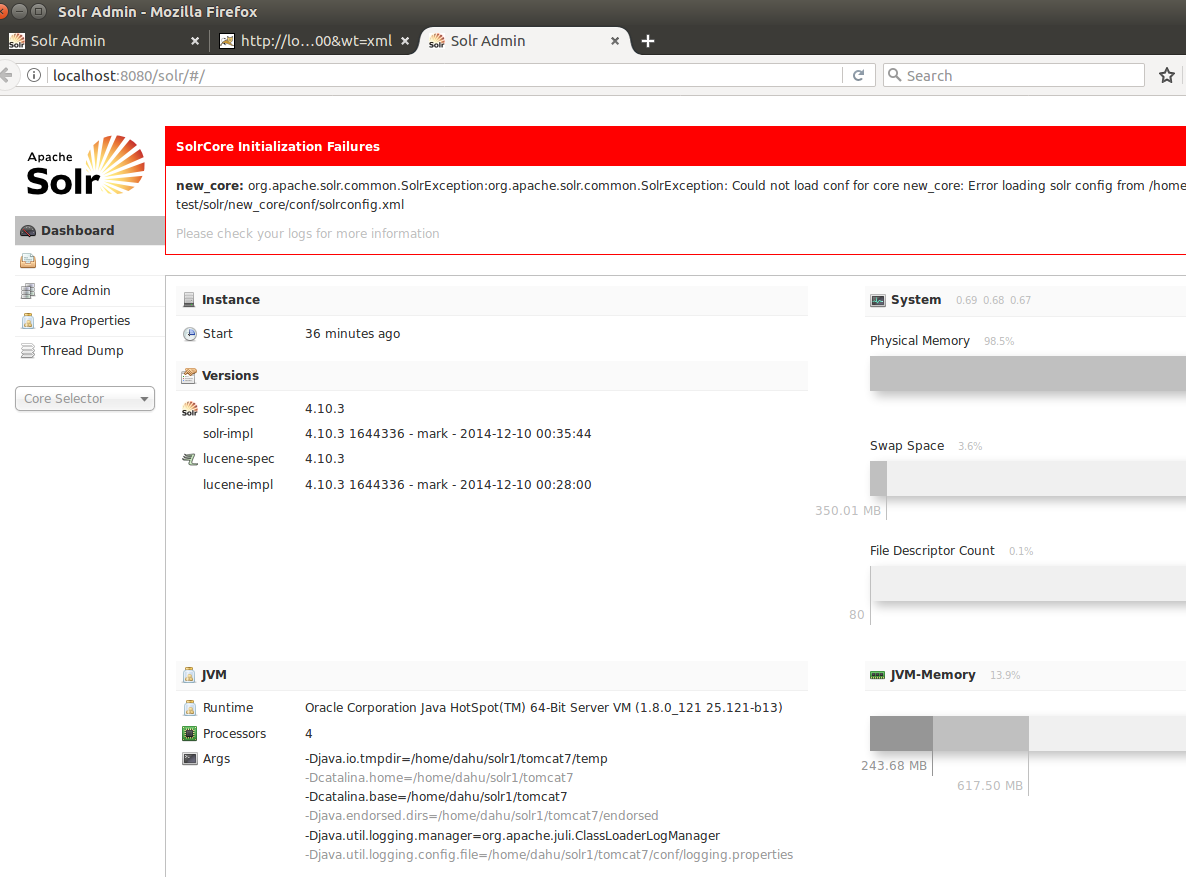
本地登入http://localhost:8080/solr/#/ 管理页面,如下:
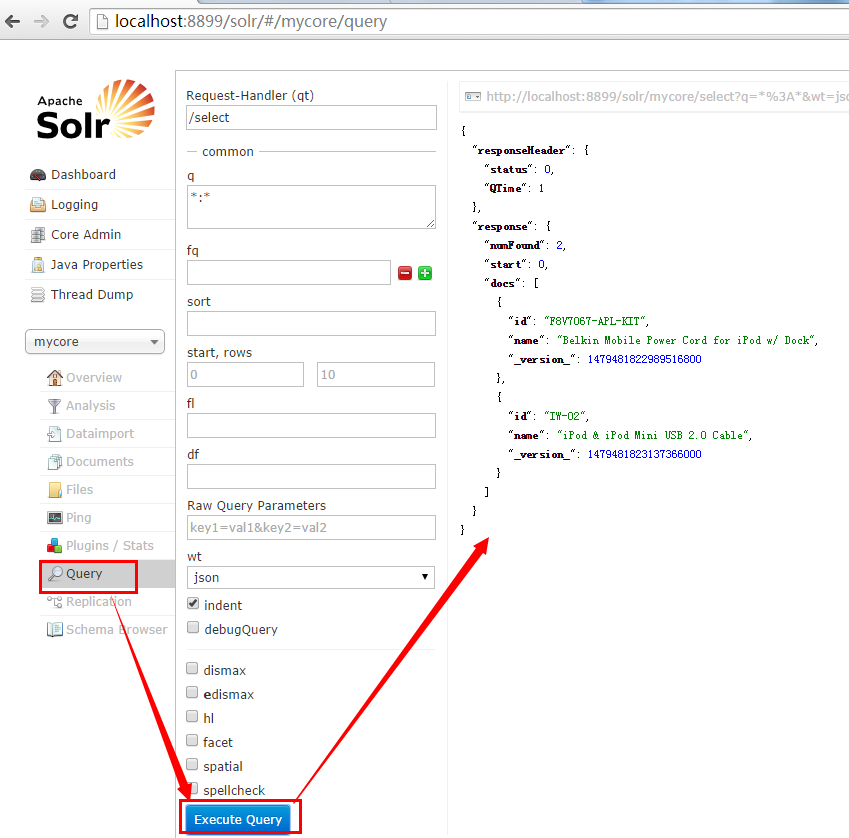
见我们自己的示例:
这张图可以查很多东西,例如展示的数据结构,数量,很丰富

11.多核查询
以上是配置一个core的方法, 若要配置多个core, 只需要在solr-test/solr下面, 复制一下collection1
# 例如, 为了使不同领域的pat可以分开查询, 可以复制一个core叫navi

# 但一定要记得修改navi下面的core.properties的内容, 里面的name必须跟core的名字一致, 否则solr会无法启动

# cd solr-test/solr

# cp -r collection1 navi

# echo "name=navi" > navi/core.properties

# 添加完core后, 重启tomcat7

# ./tomcat7/bin/shutdown.sh

# ./tomcat7/bin/startup.sh
见效果:

Solr本地服务器搭建及查询的更多相关文章
- Git本地服务器搭建及使用详解
Git本地服务器搭建及使用 Git是一款免费.开源的分布式版本控制系统.众所周知的Github便是基于Git的开源代码库以及版本控制系统,由于其远程托管服务仅对开源免费,所以搭建本地Git服务器也是个 ...
- GIT 基础 &本地服务器搭建
Git是一款免费.开源的分布式版本控制系统.众所周知的Github便是基于Git的开源代码库以及版本控制系统,由于其远程托管服务仅对开源免费,所以搭建本地Git服务器也是个较好的选择,本文将对此进行详 ...
- SVN本地服务器搭建及在Eclipse中的应用
0.说明在程序开发的时候会有很多的版本,通过手动备份的方式不紧麻烦而且低效易出错.使用SVN来管理版本会方便很多,虽然有一些学习成本,但是学会使用之后会使得开发更加的高效.本文介绍如何在本地搭建svn ...
- Git本地服务器搭建
安装编译环境,执行以下命令 [root@centos6 ~]# yum -y install curl curl-devel zlib-devel openssl-devel perl cpio ex ...
- Git系列四之在本地服务器搭建gitlab仓库管理
1.Git仓库管理 现在本地已经创建了git仓库,又在gitlab上创建了一个git仓库,并且让这两个仓库进行远程同步,这样gitlab仓库既可以备份也可以与他人协作管理远程仓库以及根据需要推送或拉取 ...
- Git系列四之在本地服务器搭建gitlab仓库管理(centeros环境下)
1.Git仓库管理 现在本地已经创建了git仓库,又在gitlab上创建了一个git仓库,并且让这两个仓库进行远程同步,这样gitlab仓库既可以备份也可以与他人协作管理远程仓库以及根据需要推送或拉取 ...
- Tomcat本地服务器搭建
首先,下载jdk-8u111-windows-x64.exe,然后配置环境,以安装目录D:\jdk1.8.0_111为例: 新建一个变量: 然后打开path新建两个变量: 最后去控制台敲javac或者 ...
- 本地服务器搭建服务:mysql
话不多少,mysql的优劣不再此讨论. 1.官网地址:https://dev.mysql.com/downloads/mysql/ 下载页面直接 No thanks,just start my do ...
- 本地服务器搭建服务:svn
SVN(使用VisualSVN-server)可视化SVN 服务搭建,适合小白:简单又快捷,深入了解命令行方式等高手请移步官网看教程 1.官网 :http://subversion.apache.or ...
随机推荐
- Codeforces Round #409 (rated, Div. 2, based on VK Cup 2017 Round 2) A B C D 暴力 水 二分 几何
A. Vicious Keyboard time limit per test 2 seconds memory limit per test 256 megabytes input standard ...
- Codeforces 311.E Biologist
E. Biologist time limit per test 1.5 seconds memory limit per test 256 megabytes input standard inpu ...
- Thinkphp关联模型使用
1.需求描述 首页文章列表,需要同时获取文章的点赞和被关注数,同时如果被当前用户点赞或关注了会显示相应小图标进行区别.图示如下: 2.解决方案 数据库设计: 文章对应Article表,其中包括收藏数字 ...
- background(css复合写法)
1. 背景-background========================================================== 单个属性的写法 .sample1 { /*背景颜色 ...
- MySql 插入数据库报错 Incorrect string value: '\xF0\xA0\x86\xA2'
今天从nginx日志分析搜索关键字,然后把关键字插入到Mysql数据库里,出现如下错误 SQL state [HY000]; error code [1366]; Incorrect string v ...
- 课程设计——利用信号量实现读-写者问题(JAVA)
package cn.Douzi.ReadWriter; import java.util.Scanner; public class ReadWrite { static public int co ...
- JS获取列表索引值
html部分 <ul id="test"> <li>111</li> <li>222</li> <li>33 ...
- Yii2 的 redis 应用
在应用的时候需要先对yii2进行扩展安装 如果装有composer直接运行 php composer.phar require --prefer-dist yiisoft/yii2-redis 当然也 ...
- Name That Number 命名那个数字
1.2.3 Name That Number 命名那个数字 Time Limit: 1 Sec Memory Limit: 64 MBSubmit: 183 Solved: 33[Submit][ ...
- 8、V模型、W模型、H模型
软件测试&软件工程 ·软件测试与软件工程息息相关,软件测试是软件工程组成中不可或缺的一部分.·在软件工程.项目管理.质量管理得到规范化应用的企业,软件测试也会进行得比较顺利,软件测试发挥的价值 ...