
web--python处理http
web--python处理http
发送请求
import requests
1.get发送请求
发送请求到指定的url
get(url,params,args...)
get请求
引用百度来说:
htpps://www.baidu.com/s?wd=requests
import requests

u="http://www.baidu.com/s"

kw={"wd":"requests"}

head={"User-Agent":"Mozilla/5.0 (Windows NT 10.0; Win64; x64) AppleWebKit/537.36 (KHTML, like Gecko) Chrome/135.0.0.0 Safari/537.36 Edg/135.0.0.0"}

#paerams 安装字典的方式进行处理最后变成这个url拼接

#url+=kw["wd"]

#head请求头

b=requests.get(url=u,params=kw,headers=head)
用fiddier抓包查看
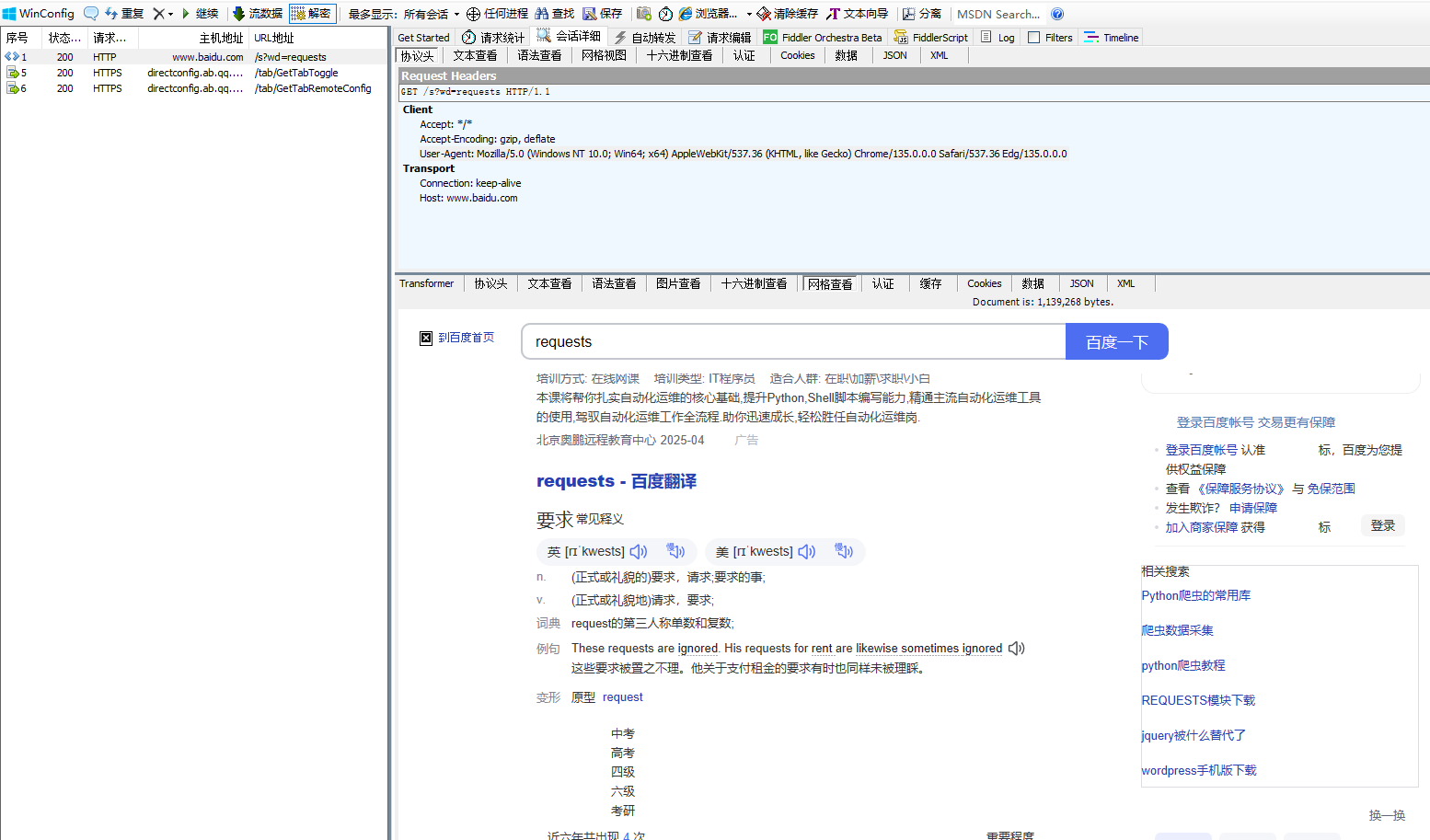
2.post请求
发送请求到指定URL
post(url,data,json....)
发生data数据
import requests

 #发送带post请求的参数

url="http://www.baidu.com/"

data={'key1':'value1','key2':'value2'}

b=requests.post(url=url,data=data)

#输出响应内容

print(b.text)
发送文件
import requests

#发送文件,data.txt以字典的形式传递

files={'file':open('data.txt','rb')}

b=requests.post(url="http://www.baidu.com/s",files=files)

#返回响应

print(b.text)
3.向指定url发指定请求送请求
request.request(method,url,...)
例子:
b=request.request('get','https://www.')
其他参数
SLL证书验证
在发送HTTPS请求时候,默认会验证SSL证书,应该不想验证就加上verify参数为false
requests.get('https://www.baidu.com',verify=false)
代理设置
有时候我们需要通过代理服务器发送请求,可以通过proxies参数设置参数设置。
import requests

#设置代理

proxies={"http":"http://127.0.0.1:7890","https":"http://127.0.0.1:7890"}

b=requests.get(url="http://www.baidu.com/s",proxies=proxies)
响应
每次调用request时候会返回一个request对象,该对象包含了具体的响应信息,如状态,响应头,响应内容。
例如,text(返回响应内容,unicode)数据类型
status_code (返回状态码404,200)
import requests

x=requests.get(url="http://www.baidu.com/s")

print(x.headers)#获取响应头

print(x.cookies)#获取cookies

print(x.status_code)#获取状态码

print(x.reason)#获取状态码

print(x.text)

{'Access-Control-Allow-Credentials': 'true', 'Access-Control-Allow-Methods': 'GET, POST, OPTIONS', 'Connection': 'keep-alive', 'Content-Length': '1488', 'Content-Type': 'text/html', 'Date': 'Sun, 20 Apr 2025 09:39:23 GMT', 'Etag': 'W/"67eca4af-5d0"', 'Last-Modified': 'Wed, 02 Apr 2025 02:45:03 GMT', 'P3p': 'CP=" OTI DSP COR IVA OUR IND COM "', 'Server': 'BWS', 'Set-Cookie': 'BAIDUID=392328DD3C3FA4AE9130441D7C2F8A81:FG=1; expires=Mon, 20-Apr-26 09:39:23 GMT; max-age=31536000; path=/; domain=.baidu.com; version=1', 'Strict-Transport-Security': 'max-age=31536000', 'Tracecode': '37537189932849812490042017', 'Vary': 'Accept-Encoding'}

<RequestsCookieJar[<Cookie BAIDUID=392328DD3C3FA4AE9130441D7C2F8A81:FG=1 for .baidu.com/>]>

200

OK

<!DOCTYPE html>

<html lang="zh-CN">

<head>

    <meta charset="utf-8">

    <meta http-equiv="Content-Type" content
处理复杂数据lxml
介绍
lxml是xml和html的解析器,其主要功能是解析和提取xml和Html中的数据
lxml可以利用Xpth语法,来定位特定的元素及节点信息
安装
- pip install lxml
使用
导入lxml中的tree
from lxml import etree
转换html页面,获得一个代表整个文档的数状结构
page=etree.HTML(request.text)
使用Xpath表达式选择html
page.xpath()
转换输出
print(etree.tostring(element,encoding="unicode"))
xpah
节点选择
XPath用于在XML文档中定位和选择节点,以下是XPath的一些常用用法:
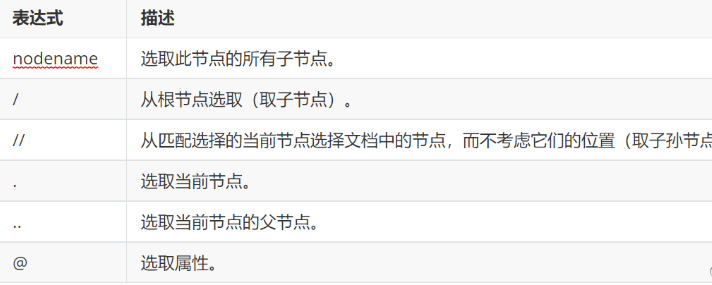
选择所有节点
使用双斜杠//选择文档中的所有节点,例如://node()
按标签名选择节点:
使用标签名选择节点,例如://book
- 按属性选择节点
使用方括号[]和@符号选择具有特定属性值的节点,例如://book[@category="children"]
选择父节点、子节点和兄弟节点
使用父节点(…)、子节点(/)和兄弟节点(//)选择节点,例如://book/title/..、//book/author/following-sibling::title等
使用通配符选择节点:
使用星号*选择任何节点,例如://book/*选择所有book节点的子节点
使用逻辑运算符选择节点:
使用and、or、not等逻辑运算符选择节点,例如://book[price<10 and @category="children"]
使用内置函数处理节点:
使用内置函数处理节点的文本和数值,例如://book[substring(title,1,3)="The"]选择标题以"The"开头的书籍

在Python中,使用lxml库的etree模块可以方便地使用XPath进行节点定位和选择。例如,可以使用etree.parse()函数解析XML文档,并使用xpath()方法执行XPath表达式,以便选择和操作XML文档中的节点。
路径表达式
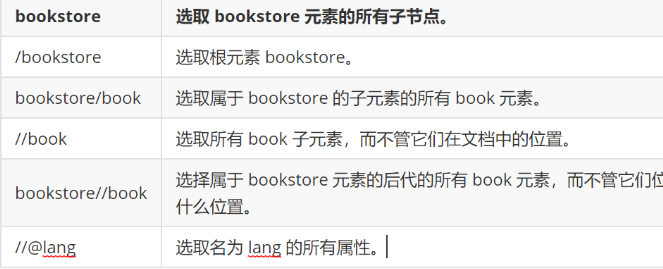
XPath路径表达式的基本语法如下:
/          : 从根节点开始,定位到目标节点

//         : 从当前节点开始,递归查找所有符合条件的节点

.          : 表示当前节点

..         : 表示当前节点的父节点

*          : 匹配任意节点

@          : 表示属性节点

[]         : 表示谓词,用于筛选符合条件的节点
/                 : 定位到根节点

/bookstore        : 定位到根节点下的bookstore节点

/bookstore/book   : 定位到bookstore节点下的所有book节点

//book            : 递归查找所有book节点

//book[@category='web'] : 查找所有category属性值为web的book节点
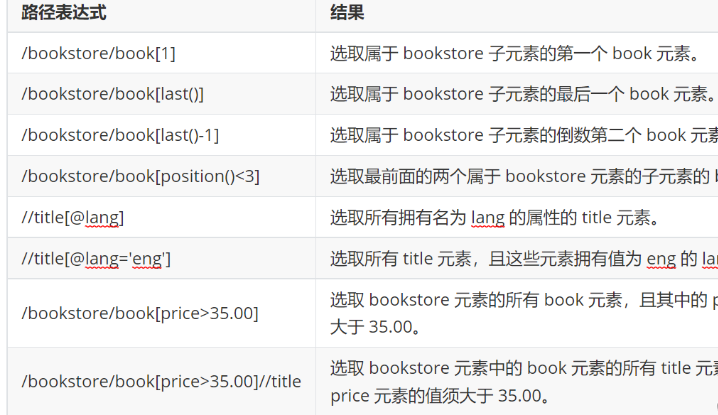
实战一下
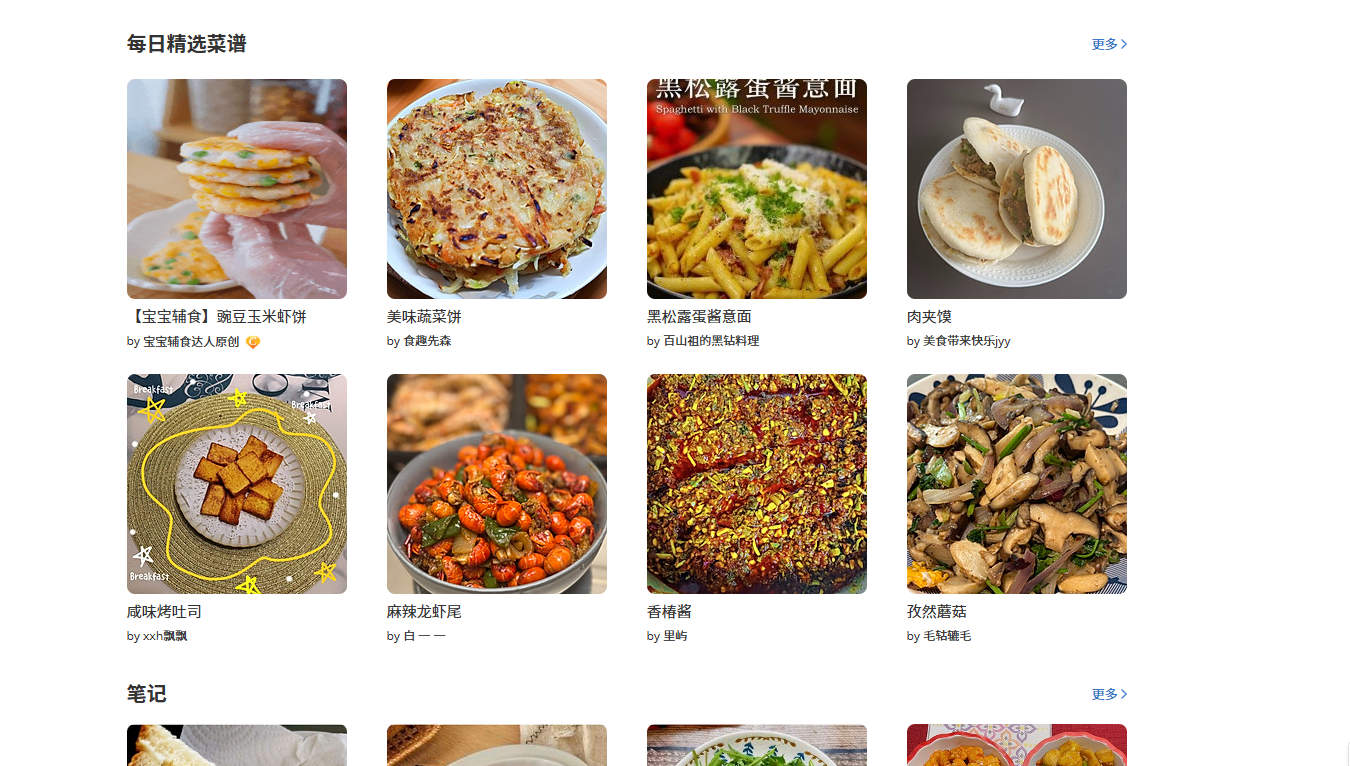
我们小试牛刀
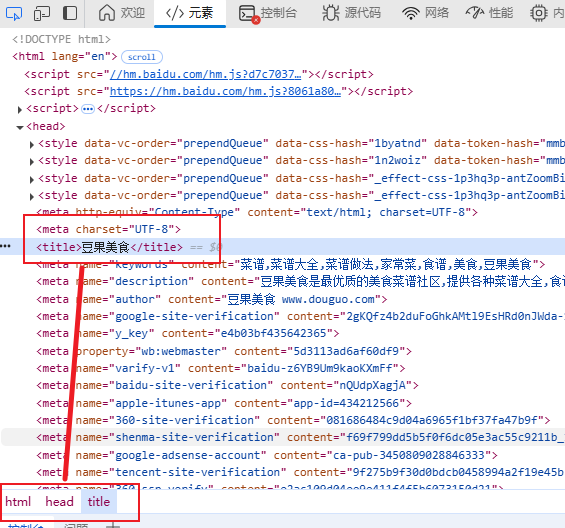
我们提取豆果美食
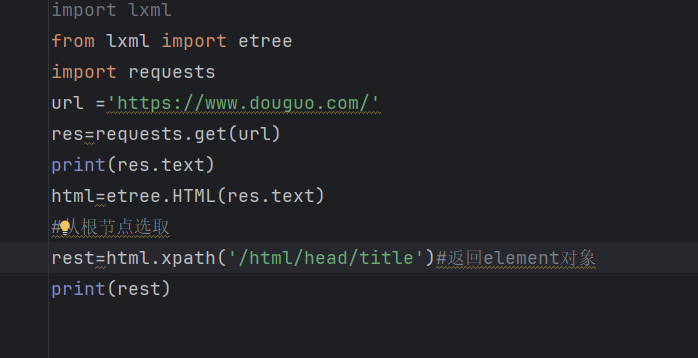
import lxml

from lxml import etree

import requests

url ='https://www.douguo.com/'

res=requests.get(url)

print(res.text)

html=etree.HTML(res.text)

#从根节点选取

rest=html.xpath('/html/head/title')#返回element对象

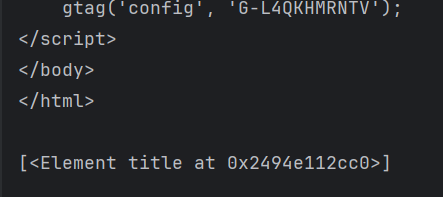
print(rest)
我们在xpath代码里面加入text(),/text() 获取Element对象的元素内容(元素文本)
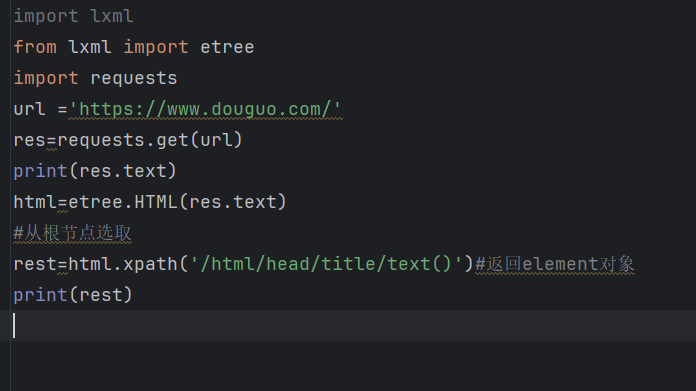
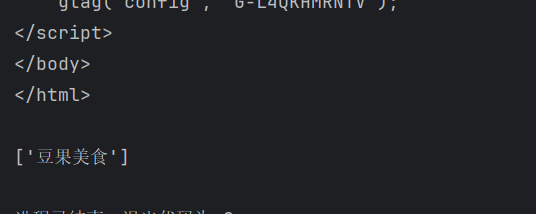
import lxml

from lxml import etree

import requests

url ='https://www.douguo.com/'

res=requests.get(url)

print(res.text)

html=etree.HTML(res.text)

#从根节点选取

rest=html.xpath('/html/head/title/text()')#返回element对象

print(rest)
// 获取任何位置的数据,不从根路径出发
import lxml

from lxml import etree

import requests

url ='https://www.douguo.com/'

res=requests.get(url)

print(res.text)

html=etree.HTML(res.text)

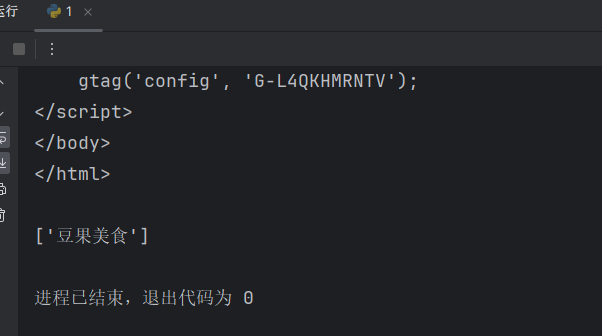
# // 获取任何位置的数据,不从根路径出发

title_text = html.xpath('//title/text()')  # 一般会获取多个数据

print(title_text)
/@属性名 获取标签中的属性名的内容
import lxml

from lxml import etree

import requests

url ='https://www.douguo.com/'

res=requests.get(url)

print(res.text)

html=etree.HTML(res.text)

# /@属性名  获取标签中的属性名的内容

attr = html.xpath('//meta/@name')

print(attr)

谓语 (相当于python里面的索引,条件) 选取数据中某部分数据
import lxml

from lxml import etree

import requests

url ='https://www.douguo.com/'

res=requests.get(url)

print(res.text)

html=etree.HTML(res.text)

# 谓语 (相当于python里面的索引,条件)

# 选取数据中某部分数据

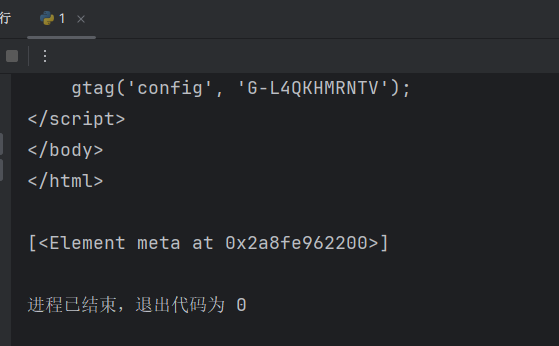
index = html.xpath('/html/head/meta[3]')  # meta[3] 获取meta里面的第3个参数

print(index)
last() 获取最后面的数据
import lxml

from lxml import etree

import requests

url ='https://www.douguo.com/'

res=requests.get(url)

print(res.text)

html=etree.HTML(res.text)

# last() 获取最后面的数据

index = html.xpath('/html/body/div[1]/div/a[last()]')  # meta[3] 获取meta里面的第3个参数

print(index)
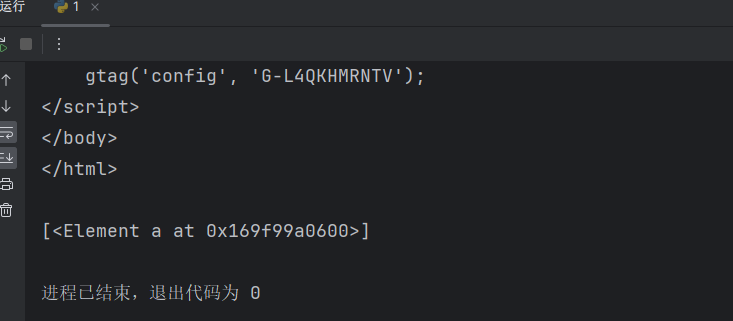
position()️ 获取索引小于3的数据
import lxml

from lxml import etree

import requests

url ='https://www.douguo.com/'

res=requests.get(url)

print(res.text)

html=etree.HTML(res.text)

# position()<3  获取索引小于3的数据

index = html.xpath('/html/body/div[1]/div/a[position()<3]')  # meta[3] 获取meta里面的第3个参数

print(index)
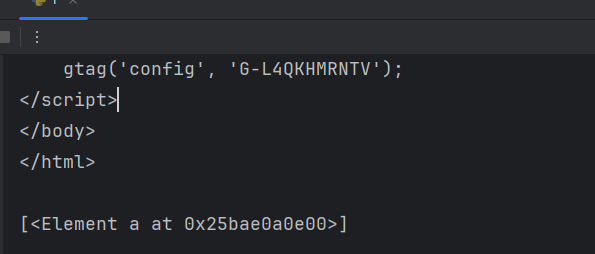
未知节点 不管是什么标签名 只要其中有class="meta1"就获取到
import lxml

from lxml import etree

import requests

url ='https://www.douguo.com/'

res=requests.get(url)

print(res.text)

html=etree.HTML(res.text)

# 未知节点

index = html.xpath('//*[@class="item"]')

# 不管是什么标签名 只要其中有class="meta1"就获取到

print(index)

获取全部数据
import time

import requests

from lxml import etree

from tabulate import tabulate

url = 'https://www.douguo.com/'

res = requests.get(url)

print(res.text)

# html = etree.HTML(res.text)
首先我们需要认识一行代码

html = etree.HTML(res.text)

这行代码的作用是将 HTTP 响应中的 HTML 文本解析为一个 Element 对象,以便后续对其进行操作,例如提取数据、修改内容、查找元素等等。其中,etree 是 Python 的一个第三方库,可以用来解析 XML 和 HTML 文本。HTML 是一种标记语言,用于构建网页和 Web 应用程序的用户界面。

我们在使用的时候,需要导入,代码如下:

from lxml import etree
开始使用Xpath来解析数据:
html = etree.HTML(res.text)

name = html.xpath(f'//*[@id="content"]/ul[1]/li[1]/div/a/text()')

print(name)
很好,我们通过一行代码获取了第一个美食的名字,一共有八个美食,我们不可能写八行代码来获取名字吧,虽然可以,但太繁琐,不宜使用。我们可以使用循环,他们之间一定有内在的联系,通过解析发现,他们路径基本上相同,不同的li[i]里面的值,我们通过循环来获取名字
html = etree.HTML(res.text)

for i in range(1, 9):

    name = html.xpath(f'//*[@id="content"]/ul[1]/li[{i}]/div/a/text()')

# name1 = html.xpath(f'//*[@id="content"]/ul[1]/li[2]/div/a/text()')

# name2 = html.xpath(f'//*[@id="content"]/ul[1]/li[3]/div/a/text()')

    print(name)

# print(name1)

# print(name2)
我们获取了想要的数据l,是不是很简单,其实我们还可以美化一下。
将名字和作者的数据以表格的形式输出。具体实现方式是使用tabulate库中的tabulate函数,将数据列表和表头传入函数中,设置输出格式为orgtbl,最后将输出结果打印出来。
    result = tabulate([[name, author]], headers=['Name', 'Author'], tablefmt='orgtbl')

    print(result)
源代码
import time

import requests

from lxml import etree

from tabulate import tabulate

url = 'https://www.douguo.com/'

res = requests.get(url)

# print(res.text)

html = etree.HTML(res.text)

for i in range(1, 9):

    name = html.xpath(f'//*[@id="content"]/ul[1]/li[{i}]/div/a/text()')

    author = html.xpath(f'//*[@id="content"]/ul[1]/li[{i}]/div/p/a[1]/text()')

    print(name)

    print(author)

    result = tabulate([[name, author]], headers=['Name', 'Author'], tablefmt='orgtbl')

    print(result)
web--python处理http的更多相关文章
- 在sublimetext上打造一个兼容virtualenv的web&python开发环境
利用Sublimetext3&virtualenv 打造一个Web&Python IDE 注: 环境:window|python3;以下使用的sublimetext插件均用packag ...
- PSPInstance Object | Web Python
PSPInstance Object | Web Python The PSPInstance object is available to all PSP pages through the psp ...
- HOWTO Use Python in the web — Python v3.0.1 documentation
HOWTO Use Python in the web - Python v3.0.1 documentation mod_python¶ People coming from PHP often f ...
- Python Web-第五周-Web Services and XML(Using Python to Access Web Data)
1.Web Service Overview 1.Data on the Web Python Dictionary 和 Java HashMap间需要建立一个桥梁,可以用XML或是JSON 2.XM ...
- Python第十三天 django 1.6 导入模板 定义数据模型 访问数据库 GET和POST方法 SimpleCMDB项目 urllib模块 urllib2模块 httplib模块 django和web服务器整合 wsgi模块 gunicorn模块
Python第十三天 django 1.6 导入模板 定义数据模型 访问数据库 GET和POST方法 SimpleCMDB项目 urllib模块 urllib2模块 ...
- 新浪云SAE搭建python环境 问题拾遗
1.python程序部署到sae上需要做的改动 在线上需要转换成wsgi的形式运行python程序. sae中运行python程序需要指定一个函数为入口函数. application = sae.cr ...
- python tornado 入门
#!/usr/bin/env python # coding:utf-8 import textwrap import tornado.httpserver import tornado.ioloop ...
- Django开发web环境搭建的简单方法(CentOS6.5环境)
这几天跟Linux下的Python + Django环境搭建卯上了.经过几天的琢磨,找到了一条自己认为给力的路径. 这里给出命令行,过程如下: 首次登陆,切换管理员: [web@bogon ~]$ s ...
- Python开发问题和解决方案汇集
1.Sublime Text中用Tab批量替换空格Whitespace缩进:Ctrl+A全选代码,Ctrl+Shift+P打开下拉框,输入indent,找到Convert indentation to ...
- python教程,文章list
http://www.2cto.com/kf/web/Python/ http://www.v2ex.com/go/python http://www.sharejs.com/codes/python ...
随机推荐
- Product-Electrical Appliances:电器 : 厨师机+ 和面机 + 空气炸锅 + 加湿器 + 空调 + 冰箱 + 恒温恒湿设备 + 气象站
Product-Electrical Appliances:电器 : 电视/投影 + 电脑/显示器 + 宽带/光猫/路由 + 手机/平板 智能安防摄像头 + 遥控车库门 + 自动充电器 恒温恒湿发酵烘 ...
- SciTech-BigDataAIML-PyTorch: 安装PyTorch For Python3.12
安装PyTorch For Python3.12: Release Version: $ pip install torch torchvision torchaudio Pre-Release Ve ...
- mysql: 多时区的聚合统计
通常我们在安装mysql实例时,都是使用默认的时区(中国大陆的服务器,通常就是GMT+8北京时区),随着业务的发展,如果业务实现了全球化,需要支持(多时区)按当地时间来汇总数据时,就会涉及到时区转换问 ...
- prometheus学习笔记(3)-使用exporter监控mysql
上一篇学习了使用java client向prometheus写入数据,但更多时候,我们希望借助prometheus来监控一些标准中间件,比如mysql.haproxy等等.本篇将以mysql为例,学习 ...
- IPD 项目管理软件工具对比:2025 年最佳选择指南
在当今竞争激烈的研发环境中,选择合适的ipd项目管理软件对于提高团队效率和项目成功率至关重要.随着技术的不断进步,ipd项目管理软件工具也在不断演进,为研发团队提供更加智能和全面的解决方案.本文将为您 ...
- iTrustSSL有OCSP响应吗?
iTrustSSL支持OCSP响应,且专门优化了中国大陆地区的OCSP访问速度,这是其核心优势之一.具体技术细节如下: 一.OCSP支持验证要点 国内OCSP节点部署 iTrustSSL在中国大陆部署 ...
- 几款流行的web前端UI框架开发移动端项目
https://www.likecs.com/show-838798.html#sc=5600 http://aszhi.com/frame/63.html 根据近几年前端框架的热门,在前端开发框架不 ...
- Adobe DNG Converter 16.0.1 将RAW文件转换成DNG文件(Win&Mac)
Adobe DNG Converter 让您能够从支持的相机中将特定相机的原始文件轻松地转换为更加通用的 DNG 原始文件.DNG Converter 的另一个优势在于其后向兼容性. Adobe DN ...
- 程序自动化vs人工手动处理
一.背景 在数据系统的运维运营中,经常遇到一些人工定期重复处理的场景,比如以下这些场景: 1.利用Excel中公式/函数,将各类表格型数据进行加工处理,基于生成的图表制作成PPT进行月度汇报: 2.每 ...
- python创建json文件并换行
在 Python 中,您可以使用内置的json 模块创建和操作 JSON 文件.以下是如何创建一个 JSON 文件的步骤: 1.Json格式 JSON 数据的书写格式是键(名称)/值对. JSON 值 ...