
Getting.Started.with.Unity.2018.3rd.Edition
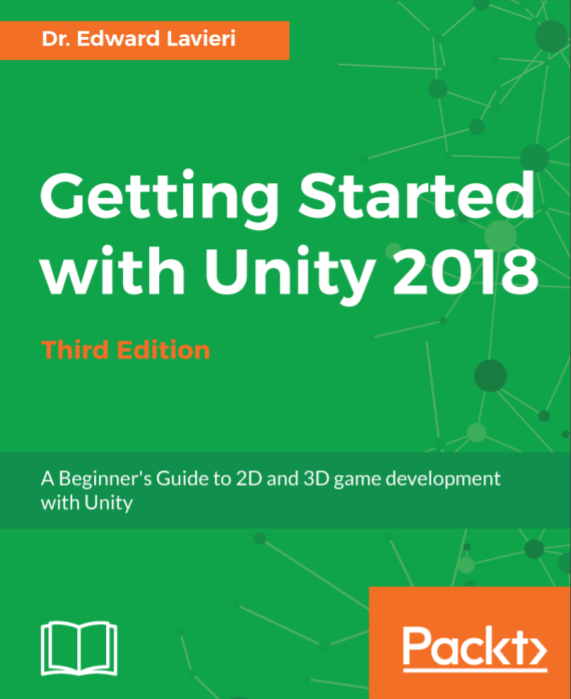
Getting Started with Unity 2018 - Third Edition: A Beginner's Guide to 2D and 3D game development with Unity
Learn how to use Unity 2018 by creating your very own 3D game while developing your essential skills
Key Features
Learn to create immersive 3D games and Virtual Reality experiences with Unity 2018
Build custom scripts to make your game characters interactive
Explore and implement AritificiaI Intelligence techniques to bring your game to life
Book Description
The Unity game engine has revolutionized the gaming industry w
ith its complete set of intuitive tools and rapid workflows, which can be used to create interactive 3D content. With Unity, you can scaffold your way from the basics and make make stunning interactive games.
This book will guide you through the entire process of creating a 3D game, from downloading the Unity game engine to publishing your game. It not only gives you a strong foundation, but puts you on the path to game development.
Beginning with an overview of the Unity engine and its interface, you will walk through the process of creating a game environment and learn how to use built-in assets, as well as assets created with third-party 3D modeling tools such as Blender.
Moving on, you will create custom scripts to control non-player character behaviors and gameplay. You will master exciting concepts such as Heads-Up-Displays, mini-maps, game navigation, sound effects, and lighting effects. Next, you'll learn how to create your first VR experience, right from setting up the project to image effects. You'll be familiarized with all the tools that Unity has to offer to create your own immersive VR experiences.
Each section is a stepping stone toward the completion of the final game. By the end of the book, you'll have learned advanced topics such as cross-platform considerations which enable your games to run on multiple platforms.
What you will learn
Set up your Unity development environment and navigate its tools
Import and use custom assets and asset packages to add characters to your game
Build a 3D game world with a custom terrain, water, sky, mountains, and trees
Animate game characters, using animation controllers, and scripting
Apply audio and particle effects to the game
Create intuitive game menus and interface elements
Customize your game with sound effects, shadows, lighting effects, and rendering options
Debug code and provide smooth error handling
Who This Book Is For
If you are an aspiring game developer interested in learning Unity 2018 and becoming familiar with its core features, then this book is for you. No prior knowledge of Unity is required.
Table of Contents
Chapter 1. Downloading and Installing Unity
Chapter 2. The Unity Interface
Chapter 3. Designing the Game
Chapter 4. Creating our Terrain
Chapter 5. Lights, Cameras, and Shadows
Chapter 6. Creating and Importing 3D Objects for our Game
Chapter 7. Implementing our Player Character
Chapter 8. Implementing our Non-Player Characters
Chapter 9. Adding a Heads-Up Display
Chapter 10. Scripting our Points System
Chapter 11. Scripting Victory and Defeat
Chapter 12. Adding Audio and Visual Effects to our Game
Chapter 13. Optimizing our Game for Deployment
Chapter 14. First steps in Virtual Reality
PDF格式

扫码时备注或说明中留下邮箱
付款后如未回复请至https://shop135452397.taobao.com/
联系店主
Getting.Started.with.Unity.2018.3rd.Edition的更多相关文章
- Unity 2018.2.8 旧版本安装包和破解软件
声明:本文所提供的所有软件均来自于互联网,仅供个人研究和学习使用,请勿用于商业用途,下载后请于24小时内删除,请支持正版! 最近Unity官网下载的旧版本,都无法正常破解.此链接有之前下载的离线安装包 ...
- Hands-On Unity 2018 x 移动游戏开发教程
Hands-On Unity 2018 x Game Development for Mobile 使用Unity 2018.2创建具有出色游戏功能的精彩游戏 想学习在Unity制作游戏,但不知道 ...
- Unity 2018中的图形渲染
https://mp.weixin.qq.com/s?__biz=MzU5MjQ1NTEwOA==&mid=2247490249&idx=1&sn=d86083e33d9884 ...
- Programming Python 3rd Edition 第三版 pdf chm下载
Programming Python 作为一款经典系列书籍 非常的耐看 建议有志于学习python的童鞋好好看看 网上 Programming Python第四版的 pdf 下载非常容易 也就是最新的 ...
- 读书笔记:Information Architecture for the World Wide Web, 3rd Edition 北极熊 简介
书籍介绍 Information Architecture for the World Wide Web, 3rd Edition<web信息架构:设计大型网站(第三版)> Designi ...
- Unity 2018 Game Development in 24 Hours Sams Teach Yourself 3rd Edition
最新的Unity2018自学教材,如果新入坑Unity,直接从2018开始看吧! 点击下载提取码:tngj
- Unity 2018 By Example 2nd Edition
Unity is the most exciting and popular engine used for developing games. With its 2018 release, Unit ...
- Unity 2018 Artificial Intelligence Cookbook Second Edition (Jorge Palacios 著)
https://github.com/PacktPublishing/Unity-2018-Artificial-Intelligence-Cookbook-Second-Edition 1 Beha ...
- Professional JavaScript for Web Developers 3rd Edition ---读书笔记
1. DOMContentLoaded DOM树构建完成时触发该事件 load 页面加载完毕触发 原生js document.addEventListener('DOMContentLoaded', ...
随机推荐
- Linux系统编程——水平触发和边沿触发
事件模型 EPOLL事件有两种模型: Edge Triggered (ET) 边缘触发只有数据到来才触发,不管缓存区中是否还有数据. Level Triggered (LT) 水平触发只要有数据都会触 ...
- 使用Navicat连接阿里云mysql报错10061
1.添加一个远程访问账号admin mysql> use mysql; mysql> GRANT ALL ON *.* TO 账户@'%' IDENTIFIED BY '密码' WITH ...
- MySQL MGR+ Consul之数据库高可用方案
背景说明: 基于目前存在很多MySQL数据库单点故障,传统的MHA,PXC等方案用VIP或者DNS切换的方式可以实现.基于数据库的数据强一致性考虑,采用MGR集群,采用consul服务注册发现 ...
- MemCache在网站中的使用
MemCache安装好后,网站一直没法使用,后来查找资料,发现需要在配置文件里写几行代码,如下所示 <enyim.com> <memcached protocol="Tex ...
- [URLSession sessionWithConfiguration:config delegate:self delegateQueue:[NSOperationQueue mainQueue]
NSURLSessionConfiguration *config = [NSURLSessionConfiguration defaultSessionConfiguration]; _sessio ...
- winform界面特效470多例
一共470多例winform 界面特效的源码. 实例030 窗口颜色的渐变 实例说明 在程序设计时,可以通过设置窗体的BackColor属性来改变窗口的背景颜色.但是这个属性改变后整个窗体的客户区都会 ...
- FPM 0.08安装了打不开解决办法
今天在网上找了FPM软件下载,结果却不能打开,于是到处找资料,终于解决了,呵呵,写下来供大家学习. 用UltraEdit打开FPM.exe,查找"改为8B,F2改为00,然后保存,就可以打开 ...
- gentoo hibernate
首先修改内核: Power management and ACPI options ---> [*] Suspend to RAM and standby [*] Hibernation (ak ...
- The requested URL /xxxx.html was not found on this server
The requested URL /xxxx.html was not found on this server 的原因是,Apache没有开启重写 apache 打开 httpd.conf 文件找 ...
- 【学习】数据聚合和分组运算【groupby】
分组键可以有多种方式,且类型不必相同 列表或数组, 某长度与待分组的轴一样 表示DataFrame某个列名的值 字典或Series,给出待分组轴上的值与分组名之间的对应关系 函数用于处理轴索引或索引中 ...