
Vue.js使用-组件(上篇)
1.什么是组件
组件可以理解为定义的一个view模块,可重复使用。
2.组件使用
1)创建组件
var myComponent = Vue.extend({
template: '
'
})
2)注册组件
Vue.component('my-component',myComponent)
3)使用示例
<!DOCTYPE html>

<html lang="en">

<head>

    <meta charset="UTF-8">

    <title>Title</title>

</head>

<body>

    <div id="app">

        <my-component></my-component>

    </div>

</body>

<script src="js/vue.js"></script>

<script>

    var myComponent = Vue.extend({

        template: '<div>this is a component</div>'

    })

    Vue.component('my-component', myComponent)

    new Vue({

        el: '#app'

    })

</script>

</html>
运行结果:

简化写法,可以省略创建和注册的步骤,直接在Vue对象中定义,会默认创建和注册。
<!DOCTYPE html>

<html lang="en">

<head>

    <meta charset="UTF-8">

    <title>Title</title>

</head>

<body>

    <div id="app">

        <my-component></my-component>

    </div>

</body>

<script src="js/vue.js"></script>

<script>

    new Vue({

        el: '#app',

        components: {

            'my-component':{

                template: '<div>this is a component</div>'

            }

        }

    })

</script>

</html>
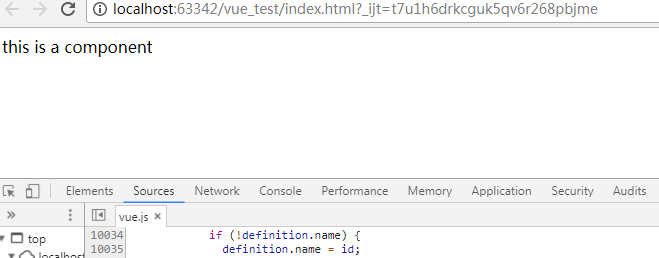
运行结果:
3.组件全局注册和局部注册
上例中,my-component在所有view中都可以使用,如何做到只能在某个view才能使用呢?
可以将component注册到某个view的components属性
<!DOCTYPE html>

<html lang="en">

<head>

    <meta charset="UTF-8">

    <title>Title</title>

</head>

<body>

    <div id="app1">

        <my-component></my-component>

    </div>

    <div id="app2">

        <my-component></my-component>

    </div>

</body>

<script src="js/vue.js"></script>

<script>

    var myComponent = Vue.extend({

        template: '<div>this is a component</div>'

    })

    new Vue({

        el: '#app1',

        components: {

            'my-component': myComponent

        }

    })

    new Vue({

        el: '#app2'

    })

</script>

</html>
运行结果:
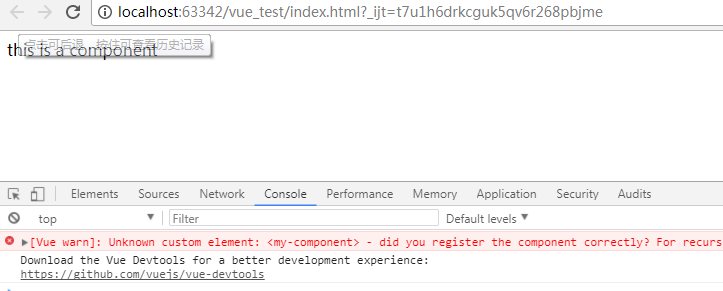
可以看到在app2中使用my-component会报错
4.组件的嵌套
父组件和子组件
<!DOCTYPE html>

<html lang="en">

<head>

    <meta charset="UTF-8">

    <title>Title</title>

</head>

<body>

    <div id="app">

        <parent-component></parent-component>

    </div>

</body>

<script src="js/vue.js"></script>

<script>

    var Child = Vue.extend({

        template: '<div>this is child component</div>'

    })

    var Parent = Vue.extend({

        template: '<div>this is parent component</div><div><child-component></child-component></div>',

        components: {

            'child-component': Child

        }

    })

    Vue.component('parent-component', Parent)

    new Vue({

        el: '#app'

    })

</script>

</html>
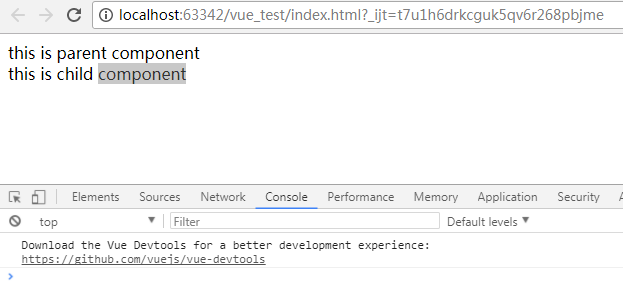
运行结果:
5.组件中使用Vue对象的Model属性props
组件是独立的,所以要使用Model的属性,需要在组件中定义props字段,然后再view中绑定props为对应的model值。
<!DOCTYPE html>

<html lang="en">

<head>

    <meta charset="UTF-8">

    <title>Title</title>

</head>

<body>

    <div id="app">

        <my-component v-bind:my-name="name" v-bind:my-age="age"></my-component>

    </div>

</body>

<script src="js/vue.js"></script>

<script>

    new Vue({

        el: '#app',

        data: {

            name: 'shijingjing',

            age: 28

        },

        components: {

            'my-component': {

                'template': '<div>{{ myName }} {{myAge}}</div>',

                props: ['myName', 'myAge']

            }

        }

    })

</script>

</html>
运行结果:
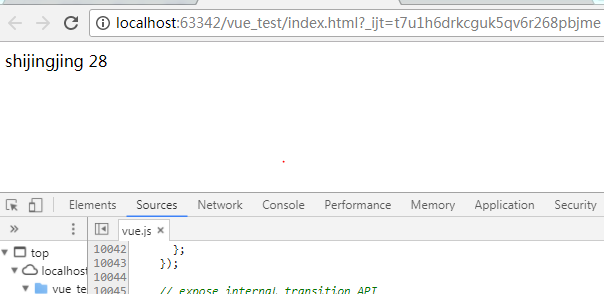
需要注意的是html是不分大小写的,所以在组件中定义的属性myName,在view中对应的为my-name
6.props绑定类型
修改model属性值,组件中绑定的model值会变化吗?
1)单向绑定
<!DOCTYPE html>

<html lang="en">

<head>

    <meta charset="UTF-8">

    <title>Title</title>

</head>

<body>

    <div id="app">

        <input type="text" v-model="name">

        <input type="text" v-model="age">

        <my-component v-bind:my-name="name" v-bind:my-age="age"></my-component>

    </div>

</body>

<script src="js/vue.js"></script>

<script>

    new Vue({

        el: '#app',

        data: {

            name: 'shijingjing',

            age: 28

        },

        components: {

            'my-component': {

                'template': '<div><input type="input" v-model="myName"><input type="input" v-model="myAge"></div>',

                props: ['myName', 'myAge']

            }

        }

    })

</script>

</html>
运行结果:
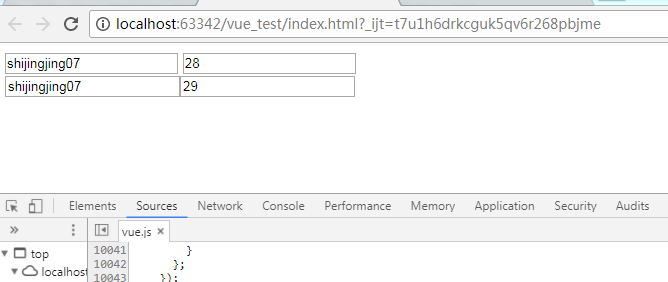
可以看到,修改model值,组件中绑定的model值也会变化;修改组件中绑定的model值,model的值不会变化。
2)双向绑定
组件中绑定属性后加上.sync,都可以同步变化。
<!DOCTYPE html>

<html lang="en">

<head>

    <meta charset="UTF-8">

    <title>Title</title>

</head>

<body>

    <div id="app">

        <input type="text" v-model="name">

        <input type="text" v-model="age">

        <my-component v-bind:my-name.sync="name" v-bind:my-age.sync="age"></my-component>

    </div>

</body>

<script src="js/vue.js"></script>

<script>

    new Vue({

        el: '#app',

        data: {

            name: 'shijingjing',

            age: 28

        },

        components: {

            'my-component': {

                'template': '<div><input type="input" v-model="myName"><input type="input" v-model="myAge"></div>',

                props: ['myName', 'myAge']

            }

        }

    })

</script>

</html>
运行结果:
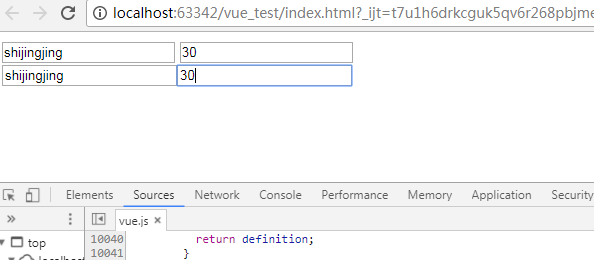
3)单次绑定
.once组件值绑定后,就不会再随着model的变化而变化。
<!DOCTYPE html>

<html lang="en">

<head>

    <meta charset="UTF-8">

    <title>Title</title>

</head>

<body>

    <div id="app">

        <input type="text" v-model="name">

        <input type="text" v-model="age">

        <my-component v-bind:my-name.once="name" v-bind:my-age.once="age"></my-component>

    </div>

</body>

<script src="js/vue.js"></script>

<script>

    new Vue({

        el: '#app',

        data: {

            name: 'shijingjing',

            age: 28

        },

        components: {

            'my-component': {

                'template': '<div><input type="input" v-model="myName"><input type="input" v-model="myAge"></div>',

                props: ['myName', 'myAge']

            }

        }

    })

</script>

</html>
运行结果:
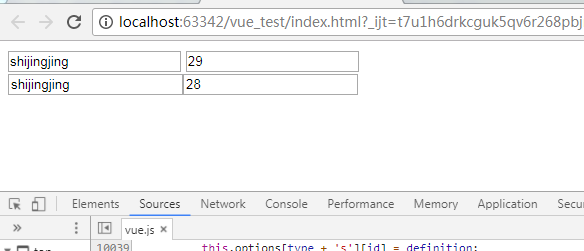
7.组件的另一种声明方式
在上面的示例中,组件的template都是在js中定义的,view和js混在一起的方式是不提倡的,因此,比较优雅的一种方式是使用来声明组件。
<!DOCTYPE html>

<html lang="en">

<head>

    <meta charset="UTF-8">

    <title>Title</title>

</head>

<body>

    <div id="app">

        <my-component></my-component>

    </div>

    <template id="myComponent">

        <div>this is a component</div>

    </template>

</body>

<script src="js/vue.js"></script>

<script>

    new Vue({

        el: '#app',

        components: {

            'my-component': {

                template: '#myComponent'

            }

        }

    })

</script>

</html>
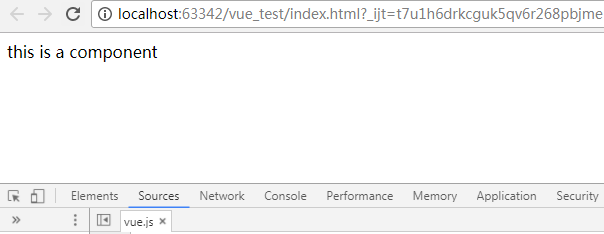
运行结果:
Vue.js使用-组件(上篇)的更多相关文章
- Vue.js多重组件嵌套
Vue.js多重组件嵌套 Vue.js中提供了非常棒的组件化思想,组件提高了代码的复用性.今天我们来实现一个形如 <app> <app-header></app-head ...
- 【Vue课堂】Vue.js 父子组件之间通信的十种方式
这篇文章介绍了Vue.js 父子组件之间通信的十种方式,不管是初学者还是已经在用 Vue 的开发者都会有所收获.无可否认,现在无论大厂还是小厂都已经用上了 Vue.js 框架,简单易上手不说,教程详尽 ...
- 【Vue.js实战案例】- Vue.js递归组件实现组织架构树和选人功能
大家好!先上图看看本次案例的整体效果. 浪奔,浪流,万里涛涛江水永不休.如果在jq时代来实这个功能简直有些噩梦了,但是自从前端思想发展到现在的以MVVM为主流的大背景下,来实现一个这样繁杂的功能简直不 ...
- Vue.js之组件传值
Vue.js之组件传值 属性传值可以从父组件到子组件,也可以从子组件到父组件. 这里讲一下从父组件到子组件的传值 还以上次的demo为例,demo里有APP.vue是父组件,Header.vue,Us ...
- Vue.js之组件嵌套小demo
Vue.js之组件嵌套的小demo项目 第一步:初始化一个wabpack项目,这里不在复述.第二步:在components文件夹下新建Header.vue Footer.vue和Users.vue三个 ...
- Vue.js之组件嵌套
Vue.js中组件嵌套有两种方式 第一种:注册全局组件 例如在components文件夹下新建一个User.vue组件,然后在main.js文件中注册全局组件 //注册全局组件 Vue.compone ...
- vue.js 同级组件之间的值传递方法(uni-app通用)
vue.js 兄弟组件之间的值传递方法 https://blog.csdn.net/jingtian678/article/details/81634149
- vue.js之组件(上篇)
本文的Demo和源代码已放到GitHub,如果您觉得本篇内容不错,请点个赞,或在GitHub上加个星星! https://github.com/zwl-jasmine95/Vue_test 以下所有知 ...
- Vue.js说说组件
什么是组件:组件是Vue.js最强大的功能之一.组件可以扩展HTML元素,封装可重用的代码.在较高层面上,组件是自定义的元素,Vue.js的编译器为它添加特殊功能.在有些情况下,组件也可以是原生HTM ...
随机推荐
- C#几个小知识点
一.float数据类型 小数在C#中需要用浮点型表示,浮点值就是.后面的小数点.C#语言中有两种小数类型,分别为32位单精度浮点型(float) 和64位双精度浮点型(double).其中精度指的是小 ...
- 【jquery】多日期选择插件easyui date
1.本次介绍一个好用的 多日期选择插件:EasyUI date,适用于:需要一次性选择多个日期,无需手动一个一个进行添加. 2.效果图: 3.下载地址:http://www.jeasyui.com/d ...
- LUA返回的是引用
,} function t1.Show() print("t1 show") end function GetT() return t1 end local t2 = GetT() ...
- 新系统基础优化--Centos6.6
1 2 3 4 5 6 7 8 9 10 11 12 13 14 15 16 17 18 19 20 21 22 23 24 25 26 27 28 29 30 31 32 33 34 35 36 3 ...
- Linux中的lo回环接口详细介绍
1.linux的网络接口之扫盲 (1)网络接口的命名 这里并不存在一定的命名规范,但网络接口名字的定义一般都是要有意义的.例如: eth0: ethernet的简写,一般用于以太网接口. wifi0: ...
- 蓝牙进阶之路 (003) - AT指令(转)
一 . 一 般 命 令 1.AT+CGMI 给出模块厂商的标识. 2.AT+CGMM 获得模块标识.这个命令用来得到支持的频带(GSM 900,DCS 1800 或PCS 190 ...
- OAuth2.0实战之微信授权篇
微信开发三大坑: 微信OAuth2.0授权 微信jssdk签名 微信支付签名 本篇先搞定微信OAuth2.0授权吧! 以简书的登陆页面为例,来了解一下oauth2.0验证授权的一些背景知识: 1) 传 ...
- Junit 4.x 单元测试,参数化测试,套件测试 实例
对下面三个类进行单元测试 ,组成套件测试. public class Calculate { public int add(int a, int b) { return a + b; } public ...
- Python学习笔记001——Linux
Linux文件系统采用树形目录结构,系统中一切皆文件.文件名字母区分大小写 Linux命令使用格式(终端窗口) 命令名 [选项] [参数] 命令名:在命令行输入命令. 备注:命令名字母区分大小写, 1 ...
- Swift2.0语言教程之函数嵌套调用形式
Swift2.0语言教程之函数嵌套调用形式 Swift2.0语言函数嵌套调用形式 在Swift中,在函数中还能够调用函数,从而形成嵌套调用.嵌套调用的形式往往有两种:一种是在一个函数中调用其它函数:还 ...