
Vue.js使用-组件(上篇)
1.什么是组件
组件可以理解为定义的一个view模块,可重复使用。
2.组件使用
1)创建组件
var myComponent = Vue.extend({
template: '
'
})
2)注册组件
Vue.component('my-component',myComponent)
3)使用示例
<!DOCTYPE html>

<html lang="en">

<head>

    <meta charset="UTF-8">

    <title>Title</title>

</head>

<body>

    <div id="app">

        <my-component></my-component>

    </div>

</body>

<script src="js/vue.js"></script>

<script>

    var myComponent = Vue.extend({

        template: '<div>this is a component</div>'

    })

    Vue.component('my-component', myComponent)

    new Vue({

        el: '#app'

    })

</script>

</html>
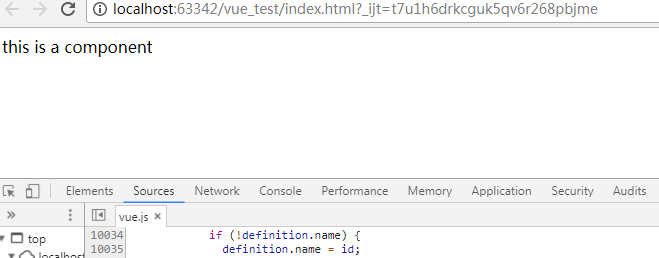
运行结果:

简化写法,可以省略创建和注册的步骤,直接在Vue对象中定义,会默认创建和注册。
<!DOCTYPE html>

<html lang="en">

<head>

    <meta charset="UTF-8">

    <title>Title</title>

</head>

<body>

    <div id="app">

        <my-component></my-component>

    </div>

</body>

<script src="js/vue.js"></script>

<script>

    new Vue({

        el: '#app',

        components: {

            'my-component':{

                template: '<div>this is a component</div>'

            }

        }

    })

</script>

</html>
运行结果:
3.组件全局注册和局部注册
上例中,my-component在所有view中都可以使用,如何做到只能在某个view才能使用呢?
可以将component注册到某个view的components属性
<!DOCTYPE html>

<html lang="en">

<head>

    <meta charset="UTF-8">

    <title>Title</title>

</head>

<body>

    <div id="app1">

        <my-component></my-component>

    </div>

    <div id="app2">

        <my-component></my-component>

    </div>

</body>

<script src="js/vue.js"></script>

<script>

    var myComponent = Vue.extend({

        template: '<div>this is a component</div>'

    })

    new Vue({

        el: '#app1',

        components: {

            'my-component': myComponent

        }

    })

    new Vue({

        el: '#app2'

    })

</script>

</html>
运行结果:
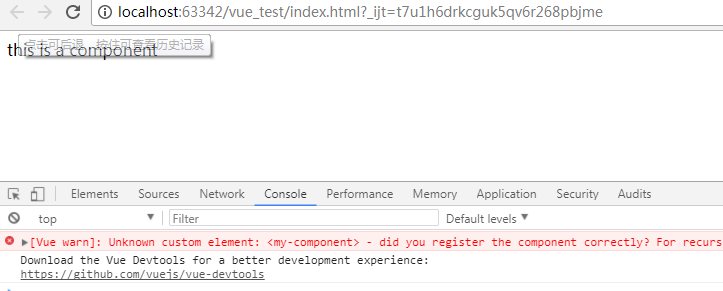
可以看到在app2中使用my-component会报错
4.组件的嵌套
父组件和子组件
<!DOCTYPE html>

<html lang="en">

<head>

    <meta charset="UTF-8">

    <title>Title</title>

</head>

<body>

    <div id="app">

        <parent-component></parent-component>

    </div>

</body>

<script src="js/vue.js"></script>

<script>

    var Child = Vue.extend({

        template: '<div>this is child component</div>'

    })

    var Parent = Vue.extend({

        template: '<div>this is parent component</div><div><child-component></child-component></div>',

        components: {

            'child-component': Child

        }

    })

    Vue.component('parent-component', Parent)

    new Vue({

        el: '#app'

    })

</script>

</html>
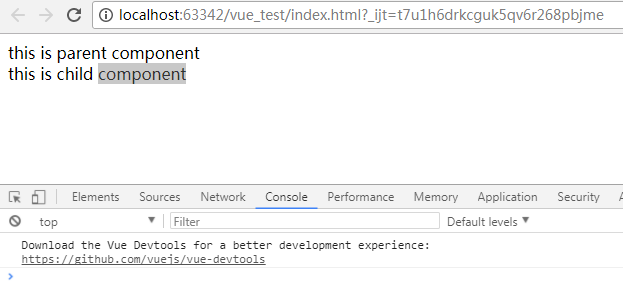
运行结果:
5.组件中使用Vue对象的Model属性props
组件是独立的,所以要使用Model的属性,需要在组件中定义props字段,然后再view中绑定props为对应的model值。
<!DOCTYPE html>

<html lang="en">

<head>

    <meta charset="UTF-8">

    <title>Title</title>

</head>

<body>

    <div id="app">

        <my-component v-bind:my-name="name" v-bind:my-age="age"></my-component>

    </div>

</body>

<script src="js/vue.js"></script>

<script>

    new Vue({

        el: '#app',

        data: {

            name: 'shijingjing',

            age: 28

        },

        components: {

            'my-component': {

                'template': '<div>{{ myName }} {{myAge}}</div>',

                props: ['myName', 'myAge']

            }

        }

    })

</script>

</html>
运行结果:
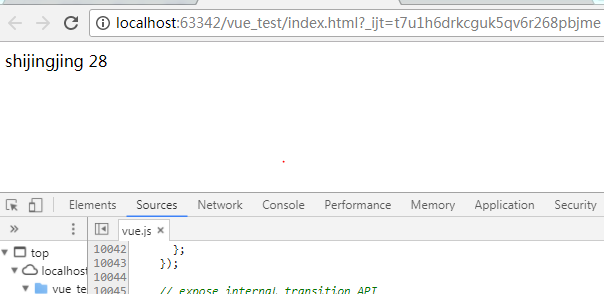
需要注意的是html是不分大小写的,所以在组件中定义的属性myName,在view中对应的为my-name
6.props绑定类型
修改model属性值,组件中绑定的model值会变化吗?
1)单向绑定
<!DOCTYPE html>

<html lang="en">

<head>

    <meta charset="UTF-8">

    <title>Title</title>

</head>

<body>

    <div id="app">

        <input type="text" v-model="name">

        <input type="text" v-model="age">

        <my-component v-bind:my-name="name" v-bind:my-age="age"></my-component>

    </div>

</body>

<script src="js/vue.js"></script>

<script>

    new Vue({

        el: '#app',

        data: {

            name: 'shijingjing',

            age: 28

        },

        components: {

            'my-component': {

                'template': '<div><input type="input" v-model="myName"><input type="input" v-model="myAge"></div>',

                props: ['myName', 'myAge']

            }

        }

    })

</script>

</html>
运行结果:
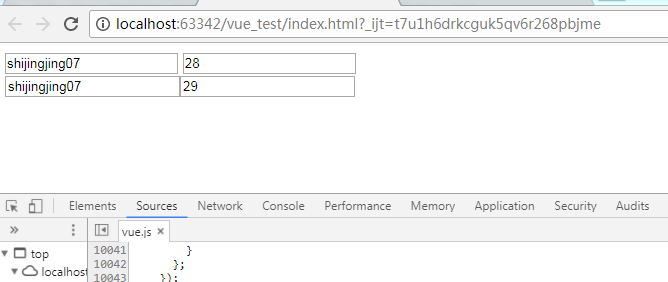
可以看到,修改model值,组件中绑定的model值也会变化;修改组件中绑定的model值,model的值不会变化。
2)双向绑定
组件中绑定属性后加上.sync,都可以同步变化。
<!DOCTYPE html>

<html lang="en">

<head>

    <meta charset="UTF-8">

    <title>Title</title>

</head>

<body>

    <div id="app">

        <input type="text" v-model="name">

        <input type="text" v-model="age">

        <my-component v-bind:my-name.sync="name" v-bind:my-age.sync="age"></my-component>

    </div>

</body>

<script src="js/vue.js"></script>

<script>

    new Vue({

        el: '#app',

        data: {

            name: 'shijingjing',

            age: 28

        },

        components: {

            'my-component': {

                'template': '<div><input type="input" v-model="myName"><input type="input" v-model="myAge"></div>',

                props: ['myName', 'myAge']

            }

        }

    })

</script>

</html>
运行结果:
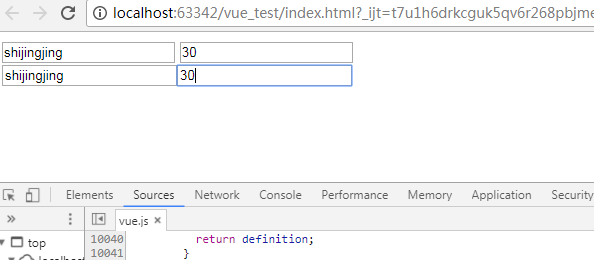
3)单次绑定
.once组件值绑定后,就不会再随着model的变化而变化。
<!DOCTYPE html>

<html lang="en">

<head>

    <meta charset="UTF-8">

    <title>Title</title>

</head>

<body>

    <div id="app">

        <input type="text" v-model="name">

        <input type="text" v-model="age">

        <my-component v-bind:my-name.once="name" v-bind:my-age.once="age"></my-component>

    </div>

</body>

<script src="js/vue.js"></script>

<script>

    new Vue({

        el: '#app',

        data: {

            name: 'shijingjing',

            age: 28

        },

        components: {

            'my-component': {

                'template': '<div><input type="input" v-model="myName"><input type="input" v-model="myAge"></div>',

                props: ['myName', 'myAge']

            }

        }

    })

</script>

</html>
运行结果:
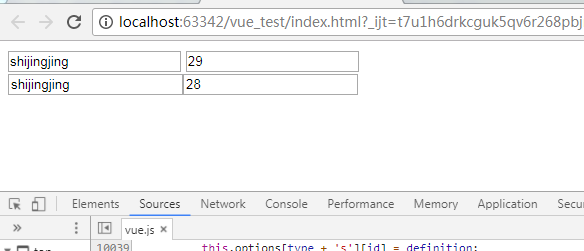
7.组件的另一种声明方式
在上面的示例中,组件的template都是在js中定义的,view和js混在一起的方式是不提倡的,因此,比较优雅的一种方式是使用来声明组件。
<!DOCTYPE html>

<html lang="en">

<head>

    <meta charset="UTF-8">

    <title>Title</title>

</head>

<body>

    <div id="app">

        <my-component></my-component>

    </div>

    <template id="myComponent">

        <div>this is a component</div>

    </template>

</body>

<script src="js/vue.js"></script>

<script>

    new Vue({

        el: '#app',

        components: {

            'my-component': {

                template: '#myComponent'

            }

        }

    })

</script>

</html>
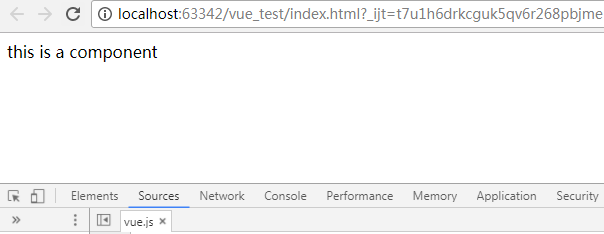
运行结果:
Vue.js使用-组件(上篇)的更多相关文章
- Vue.js多重组件嵌套
Vue.js多重组件嵌套 Vue.js中提供了非常棒的组件化思想,组件提高了代码的复用性.今天我们来实现一个形如 <app> <app-header></app-head ...
- 【Vue课堂】Vue.js 父子组件之间通信的十种方式
这篇文章介绍了Vue.js 父子组件之间通信的十种方式,不管是初学者还是已经在用 Vue 的开发者都会有所收获.无可否认,现在无论大厂还是小厂都已经用上了 Vue.js 框架,简单易上手不说,教程详尽 ...
- 【Vue.js实战案例】- Vue.js递归组件实现组织架构树和选人功能
大家好!先上图看看本次案例的整体效果. 浪奔,浪流,万里涛涛江水永不休.如果在jq时代来实这个功能简直有些噩梦了,但是自从前端思想发展到现在的以MVVM为主流的大背景下,来实现一个这样繁杂的功能简直不 ...
- Vue.js之组件传值
Vue.js之组件传值 属性传值可以从父组件到子组件,也可以从子组件到父组件. 这里讲一下从父组件到子组件的传值 还以上次的demo为例,demo里有APP.vue是父组件,Header.vue,Us ...
- Vue.js之组件嵌套小demo
Vue.js之组件嵌套的小demo项目 第一步:初始化一个wabpack项目,这里不在复述.第二步:在components文件夹下新建Header.vue Footer.vue和Users.vue三个 ...
- Vue.js之组件嵌套
Vue.js中组件嵌套有两种方式 第一种:注册全局组件 例如在components文件夹下新建一个User.vue组件,然后在main.js文件中注册全局组件 //注册全局组件 Vue.compone ...
- vue.js 同级组件之间的值传递方法(uni-app通用)
vue.js 兄弟组件之间的值传递方法 https://blog.csdn.net/jingtian678/article/details/81634149
- vue.js之组件(上篇)
本文的Demo和源代码已放到GitHub,如果您觉得本篇内容不错,请点个赞,或在GitHub上加个星星! https://github.com/zwl-jasmine95/Vue_test 以下所有知 ...
- Vue.js说说组件
什么是组件:组件是Vue.js最强大的功能之一.组件可以扩展HTML元素,封装可重用的代码.在较高层面上,组件是自定义的元素,Vue.js的编译器为它添加特殊功能.在有些情况下,组件也可以是原生HTM ...
随机推荐
- Swoole源代码学习记录(十三)——Server模块具体解释(上)
Swoole版本号:1.7.5-stable Github地址:https://github.com/LinkedDestiny/swoole-src-analysis 最终能够正式进入Server. ...
- 比较MessageListActivity使用不同的layout
<?xml version="1.0" encoding="utf-8"?> <LinearLayout xmlns:android=&quo ...
- (原)使用tensorboard显示loss
转载请注明出处: http://www.cnblogs.com/darkknightzh/p/7416551.html 参考网址: http://blog.csdn.net/jerry81333/ar ...
- java struts2入门学习---自定义类型转换
自定义类型转换器的作用就是将struts无法识别的类型转换成自己所需要的. 比如输入:广东-东莞-虎门,对应的输出时能输出:广东省 东莞市 虎门(镇/区) 这里涉及到的知识点即是将String转换为任 ...
- Zabbix Trigger表达式实例
Zabbix提供强大的触发器(Trigger)函数以方便进行更为灵活的报警及后续动作,具体触发器函数可以访问https://www.zabbix.com/documentation/2.0/manua ...
- shell脚本中解决SCP命令需要输入密码的问题
使用密钥文件. 这里假设主机A(192.168.100.3)用来获到主机B(192.168.100.4)的文件. 在主机A上执行如下命令来生成配对密钥: ssh-keygen -t r ...
- C/C++查找一定范围内的素数(筛法)
本文转自于:http://dalu.blogbus.com/logs/37977984.html 由于一个合数总是可以分解成若干个质数的乘积,那么如果把质数(最初只知道2是质数)的倍数都去掉,那么剩下 ...
- c#代码 天气接口 一分钟搞懂你的博客为什么没人看 看完python这段爬虫代码,java流泪了c#沉默了 图片二进制转换与存入数据库相关 C#7.0--引用返回值和引用局部变量 JS直接调用C#后台方法(ajax调用) Linq To Json SqlServer 递归查询
天气预报的程序.程序并不难. 看到这个需求第一个想法就是只要找到合适天气预报接口一切都是小意思,说干就干,立马跟学生沟通价格. 不过谈报价的过程中,差点没让我一口老血喷键盘上,话说我们程序猿的人 ...
- 安卓 AsyncHttpClient - “Content-Type not allowed!”
使用 http://loopj.com/android-async-http/ 的异步网络请求工具使用BinaryHttpResponseHandler来完成文件下载时总是报错,“org.apache ...
- spring MVC中传递的参数对象中包含list的情况
测试需要的jar包:spring 3.2.jar + jackson-all-1.8.5.jar. 写代码时碰到个需要将对象里的子明细一起传递到controller里去,当时就想直接将参数一起传递过 ...