
通过hbase实现日志的转存(MR AnalyserLogDataRunner和AnalyserLogDataMapper)
操作代码(提前启动集群(start-all.sh)、zookeeper(zkServer.sh start)、启动历史任务服务器(mr-jobhistory-daemon.sh start historyserver)、hbase(start-hbase.sh start))
然后在hbase中创建表
create 'eventlog','log';
AnalyserLogDataRunner类
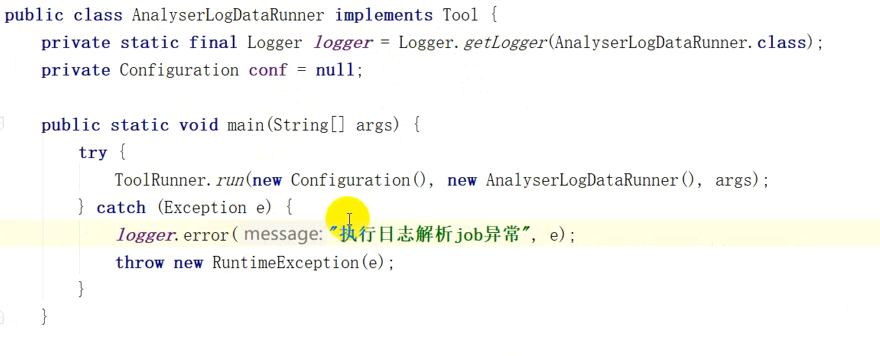
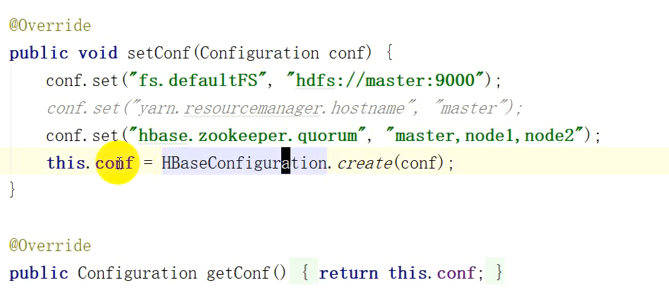
下边内容有可能会报错,添加如下两句
configuration.set("hbase.master", "master:60000");
configuration.set("hbase.zookeeper.property.clientPort", "2181");


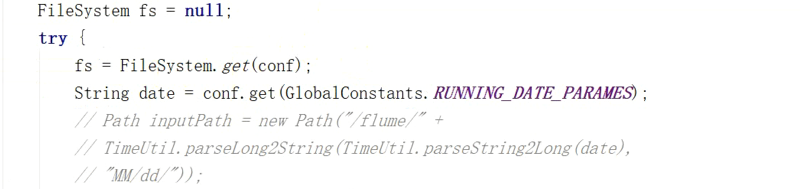

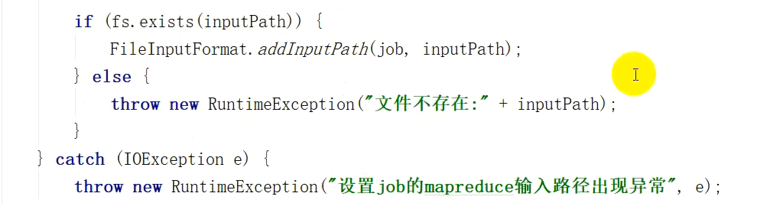
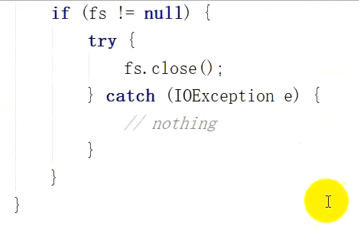
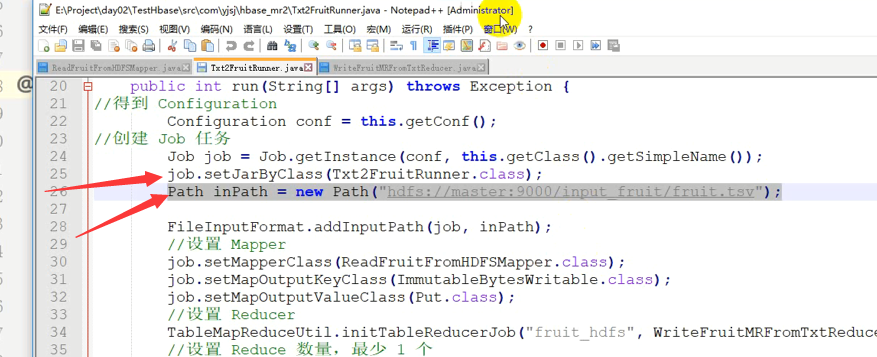
获取输入路径,下面这样设置也可以,表现形式不同而已
AnalyserLogDataMapper类

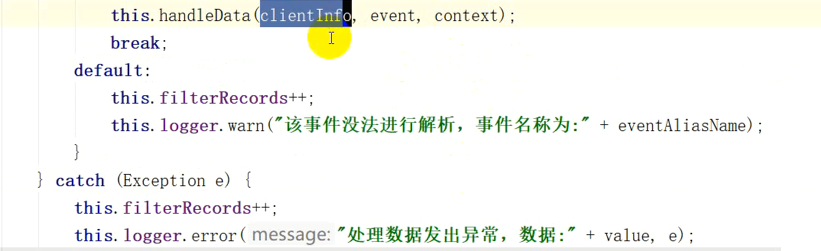
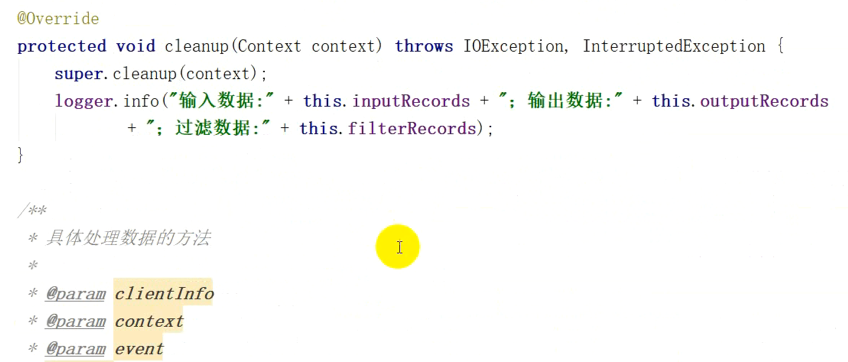
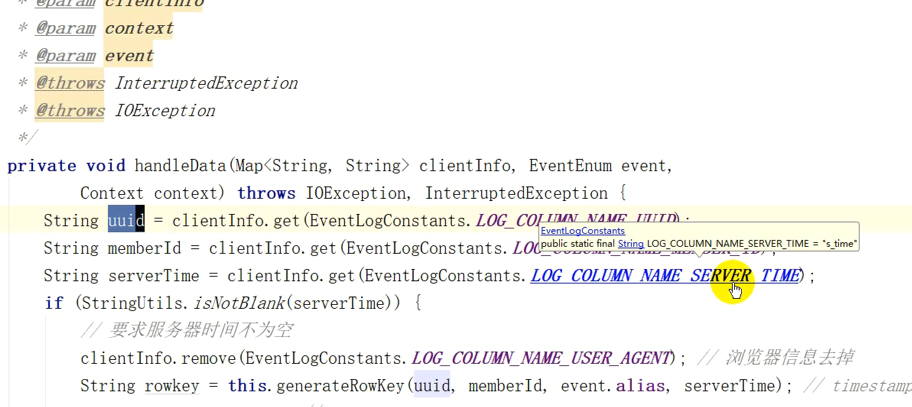



}
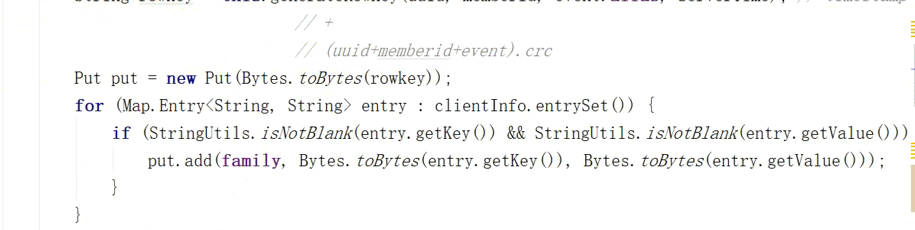
上述生成的主键是很长的,经过crc32使得他们不至于那么长
package com.yjsj.etl.mr;

import com.yjsj.common.EventLogConstants;

import com.yjsj.common.GlobalConstants;

import com.yjsj.util.TimeUtil;

import org.apache.commons.lang.StringUtils;

import org.apache.hadoop.conf.Configuration;

import org.apache.hadoop.fs.FileSystem;

import org.apache.hadoop.fs.Path;

import org.apache.hadoop.hbase.HBaseConfiguration;

import org.apache.hadoop.hbase.client.Put;

import org.apache.hadoop.hbase.mapreduce.TableMapReduceUtil;

import org.apache.hadoop.io.NullWritable;

import org.apache.hadoop.mapreduce.Job;

import org.apache.hadoop.mapreduce.lib.input.FileInputFormat;

import org.apache.hadoop.util.Tool;

import org.apache.hadoop.util.ToolRunner;

//import java.util.logging.Logger;

import org.apache.log4j.Logger;

import java.io.IOException;

public class AnalyserLogDataRunner implements Tool {

    //public static final Logger log=Logger.getGlobal();

    public static final Logger log=Logger.getLogger(AnalyserLogDataRunner.class);

    //注意这次用的是log4j的日志

    private Configuration conf=null;

    public static void main(String[] args) {

        try {

            ToolRunner.run(new Configuration(),new AnalyserLogDataRunner(),args);

        } catch (Exception e) {

            log.error("执行日志解析job异常",e);

            throw new RuntimeException(e);

        }

    }

    @Override

    public Configuration getConf() {

        return this.conf;

    }

    @Override

    public void setConf(Configuration configuration) {

        configuration.set("hbase.zookeeper.quorum", "master,node1,node2");

        configuration.set("fs.defaultFS","hdfs://master:9000");

        configuration.set("hbase.master", "master:60000");

        configuration.set("hbase.zookeeper.property.clientPort", "2181");

        this.conf=HBaseConfiguration.create(configuration);

    }

    @Override

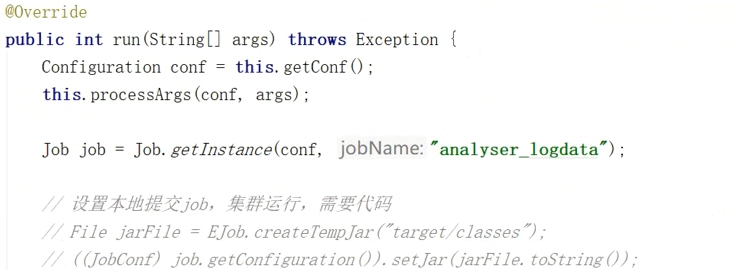
    public int run(String[] args) throws Exception {

        Configuration conf=this.getConf();

        this.processArgs(conf,args);

        Job job=Job.getInstance(conf,"analyser_logdata");

        //设置本地提交job,集群运行,需要代码

        //File jarFile=EJob.createTempJar("target/classes");

        //((JobCong) job.getConfiguration()).setJar(jarFile.toString());

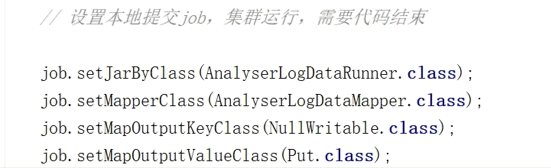
        //设置本地提交,集群运行,需要代码结束

        job.setJarByClass(AnalyserLogDataRunner.class);

        job.setMapperClass(AnalyserLogDataMapper.class);

        job.setMapOutputKeyClass(NullWritable.class);

        job.setMapOutputValueClass(Put.class);

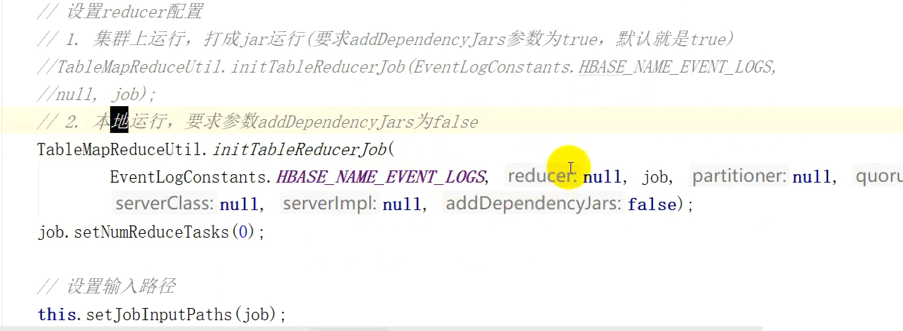
        //设置reduce配置

        //1.集群上运行,打成jar运行(要求addDependencyJars参数为true,默认为true)

        //TableMapReduceUtil.initTableReduceJob(EventLogConstants.HBASE_NAME_EVENT_LOGS,null,job);

        //2、本地运行,要求参数为addDependencyJars为false

        TableMapReduceUtil.initTableReducerJob(EventLogConstants.HBASE_NAME_EVENT_LOGS,null,job,null,null,null,null,false);

        job.setNumReduceTasks(0);//上面红色是表名,封装的名为eventlog的值

        this.setJobInputPaths(job);

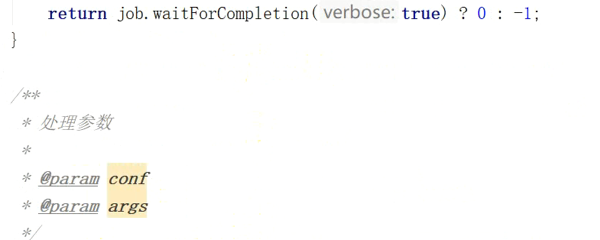
        return job.waitForCompletion(true)?0:-1;

    }

    private void setJobInputPaths(Job job){

        Configuration conf=job.getConfiguration();

        FileSystem fs=null;

        try {

            fs=FileSystem.get(conf);

            String date=conf.get(GlobalConstants.RUNNING_DATE_PARAMES);

            Path inputPath=new Path("/project/log/"+TimeUtil.parseLong2String(

                    TimeUtil.parseString2Long(date),"yyyyMMdd"

            )+"/");

            if (fs.exists(inputPath)){

                FileInputFormat.addInputPath(job,inputPath);

            }else {

                throw new RuntimeException("文件不存在:"+inputPath);

            }

            System.out.println("*******"+inputPath.toString());

        } catch (IOException e) {

            throw new RuntimeException("设置job的mapreduce输入路径出现异常",e);

        }finally {

            if (fs!=null){

                try {

                    fs.close();

                } catch (IOException e) {

                    //e.printStackTrace();

                }

            }

        }

    }

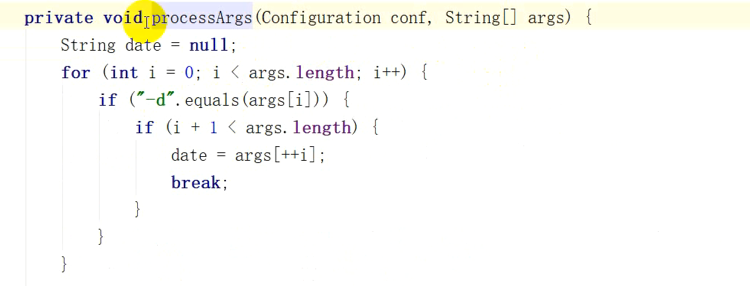
    private void processArgs(Configuration conf,String[] args){

        String date=null;

        for (int i=0;i<args.length;i++){

            if("-d".equals(args[i])){

                if (i+1<args.length){

                    date=args[++i];

                    break;

                }

            }

        }

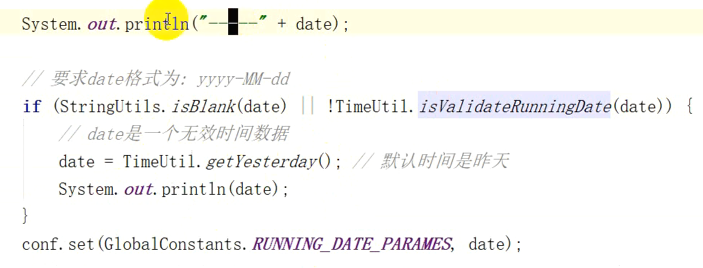
        System.out.println("------"+date);

        //要求格式为yyyy-MM-dd

        //注意下面是org.apache.commons.lang包下面的

        if (StringUtils.isBlank(date)||!TimeUtil.isValidateRunningDate(date)){

            //date是一个无效数据

            date=TimeUtil.getYesterday();

            System.out.println(date);

        }

        conf.set(GlobalConstants.RUNNING_DATE_PARAMES,date);

    }

}
package com.yjsj.etl.mr;

import com.yjsj.common.EventLogConstants;

import com.yjsj.common.GlobalConstants;

import com.yjsj.etl.util.LoggerUtil;

import com.yjsj.util.TimeUtil;

import org.apache.commons.lang.StringUtils;

import org.apache.hadoop.conf.Configuration;

import org.apache.hadoop.hbase.client.Put;

import org.apache.hadoop.hbase.util.Bytes;

import org.apache.hadoop.io.LongWritable;

import org.apache.hadoop.io.NullWritable;

import org.apache.hadoop.io.Text;

import org.apache.hadoop.mapreduce.Mapper;

import org.apache.log4j.Logger;

import java.io.IOException;

import java.util.Map;

import java.util.zip.CRC32;

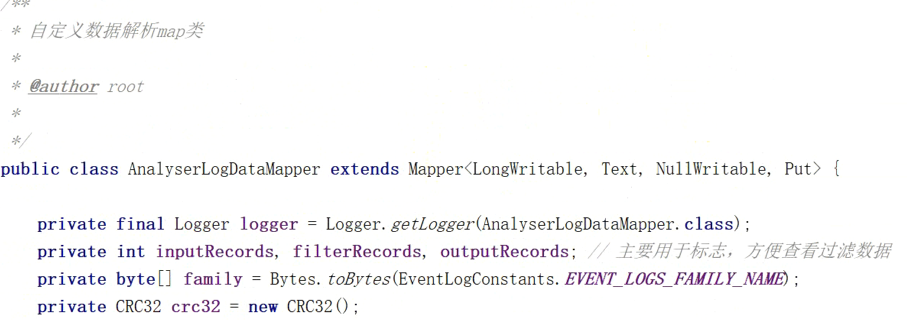
public class AnalyserLogDataMapper extends Mapper<LongWritable,Text,NullWritable,Put> {

private final Logger logger=Logger.getLogger(AnalyserLogDataMapper.class);

private int inputRecords,filterRecords,outputRecords;//用于标志,方便查看过滤数据

private byte[] family=Bytes.toBytes(EventLogConstants.EVENT_LOGS_FAMILY_NAME);

private CRC32 crc32=new CRC32();

    @Override

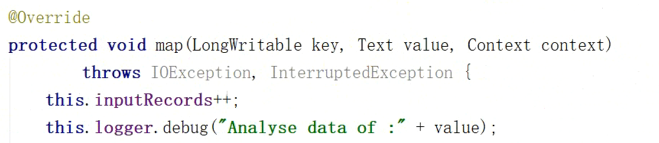
    protected void map(LongWritable key, Text value, Context context) throws IOException, InterruptedException {

        this.inputRecords++;

        this.logger.debug("Analyse data of:"+value);

        try {

            //解析日志

            Map<String,String> clientInfo=LoggerUtil.handleLog(value.toString());

            //过滤解析失败的日志

            if (clientInfo.isEmpty()){

                this.filterRecords++;

                return;

            }

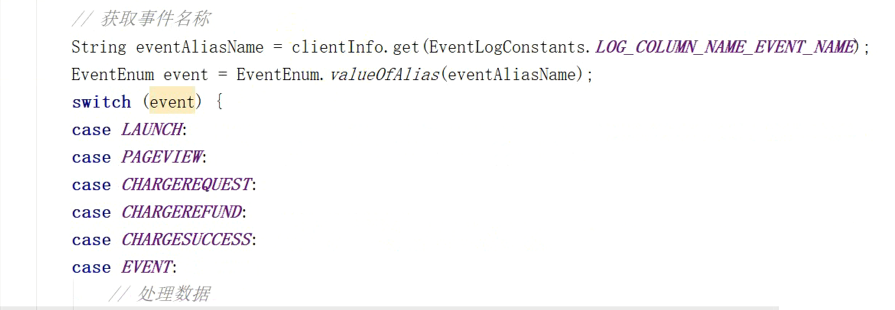
            String eventAliasName =clientInfo.get(EventLogConstants.LOG_COLUMN_NAME_EVENT_NAME);

            EventLogConstants.EventEnum event= EventLogConstants.EventEnum.valueOfAlias(eventAliasName);

            switch (event){

                case LAUNCH:

                case PAGEVIEW:

                case CHARGEREQUEST:

                case CHARGEREFUND:

                case CHARGESUCCESS:

                case EVENT:

                    //处理数据

                    this.handleData(clientInfo,event,context);

                    break;

                default:

                    this.filterRecords++;

                    this.logger.warn("该事件无法解析,事件名称为"+eventAliasName);

            }

        } catch (Exception e) {

            this.filterRecords++;

            this.logger.error("处理数据发出异常,数据为"+value,e);

        }

    }

    @Override

    protected void cleanup(Context context) throws IOException, InterruptedException {

        super.cleanup(context);

        logger.info("输入数据:"+this.inputRecords+"输出数据"+this.outputRecords+"过滤数据"+this.filterRecords);

    }

    private void handleData(Map<String,String> clientInfo, EventLogConstants.EventEnum event,Context context)

    throws IOException,InterruptedException{

        String uuid=clientInfo.get(EventLogConstants.LOG_COLUMN_NAME_UUID);

        String memberId=clientInfo.get(EventLogConstants.LOG_COLUMN_NAME_MEMBER_ID);

        String serverTime=clientInfo.get(EventLogConstants.LOG_COLUMN_NAME_SERVER_TIME);

        if (StringUtils.isNotBlank(serverTime)){

            //要求服务器时间不为空

            clientInfo.remove(EventLogConstants.LOG_COLUMN_NAME_USER_AGENT);//去掉浏览器信息

            String rowkey=this.generateRowKey(uuid,memberId,event.alias,serverTime);//timestamp

            Put put=new Put(Bytes.toBytes(rowkey));

            for (Map.Entry<String,String> entry:clientInfo.entrySet()){

                if (StringUtils.isNotBlank(entry.getKey())&&StringUtils.isNotBlank(entry.getValue())){

                    put.add(family,Bytes.toBytes(entry.getKey()),Bytes.toBytes(entry.getValue()));

                }

            }

            context.write(NullWritable.get(),put);

            this.outputRecords++;

        }else {

            this.filterRecords++;

        }

    }

    private String generateRowKey(String uuid,String memberId,String eventAliasName,String serverTime){

        StringBuilder sb=new StringBuilder();

        sb.append(serverTime).append("_");

        this.crc32.reset();

        if (StringUtils.isNotBlank(uuid)){

            this.crc32.update(uuid.getBytes());

        }

        if (StringUtils.isNotBlank(memberId)){

            this.crc32.update(memberId.getBytes());

        }

        this.crc32.update(eventAliasName.getBytes());

        sb.append(this.crc32.getValue()%100000000L);

        return sb.toString();

    }

}
通过hbase实现日志的转存(MR AnalyserLogDataRunner和AnalyserLogDataMapper)的更多相关文章
- HBase GC日志
HBase依靠ZooKeeper来感知集群成员及其存活性.假设一个server暂停了非常长时间,它将无法给ZooKeeper quorum发送心跳信息,其他server会觉得这台server已死亡.这 ...
- 编写程序向HBase添加日志信息
关注公众号:分享电脑学习回复"百度云盘" 可以免费获取所有学习文档的代码(不定期更新) 承接上一篇文档<日志信息和浏览器信息获取及数据过滤> 上一个文档最好做个本地测试 ...
- flume学习以及ganglia(若是要监控hive日志,hive存放在/tmp/hadoop/hive.log里,只要运行过hive就会有)
python3.6hdfs的使用 https://blog.csdn.net/qq_29863961/article/details/80291654 https://pypi.org/ 官网直接搜 ...
- NoSql存储日志数据之Spring+Logback+Hbase深度集成
NoSql存储日志数据之Spring+Logback+Hbase深度集成 关键词:nosql, spring logback, logback hbase appender 技术框架:spring-d ...
- <HBase><读写><LSM>
Overview HBase中的一个big table,首先会按行划分成一些region(这些region之间是有序的,由startkey保证),每个region分配到不同的节点进行存储.因此,reg ...
- hbase官方文档(转)
FROM:http://www.just4e.com/hbase.html Apache HBase™ 参考指南 HBase 官方文档中文版 Copyright © 2012 Apache Soft ...
- HBase官方文档
HBase官方文档 目录 序 1. 入门 1.1. 介绍 1.2. 快速开始 2. Apache HBase (TM)配置 2.1. 基础条件 2.2. HBase 运行模式: 独立和分布式 2.3. ...
- hbase 的体系结构
hbase的服务体系遵从的是主从结构,由HRegion(服务器)-HRegionServer(服务器集群)-HMaster(主服务器)构成, 从图中能看出多个HRegion 组成一个HRegionSe ...
- 【转】HBase 超详细介绍
---恢复内容开始--- http://blog.csdn.net/frankiewang008/article/details/41965543 1-HBase的安装 HBase是什么? HBase ...
随机推荐
- RNN LSTM 介绍
[RNN以及LSTM的介绍和公式梳理]http://blog.csdn.net/Dark_Scope/article/details/47056361 [知乎 对比 rnn lstm 简单代码] ...
- 八大排序算法python实现
一.概述 排序有内部排序和外部排序,内部排序是数据记录在内存中进行排序,而外部排序是因排序的数据很大,一次不能容纳全部的排序记录,在排序过程中需要访问外存. 我们这里说说八大排序就是内部排序. 当 ...
- Ansible介绍/安装/入门
http://docs.ansible.com/ansible/ https://galaxy.ansible.com/ Ansible是一个IT自动化工具. 它可以配置系统,部署软件,并编排更先进的 ...
- sudoers的权限被改,又忘记了root密码,又不能重启。这么做。
报下面这个错 sudo: /etc/sudoers is world writablesudo: no valid sudoers sources found, quittingsudo: unabl ...
- Alpha Level (Significance Level)
1.Alpha Level (Significance Level,显著水平): What is it? 显著性水平α是指当零假设是正确的,但做出了错误决策的概率(即一类错误的概率).Alpha水平( ...
- LocalDateTime json格式化
参考https://www.cnblogs.com/xiaozhang9/p/jackson.html?utm_source=itdadao&utm_medium=referral <d ...
- IsPostBack用法
可以自己定义 在页面中定义隐藏的input,设置为ispostback. <form action="" method=""> <input ...
- CNN、RNN、DNN
一:神经网络 技术起源于上世纪五.六十年代,当时叫感知机(perceptron),包含有输入层.输出层和一个隐藏层.输入的特征向量通过隐藏层变换到达输出层,由输出层得到分类结果.但早期的单层感知机存在 ...
- spring中配置监听队列的MQ
一.spring中配置监听队列的MQ相关信息注:${}是读取propertites文件的常量,这里忽略.绿色部分配置在接收和发送端都要配置. <bean id="axx" ...
- 解决Pycharm添加虚拟解释器的报错问题
问题背景: 新添加一个virtualenv环境时,需要安装指定的django==1.9.8,但是在添加解释器时,总报一个fuck egg的问题!! 解决方式如下: 1. 2. 3.搞定