
⑦bootstrap按钮 图片 辅助使用基础案例
<!DOCTYPE html>
<html lang="en">
<head>
    <meta charset="UTF-8">
    <meta http-equiv="X-UA-Compatible" content="IE=edge">
    <meta name="viewport" content="width=device-width, initial-scale=1">
    <!--移动设备优先-->
    <title>bootstrap</title>
    <!-- 最新版本的 Bootstrap 核心 CSS 文件 -->
    <link rel="stylesheet" href="https://cdn.bootcss.com/bootstrap/3.3.7/css/bootstrap.min.css" integrity="sha384-BVYiiSIFeK1dGmJRAkycuHAHRg32OmUcww7on3RYdg4Va+PmSTsz/K68vbdEjh4u" crossorigin="anonymous">

    <!-- 可选的 Bootstrap 主题文件(一般不用引入) -->
    <link rel="stylesheet" href="https://cdn.bootcss.com/bootstrap/3.3.7/css/bootstrap-theme.min.css" integrity="sha384-rHyoN1iRsVXV4nD0JutlnGaslCJuC7uwjduW9SVrLvRYooPp2bWYgmgJQIXwl/Sp" crossorigin="anonymous">

    <!-- 最新的 Bootstrap 核心 JavaScript 文件 -->
    <script src="https://cdn.bootcss.com/bootstrap/3.3.7/js/bootstrap.min.js" integrity="sha384-Tc5IQib027qvyjSMfHjOMaLkfuWVxZxUPnCJA7l2mCWNIpG9mGCD8wGNIcPD7Txa" crossorigin="anonymous"></script>
    <style>
        .table-hover{background-color: #e29c84;}
    </style>
</head>
<body>
<div class="container">
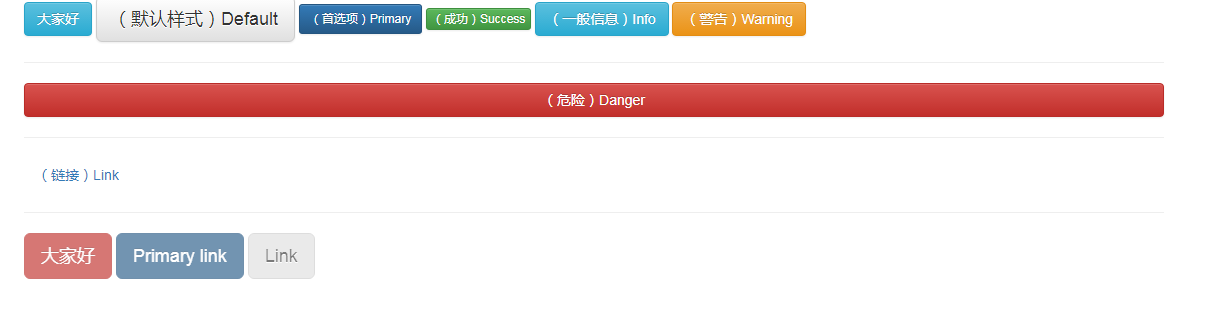
    <button type="button" class="btn btn-info">大家好</button>

    <!-- Standard button -->
    <button type="button" class="btn btn-default btn-lg">(默认样式)Default</button>

    <!-- Provides extra visual weight and identifies the primary action in a set of buttons -->
    <button type="button" class="btn btn-primary btn-sm">(首选项)Primary</button>

    <!-- Indicates a successful or positive action -->
    <button type="button" class="btn btn-success btn-xs">(成功)Success</button>

    <!-- Contextual button for informational alert messages -->
    <button type="button" class="btn btn-info">(一般信息)Info</button>

    <!-- Indicates caution should be taken with this action -->
    <button type="button" class="btn btn-warning">(警告)Warning</button>
    <hr />
    <!-- Indicates a dangerous or potentially negative action -->
    <button type="button" class="btn btn-danger btn-block">(危险)Danger</button>
    <hr />
    <!-- Deemphasize a button by making it look like a link while maintaining button behavior -->
    <button type="button" class="btn btn-link">(链接)Link</button>
    <hr />
    <a href="http://www.baidu.com" class="btn btn-danger btn-lg disabled"role="button">大家好</a>

    <a href="#" class="btn btn-primary btn-lg disabled" role="button">Primary link</a>
    <a href="#" class="btn btn-default btn-lg disabled" role="button">Link</a>
</div>
</body>
</html>
点我有惊喜!@
<!DOCTYPE html>
<html lang="en">
<head>
<meta charset="UTF-8">
<meta http-equiv="X-UA-Compatible" content="IE=edge">
<meta name="viewport" content="width=device-width, initial-scale=1">
<!--移动设备优先-->
<title>bootstrap</title>
<!-- 最新版本的 Bootstrap 核心 CSS 文件 -->
<link rel="stylesheet" href="https://cdn.bootcss.com/bootstrap/3.3.7/css/bootstrap.min.css" integrity="sha384-BVYiiSIFeK1dGmJRAkycuHAHRg32OmUcww7on3RYdg4Va+PmSTsz/K68vbdEjh4u" crossorigin="anonymous">
<!-- 可选的 Bootstrap 主题文件(一般不用引入) -->
<link rel="stylesheet" href="https://cdn.bootcss.com/bootstrap/3.3.7/css/bootstrap-theme.min.css" integrity="sha384-rHyoN1iRsVXV4nD0JutlnGaslCJuC7uwjduW9SVrLvRYooPp2bWYgmgJQIXwl/Sp" crossorigin="anonymous">
<!-- 最新的 Bootstrap 核心 JavaScript 文件 -->
<script src="https://cdn.bootcss.com/bootstrap/3.3.7/js/bootstrap.min.js" integrity="sha384-Tc5IQib027qvyjSMfHjOMaLkfuWVxZxUPnCJA7l2mCWNIpG9mGCD8wGNIcPD7Txa" crossorigin="anonymous"></script>
<style>
.table-hover{background-color: #e29c84;}
</style>
</head>
<body>
<div class="container">
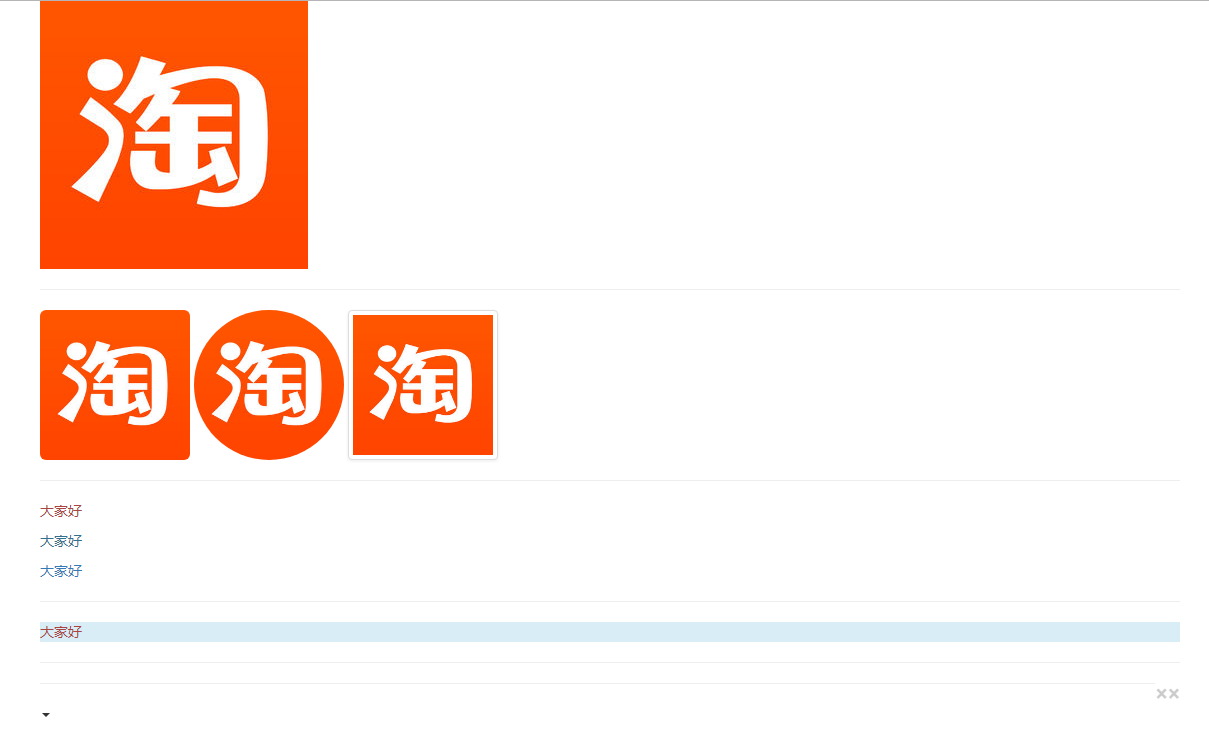
<img src="https://gss2.bdstatic.com/9fo3dSag_xI4khGkpoWK1HF6hhy/baike/w%3D268%3Bg%3D0/sign=3d85fbc3942f07085f052d06d11fdfa4/5fdf8db1cb134954b37001e85c4e9258d0094ad4.jpg"
class="img-responsive" />
<hr />
<img src="https://gss2.bdstatic.com/9fo3dSag_xI4khGkpoWK1HF6hhy/baike/w%3D268%3Bg%3D0/sign=3d85fbc3942f07085f052d06d11fdfa4/5fdf8db1cb134954b37001e85c4e9258d0094ad4.jpg"
width="150" height="150" class="img-rounded" />
<img src="https://gss2.bdstatic.com/9fo3dSag_xI4khGkpoWK1HF6hhy/baike/w%3D268%3Bg%3D0/sign=3d85fbc3942f07085f052d06d11fdfa4/5fdf8db1cb134954b37001e85c4e9258d0094ad4.jpg"
width="150" height="150" class="img-circle" />
<img src="https://gss2.bdstatic.com/9fo3dSag_xI4khGkpoWK1HF6hhy/baike/w%3D268%3Bg%3D0/sign=3d85fbc3942f07085f052d06d11fdfa4/5fdf8db1cb134954b37001e85c4e9258d0094ad4.jpg"
width="150" height="150" class="img-thumbnail" />
<hr />
<p class="text-danger">大家好</p>
<p class="text-info">大家好</p>
<p class="text-primary">大家好</p>
<hr />
<p class="bg-info text-danger">大家好</p>
<hr/>
<button type="button" class="close">×</button>
<a href="#" class="close">×</a>
<hr />
<span class="caret"></span>
</div>
</body>
</html>
<!DOCTYPE html>
<html lang="en">
<head>
    <meta charset="UTF-8">
    <meta http-equiv="X-UA-Compatible" content="IE=edge">
    <meta name="viewport" content="width=device-width, initial-scale=1">
    <!--移动设备优先-->
    <title>bootstrap</title>
    <!-- 最新版本的 Bootstrap 核心 CSS 文件 -->
    <link rel="stylesheet" href="https://cdn.bootcss.com/bootstrap/3.3.7/css/bootstrap.min.css" integrity="sha384-BVYiiSIFeK1dGmJRAkycuHAHRg32OmUcww7on3RYdg4Va+PmSTsz/K68vbdEjh4u" crossorigin="anonymous">

    <!-- 可选的 Bootstrap 主题文件(一般不用引入) -->
    <link rel="stylesheet" href="https://cdn.bootcss.com/bootstrap/3.3.7/css/bootstrap-theme.min.css" integrity="sha384-rHyoN1iRsVXV4nD0JutlnGaslCJuC7uwjduW9SVrLvRYooPp2bWYgmgJQIXwl/Sp" crossorigin="anonymous">

    <!-- 最新的 Bootstrap 核心 JavaScript 文件 -->
    <script src="https://cdn.bootcss.com/bootstrap/3.3.7/js/bootstrap.min.js" integrity="sha384-Tc5IQib027qvyjSMfHjOMaLkfuWVxZxUPnCJA7l2mCWNIpG9mGCD8wGNIcPD7Txa" crossorigin="anonymous"></script>
    <style>
       div{border:1px #000000 solid}
    </style>
</head>
<body>
<div class="center-block">
    居中
</div>
<div>
    <div class="pull-left" style="width:200px;">居左</div>
    <div class="pull-right" style="width: 200px;">居右</div>
    <div class="clearfix visible-sm"></div>
    <!--hidden-sx这样的情况下隐藏-->
    <div class=" visible-sm">ccc</div>
</div>
</body>
</html>
不点不可能


⑦bootstrap按钮 图片 辅助使用基础案例的更多相关文章
- ⒃bootstrap组件 轮播图 基础案例
<!DOCTYPE html> <html lang="en"> <head> <meta charset="UTF-8&quo ...
- Bootstrap 按钮,图片,辅助类
Bootstrap 按钮 任何带有 class .btn 的元素都会继承圆角灰色按钮的默认外观.但是 Bootstrap 提供了一些选项来定义按钮的样式,具体如下表所示: 以下样式可用于<a&g ...
- 简单叨叨bootstrap按钮无限层级下拉菜单的实现
0.写在前面的话 最近看书都懈怠了,又正值新项目,虽说并不是忙得不可开交,好吧我老实交待,我就是偷懒了其实,博客也没更.言归正传,对于前端的不熟悉现在确实是个让我头疼的事情,以至于一些功能要在网络上漫 ...
- 利用bootstrap写图片轮播
利用bootstrap写图片轮播 缺点是轮播没有固定样式图片样式会改变外框的大小,所以要再设置 以及左右按钮的style也要从新设置 <div class="carousel slid ...
- bootstrap 按钮 文本 浮动 隐藏
bootstrap 按钮 文本 浮动 隐藏 <!DOCTYPE html> <html lang="en"> <head> <meta c ...
- win32 htmlayout点击按钮创建新窗口,以及按钮图片样式
最近在做一个C++ win32的桌面图形程序,我不是C++程序员,做这个只是因为最近没什么java的活. windows api,之前接触的时候,还是大学,那时用这个开发打飞机游戏纯粹是娱乐.现在基本 ...
- Atitit 动态按钮图片背景颜色与文字组合解决方案
Atitit 动态按钮图片背景颜色与文字组合解决方案 转换背景颜色,setFont("cywe_img", fontScale, 50, 5) 设置文字大小与坐标 文字分拆,使用字 ...
- Bootstrap 按钮
本章将通过实例讲解如何使用 Bootstrap 按钮.任何带有 class .btn 的元素都会继承圆角灰色按钮的默认外观.但是 Bootstrap 提供了一些选项来定义按钮的样式,具体如下表所示: ...
- css 鼠标移动到按钮图片改变;图片换层;鼠标放上透明度改变直到隐藏;
css 鼠标移动到按钮图片改变: 方法一: <style> .pp a { width:575px; height:157px; background:url(1.jpg);/*图片地址* ...
随机推荐
- mongoDB学习手记2--建库、删库、插入、更新
上一篇 讲了在windows系统下的安装和启动,本文主要讲怎么建库.删库.插入.更新 在讲之前我们说一下mongoDB的一些基本概念,我们对比关系型数据库能更直观的理解 SQL术语/概念 Mongo ...
- AES加解密算法Qt实现
[声明] (1) 本文源码 在一位未署名网友源码基础上,利用Qt编程,实现了AES加解密算法,并添加了文件加解密功能.在此表示感谢!该源码仅供学习交流,请勿用于商业目的. (2) 图片及描述 除图1外 ...
- 【OOM】GC overhead limit exceeded
我遇到这样的问题,本地部署时抛出异常java.lang.OutOfMemoryError:GC overhead limit exceeded导致服务起不来,查看日志发现加载了太多资源到内存,本地的性 ...
- poj1067威佐夫博奕
取石子游戏 Time Limit: 1000MS Memory Limit: 10000K Total Submissions: 31490 Accepted: 10374 Descripti ...
- Elixir游戏服设计四
上章说到我们要引入syn https://github.com/ostinelli/syn/ 看过文档,它并没有直接提供{via, Module, Name} 相关的方法.我们需要封装一下. Name ...
- 想到一个赚钱的APP
通过APP上发布调查问卷的需求,鼓励人们注册,并给与一定的报酬.需求主要面向一些调查问卷,一类的需求发布
- zabbix部署
zabbix部署 ----2016年年终总结 二 服务器端安装 yum install zabbix-server 客户端安装 yum install zabbix-agent 配置Server ...
- PHP中使用 $_GET 与$_POST 实现简单的前后台数据传输交互功能
在之前的学习过程中我们接触过前后台数据请求交互的方法有表单提交.AJAX请求以及Angularjs中的$http,今天我们尝试在PHP中使用 $_GET 与$_POST 实现简单的前后台数据传输交互功 ...
- Bootstrap 引用的标准模板
<!DOCTYPE html> <html lang="en"> <head> <meta charset="utf-8&quo ...
- Linux入门(5)——Ubuntu16.04安装网易云音乐
去网易云音乐官网下载deb包: http://music.163.com/#/download 打开终端: cd 下载 .0_amd64_ubuntu16..deb sudo apt-get -f i ...