
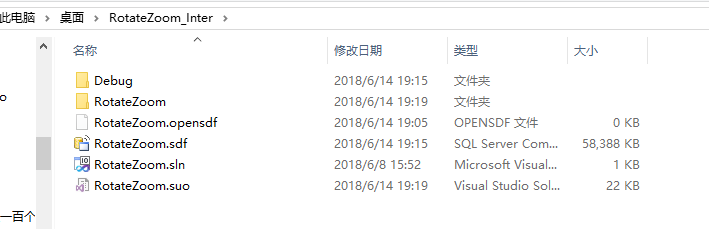
RotateZoom.cpp——Inter
// RotateZoom.cpp : Defines the entry point for the console application.

//

#include "stdafx.h"

#include "RotateZoom.h"

#ifdef _DEBUG

#define new DEBUG_NEW

#endif

#include <atlimage.h>

#include <locale.h>

// The one and only application object

CWinApp theApp;

using namespace std;

//双三次插值系数

double fs(double w)

{

        double a=-0.5;

        double fs;

        if (abs(w)<=)

            fs=(a+)*pow(abs(w),)-(a+)*pow(abs(w),)+;

        else if (abs(w)>&&abs(w)<=)

            fs=a*pow(abs(w),)-*a*pow(abs(w),)+*a*abs(w)-*a;

        else

            fs=;

        return fs;

}

HRESULT RotateZoom(PBYTE pbSrc,int iWidth,int iHeight,double dbRotate,double dbZoom,PBYTE pbTag);

int _tmain(int argc, TCHAR* argv[], TCHAR* envp[])

{

    int nRetCode = ;

    setlocale(LC_ALL,"chs");

    HMODULE hModule = ::GetModuleHandle(NULL);

    if (hModule != NULL)

    {

        // initialize MFC and print and error on failure

        CImage cImage;

        HRESULT hResult;

        int        iWidth,iHeight,iBytePerPixel,iPitch;

        int        x,y;

        PBYTE    pbSrc=NULL,pbTag=NULL;

        PBYTE    pbImage=NULL;

        PDWORD    pdwImage=NULL;

        double    dbRotate=,dbZoom=;

        do{

            if (!AfxWinInit(hModule, NULL, ::GetCommandLine(), ))

            {

                // TODO: change error code to suit your needs

                _tprintf(_T("Fatal Error: MFC initialization failed\n"));

                nRetCode = ;

                break;

            }

            // TODO: code your application's behavior here.

            if(argc<)

            {

                _tprintf(_T("使用方法:RotateZoom 源图像文件 旋转角度 缩放倍数 输出文件\n"));

                nRetCode= -;

                break;

            }

            _stscanf(argv[],_T("%lf"),&dbRotate);

            _stscanf(argv[],_T("%lf"),&dbZoom);

            if(!((dbRotate> && dbRotate<) && (dbZoom>=0.25 && dbZoom<=)))

            {

                _tprintf(_T("“旋转角度” 或 “缩放倍数”参数错误!\n"));

                nRetCode= -;

                break;

            }

            hResult=cImage.Load(argv[]);

            if(hResult!=ERROR_SUCCESS)

            {

                _tprintf(_T("源图像文件名错误!\n"));

                nRetCode= -;

                break;

            }

            iWidth=cImage.GetWidth();

            iHeight=cImage.GetHeight();

            pbSrc = (PBYTE)malloc(iWidth*iHeight);//存原图数据大小没问题

            if(dbZoom>) pbTag = (PBYTE)malloc(ceil(iWidth*dbZoom)*ceil(iHeight*dbZoom));

            else         pbTag = (PBYTE)malloc(iWidth*iHeight);

            if(pbSrc==NULL || pbTag==NULL )

            {

                _tprintf(_T("内存申请错误!\n"));

                nRetCode= -;

                break;

            }

            iPitch=cImage.GetPitch();

            iBytePerPixel=(cImage.GetBPP()+)/;

            if(iBytePerPixel==)

            {

                for(y=;y<iHeight;y++)

                {

                    pbImage=(PBYTE)(PBYTE(cImage.GetBits())+iPitch*y);//得到的是图像初始像素地址

                    for(x=;x<iWidth;x++)

                    {

                        //pbSrc[y*iWidth+x]=pbImage[3*x];   //B

                        //pbSrc[y*iWidth+x]=pbImage[3*x+1]; //G

                        //pbSrc[y*iWidth+x]=pbImage[3*x+2]; //R

                        //pbSrc[y*iWidth+x]=pbImage[3*x];

                        //pbSrc[y*iWidth+x+1]=pbImage[3*x+1];

                        //pbSrc[y*iWidth+x+2]=pbImage[3*x+2];

                        pbSrc[y*iWidth+x]=(pbImage[*x]*0.15+pbImage[*x+]*0.55+pbImage[*x+]*0.3);//转换成灰度就是单个像素了,分配大小还是原来的?。

                    }

                }

            }

            cImage.Destroy();

            hResult=RotateZoom(pbSrc,iWidth,iHeight,dbRotate,dbZoom,pbTag);

            if(hResult!=ERROR_SUCCESS)

            {

                _tprintf(_T("图像处理错误!\n"));

                nRetCode= -;

                break;

            }

            iWidth=ceil(iWidth*dbZoom);

            iHeight=ceil(iHeight*dbZoom);

            cImage.Create(iWidth,-iHeight,);

            iPitch=cImage.GetPitch();

            for(y=;y<iHeight;y++)

            {

                pdwImage=(PDWORD)(PBYTE(cImage.GetBits())+iPitch*y);

                for(x=;x<iWidth;x++)

                {

                    pdwImage[x]=pbTag[y*iWidth+x]*0x10101;

                }

            }

            CString csTagName=argv[];

            csTagName.Trim();

            csTagName.MakeUpper();

            if(csTagName.Right()!=_T(".BMP") ) csTagName.Append(_T(".BMP"));

            hResult=cImage.Save(csTagName);

            if(hResult!=ERROR_SUCCESS)

            {

                _tprintf(_T("图像结果保存错误!\n"));

                nRetCode= -;

                break;

            }

            _tprintf(_T("图像处理成功!\n"));

            nRetCode= ERROR_SUCCESS;

            break;

        }while();

        if(pbSrc) free(pbSrc);

        if(pbTag) free(pbTag);

    }

    else

    {

        // TODO: change error code to suit your needs

        _tprintf(_T("Fatal Error: GetModuleHandle failed\n"));

        nRetCode = ;

    }

    getchar();

    return nRetCode;

}

HRESULT RotateZoom(PBYTE pbSrc,int iWidth,int iHeight,double dbRotate,double dbZoom,PBYTE pbTag)

{

    int size;

    if(dbZoom>)

    {

        size=iWidth*iHeight;

    }

    else

    {

        size=ceil(iWidth*dbZoom)*ceil(iHeight*dbZoom);

    }

    //旋转中心为图像中心

    double rx0=iWidth;

    double ry0=iHeight;

    double srcx,srcy,u,v;

    int xOr,yOr;

    dbRotate=dbRotate*3.1415926/180.0;

    for (int y=;y<dbZoom*iHeight;y++)

    {

        for (int x=;x<dbZoom*iWidth;x++)

        {

            srcx=(double)((x-rx0)*cos(dbRotate) - (y-ry0)*sin(dbRotate) + rx0) ;

            srcy=(double)((x-rx0)*sin(dbRotate) + (y-ry0)*cos(dbRotate) + ry0) ;

            srcx=srcx*/dbZoom;

            srcy=srcy*/dbZoom;

            xOr = floor(srcx);

            yOr = floor(srcy);

            u=srcx-xOr;

            v=srcy-yOr;

    //        if( !(xOr-1>=0 && xOr+2<=iWidth && yOr-1>=0 && yOr+2<=iHeight))

            if( !(srcx>= && srcx<=iWidth && srcy>= && srcy<=iHeight))

                pbTag[y**iWidth+x]=;//

            else

            {

                pbTag[y**iWidth+x]=

                    pbSrc[(yOr-)*iWidth+(xOr-)]*fs(+u)*fs(+v)+

                    pbSrc[(yOr)*iWidth+(xOr-)]*fs(+u)*fs(v)+

                    pbSrc[(yOr+)*iWidth+(xOr-)]*fs(+u)*fs(-v)+

                    pbSrc[(yOr+)*iWidth+(xOr-)]*fs(+u)*fs(-v)+

                    pbSrc[(yOr-)*iWidth+(xOr)]*fs(u)*fs(+v)+

                    pbSrc[(yOr)*iWidth+(xOr)]*fs(u)*fs(v)+

                    pbSrc[(yOr+)*iWidth+(xOr)]*fs(u)*fs(-v)+

                    pbSrc[(yOr+)*iWidth+(xOr)]*fs(u)*fs(-v)+

                    pbSrc[(yOr-)*iWidth+(xOr+)]*fs(-u)*fs(+v)+

                    pbSrc[(yOr)*iWidth+(xOr+)]*fs(-u)*fs(v)+

                    pbSrc[(yOr+)*iWidth+(xOr+)]*fs(-u)*fs(-v)+

                    pbSrc[(yOr+)*iWidth+(xOr+)]*fs(-u)*fs(-v)+

                    pbSrc[(yOr-)*iWidth+(xOr+)]*fs(-u)*fs(+v)+

                    pbSrc[(yOr)*iWidth+(xOr+)]*fs(-u)*fs(v)+

                    pbSrc[(yOr+)*iWidth+(xOr+)]*fs(-u)*fs(-v)+

                    pbSrc[(yOr+)*iWidth+(xOr+)]*fs(-u)*fs(-v);

                if(pbTag[y**iWidth+x]>)

                    pbTag[y**iWidth+x]=;

            }

        }

    }

    //memcpy(pbTag,pbSrc,size);

    return ERROR_SUCCESS;

}
RotateZoom.cpp——Inter的更多相关文章
- RotateZoom.cpp 20180622
20180622代码加入随意变换图像大小 批处理框架先不看:-B src3.bmp 10 1 30 2 0.1 3 tar.bmp src2.bmp 37.5 2.1 tar // RotateZo ...
- Spark集群搭建简配+它到底有多快?【单挑纯C/CPP/HADOOP】
最近耳闻Spark风生水起,这两天利用休息时间研究了一下,果然还是给人不少惊喜.可惜,笔者不善JAVA,只有PYTHON和SCALA接口.花了不少时间从零开始认识PYTHON和SCALA,不少时间答了 ...
- Inter IPP & Opencv 在centos 环境下使用GCC命令行编译c++运行
Inter IPP & Opencv 的安装看这里:https://www.cnblogs.com/dzzy/p/11332907.html 考虑到服务器一般没有桌面环境,不能用IDE编译,直 ...
- 使用“Cocos引擎”创建的cpp工程如何在VS中调试Cocos2d-x源码
前段时间Cocos2d-x更新了一个Cocos引擎,这是一个集合源码,IDE,Studio这一家老小的整合包,我们可以使用这个Cocos引擎来创建我们的项目. 在Cocos2d-x被整合到Cocos引 ...
- Json CPP 中文支持与入门示例
在每一个Json Cpp自带*.cpp文件头加上: #include "stdafx.h" 将Json Cpp对自带的头文件的引用修改为单引号方式,例如json_reader.cp ...
- cpp 调用python
在用cpp调用python时, 出现致命错误: no module named site , 原因解释器在搜索路径下没有找到python库.可以在调用Py_Initialize前,调用 Py_Se ...
- nginx+fastcgi+c/cpp
参考:http://github.tiankonguse.com/blog/2015/01/19/cgi-nginx-three/ 跟着做了一遍,然后根据记忆写的,不清楚有没错漏步骤,希望多多评论多多 ...
- APM程序分析-ArduCopter.cpp
该文件是APM的主文件. #define SCHED_TASK(func, rate_hz, max_time_micros) SCHED_TASK_CLASS(Copter, &copter ...
- APM程序分析-AC_WPNav.cpp
APM程序分析 主程序在ArduCopter.cpp的loop()函数. /// advance_wp_target_along_track - move target location along ...
随机推荐
- elementui 之el-pagination爬坑,属性pager-count的设定
我想设置总页数为10页,页码条总是显示两个页码,其余省略号显示,我选择了pager-count,如下: <el-pagination @size-change="handleSizeC ...
- 初探css -11 Table表格
CSS 表格 使用 CSS 可以使 HTML 表格更美观. Company Contact Country Alfreds Futterkiste Maria Anders Germany Bergl ...
- webpack4导入jQuery的新方案
本文的目的 拒绝全局导入jQuery!! 拒绝script导入jQuery!! 找到一种只在当前js组件中引入jQuery,并且使用webpack切割打包的方案! 测试环境 以下测试在webpack3 ...
- C语言几种常用的排序算法
/* ============================================================================= 相关知识介绍(所有定义只为帮助读者理解 ...
- php实用小技巧【持续更新】
这是本人开始做项目的时候遇到过的问题还有解决方法 1.eval函数 能把字符串转换成可执行的php代码,如果字符串不是可执行的php代码的话,需要在前面加上@,屏蔽notice 2.array_mer ...
- Qualcomm_Mobile_OpenCL.pdf 翻译-3
3 在骁龙上使用OpenCL 在今天安卓操作系统和IOT(Internet of Things)市场上,骁龙是性能最强的也是最被广泛使用的芯片.骁龙的手机平台将最好的组件组合在一起放到了单个芯片上,这 ...
- DCGAN生成式对抗网络--keras实现
本文针对cifar10 图集进行了DCGAN的复现. 其中库中的SpectralNormalizationKeras需添加至python环境中 该篇代码如下: from keras import ba ...
- 如何替换B字段内包含A字段的那部分内容
Customer表A字段 varchar(50) 内容(客户姓名)B字段 varchar(1000) 内容(其他字符...客户姓名...其他字符)需要达到效果:将B字段中的客户姓名替换 ...
- Django学习系列8:django测试客户端
"""向浏览器返回真正的HTML响应,添加一个新的测试方法""" from django.test import TestCase from ...
- Python核心技术与实战——十三|Python中参数传递机制
我们在前面的章节里学习了Python的函数基础以及应用,那么现在想一想:传参,也就是把一些参数从一个函数传递到另一个函数,从而使其执行相应的任务,这个过程的底层是如何工作的,原理又是怎样的呢? 在实际 ...