
React Native 之FlatList
1.新建项目
2.因为要用到导航跳转, 所以添加依赖,,这里拷贝这个:
"dependencies": {

    "@types/react": "^16.9.2",

    "react": "16.8.6",

    "react-native": "^0.60.0",

    "react-native-gesture-handler": "^1.4.1",

    "react-native-reanimated": "^1.2.0",

    "react-native-vector-icons": "^6.6.0",

    "react-navigation": "^3.0.0"

  },
执行:
按照官方步骤:

yarn add react-navigation

yarn add react-native-gesture-handler react-native-reanimated

cd ios

pod install

cd ..

链接第三方库

react-native link react-native-reanimated

react-native link react-native-gesture-handler
4. 代码:
index.js
/**

 * @format

 */

import {AppRegistry} from 'react-native';

import {createStackNavigator,createAppContainer} from 'react-navigation'

import App from './App';

import FlatListDemo from './pages/FlatListDemo';

import {name as appName} from './app.json';

const AppRoot = createAppContainer(createStackNavigator({

  App:{

    screen:App,

  },

  FlatListDemo:{

    screen:FlatListDemo,

    defaultNavigationOptions:{

      title:'FlatListDemo'

    }

  }

}))

AppRegistry.registerComponent(appName, () => AppRoot);
App.js
/**

 * Sample React Native App

 * https://github.com/facebook/react-native

 *

 * @format

 * @flow

 */

 import React, {Fragment,Component} from 'react';

 import {

   SafeAreaView,

   StyleSheet,

   ScrollView,

   View,

   Text,

   StatusBar,

   Button,

 } from 'react-native';

 export default class App extends Component {

   render(){

     const {navigation}=this.props;

     return (

       <View>

          <Button

              title={'FlatListDemo'}

              onPress={()=>{

                  navigation.navigate('FlatListDemo');

                }}

          />

       </View>

       );

   }

 }
./pages/FlatListDemo.js
import React, {Fragment,Component} from 'react';

import {

  SafeAreaView,

  StyleSheet,

  ScrollView,

  View,

  Text,

  StatusBar,

  FlatList,

} from 'react-native';

const CITY_NAME = ['北京','上海','广州','武汉','杭州','三亚','宁波','杭州','合肥','芜湖','福州','厦门','温州'];

export default class FlatListDemo extends Component {

  _renderItem(data){

    return <View style={styles.item}>

          <Text style={styles.text}>{data.item}</Text>

    </View>

  }

  render(){

    return (

      <View>

        <FlatList

          data={CITY_NAME}

          renderItem={(data)=>this._renderItem(data)}
      _keyExtractor = (item, index) => index.toString() //必须要写 不然报错

        />

      </View>

      );

  }

}

const styles = StyleSheet.create({

  container:{

    flex:1,

    alignItems:'center',

    backgroundColor: '#F5FCFF'

  },

  item:{

    backgroundColor: '#168',

    height:200,

    marginRight:15,

    marginLeft:15,

    marginBottom:15,

    alignItems:'center',

    //justifyContetnt:'center',

  },

  text:{

    color:'white',

    fontSize:20,

  },

})
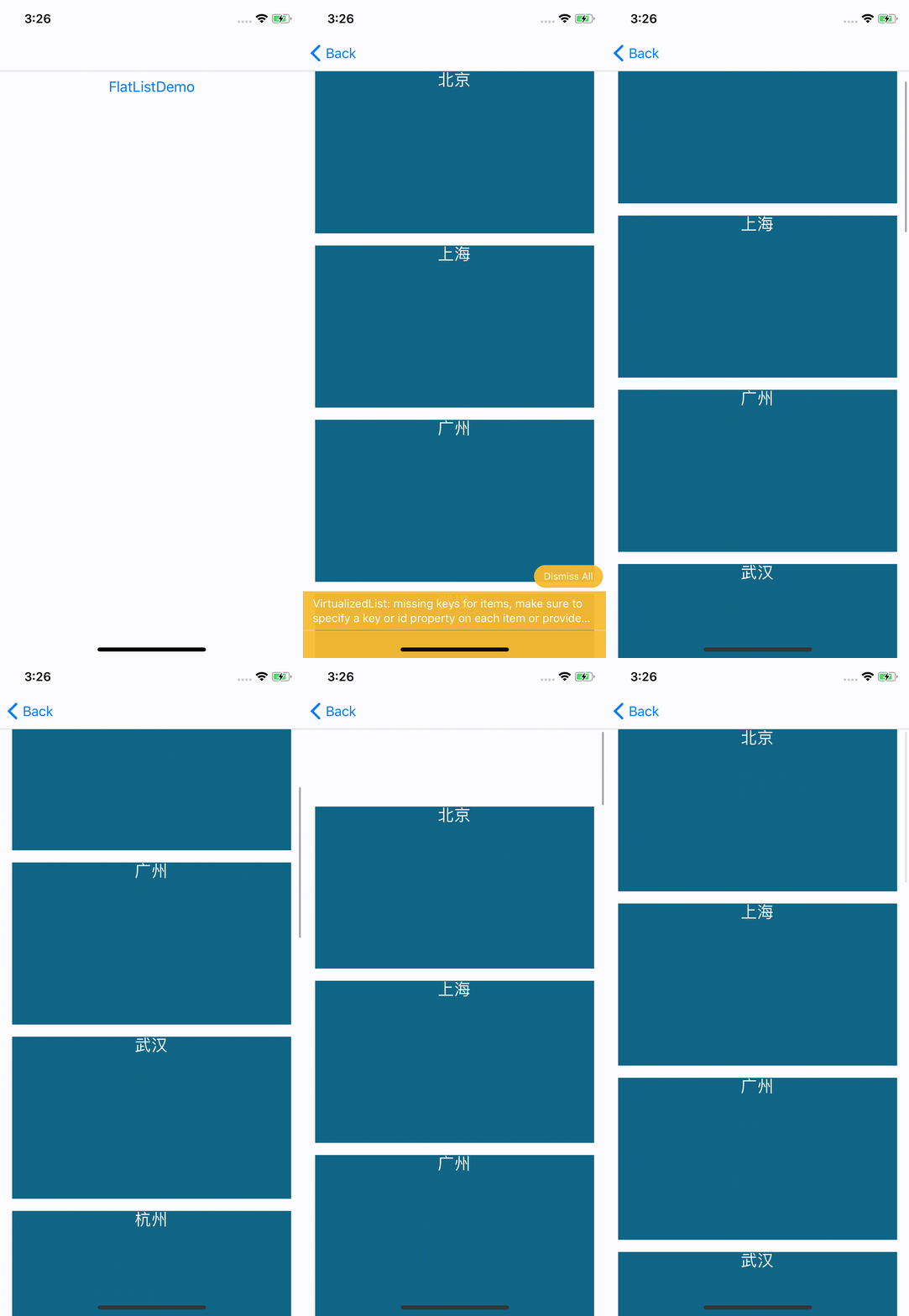
效果图:
React Native 之FlatList的更多相关文章
- React Native之FlatList的介绍与使用实例
React Native之FlatList的介绍与使用实例 功能简介 FlatList高性能的简单列表组件,支持下面这些常用的功能: 完全跨平台. 支持水平布局模式. 行组件显示或隐藏时可配置回调事件 ...
- [RN] React Native 让 Flatlist 支持 选中多个值,并获取所选择的值
React Native 让 Flatlist 支持 选中多个值,并获取所选择的值 实现效果如下: 实现代码: import React, {Component} from 'react'; im ...
- [RN] React Native 使用 FlatList 和 ScrollView 的下拉刷新问题
React Native 使用 FlatList 和 ScrollView 实现 下拉刷新时,RefreshControl 控件不起作用, 后来经查明,原来 RefreshControl 要加在 Sc ...
- [RN] React Native 使用 FlatList 实现九宫格布局 GridList
React Native 使用 FlatList 实现九宫格布局 先看图片演示实例: 本文以图片列表为例,实现九宫格布局! 主要有两种方法: 1)方法一: 利用FlatList的 numColumns ...
- [RN] React Native 实现 FlatList上拉加载
FlatList可以利用官方组件 RefreshControl实现下拉刷新功能,但官方没有提供相应的上拉加载的组件,因此在RN中实现上拉加载比下拉刷新要复杂一点. 不过我们仍可以通过FlatList ...
- React Native——组件FlatList
属性 添加头部组件 ListHeaderComponent属性用来给FlatList添加头部组件 简单使用: //ES6之前写法 _header = function () { return ( &l ...
- React Native 之FlatList 下拉刷新和上拉加载更多
接上一篇代码: 只修改了FlatListDemo.js里面的代码 import React, {Fragment,Component} from 'react'; import { SafeAreaV ...
- 关于React Native中FlatList的onEndReached属性频繁调用的一种解决办法
FlatList组件是RN0.43后引入的组件.作为高性能列表组件,FlatList在ListView的基础上优化了加载性能并简化了渲染过程.不仅如此,该组件还提供了onRefresh和onEndRe ...
- React Native之微信分享(iOS Android)
React Native之微信分享(iOS Android) 在使用React Native开发项目的时候,基本都会使用到微信好友或者微信朋友圈分享功能吧,那么今天我就带大家实现以下RN微信好友以及朋 ...
随机推荐
- xshell 缺少mfc110u.dll
https://www.microsoft.com/zh-CN/download/details.aspx?id=30679 如果 x64 没有反应,就下载 x86 安装试试,
- Android Studio编译报错Could not reserve enough space for 2097152KB object heap解决方法
环境变量中添加
- pkg-config too old的解决方法
linux下安装一些库时,会提示pkg-config too old,可以尝试下面的命令 apt-get install pkg-config
- 洛谷P1347 排序
这个题看到很多人写Topo排序,其实这道题第一眼看更像是一个差分约束的裸题QWQ... 令dis[x]表示x的相对大小(1是最小,n是最大),显然,对于一个关系A<B,我们有dis[A]< ...
- 删除MicrosoftOffice2016的扫尾工作
因为用到一些画流程图之类的工具,想到以前用的Visio挺好用的,就找来安装一下,结果因为装了Microsoft Office2016在安装时报错不断,先说下网上的帖子:用OfficeDeploymen ...
- glide使用总结
1 glide是什么 glide是一个图片加载和缓存库. 2 glide的使用 第一,添加依赖 implementation 'com.github.bumptech.glide:glide:4.5. ...
- Spring框架学习总结
一.Spring概述 1.什么是Spring? Spring是一个优秀轻量级的框架,是Java中使用最多的框架,Spring框架具有轻量.控制反转.面向切面.容器.框架.MVC的特点. 2.Sprin ...
- CentOS7使用集群同步脚本对配置文件同步分发
1.介绍 使用集群同步脚本对配置文件同步分发 2.操作 1)在/root目录下创建bin目录,并在bin目录下创建文件xsync,文件内容如下: [root@hadoop101 ~]$ mkdir b ...
- TApplication,TForm,TControl,TComponent,TWinControl研究(博客索引)good
TApplication,TForm,TControl,TComponent,TWinControl研究 http://blog.csdn.net/suiyunonghen/article/detai ...
- ThinkPHP5 支付宝支付扩展库(超级简单,超级好用!)
ThinkPHP5 支付宝支付扩展库, 一个静态方法的调用就可以实现,包括手机网站支付.电脑网站支付.支付查询.退款.退款查询.对账单所有功能,而且是2017年7月20日最新版~我的想法是,调用一个静 ...