
Android——SharedPreferences存储(作业)
作业:制作一个登录界面,以SP方式存储用户名。用户下次登录时自动显示上次填写的用户名
layout文件:
 <?xml version="1.0" encoding="utf-8"?>

 <LinearLayout xmlns:android="http://schemas.android.com/apk/res/android"

     xmlns:tools="http://schemas.android.com/tools"

     android:layout_width="match_parent"

     android:layout_height="match_parent"

     android:paddingBottom="@dimen/activity_vertical_margin"

     android:paddingLeft="@dimen/activity_horizontal_margin"

     android:paddingRight="@dimen/activity_horizontal_margin"

     android:paddingTop="@dimen/activity_vertical_margin"

     tools:context="com.hanqi.testapp3.PractiseActivity"

     android:orientation="vertical">

     <LinearLayout

         android:layout_width="match_parent"

         android:layout_height="wrap_content"

         android:orientation="horizontal">

     <TextView

         android:layout_width="wrap_content"

         android:layout_height="wrap_content"

         android:text="用户名:"/>

     <EditText

         android:layout_width="match_parent"

         android:layout_height="wrap_content"

         android:id="@+id/et_pt_1"/>

     </LinearLayout>

     <LinearLayout

         android:layout_width="match_parent"

         android:layout_height="wrap_content"

         android:orientation="horizontal">

         <TextView

             android:layout_width="wrap_content"

             android:layout_height="wrap_content"

             android:text="密码:"/>

         <EditText

             android:layout_width="match_parent"

             android:layout_height="wrap_content"

             android:id="@+id/et_pt_2"

             android:inputType="textPassword"/>

     </LinearLayout>

     <Button

         android:layout_width="match_parent"

         android:layout_height="wrap_content"

         android:text="登陆"

         android:onClick="bt_pt_onClick"/>

 </LinearLayout>
java类:
 package com.hanqi.testapp3;

 import android.content.SharedPreferences;

 import android.os.Bundle;

 import android.support.v7.app.AppCompatActivity;

 import android.view.View;

 import android.widget.EditText;

 import android.widget.Toast;

 public class PractiseActivity extends AppCompatActivity {

 EditText et_pt_1;

     @Override

     protected void onCreate(Bundle savedInstanceState) {

         super.onCreate(savedInstanceState);

         setContentView(R.layout.activity_practise);

         et_pt_1 = (EditText)findViewById(R.id.et_pt_1);

         SharedPreferences sp = getSharedPreferences("abcd",MODE_APPEND);

         String str = sp.getString("a",null);

         et_pt_1.setText(str);

     }

     public void bt_pt_onClick(View v)

     {

         EditText et_pt_1 = (EditText)findViewById(R.id.et_pt_1);

         String string1 = et_pt_1.getText().toString();

         if(string1 ==null||string1.trim().length()==0)

         {

             Toast.makeText(PractiseActivity.this, "请正确填写用户名称", Toast.LENGTH_SHORT).show();

             return;

         }

         else

         {

             SharedPreferences sharedPreferences = getSharedPreferences("abcd", MODE_APPEND);

             SharedPreferences.Editor editor = sharedPreferences.edit();

             editor.putString("a", string1);

             editor.commit();

             Toast.makeText(PractiseActivity.this, "保存数据成功", Toast.LENGTH_SHORT).show();

         }

     }

 }
效果为:
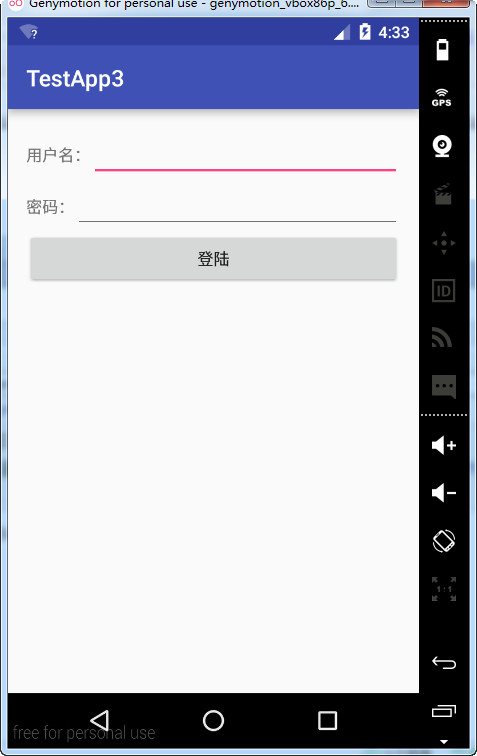
不输入用户名和密码:
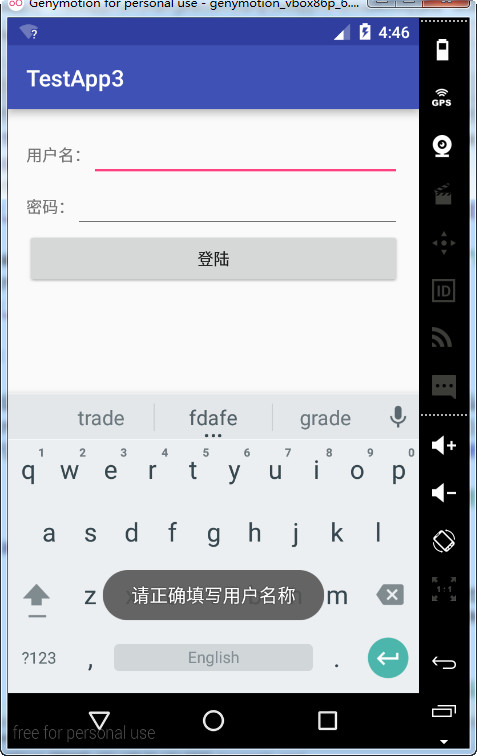
随机输入用户名和密码:
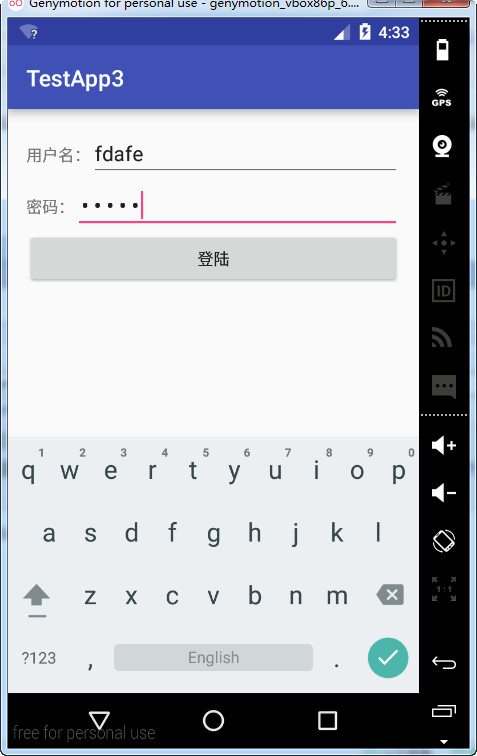
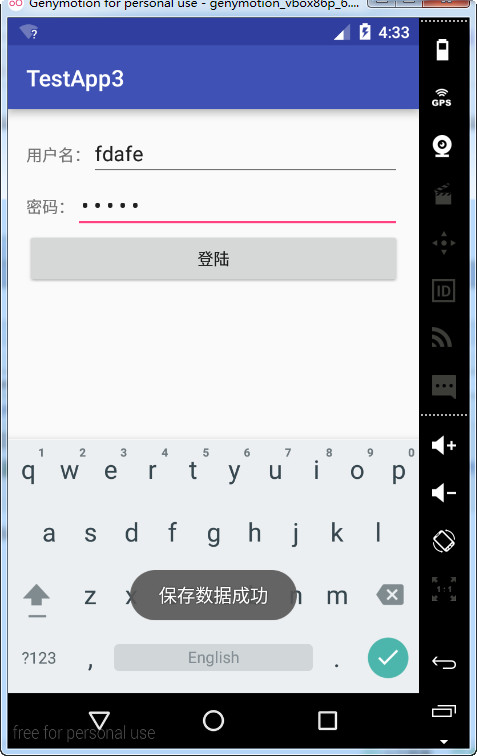
退出应用:
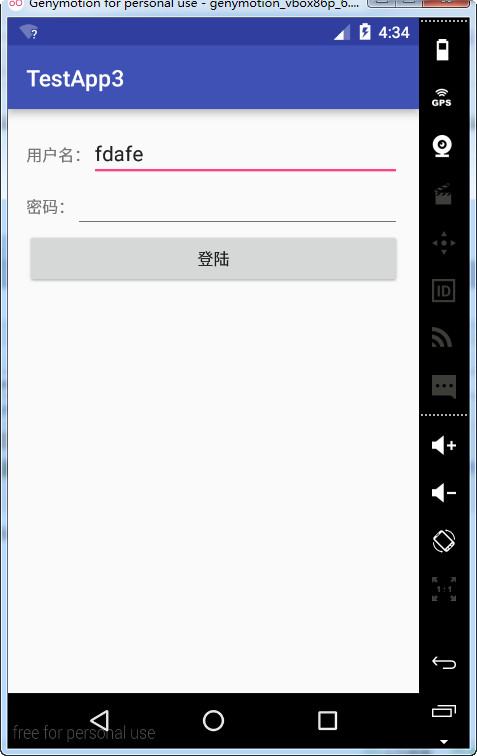
打开应用后出现输入的用户名:
Android——SharedPreferences存储(作业)的更多相关文章
- Android SharedPreferences存储
原创文章,转载请注明出处:http://www.cnblogs.com/baipengzhan/p/Android_SharedPreferences.html 一 概念 SharedPreferen ...
- Android SharedPreferences存储详解
什么是SharedPreferences存储 一种轻量级的数据保存方式 类似于我们常用的ini文件,用来保存应用程序的一些属性设置.较简单的参数设置. 保存现场:保存用户所作的修改或者自定义参数设定, ...
- android SharedPreferences 存储对象
我们知道SharedPreferences只能保存简单类型的数据,例如,String.int等. 如果想用SharedPreferences存取更复杂的数据类型(类.图像等),就需要对这些数据进行编码 ...
- Android SharedPreferences存储数据
SharedPreferences是Android中最容易理解的数据存储技术,实际上SharedPreferences处理的就是一个key-value(键值对)SharedPreferences常用来 ...
- Android -- SharedPreferences存储信息
背景 Share ...
- Android SharedPreferences存储map的方法
在网上查了一些资料后,精简改写后得出自己想用的形式,记录一下 public static void putHashMapData(Context context, String key, Map< ...
- Android数据存储方式--SharedPreferences
Android数据存储方式有如下四种:SharedPreferences.存储到文件.SQLite数据库.内容提供者(Content provider).存储到网络服务器. 本文主要介绍一下Share ...
- Android应用开发SharedPreferences存储数据的使用方法
Android应用开发SharedPreferences存储数据的使用方法 SharedPreferences是Android中最容易理解的数据存储技术,实际上SharedPreferences处理的 ...
- Android入门(九)文件存储与SharedPreferences存储
原文链接:http://www.orlion.ga/578/ Android系统中主要提供了三种方式用于简单地实现数据持久化功能,即文件存储.SharedPreference存储以及数据库存储.当然, ...
随机推荐
- 中南民航如何利用K2BPM构建业务流程?
广州市中南民航空管通信网络科技有限公司成立于2004年9月,负责民航中南地区通信网络.电报网络的建设与维护.民航空管信息系统的开发与维护.公司拥有一支技术精湛的研发队伍,在信息技术领域领跑于民航空管行 ...
- C# 调用配置文件SQL语句 真2B!
/********************************************************************************* ** File Name : SQ ...
- jenkins持续集成工具
jenkins是开源的 持续集成.持续构建的可视化web工具,持续构建说直白,就是各种项目的自动化编译.打包.分发部署. 好很多优点: 1.支持多语言 2.跟svn.git能无缝集成 3.直接与知名源 ...
- IOS UTF8中文字母数字 组合时长度截取
//计算总共字数和限制字数的Index位置 -(NSMutableArray *) unicodeLengthOfString: (NSString *) text { NSMutableArray ...
- 【Android】去除应用启动时黑屏现象
http://www.eoeandroid.com/blog-1169143-47979.html 在AndroidManifest里面定义的时候,在启动的Activity,添加android:the ...
- UIkit框架之UItextfield
1.继承链:UIcontrol:UIview:UIresponder:NSObject 2.成为第一响应者:[text becomeFirstResponder]; //让该文本成为第一响应者 3. ...
- php大力力 [010节]PHP常量
2015-08-23 php大力力010. PHP常量 php大力力 [010节]PHP常量 设置 PHP 常量 如需设置常量,请使用 define() 函数 - 它使用三个参数: 首个参数定义常量的 ...
- 《深入理解Android:Telephon原理剖析与最佳实践》学习笔记(系统框架)
Android智能手机的系统结构: 智能手机的硬件基本结构大多采用双处理器架构:主处理器和从处理器,主处理器主要运行开放式操作系统以及操作系统之上的应用,负责整个系统的控制,称之为AP,从处理 ...
- VBS_DO...Loop
循环用于重复执行一组语句.循环可分为三类:一类在条件变为 False 之前重复执行语句,一类在条件变为 True 之前重复执行语句,另一类按照指定的次数重复执行语句. 在 VBScript 中可使用下 ...
- 在config文件输入特殊字符
今天遇到要在config文件中配置一个包含引号,尖括号的特殊字符的问题,config文件不支持转义字符,我开始发动自己的脑子想,想出一个蹩脚的方法,用其他的字符替换比如&,?,!,问题倒是解决 ...