
To create my first app in iOS with Xcode(在Xcode创建我的第一个iOS app )
To create my first app in iOS
create the project.
In the welcome window, click “Create a new Xcode project” (or choose File > New > Project).
Xcode opens a new window and displays a dialog in which you choose a template.

In the iOS section at the left of the dialog, select Application.
In the main area of the dialog, click Single View Application and then click Next.
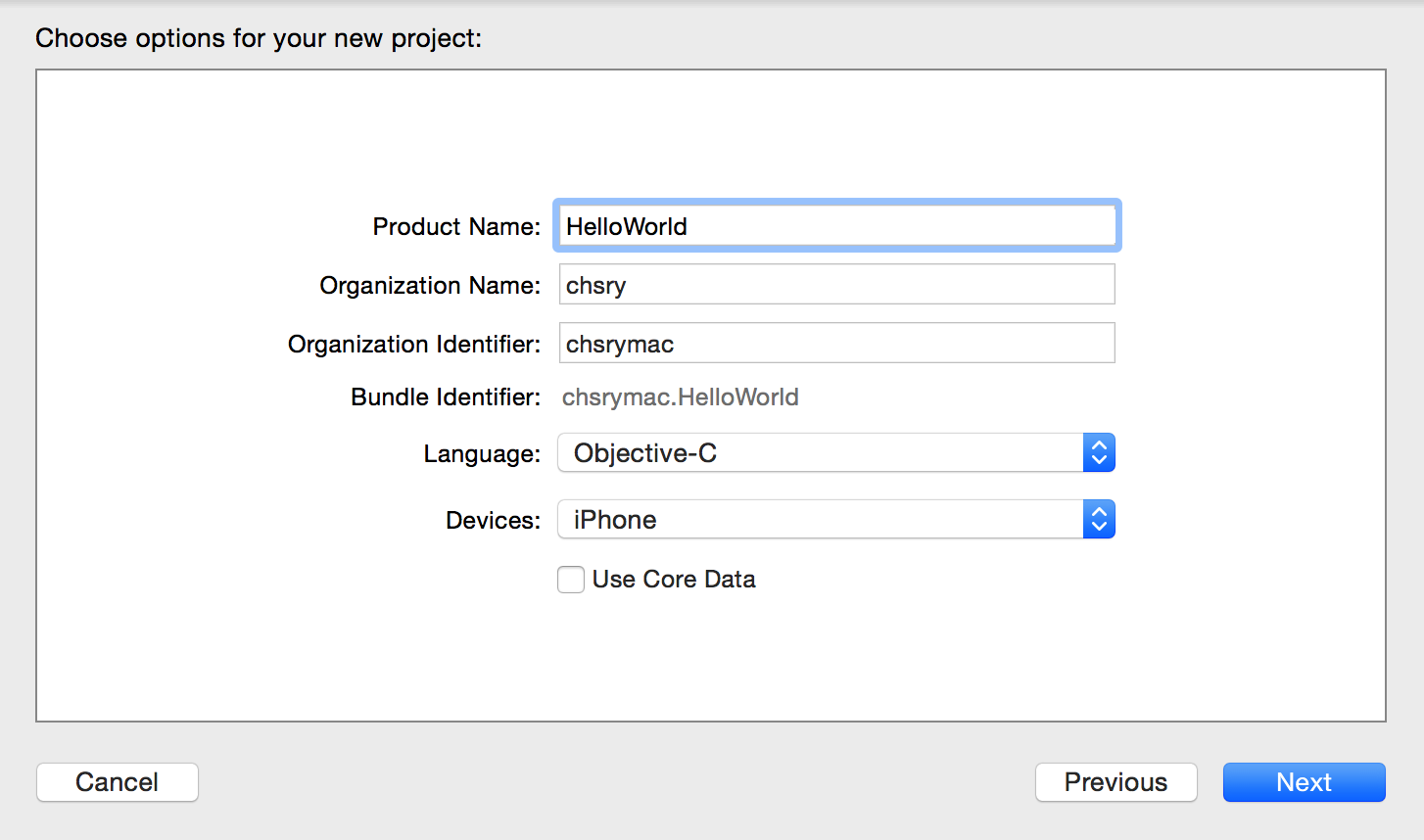
5. Use the following values:
Product Name:
ToDoListXcode uses the product name you entered to name your project and the app.
Organization Name: The name of your organization or your own name. You can leave this blank.
Organization Identifier: Your organization identifier, if you have one. If you don’t, use
com.example.Bundle Identifier: This value is automatically generated based on your product name and organization identifier.
Language: Objective-C
Devices: Universal
A Universal app is one that runs on both iPhone and iPad.
Use Core Data: Leave unselected.
6. Here is the software's overlook.

7. Run iOS Simulator . it can model a number of different types of hardware—iPad, iPhone with different screen sizes, and so on.
7.1 select your own hardware device
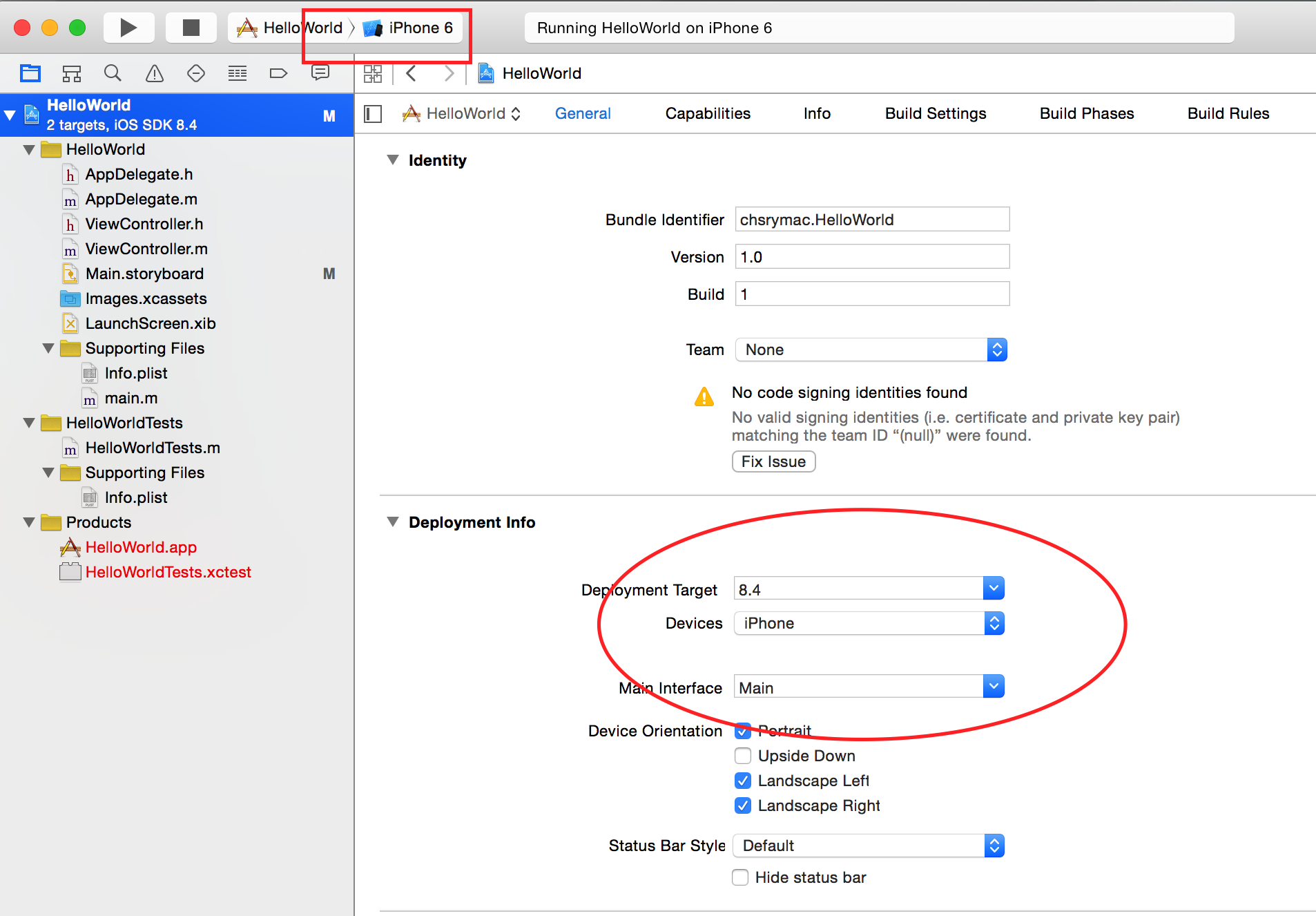
7.2 Go ahead and look through the menu to see what other hardware options are available in iOS Simulator
7.3 Click the Run button, located in the top-left corner of the Xcode toolbar 
7.4 Then, you should see something like this:

8、Open Your Storyboard, edit the outlook.
You’r e ready to start working on a storyboard for your app. A storyboard is a visual representation of the app’s user interface, showing screens of content and the transitions between them. You use storyboards to lay out the flow—or story—that drives your app
8.1 In the project navigator, select Main.storyboard.
8.2 select View->Unitility->Show file inspetor. Your storyboard should look similar to this:
8.3 To add a text field to your scene
- Open the Object library.

In the Object library, type
text fieldin the filter field to find the Text Field object quickly.Drag a Text Field object from the Object library to your scene.
Drag the text field so that it’s centered vertically and aligned with the left margin in the scene.
Stop dragging the text field when you see something like this
- To configure the text field’s placeholder text

9. DIY my first app
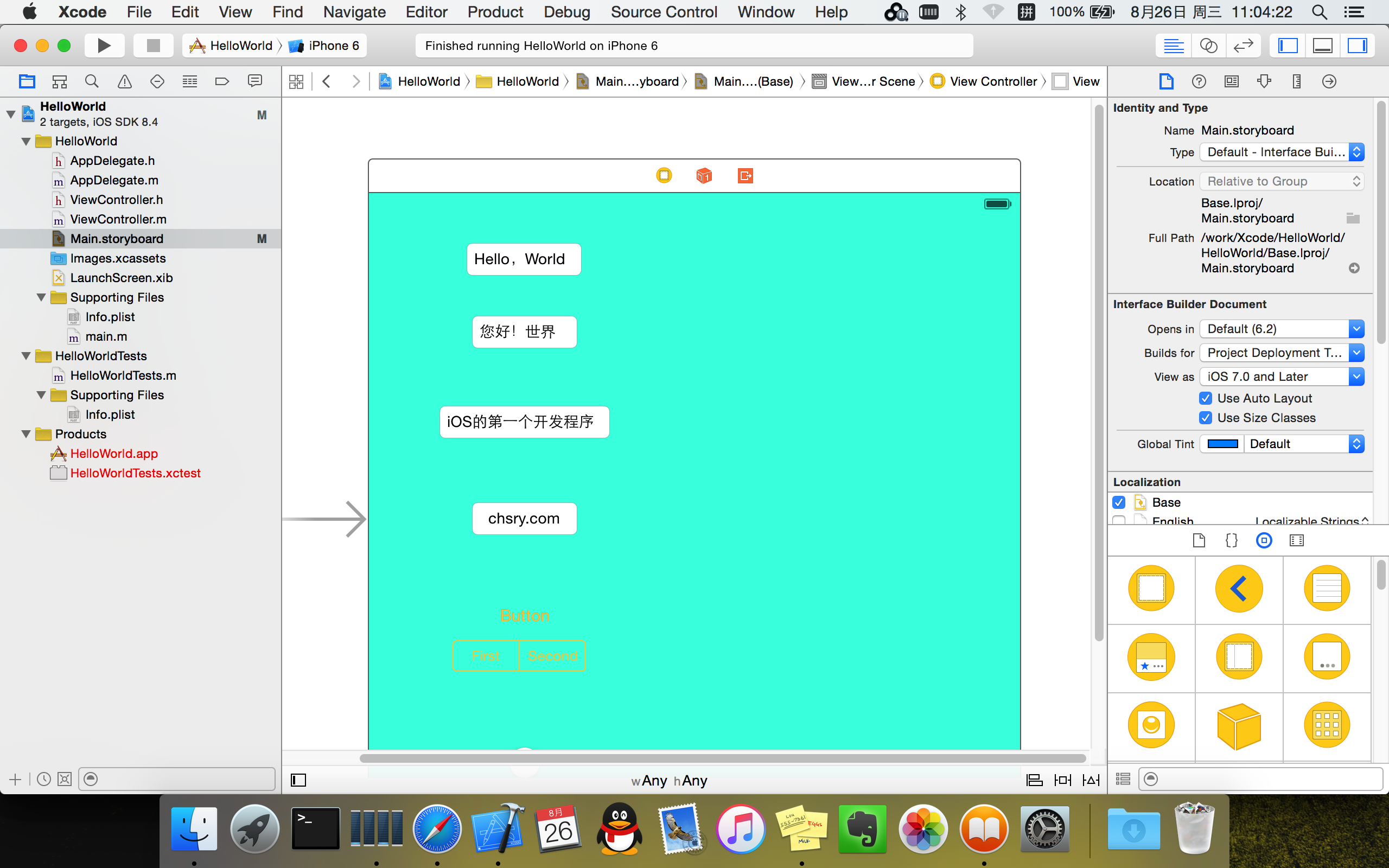
10 Run the simulation
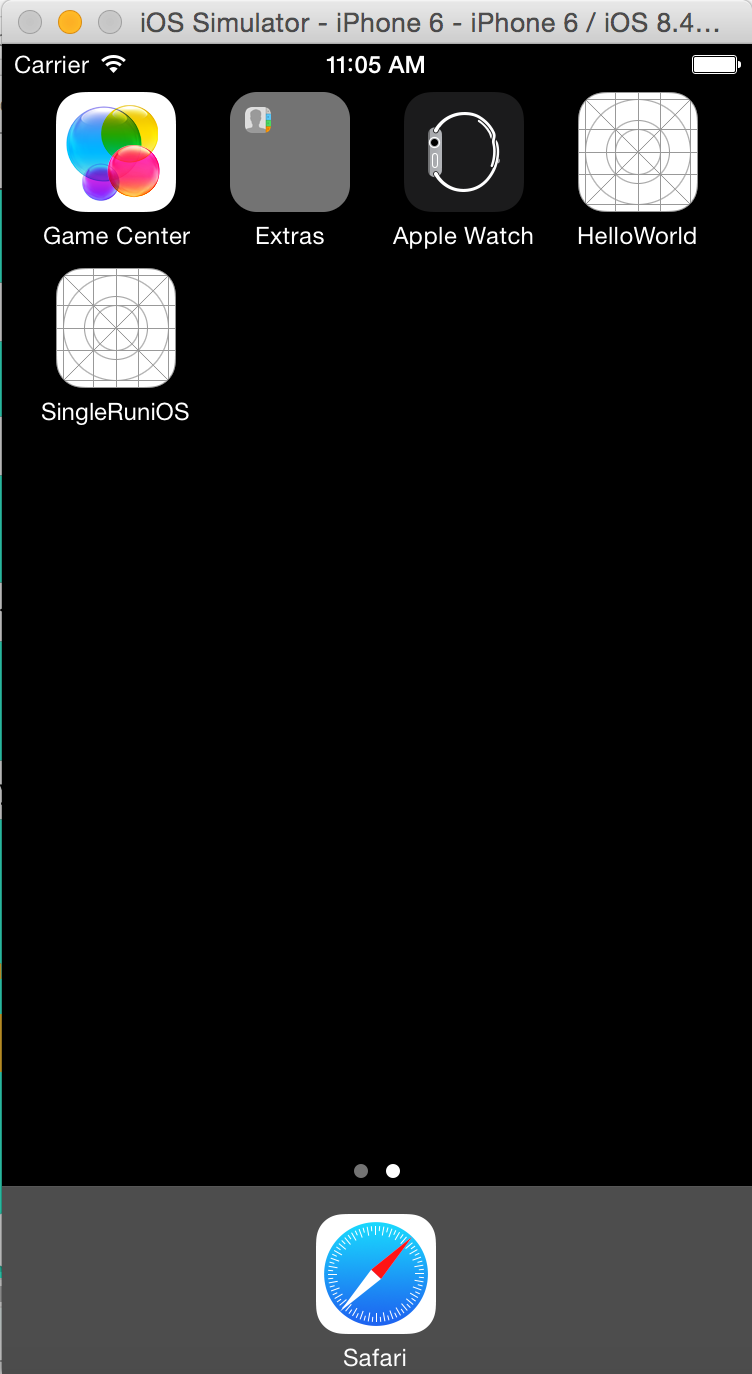
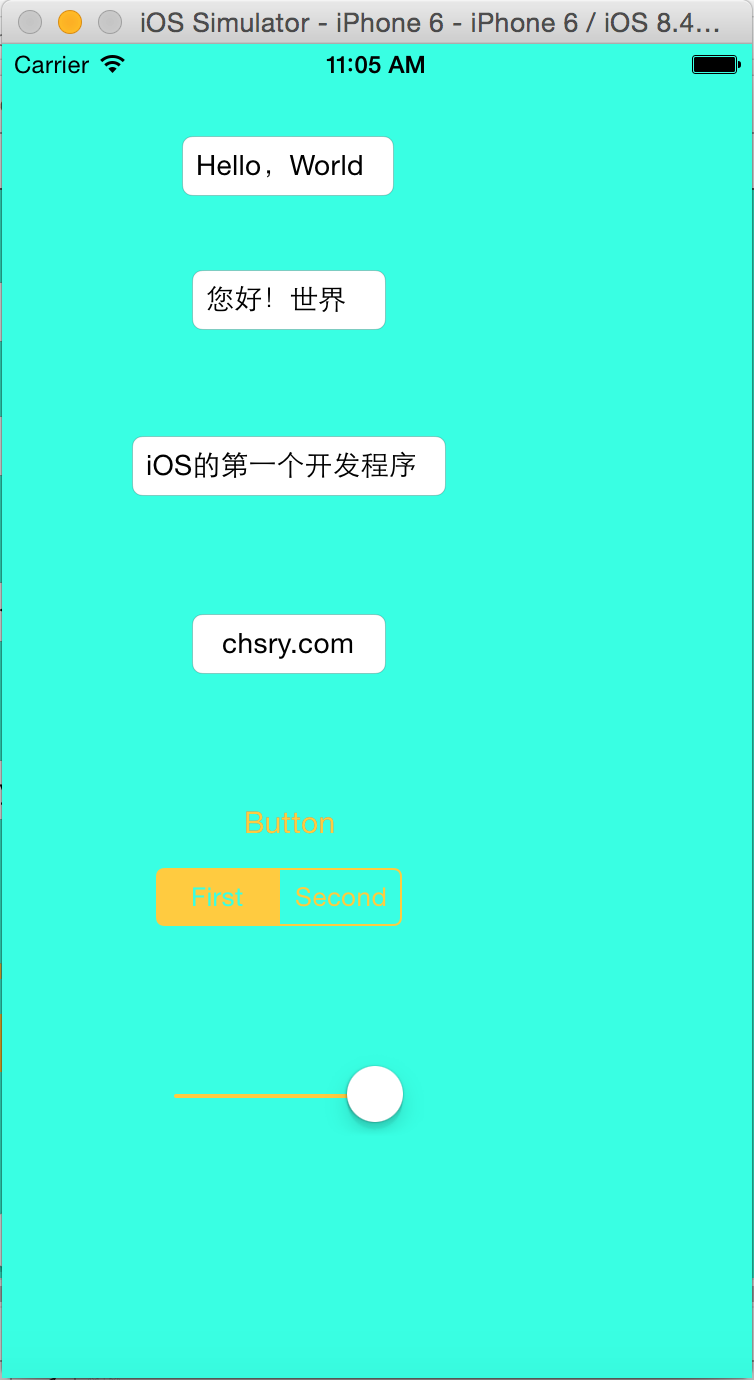
Readme:it only can run in simulator,if you want to run in real device ,should Join the Apple Developer Program.
作者:chsry

出处:www.cnblogs.com/chsry

日期:2015-08-26

本博客文章,大多系个人整理开发,转载请注明出处
To create my first app in iOS with Xcode(在Xcode创建我的第一个iOS app )的更多相关文章
- iOS 11开发教程(二)编写第一个iOS 11应用
iOS 11开发教程(二)编写第一个iOS 11应用 编写第一个iOS 11应用 本节将以一个iOS 11应用程序为例,为开发者讲解如何使用Xcode 9.0去创建项目,以及iOS模拟器的一些功能.编 ...
- iOS 11开发教程(三)运行第一个iOS 11程序
iOS 11开发教程(三)运行第一个iOS 11程序 运行iOS11程序 创建好项目之后,就可以运行这个项目中的程序了.单击运行按钮,如果程序没有任何问题的话,会看到如图1.6和1.7的运行效果. 图 ...
- iOS 国际化最新最全教程+如何快速国际化一个现成APP
同学面试时遇到一个问题,面试官问他,有一个现成的APP马上要上线了,怎么在不改原来代码,也不改xib.storyboard里的文字的情况下快速实现国际化.这里应同学请求写下此教程.反正国际化的步骤都要 ...
- Anaconda+django写出第一个web app(一)
在安装好Anaconda和django之后,我们就可以开始创建自己的第一个Web app,那么首先创建一个空文件夹,之后创建的文件都在这个文件夹内. 启动命令行进入此文件夹内,可以先通过如下命令查看一 ...
- 如何用 React Native 创建一个iOS APP?(三)
前两部分,<如何用 React Native 创建一个iOS APP?>,<如何用 React Native 创建一个iOS APP (二)?>中,我们分别讲了用 React ...
- 如何用 React Native 创建一个iOS APP?(二)
我们书接上文<如何用 React Native 创建一个iOS APP?>,继续来讲如何用 React Native 创建一个iOS APP.接下来,我们会涉及到很多控件. 1 AppRe ...
- 如何用 React Native 创建一个iOS APP?
诚然,React Native 结合了 Web 应用和 Native 应用的优势,可以使用 JavaScript 来开发 iOS 和 Android 原生应用.在 JavaScript 中用 Reac ...
- 分享iOS开发常用(三方类库,工具,高仿APP,实用网站,技术干货)
一 . JSONModel (三方类库会有更新,建议大家在线下载) http://pan.baidu.com/s/1i5ybP1z 二.AFNetworkiong http://pan.baidu. ...
- 超强教程:如何搭建一个 iOS 系统的视频直播 App?
现今,直播市场热火朝天,不少人喜欢在手机端安装各类直播 App,便于随时随地观看直播或者自己当主播.作为开发者来说,搭建一个稳定性强.延迟率低.可用性强的直播平台,需要考虑到部署视频源.搭建聊天室.优 ...
随机推荐
- GJM:书籍相关整理 [原创]
多人在线教程(中文)MultiplayerTutorial.pdf 链接: http://pan.baidu.com/s/1boDGGGZ 密码:9l2g 版权声明:本文原创发表于 ...
- prototype和__proto__
一.prototype和__proto__的概念 prototype是函数的一个属性(每个函数都有一个prototype属性),这个属性是一个指针,指向一个对象.它是显示修改对象的原型的属性. __p ...
- [Tool] SourceTree初始化GitFlow遇到错误(git command not found)的解决方案
[Tool] SourceTree初始化GitFlow遇到错误(git command not found)的解决方案 问题情景 使用SourceTree,可以方便开发人员快速的套用GitFlow开发 ...
- 一款很实用的jQuery鼠标悬浮有动画效果的响应式瀑布流插件
一款很实用的jQuery鼠标悬浮有动画效果的响应式瀑布流插件 在线预览 下载地址 实例代码 <!doctype html> <html lang="zh"> ...
- Popmotion – 小巧,灵活的 JavaScript 运动引擎
Popmotion 是一个只有12KB的 JavaScript 运动引擎,可以用来实现动画,物理效果和输入跟踪.原生的DOM支持:CSS,SVG,SVG路径和DOM属性的支持,开箱即用.Popmoti ...
- 如何使用 HTML5 Canvas 制作水波纹效果
今天,我们继续分享 JavaScript 实现的效果例子,这篇文章会介绍使用 JavaScript 实现水波纹效果.水波效果以图片为背景,点击图片任意位置都会触发.有时候,我们使用普通的 Javasc ...
- HTML5锚点请用id代替name
HTML5已经去掉name属性,实现锚点时请使用id,实例效果:http://keleyi.com/keleyi/phtml/html5/9.htm 支持Chrome,火狐,IE8以上等浏览器. 以下 ...
- js中如何获取纯正的undefined?
1.为什么要获取undefined? 因为undefined在javascript中不是保留字,可以被用户当做变量来赋值,这样如果我们后期需要用到undefined来检测一个变量的话,那么检测的值就不 ...
- 微信 小程序 canvas
测试手机为IPHONE6,开发者工具版本0.10.102800.开发者工具0.11.112301版本也一样 微信小程序里的canvas 非 h5 canvas有很多不一样的地方,以下把微信小程序的ca ...
- ZeroMq安装包的生成【ubuntu10】
生成方法添加源sudo add-apt-repository ppa:chris-lea/zeromqsudo add-apt-repository ppa:chris-lea/libpgmsudo ...