
OpenCv dnn模块扩展研究(1)--style transfer
一、opencv的示例模型文件
// This script is used to run style transfer models from '
// https://github.com/jcjohnson/fast-neural-style using OpenCV

#include <opencv2/dnn.hpp>
#include <opencv2/imgproc.hpp>
#include <opencv2/highgui.hpp>
#include <iostream>

using namespace cv;
using namespace cv::dnn;
using namespace std;


int main(int argc, char **argv)
{
    string modelBin = "../../data/testdata/dnn/fast_neural_style_instance_norm_feathers.t7";
    string imageFile = "../../data/image/chicago.jpg";

    float scale = 1.0;
    cv::Scalar mean { 103.939, 116.779, 123.68 };
    bool swapRB = false;
    bool crop = false;
    bool useOpenCL = false;

    Mat img = imread(imageFile);
    if (img.empty()) {
        cout << "Can't read image from file: " << imageFile << endl;
        return 2;
    }

    // Load model
    Net net = dnn::readNetFromTorch(modelBin);
    if (useOpenCL)
        net.setPreferableTarget(DNN_TARGET_OPENCL);

    // Create a 4D blob from a frame.
    Mat inputBlob = blobFromImage(img,scale, img.size(),mean,swapRB,crop);

    // forward netword
    net.setInput(inputBlob);
    Mat output = net.forward();

    // process output
    Mat(output.size[2], output.size[3], CV_32F, output.ptr<float>(0, 0)) += 103.939;
    Mat(output.size[2], output.size[3], CV_32F, output.ptr<float>(0, 1)) += 116.779;
    Mat(output.size[2], output.size[3], CV_32F, output.ptr<float>(0, 2)) += 123.68;

    std::vector<cv::Mat> ress;
    imagesFromBlob(output, ress);

    // show res
    Mat res;
    ress[0].convertTo(res, CV_8UC3);
    imshow("reslut", res);

    imshow("origin", img);

    waitKey();
    return 0;
}
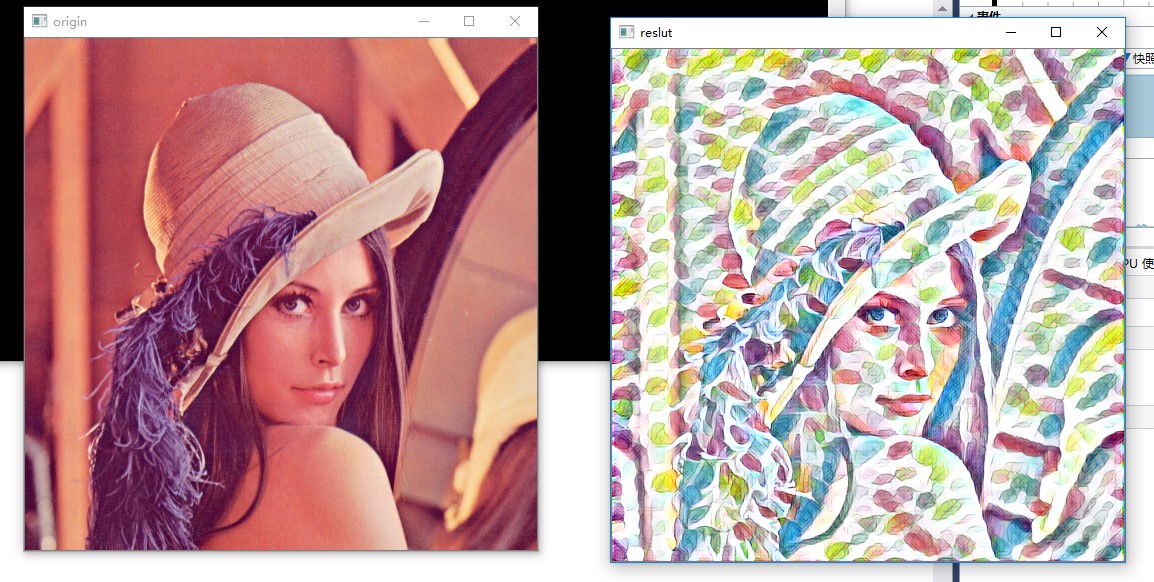
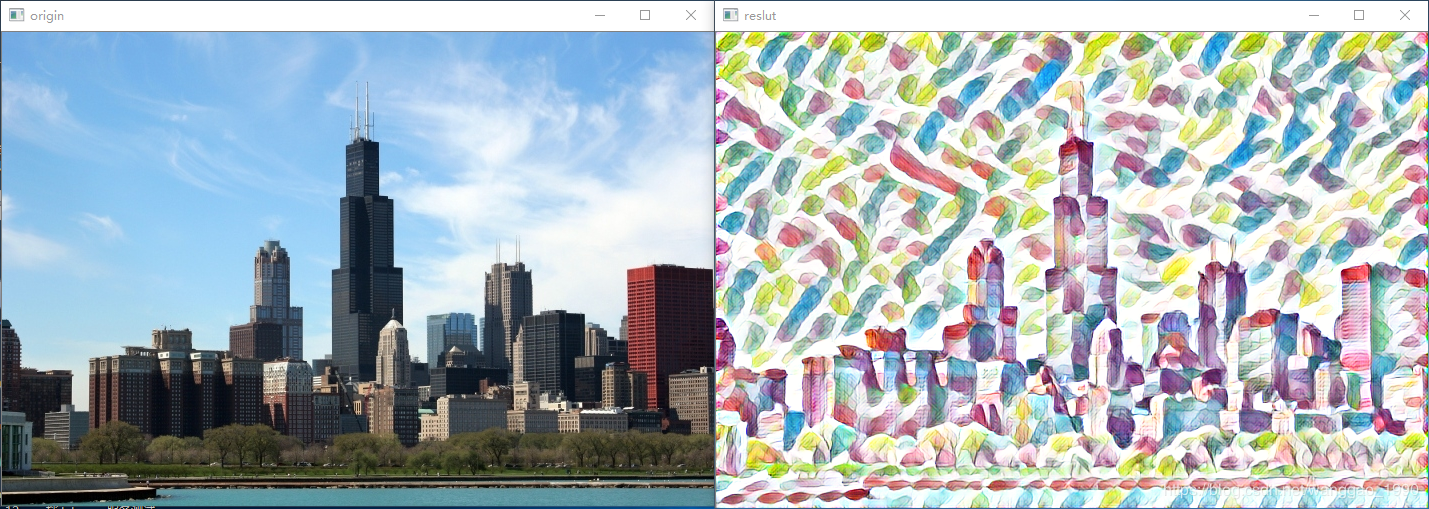

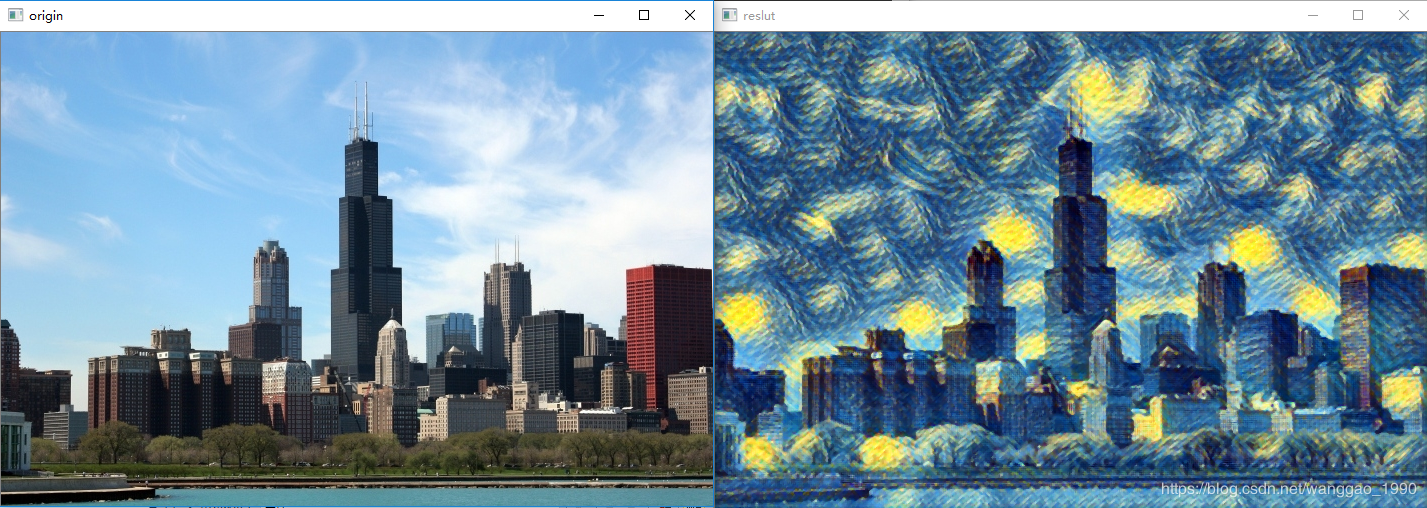
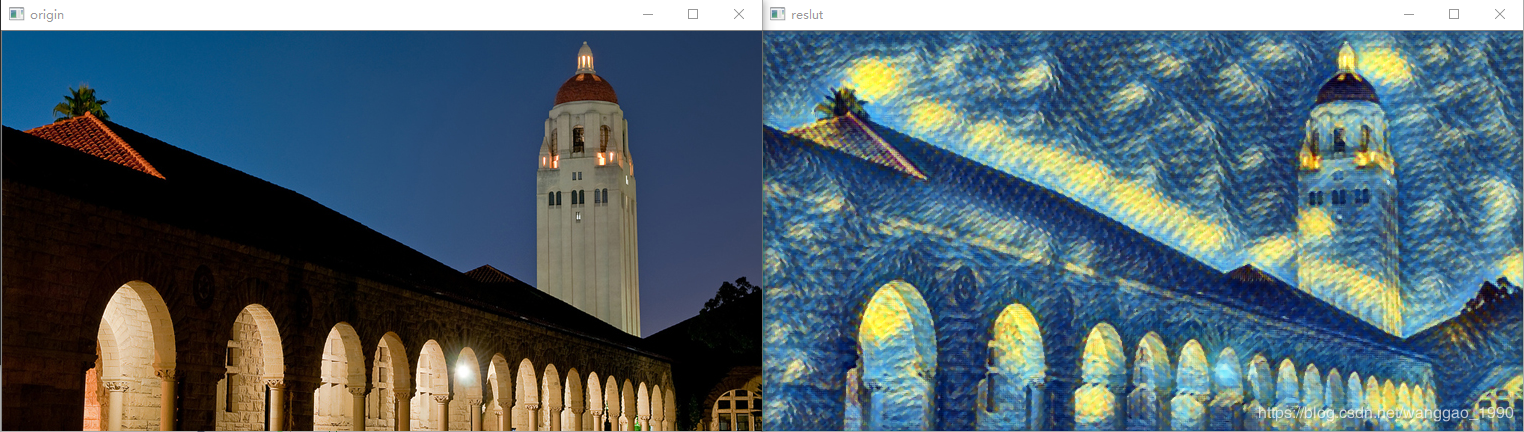
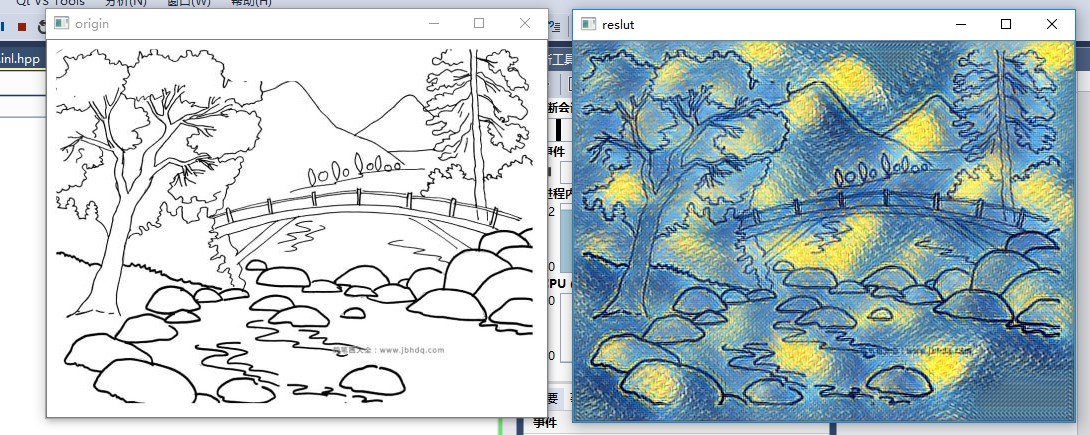

Training new models
To train new style transfer models, first use the scriptscripts/make_style_dataset.py to create an HDF5 file from folders of images.You will then use the script train.lua to actually train models.
Step 1: Prepare a dataset
You first need to install the header files for Python 2.7 and HDF5. On Ubuntuyou should be able to do the following:
You can then install Python dependencies into a virtual environment:
# Install Python dependencies# Work for a while ...
# Exit the virtual environment
With the virtual environment activated, you can use the scriptscripts/make_style_dataset.py to create an HDF5 file from a directory oftraining images and a directory of validation images:
All models in thisrepository were trained using the images from theCOCO dataset.
The preprocessing script has the following flags:
--train_dir: Path to a directory of training images.--val_dir: Path to a directory of validation images.--output_file: HDF5 file where output will be written.--height,--width: All images will be resized to this size.--max_images: The maximum number of images to use for trainingand validation; -1 means use all images in the directories.--num_workers: The number of threads to use.
Step 2: Train a model
After creating an HDF5 dataset file, you can use the script train.lua totrain feedforward style transfer models. First you need to download aTorch version of theVGG-16 modelby running the script
This will download the file vgg16.t7 (528 MB) to the models directory.
You will also need to installdeepmind/torch-hdf5which gives HDF5 bindings for Torch:
luarocks install https://raw.githubusercontent.com/deepmind/torch-hdf5/master/hdf5-0-0.rockspecYou can then train a model with the script train.lua. For basic usage thecommand will look something like this:
The full set of options for this script are described here.
OpenCv dnn模块扩展研究(1)--style transfer的更多相关文章
- 如何使用 Opencv dnn 模块调用 Caffe 预训练模型?
QString modelPrototxt = "D:\\Qt\\qmake\\CaffeModelTest\\caffe\\lenet.prototxt"; QString mo ...
- 手把手教你使用LabVIEW OpenCV DNN实现手写数字识别(含源码)
@ 目录 前言 一.OpenCV DNN模块 1.OpenCV DNN简介 2.LabVIEW中DNN模块函数 二.TensorFlow pb文件的生成和调用 1.TensorFlow2 Keras模 ...
- OpenCV自带dnn的Example研究(4)— openpose
这个博客系列,简单来说,今天我们就是要研究 https://docs.opencv.org/master/examples.html下的 6个文件,看看在最新的OpenCV中,它们是如何发挥作用的. ...
- OpenCV自带dnn的Example研究(3)— object_detection
这个博客系列,简单来说,今天我们就是要研究 https://docs.opencv.org/master/examples.html下的 6个文件,看看在最新的OpenCV中,它们是如何发挥作用的. ...
- [C4W4] Convolutional Neural Networks - Special applications: Face recognition & Neural style transfer
第四周:Special applications: Face recognition & Neural style transfer 什么是人脸识别?(What is face recogni ...
- fast neural style transfer图像风格迁移基于tensorflow实现
引自:深度学习实践:使用Tensorflow实现快速风格迁移 一.风格迁移简介 风格迁移(Style Transfer)是深度学习众多应用中非常有趣的一种,如图,我们可以使用这种方法把一张图片的风格“ ...
- (E2E_L2)GOMfcTemplate在vs2017上的运行并融合Dnn模块
GOMfcTemplate一直运行在VS2012上运行的,并且开发出来了多个产品.在技术不断发展的过程中,出现了一些新的矛盾:1.由于需要使用DNN模块,而这个模块到了4.0以上的OpenCV才支持的 ...
- 神经风格转换Neural Style Transfer a review
原文:http://mp.weixin.qq.com/s/t_jknoYuyAM9fu6CI8OdNw 作者:Yongcheng Jing 等 机器之心编译 风格迁移是近来人工智能领域内的一个热门研究 ...
- 课程四(Convolutional Neural Networks),第四 周(Special applications: Face recognition & Neural style transfer) —— 2.Programming assignments:Art generation with Neural Style Transfer
Deep Learning & Art: Neural Style Transfer Welcome to the second assignment of this week. In thi ...
随机推荐
- Python_模块的定义与使用
1.模块的定义: 1.1 标准格式: import 模块名 模块名.函数名(实参列表) 1.2 特殊格式: from 模块名 import 函数名1,函数名2... 函数名(实参列表) 2.模块的使用 ...
- 使用SikuliX定位Object(flash)元素
先说一下背景,这个是我们测试的系统上的一个上传文件的地方,但是用传统的selenium方法很难定位的到.具体的样子是下面这样的. 使用id等属性定位做点击操作好像不能直接操作.无奈之下,只好从网上找找 ...
- 0027SpringMVC拦截器的编写和配置
SpringMvc中想使用拦截器,主要分为两步: a.编写拦截器,需实现HandlerInterceptor接口 b.springmvc.xml中配置拦截器 逻辑图如下: 测试过程主要分为如下几步: ...
- 结构型模式(五) 外观模式(Facade)
一.动机(Motivate) 在软件系统开发的过程中,当组件的客户(即外部接口,或客户程序)和组件中各种复杂的子系统有了过多的耦合,随着外部客户程序和各子系统的演化,这种过多的耦合面临很多变化的挑战. ...
- python - django (ORM使用步骤)
print('asd') """ # 1. 手动创建一个数据库 # 2. 在 Django 项目中设置连接数据库的相关配置(告诉Django 连接哪一个数据库) 在 DA ...
- http健康状态检查
来自为知笔记(Wiz)
- js清空数组
js-清空array数组 两种实现方式: 1.splice:删除元素并添加新元素,直接对数组进行修改,返回含有被删除元素的数组. arrayObject.splice(index,howmany,el ...
- winform DateTimePicker 设置成秒
C# Windows窗体应用中,用到时间选择控件DateTimePicker,发现不能选择时分秒,难道要自己写一个控件?! 答案是否定的,通过属性修改是可以选择时间的,DateTimePicker完全 ...
- 鼠标经过盒子出现边框(伪元素,定位,css3盒子模型)
<body> <div> <img src="mi6.png" > </div> </body> div{ width: ...
- AtCoder Grand Contest 013题解
传送门 \(A\) 先把相同的缩一起,然后贪心就可以了 //quming #include<bits/stdc++.h> #define R register #define fp(i,a ...