
Linux——安装并配置Kafka
前言
Kafka是由Apache软件基金会开发的一个开源流处理平台,由Scala和Java编写。Kafka是一种高吞吐量的分布式发布订阅消息系统,它可以处理消费者规模的网站中的所有动作流数据。 这种动作(网页浏览,搜索和其他用户的行动)是在现代网络上的许多社会功能的一个关键因素。 这些数据通常是由于吞吐量的要求而通过处理日志和日志聚合来解决。 对于像Hadoop的一样的日志数据和离线分析系统,但又要求实时处理的限制,这是一个可行的解决方案。Kafka的目的是通过Hadoop的并行加载机制来统一线上和离线的消息处理,也是为了通过集群来提供实时的消息。
Kafka官网 | http://kafka.apache.org/
步骤
下载Kafka
进入Kafka的官网选择自己需要的版本下载即可,我这里选择的是2.12版本。
# wget http://mirrors.tuna.tsinghua.edu.cn/apache/kafka/2.2.0/kafka_2.12-2.2.0.tgz

创建安装目录
我一般创建于usr/local的目录下
# mkdir /usr/local/kafka
解压到安装目录下
将下载好的kafka解压到刚才创建的目录下
# tar -zxvf kafka_2.12-2.2.0.tgz -C /usr/local/kafka/

修改配置文件
编辑kafka的配置文件server.properties
# vi /usr/local/kafka/kafka_2.12-2.2.0/config/server.properties

log.dirs=/usr/local/kafka/kafka_2.12-2.2.0/kafka-logs  //日志文件

#远程连接

#去掉31行的注释,listeners=PLAINTEXT://:9092

#去掉36行的注释,把advertised.listeners值改为PLAINTEXT://host.name:9092(host.name是你的IP地址)


启动zookeeper
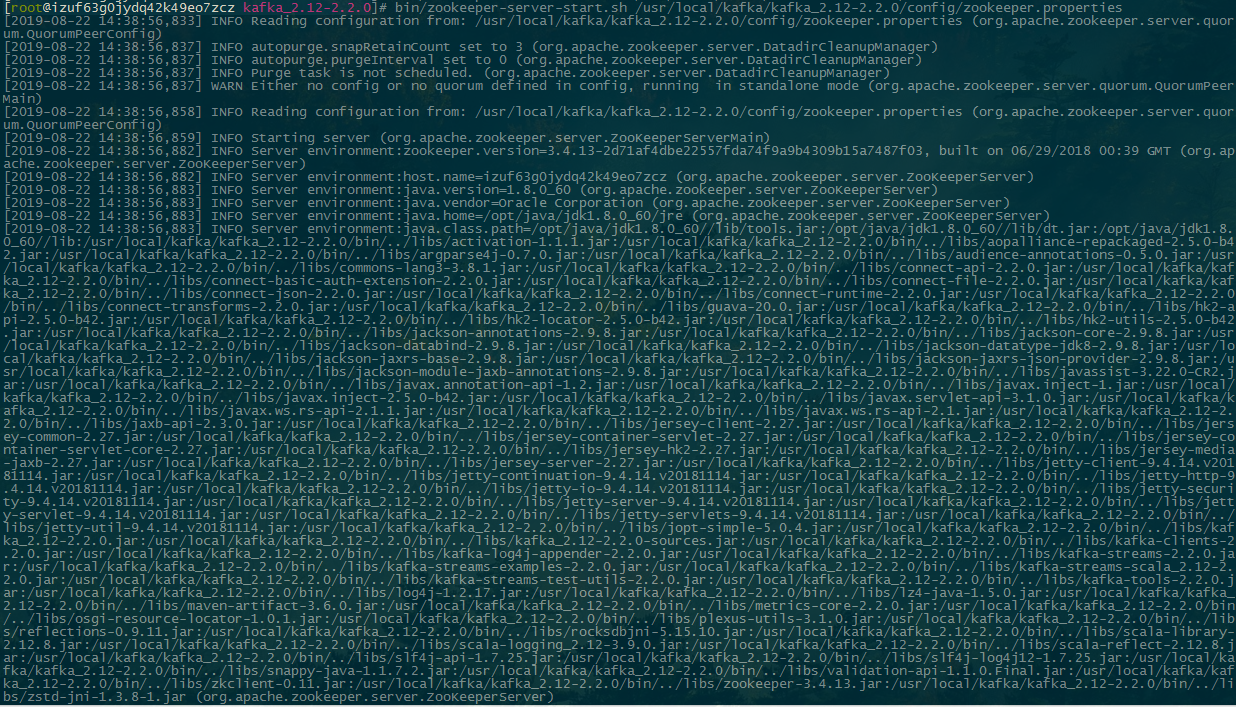
运行kafka之前,需要启动zookeeper
# /usr/local/kafka/kafka_2.12-2.2.0/bin/zookeeper-server-start.sh /usr/local/kafka/kafka_2.12-2.2.0/config/zookeeper.properties
启动kafka
# /usr/local/kafka/kafka_2.12-2.2.0/bin/kafka-server-start.sh /usr/local/kafka/kafka_2.12-2.2.0/config/server.properties
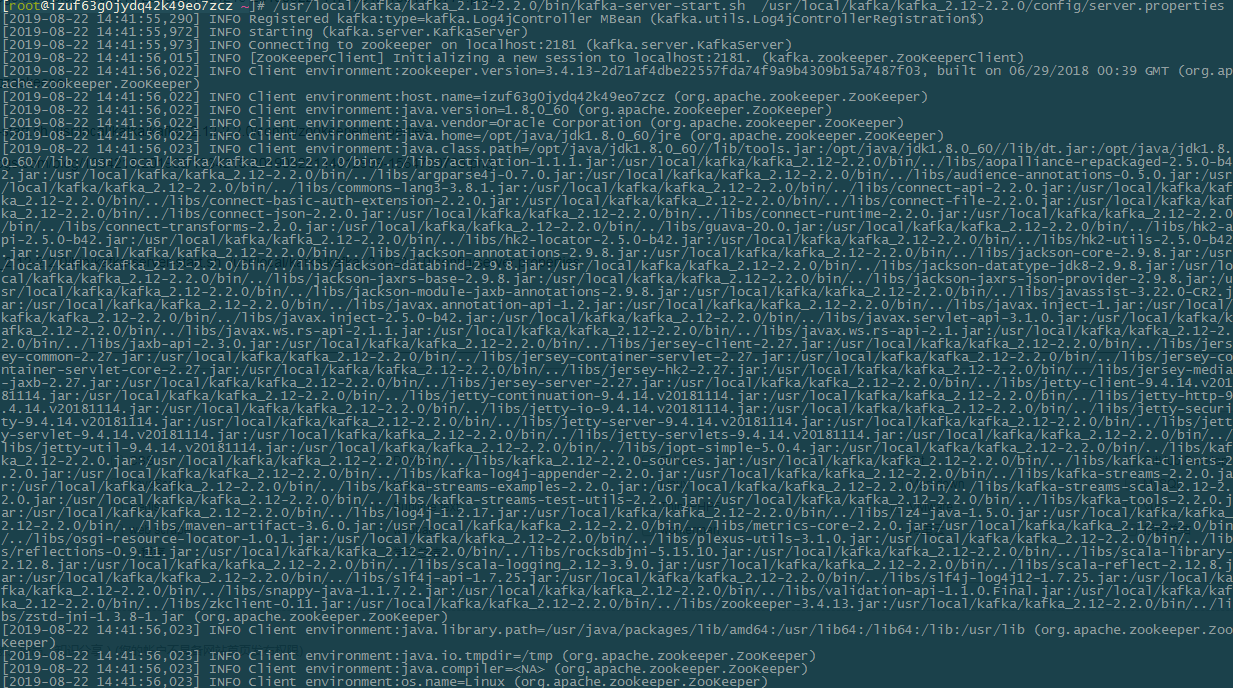
到这里安装已经完成了,走下来没遇到什么报错
创建topic
运行kafka-topics.sh脚本,可以看到一些帮助命令
# /usr/local/kafka/kafka_2.12-2.2.0/bin/kafka-topics.sh

Create, delete, describe, or change a topic.

Option                                   Description

------                                   -----------

--alter                                  Alter the number of partitions,

                                           replica assignment, and/or

                                           configuration for the topic.

--bootstrap-server <String: server to    REQUIRED: The Kafka server to connect

  connect to>                              to. In case of providing this, a

                                           direct Zookeeper connection won't be

                                           required.

--command-config <String: command        Property file containing configs to be

  config property file>                    passed to Admin Client. This is used

                                           only with --bootstrap-server option

                                           for describing and altering broker

                                           configs.

--config <String: name=value>            A topic configuration override for the

                                           topic being created or altered.The

                                           following is a list of valid

                                           configurations:

                                                cleanup.policy

                                                compression.type

                                                delete.retention.ms

                                                file.delete.delay.ms

                                                flush.messages

                                                flush.ms

                                                follower.replication.throttled.

                                           replicas

                                                index.interval.bytes

                                                leader.replication.throttled.replicas

                                                max.message.bytes

                                                message.downconversion.enable

                                                message.format.version

                                                message.timestamp.difference.max.ms

                                                message.timestamp.type

                                                min.cleanable.dirty.ratio

                                                min.compaction.lag.ms

                                                min.insync.replicas

                                                preallocate

                                                retention.bytes

                                                retention.ms

                                                segment.bytes

                                                segment.index.bytes

                                                segment.jitter.ms

                                                segment.ms

                                                unclean.leader.election.enable

                                         See the Kafka documentation for full

                                           details on the topic configs.It is

                                           supported only in combination with --

                                           create if --bootstrap-server option

                                           is used.

--create                                 Create a new topic.

--delete                                 Delete a topic

--delete-config <String: name>           A topic configuration override to be

                                           removed for an existing topic (see

                                           the list of configurations under the

                                           --config option). Not supported with

                                           the --bootstrap-server option.

--describe                               List details for the given topics.

--disable-rack-aware                     Disable rack aware replica assignment

--exclude-internal                       exclude internal topics when running

                                           list or describe command. The

                                           internal topics will be listed by

                                           default

--force                                  Suppress console prompts

--help                                   Print usage information.

--if-exists                              if set when altering or deleting or

                                           describing topics, the action will

                                           only execute if the topic exists.

                                           Not supported with the --bootstrap-

                                           server option.

--if-not-exists                          if set when creating topics, the

                                           action will only execute if the

                                           topic does not already exist. Not

                                           supported with the --bootstrap-

                                           server option.

--list                                   List all available topics.

--partitions <Integer: # of partitions>  The number of partitions for the topic

                                           being created or altered (WARNING:

                                           If partitions are increased for a

                                           topic that has a key, the partition

                                           logic or ordering of the messages

                                           will be affected

--replica-assignment <String:            A list of manual partition-to-broker

  broker_id_for_part1_replica1 :           assignments for the topic being

  broker_id_for_part1_replica2 ,           created or altered.

  broker_id_for_part2_replica1 :

  broker_id_for_part2_replica2 , ...>

--replication-factor <Integer:           The replication factor for each

  replication factor>                      partition in the topic being created.

--topic <String: topic>                  The topic to create, alter, describe

                                           or delete. It also accepts a regular

                                           expression, except for --create

                                           option. Put topic name in double

                                           quotes and use the '\' prefix to

                                           escape regular expression symbols; e.

                                           g. "test\.topic".

--topics-with-overrides                  if set when describing topics, only

                                           show topics that have overridden

                                           configs

--unavailable-partitions                 if set when describing topics, only

                                           show partitions whose leader is not

                                           available

--under-replicated-partitions            if set when describing topics, only

                                           show under replicated partitions

--zookeeper <String: hosts>              DEPRECATED, The connection string for

                                           the zookeeper connection in the form

                                           host:port. Multiple hosts can be

                                           given to allow fail-over.
创建wechat并创建10个分区
# bin/kafka-topics.sh --create --topic wechat --partitions 10 --replication-factor 1 --zookeeper localhost:2181
查看topic详情
bin/kafka-topics.sh --topic wechat --describe --zookeeper localhost:2181
安装脚本
#!/bin/bash

wget http://mirrors.tuna.tsinghua.edu.cn/apache/kafka/2.2.0/kafka_2.12-2.2.0.tgz

mkdir /usr/local/kafka

tar -zxvf kafka_2.12-2.2.0.tgz -C /usr/local/kafka/

network=`ip a | grep '2: ' | awk {'print $2'} | sed "s/://g"`

ip=`ifconfig $network |grep -w 'inet' | awk '{print $2}'`

if [ 0 -eq $? ] ; then

        sed -i "/^#listeners=PLAINTEXT/clisteners=PLAINTEXT://$ip:9092" "/usr/local/kafka/kafka_2.12-2.2.0/config/server.properties"

        sed -i "/^log.dir/clog.dirs=/usr/local/kafka/kafka_2.12-2.2.0/kafka-logs" "/usr/local/kafka/kafka_2.12-2.2.0/config/server.properties"

        sed -i "/^#advertised.listeners/cadvertised.listeners=PLAINTEXT://$ip:9092" "/usr/local/kafka/kafka_2.12-2.2.0/config/server.properties"

else

        echo "No geting IP! Kafka config need reconfigure!"

fi

nohup /usr/local/kafka/kafka_2.12-2.2.0/bin/zookeeper-server-start.sh /usr/local/kafka/kafka_2.12-2.2.0/config/zookeeper.properties  >zookeeper.log 2>&1 &

nohup /usr/local/kafka/kafka_2.12-2.2.0/bin/kafka-server-start.sh  /usr/local/kafka/kafka_2.12-2.2.0/config/server.properties >kafka.log 2>&1 &
Linux——安装并配置Kafka的更多相关文章
- linux安装及配置c++的opencv库
linux安装及配置c++的opencv库 前言: 最近想搞个机器视觉的比赛,要求是linux+opencv环境,没有做过opencv开发的我配置环境就配了两天,看来很多乱七八糟的博客,终于装好了.网 ...
- Arch Linux 安装、配置、美化和优化
国庆假期玩了下Arch Linux,发现这货跟Ubuntu之流相差甚远,甚难调教,而且安裝过程全命令行,会有各种问题,各种知识... --- 安装引导器--- -------------------- ...
- Linux 安装oracle10g 配置dataguard 介绍和步骤
DataGuard是甲骨文推出的一种高可用性数据库方案,在Oracle 8i之前被称为Standby Database.从Oracle 9i开始,正式更名为Data Guard.它是在 ...
- Linux 安装及配置 Nginx + ftp 服务器
Nginx 安装及配置 一.Nginx 简介: Nginx("engine x") 是一款是由俄罗斯的程序设计师 Igor Sysoev 所开发高性能的 Web和 反向代理服务器, ...
- Microsoft SQL Server for Linux安装和配置
虽说mssql for linux早已经出来了,但原本没有打算这么早就去尝试的,无奈之下还是得先尝试用了,这里分几篇介绍我在用mssql for linux时遇到的问题,不得不说作为先吃螃蟹的人总是要 ...
- Linux学习(一)--VMware下Linux安装和配置
本片随便将给大家讲述linux在VM虚拟机上安装及终端的安装和配置 一.Linux介绍 Linux是一套免费使用和自由传播的类Unix操作系统,是一个基于POSIX和UNIX的多用户.多任务.支持多线 ...
- linux安装和配置 mysql、redis 过程中遇到的问题记录
linux下部署mysql和redis网上的教程很多,这里记录一下我部署.配置的过程中遇到的一些问题和解决办法. mysql ①安装完成后启动的时候报错 Starting MySQL.The serv ...
- deepin linux安装与配置
作者:相思羽 出处:http://www.cnblogs.com/xiang-siyu 欢迎转载,也请保留这段声明.谢谢! deepin linux是由深度开发的操作系统,基于debian,内置了搜 ...
- postgresql9.5 run 文件linux安装后配置成开机服务
网上出现的比较多安装方法要么是源码安装,要么是yum安装,我发觉都要配置很多属性,比较麻烦,所以现在我在centos7长用 run文件来安装 http://get.enterprisedb.com/p ...
随机推荐
- python的传参数用法
#!/usr/bin/python #导入sys模块 import sys print("the first argv:",sys.argv[0],"\n") ...
- Python输错4次用户名密码需要输入验证码
time = 0 login_success = False USER_NAME = "alex" PWD = "alex123" CHECK_CODE = & ...
- Redis主从架构搭建和哨兵模式(四)
一主一从,往主节点去写,在从节点去读,可以读到,主从架构就搭建成功了 1.启用复制,部署slave node wget http://downloads.sourceforge.net/tcl/tcl ...
- sqlserver 2005 数据库的差异备份与还原
找到一个可靠的步骤,点开链接:http://blog.csdn.net/kevindr/article/details/22154323
- 使用KONG网关实现接口迁移的灰度验证
在我们对一个API站点进行微服务化的过程中,使用KONG网关可以实现以下几个效果: 1. 业务线无感知,其实内部已经被Kong转到其他站点上执行了,这对业务线特别友好. 2. 可以实现租户级/接口级灰 ...
- Java中new和Class.forName的区别
首先:New = Class.forName("pacage.A").newInstance(); new是关键字,直接创建对象.Class.forName()是一个方法,要求JV ...
- vue插件(还真是第一次接触)
<!DOCTYPE html> <html> <head> <meta charset="utf-8"> <title> ...
- 特征选择之FeatureSelector工具
项目地址:https://github.com/WillKoehrsen/feature-selector 特征选择(feature selection)是查找和选择数据集中最有用特征的过程,是机器学 ...
- vue中监听页面是否有回车键按下
需求:当我在登录页面输入密码和账号后,按下回车键实现登录 mounted(){ let _this = this document.onkeydown = function(e) { if(e.key ...
- v8--sort 方法 源码 (2) 快速排序法
v8 sort方法部分关于快速排序法的源码: function QuickSort(a, from, to) { // Insertion sort is faster for short array ...