
Ubuntu 18.04 下 emscripten SDK 的安装
Ubuntu 18.04 下 emscripten SDK 的安装
http://kripken.github.io/emscripten-site/docs/getting_started/downloads.html#installation-instructions
需要环境
清华安装源 https://mirrors.tuna.tsinghua.edu.cn/help/ubuntu
$ sudo apt update
$ sudo apt install vim openssh-server git curl wget tar unzip
$ sudo apt install build-essential python cmake default-jre
下载源
$ cd ~
$ git clone https://github.com/juj/emsdk.git
$ cd emsdk
更新最新版本
$ ./emsdk update
安装最新的SDK
安装期间会检查并自动下载缺失的llvm、clang、node、emscripten和sdk等,根据提示会显示下载的压缩包网址和本地的目录,
如果下载期间发生错误,无法下载到本地,可以用wget等工具手动下载,放到提示的本地目录(emsdk/zips)里,再次运行这条命令
(
当然手动下载好,然后复制到zips也是可以的
$ mkdir ~/emsdk/zips
$ mv ~/clang-e1.38.4.tar.gz ~/emsdk/zips/
$ mv ~/llvm-e1.38.4.tar.gz ~/emsdk/zips/
$ mv ~/node-v8.9.1-linux-x64.tar.xz ~/emsdk/zips/
$ mv ~/emscripten-llvm-e1.38.4.tar.gz ~/emsdk/zips/
$ mv ~/1.38.4.tar.gz ~/emsdk/zips/
$ ./emsdk install latest
$ rm ~/emsdk/zips/*
)
$ ./emsdk install latest
请耐心等待编译完成。
为当前用户配置~/.emscripten文件
$ ./emsdk activate latest
查看安装列表,安装binaryen
$ ./emsdk list
./emsdk install binaryen-tag-1.38.4-64bit
./emsdk activate binaryen-tag-1.38.4-64bit
为当前会话配置环境变量
$ cd ~/emsdk
$ source ./emsdk_env.sh
$ cd ~/emsdk
$ ./emsdk list
查看版本
$ emcc --version
$ em++ --version
备份
$ cd ~
$ tar cvzf emsdk.tar.gz emsdk
卸载
$ ./emsdk uninstall <tool/sdk name>
完全卸载,删除这个目录即可。
~~~~~~~~~~~~~~~~~~~~~~~~~~~~~~~~~~~~~~~~~~~~~~~~~~~~~~~~~~~~~~~~~~~~~~~~~~~~~~~~
官方教程的例子
http://kripken.github.io/emscripten-site/docs/getting_started/Tutorial.html
~~~~~~~~~~~~~~~~~~~~~~~~~~~~~~~~~~~~~~~~~~~~~~~~~~~~~~~~~~~~~~~~~~~~~~~~~~~~~~~~
emcc 用于编译c/c++源程序,简单格式如下:
$ emcc -O2 hello_world.cpp -s WASM=1 -o hello_world.html
(1)优化方案:详细见 http://kripken.github.io/emscripten-site/docs/tools_reference/emcc.html#emcc-o2
指定 -O0 或者不指定优化方案,即不优化。
指定 -O1 简单优化,优化asm.js,LLVM -O1,移除掉运行时输出和异常捕获等,如printf、puts等代码。
指定 -O2 类似O1,然后会压缩js,LLVM -O3,适合release
指定 -O3 类似O2,进一步压缩js,推荐release
指定 -Os 类似O3,进一步优化bitcode生成和js代码尺寸
指定 -Oz 类似Os,更进一步优化代码
(2)键值开关:-s OPTION=value
默认WASM=1,如果纯js,请设置WASM=0
(3)-o xxx.html
会输出xxx.html,否则会输出a.out.js和a.out.wasm
(4)更详细的指令见 emcc --help 和 http://kripken.github.io/emscripten-site/docs/tools_reference/emcc.html
---------------------------
例子1:编译hello, world程序
---------------------------
$ source ~/emsdk/emsdk_env.sh
$ mkdir ~/tests
$ cd ~/tests
$ vim hello_world.c
 #include <stdio.h>

 int main() {

   printf("hello, world!\n");

   return ;

 }
$ emcc hello_world.c
耐心等待,会生成a.out.js,如果发生错误,可以用-v选项编译,输出更多的调试信息。
$ ls -al
total 160
drwxrwxr-x 2 bob bob 4096 6月 1 14:37 .
drwxr-xr-x 19 bob bob 4096 6月 1 14:38 ..
-rw-rw-r-- 1 bob bob 101699 6月 1 14:37 a.out.js
-rw-rw-r-- 1 bob bob 45389 6月 1 14:37 a.out.wasm
-rw-rw-r-- 1 bob bob 75 6月 1 14:35 hello_world.c
$ node a.out.js
hello, world!
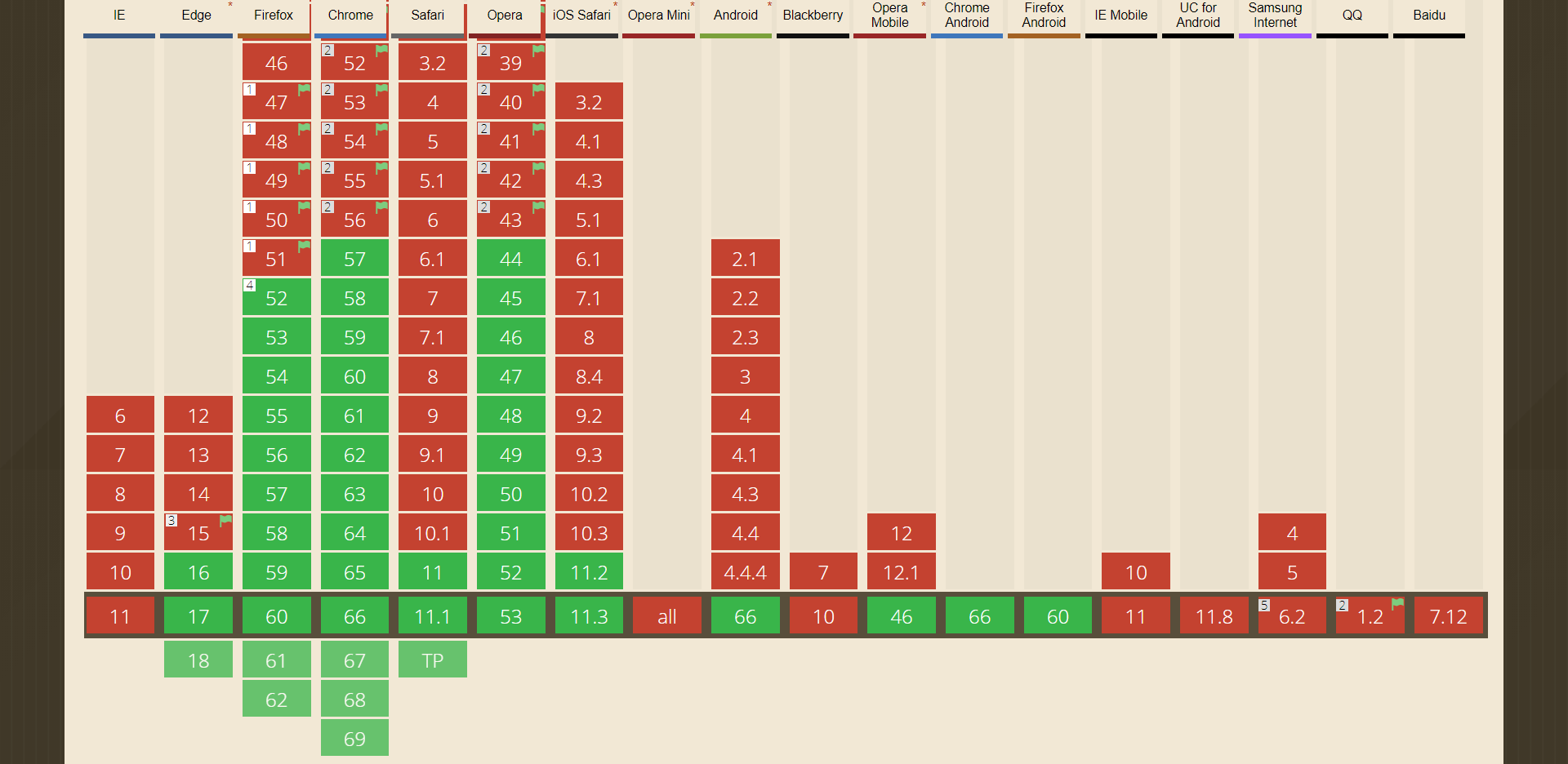
通过上面的生成文件,会发现同时生成了wasm,但是有的浏览器不支持wasm,需要指定 -s WASM=0
接下来分别生成支持wasm和不支持wasm的情况,同时生成html
$ emcc hello_world.c -o hello.html
$ emcc hello_world.c -s WASM=0 -o hello_nowasm.html
$ ls -al
total 816K
drwxrwxr-x 2 bob bob 4.0K 6月 1 14:54 .
drwxr-xr-x 19 bob bob 4.0K 6月 1 14:54 ..
-rw-rw-r-- 1 bob bob 100K 6月 1 14:37 a.out.js
-rw-rw-r-- 1 bob bob 45K 6月 1 14:37 a.out.wasm
-rw-rw-r-- 1 bob bob 101K 6月 1 14:54 hello.html
-rw-rw-r-- 1 bob bob 100K 6月 1 14:54 hello.js
-rw-rw-r-- 1 bob bob 101K 6月 1 14:54 hello_nowasm.html
-rw-rw-r-- 1 bob bob 298K 6月 1 14:54 hello_nowasm.js
-rw-rw-r-- 1 bob bob 45K 6月 1 14:54 hello.wasm
-rw-rw-r-- 1 bob bob 75 6月 1 14:35 hello_world.c
分别生成了:
第一组:hello.html, hello.js, hello.wasm
第二组:hello_nowasm.html, hello_nowasm.js
可以用一个httpserver启动,然后用浏览器测试两个页面的效果
$ python -m SimpleHTTPServer 8080
注:wasm的是不支持file:///方式直接打开。
附:wasm的浏览器支持情况
https://caniuse.com/#search=wasm
----------------------------
例子2:SDL API显示到<canvas>
----------------------------
$ cd ~/tests
$ vim hello_world_sdl.cpp
 #include <stdio.h>

 #include <SDL/SDL.h>

 #ifdef __EMSCRIPTEN__

 #include <emscripten.h>

 #endif

 extern "C" int main(int argc, char** argv) {

   printf("hello, world!\n");

   SDL_Init(SDL_INIT_VIDEO);

   SDL_Surface *screen = SDL_SetVideoMode(, , , SDL_SWSURFACE);

 #ifdef TEST_SDL_LOCK_OPTS

   EM_ASM("SDL.defaults.copyOnLock = false; SDL.defaults.discardOnLock = true; SDL.defaults.opaqueFrontBuffer = false;");

 #endif

   if (SDL_MUSTLOCK(screen)) SDL_LockSurface(screen);

   for (int i = ; i < ; i++) {

     for (int j = ; j < ; j++) {

 #ifdef TEST_SDL_LOCK_OPTS

       // Alpha behaves like in the browser, so write proper opaque pixels.

       int alpha = ;

 #else

       // To emulate native behavior with blitting to screen, alpha component is ignored. Test that it is so by outputting

       // data (and testing that it does get discarded)

       int alpha = (i+j) % ;

 #endif

       *((Uint32*)screen->pixels + i *  + j) = SDL_MapRGBA(screen->format, i, j, -i, alpha);

     }

   }

   if (SDL_MUSTLOCK(screen)) SDL_UnlockSurface(screen);

   SDL_Flip(screen);

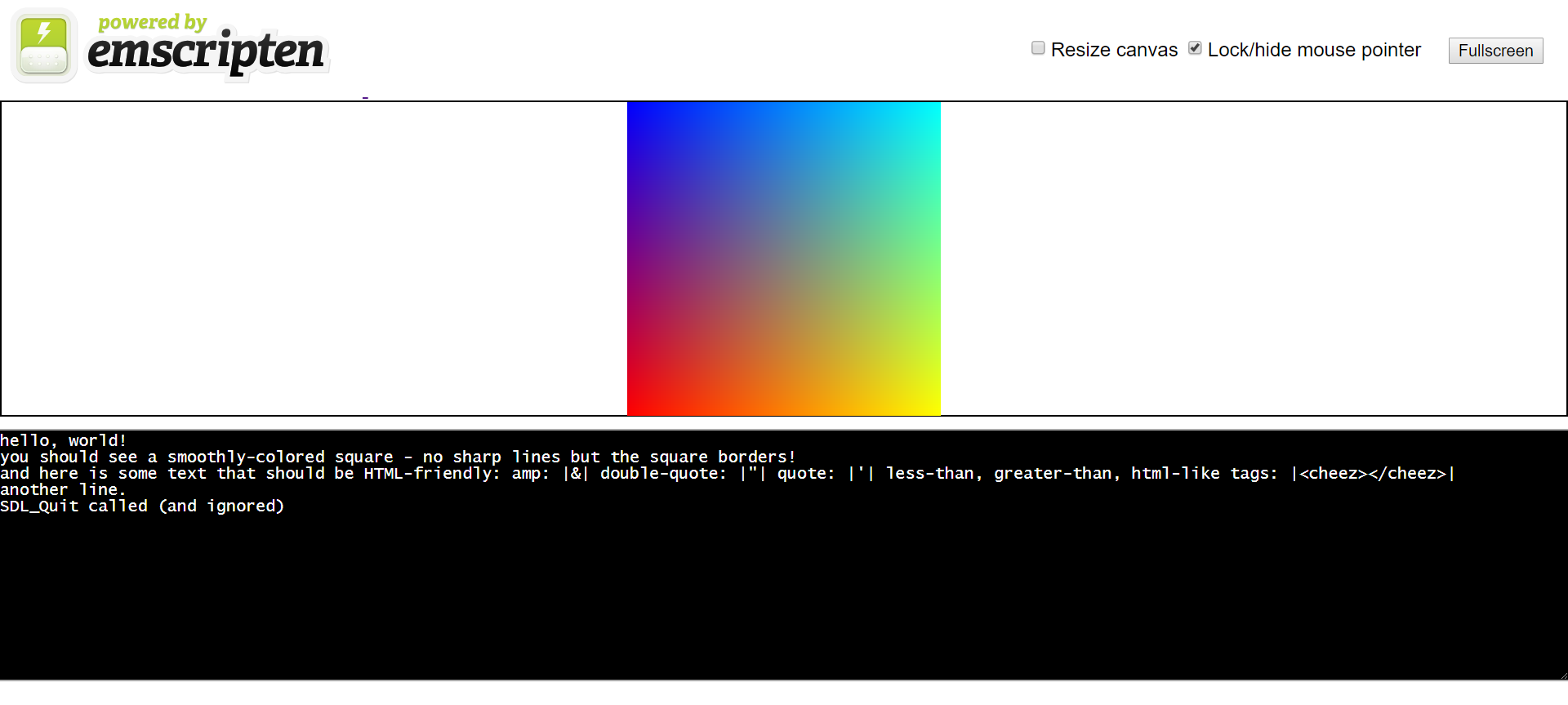
   printf("you should see a smoothly-colored square - no sharp lines but the square borders!\n");

   printf("and here is some text that should be HTML-friendly: amp: |&| double-quote: |\"| quote: |'| less-than, greater-than, html-like tags: |<cheez></cheez>|\nanother line.\n");

   SDL_Quit();

   return ;

 }
保存后,可删除其他多余的文件
$ rm `ls|grep -v hello_world_sdl.cpp`
编译
$ emcc hello_world_sdl.cpp -o hello_sdl.html
$ ls -al
total 396
drwxrwxr-x 2 bob bob 4096 6月 1 15:40 .
drwxr-xr-x 19 bob bob 4096 6月 1 15:41 ..
-rw-rw-r-- 1 bob bob 102842 6月 1 15:40 hello_sdl.html
-rw-rw-r-- 1 bob bob 233934 6月 1 15:40 hello_sdl.js
-rw-rw-r-- 1 bob bob 46133 6月 1 15:40 hello_sdl.wasm
-rw-rw-r-- 1 bob bob 1385 6月 1 15:33 hello_world_sdl.cpp
-------------------
例子3:文件打开操作
-------------------
$ cd ~/tests
$ rm *
$ vim hello_world_file.cpp
 #include <stdio.h>

 int main() {

   FILE *file = fopen("hello_world_file.txt", "rb");

   if (!file) {

     printf("cannot open file\n");

     return ;

   }

   while (!feof(file)) {

     char c = fgetc(file);

     if (c != EOF) {

       putchar(c);

     }

   }

   fclose (file);

   return ;

 }
$ cat<<EOF>hello_world_file.txt
==
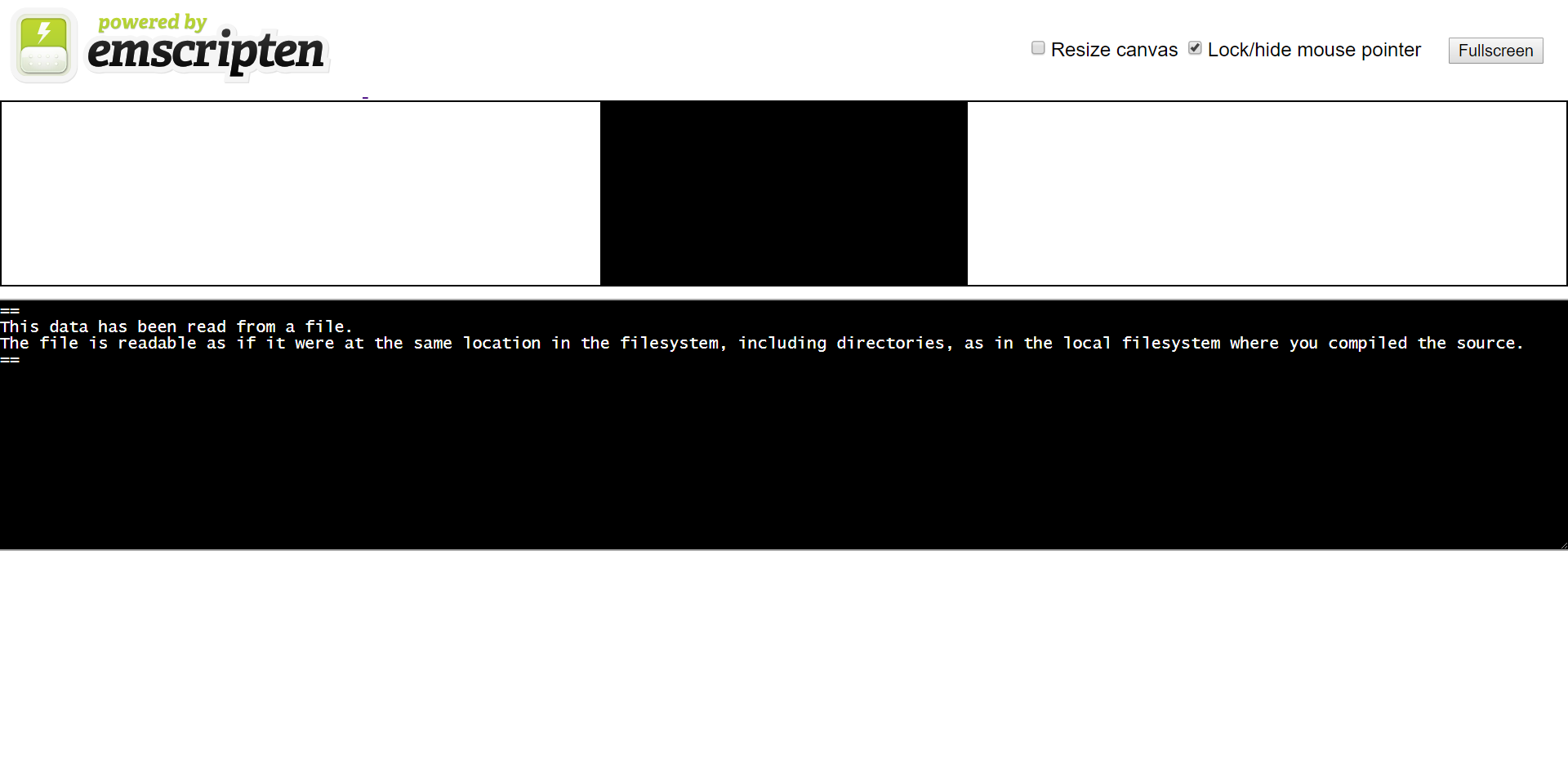
This data has been read from a file.
The file is readable as if it were at the same location in the filesystem, including directories, as in the local filesystem where you compiled the source.
==
EOF
$ emcc hello_world_file.cpp -o hello_file.html --preload-file hello_world_file.txt
$ ls -al
total 408
drwxrwxr-x 2 bob bob 4096 6月 1 15:53 .
drwxr-xr-x 19 bob bob 4096 6月 1 15:53 ..
-rw-rw-r-- 1 bob bob 199 6月 1 15:53 hello_file.data
-rw-rw-r-- 1 bob bob 102843 6月 1 15:53 hello_file.html
-rw-rw-r-- 1 bob bob 234871 6月 1 15:53 hello_file.js
-rw-rw-r-- 1 bob bob 50317 6月 1 15:53 hello_file.wasm
-rw-rw-r-- 1 bob bob 280 6月 1 15:52 hello_world_file.cpp
-rw-rw-r-- 1 bob bob 199 6月 1 15:53 hello_world_file.txt
注意那个.data文件,查看文件内容就是hello_world_file.txt的内容
$ cat hello_file.data
==
This data has been read from a file.
The file is readable as if it were at the same location in the filesystem, including directories, as in the local filesystem where you compiled the source.
==
Ubuntu 18.04 下 emscripten SDK 的安装的更多相关文章
- Ubuntu 18.04 下用命令行安装Sublime
介绍: 添加来源: $ wget -qO - https://download.sublimetext.com/sublimehq-pub.gpg | sudo apt-key add - $ sud ...
- Ubuntu 18.04 下 PostgreSQL 10 的安装与基础配置
下载安装 在命令行执行如下语句: apt-get install postgresql-10 该指令会帮助你下载如下PostgreSQL组件: name |explain | ------------ ...
- Ubuntu 18.04下安装Steam顶级在线游戏平台
Ubuntu 18.04下安装Steam顶级在线游戏平台 原创: 聆听世界的鱼 Linux公社 今天 Steam是由Valve公司开发的顶级在线游戏平台,是目前全球最大的综合性数字发行平台之一.它让你 ...
- 在Ubuntu 18.04 下安装mysql,没有初始密码,重设root密码
在Ubuntu 18.04 下安装mysql 不知道是由于mysql更新为新版还是.Ubuntu18.04中的特性,安装过程中没有设置密码的环节,在网络上找了半天,总算解决了!特此记录下来,以便以后查 ...
- Ubuntu 18.04 下配置 HAXM 加速 Android模拟器
Ubuntu 18.04 下配置 HAXM 加速 Android模拟器 最近在vmware环境下搭建ubuntu18.04开发环境,开始发现总是运行android模拟器在console提示加载如下错误 ...
- Ubuntu 16.04下EasyOpenJTAG+OpenOCD的安装和使用【转】
本文转载自:http://www.linuxdiyf.com/linux/24086.html Ubuntu 16.04下EasyOpenJTAG+OpenOCD的安装和使用 发布时间:2016-09 ...
- ubuntu 18.04下Chromium设置为系统代理
前言 在ubuntu 18.04下挂上ss后firefox能直接上google了但是chromium上不去 会出现下面两种情况 # This site can't be reached xxxxxx ...
- 在ubuntu 18.04下,无线网卡无驱动,连不上wifi,显示wifi没有适配器的解决方法
近来因为做东西要用到linux环境,所以自己的笔记本在win10的系统上又安装了ubuntu 18.04版本的双系统,但是安装好以后,没有无线网卡的驱动,显示wifi没有适配器等字样,很纠结,前后研究 ...
- ubuntu 18.04下编译最新版本的KMS
KMS:kurento媒体服务,即 kurento media server 很庞大的一个WEBRTC项目,GIT库主项目:https://github.com/Kurento 基础实现,修改了gst ...
随机推荐
- caffe使用(1)
caffe使用 caffe是一个卓越的CNN框架 caffe源码是Cpp语言的,基于一些外部的库,包括BLAS(矩阵计算),CUDA(GPU驱动),gflags,glog,boost,protobuf ...
- form表单学习
1.http://www.cnblogs.com/fish-li/archive/2011/07/17/2108884.html 2.http://www.cnblogs.com/polk6/arch ...
- plotly简单绘制柱状图
代码: import plotly.offline as pltoff import plotly.graph_objs as go def bar_charts(name="bar_cha ...
- python常见模块之collections模块
一.模块简介 在内置数据类型(dict.list.set.tuple)的基础上,collections模块还提供了几个额外的数据类型:Counter.deque.defaultdict.namedtu ...
- 我的Android进阶之旅------>Android Activity的singleTask加载模式和onActivityResult方法之间的冲突
今天调试一个bug的时候,情景如下: 一个Activity A,需要用startActivityForResult方法开启Activity B.Activity B的launch mode被设置为si ...
- struts 多文件上传 xml 版本
[本文简介] 本文将介绍 以配置 struts.xml 的方式 实现 多文件上传的功能. [文件夹结构] [struts.xml] <?xml version="1.0" ...
- Java-idea-生成JavaDoc
1.选中要生成的doc模块 2.选择Tools→Generate JavaDoc 3.填写一下信息 1. 选择是整个项目还是模块还是单个文件 2. 文档输出路径 4. 传入JavaDoc的参数,一般这 ...
- mongo 一次插入多条
db.getCollection('organization').insert( [ {"organizationTitle" : "台州广播电台1", &qu ...
- BCrypt 加密实现
Bcrypt百度百科: bcrypt,是一个跨平台的文件加密工具.由它加密的文件可在所有支持的操作系统和处理器上进行转移.它的口令必须是8至56个字符,并将在内部被转化为448位的密钥. 除了对您的数 ...
- mysql-xtrabackup
使用xtrabackup进行MySQL数据库备份 2013年10月04日 ⁄ MySQL ⁄ 共 11306字 ⁄ 使用xtrabackup进行MySQL数据库备份已关闭评论 ⁄ 被围观 34,116 ...