
Openshift yum安装
Openshift yum安装:
Yum 安装docker
[root@DockerServer openshift]# yum repolist
[root@DockerServer openshift]# yum install docker
[root@DockerServer openshift]# systemctl enable docker
Created symlink from /etc/systemd/system/multi-user.target.wants/docker.service to /usr/lib/systemd/system/docker.service.
vi修改 /etc/docker/daemon.json
{
“registry-mirrors”: [“https://registry.docker-cn.com“]
}
[root@DockerServer openshift]# systemctl start docker
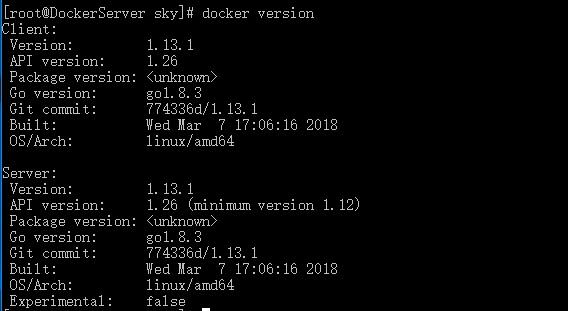
yum安装Openshift
[root@DockerServer sky]# yum list all | grep openshift
centos-release-openshift-origin.noarch 1-1.el7.centos extras
centos-release-openshift-origin13.noarch 1-1.el7.centos extras
centos-release-openshift-origin14.noarch 1-1.el7.centos extras
centos-release-openshift-origin15.noarch 1-1.el7.centos extras
centos-release-openshift-origin36.noarch 1-1.el7.centos extras
centos-release-openshift-origin37.noarch 1-1.el7.centos extras
[root@DockerServer sky]# yum info centos-release-openshift-origin37.noarch
已加载插件:fastestmirror
Loading mirror speeds from cached hostfile
* base: mirrors.aliyun.com
* extras: mirrors.aliyun.com
* updates: mirrors.aliyun.com
可安装的软件包
名称 :centos-release-openshift-origin37
架构 :noarch
版本 :1
发布 :1.el7.centos
大小 :11 k
源 :extras/x86_64
简介 : Yum configuration for OpenShift Origin 3.7 packages
网址 :https://wiki.centos.org/SpecialInterestGroup/PaaS/OpenShift
协议 : GPLv2
描述 : yum configuration for OpenShift Origin 3.7 packages as delivered via the
: CentOS PaaS SIG.
[root@DockerServer sky]# rpm -ql centos-release-openshift-origin37
/etc/yum.repos.d/CentOS-OpenShift-Origin37.repo
/usr/share/licenses/centos-release-openshift-origin37-1
/usr/share/licenses/centos-release-openshift-origin37-1/LICENSE
[root@DockerServer sky]# ll /etc/yum.repos.d/
总用量 40
-rw-r--r-- 1 root root 2373 3月 31 16:14 CentOS-Base.repo
-rw-r--r--. 1 root root 1309 8月 30 2017 CentOS-CR.repo
-rw-r--r--. 1 root root 649 8月 30 2017 CentOS-Debuginfo.repo
-rw-r--r--. 1 root root 314 8月 30 2017 CentOS-fasttrack.repo
-rw-r--r--. 1 root root 630 8月 30 2017 CentOS-Media.repo
-rw-r--r-- 1 root root 884 12月 9 05:26 CentOS-OpenShift-Origin37.repo
-rw-r--r--. 1 root root 1331 8月 30 2017 CentOS-Sources.repo
-rw-r--r--. 1 root root 3830 8月 30 2017 CentOS-Vault.repo
-rw-r--r-- 1 root root 2424 3月 31 16:15 docker-ce.repo
-rw-r--r-- 1 root root 653 12月 27 08:32 docker.repo
[root@DockerServer yum.repos.d]# yum install origin
[root@DockerServer yum.repos.d]# service docker status
Redirecting to /bin/systemctl status docker.service
● docker.service - Docker Application Container Engine
Loaded: loaded (/usr/lib/systemd/system/docker.service; disabled; vendor preset: disabled)
Active: active (running) since 日 2018-04-15 14:57:02 CST; 14min ago
Docs: http://docs.docker.com
Main PID: 1304 (dockerd-current)
CGroup: /system.slice/docker.service
├─1304 /usr/bin/dockerd-current --add-runtime docker-runc=/usr/libexec/docker/docker-runc-current --default-runtime=dock... └─1309 /usr/bin/docker-containerd-current -l unix:///var/run/docker/libcontainerd/docker-containerd.sock --metrics-inter...
4月 15 14:57:02 DockerServer dockerd-current[1304]: time="2018-04-15T14:57:02.215502220+08:00" level=info msg="Loading conta...tart."
4月 15 14:57:02 DockerServer dockerd-current[1304]: time="2018-04-15T14:57:02.218886862+08:00" level=info msg="Firewalld run...false"
4月 15 14:57:02 DockerServer dockerd-current[1304]: time="2018-04-15T14:57:02.264772799+08:00" level=info msg="Default bridg...dress"
4月 15 14:57:02 DockerServer dockerd-current[1304]: time="2018-04-15T14:57:02.287595155+08:00" level=info msg="Loading conta...done."
4月 15 14:57:02 DockerServer dockerd-current[1304]: time="2018-04-15T14:57:02.291466599+08:00" level=warning msg="failed to ...dev\n"
4月 15 14:57:02 DockerServer dockerd-current[1304]: time="2018-04-15T14:57:02.291496812+08:00" level=warning msg="failed to ...rsion"
4月 15 14:57:02 DockerServer dockerd-current[1304]: time="2018-04-15T14:57:02.291901441+08:00" level=info msg="Daemon has co...ation"
4月 15 14:57:02 DockerServer dockerd-current[1304]: time="2018-04-15T14:57:02.291913977+08:00" level=info msg="Docker daemon...1.13.1
4月 15 14:57:02 DockerServer dockerd-current[1304]: time="2018-04-15T14:57:02.308508423+08:00" level=info msg="API listen on....sock"
4月 15 14:57:02 DockerServer systemd[1]: Started Docker Application Container Engine.
Hint: Some lines were ellipsized, use -l to show in full.
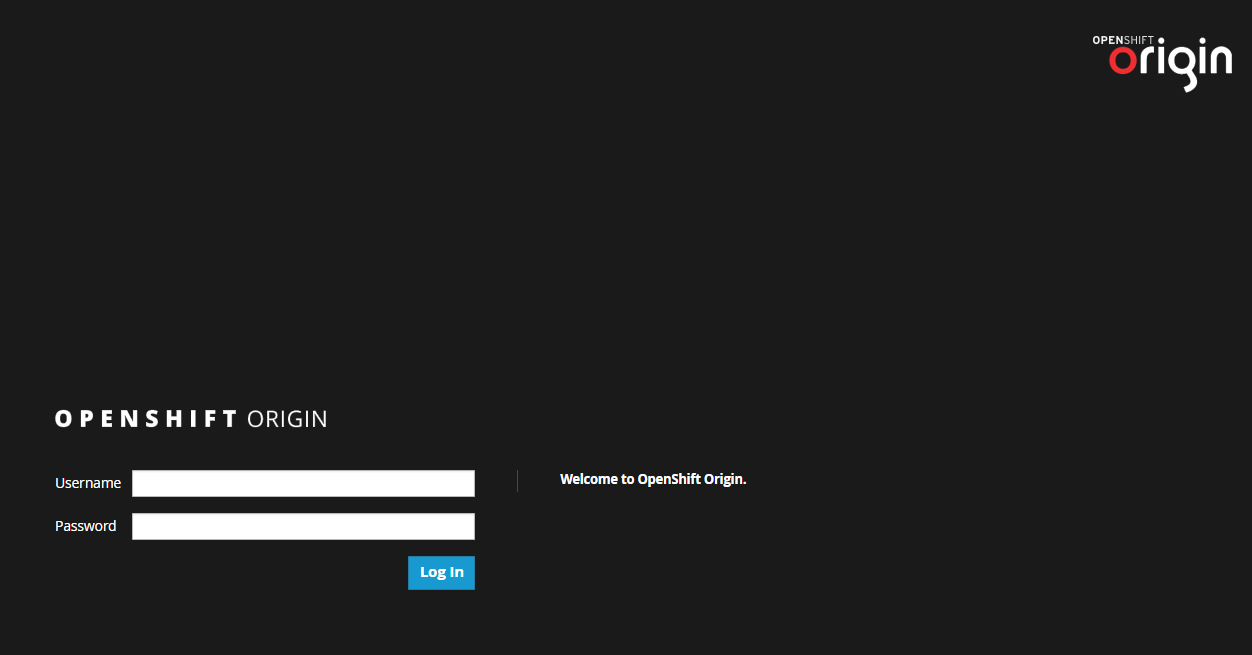
[root@DockerServer yum.repos.d]# openshift start
访问https://192.168.1.151:8443
Openshift yum安装的更多相关文章
- OpenShift实战(一):OpenShift高级安装
1.1 服务器基本信息 本次安装采用一个master.5个node.3个etcd,node节点两块硬盘,60G磁盘用于docker storage,xxx改为自己的域名或主机名. 节点 功能 IP 内 ...
- yum安装php,php-fpm
1.检查当前安装的PHP包 yum list installed | grep php 如果有安装的PHP包,先删除他们 yum remove php.x86_64 php-cli.x86_64 ph ...
- Linux下yum安装MySQL
写这篇文章的原因是:在刚开始使用Linux操作系统时想要搭建LAMP环境,于是开始在Google和百度上各种寻找资料,碰到了不是很多的问题后,我决定写这篇文章总结一下在Linux下yum安装MySQL ...
- salt源码安装软件和yum安装软件
上面简单列出了源码安装的sls文件书写思路. 涉及到一些固定的思路:如, 1,拷贝 解压安装时候需要依赖tar.gz存在 如果已安装则无需再次安装. 2,启动脚本 加入chk时候需要文件存在,如果已添 ...
- CentOS 7.0 使用 yum 安装 MariaDB 与 MariaDB 的简单配置
1.安装MariaDB 安装命令 yum -y install mariadb mariadb-server 安装完成MariaDB,首先启动MariaDB,两条命令都可以 systemctl sta ...
- centos7下使用yum安装mysql
CentOS7的yum源中默认好像是没有mysql的.为了解决这个问题,我们要先下载mysql的repo源. 1. 下载mysql的repo源 wget http://repo.mysql.com/m ...
- 编译安装 varnish-4.1.2和yum 安装 varnish-4.0.3
vanish可以让用户自己选择缓存数据是存于内存还是硬盘,存于内存一般基于二八法则即常访问的数据是磁盘存储的总数据五分之一,因此内存也应该是硬盘文件大概五分之一.如果有多台vanish则,总内存满足即 ...
- Linux Yum 安装JDK
1.查看CentOS自带JDK是否已安装. 输入:yum list installed |grep java. 2.若有自带安装的JDK,如何卸载CentOS系统自带Java环境? 卸载JDK相关文件 ...
- CentOS下yum安装LAMP
1. 用yum安装Apache,Mysql,PHP. 1.1安装Apache yum install httpd httpd-devel 安装完成后,用/etc/init.d/httpd start ...
随机推荐
- 2019nc#6
https://ac.nowcoder.com/acm/contest/886#question 题号 标题 已通过代码 题解/讨论 通过率 团队的状态 A Garbage Classificatio ...
- 18牛客多校训练第二场 J farm
题意:一个n×m的农田, 每个小格子都有一种作物, 现在喷t次农药,每次农药覆盖一个矩形, 该矩形里面与农药类型不同的植物都会死掉, 求最后植物的死亡数是多少. 题解:二维树状数组. 每次喷农药的时候 ...
- POJ-1847 Tram( 最短路 )
题目链接:http://poj.org/problem?id=1847 Description Tram network in Zagreb consists of a number of inter ...
- kick start 2019 round D T3题解
---恢复内容开始--- 题目大意:共有N个房子,每个房子都有各自的坐标X[i],占据每个房子需要一定花费C[i].现在需要选择K个房子作为仓库,1个房子作为商店(与题目不同,概念一样),由于仓库到房 ...
- gulp的介绍和手动安装
gulp, 前端自动化工具, 文件操作, 项目上线之前,将碎片文件合并,将ES6转成ES5,文件压缩,快速搭建服务器... gulp基于node环境 gulp就是node的一个非内置的小模块 gulp ...
- 适合C++のOIer平日写题的开场模板
上面的#define还是较充足的,快读模板也有,freopen也提前打好了,比较适合OIer(C++)平时刷题和考试的开场. (纯原版仅供SJZEZのORZ队&AFO队使用) (您老把开头的注 ...
- C# 表达式树Lambda扩展(四)
一.前言 本来计算这篇文章在后面需要运用的时候写的,但是既然写到表达式的扩展呢,就一起写完吧. 看到这个标题就有一种疑问,Lambda表达式本来就是表达式树,还需要怎么扩展?那就看看下面的内容,你就知 ...
- Unity3D_02_基类MonoBehaviour/自带函数以及脚本执行的生命周期
导引: 其中Time,Input,Physics都是Unity中的全局变量.GameObject是游戏中的基本物件.GameObject是由Component组合而成的,GameObject本身必须有 ...
- MySQL实现Oracle rank()排序
一.Oracle写法介绍 MySQL5.7版本没有提供类似Oracle的分析函数,比如开窗函数over(...),oracle开窗函数over(...)使用的话一般是和order.partition ...
- asp.net 导出excel带图片
protected void btgua_Click(object sender, EventArgs e) { DataTable dt = ds.Tables[0]; if (dt != null ...