
Openshift yum安装
Openshift yum安装:
Yum 安装docker
[root@DockerServer openshift]# yum repolist
[root@DockerServer openshift]# yum install docker
[root@DockerServer openshift]# systemctl enable docker
Created symlink from /etc/systemd/system/multi-user.target.wants/docker.service to /usr/lib/systemd/system/docker.service.
vi修改 /etc/docker/daemon.json
{
“registry-mirrors”: [“https://registry.docker-cn.com“]
}
[root@DockerServer openshift]# systemctl start docker
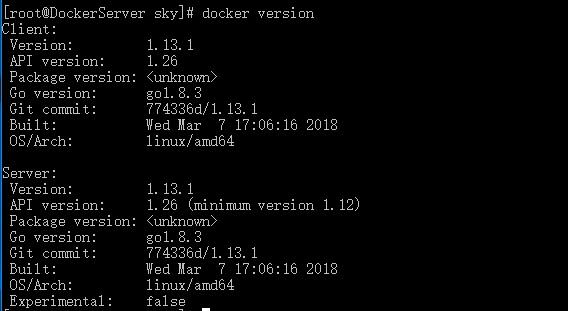
yum安装Openshift
[root@DockerServer sky]# yum list all | grep openshift
centos-release-openshift-origin.noarch 1-1.el7.centos extras
centos-release-openshift-origin13.noarch 1-1.el7.centos extras
centos-release-openshift-origin14.noarch 1-1.el7.centos extras
centos-release-openshift-origin15.noarch 1-1.el7.centos extras
centos-release-openshift-origin36.noarch 1-1.el7.centos extras
centos-release-openshift-origin37.noarch 1-1.el7.centos extras
[root@DockerServer sky]# yum info centos-release-openshift-origin37.noarch
已加载插件:fastestmirror
Loading mirror speeds from cached hostfile
* base: mirrors.aliyun.com
* extras: mirrors.aliyun.com
* updates: mirrors.aliyun.com
可安装的软件包
名称 :centos-release-openshift-origin37
架构 :noarch
版本 :1
发布 :1.el7.centos
大小 :11 k
源 :extras/x86_64
简介 : Yum configuration for OpenShift Origin 3.7 packages
网址 :https://wiki.centos.org/SpecialInterestGroup/PaaS/OpenShift
协议 : GPLv2
描述 : yum configuration for OpenShift Origin 3.7 packages as delivered via the
: CentOS PaaS SIG.
[root@DockerServer sky]# rpm -ql centos-release-openshift-origin37
/etc/yum.repos.d/CentOS-OpenShift-Origin37.repo
/usr/share/licenses/centos-release-openshift-origin37-1
/usr/share/licenses/centos-release-openshift-origin37-1/LICENSE
[root@DockerServer sky]# ll /etc/yum.repos.d/
总用量 40
-rw-r--r-- 1 root root 2373 3月 31 16:14 CentOS-Base.repo
-rw-r--r--. 1 root root 1309 8月 30 2017 CentOS-CR.repo
-rw-r--r--. 1 root root 649 8月 30 2017 CentOS-Debuginfo.repo
-rw-r--r--. 1 root root 314 8月 30 2017 CentOS-fasttrack.repo
-rw-r--r--. 1 root root 630 8月 30 2017 CentOS-Media.repo
-rw-r--r-- 1 root root 884 12月 9 05:26 CentOS-OpenShift-Origin37.repo
-rw-r--r--. 1 root root 1331 8月 30 2017 CentOS-Sources.repo
-rw-r--r--. 1 root root 3830 8月 30 2017 CentOS-Vault.repo
-rw-r--r-- 1 root root 2424 3月 31 16:15 docker-ce.repo
-rw-r--r-- 1 root root 653 12月 27 08:32 docker.repo
[root@DockerServer yum.repos.d]# yum install origin
[root@DockerServer yum.repos.d]# service docker status
Redirecting to /bin/systemctl status docker.service
● docker.service - Docker Application Container Engine
Loaded: loaded (/usr/lib/systemd/system/docker.service; disabled; vendor preset: disabled)
Active: active (running) since 日 2018-04-15 14:57:02 CST; 14min ago
Docs: http://docs.docker.com
Main PID: 1304 (dockerd-current)
CGroup: /system.slice/docker.service
├─1304 /usr/bin/dockerd-current --add-runtime docker-runc=/usr/libexec/docker/docker-runc-current --default-runtime=dock... └─1309 /usr/bin/docker-containerd-current -l unix:///var/run/docker/libcontainerd/docker-containerd.sock --metrics-inter...
4月 15 14:57:02 DockerServer dockerd-current[1304]: time="2018-04-15T14:57:02.215502220+08:00" level=info msg="Loading conta...tart."
4月 15 14:57:02 DockerServer dockerd-current[1304]: time="2018-04-15T14:57:02.218886862+08:00" level=info msg="Firewalld run...false"
4月 15 14:57:02 DockerServer dockerd-current[1304]: time="2018-04-15T14:57:02.264772799+08:00" level=info msg="Default bridg...dress"
4月 15 14:57:02 DockerServer dockerd-current[1304]: time="2018-04-15T14:57:02.287595155+08:00" level=info msg="Loading conta...done."
4月 15 14:57:02 DockerServer dockerd-current[1304]: time="2018-04-15T14:57:02.291466599+08:00" level=warning msg="failed to ...dev\n"
4月 15 14:57:02 DockerServer dockerd-current[1304]: time="2018-04-15T14:57:02.291496812+08:00" level=warning msg="failed to ...rsion"
4月 15 14:57:02 DockerServer dockerd-current[1304]: time="2018-04-15T14:57:02.291901441+08:00" level=info msg="Daemon has co...ation"
4月 15 14:57:02 DockerServer dockerd-current[1304]: time="2018-04-15T14:57:02.291913977+08:00" level=info msg="Docker daemon...1.13.1
4月 15 14:57:02 DockerServer dockerd-current[1304]: time="2018-04-15T14:57:02.308508423+08:00" level=info msg="API listen on....sock"
4月 15 14:57:02 DockerServer systemd[1]: Started Docker Application Container Engine.
Hint: Some lines were ellipsized, use -l to show in full.
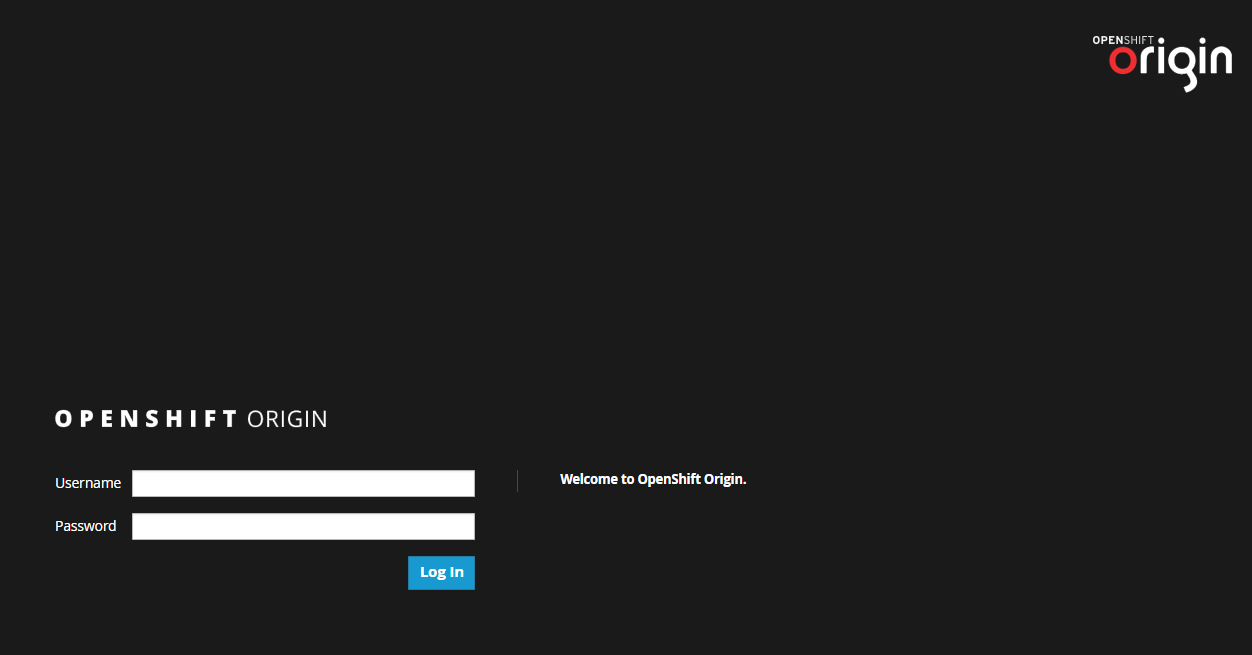
[root@DockerServer yum.repos.d]# openshift start
访问https://192.168.1.151:8443
Openshift yum安装的更多相关文章
- OpenShift实战(一):OpenShift高级安装
1.1 服务器基本信息 本次安装采用一个master.5个node.3个etcd,node节点两块硬盘,60G磁盘用于docker storage,xxx改为自己的域名或主机名. 节点 功能 IP 内 ...
- yum安装php,php-fpm
1.检查当前安装的PHP包 yum list installed | grep php 如果有安装的PHP包,先删除他们 yum remove php.x86_64 php-cli.x86_64 ph ...
- Linux下yum安装MySQL
写这篇文章的原因是:在刚开始使用Linux操作系统时想要搭建LAMP环境,于是开始在Google和百度上各种寻找资料,碰到了不是很多的问题后,我决定写这篇文章总结一下在Linux下yum安装MySQL ...
- salt源码安装软件和yum安装软件
上面简单列出了源码安装的sls文件书写思路. 涉及到一些固定的思路:如, 1,拷贝 解压安装时候需要依赖tar.gz存在 如果已安装则无需再次安装. 2,启动脚本 加入chk时候需要文件存在,如果已添 ...
- CentOS 7.0 使用 yum 安装 MariaDB 与 MariaDB 的简单配置
1.安装MariaDB 安装命令 yum -y install mariadb mariadb-server 安装完成MariaDB,首先启动MariaDB,两条命令都可以 systemctl sta ...
- centos7下使用yum安装mysql
CentOS7的yum源中默认好像是没有mysql的.为了解决这个问题,我们要先下载mysql的repo源. 1. 下载mysql的repo源 wget http://repo.mysql.com/m ...
- 编译安装 varnish-4.1.2和yum 安装 varnish-4.0.3
vanish可以让用户自己选择缓存数据是存于内存还是硬盘,存于内存一般基于二八法则即常访问的数据是磁盘存储的总数据五分之一,因此内存也应该是硬盘文件大概五分之一.如果有多台vanish则,总内存满足即 ...
- Linux Yum 安装JDK
1.查看CentOS自带JDK是否已安装. 输入:yum list installed |grep java. 2.若有自带安装的JDK,如何卸载CentOS系统自带Java环境? 卸载JDK相关文件 ...
- CentOS下yum安装LAMP
1. 用yum安装Apache,Mysql,PHP. 1.1安装Apache yum install httpd httpd-devel 安装完成后,用/etc/init.d/httpd start ...
随机推荐
- 2019dx#9
Solved Pro.ID Title Ratio(Accepted / Submitted) 1001 Rikka with Quicksort 25.85%(38/147) 1002 Ri ...
- Atcoder D - Widespread (二分)
题目链接:http://abc063.contest.atcoder.jp/tasks/arc075_b 题解:直接二分答案然后再判断(a-b)来替代不足的.看代码比较好理解,水题. #include ...
- 一起来聊一下 JavaScript 的用途和那些特性
JavaScript 简介 我们一起来聊一下 JavaScript,用它能做什么,它有哪些特性,以及一些跟它配合使用的技术. 什么是 JavaScript? JavaScript 最初的目的是为了&q ...
- adb 端口冲突
第一种方法:可以设置另一个端口 第二种方法: http://blog.csdn.net/hwl1314/article/details/52538023 Android studio 5037端口被占 ...
- 漫谈Spring Security 在Spring Boot 2.x endpoints中的应用(一)
Spring Boot 2.x极大简化了默认的安全配置,并不是说有很多安全相关的配置,现在你只需要提供一个WebSecurityConfigurerAdapter继承类这样一个简单的操作,Spring ...
- springboot的Interceptor、Filter、Listener及注册
springboot拦截器: public class Interceptor implements HandlerInterceptor{ private Logger logger = Logge ...
- [大数据学习研究]2.利用VirtualBox模拟Linux集群
1. 在主机Macbook上设置HOST 前文书已经把虚拟机的静态IP地址设置好,以后可以通过ip地址登录了.不过为了方便,还是设置一下,首先在Mac下修改hosts文件,这样在ssh时就不用输入ip ...
- linux文件系统分区、格式化、挂载、卷标挂载、永久挂载
思想不放松你的行为就不会放松,你的行为放松了,说明你的思想放松了.
- [VB.NET Tips]字符串连接
在很多应用场景下我们都需要对字符串进行拼接操作. 在每一次连接字符串时,都要在堆上分配新的内存空间,每一个分配都有一定的消耗. 较长的字符串在堆中分配,对其进行连接操作需要花费很长的时间,先连接小的字 ...
- spring字符编码filter
项目中的字符编码问题,spring提供统一的字符处理filter,只需要在项目入口web.xml中配置CharacterEncodingFilter即可,具体配置如下: <!-- 配置过滤器,同 ...