
(三)Installation
Elasticsearch requires at least Java 8. Specifically as of this writing, it is recommended that you use the Oracle JDK version 1.8.0_131. Java installation varies from platform to platform so we won’t go into those details here. Oracle’s recommended installation documentation can be found on Oracle’s website. Suffice to say, before you install Elasticsearch, please check your Java version first by running (and then install/upgrade accordingly if needed):
java -version

echo $JAVA_HOME
Once we have Java set up, we can then download and run Elasticsearch. The binaries are available from www.elastic.co/downloads along with all the releases that have been made in the past. For each release, you have a choice among a zip or tar archive, a DEB or RPM package, or a Windows MSIinstallation package.
curl -L -O https://artifacts.elastic.co/downloads/elasticsearch/elasticsearch-6.2.4.tar.gz
tar -xvf elasticsearch-6.2..tar.gz
cd elasticsearch-6.2./bin
./elasticsearch
Installation with Homebrew
使用Homebrewedit进行安装
On macOS, Elasticsearch can also be installed via Homebrew:
brew install elasticsearch
If installation succeeds, Homebrew will finish by saying that you can start Elasticsearch by entering elasticsearch. Do that now. The expected response is described below, under Successfully running node
如果安装成功,Homebrew将说完你可以通过输入elasticsearch来启动Elasticsearch。现在就这样做。在成功运行nodeedit下,下面描述了预期的响应
Installation example with MSI Windows Installer
For Windows users, we recommend using the MSI Installer package. The package contains a graphical user interface (GUI) that guides you through the installation process.
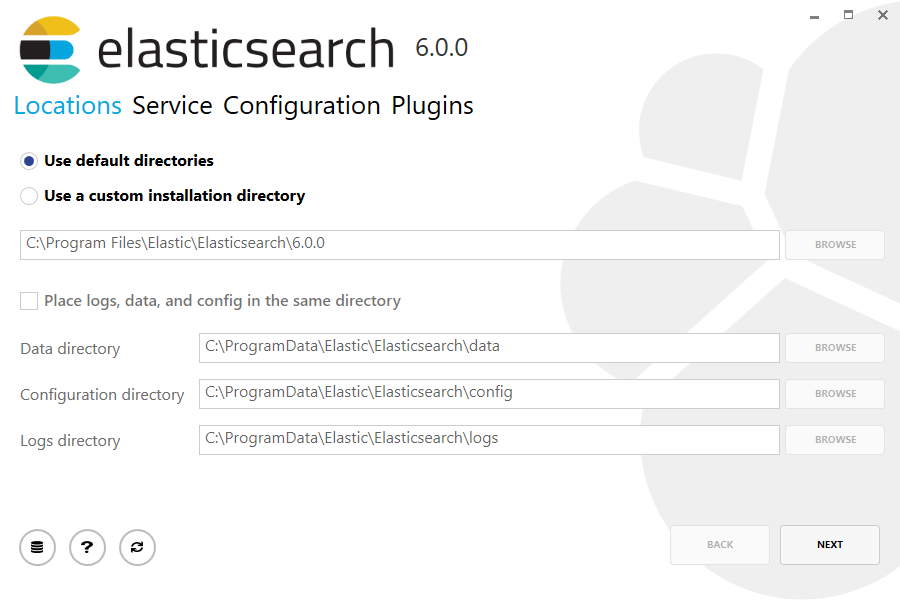
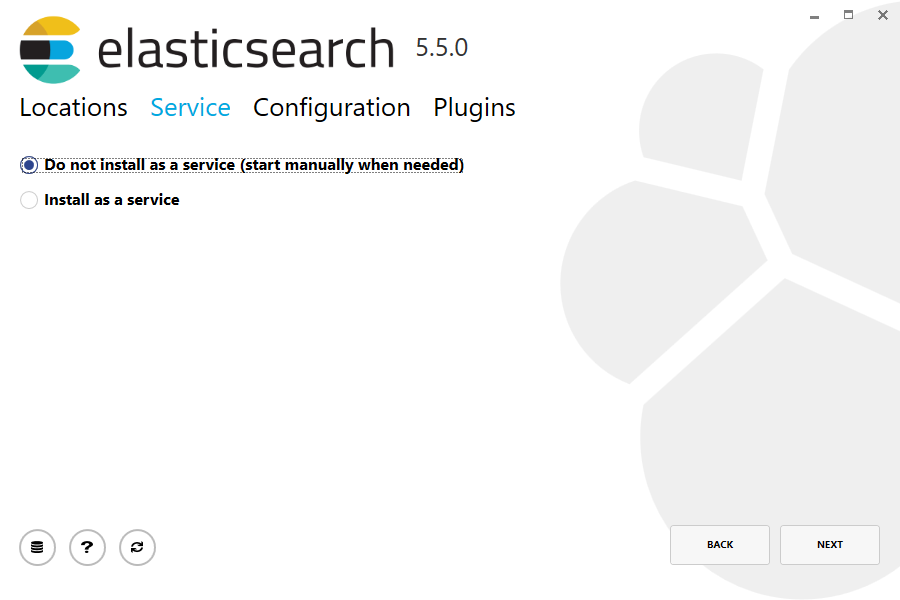
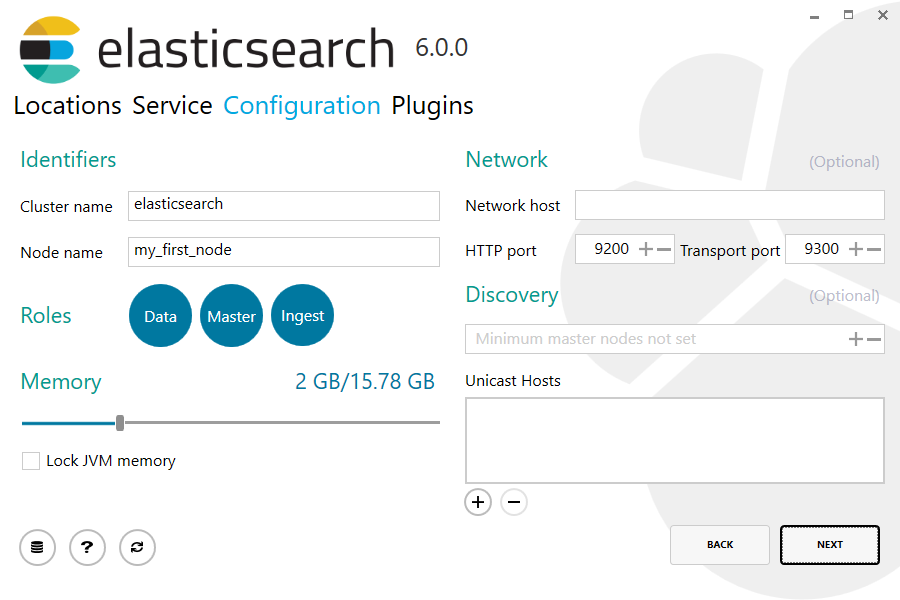
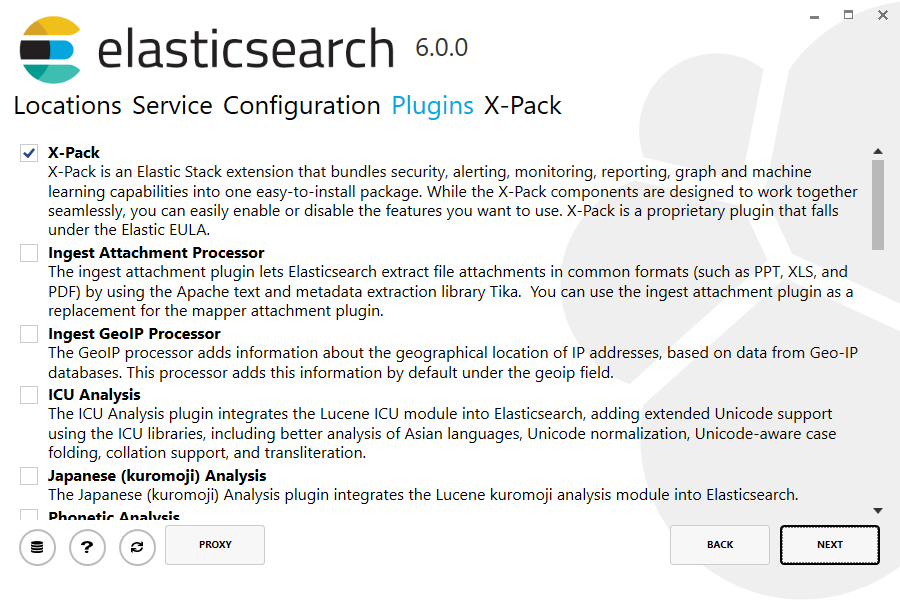
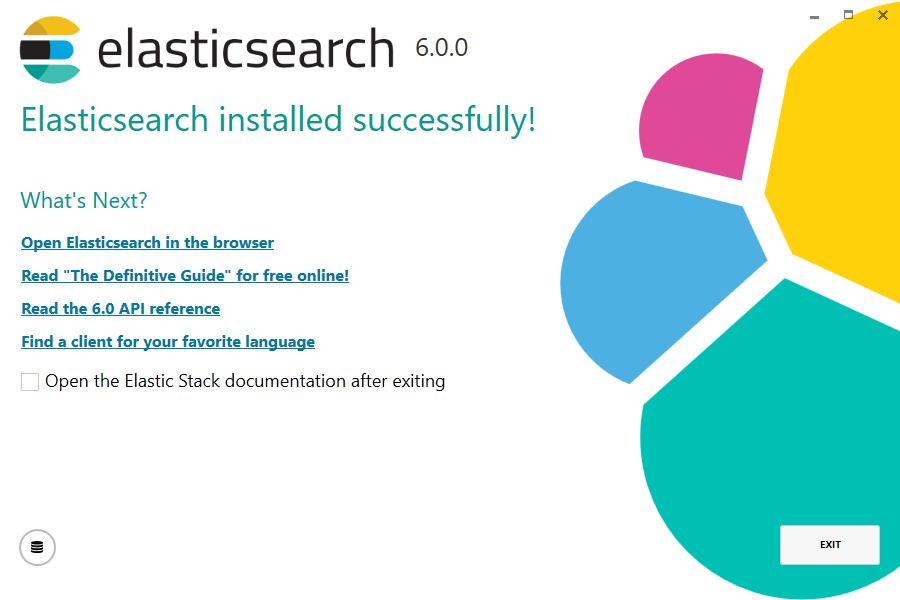
By default, Elasticsearch will be installed at %PROGRAMFILES%\Elastic\Elasticsearch. Navigate here and go into the bin directory as follows:
默认情况下,Elasticsearch将安装在%PROGRAMFILES%\ Elastic \ Elasticsearch中。在此处导航并进入bin目录,如下所示:
with Command Prompt:
cd %PROGRAMFILES%\Elastic\Elasticsearch\bin
cd $env:PROGRAMFILES\Elastic\Elasticsearch\bin
And now we are ready to start our node and single cluster:
.\elasticsearch.exe
Successfully running node
If everything goes well with installation, you should see a bunch of messages that look like below:
[--16T14::,][INFO ][o.e.n.Node               ] [] initializing ...

[--16T14::,][INFO ][o.e.e.NodeEnvironment    ] [-bjhwl] using [] data paths, mounts [[/ (/dev/sda1)]], net usable_space [.7gb], net total_space [.6gb], spins? [no], types [ext4]

[--16T14::,][INFO ][o.e.e.NodeEnvironment    ] [-bjhwl] heap size [.9gb], compressed ordinary object pointers [true]

[--16T14::,][INFO ][o.e.n.Node               ] [-bjhwl] node name [-bjhwl] derived from node ID; set [node.name] to override

[--16T14::,][INFO ][o.e.n.Node               ] [-bjhwl] version[6.2.], pid[], build[f5daa16/--16T09::.346Z], OS[Linux/4.4.--generic/amd64], JVM[Oracle Corporation/Java HotSpot(TM) -Bit Server VM/1.8.0_60/25.60-b23]

[--16T14::,][INFO ][o.e.p.PluginsService     ] [-bjhwl] loaded module [aggs-matrix-stats]

[--16T14::,][INFO ][o.e.p.PluginsService     ] [-bjhwl] loaded module [ingest-common]

[--16T14::,][INFO ][o.e.p.PluginsService     ] [-bjhwl] loaded module [lang-expression]

[--16T14::,][INFO ][o.e.p.PluginsService     ] [-bjhwl] loaded module [lang-mustache]

[--16T14::,][INFO ][o.e.p.PluginsService     ] [-bjhwl] loaded module [lang-painless]

[--16T14::,][INFO ][o.e.p.PluginsService     ] [-bjhwl] loaded module [percolator]

[--16T14::,][INFO ][o.e.p.PluginsService     ] [-bjhwl] loaded module [reindex]

[--16T14::,][INFO ][o.e.p.PluginsService     ] [-bjhwl] loaded module [transport-netty3]

[--16T14::,][INFO ][o.e.p.PluginsService     ] [-bjhwl] loaded module [transport-netty4]

[--16T14::,][INFO ][o.e.p.PluginsService     ] [-bjhwl] loaded plugin [mapper-murmur3]

[--16T14::,][INFO ][o.e.n.Node               ] [-bjhwl] initialized

[--16T14::,][INFO ][o.e.n.Node               ] [-bjhwl] starting ...

[--16T14::,][INFO ][o.e.t.TransportService   ] [-bjhwl] publish_address {192.168.8.112:}, bound_addresses {{192.168.8.112:}

[--16T14::,][WARN ][o.e.b.BootstrapCheck     ] [-bjhwl] max virtual memory areas vm.max_map_count [] likely too low, increase to at least []

[--16T14::,][INFO ][o.e.h.HttpServer         ] [-bjhwl] publish_address {192.168.8.112:}, bound_addresses {[::]:}, {192.168.8.112:}

[--16T14::,][INFO ][o.e.g.GatewayService     ] [-bjhwl] recovered [] indices into cluster_state

[--16T14::,][INFO ][o.e.n.Node               ] [-bjhwl] started
Without going too much into detail, we can see that our node named "6-bjhwl" (which will be a different set of characters in your case) has started and elected itself as a master in a single cluster. Don’t worry yet at the moment what master means. The main thing that is important here is that we have started one node within one cluster.
./elasticsearch -Ecluster.name=my_cluster_name -Enode.name=my_node_name
192.168.8.112) and port (9200) that our node is reachable from. By default, Elasticsearch uses port 9200 to provide access to its REST API. This port is configurable if necessary.(三)Installation的更多相关文章
- HTML5 学习总结(三)——本地存储
一.HTML4客户端存储 B/S架构的应用大量的信息存储在服务器端,客户端通过请求响应的方式从服务器获得数据,这样集中存储也会给服务器带来相应的压力,有些数据可以直接存储在客户端,传统的Web技术中会 ...
- The Installation and Compilation of OpenCASCADE
OpenCASCADE的编译 The Installation and Compilation of OpenCASCADE eryar@163.com 一. 安装OpenCASCADE 可以从Ope ...
- 第三十章 elk(1) - 第一种架构(最简架构)
软件版本: es:2.4.0 logstash:2.4.0 kibana:4.6.1 一.logstash安装(收集.过滤日志.构建索引) 1.下载:https://www.elastic.co/do ...
- kali 2.0 U盘安装错误Your installation cd-rom couldn't be mounted
1.kali 2.0前天(2015.08.11)发布了.果断下载下来换掉本机的1.0版本. 2.用U盘安装的过程中,出现cd-rom无法挂载.提示错误Your installation CD-ROM ...
- Oracle EBS R12 (12.1.3) Installation Linux(64 bit)
Oracle EBS R12 (12.1.3) Installation Linux(64 bit) Contents Objective. 3 1 Download & Unzip. 3 D ...
- Dynamics CRM 2013 installation
原创地址:http://www.cnblogs.com/jfzhu/p/3445820.html 转载请注明出处 一 硬件要求 1. CRM Server 下表对硬件的要求是假定Microsoft S ...
- salesforce 零基础学习(三十六)通过Process Builder以及Apex代码实现锁定记录( Lock Record)
上一篇内容是通过Process Builder和Approval Processes实现锁定记录的功能,有的时候,往往锁定一条记录需要很多的限制条件,如果通过Approval Processes的条件 ...
- ROS探索总结(三)——ROS新手教程【转】
转自:http://blog.csdn.net/hcx25909/article/details/8811313 版权声明:本文为博主原创文章,未经博主允许不得转载. 目录(?)[-] 一ROS的 ...
- P6 EPPM R16.1安装与配置指南(三)
P6 EPPM R16.1安装与配置指南(三) 解压:V137390-01.zip 修改 D:\P6_R161\p6suite\database\dbsetup.bat 的行 SET JAR_FI ...
随机推荐
- SQL 中的一些小巧但常用的关键字
前面的几篇文章中,我们大体上介绍了 SQL 中基本的创建.查询语句,甚至也学习了相对复杂的连接查询和子查询,这些基本功相信你也一定掌握的不错,那么本篇则着重介绍几个技巧方面的关键字,能够让你更快更有效 ...
- 脚本检测Kafka和Zookeeper
Java测试环境中Kafka最近总是自动停止,所有写了一个简单的脚本来监听Kafka和Zookeeper,其中Kafka监听端口为9092,Zookeeper监听端口为2181,脚本如下: #!/bi ...
- layui_表格数据查询按钮
2018-4月末入职,开始接触layui,到2018-8对这个前端框架有了一个基础的了解. 文档地址:https://www.layui.com/. 按钮,是任何网页中的重要组成部分,以下内容是我在制 ...
- Vue在ASP.NET MVC中的进行前后端的交互
Vue在ASP.NET MVC中的进行前后端的交互 Preface: 由于最近在研究前端相关的技术,作为前端非常优秀的框架Vue,个人在学习的过程中遇到一些问题,网上相关资料有限,所以在这这里总结一下 ...
- oracle安装数据库中文乱码解决办法
解决办法1: Linux下安装Oracle11g中文乱码 Linux下安装Oracle11g,安装界面乱码问题解决方法: 解决安装时中文是"囗囗囗囗囗囗囗囗" 1.进入刚解压的da ...
- [Go] golang原子函数实现goroutine同步
启动了两个goroutine,并完成一些工作.在各自循环的每次迭代之后,在goroutine 会使用LoadInt64 来检查shutdown 变量的值.这个函数会安全地返回shutdown 变量的一 ...
- 【java】随机生成6位的数字
int radomInt = new Random().nextInt(999999); int radomInt2 =(int)((Math.random()*9+1)*100000); Syste ...
- Linux下Jenkins服务器搭建
系统环境 操作系统:CentOS6.9 java jdk:java 8 Jenkins版本:jenkins-2.78-1.1.noarch.rpm 关闭防火墙 注意:如果是基于msbuild构建.ne ...
- 博弈论进阶之Multi-SG
Multi-Nim 从最简单的Nim模型开始 它的定义是这样的 有\(n\)堆石子,两个人可以从任意一堆石子中拿任意多个石子(不能不拿)或把一堆数量不少于\(2\)石子分为两堆不为空的石子,没法拿的人 ...
- 通过Excel文件快速创建页面和数据表
在设计一个软件系统,构建过程:需求->数据表->系统开发.实际情况是需求(数据)很多来源于已经存在的文件中,客户会要求把这些数据“电子化”,这就给需求分析产生了很大的工作量: 分析这些原始 ...