
CSS3秘笈第三版涵盖HTML5学习笔记9~12章
第9章,装饰网站导航
垂直导航栏
水平导航栏
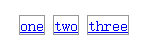
<ul>

   <li><a href="#">one</a></li><li>

   <a href="#">two</a></li><li>

   <a href="#">three</a></li>

</ul>
效果:
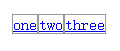
消除空格方法2:对项目列表添加负值的right margin,不过不同的文本长度,会使这个值不同,需要去实验
    <style type="text/css">

        li {

            display: inline-block;

            border: 1px solid #999;

            margin-right: -9px;

        }

    </style>
效果:

对水平导航栏使用浮动
CSS式的预载替换法
给特殊的链接类型定义样式
第10章,CSS的transform、transition和animation属性
1、rotate(旋转)
.testClass{

    transform:rotate(20deg);          /* 提供一个0~360的度数值,正值顺时针方向旋转,负值逆时针 */

}
2、scale(缩放)
.testClass{

    transform:scale(2);                    /* 接受单个参数:放大或缩小,0~1之间的数是缩小,大于1的数是放大,负数会将元素倒过来缩放 */

    transform:scale(x,y);                  /* 接受两个参数:第一个表示水平缩放,第二个表示垂直缩放 */

/*单方向缩放:*/

    transform:scaleX(num);/*沿X轴缩放*/

    transform:scaleY(num);/*沿Y轴缩放*/

}
3、translate(平移)
4、skew(倾斜)
.testClass{

    transform:skew(45deg,0);          /* 第一个指沿X轴倾斜(正数向左倾斜<从元素上方沿逆时针进行>,负数向右),*/

                 /*第二个指沿Y轴倾斜(正数往右边向下<沿顺时针从元素右侧进行>,负数往左边向下),这个理解不够,表达不明白 */

}
.testClass{

    transform:skew(45deg,0deg) scale(.5) translate(400px,500px) rotate(90deg);

}
5、origin
transition
1、两个样式,一个开始,一个结束
添加transition
.navButton{

     background-color:orange;

     transition-property:background-color;

     transition-duration:1s;

}

.navButton:hover{

     background-color:blue;

}
.testClass{

    transition-property:color,background-color,border-color;

    transition-duration:.5s,.75s,2s;

}
给transition定时
.testClass{

     transition-timing-function:cubic-bezier(.20,.96,.74,.07);

}
延时启动transition
.testClass{

    -webkit-transition-delay: .5s;

    -moz-transition-delay: .5s;

    -o-transition-delay: .5s;

    -ms-transition-delay: .5s;

    transition-delay: .5s;

}
在初始样式添加:transition-delay: 5s;
transition快捷方法
.testClass{

    transition:all 1s ease-in .4s;

}
.testClass{

    transition:color 1s,background-color .5s 1s;

}
animation
定义关键帧
@keyframes animationName{

    from{

        /*  list   CSS   properties   here   */

    }

    to{

        /*   list   CSS    properties   here   */

    }

}
@keyframes backgroundGlow{

    from{

        backgorund-color:yellow;

    }

    50%{

        background-color:blue;

    }

    to{

        background-color:red;

    }

}
@keyframes glow{

    from{

        backgorund-color:yellow;

    }

    25%,75%{

        background-color:blue;

    }

    to{

        background-color:red;

    }

}
@keyframes glow{

    from{

        backgorund-color:yellow;

    }

    20%,60%{

        background-color:blue;

    }

    40%,80%{

        background-color:orange;

    }

    to{

        background-color:red;

    }

}
@-webkit-keyframes fadeIn{

    from{

        opacity:;

    }

    to{

        opacity:;

    }

}

@-moz-keyframes fadeIn{

    from{

        opacity:;

    }

    to{

        opacity:;

    }

}

@-o-keyframes fadeIn{

    from{

        opacity:;

    }

    to{

        opacity:;

    }

}

@keyframes fadeIn{

    from{

        opacity:;

    }

    to{

        opacity:;

    }

}
应用animation
@keyframes fadeIn{

    from{    opacity:;    }

    to{    opacity:;    }

}
2、将动画应用给<div>标签的样式:
.announcement{

    animation-name: fadeIn;          /*设置动画名称,前面创建的*/

    animation-duration: 1s;          /* 设置动画从开始到结束所花时间 */

}
给animation定时
@keyframes growAndGlow{

    from{

        background-color: yellow;

        animation-timing-function: cubic-bezier(1, .3, 1, .115);

    }

    50%{

        transform:scale(1.5);

        background-color:blue;

        animation-timing-function: linear;

    }

    to{

        transform:scale(3);

        background-color: red;

    }

}
完成animation
使用animation快捷方式
.fade{

    animation-name: fadeOut;

    animation-duration: 2s;

    animation-timing-function: ease-in-out;

    animation-iteration-count:;

    animation-direction: alternate;

    animation-delay: 5s;

    animation-fill-mode: forwards;

}
改写:
.fade{

    animation : fadeOut 2s ease-in-out 2 alternate 5s forwards;

}
只有名称和持续时间是必要的,其他都是可选,应用多个动画,只需每个动画用逗号隔开即可。
.fade{

    animation : fadeOut 2s ease-in-out 2 alternate 5s forwards,

                glow 5s;

}
实际应用还需给定供应商前缀:
.fade{

    -webkit-animation : fadeOut 2s ease-in-out 2 alternate 5s forwards,

                        glow 5s;

    -moz-animation : fadeOut 2s ease-in-out 2 alternate 5s forwards,

                     glow 5s;

    -o-animation : fadeOut 2s ease-in-out 2 alternate 5s forwards,

                   glow 5s;

    animation : fadeOut 2s ease-in-out 2 alternate 5s forwards,

                glow 5s;

}
暂停animation
第11章,表格和表单格式化
创建边框
控制表格单元之间的空格
消除双边框
圆角
table{

     empty-cells:hide;

}
给表单定义样式
第三部分----CSS页面布局
第12章,CSS布局简介
网页布局类型
HTML5的分区元素
CSS布局方法
布局策略
CSS3秘笈第三版涵盖HTML5学习笔记9~12章的更多相关文章
- CSS3秘笈第三版涵盖HTML5学习笔记1~5章
第一部分----CSS基础知识 第1章,CSS需要的HTML HTML越简单,对搜索引擎越友好 div是块级元素,span是行内元素 <section>标签包含一组相关的内容,就像一本书中 ...
- CSS3秘笈第三版涵盖HTML5学习笔记6~8章
第二部分----CSS实用技术 第6章,文本格式化 指定备用字体: font-family:Arial,Helvetica,sans-serif; 当访问者没有安装第一种字体时,浏览器会在列表中继续往 ...
- CSS3秘笈第三版涵盖HTML5学习笔记13~17章
第13章,构建基于浮动的布局 使用的是float(浮动)属性 注:float:none值将取消所有浮动,通常只用来取消元素中已经应用的浮动. 切记:不需要给正文的div设计宽度,即使设计成固定宽度也不 ...
- 《Python基础教程(第二版)》学习笔记 -> 第十一章 文件和素材
打开文件 open函数用来打开文件,语句如下: open(name[,mode[,buffering]]) open函数使用一个文件名作为唯一的强制参数,然后后返回一个文件对象.模式(mode)和缓冲 ...
- 《Python基础教程(第二版)》学习笔记 -> 第七章 更加抽象
对象的魔力 多态:意味着可以对不同类的对象使用同样的操作: 封装:对外部世界隐藏对象的工作细节: 继承:以普通的类为基础建立专门的类对象 多态① 多态和方法绑定到对象特性上面的函数称为方法(metho ...
- 《Python基础教程(第二版)》学习笔记 -> 第六章 抽象
抽象和结构 本章将会介绍如何让将语句组织成函数,还会详细介绍参数(parameter)和作用域(scope)的概念,以及递归的概念及其在程序中的用途. 创建函数 函数可以调用,它执行某种行为,并返回某 ...
- 《Python基础教程(第二版)》学习笔记 -> 第五章 条件、循环 和 其他语句
条件和条件语句 下面的值在作为布尔表达式的时候,会被解释器看作假(False):False None 0 "" () [] {} 条件执行和if语句 ...
- 《Python基础教程(第二版)》学习笔记 -> 第四章 字典
字典是Python中唯一内建的映射类型. 字典中的值并没有特殊的顺序,但是都存储在一个特定的键(Key)里.键可以是数字.字符串甚至是元组. 字典的使用 某些情况下,字典比列表更加适用: 表征游戏棋盘 ...
- 《数据库技术基础与应用(第2版)》学习笔记——第7章~
从这章开始,操作的内容开始增多,概念的东西越来越少,可能跟学校的教学目的有关,但是跟我的学习目的不匹配,就不再继续整理. 总结:这本书适合大学本科生学习和了解数据库的相关知识以及Access和SQL ...
随机推荐
- hdu 1429 胜利大逃亡(续)(bfs+位压缩)
胜利大逃亡(续) Time Limit: 4000/2000 MS (Java/Others) Memory Limit: 65536/32768 K (Java/Others)Total Su ...
- 【Linux常用工具】02. 创建启动定时任务工具cron
一. cron 1. cron是一个守护程序,它提供定时器的功能,让用户在特定的时间得以执行默认的指令或程序.只要用户会编辑定时器的设置文件,就可以使用定时器的功能. 定时器文件格式: 2. cron ...
- VMware Workstation 11.0 官方中文版最强虚拟机软件(附下载地址)
VMware Workstation 11.0 新版本功能一览: 支持 Windows 8.1 Update.Windows Server 2012 R2.Ubuntu 14.10.RHEL 7.Ce ...
- Ehcache(03)——Ehcache中储存缓存的方式
http://haohaoxuexi.iteye.com/blog/2114769 Ehcache中储存缓存的方式 目录 1 堆内存(MemoryStore) 1.1 指定可用内存 1 ...
- [0.0]Analysis of Baidu search engine
Rencently, my two teammates and I is doing a project, a simplified Chinese search engine for childre ...
- 配置iSCSI多路径
1.添加MPIO功能,完成后打开MPIO进行配置,添加对iSCSI多路径的支持,如下图表示已经添加完成后灰色不可选,再打开 MPIO设备 标签页可以看到已安装完成的MPIO所支持的设备:
- Android如何判断一个应用在运行
在一个应用中,或一个Service .Receiver中有时候需要判断一个应用是否正在运行,以便进行一些相关的处理,这个时候我们需要得到一个ActivityManager,这个Manager顾名思意就 ...
- BZOJ 2705: [SDOI2012]Longge的问题 GCD
2705: [SDOI2012]Longge的问题 Time Limit: 20 Sec Memory Limit: 256 MB 题目连接 http://www.lydsy.com/JudgeOnl ...
- DataTable转换为List<Model>的通用类
在开发中,把查询结果以DataTable返回很方便,但是在检索数据时又很麻烦,没有模型类型检索方便. 所以很多人都是按照以下方式做的: // 获得查询结果DataTable dt = DbHelper ...
- 个人对maven pom.xml文件的理解
如:一个项目可能需要引用另外两个项目的类.. 如 项目cswebbefore 需要引用cswebservice 和reports 这三个项目都有各自的pom.xml文件 cswebservice 项 ...