
一款基于react-native的弹窗提示组件
介绍一款基于react-native的弹窗提示插件 react-native-ms ,
github地址:https://github.com/jiangzhenfei/react-native-ms
样式图
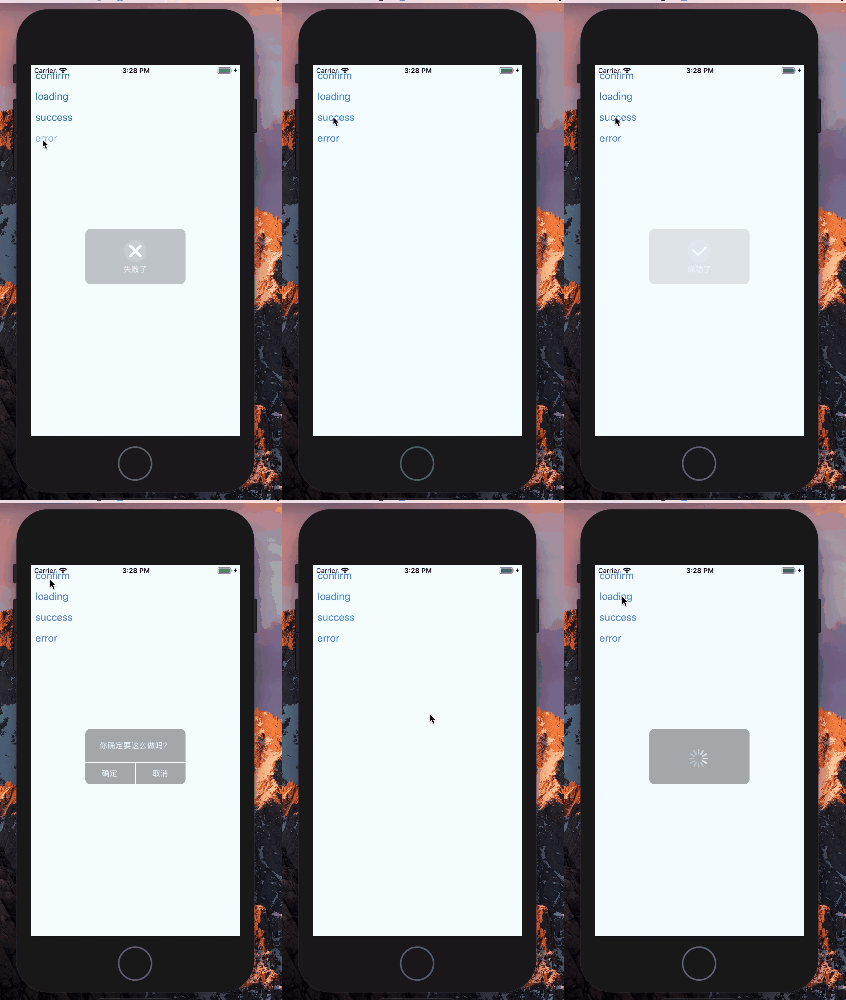
该组件还支持自己定义的icon组件
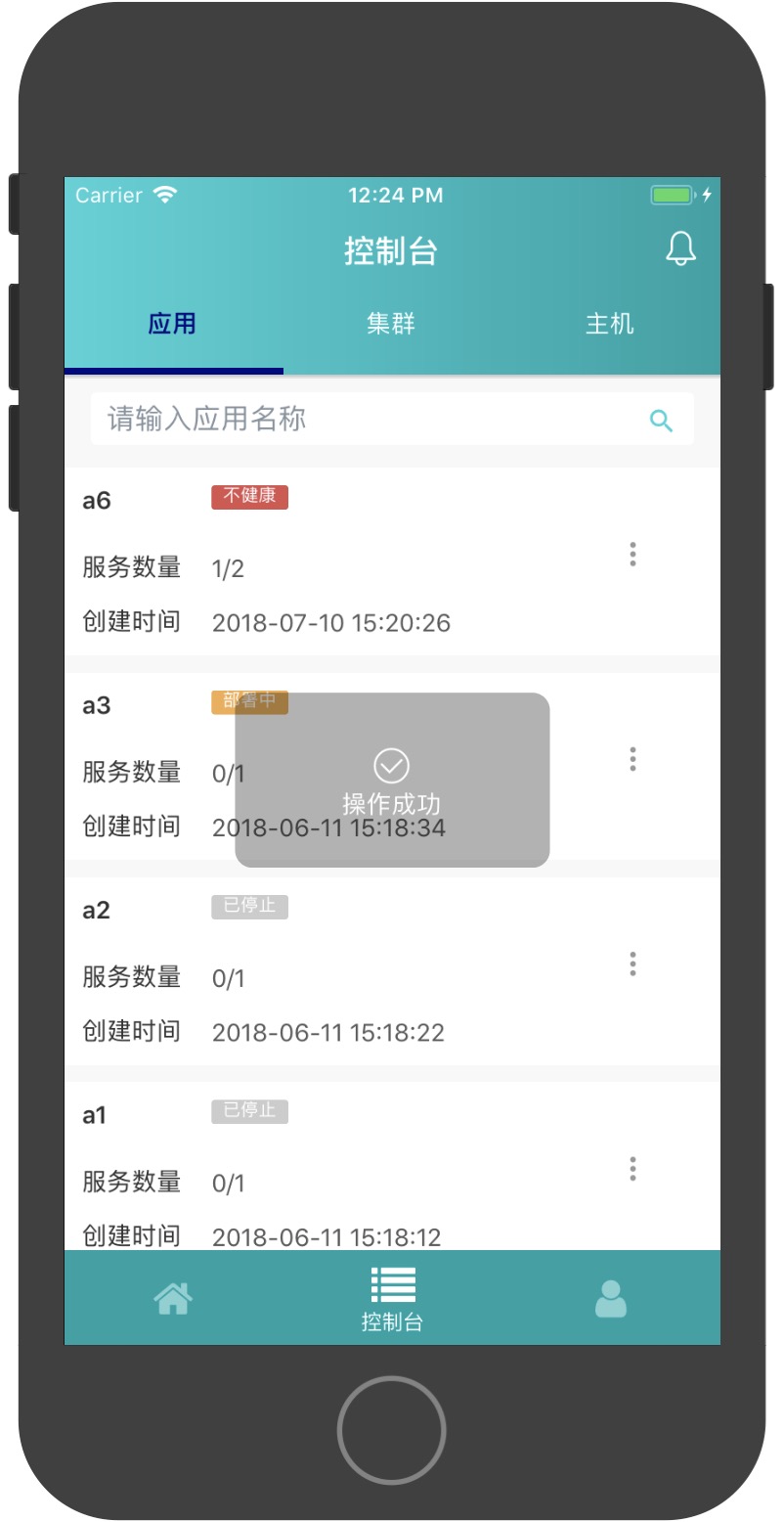


主要的使用法法如下
npm下载组件
npm install react-native-ms --save
在页面中使用
import { TipModal } from 'react-native-ms';

import React, {Component} from 'react';

import {Platform, StyleSheet, Text, View,Button} from 'react-native';

export default class App extends Component {

  /* 打开loading弹出框 */

  loading(){

    this.refs.tipModal._loading()

  }

  /* 打开成功提示框,参数一是提示内容,参数二是多少时间自动关闭*/

  _success(){

    this.refs.tipModal._success('成功了',500)

  }

  /* 打开失败提示框,参数一是提示内容,参数二是多少时间自动关闭*/

  _error(){

    this.refs.tipModal._error('失败了',500)

  }

  render() {

    return (

      <View style={styles.container}>

        <TipModal ref="tipModal"/>

        <Button title="loading" onPress={this.loading.bind(this)}/>

        <Button title="_success" onPress={this._success.bind(this)}/>

        <Button title="_error" onPress={this._error.bind(this)}/>

      </View>

        );
    }

}
修改自定义icon属性,成功提示框自定义icon
<TipModal ref="tipModal"

  successIconComponent={

    <Icon

      color = '#FFFFFF'

      type = 'evilicon'

      name = 'check'

      size = { 30 }

    />

  }

/>
失败提示框自定义icon组件
<TipModal ref="tipModal"

  errorIconComponent={

    <Icon

      color = '#FFFFFF'

      type = 'evilicon'

      name = 'close-o'

      size = { 30 }

    />

  }

/>
接下来是确认弹窗提示的组件效果
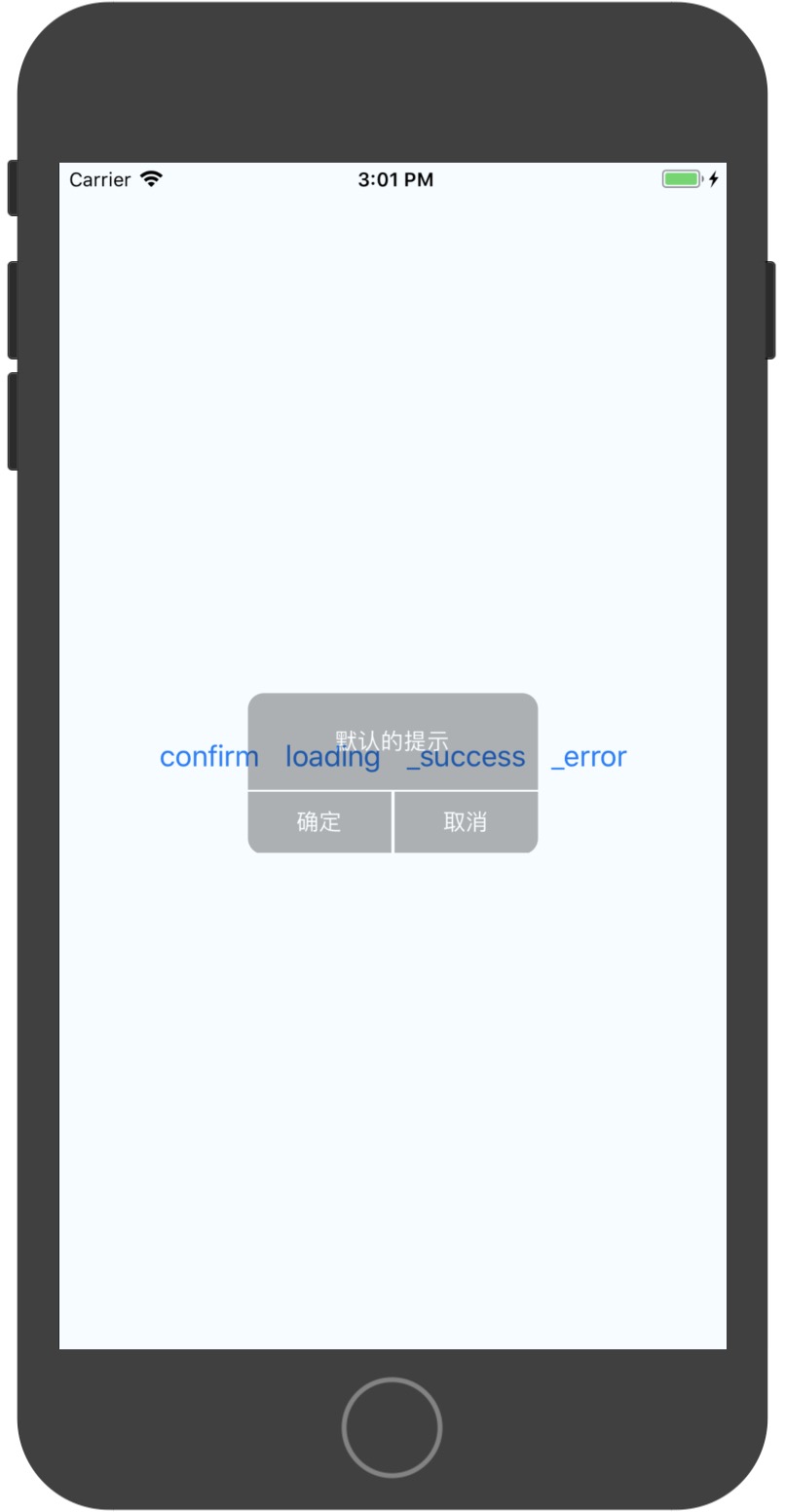
import {Platform, StyleSheet, Text, View,Button} from 'react-native';

import { ConfirmModal } from 'react-native-ms'

export default class App extends Component {

  confirm(){

    this.refs.tipModal2._open('默认的提示')

  }

  render() {

    return (

      <View style={styles.container}>

        <ConfirmModal ref="tipModal2"

          confirmFunc={()=>{alert(1)}}
        />

        <Button title="confirm" onPress={this.confirm.bind(this)}/>

      </View>

    );
  }

}
一款基于react-native的弹窗提示组件的更多相关文章
- 基于React Native的58 APP开发实践
React Native在iOS界早就炒的火热了,随着2015年底Android端推出后,一套代码能运行于双平台上,真正拥有了Hybrid框架的所有优势.再加上Native的优秀性能,让越来越多的公司 ...
- 基于React Native的Material Design风格的组件库 MRN
基于React Native的Material Design风格的组件库.(为了平台统一体验,目前只打算支持安卓) 官方网站 http://mrn.js.org/ Github https://git ...
- 基于React Native的移动平台研发实践分享
转载:http://blog.csdn.net/haozhenming/article/details/72772787 本文目录: 一.React Native 已经成为了移动前端技术的趋势 二.基 ...
- [RN] React Native 分享弹窗 ShareAlertDialog
React Native 分享弹窗 ShareAlertDialog ShareAlertDialog.js文件 /** * 分享弹窗 */ import React, {Component} fro ...
- React Native 项目常用第三方组件汇总
React Native 项目常用第三方组件汇总 https://www.jianshu.com/p/d9cd9a868764?utm_campaign=maleskine&utm_conte ...
- 基于 React 封装的高德地图组件,帮助你轻松的接入地图到 React 项目中。
react-amap 这是一个基于 React 封装的高德地图组件,帮助你轻松的接入地图到 React 项目中. 文档实例预览: Github Web | Gitee Web 特性 ️ 自动加载高德地 ...
- 基于React Native的跨三端应用架构实践
作者|陈子涵 编辑|覃云 “一次编写, 到处运行”(Write once, run anywhere ) 是很多前端团队孜孜以求的目标.实现这个目标,不但能以最快的速度,将应用推广到各个渠道,而且还能 ...
- 基于 react 的Java web 应用—— 组件复用(后续需更新)
前言 实习第二周,被告知要用React与导师进行基于React的Javaweb 的开发,jinzhangaaaaa~由于React 这款框架没学过,看了一峰老师的基础入门教程,硬着头皮开始上了... ...
- React Native知识5-Touchable类组件
React Native 没有像web那样可以给元素绑定click事件,前面我们已经知道Text组件有onPress事件,为了给其他组件 也绑定点击事件,React Native提供了3个组件来做这件 ...
随机推荐
- 小程序获取access_token
<?php //小程序appid $appid = 'wx79d7c348d19f010c'; //小程序 APPSecret 密钥 $appsecret = 'd624aca86d0350ee ...
- PHP简单模拟登录功能实例分享
1.curl实现模拟登录的代码,(只是实现服务器与服务器建立会话,其实并没有在客户端与服务器之间建立会话) <?php $cookie_jar = tempnam('./tmp','cookie ...
- python获取toast 验证
appium版本 1.6.3 desired_caps['automationName']='uiautomator2' def _find_toast(self,message,timeou ...
- .netMVC Vue axios 获取数据
网页 <link href="~/Content/css/bootstrap-theme.min.css" rel="stylesheet" /> ...
- js控制iframe高度自动撑开
<iframe src="index.html" width="100%" name="" id="myiframe&quo ...
- elasticsearch 第四篇(API约定)
对多个indices进行操作 es中大多resetapi支持请求多个index, 例如”test1,test2,test3”,index也可以使用通配符, 例如”test*“, 还可以使用+,-来包含 ...
- 【NuGet】使用NuGet打包并发布至ProGet过程 (步骤详细,附python脚本)【上篇】
一.基本知识 (1)NuGet : NuGet是一个为大家所熟知的Visual Studio扩展,通过这个扩展,开发人员可以非常方便地在Visual Studio中安装或更新项目中所需要的第三方组件, ...
- SQL Server参数化SQL语句中的like和in查询的语法(C#)
sql语句进行 like和in 参数化,按照正常的方式是无法实现的 我们一般的思维是: Like参数化查询:string sqlstmt = "select * from users whe ...
- oracle 远程登录sqlplus TNS:无监听
1.将localhost 改成 计算机名 best-PC,或者ip地址 . 我修改成计算机名,因为经常在无线网络和有限网络之间切换 SID_LIST_LISTENER = (SID_LIST = ...
- 使用 openssl 生成证书(转)
一.openssl 简介 openssl 是目前最流行的 SSL 密码库工具,其提供了一个通用.健壮.功能完备的工具套件,用以支持SSL/TLS 协议的实现.官网:https://www.openss ...