
在activity之间传递数据
在activity之间传递数据
一、简介
二、通过intent传递数据
1、在需要传数据的界面调用
intent.putExtra("data1", "我是fry");方法
//前面是键,后面是值,这个是string
2、在需要接受数据的界面调用bundle获取传递过来的数据即可
Bundle bundle = getIntent().getExtras();
String data1=bundle.getString("data1");
如果是string就getString(),int就getString(),什么数据类型的方法都有
3、实例
需要传数据的界面调用
intent.putExtra("data1", "我是fry");
需要接受数据的界面
Bundle bundle = getIntent().getExtras();
String data1=bundle.getString("data1");
data1里面的内容就是:"我是fry"
三、实例
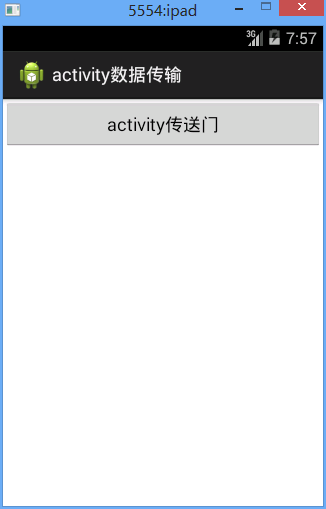
结果图

原理:
在MainActivity页面创建数据,然后用intent.putExtra方法将数据传递给Activity01页面
代码
activityDataSend.MainActivity
 package activityDataSend;

 import com.example.activityDataSend.R;

 import android.app.Activity;

 import android.content.Intent;

 import android.content.Loader;

 import android.os.Bundle;

 import android.view.View;

 import android.view.View.OnClickListener;

 import android.widget.Button;

 public class MainActivity extends Activity{

     private Button btn_openActivty;//创建一个button对象

      protected void onCreate(Bundle savedInstanceState) {

             super.onCreate(savedInstanceState);//父类操作

             setContentView(R.layout.activity_main);//引入名为activity_main的界面

             btn_openActivty=(Button) findViewById(R.id.btn_openActivity);//找id为btn_openActivity的button

             btn_openActivty.setOnClickListener(new OnClickListener() {//设置button点击监听

                 @Override

                 public void onClick(View v) {//onclick事件

                     // TODO Auto-generated method stub

30                     Intent intent=new Intent();//初始化intent

31                     intent.setClass(MainActivity.this,Activity01.class);//连接

32                     //下面这句话用于intent在activity之间传输data

33                     intent.putExtra("data1", "我是fry");//前面是键,后面是值,这个是string

34                     intent.putExtra("data2", 0.2);//这个是double

35                     //传递对象,serializable序列化方式

36                     testClass1_serialize class1=new testClass1_serialize("fry1",21);

37                     intent.putExtra("data3_obj", class1);

38

39                     //传递对象,parcelable序列化方式

40                     testClass2_parcelable class2=new testClass2_parcelable("fry2",22);

41                     intent.putExtra("data4_obj", class2);

42

43                     startActivity(intent);//打开activity

                 }

             });

         }

 }
activityDataSend.Activity01
 package activityDataSend;

 import com.example.activityDataSend.R;

 import android.app.Activity;

 import android.os.Bundle;

 import android.util.Log;

 import android.widget.TextClock;

 import android.widget.TextView;

 public class Activity01 extends Activity{

     private TextView textView_ans;

     @Override

     protected void onCreate(Bundle savedInstanceState) {

         // TODO Auto-generated method stub

         super.onCreate(savedInstanceState);

         setContentView(R.layout.activity01);

         textView_ans=(TextView) findViewById(R.id.textView_ans);

22         Bundle bundle = getIntent().getExtras();

23         String data1=bundle.getString("data1");

24         double data2=bundle.getDouble("data2");

25         testClass1_serialize data3_obj=(testClass1_serialize) bundle.get("data3_obj");

26         testClass2_parcelable data4_obj=(testClass2_parcelable) bundle.get("data4_obj");


         Log.d("MainActivity",bundle.get("data3_obj")+"\n"+bundle.get("data4_obj"));

         System.out.println(bundle.get("data3_obj")+"\n"+bundle.get("data4_obj"));

         textView_ans.setText("data1: "+data1+"\ndata2: "+data2+"\ndata3_obj: "+data3_obj+"\ndata4_obj: "+data4_obj);

         //textView_ans.setText("data1: "+data1+"\ndata2: "+data2+"\ndata4_obj: "+data4_obj);

     }

 }
Serializable序列化方式
activityDataSend.testClass1_serialize
 package activityDataSend;

 import java.io.Serializable;

 public class testClass1_serialize implements Serializable{

     private String name;

     private int age;

     public String getName() {

         return name;

     }

     public void setName(String name) {

         this.name = name;

     }

     public int getAge() {

         return age;

     }

     public void setAge(int age) {

         this.age = age;

     }

     public testClass1_serialize(String name, int age) {

         super();

         this.name = name;

         this.age = age;

     }

     public testClass1_serialize() {

         super();

     }

     @Override

     public String toString() {

         return "testClass1_serialize [name=" + name + ", age=" + age + "]";

     }

 }
Parcelable序列化方式
 序列化差不多要自己写

 反序列化也要自己写
activityDataSend.testClass2_parcelable
 package activityDataSend;

 import android.os.Parcel;

 import android.os.Parcelable;

 /*

  * Parcelable序列化方式

  * 序列化差不多要自己写

  * 反序列化也要自己写

  */

 public class testClass2_parcelable implements Parcelable{

     private String name;

     private int age;

     public String getName() {

         return name;

     }

     public void setName(String name) {

         this.name = name;

     }

     public int getAge() {

         return age;

     }

     public void setAge(int age) {

         this.age = age;

     }

     public testClass2_parcelable() {

         super();

     }

     public testClass2_parcelable(String name, int age) {

         super();

         this.name = name;

         this.age = age;

     }

     @Override

     public String toString() {

         return "testClass2_parcelable [name=" + name + ", age=" + age + "]";

     }

     @Override

     public int describeContents() {

         // TODO Auto-generated method stub

         return 0;

     }

     /*

      * 序列化

      * (non-Javadoc)

      * @see android.os.Parcelable#writeToParcel(android.os.Parcel, int)

      */

     @Override

     public void writeToParcel(Parcel dest, int flags) {//序列化

         // TODO Auto-generated method stub

         dest.writeString(name);

         dest.writeInt(age);

     }

     /*

      * 反序列化要自己写

      */

     public static Parcelable.Creator<testClass2_parcelable> CREATOR=new Creator<testClass2_parcelable>() {

         @Override

         public testClass2_parcelable[] newArray(int size) {

             // TODO Auto-generated method stub

             return null;

         }

         /*

          * 反序列化

          * (non-Javadoc)

          * @see android.os.Parcelable.Creator#createFromParcel(android.os.Parcel)

          */

         @Override

         public testClass2_parcelable createFromParcel(Parcel source) {//反序列化

             // TODO Auto-generated method stub

             testClass2_parcelable class2=new testClass2_parcelable();

             class2.setName(source.readString());

             class2.setAge(source.readInt());

             return class2;

         }

     };

 }
在activity之间传递数据的更多相关文章
- Activity之间传递数据的方式及常见问题总结
Activity之间传递数据一般通过以下几种方式实现: 1. 通过intent传递数据 2. 通过Application 3. 使用单例 4. 静态成员变量.(可以考虑 WeakReferences) ...
- Activity之间传递数据或数据包Bundle,传递对象,对象序列化,对象实现Parcelable接口
package com.gaojinhua.android.activitymsg; import android.content.Intent; import android.os.Bundle; ...
- 28、activity之间传递数据&批量传递数据
import android.app.Activity; import android.content.Intent; import android.os.Bundle; import android ...
- 【Android 复习】 : Activity之间传递数据的几种方式
在Android开发中,我们通常需要在不同的Activity之间传递数据,下面我们就来总结一下在Activity之间数据传递的几种方式. 1. 使用Intent来传递数据 Intent表示意图,很多时 ...
- Android 笔记-Fragment 与 Activity之间传递数据
Fragment 与 Activity之间传递数据有两种方法.一种是使用setArgument,一种是使用接口回调.以下先学习第一种方法. (1)使用setArgument方法: 为了便于理解,我在这 ...
- Android基础 -- Activity之间传递数据(bitmap和map对象)
原文:http://blog.csdn.net/xueerfei008/article/details/23046341 做项目的时候需要用到在2个activity之间传递一些数据,之前做的都是些字符 ...
- android中使用Intent在activity之间传递数据
android中intent传递数据的简单使用: 1.使用intent传递数据: 首先将需要传递的数据放入到intent中 Intent intent = new Intent(MainActivit ...
- 【Android基础】利用Intent在Activity之间传递数据
前言: 上一篇文章给大家聊了Intent的用法,如何用Intent启动Activity和隐式Intent,这一篇文章给大家聊聊如何利用Intent在Activity之间进行沟通. 从一个Activ ...
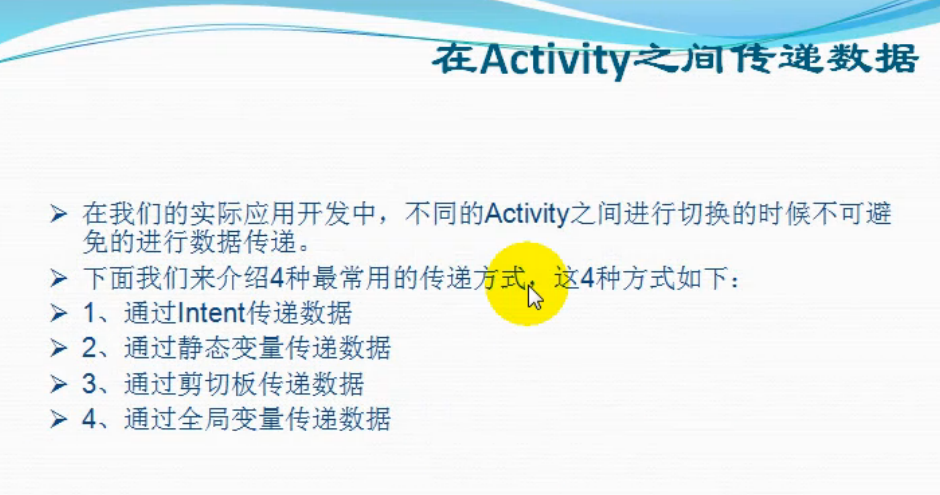
- 在不同Activity之间传递数据的四种常用方法
在Android中传递数据的方法非常多,本次介绍4中比较常用的数据传递方法: 1.通过Intent传递数据 2.通过静态变量(static)传递数据 3.通过剪贴板(Clipboard)传递数据 4. ...
随机推荐
- visual studio 2015开发nodejs教程1搭建环境
http://sailsdoc.swift.ren/ 这里有 sails中文文档 1 安装nodejsv6.10.3 下载地址 https://nodejs.org/dist/v6.10.3/nod ...
- 八、网页版消息推送SDK-WebSockets
介绍 由于项目组需求.最近在研究消息推送服务平台.结合业务和使用场景分析最终选择的是 Mosquitto 消息服务器. Mosquitto 服务器的安装.配置.集群搭建 我就不在这多说了.有兴趣的可以 ...
- Python(socket编程——2)
import socket ''' socket.socket(socket_family,socket_type,protocal=0) socket_family 可以是 AF_UNIX 或 AF ...
- ruby中的顶层方法
在ruby中写顶层函数的时候,总会有一个问题,self是谁,这些方法是谁的,是什么方法. 如下: p self p self.class def talk p self end talk 输出main ...
- Lua的table库函数insert、remove、concat、sort详细介绍(转载)
函数列表: table.insert(table,[ pos,] value) table.remove(table[, pos]) table.concat(table[, sep[, i[, j] ...
- C++命名规则(转)
如果想要有效的管理一个稍微复杂一点的体系,针对其中事物的一套统一.带层次结构.清晰明了的命名准则就是必不可少而且非常好用的工具. 活跃在生物学.化学.军队.监狱.黑社会.恐怖组织等各个领域内的大量有识 ...
- JAVA BIO与NIO、AIO的区别
IO的方式通常分为几种,同步阻塞的BIO.同步非阻塞的NIO.异步非阻塞的AIO. 一.BIO 在JDK1.4出来之前,我们建立网络连接的时候采用BIO模式,需要先在服务端启动一个ServerSock ...
- Object-c 开发之property
@property 关键字:atomic,nonatomic,readonly,readwrite,assign,retain,copy,getter,setter,strong 默认行为(atomi ...
- PHP中的错误信息
PHP中的错误信息 php.ini中配置错误消息 在PHP4中,没有异常 Exception这个概念,只有 错误Error.我们可以通过修改php.ini 文件来配置用户端输出的错误信息. 在ph ...
- ultraedit 查看文件
转自:https://wenda.so.com/q/1481655902726192 1 UltraEdit在打开文件的时候,会对文件类型进行检查.如果是二进制文件,会自动转为16进制显示模式.如下图 ...