
cdh 安装系列3--cdh manager 安装 cdh 6.01 版本
安装前提是cdh manager 已经可以通过admin登录,管理台安装在192.168.20.163
一。安装自动TLS
Setup Auto-TLS
1.ssh 192.168.20.163
2.sudo JAVA_HOME=/usr/java/jdk1.8.0_141-cloudera /opt/cloudera/cm-agent/bin/certmanager --location /opt/cloudera/CMCA setup --configure-services
3.sudo systemctl restart cloudera-scm-server
二。选择主机
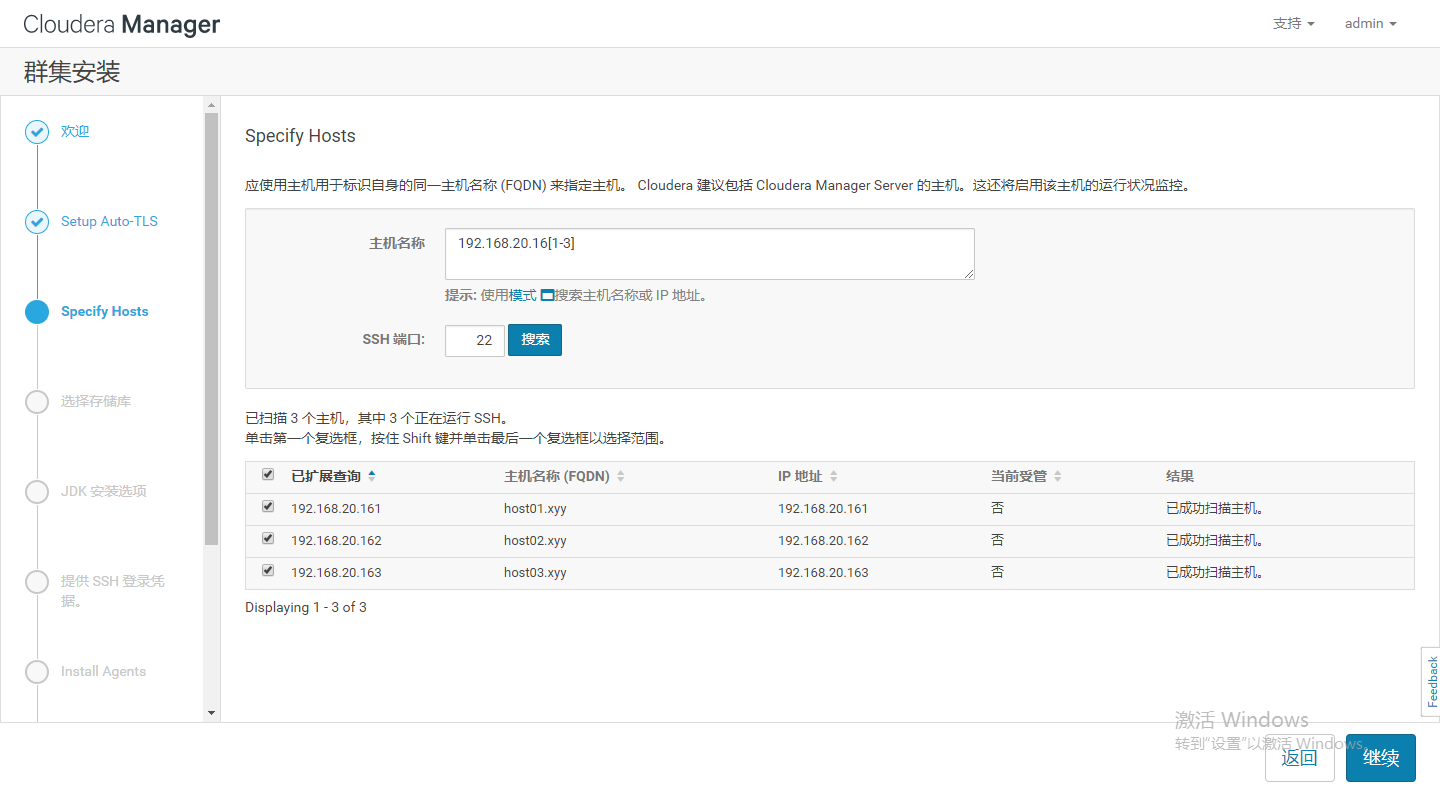
2.
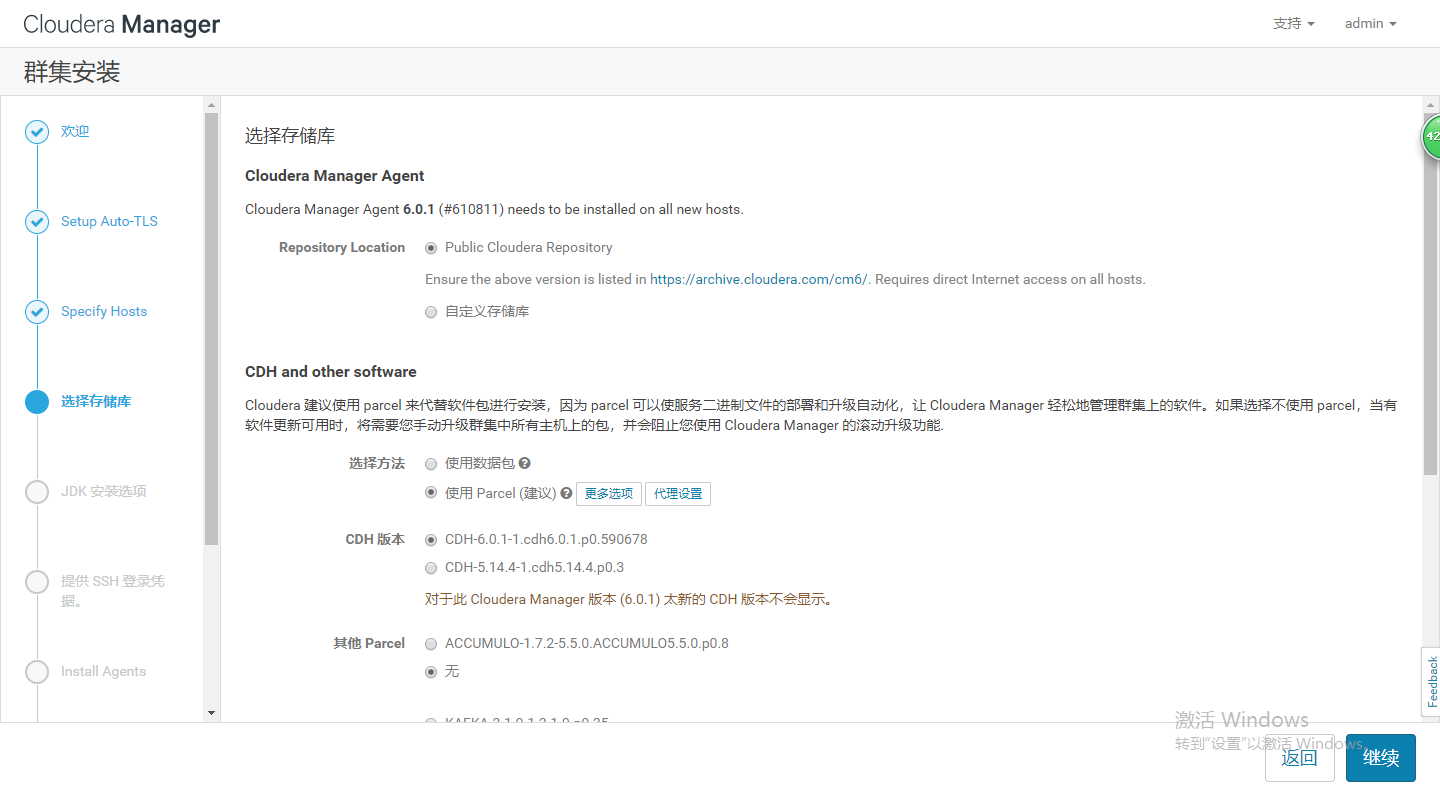
3.
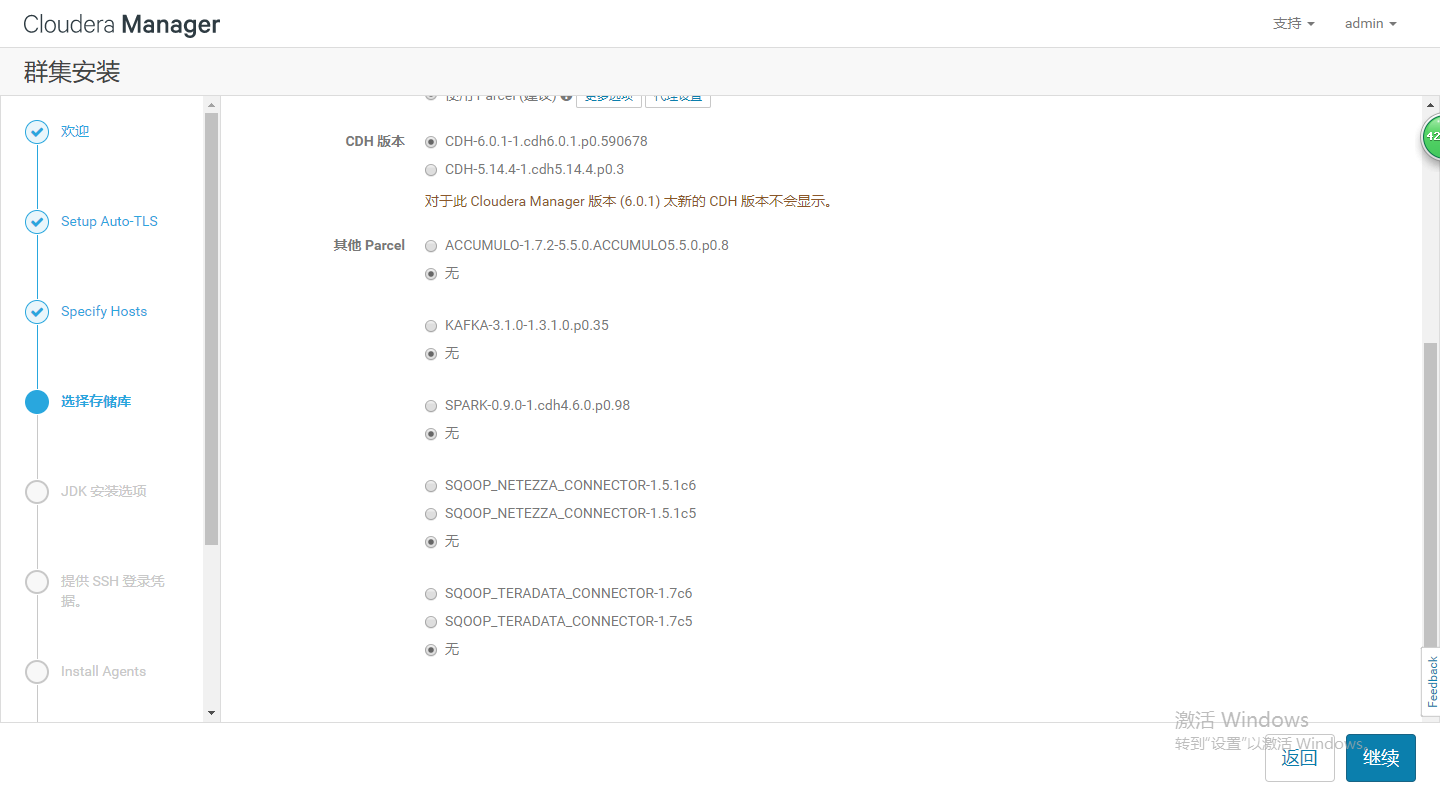
4.安装jdk,如果之前已经安装了oracle java 可以不选择,为了保险起见,我重新勾选了oracle java
5.安装ssh免密,直接按照默认的使用密码登录,使用root 密码root,系统会自动帮助你配置免密。配置完成会自动进入安装agent
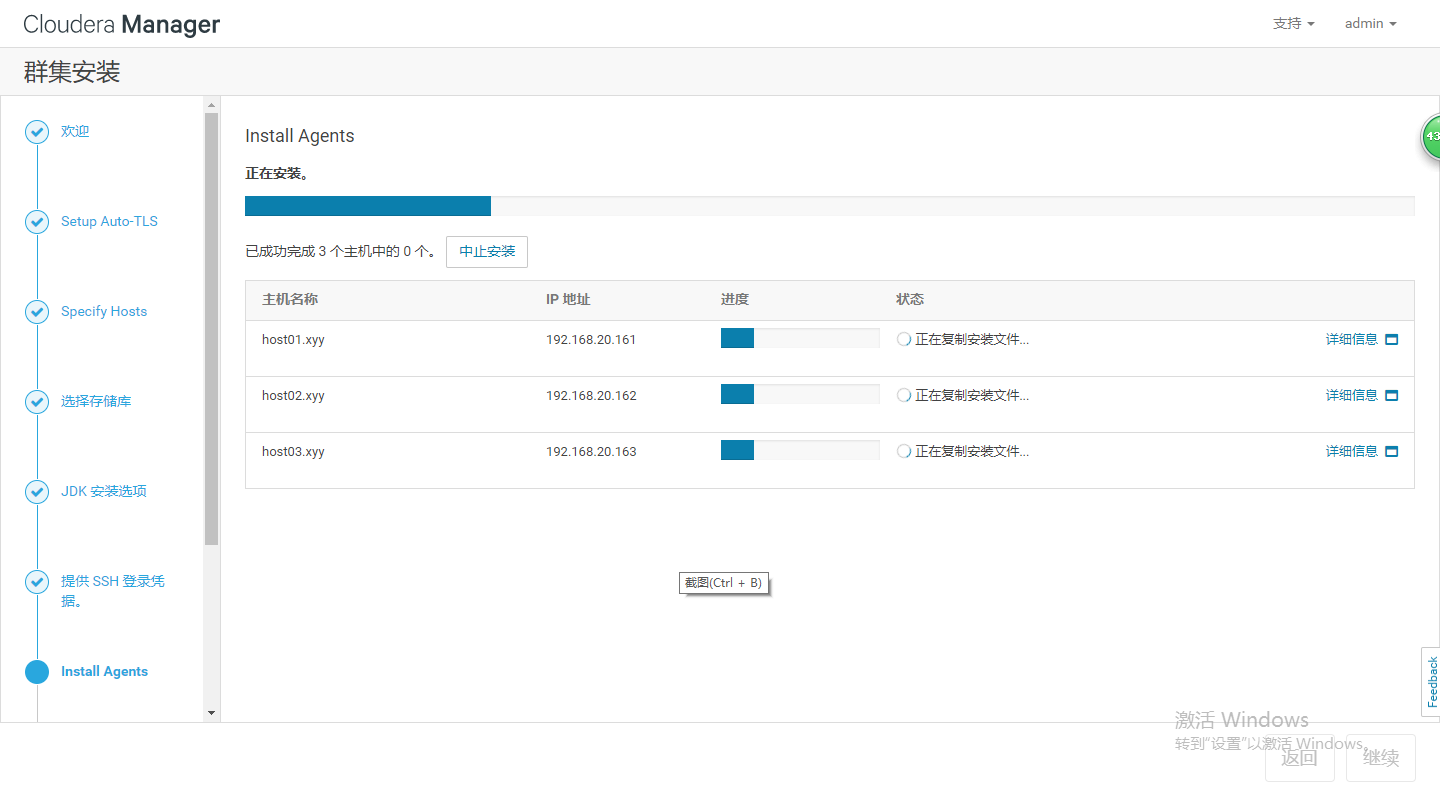
6.安装完agent以后,如果都成功会自动跳转到下载parcel安装,如下图:
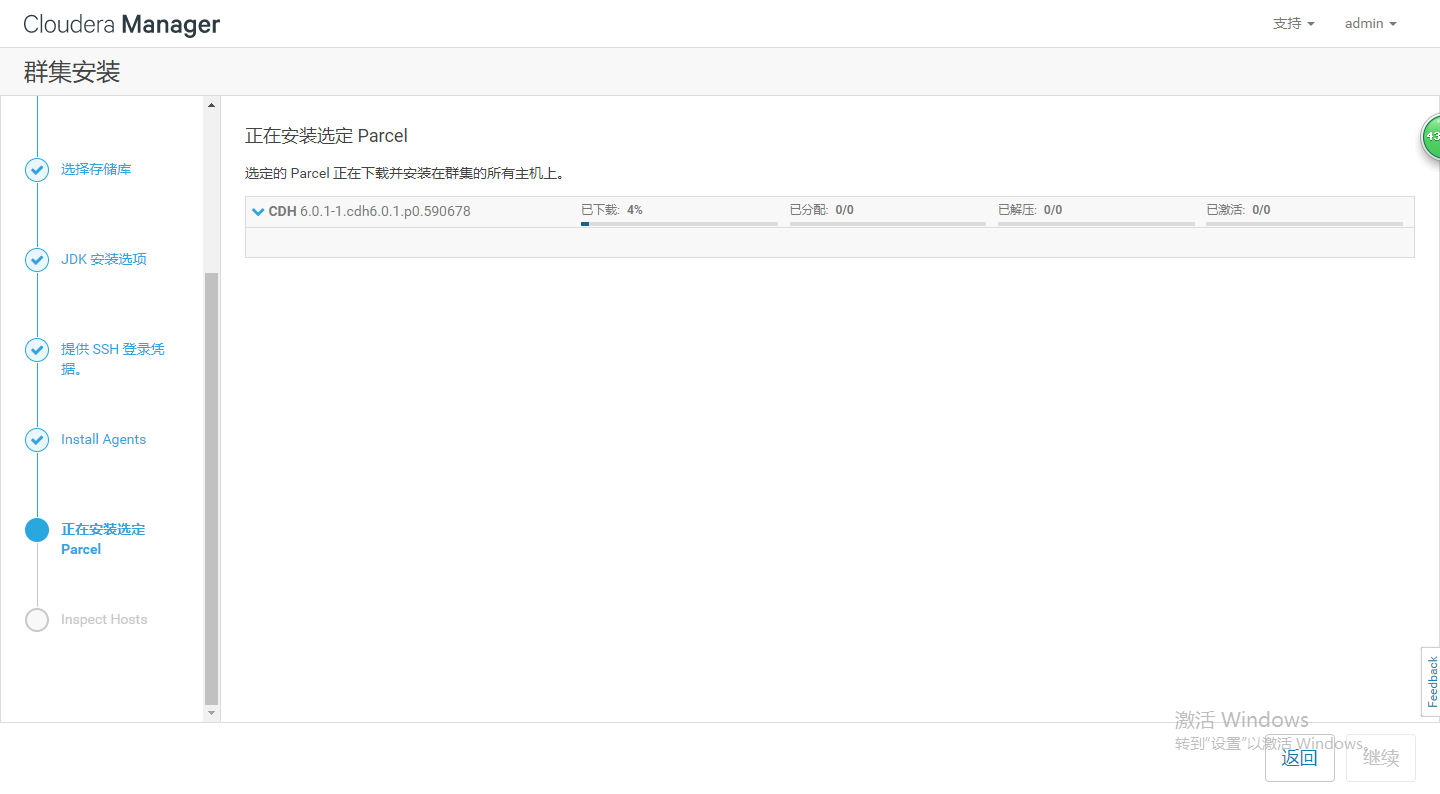
7.完成下载以后压缩如下图:

8.做安装之前的最后主机检查,检查过程中,对于不符合项目修改并可以重新启动机器如下图

9.完成。输入https://192.168.20.163:7183
三、正式开始安装服务
1.Select Services
The Select Services page allows you to select the services you want to install and configure. Make sure that you have the appropriate license key for the services you want to use. You can choose from Cloudera Essentials, Data Engineering, Analytic Database, Operational Database, All Services, and Custom Services. To include Cloudera Navigator data management, check the box labeled Include Cloudera Navigator.
After selecting the services you want to add, click Continue. The Assign Roles page displays.
2.配置角色
The Assign Roles page suggests role assignments for the hosts in your cluster. You can click on the hostname for a role to select a different host. You can also click the View By Host button to see all the roles assigned to a host.
To review the recommended role assignments, see Recommended Cluster Hosts and Role Distribution.
After assigning all of the roles for your services, click Continue. The Setup Database page displays.
3.配置之前已经设置好的数据库用户名和密码
Select the database type and enter the database name, username, and password for each service. Click Test Connection to validate the settings. If the connection is successful, a green checkmark and the word Successful appears next to each service. If there are any problems, the error is reported next to the service that failed to connect.
After verifying that each connection is successful, click Continue. The Review Changes page displays.
4.回顾改变
The Review Changes page lists default and suggested settings for several configuration parameters, including data directories.
5.命令详情
The Command Details page lists the details of the First Run command. You can expand the running commands to view the details of any step, including log files and command output. You can filter the view by selecting Show All Steps, Show Only Failed Steps, or Show Running Steps.
After the First Run command completes, click Continue to go to the Summary page.
6.总结安装服务完成
cdh 安装系列3--cdh manager 安装 cdh 6.01 版本的更多相关文章
- SOA_环境安装系列1_Oracle SOA Suite11g安装总括(案例)
2015-01-01 Created By BaoXinjian
- cdh 安装系列2--cdh manager product 安装
前期准备工作: 准备三台centos7 地址分别为 192.168.20.163:192.168.20.162:192.168.20.161 用163这台机器链接外网,并安装manager以及mana ...
- Cloudera Manager安装_搭建CDH集群
2017年2月22日, 星期三 Cloudera Manager安装_搭建CDH集群 cpu 内存16G 内存12G 内存8G 默认单核单线 CDH1_node9 Server || Agent ...
- Cloudera Manager及CDH最新版本安装全程记录
大家都知道,Apache Hadoop的配置很繁琐,而且很零散,为此Cloudera公司提供了Clouder Manager工具,而且还封装了Apache Hadoop,flume,spark,hiv ...
- 2、CDH 搭建Hadoop在安装(安装Cloudera Manager,CDH和托管服务)
安装Cloudera Manager,CDH和托管服务 建议使用此过程为生产环境安装Cloudera Manager和CDH.对于非生产“易于安装”,请参阅安装概念证明群集. 在开始安装之前,请确保已 ...
- 1.5.6、CDH 搭建Hadoop在安装之前(定制安装解决方案---使用Cloudera Manager模板创建CDH群集)
使用Cloudera Manager模板创建CDH群集 您可以通过从Cloudera Manager管理的现有CDH群集导出群集模板来创建新的CDH群集.然后,您可以修改模板并使用它在新的主机集上创建 ...
- 通过Cloudera Manager安装CDH 5.6
CDH的简介 大家常常说CDH.其全称是:Cloudera's Distribution Including Apache Hadoop.简单的说是Cloudera公司的Hadoop平台,是在Apac ...
- Cloudera Manager 和 CDH 4 终极安装
转载请注明出处:http://www.cnblogs.com/thinkCoding/p/3567408.html 系统环境 操作系统:CentOS 6.5 Cloudera Manager 版本:4 ...
- CentOS 7下Cloudera Manager及CDH 6.0.1安装过程详解
目录 一.概念介绍 1.CDH 概览 2.Cloudera Manager 概览 二.环境准备 1.软件版本选择 2.节点准备(四个节点) 3.配置主机名和hosts解析(所有节点) 4.关闭防火墙 ...
- Cloudera Manager和CDH安装部署
本次安装采用离线安装的方式,需要提前下载好需要的包. 1. 准备工作 1.1 环境说明 操作系统:RedHat企业级Linux6.5 64-bit Cloudera Manager:5.8.4 CDH ...
随机推荐
- Patrick Hughes - 错觉3D雕塑艺术
Pictures Patrick Hughes (artist) From Wikipedia, the free encyclopedia Patrick Hughes. Leaning on a ...
- Exchange 2010 OWA部分用户不能访问
Exchange 2010 OWA部分用户不能访问 http://blog.csdn.net/xuhuojun/article/details/17364619
- Jenkins 简单配置
安装就不说了, 因为安装实在是很简单的. Jenkins基础配置 配置jdk 和maven 进入Global Tool Configuration, 配置JDK: 一般不要选择自动安装, 否则下载 ...
- <转载>Bootstrap 入门教程 http://www.cnblogs.com/ventlam/archive/2012/05/28/2520703.html 系列
Bootstrap建立了一个响应式的12列格网布局系统,它引入了fixed和fluid-with两种布局方式.我们从全局样式(Global Style),格网系统(Grid System),流式格网( ...
- 8. Object转Map,Map转Object
法一:使用reflect进行转换 public static Object mapToObject(Map<String, Object> map, Class<?> bean ...
- Weex与Android交互(二)
扩展Android Weex 提供了扩展机制,可以根据自己的业务进行定制自己的功能. 主要分为两类扩展: Module 扩展 非UI的特定功能.例如sendHttp.openURL 等. Compon ...
- DLL 调试(C# 调用 C++ 的 DLL)
操作步骤: (1) C++ 的 DLL 项目中设置断点: (2) C# 工程右键[属性]->[调试]->[启动调试器]中选中[启动本机代码调试]. 注:要调试 DLL 必须有 DLL 的源 ...
- Leetcode 题解 reverse List II
这个题确实太容易错了. 我已经做了2遍了,之前都是套用reverse List 1中的函数. 现在尝试用新方法,在一个函数里完成,结果又错了. 事实证明,永远不要想当然!!!白板编程真的是要求,你对每 ...
- JDK1.8 LocalDateTime 时间类与字符互转
public static void main(String[] args) { DateTimeFormatter dateTimeFormatter=DateTimeFormatter.ofPat ...
- 文件操作 freopen函数
转自http://blog.csdn.net/zhuyi2654715/article/details/6963673 当我们求解acm题目时,通常在设计好算法和程序后,要在调试环境(例如VC等)中运 ...