
10、Spring Boot分布式
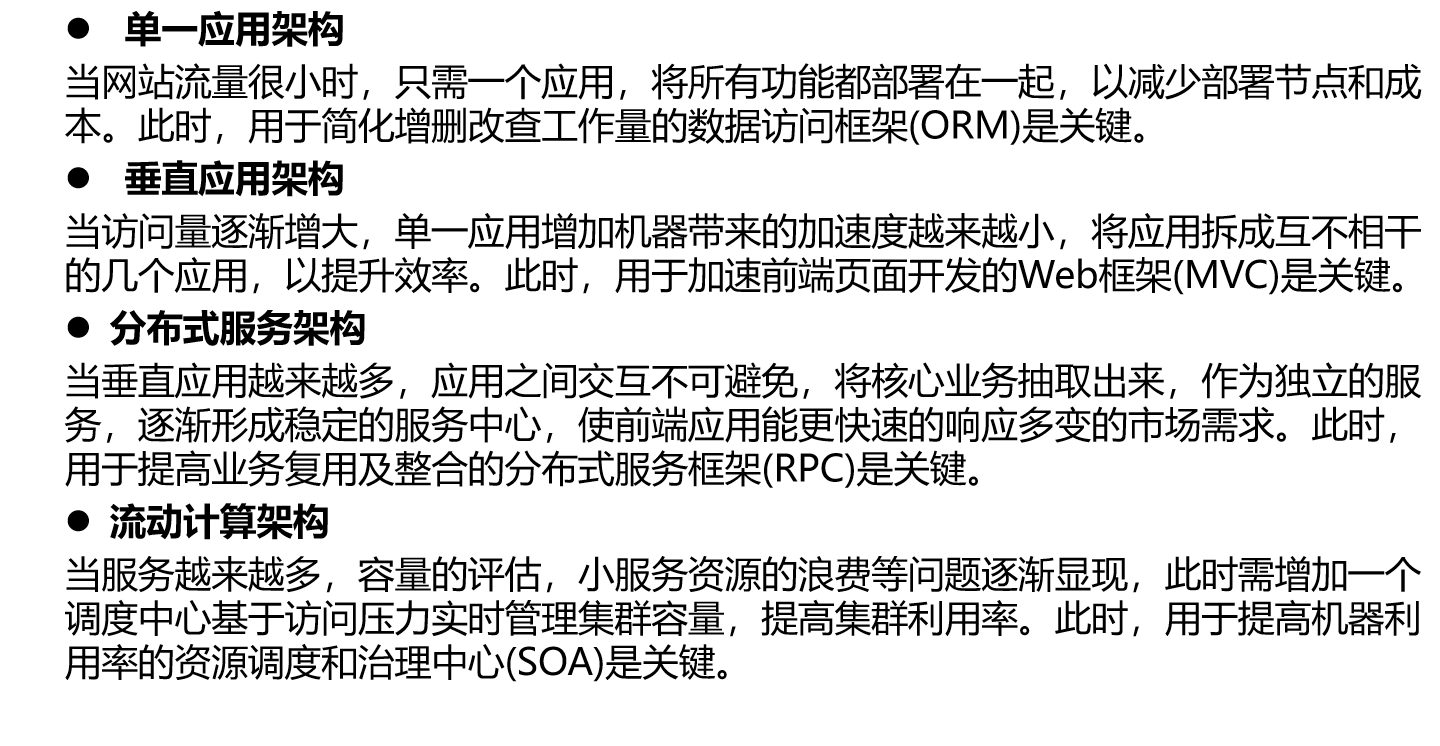
1.分布式简介 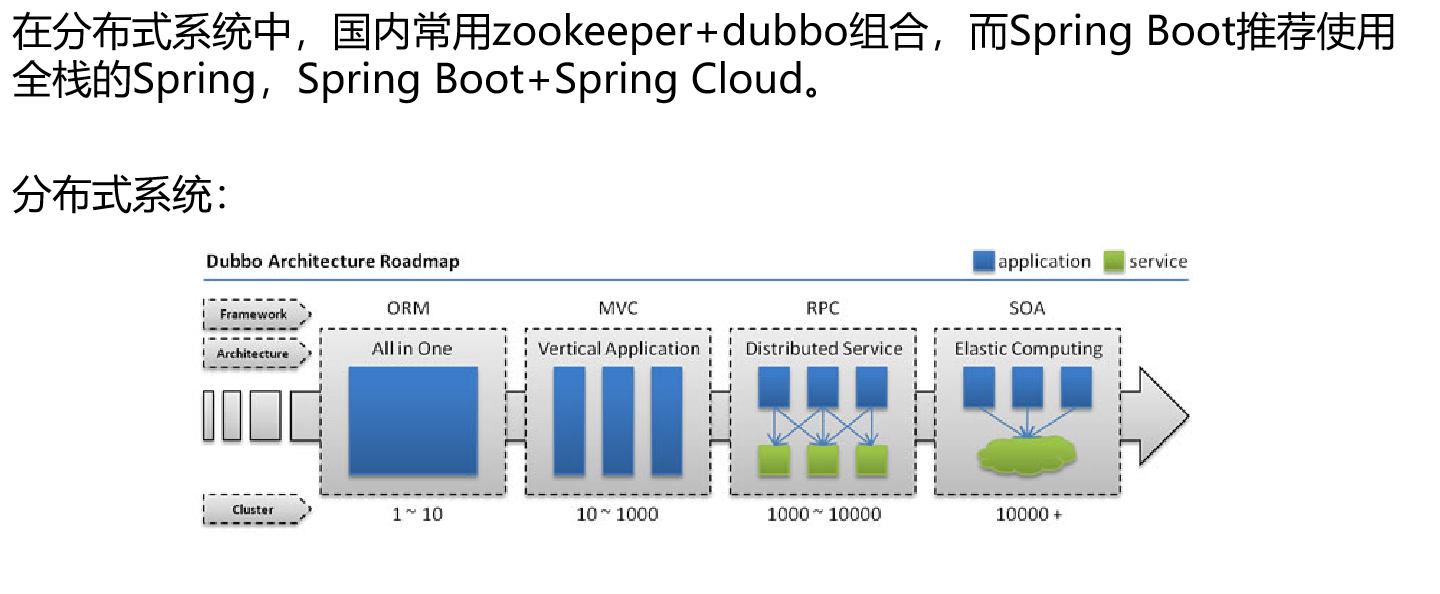
2.Zookeeper和Dubbo 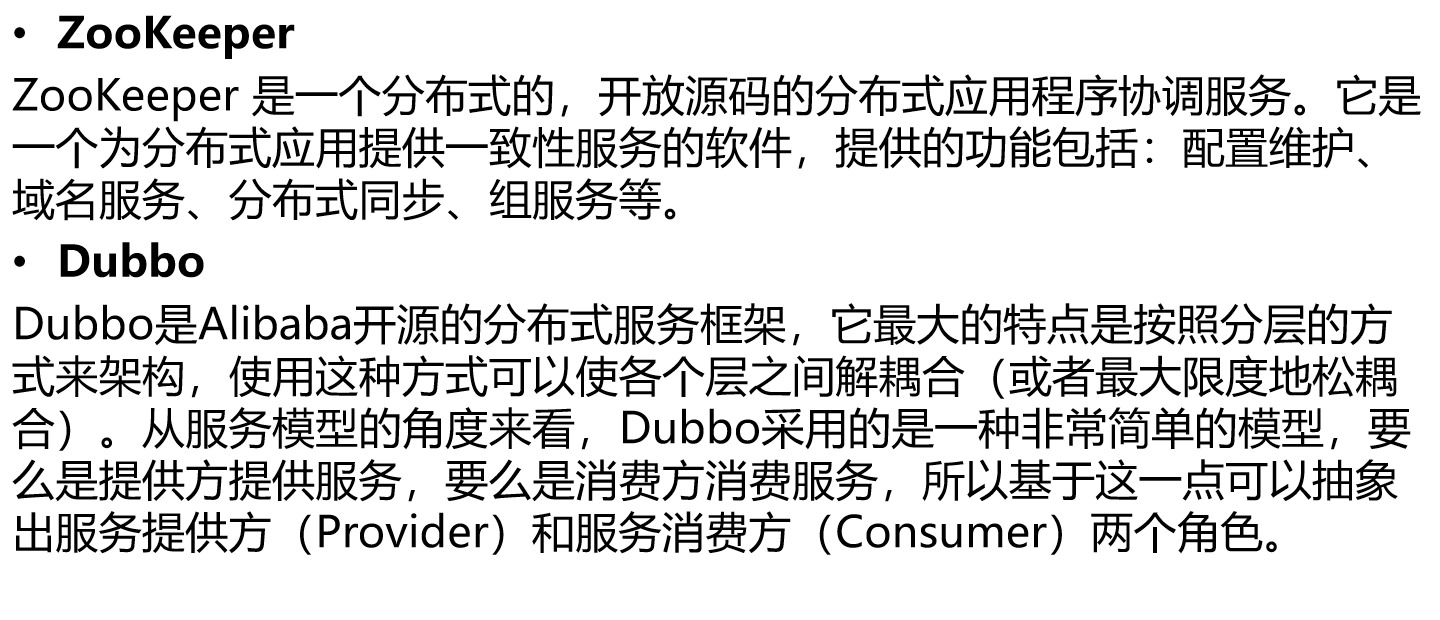

3.zookeeper
(1).zookeeper安装
官方文档:https://hub.docker.com/_/zookeeper?tab=description
在docker上安装zookeeper
|
[root@hosystem ~]# docker search zookeeper NAME DESCRIPTION STARS OFFICIAL AUTOMATED zookeeper Apache ZooKeeper is an open-source server wh… 947 [OK] [root@hosystem ~]# docker pull zookeeper:3.4.11 |
(2).zookeeper启动
|
[root@hosystem ~]# docker images REPOSITORY TAG IMAGE ID CREATED SIZE zookeeper 3.4.11 56d414270ae3 2 years ago 146MB [root@hosystem ~]# docker run --name ZK01 -p 2181:2181 --restart always -d 56d414270ae3 054d27805228d7d3cc6f8df96962a2dd9c24f3f5907554160854c661ef8d67dd [root@hosystem ~]# docker ps CONTAINER ID IMAGE COMMAND CREATED STATUS PORTS NAMES 054d27805228 56d414270ae3 "/docker-entrypoint.…" 41 seconds ago Up 21 seconds 2888/tcp, 0.0.0.0:2181->2181/tcp, 3888/tcp ZK01 #将2181端口添加到防火墙 [root@hosystem ~]# firewall-cmd --permanent --zone=public --add-port=2181/tcp success [root@hosystem ~]# firewall-cmd --reload success |
(3).zookeeper整合dubbo
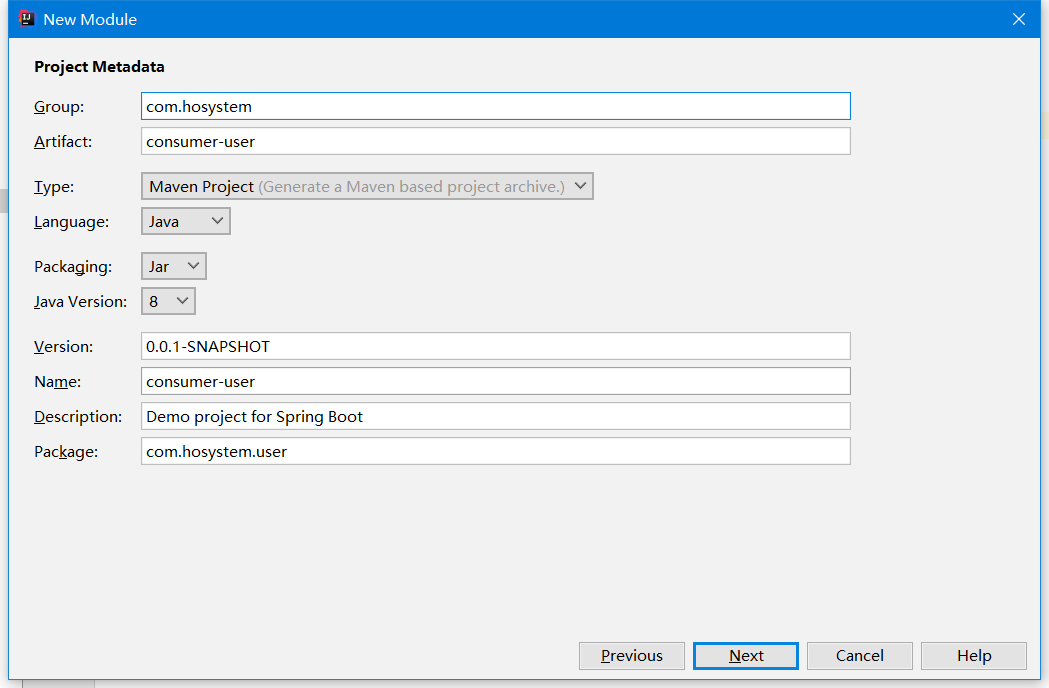
[1].创建项目
①.创建Empty Project

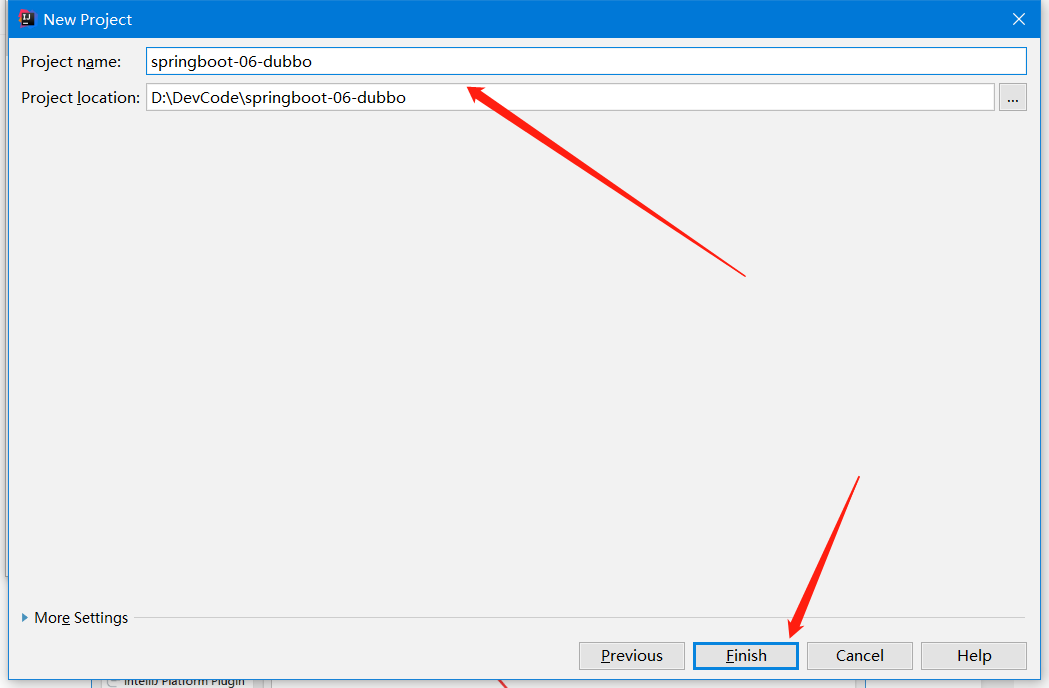
②.New Module
创建provider
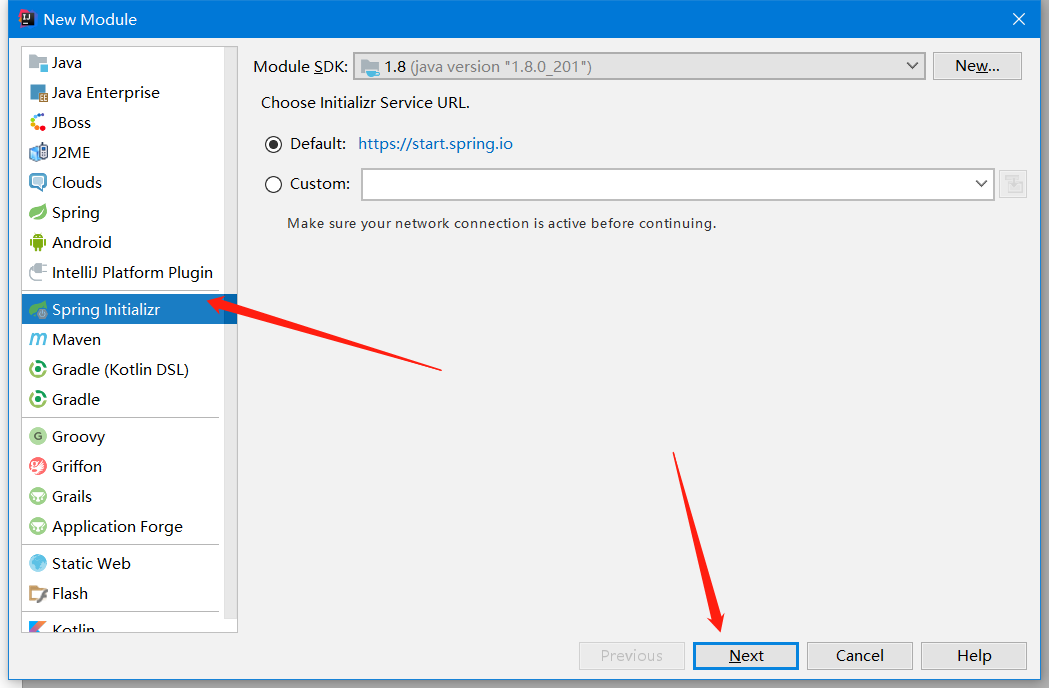
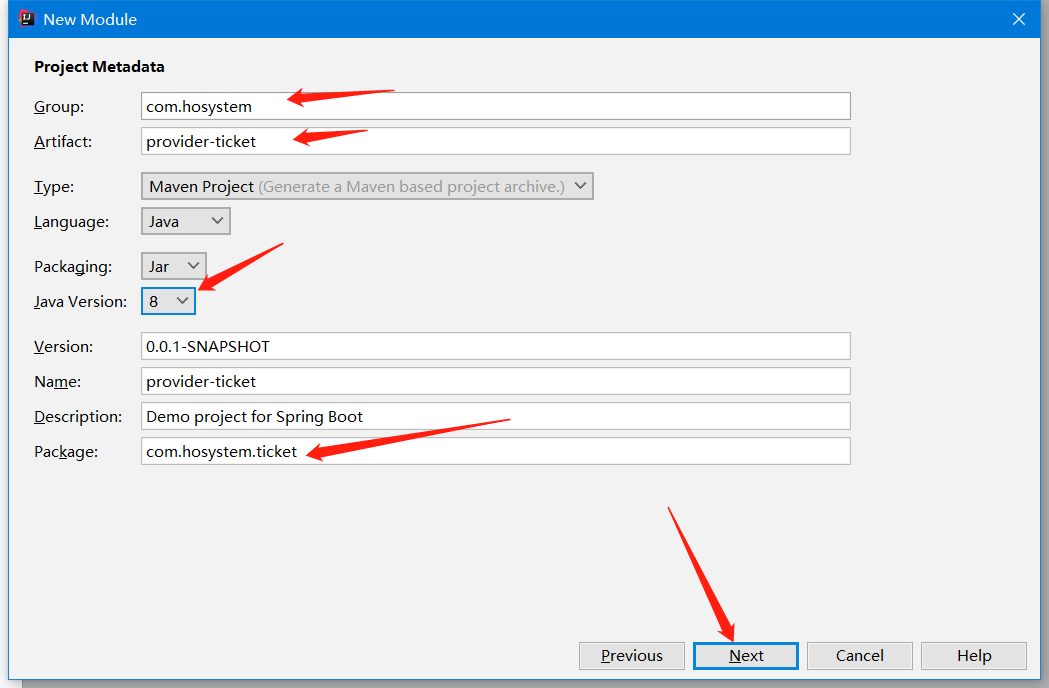
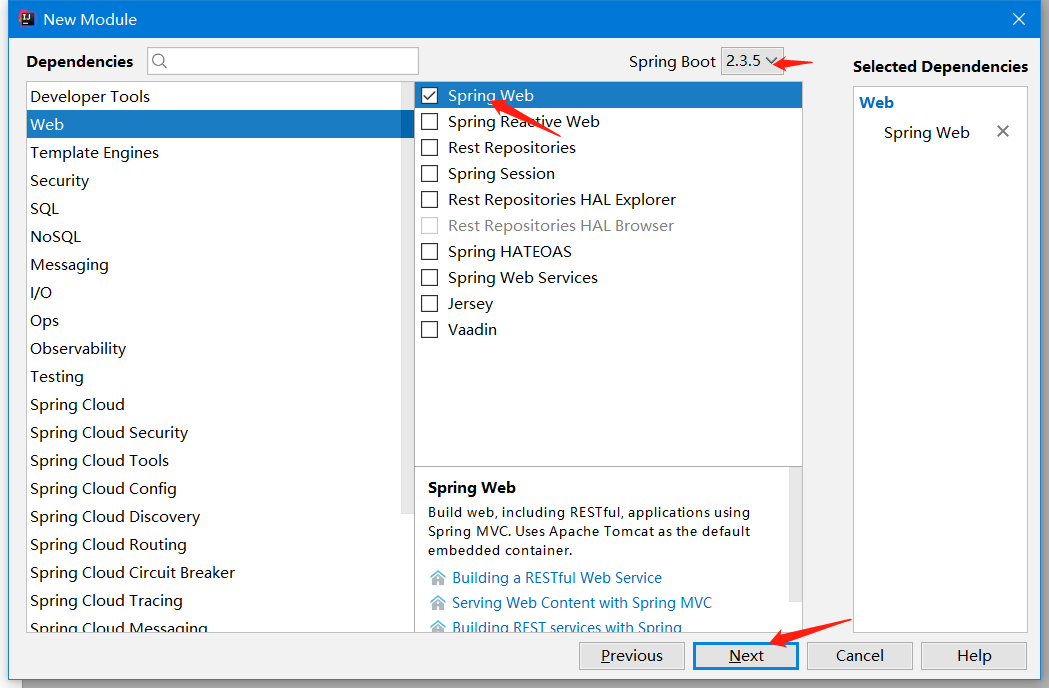
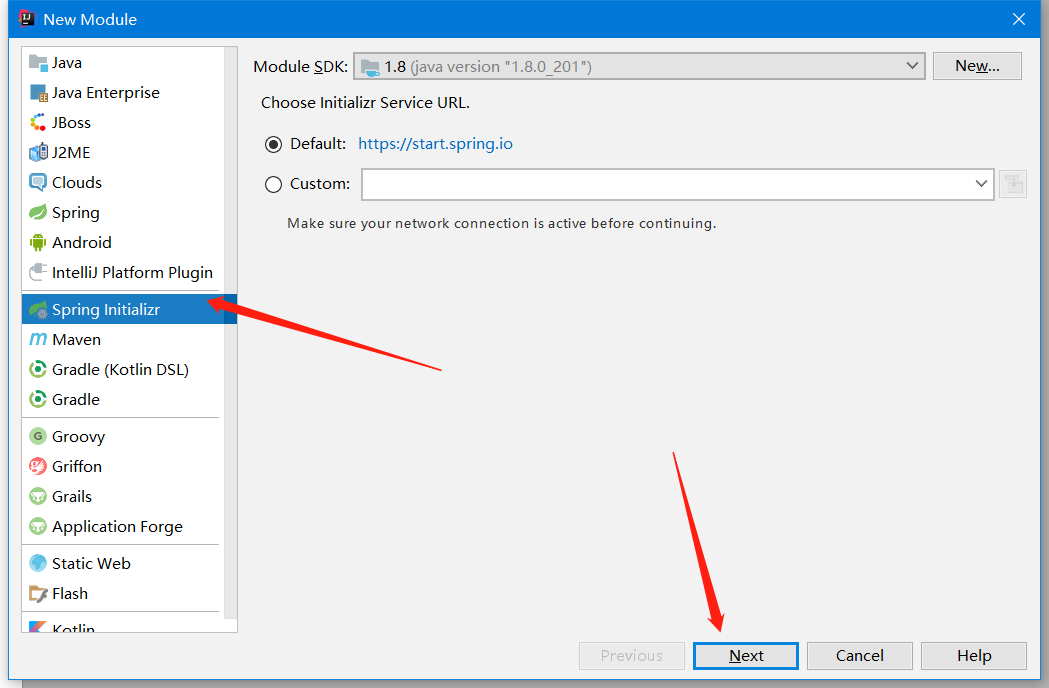
创建consumer
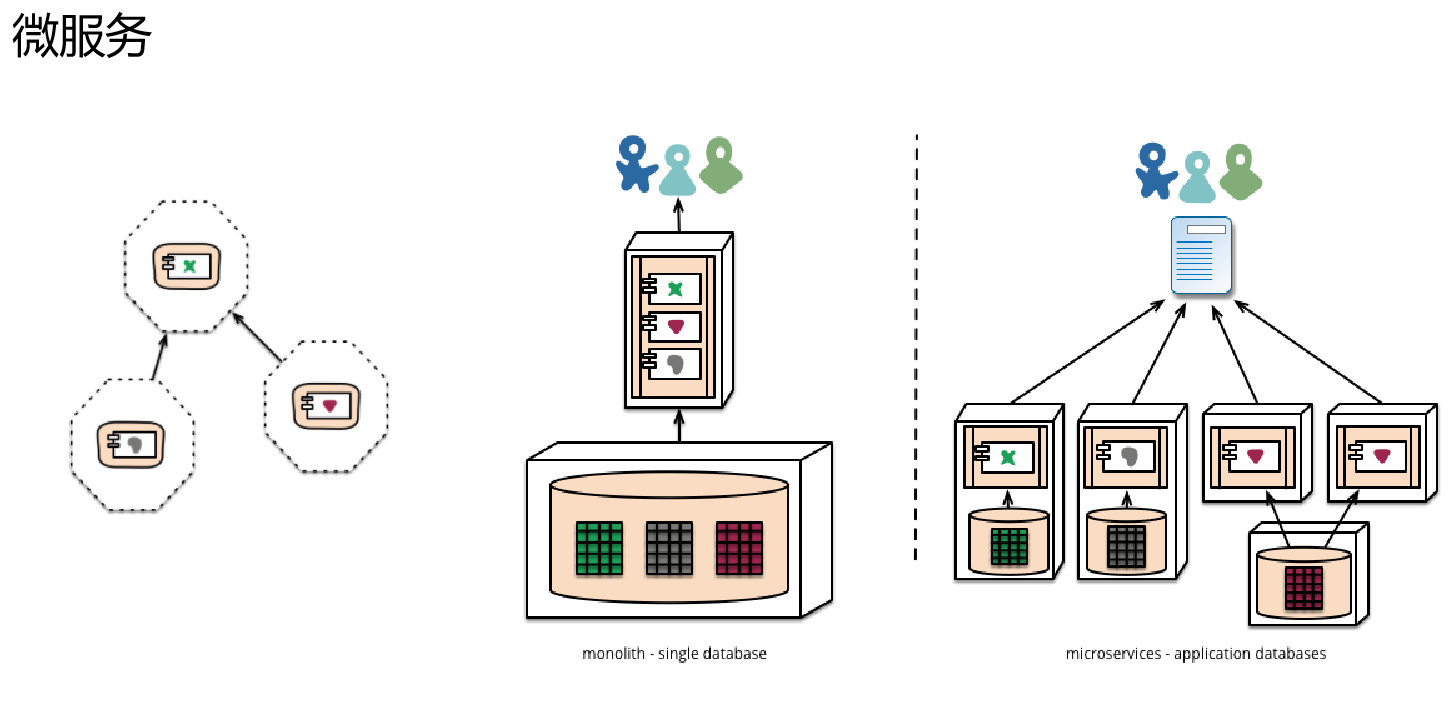
4.Spring Boot和Spring Cloud
Martin Fowler 微服务原文 https://martinfowler.com/articles/microservices.html 
(1).创建工程
[1].创建Empty Project
[2].创建eureka-server
[3].创建provider-ticket
[4].创建consumer-user
(2).配置eureka-server信息
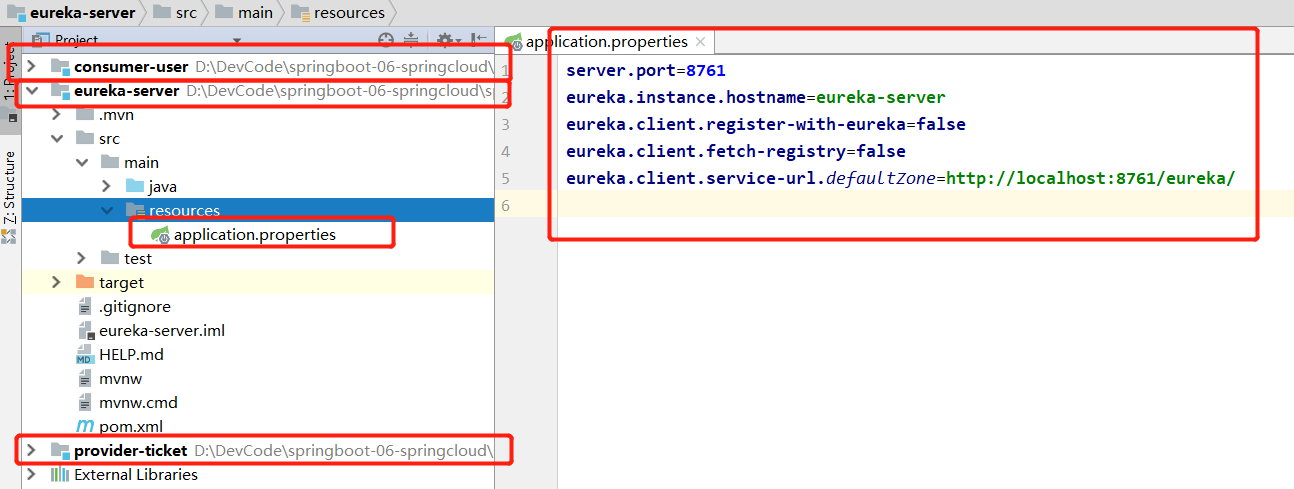
[1].application.properties
|
server.port=8761 eureka.instance.hostname=eureka-server eureka.client.register-with-eureka=false eureka.client.fetch-registry=false eureka.client.service-url.defaultZone=http://localhost:8761/eureka/ |
[2].EurekaServerApplication.java
|
package com.hosystem.eurekaserver; import org.springframework.boot.SpringApplication; import org.springframework.boot.autoconfigure.SpringBootApplication; import org.springframework.cloud.netflix.eureka.server.EnableEurekaServer; /** * 注册中心 * 1.配置Eureka信息 * 2.@EnableEurekaServer */ @EnableEurekaServer @SpringBootApplication public class EurekaServerApplication { public static void main(String[] args) { SpringApplication.run(EurekaServerApplication.class, args); } } |
访问eureka页面

(3).配置provider-ticket信息
[1].8001
①.TicketController.java
|
package com.hosystem.providerticket.controller; import com.hosystem.providerticket.service.TicketService; import org.springframework.beans.factory.annotation.Autowired; import org.springframework.web.bind.annotation.GetMapping; import org.springframework.web.bind.annotation.RestController; @RestController public class TicketController { @Autowired TicketService ticketService; @GetMapping("/ticket") public String getTicket(){ System.out.println("8001"); return ticketService.getTicket(); } } |
②.TicketService.java
|
package com.hosystem.providerticket.service; import org.springframework.stereotype.Service; @Service public class TicketService { public String getTicket(){ return "《模仿游戏》"; } } |
③.application.properties
|
server.port=8001 spring.application.name=provider-ticket #注册服务的时候使用服务的ip地址 eureka.instance.prefer-ip-address=true eureka.client.service-url.defaultZone=http://localhost:8761/eureka/ |
[2].8002
①.TicketController.java
|
package com.hosystem.providerticket.controller; import com.hosystem.providerticket.service.TicketService; import org.springframework.beans.factory.annotation.Autowired; import org.springframework.web.bind.annotation.GetMapping; import org.springframework.web.bind.annotation.RestController; @RestController public class TicketController { @Autowired TicketService ticketService; @GetMapping("/ticket") public String getTicket(){ System.out.println("8002"); return ticketService.getTicket(); } } |
②.TicketService.java
|
package com.hosystem.providerticket.service; import org.springframework.stereotype.Service; @Service public class TicketService { public String getTicket(){ return "《模仿游戏》"; } } |
③.application.properties
|
server.port=8002 spring.application.name=provider-ticket #注册服务的时候使用服务的ip地址 eureka.instance.prefer-ip-address=true eureka.client.service-url.defaultZone=http://localhost:8761/eureka/ |
(4).provider-ticket
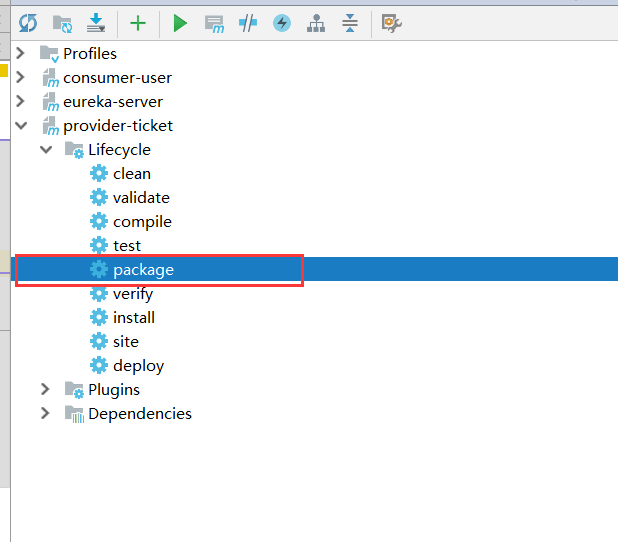
[1].package
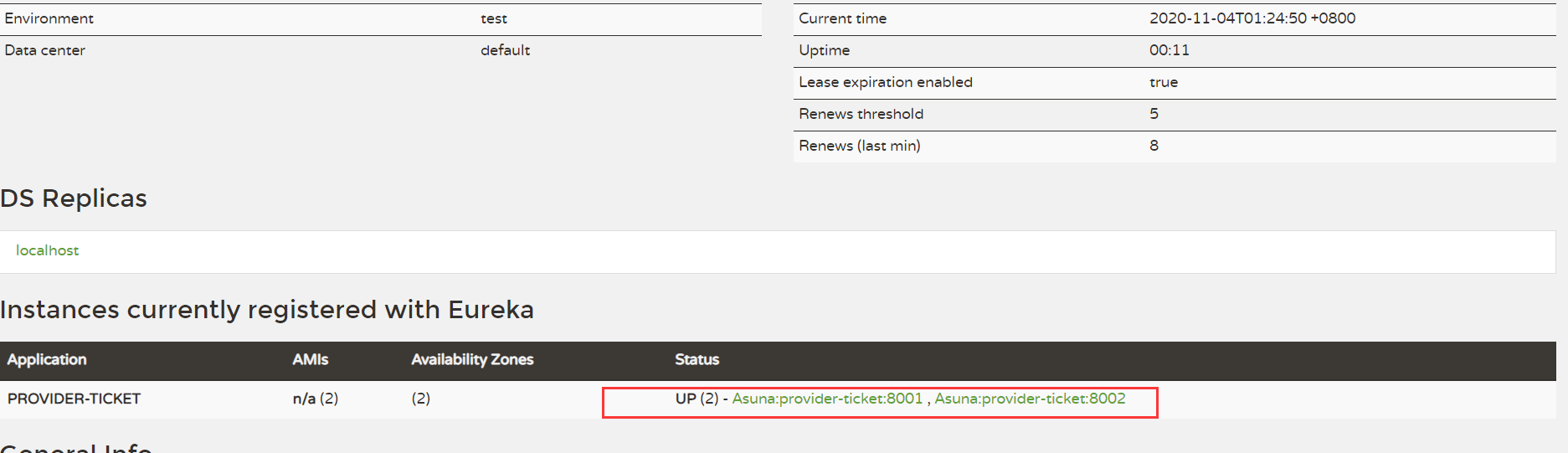
打包provider-ticket两次,一个端口为8001一次端口为8002

[2].启动provider

(5).consumer-user
[1]application.properties
|
server.port=8200 spring.application.name=consumer-user #注册服务的时候使用服务的ip地址 eureka.instance.prefer-ip-address=true eureka.client.service-url.defaultZone=http://localhost:8761/eureka/ |
[2].ConsumerUserApplication.java
|
package com.hosystem.consumeruser; import org.springframework.boot.SpringApplication; import org.springframework.boot.autoconfigure.SpringBootApplication; import org.springframework.cloud.client.discovery.EnableDiscoveryClient; import org.springframework.cloud.client.loadbalancer.LoadBalanced; import org.springframework.context.annotation.Bean; import org.springframework.web.client.RestTemplate; @EnableDiscoveryClient //开启发现功能 @SpringBootApplication public class ConsumerUserApplication { public static void main(String[] args) { SpringApplication.run(ConsumerUserApplication.class, args); } @LoadBalanced //使用负载均衡机制 @Bean public RestTemplate restTemplate(){ return new RestTemplate(); } } |
[3].UserController.java
|
package com.hosystem.consumeruser.controller; import org.springframework.beans.factory.annotation.Autowired; import org.springframework.web.bind.annotation.GetMapping; import org.springframework.web.bind.annotation.RestController; import org.springframework.web.client.RestTemplate; @RestController public class UserController { @Autowired RestTemplate restTemplate; @GetMapping("/buy") public String buyTicket(String name){ String s = restTemplate.getForObject("http://PROVIDER-TICKET/ticket",String.class); return name+"观看了"+s; } } |

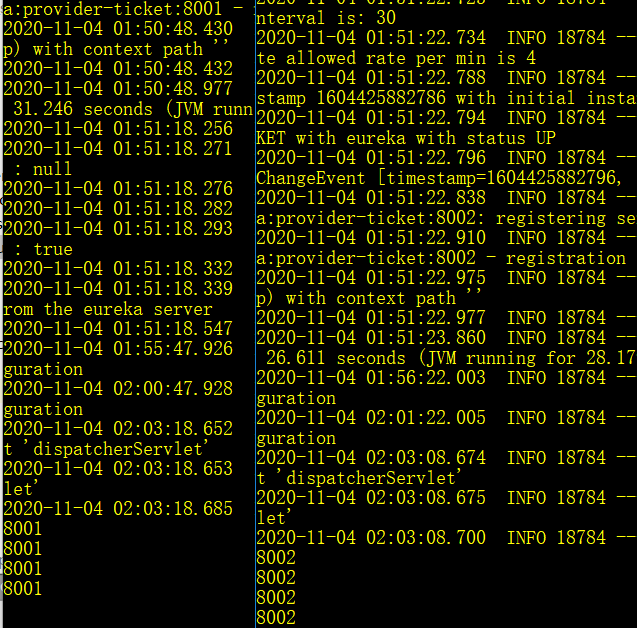
注意,观察加@LoadBalanced和不加@LoadBalanced的区别。加了@LoadBalanced的可以实现负载均衡。
参考文档:
https://github.com/alibaba/dubbo
https://hub.docker.com/_/zookeeper?tab=description
https://github.com/apache/dubbo/
https://mvnrepository.com/artifact/com.github.sgroschupf/zkclient
https://martinfowler.com/articles/microservices.html
10、Spring Boot分布式的更多相关文章
- spring boot分布式技术,spring cloud,负载均衡,配置管理器
spring boot分布式的实现,使用spring cloud技术. 下边是我理解的spring cloud的核心技术: 1.配置服务器 2.注册发现服务器eureka(spring boot默认使 ...
- spring boot 分布式session实现
spring boot 分布式session实现 主要是通过包装HttpServletRequest将session相关的方法进行代理. 具体是的实现就是通过SessionRepositoryFilt ...
- 2020最新的Spring Boot 分布式锁的具体实现(内附代码)
前言 面试总是会被问到有没有用过分布式锁.redis 锁,大部分读者平时很少接触到,所以只能很无奈的回答 "没有".本文通过 Spring Boot 整合 redisson 来实现 ...
- spring boot 分布式事务实现(XA方式)
关于spring boot 支持分布式事务,XA是常用的一种方式. 这里把相关的配置记下,方便以后使用. 首先配置两个不同的数据源 : 订单库.持仓库. /** * Created by zhangj ...
- spring boot 分布式锁组件 spring-boot-klock-starter
基于redis的分布式锁spring-boot starter组件,使得项目拥有分布式锁能力变得异常简单,支持spring boot,和spirng mvc等spring相关项目 快速开始 sprin ...
- Spring Boot 分布式Session状态保存Redis
在使用spring boot做负载均衡的时候,多个app之间的session要保持一致,这样负载到不同的app时候,在一个app登录之后,而打到另外一台服务器的时候,session丢失. 常规的解决方 ...
- 【spring boot】10.spring boot下的单元测试
spring boot下的单元测试,思前想后还是需要单独用一章篇幅来看看. 然后在看了介绍和使用时候,我感觉并不想多去看了. 但是还是给后来人留下参考的路径: 官网说明:https://spring. ...
- (38)Spring Boot分布式Session状态保存Redis【从零开始学Spring Boot】
[本文章是否对你有用以及是否有好的建议,请留言] 在使用spring boot做负载均衡的时候,多个app之间的session要保持一致,这样负载到不同的app时候,在一个app登录之后,而访问到另外 ...
- 使用idea maven开发spring boot 分布式开发入门
1:使用idea创建一个maven工程 bos2 2:删除bos2的src 文件夹,向pom.xml文件 中添加版本号 <packaging>pom</packaging> & ...
随机推荐
- JUC---05线程间通信(一)
一.普通的线程间通信 1.synchronized实现 package com.jenne.mydemo; class ShareDataOne { private int number = 0; p ...
- Ubuntu下创建apt源
1. 下载所需安装文件 sudo apt-get install soft name 安装并保存安装文件 或者 sudo apt-get source soft name 只下载安装文件 ...
- 【总结】mysql调优
一.事务 1.事务的特性 (1)原子性(Atomicity),可以理解为一个事务内的所有操作要么都执行,要么都不执行. (2)一致性(Consistency),可以理解为数据是满足完整性约束的,也就是 ...
- Java学习的第十七天
1.静态变量 静态方法 静态代码块 2.今天没问题 3.明天学习abstract和综合实例
- 20201103_notepad++修改文件保存的默认格式
修改notepad++文件保存的默认格式 点开 设置 ==> 首选项 1. 修改默认语言为要默认保存的文件格式 2. 将默认目录下的使用新样式对话框取消勾选
- [Luogu P3626] [APIO2009] 会议中心
题面 传送门:https://www.luogu.org/problemnew/show/P3626 Solution 如果题目只要求求出第一问,那这题显然就是大水题. 但是加上第二问的话...... ...
- [python学习手册-笔记]001.python前言
001.python前言 ❝ 本系列文章是我个人学习<python学习手册(第五版)>的学习笔记,其中大部分内容为该书的总结和个人理解,小部分内容为相关知识点的扩展. 非商业用途转载请注明 ...
- 19、Haystack
Haystack 1.什么是Haystack Haystack是django的开源全文搜索框架(全文检索不同于特定字段的模糊查询,使用全文检索的效率更高 ),该框架支持Solr,Elasticsear ...
- 使用Selenium爬取京东电商数据(以手机商品为例)
进入京东(https://www.jd.com)后,我如果搜索特定的手机产品,如oppo find x2,会先出现如下的商品列表页: 如果点击进入其中一个商品会进入到如下图所示的商品详情页,可以看到用 ...
- Goldstone's theorem(转载)
Goldstone's theorem是凝聚态物理中的重要定理之一.简单来说,定理指出:每个自发对称破缺都对应一个无质量的玻色子(准粒子),或者说一个zero mode. 看过文章后,我个人理解这其实 ...