
微信小程序实现左滑删除效果(原生/uni-app)
实现效果
- 列表中侧滑删除
- 删除不同时存在
- scrollview上下滑动与侧滑删除不影响
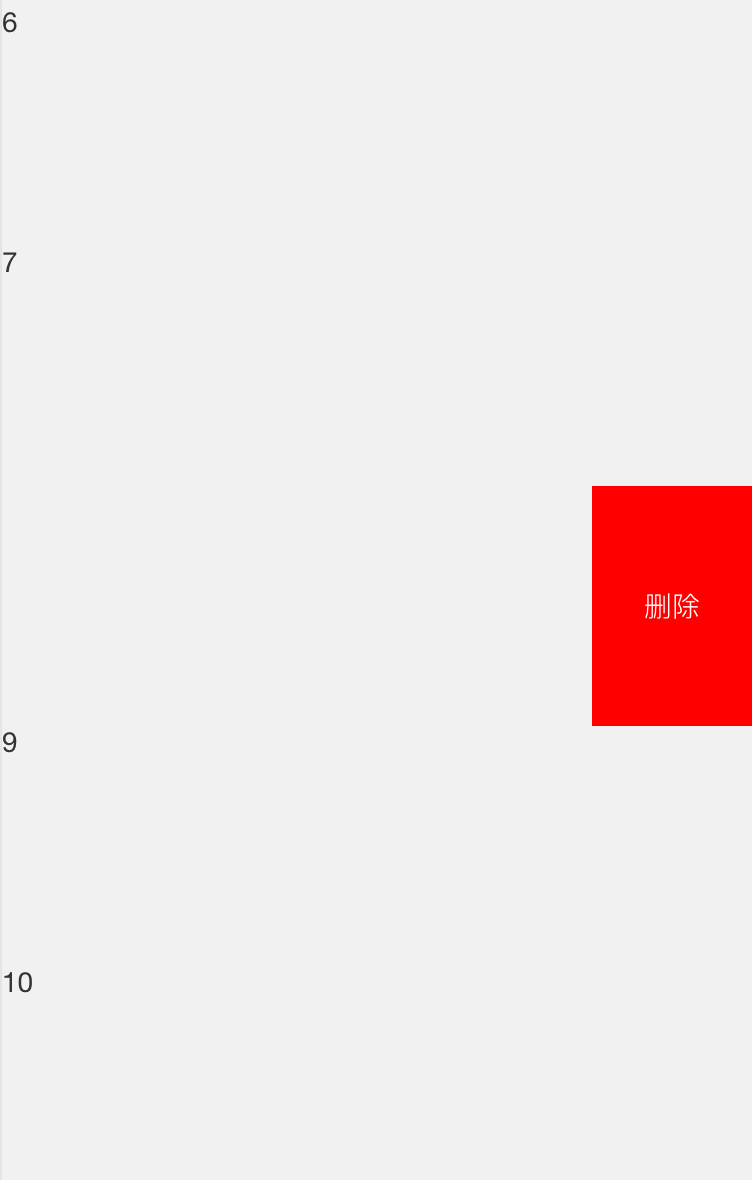
uni-app实现
html部分
<template>

    <scroll-view :scroll-y="isScroll" :style="{ height: windowHeight + 'px' }">

        <block :key="index" v-for="(item, index) in dataList">

            <view :data-index="index" class="order-item" @touchstart="drawStart" @touchmove="drawMove" @touchend="drawEnd" :style="{ right: item.right + 'rpx' }">

                <view class="content">{{ item.content }}</view>

                <view class="remove" @click="delItem">删除</view>

            </view>

        </block>

    </scroll-view>

</template>
js部分
<script>

export default {

    data() {

        return {

            delBtnWidth: 160,

            dataList: [

                { content: '1', right: 0 },

                { content: '2', right: 0 },

                { content: '3', right: 0 },

                { content: '4', right: 0 },

                { content: '5', right: 0 },

                { content: '6', right: 0 },

                { content: '7', right: 0 },

                { content: '8', right: 0 },

                { content: '9', right: 0 },

                { content: '10', right: 0 }

            ],

            isScroll: true,

            windowHeight: 0

        };

    },

    onLoad: function(options) {

        var that = this;

        wx.getSystemInfo({

            success: function(res) {

                that.windowHeight = res.windowHeight;

            }

        });

    },

    methods: {

        drawStart: function(e) {

            // console.log("drawStart");

            var touch = e.touches[0];

            for (var index in this.dataList) {

                this.dataList[index].right = 0;

            }

            this.startX = touch.clientX;

        },

        drawMove: function(e) {

            var touch = e.touches[0];

            var item = this.dataList[e.currentTarget.dataset.index];

            var disX = this.startX - touch.clientX;

            if (disX >= 20) {

                if (disX > this.delBtnWidth) {

                    disX = this.delBtnWidth;

                }

                this.isScroll = false;

                this.dataList[e.currentTarget.dataset.index].right = disX;

            } else {

                this.isScroll = true;

                this.dataList[e.currentTarget.dataset.index].right = 0;

            }

        },

        drawEnd: function(e) {

            var item = this.dataList[e.currentTarget.dataset.index];

            if (item.right >= this.delBtnWidth / 2) {

                this.isScroll = true;

                this.dataList[e.currentTarget.dataset.index].right = this.delBtnWidth;

            } else {

                this.isScroll = true;

                this.dataList[e.currentTarget.dataset.index].right = 0;

            }

        },

        delItem() {

            console.log('删除');

        }

    }

};

</script>
css样式
<style scoped>

.order-item {

    height: 240rpx;

    width: 100%;

    display: flex;

    position: relative;

}

.remove {

    width: 160rpx;

    height: 100%;

    background-color: red;

    color: white;

    position: absolute;

    top:;

    right: -160rpx;

    display: flex;

    justify-content: center;

    align-items: center;

}

</style>
小程序原生开发
html部分
<scroll-view scroll-y="{{isScroll}}" style='height:{{windowHeight}}px'>

    <block wx:key="item" wx:for="{{data}}">

    <view data-index='{{index}}' class="order-item" bindtouchstart="drawStart" bindtouchmove="drawMove" bindtouchend="drawEnd" style="right:{{item.right}}rpx">

        <view class="content">{{item.content}}</view>

        <view class="remove" bindtap="delItem">删除 </view>

    </view>

    </block>

</scroll-view>
js部分
Page({

  data: {

    delBtnWidth:160,

    data: [{ content: "1", right: 0 }, { content: "2", right: 0 }, { content: "3", right: 0 }, { content: "4", right: 0 }, { content: "5", right: 0 }, { content: "6", right: 0 }, { content: "7", right: 0 }, { content: "8", right: 0 }, { content: "9", right: 0 }, { content: "10",  right: 0 }],

    isScroll:true,

    windowHeight:0,

  },

  onLoad: function (options) {

    var that = this;

    wx.getSystemInfo({

      success: function (res) {

        that.setData({

          windowHeight: res.windowHeight

        });

      }

    });

  },

  drawStart: function (e) {

    // console.log("drawStart");

    var touch = e.touches[0]

    for(var index in this.data.data) {

      var item = this.data.data[index]

      item.right = 0

    }

    this.setData({

      data: this.data.data,

      startX: touch.clientX,

    })

  },

  drawMove: function (e) {

    var touch = e.touches[0]

    var item = this.data.data[e.currentTarget.dataset.index]

    var disX = this.data.startX - touch.clientX

    if (disX >= 20) {

      if (disX > this.data.delBtnWidth) {

        disX = this.data.delBtnWidth

      }

      item.right = disX

      this.setData({

        isScroll: false,

        data: this.data.data

      })

    } else {

      item.right = 0

      this.setData({

        isScroll: true,

        data: this.data.data

      })

    }

  },

  drawEnd: function (e) {

    var item = this.data.data[e.currentTarget.dataset.index]

    if (item.right >= this.data.delBtnWidth/2) {

      item.right = this.data.delBtnWidth

      this.setData({

        isScroll: true,

        data: this.data.data,

      })

    } else {

      item.right = 0

      this.setData({

        isScroll: true,

        data: this.data.data,

      })

    }

  },

  delItem: function (e) {

      console.log(e)

  }

})
css部分
.order-item {

    height: 240rpx;

    width: 100%;

    display: flex;

    position: relative;

}

.remove {

    width: 160rpx;

    height: 100%;

    background-color: red;

    color: white;

    position: absolute;

    top:;

    right: -160rpx;

    display: flex;

    justify-content: center;

    align-items: center;

}
参考链接:https://www.jianshu.com/p/f9cc446fd328
微信小程序实现左滑删除效果(原生/uni-app)的更多相关文章
- 微信小程序实现左滑删除源码
左滑删除效果在app的交互方式中十分流行,比如全民应用微信 微信左滑删除 再比如曾引起很大反响的效率app Clear Clear左滑删除 从技术上来说,实现这个效果并不困难,响应一下滑动操作,移动一 ...
- 微信小程序实现标签页滑块效果
微信小程序实现标签页滑块效果 小程序完整代码: wxml: <view class="swiper-tab"> <view class="swiper- ...
- 微信小程序里实现跑马灯效果
在微信小程序 里实现跑马灯效果,类似滚动字幕或者滚动广告之类的,使用简单的CSS样式控制,没用到JS wxml: <!-- 复制的跑马灯效果 --> <view class=&quo ...
- Taro UI开发小程序实现左滑喜欢右滑不喜欢效果
前言:年后入职了一家新公司,与前同事交接完之后,发现公司有一个四端的项目(iOS,Android,H5,小程序),iOS和安卓都实现了左滑右滑的效果,而h5和小程序端没实现,询问得知前同事因网上没找到 ...
- 微信小程序实现左侧滑栏
前言 一直想给项目中的小程序设置侧滑栏,将退出按钮放到侧滑中,但是小程序没有提供相应的控件和API,因此只能自己手动实现,网上很多大神造的轮子很不错,本文就在是站在巨人的肩膀上实现. 效果 先看看效果 ...
- 微信小程序:scroll滑到指定位置
概述 这是我开发微信小程序遇到的坑中的一个,专门记录下来,供以后开发时参考,相信对其他人也有用. scroll滑到指定位置,有两种解决方案,一种是用scroll-view标签,另一种是用wx.page ...
- 图解微信小程序---实现行的删除和增加操作
图解微信小程序之实现行的删除和增加操作 代码笔记部分 第一步:在项目的app.json中创建一个新的页面(页面名称英文,可自定义) 第二步:在创建的新页面中编写页面(注意bindtap属性值,因为是我 ...
- 使用zepto实现QQ消息左滑删除效果
有这样一个需求: 1. 有一个列表,将每一个列表项左滑动出现删除按钮: 2. 右滑动隐藏删除按钮: 3. 点击这个删除按钮删除该列表项. 完成以后的效果: 这是微信网页端的页面,使用的是 zepto ...
- 微信小程序:上滑触底加载下一页
给商品列表页面添加一个上滑触底加载下一页的效果,滚动条触底之后就发送一个请求,来加载下一页数据, 先在getGoodsList中获取总条数 由于总页数需要再另外的一个方法中使用,所以要把总页数变成一个 ...
随机推荐
- css中class后面跟两个类,这两个类用空格隔开
css中class后面跟两个类,这两个类用空格隔开,那么这两个类对这个元素都起作用,如果产生冲突,那么后面的类将替代前面的类.
- 使用eclipse搭建springboot项目pom.xml文件第一行报错(Maven Configuration Problem)
今天在https://start.spring.io/上搭建了一个2.1.5版本的springboot项目,但是把它导入后,pom.xml第一行报错了,查看Problems发现下面的错误 百度后发现方 ...
- [CMake笔记] 初识CMake
与CMake相遇 做C/C++的人都应该经历过,以往拿到一个开源代码,想自己编译出来,总会因为VS的版本不同而出现各种各样的问题,使编译过程困难重重,更多时候就会放弃使用它了.而这个过程反过来,也会使 ...
- 「ZJOI2013」K大数查询
「ZJOI2013」K大数查询 传送门 整体二分,修改的时候用线段树代替树状数组即可. 参考代码: #include <cstdio> #define rg register #defin ...
- Python 之并发编程之进程上(基本概念、并行并发、cpu调度、阻塞 )
一: 进程的概念:(Process) 进程就是正在运行的程序,它是操作系统中,资源分配的最小单位. 资源分配:分配的是cpu和内存等物理资源 进程号是进程的唯一标识 同一个程序执行两次之后是两个进程 ...
- zabbix server 安装部署
一:安装zabbix服务端 1.部署准备 命令:iptables -F #关闭防火墙命令:systemctl stop firewalld #关闭防火墙 设置解析,自建yum源 命令:c ...
- KVM虚拟化与容器的区别理解
1.KVM虚拟化是linux内核的虚拟化,提供了内核级别的虚拟进程管理,客户空间的程序QEMU-KVM可以提供资源清单和模拟设备,与KVM交互 QEMU-KVM--可以在宿主机器,建立网络(网桥交换机 ...
- 多个span标签在同一行显示
属性设置为display:inline或display:inline-block
- stringstream常见用法介绍
1 概述 <sstream> 定义了三个类:istringstream.ostringstream 和 stringstream,分别用来进行流的输入.输出和输入输出操作.本文以 stri ...
- 3.8.1 HTML与CSS简单页面效果实例
HTML与CSS简单页面效果实例 <!DOCTYPE html> <html> <head> <meta charset="utf-8" ...