
cuda8.0 出错:/usr/bin/ld: 找不到 -lGL【转】
本文转自:https://blog.csdn.net/u010159842/article/details/56833030
最近在学习深度学习,在搭建CUDA8.0的时候,出现一个非常不好的问题:
出错:/usr/bin/ld: 找不到 -lGL
collect2: error: ld returned 1 exit status
Makefile:275: recipe for target 'nbody' failed
make: *** [nbody] Error 1
因为cuda8.0是最新的版本, 找了好多资料都没有解决,最后在一篇博客http://blog.csdn.net/kangear/article/details/40225325中看到
$ locate libGL.so
/usr/lib/i386-Linux-gnu/mesa/libGL.so.1
/usr/lib/i386-Linux-gnu/mesa/libGL.so.1.2.0
$ sudo ln -s /usr/lib/i386-linux-gnu/mesa/libGL.so.1.2.0 /usr/lib/libGL.so
虽然里面什么都没有说,但是提供了思路,博主沿着这条线索一直找下去,结果终于解决了,现讲方法与大家一起分享:
1)找到本地的libGL.so 文件路径 ,在终端执行:locate libGL.so 命令;
2)建立链接: sudo ln -s /usr/lib/x86_64-linux-gnu/libGL.so.1.0.0 /usr/lib/libGL.so
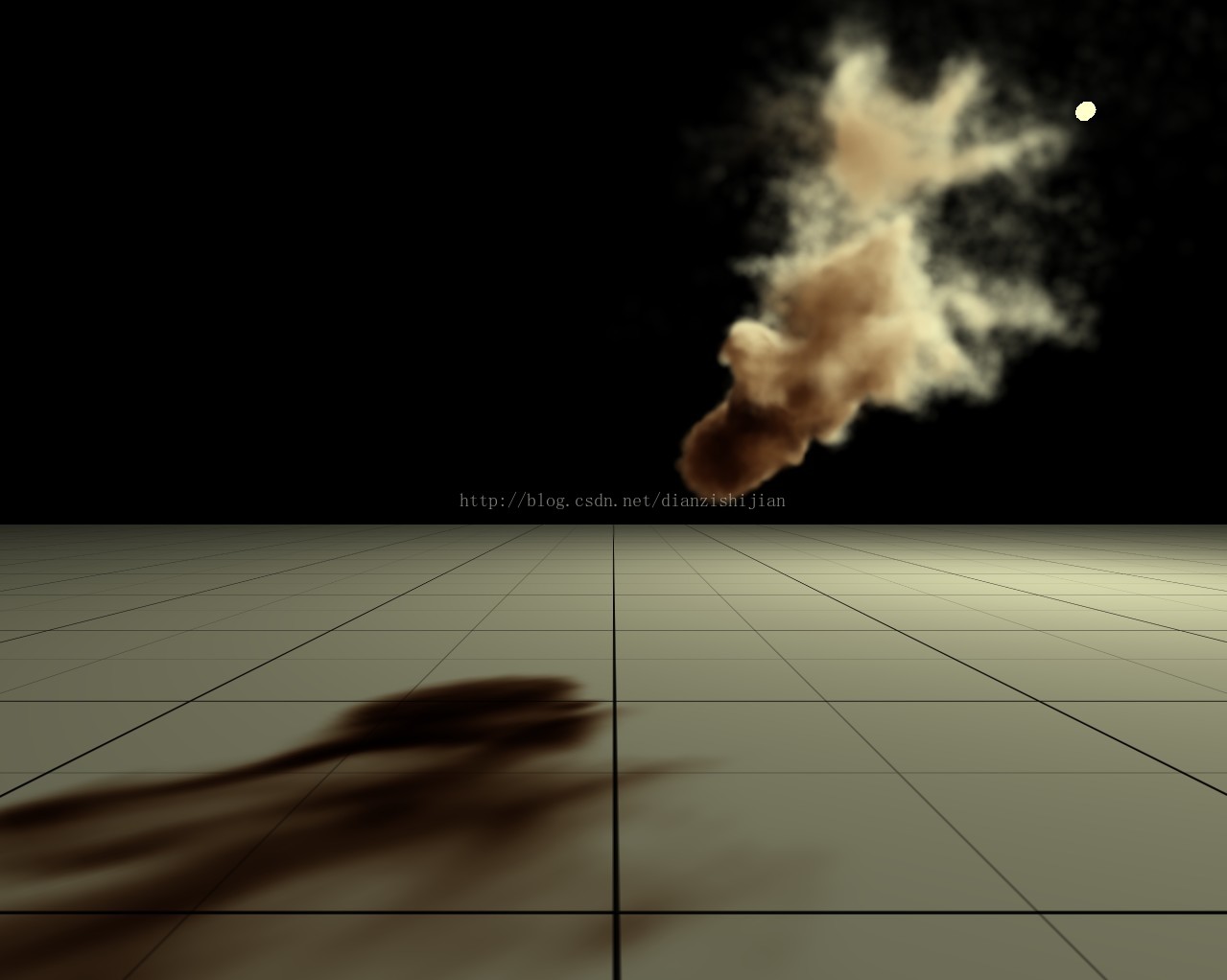
然后再来编译,结果没有报错,运行程序,得到非常完美的结果如下:
cuda8.0 出错:/usr/bin/ld: 找不到 -lGL【转】的更多相关文章
- Centos中Qt编译问题(/usr/bin/ld: 找不到 -lpulse-mainloop-glib,/usr/bin/ld: 找不到 -lpulse...)
Linux下QT编写一个与视频播放的程序,出现/usr/bin/ld: 找不到 -lpulse-mainloop-glib,/usr/bin/ld: 找不到 -lpulse 解决办法: 首先find ...
- linux下 /usr/bin/ld: 找不到 -ldhnetsdk的解决方法
linux下使用Qt编译程序的时候,安装了程序自带的链接库之后,仍然上报这个错误, 发现系统上报这个错误: /usr/bin/ld: 找不到 -ldhnetsdk 经过仔细的定位,终于解决了,这里把思 ...
- /usr/bin/ld: 找不到 -lmsc----解决方案
系统的默认搜索依赖库路径为,/usr/local/lib 在camkelists.txt文件中对可执行文件链接libmsc.so add_executable(iat_publish src/iat_ ...
- make编译出错 usr/bin/ld: /data/app/openssl/lib/libcrypto.a(ecs_asn1.o): relocation R_X86_64_PC32 against symbol `ECDSA_SIG_it' can not be used when making a shared object; recompile with -fPIC
当make编译出现错误 usr/bin/ld: /data/app/openssl/lib/libcrypto.a(ecs_asn1.o): relocation R_X86_64_PC32 agai ...
- cuda8.0 /usr/bin/ld: cannot find -lGL
/usr/bin/ld: cannot find -lGL collect2: ld returned 1 exit status tennycent@tennycent-desktop:~/$ ...
- /usr/bin/ld: .build_release/tools/alignment_tools.o: undefined reference to symbol 'omp_get_thread_num@@OMP_1.0'
问题:/usr/bin/ld: .build_release/tools/alignment_tools.o: undefined reference to symbol 'omp_get_threa ...
- make 出错: /usr/bin/ld: cannot find -lrt
make 出错:/usr/bin/ld: cannot find -lrtcollect2: ld returned 1 exit statusmake: *** [page_parser] Erro ...
- 编译的时候出现 usr/bin/ld: cannot find -lxxx 的错误
比如错误为: usr/bin/ld: cannot find -labc 首先要明白的是 labc 代表的是 libabc.so 明白了这个之后,我们就知道了问题是:在编译的过程中,需要 libabc ...
- 关于usr/bin/ld: cannot find -lxxx问题总结
/usr/bin/ld: cannot find -lxxx问题总结 linux下编译应用程序常常会出现如下错误: /usr/bin/ld: cannot find -lxxx ...
随机推荐
- LeetCode——Intersection of Two Linked Lists
Description: Write a program to find the node at which the intersection of two singly linked lists b ...
- 微信小游戏 Egret开发数据域官方Demo下载地址
随着引擎的升级,伴随而来就是各种问题,使用官方调试过的Demo,少走弯路. Mark下 官方Demo
- 【BZOJ3362-3365】USACO水题四连A
[BZOJ3362][Usaco2004 Feb]Navigation Nightmare 导航噩梦 Description 农夫约翰有N(2≤N≤40000)个农场,标号1到N,M(2≤M≤ ...
- thinkphp---手机访问切换模板!
手机访问切换模板:一般用在手机在做自适应的情况. 第一步:需要添加判断是否是手机访问的方法: http://www.cnblogs.com/e0yu/p/7561811.html 第二步:Home / ...
- Thinkphp上传图片
上传图片的HTML结构: <form action="{:U('Config/addImg')}" enctype="multipart/form-data&quo ...
- 问答项目---登陆账号密码登陆做AJAX异步校验
异步验证管理员帐号方法: /* 异步验证管理员帐号 */ public function checkAccount(){ if(!IS_AJAX){echo "页面不存在";die ...
- 阿里云服务器被挖矿程序minerd入侵的终极解决办法[转载]
突然发现阿里云服务器CPU很高,几乎达到100%,执行 top c 一看,吓一跳,结果如下: root 386m S : /tmp/AnXqV -B -a cryptonight -o stratum ...
- Servlet------>jsp EL表达式
取值: ${data}------>pageContext.findAttribute("data"); ${data.name}------>data.getName ...
- flask sqlaichemy中filter和filter_by
简单总结一下: 查询的三种方式: 要实现组合查询,要么连续调用filter:q = sess.query(IS).filter(IS.node == node).filter(IS.password ...
- 【Python】Python 打印和输出更多用法。
Python 打印和输出 简述 在编程实践中,print 的使用频率非常高,特别是程序运行到某个时刻,要检测产生的结果时,必须用 print 来打印输出. 关于 print 函数,前面很多地方已经提及 ...