
web 给大家分享一个好玩的东西,也许你那块就用的到
先看效果:
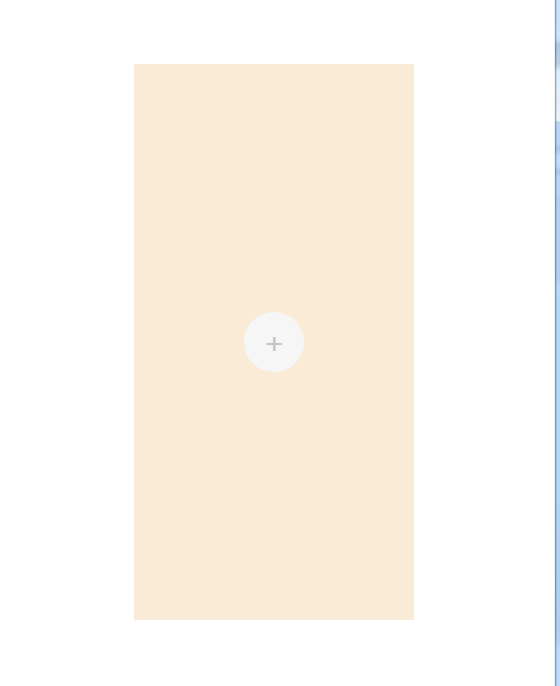
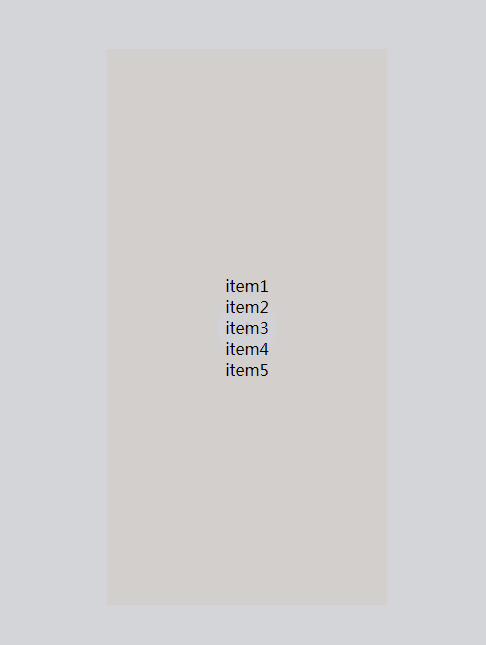
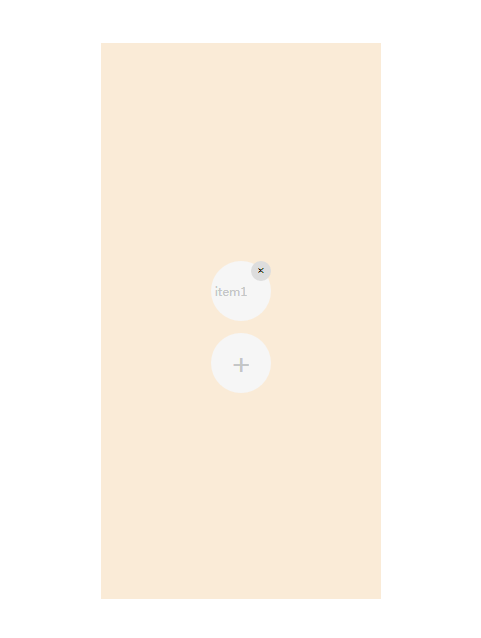
就这个效果。当你点击右上角的删除按钮,会删除掉item1。
上代码:
 <!DOCTYPE html>

 <html>

 <head>

     <meta charset="utf-8">

     <title></title>

     <style type="text/css">

         .central {

             /* 利用绝对定位和flex实现居中 */

             position: absolute;

             top: 0px;

             right: 0px;

             bottom: 0px;

             left: 0px;

             margin: auto;

             width: 50%;

             height: 80%;

             background-color: antiquewhite;

             /* 居中效果结束 */

             display: flex;

             flex-direction: column;

             /* 垂直排列 */

             /* 与justify-content相同的方式在侧轴方向上将当前行上的弹性元素对齐。也就是上下居中 */

             align-items: center;

             /* 居中排列,水平方向 */

             justify-content: center;

         }

         #pop_div {

             background-color: #F6F6F6;

             width: 60px;

             height: 60px;

             border-radius: 30px;    /* 用边框半径实现圆形div */

             text-align: center;

             line-height: 60px;

             outline: none;

             font-size: 30px;

             color: #C4C6C7;

         }

         #pop_div:hover {

             cursor: pointer;        /* 当鼠标移动到标签上是,自动变成手指形状 */

         }

         .add_item {

             background-color: #F6F6F6;

             width: 60px;

             height: 60px;

             border-radius: 30px;

             text-align: center;

             line-height: 60px;

             outline: none;

             font-size: 10px;

             color: #C4C6C7;

         }

         .btn_delete {

             position: relative;

             float: right;

             right: 0px;

             top: 0px;

             width: 20px;

             height: 20px;

             border-radius: 10px;

             outline: none;

             border: none;

             cursor: pointer;

         }

         .hide_div {

             position: absolute;

             top: 0px;

             right: 0px;

             bottom: 0px;

             left: 0px;

             margin: auto;

             width: 100%;

             height: 100%;

             display: none;  /* 显示方式:none(标签不显示) */

             background-color: rgba(194, 195, 201, 0.7);     /* 实现半透明北京,0.7代表不透明度 */

         }

         .hide_div div {

             cursor: pointer;

         }

     </style>

 </head>

 <body>

     <div class="central">

         <div id="panel"></div>

         <div id="pop_div" title="添加" onclick="popDiv();">+</div>

     </div>

     <div id="hide_div" class="hide_div">

         <div id="item1" onclick="itemClick('item1');">item1</div>

         <div id="item2" onclick="itemClick('item2');">item2</div>

         <div id="item3" onclick="itemClick('item3');">item3</div>

         <div id="item4" onclick="itemClick('item4');">item4</div>

         <div id="item5" onclick="itemClick('item5');">item5</div>

     </div>

     <script>

         function popDiv() {

             // alert("将要弹出一个div");

             var vardiv = document.getElementById("hide_div");

             vardiv.style.display = "flex";

             vardiv.style.flexDirection = "column";

             vardiv.style.justifyContent = "center";

             vardiv.style.alignItems = "center";

             // vardiv.onclick = itemClick;

         }

         function itemClick(item) {

             var text = document.getElementById(item).innerHTML; /* 获取元素html属性返回string */

             // alert(text);

             var vardiv = document.getElementById("hide_div");

             vardiv.style.display = "none";

             addElementToHtml(text);

         }

         var index = 0;

         function addElementToHtml(text) {

             // 判断是否已经存在这个id的标签

             if (null != document.getElementById(text + "_p")) {

                 alert('不能重复添加...');

                 return;

             }

             // 创建一个p标签,设置属性

             var p = document.createElement('p');

             p.id = text + "_p";

             p.innerHTML = text;

             p.className = "add_item";

             // 创建一个input标签,设置属性

             var btnDel = document.createElement('input');

             btnDel.type = 'button';

             btnDel.value = '×';

             btnDel.title = "删除";

             btnDel.className = "btn_delete";

             // 绑定删除按钮删除事件

             btnDel.onclick = function () {

                 // alert("将删除" + this.parentNode.id + "标签及子标签...");

                 this.parentNode.parentNode.removeChild(this.parentNode); /* 首先要找到要删除节点的父节点,然后通过父节点才能删除自己 */

             };

             // 添加删除按钮到p标签中

             p.appendChild(btnDel);

             var panel = document.getElementById("panel");

             panel.appendChild(p);

         }

     </script>

 </body>

 </html>
web 给大家分享一个好玩的东西,也许你那块就用的到的更多相关文章
- C# PDF Page操作——设置页面切换按钮 C# 添加、读取Word脚注尾注 C#为什么不能像C/C++一样的支持函数只读传参 web 给大家分享一个好玩的东西,也许你那块就用的到
C# PDF Page操作——设置页面切换按钮 概述 在以下示例中,将介绍在PDF文档页面设置页面切换按钮的方法.示例中将页面切换按钮的添加分为了两种情况,一种是设置按钮跳转到首页.下页.上页或者 ...
- 发现一个好玩的东西 Web Scraper
是一个 Chrome 的扩展程序,机智的小爬虫
- 2. web前端开发分享-css,js进阶篇
一,css进阶篇: 等css哪些事儿看了两三遍之后,需要对看过的知识综合应用,这时候需要大量的实践经验, 简单的想法:把qq首页全屏另存为jpg然后通过ps工具切图结合css转换成html,有无从下手 ...
- 分享一个刷网页PV的python小脚本
下面分享一个小脚本,用来刷网页PV. [root@huanqiu ~]# cat www.py #!/usr/bin/python# coding: UTF-8import webbrowser as ...
- Git.Framework 框架随手记-- 分享一个"比较垃圾"的项目
本文主要分享一个Git.Framework 开发的一个项目的部分源码,此项目代码"比较垃圾",所以请各位码农,码畜,码神,码圣勿喷!发此文只为记录工作问题以及分享问题! 一. 项目 ...
- 文件系统:介绍一个高大上的东西 - 零基础入门学习Python030
文件系统:介绍一个高大上的东西 让编程改变世界 Change the world by program 接下来我们会介绍跟Python的文件相关的一些十分有用的模块.模块是什么?不知大家对以下代码还有 ...
- 分享一个c#写的开源分布式消息队列equeue
分享一个c#写的开源分布式消息队列equeue 前言 equeue消息队列中的专业术语 Topic Queue Producer Consumer Consumer Group Broker 集群消费 ...
- 【开源.NET】 分享一个前后端分离的轻量级内容管理框架
开发框架要考虑的面太多了:安全.稳定.性能.效率.扩展.整洁,还要经得起实践的考验,从零开发一个可用的框架,是很耗时费神的工作.网上很多开源的框架,为何还要自己开发?我是基于以下两点: 没找到合适的: ...
- [UWP]分享一个基于HSV色轮的调色板应用
1. 前言 上一篇文章介绍了HSV色轮,这次分享一个基于HSV色轮的调色板应用,应用地址:ColorfulBox - Microsoft Store 2. 功能 ColorfulBox是Adobe 色 ...
随机推荐
- centos使用163 yum源
备份# cp /etc/yum.repos.d/CentOS-Base.repo /etc/yum.repos.d/CentOS-Base.repo.bak修改# vi /etc/yum.repos ...
- class文件格式说明
java代码编译成class文件之后,class文件里面的语法是什么样的,他的数据类型是什么以及如何存放的?? class也是一种语言写的,只不过和我们的java语法不同而已. class文件就是把j ...
- iOS开发系列-ARC浅解
一.什么是 ARC ? 所谓ARC就是Automatic Reference Counting , 即自动引用计数.ARC是自iOS5引入的.ARC机制的引入是为了简化开发过程的内存管理的.相对于之前 ...
- linux下python3离线加载nltk_data,不用nltk.download()
在不能上网的服务器上把nltk_data关联到python3,已经安装anaconda3所以不需要安装nltk,环境是linux 首先没有nltk_data在使用nltk会报错 LookupError ...
- Putty使用密钥登陆SSH
平时工作学习必须要使用Windows,在SSH远程连接软件里Putty算是用得比较顺手的,而且很小巧. 但是每次输入密码很麻烦,还容易输错,OpenSSH可以利用密钥来自动登陆,如此一来方便了不少.配 ...
- ES6系列_7之箭头函数和扩展
1.默认值 在ES6中给我们增加了默认值的操作相关代码如下: function add(a,b=1){ return a+b; } console.log(add(1)); 可以看到现在只需要传递一个 ...
- 读书笔记--大规模web服务开发技术
总评 这本书是日本一个叫hatena的大型网站的CTO写的,通过hatena网站从小到大的演进来反应一个web系统从小到大过程中的各种系统和技术架构变迁,比较接地气. 书的内容 ...
- Spring NamedParameterJdbcTemplate 详解
转自: https://zmx.iteye.com/blog/373736 NamedParameterJdbcTemplate类是基于JdbcTemplate类,并对它进行了封装从而支持命名参数特性 ...
- delphi Firemonkey ListView 使用参考
delphi Firemonkey ListView 使用参考 Tokyo版本 http://docwiki.embarcadero.com/RADStudio/Tokyo/en/Customizin ...
- Java Reference & ReferenceQueue一览
Overview The java.lang.ref package provides more flexible types of references than are otherwise ava ...