
02Hibernate基本配置
Hibernate基本配置
1.引入jar
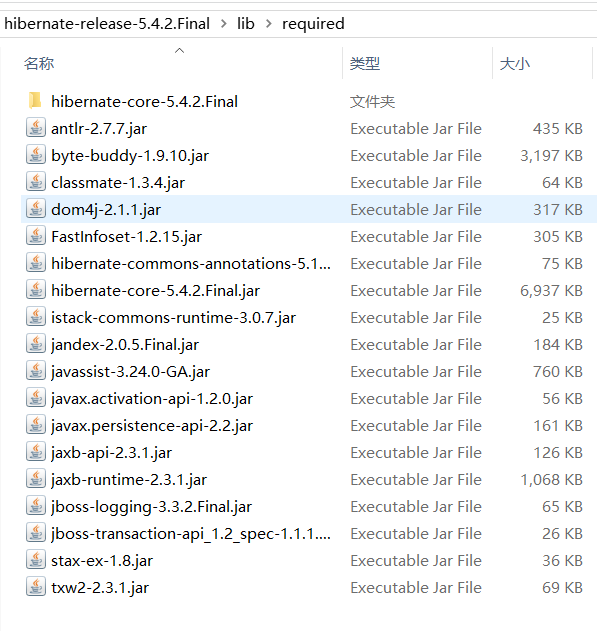
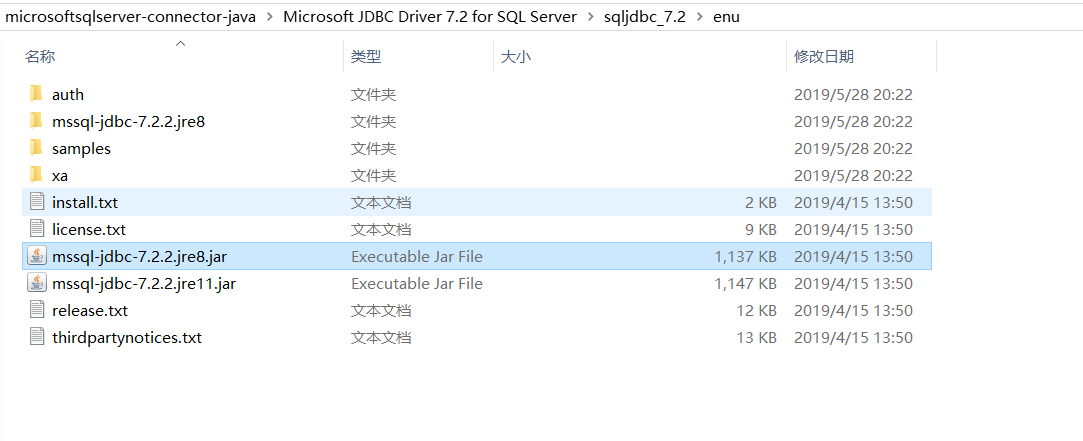
2.建立项目

3.创建实体类
package com.sqlserver.domain;
public class Customer {
    long cust_id;
    String cust_name;
    String cust_source;
    String cust_industry;
    String cust_level;
    String cust_phone;
    public Customer() {
    }
    public Customer(long cust_id, String cust_name, String cust_source, String cust_industry, String cust_level,
            String cust_phone) {
        super();
        this.cust_id = cust_id;
        this.cust_name = cust_name;
        this.cust_source = cust_source;
        this.cust_industry = cust_industry;
        this.cust_level = cust_level;
        this.cust_phone = cust_phone;
    }
    public long getCust_id() {
        return cust_id;
    }
    public void setCust_id(long cust_id) {
        this.cust_id = cust_id;
    }
    public String getCust_name() {
        return cust_name;
    }
    public void setCust_name(String cust_name) {
        this.cust_name = cust_name;
    }
    public String getCust_source() {
        return cust_source;
    }
    public void setCust_source(String cust_source) {
        this.cust_source = cust_source;
    }
    public String getCust_industry() {
        return cust_industry;
    }
    public void setCust_industry(String cust_industry) {
        this.cust_industry = cust_industry;
    }
    public String getCust_level() {
        return cust_level;
    }
    public void setCust_level(String cust_level) {
        this.cust_level = cust_level;
    }
    public String getCust_phone() {
        return cust_phone;
    }
    public void setCust_phone(String cust_phone) {
        this.cust_phone = cust_phone;
    }
}
4.创建数据库表
USE [hibernate]
GO

/****** Object:  Table [dbo].[customer]    Script Date: 2019/5/28 20:30:22 ******/
SET ANSI_NULLS ON
GO

SET QUOTED_IDENTIFIER ON
GO

CREATE TABLE [dbo].[customer](
    ,) NOT NULL,
    ) NULL,
    ) NULL,
    ) NULL,
    ) NULL,
    ) NULL,
 CONSTRAINT [pk_001] PRIMARY KEY CLUSTERED
(
    [cust_id] ASC
)WITH (PAD_INDEX = OFF, STATISTICS_NORECOMPUTE = OFF, IGNORE_DUP_KEY = OFF, ALLOW_ROW_LOCKS = ON, ALLOW_PAGE_LOCKS = ON) ON [PRIMARY]
) ON [PRIMARY]

GO
5.JAVA类与数据库表映射classname.hbm.xml
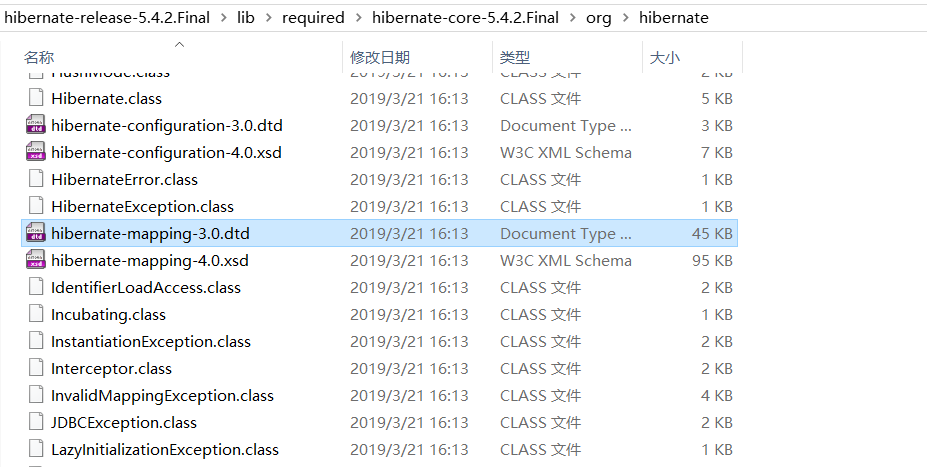
<?xml version="1.0" encoding="UTF-8"?>
<!DOCTYPE hibernate-mapping PUBLIC
    "-//Hibernate/Hibernate Mapping DTD 3.0//EN"
    "http://www.hibernate.org/dtd/hibernate-mapping-3.0.dtd">
<hibernate-mapping>
    <class name="com.sqlserver.domain.Customer" table="customer">
        <!-- 主键 -->
        <id name="cust_id" column="cust_id">
        <generator class="native"></generator>
        </id>
        <!-- 普通列关联,name和column一样可以省略column -->
        <property name="cust_name" column="cust_name" />
        <property name="cust_source" column="cust_source"/>
        <property name="cust_industry" column="cust_industry"/>
        <property name="cust_level" column="cust_level"/>
        <property name="cust_phone" column="cust_phone"/>
    </class>
</hibernate-mapping>
6.数据库连接配置hibernate.cfg.xml
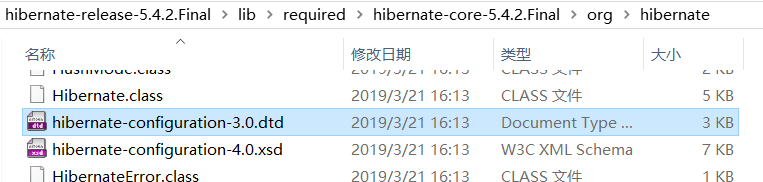

<?xml version="1.0" encoding="UTF-8"?>
<!DOCTYPE hibernate-configuration PUBLIC
    "-//Hibernate/Hibernate Configuration DTD 3.0//EN"
    "http://www.hibernate.org/dtd/hibernate-configuration-3.0.dtd">
<hibernate-configuration>
    <session-factory>
        <!--配置SQLServer连接属性 -->
        <!-- 第一步配置方言 -->
        <property name="dialect">org.hibernate.dialect.SQLServerDialect</property>
        <property name="connection.driver_class">com.microsoft.sqlserver.jdbc.SQLServerDriver</property>
        <property name="connection.url">jdbc:sqlserver://localhost:1433;databaseName=hibernate</property>
        <property name="connection.username">sa</property>
        <property name="connection.password">123456</property>
        <!--在控制台显示SQL语句 -->
        <property name="show_sqlserver">true</property>
        <!--根据需要自动生成、更新数据表 -->
        <property name="hbm2ddl.auto">update</property>
        <property name="myeclipse.connection.profile">sqlserver</property>
        <!--注册所有ORM映射文件 -->
        <mapping resource="com/sqlserver/domain/Customer.hbm.xml" />
    </session-factory>
</hibernate-configuration>
7.测试
package com.ahabest.test;
import org.hibernate.Session;
import org.hibernate.SessionFactory;
import org.hibernate.cfg.Configuration;
import com.sqlserver.domain.Customer;
public class HibrenateTest {
    public static void main(String args[]) {
            //加载配置文件
            Configuration configure = new Configuration().configure();
            //创建sessionfactory连接池
            SessionFactory sessionFactory = configure.buildSessionFactory();
            //获取sessionjdbc连接对象
            Session session = sessionFactory.openSession();

            Customer customer = new Customer();
            customer.setCust_name("aa");
            customer.setCust_source("aa");
            customer.setCust_industry("dsd");
            customer.setCust_level("2");
            customer.setCust_phone("132323333");
            // 保存
            session.save(customer);
            //释放资源
            session.close();
            sessionFactory.close();
        }
}
02Hibernate基本配置的更多相关文章
- 配置android sdk 环境
1:下载adnroid sdk安装包 官方下载地址无法打开,没有vpn,使用下面这个地址下载,地址:http://www.android-studio.org/
- Android Studio配置 AndroidAnnotations——Hi_博客 Android App 开发笔记
以前用Eclicps 用习惯了现在 想学学 用Android Studio 两天的钻研终于 在我电脑上装了一个Android Studio 并完成了AndroidAnnotations 的配置. An ...
- react-router 组件式配置与对象式配置小区别
1. react-router 对象式配置 和 组件式配置 组件式配置(Redirect) ----对应---- 对象式配置(onEnter钩子) IndexRedirect -----对应-- ...
- 总结:Mac前端开发环境的搭建(配置)
新年新气象,在2016年的第一天,我入手了人生中第一台自己的电脑(大一时好友赠送的电脑在一次无意中烧坏了主板,此后便不断借用别人的或者网站的).macbook air,身上已无分文...接下来半年的房 ...
- Android Studio 多个编译环境配置 多渠道打包 APK输出配置
看完这篇你学到什么: 熟悉gradle的构建配置 熟悉代码构建环境的目录结构,你知道的不仅仅是只有src/main 开发.生成环境等等环境可以任意切换打包 多渠道打包 APK输出文件配置 需求 一般我 ...
- Virtual Box配置CentOS7网络(图文教程)
之前很多次安装CentOS7虚拟机,每次配置网络在网上找教程,今天总结一下,全图文配置,方便以后查看. Virtual Box可选的网络接入方式包括: NAT 网络地址转换模式(NAT,Network ...
- [linux]阿里云主机的免登陆安全SSH配置与思考
公司服务器使用的第三方云端服务,即阿里云,而本地需要经常去登录到服务器做相应的配置工作,鉴于此,每次登录都要使用密码是比较烦躁的,本着极速思想,我们需要配置我们的免登陆. 一 理论概述 SSH介绍 S ...
- nginx配置反向代理或跳转出现400问题处理记录
午休完上班后,同事说测试站点访问接口出现400 Bad Request Request Header Or Cookie Too Large提示,心想还好是测试服务器出现问题,影响不大,不过也赶紧上 ...
- Swift3.0服务端开发(一) 完整示例概述及Perfect环境搭建与配置(服务端+iOS端)
本篇博客算是一个开头,接下来会持续更新使用Swift3.0开发服务端相关的博客.当然,我们使用目前使用Swift开发服务端较为成熟的框架Perfect来实现.Perfect框架是加拿大一个创业团队开发 ...
随机推荐
- sass 安装与各种命令
css 是一种编程语言,可以用来开发网页样式,但是却不能编程,没有变量,没有条件语句,于是就有了“css预处理器”, 它的原理就是:利用编程语言进行网页样式设计,然后再编译成正常的css文件: sas ...
- AutoMapper封装类
/// <summary> /// AutoMapper扩展帮助类 /// </summary> public static class AutoMapperHelper { ...
- Windows JDK 1.8降级为1.7方法
转自:https://www.aliyun.com/jiaocheng/890626.html 正常情况下,JDK的升降级只需更改环境变量即可 可是到了1.8版本,Oracle使了一点小手段, 在系统 ...
- bootstrap table 分页后,重新搜索的问题
前提: 自定义搜索且有分页功能,比如搜索产品名的功能. 现象:当搜索充气娃娃的时候返回100条记录,翻到第五页. 这时候搜索按摩棒,数据有200条,结果应该是第一页的记录,但是实际显示的还是第五页的 ...
- java翻译lua+c+openssl签名项目
原来项目中用openresty nginx+lua实现server,lua调用c动态链接库,来使用openss做签名,并生成130字节(128签名+2位自定义字节)长度的文件. nginx: loca ...
- jsp请求转发小例子(转载)
在服务器端对客户端请求时行转发对其它的对象,如果jsp网页或Servlet 用三个 jsp网页来演示转发: forword1.jsp, 用来提交表单, 将表单内容提交给 forwrod2.jsp, ...
- Linux 常用命令十一 ps
一.ps命令 Linux中的ps命令是Process Status的缩写. ps命令用来列出系统中当前运行的那些进程.ps命令列出的是当前那些进程的快照,就是执行ps命令的那个时刻的那些进程,如果想要 ...
- [App Store Connect帮助]七、在 App Store 上发行(4)分阶段发布某个版本更新(iOS 和 watchOS)
当您发布您 App 的一个版本更新时,您可以选择分阶段发布您的 iOS App.如果您正在提交一个 iOS 版本更新,且您的 App 处于以下 App 状态之一,则此选项可用. 准备提交 正在等待审核 ...
- 文件输入输出C++操作
基于C++的文件操作 在C++中,有一个stream这个类,所有的I/O都以这个"流"类为基础的,包括我们要认识的文件I/O,stream这个类有两个重要的运算符: 1.插入器(& ...
- 转-NSUserDefaults 简介,使用 NSUserDefaults 存储自定义对象
转自:http://my.oschina.net/u/1245365/blog/294449 摘要 NSUserDefaults适合存储轻量级的本地数据,一些简单的数据(NSString类型的)例如密 ...