
简单使用 Mvc 内置的 Ioc
简单使用 Mvc 内置的 Ioc
本文基于 .NET Core 2.0。
鉴于网上的文章理论较多,鄙人不才,想整理一份 Hello World(Demo)版的文章。
目录
- 场景一:简单类的使用
- 场景二:包含接口类的使用
- 场景三:涉及引用类库的使用
场景一:简单类的使用
类 DemoService.cs:

    public class DemoService
    {
        public string Test()
        {
            return Guid.NewGuid().ToString();
        }
    }
控制器 DemoController.cs:
    public class DemoController : Controller
    {
        private readonly DemoService _demoService;

        public DemoController(DemoService demoService)
        {
            _demoService = demoService;
        }

        public IActionResult Index()
        {
            return Json(_demoService.Test());
        }
    }
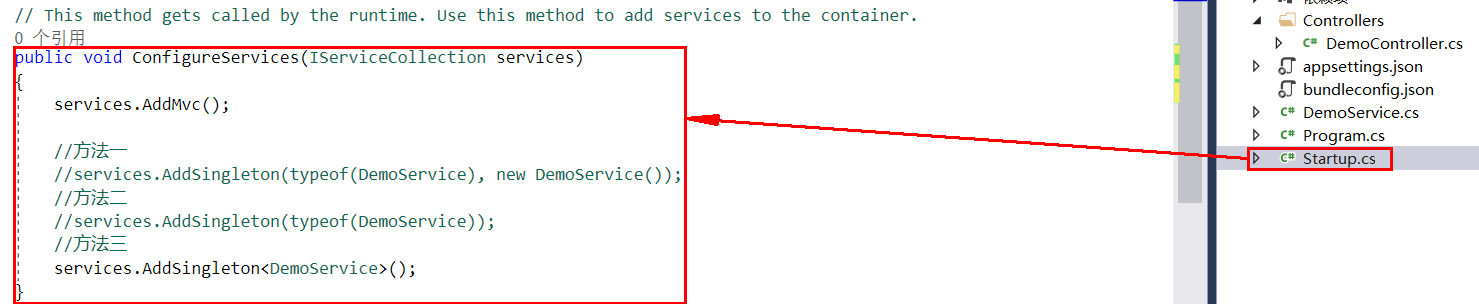
需要先在 Startup.cs 下的 ConfigureServices() 方法中进行注册才能使用,这里提供了三种方法,可以选择自己喜欢的方式进行注册。
    //方法一
    services.AddSingleton(typeof(DemoService), new DemoService());

    //方法二
    services.AddSingleton(typeof(DemoService));

    //方法三
    services.AddSingleton<DemoService>();
执行输出结果,正常:

IOC 的容器目前有三种生命周期 Transient、Scoped 和 Singleton,使用方式大致相同,具体差异不在这里进行叙述:
    //范例
    services.AddTransient(typeof(DemoService));
    services.AddScoped<DemoService>();
场景二:包含接口类的使用
接口 IDemo2Service.cs:
    public interface IDemo2Service
    {
        string Test();
    }
接口实现 Demo2Service.cs:
    public class Demo2Service : IDemo2Service
    {
        public string Test()
        {
            return Guid.NewGuid().ToString();
        }
    }
控制器 Demo2Controller.cs:
    public class Demo2Controller : Controller
    {
        private readonly IDemo2Service _demoService;

        public Demo2Controller(IDemo2Service demoService)
        {
            _demoService = demoService;
        }

        public IActionResult Index()
        {
            return Json(_demoService.Test());
        }
    }
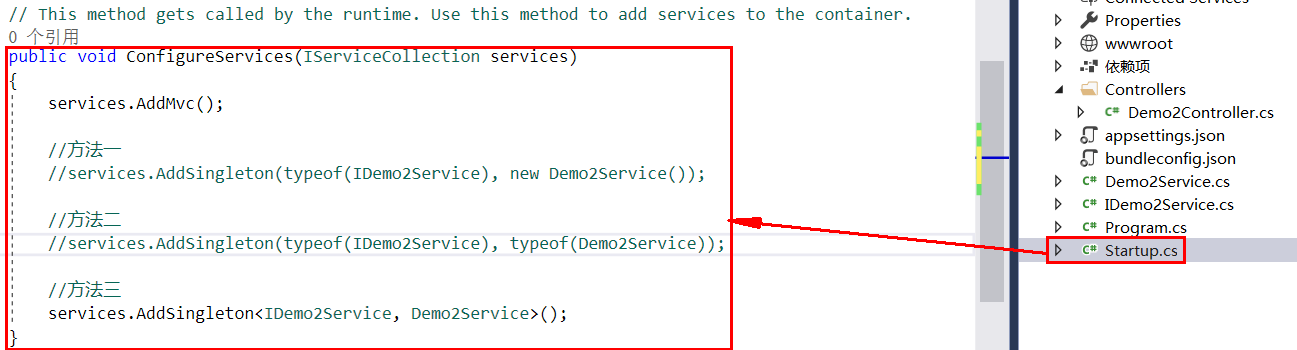
目前需要在类 Startup.cs 中的 ConfigureServices() 方法内新增的注册方法如下(可选其一):
    //方法一
    services.AddSingleton(typeof(IDemo2Service), new Demo2Service());

    //方法二
    services.AddSingleton(typeof(IDemo2Service), typeof(Demo2Service));

    //方法三
    services.AddSingleton<IDemo2Service, Demo2Service>();
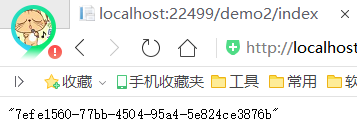
输出结果正常:
场景三:涉及引用类库的使用
我们先新增一个用于标识作用的接口 IServiceSupport.cs,该接口没有包含方法,只是一个标识作用,有点类似 DDD 的聚合根接口 IAggregateRoot:
    public interface IServiceSupport
    {
    }
接口 IDemo3Service.cs
    public interface IDemo3Service
    {
        string Test();
    }
接口实现 Demo3Service.cs
    public class Demo3Service : IDemo3Service
    {
        public string Test()
        {
            return Guid.NewGuid().ToString();
        }
    }
这次我们统一编写一个方法将该类库下的所有接口和实现进行注册:
        private static void AddSingletonServices(IServiceCollection services)
        {
            var asm = Assembly.Load(new AssemblyName("IocCoreDemo.Services"));
            var serviceTypes = asm.GetTypes()
                .Where(x => typeof(IServiceSupport).IsAssignableFrom(x) && !x.GetTypeInfo().IsAbstract);

            foreach (var serviceType in serviceTypes)
            {
                foreach (var serviceInterface in serviceType.GetInterfaces())
                {
                    services.AddSingleton(serviceInterface, serviceType);
                }
            }
        }
因为使用了反射,所以需要 using System.Reflection;
这次我们在 Startup.cs 类中添加和修改的方法如图所示:

Startup.cs 类中使用的有效命名空间如下:
using IocCoreDemo.Services;
using Microsoft.AspNetCore.Builder;
using Microsoft.AspNetCore.Hosting;
using Microsoft.Extensions.Configuration;
using Microsoft.Extensions.DependencyInjection;
using System.Linq;
using System.Reflection;
如果注入失败,执行结果便会如图所示:
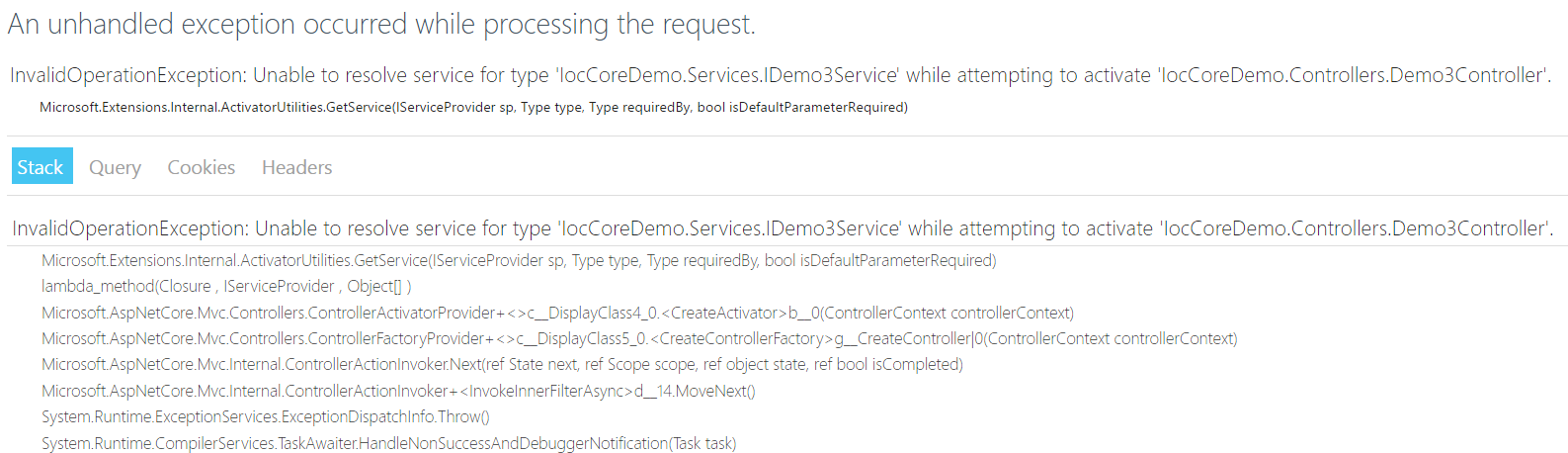
为什么会出现上图的情况呢?因为小编忘记把接口 IDemo3Service 继承自接口 IServiceSupport 了,接下来我们只需要做出一个继承的编写操作即可:
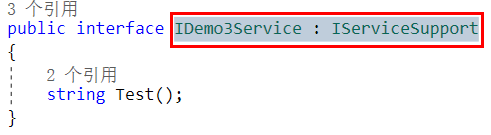
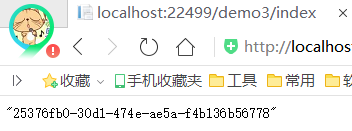
再次执行启动,结果便如你所料:
原文地址:http://www.cnblogs.com/liqingwen/p/8571366.html
相关的文章:
《[.Net Core] 简单使用 Mvc 内置的 Ioc》
《[.Net Core] 简单使用 Mvc 内置的 Ioc(续)》
简单使用 Mvc 内置的 Ioc的更多相关文章
- [.Net Core] 简单使用 Mvc 内置的 Ioc
简单使用 Mvc 内置的 Ioc 本文基于 .NET Core 2.0. 鉴于网上的文章理论较多,鄙人不才,想整理一份 Hello World(Demo)版的文章. 目录 场景一:简单类的使用 场景二 ...
- [.Net Core] 简单使用 Mvc 内置的 Ioc(续)
简单使用 Mvc 内置的 Ioc(续) 本文基于 .NET Core 2.0. 上一章<[.Net Core] 简单使用 Mvc 内置的 Ioc>已经对日常 Mvc 中的 Ioc 的简单用 ...
- ASP.NET Core Web 应用程序系列(一)- 使用ASP.NET Core内置的IoC容器DI进行批量依赖注入(MVC当中应用)
在正式进入主题之前我们来看下几个概念: 一.依赖倒置 依赖倒置是编程五大原则之一,即: 1.上层模块不应该依赖于下层模块,它们共同依赖于一个抽象. 2.抽象不能依赖于具体,具体依赖于抽象. 其中上层就 ...
- Spring MVC内置支持的4种内容协商方式【享学Spring MVC】
每篇一句 十个光头九个富,最后一个会砍树 前言 不知你在使用Spring Boot时是否对这样一个现象"诧异"过:同一个接口(同一个URL)在接口报错情况下,若你用rest访问,它 ...
- ASP.NET CORE 内置的IOC解读及使用
在我接触IOC和DI 概念的时候是在2016年有幸倒腾Java的时候第一次接触,当时对这两个概念很是模糊:后来由于各种原因又回到.net 大本营,又再次接触了IOC和DI,也算终于搞清楚了IOC和DI ...
- MVC路由 路由的三种扩展 替换MVC内置的Handler
Global.asax 是 程序入口文件 路由配置 为什么localhost:8088/Home/Index/1 能返问到我们写的 会去掉前缀跟端口号 变成Home/Index/1 用这个跟路由 ...
- ASP.NET MVC内置的Filter实现介绍
有时候你想在调用action方法之前或者action方法之后处理一些逻辑,为了支持这个,ASP.NET MVC允许你创建action过滤器.Action过滤器是自定义的Attributes,用来标记添 ...
- ASP.NET Core MVC内置服务的使用
ASP.NET Core中的依赖注入可以说是无处不在,其通过创建一个ServiceCollection对象并将服务注册信息以ServiceDescriptor对象的形式添加在其中,其次针对Servic ...
- .net MVC内置js验证 jquery.validate.unobtrusive.js重置验证操作(备忘,找了很多次了)
(function ($) { $.validator.unobtrusive.parseDynamicContent = function (selector) { //use the normal ...
随机推荐
- js 秒杀
秒杀活动页面 <!DOCTYPE HTML> <html> <head> <meta http-equiv="Content-Type" ...
- js 获取json对象的Key、value
<script type="text/javascript"> getJson('age'); function getJson(key){ var jsonObj={ ...
- [android 代码search地址]
http://www.androidcodesearch.com/source/packages/apps/Settings/src/com/android/settings/SecuritySett ...
- .NET重构(六):删除用户和结账的理解
导读:这是第二回机房了,第一回不明不白,不清不楚的就过去了(相对),这一回,有了新的发现.就是在用户删除的时候,涉及到的一些逻辑问题,以及结账时的数据来源问题. 一.用户删除 问题:第一次机房,包括重 ...
- JS 调用存储过程传递参数
引用 #region 程序集 Newtonsoft.Json.dll, v4.5.0.0 // E:\Newtonsoft.Json.dll #endregion public DataTable R ...
- 关于安卓浏览器无法识别es6语法
这几天写代码,在highcharts的代码里用了一些es语法 在PC端及iphone上都能正常运行,在安卓上无法显示 一直不知道什么原因.后来一点点查看才发现是下面的两句es6代码 1: .map(i ...
- request.getContextPath是为了解决相对路径的问题,可返回站点的根路径
假定你的web application 名称为news,你在浏览器中输入请求路径: http://localhost:8080/news/main/list.jsp 则执行下面向行代码后打印出如下结果 ...
- Java线程的学习_线程池
系统启动一个新线程需要很高的成本,因为它涉及与操作系统交互.在这种情况下,使用线程池可以很好地提高性能,尤其是当程序中需要创建大量生存期很短暂的线程时. 线程池在系统启动时即创建大量空闲的线程,程序将 ...
- Activity 切换动画
1,在AndroidManifest.xml中的Activity的声明上加入android:theme="@style/Anim_fade" <activity androi ...
- 在 VirtualBox 5.0 系列中让虚拟机支持 USB 3.0 必须开启 APIC
VirtualBox 5.0 系列正式支持 USB 3.0,能够在宿主机支持 USB 3.0 的情况下,让虚拟机也选择具备 USB 3.0 的功能.但是经过多方试验,发现必须在 VirtualBox ...