
Python重试任务模块tenacity
软硬件环境
windows 11 64bits
python 3.6
tenacity
简介
在实际应用中,经常会碰到在web请求时,因为网络的不稳定,会有请求超时的问题,这时候,一般都是自己去实现重试请求的逻辑,直到得到响应或者超时。虽然这样的逻辑并不复杂,但是代码写起来却不那么优雅,不那么pythonic。
tenacity是一个重试库,使用python语言编写,它能够让我们在任务的重试操作中变得非常简单,使用的是Apache 2.0开源协议。
tenacity有如下特性
装饰器
API可指定停止条件
可指定等待条件
自定义异常时的重试
自定义特定返回值的重试
在协程中使用
模块安装
使用pip安装tenacity
pip install tenacity
示例代码
无条件重试
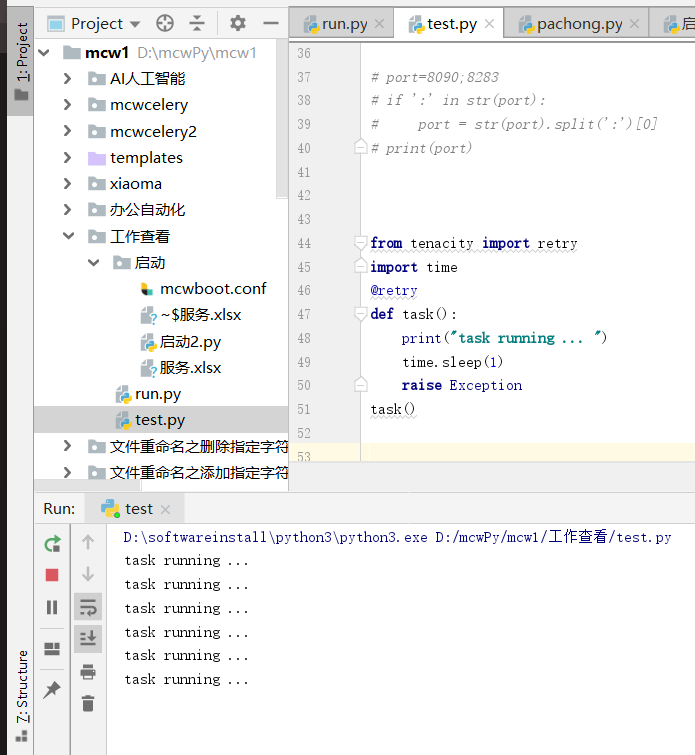
这是tenacity最基本的用法,在task方法中使用装饰器@retry,当task出现异常时,我们就重新运行task,这里没加任何限制,如果异常一直出现,task就会一直运行下去
from tenacity import retry

import time

@retry

def task():

    print("task running ... ")

    time.sleep(1)

    raise Exception

task()
执行上述代码,得到
task running ...

task running ...

task running ...

task running ...

task running ...

task running ...

task running ...

task running ...

task running ...

task running ...

task running ...

task running ...

task running ...

.

.

.
设定停止条件
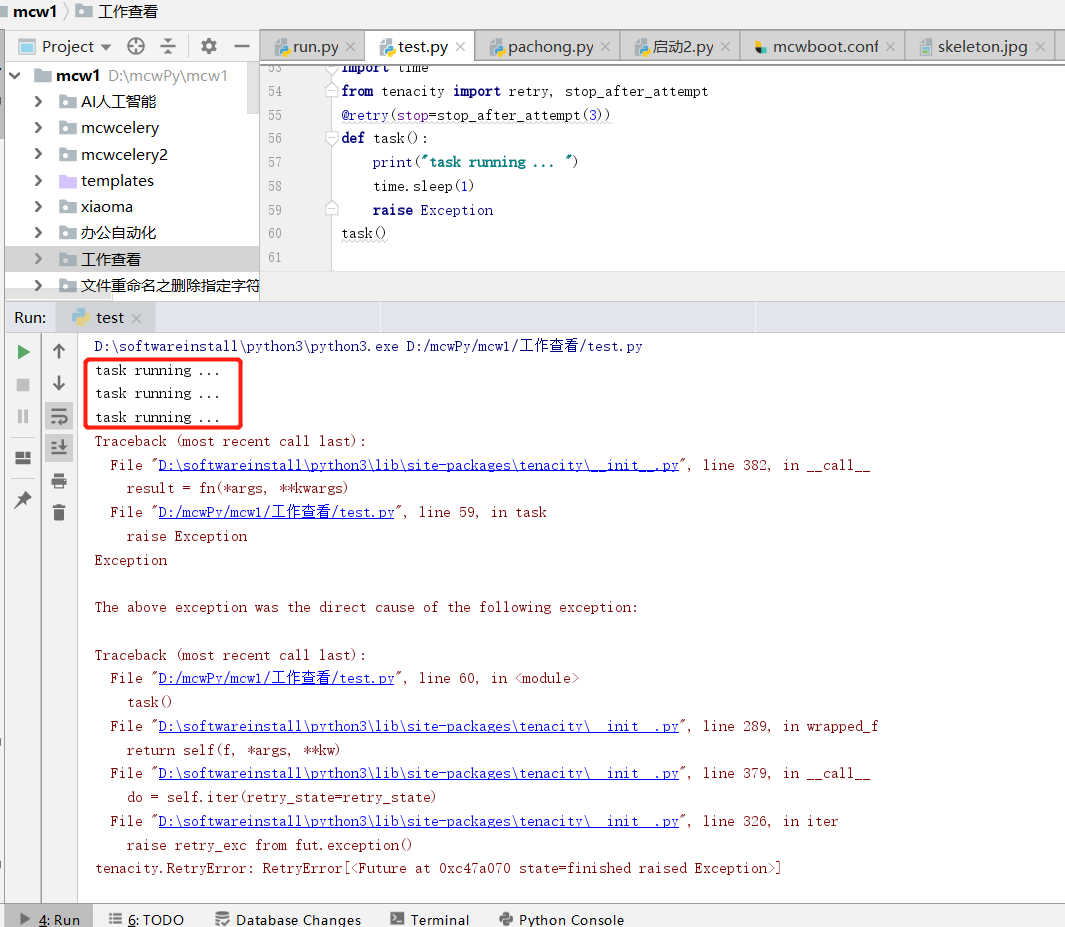
通过方法stop_after_attempt指定重试的次数,如下的3次
import time

from tenacity import retry, stop_after_attempt

@retry(stop=stop_after_attempt(3))

def task():

    print("task running ... ")

    time.sleep(1)

    raise Exception

task()
重试三次之后就报错了
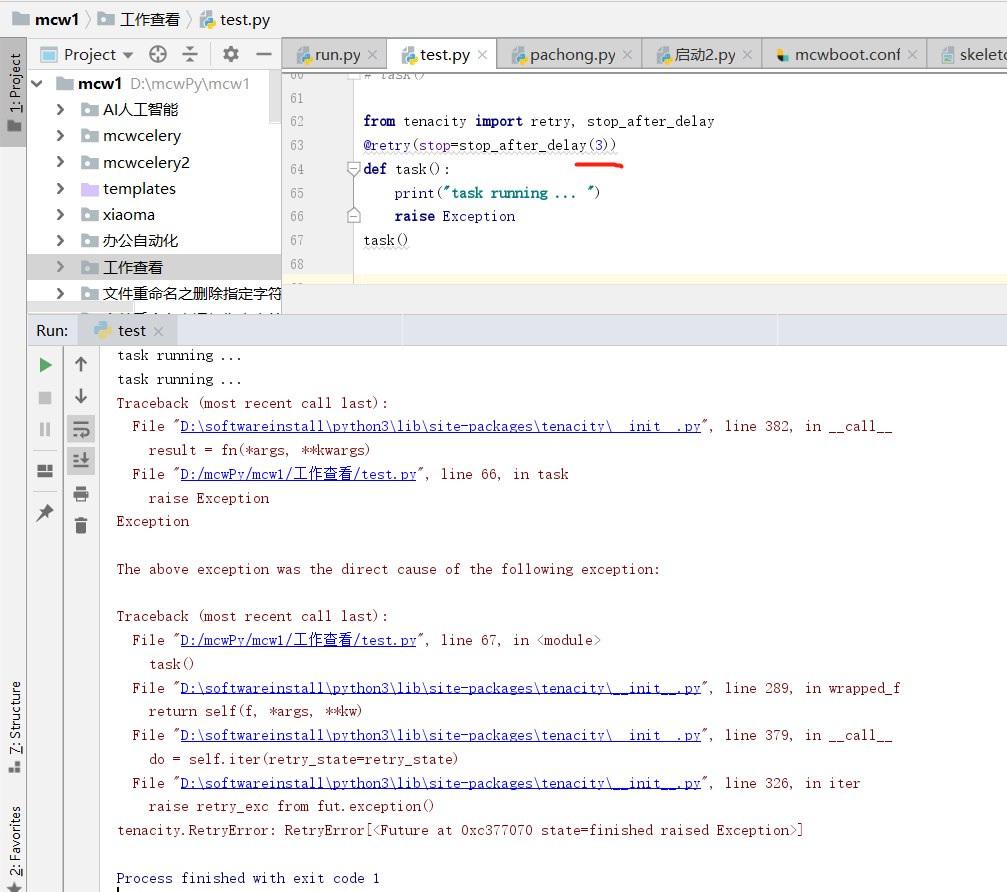
或者使用方法stop_after_delay指定重试多长时候后停止,如下的3秒
from tenacity import retry, stop_after_delay

@retry(stop=stop_after_delay(3))

def task():

    print("task running ... ")

    raise Exception

task()
一直重试很多次,3秒后还没成功,就结束重试
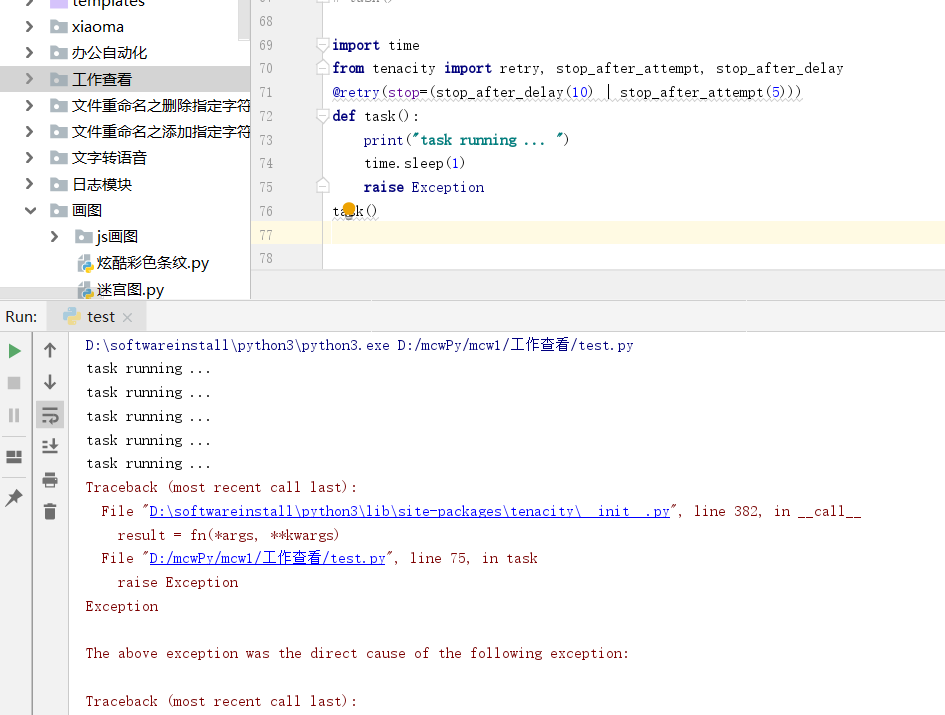
还可以将stop_after_delay和stop_after_attempt组合起来用,如下的代码,只要其中一个条件满足,task就停止运行
import time

from tenacity import retry, stop_after_attempt, stop_after_delay

@retry(stop=(stop_after_delay(10) | stop_after_attempt(5)))

def task():

    print("task running ... ")

    time.sleep(1)

    raise Exception

task()
设定等待时间
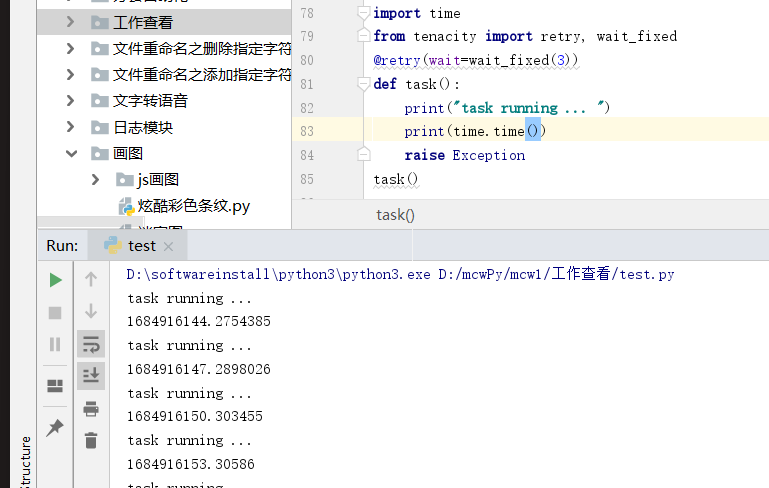
使用方法wait_fixed来指定重试时等待的时间,如下代码中的3秒,每一次重试task前都要等待3秒钟
from tenacity import retry, wait_fixed

@retry(wait=wait_fixed(3))

def task():

    print("task running ... ")

    raise Exception

task()
如下,可以看到,每隔3秒重试一次
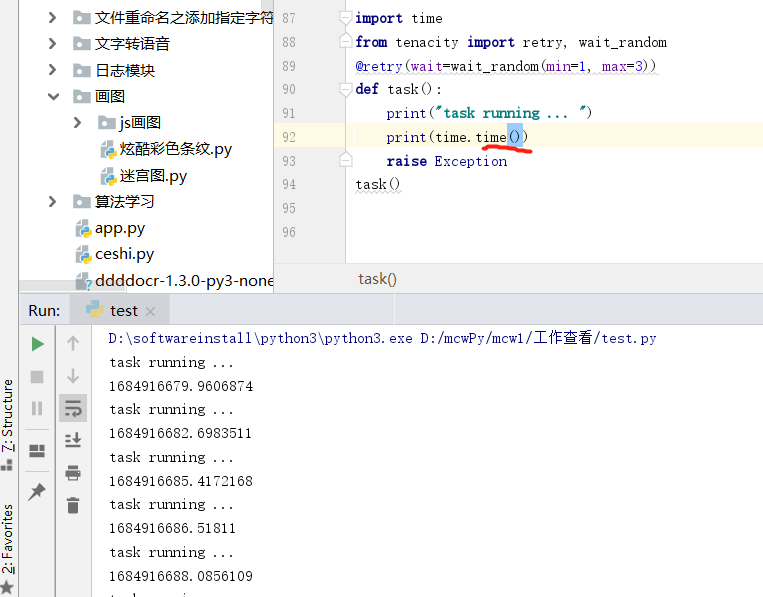
使用方法wait_random(min, max),在min和max之间随机取值,每一次task重试前就等待这个随机值,单位是秒
from tenacity import retry, wait_random

@retry(wait=wait_random(min=1, max=3))

def task():

    print("task running ... ")

    raise Exception

task()
时间有1 2 3s的
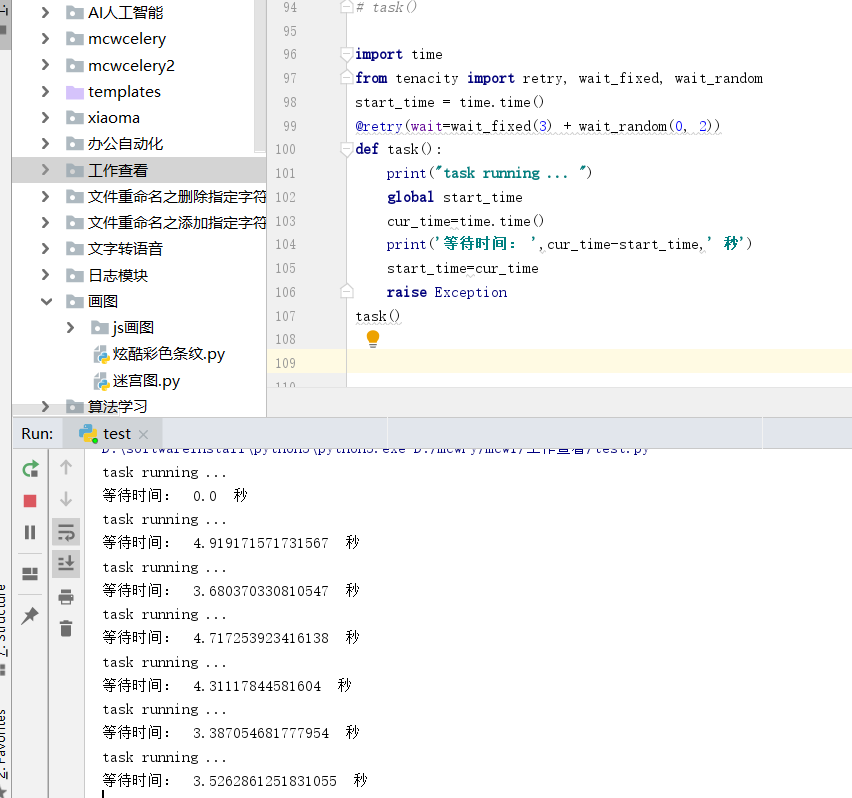
当然,上面2中种方法也是可以结合起来用的
from tenacity import retry, wait_fixed, wait_random

@retry(wait=wait_fixed(3) + wait_random(0, 2))

def task():

    print("task running ... ")

    raise Exception

task()
什么情况下重试
可以通过retry_if_exception_type指定特定类型的异常出现时,任务才重试
from tenacity import retry, retry_if_exception_type

@retry(retry=retry_if_exception_type(IOError))

def task():

    print("task running ... ")

    raise Exception

task()

重试错误后的异常抛出
出现异常后,会进行重试,若重试后还是失败,默认情况下,往上抛出的异常会变成RetryError,而不是最根本的原因。因此可以加一个参数reraise=True,使得当重试失败后,往外抛出的异常还是原来的那个异常。
from tenacity import retry, stop_after_attempt

@retry(stop=stop_after_attempt(3), reraise=True)

def task():

    print("task running ... ")

    raise Exception

task()
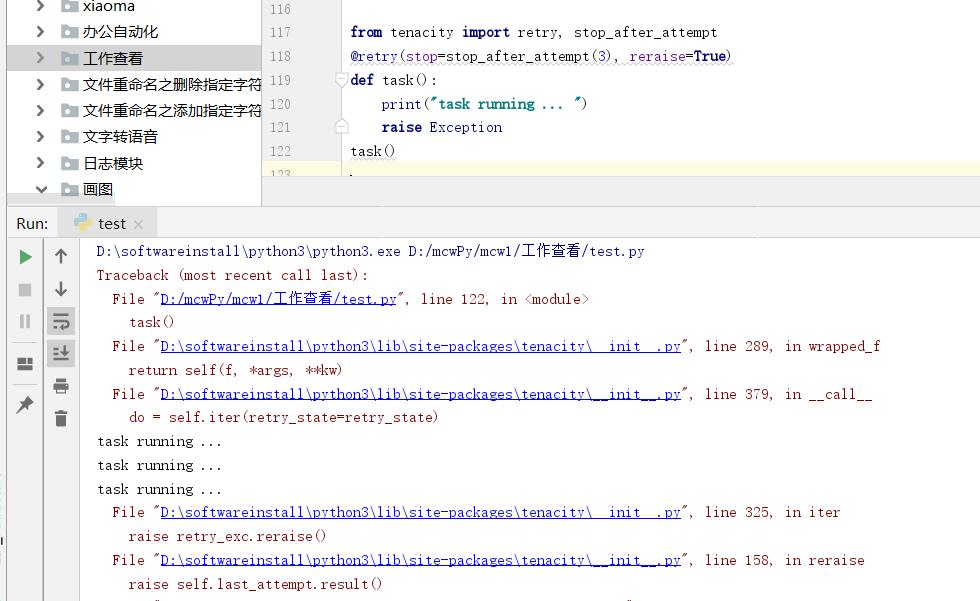
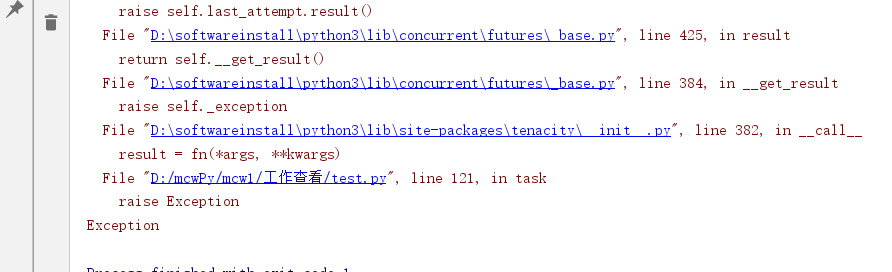
默认是false,false是重试错误
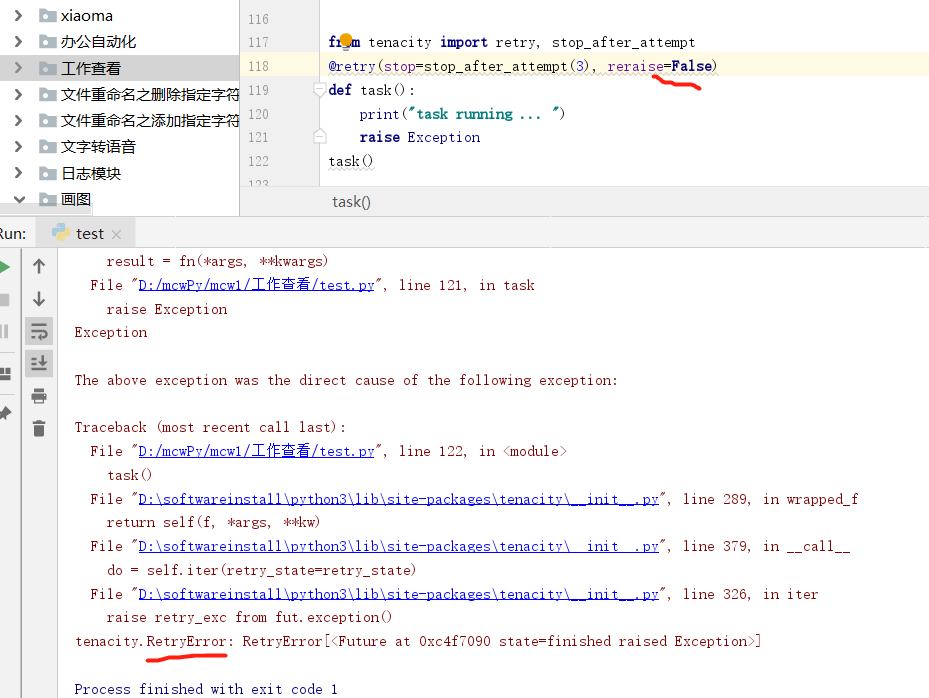
在重试前执行动作
tenacity可以在任务重试前后执行某些动作,这里以加日志为例
from tenacity import retry, stop_after_attempt, before_log

import logging

import sys

logging.basicConfig(stream=sys.stderr, level=logging.DEBUG)

logger = logging.getLogger(__name__)

@retry(stop=stop_after_attempt(3), before=before_log(logger=logger, log_level=logging.DEBUG))

def task():

    print("task running ... ")

    raise Exception

task()
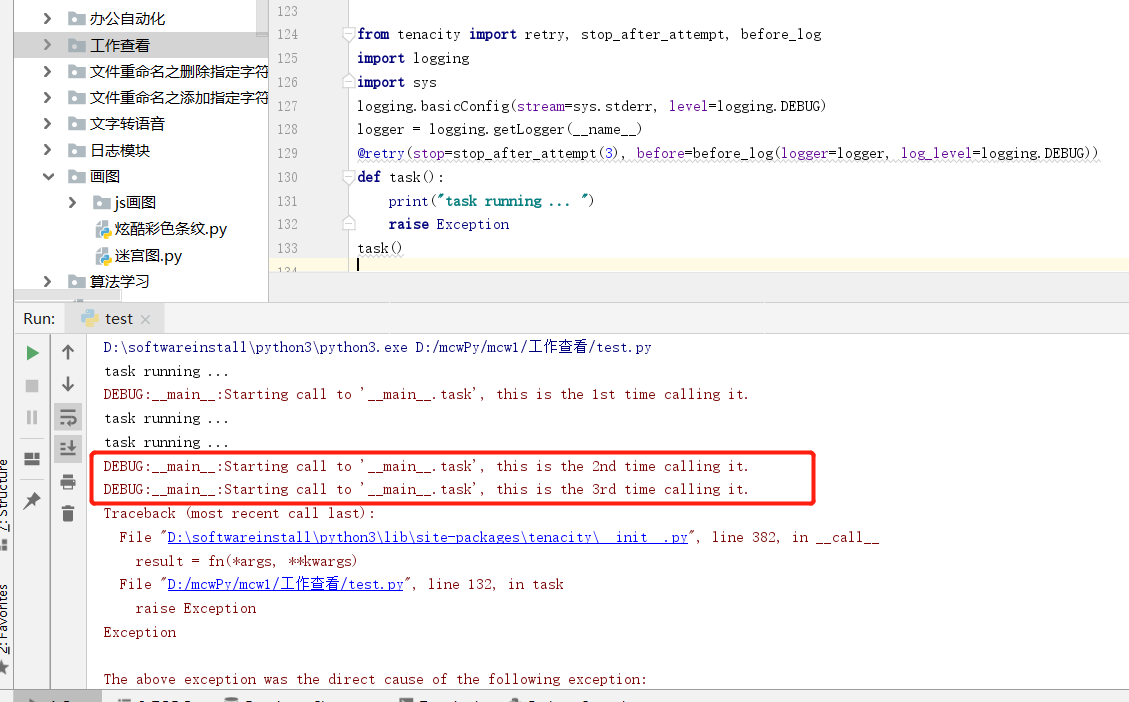
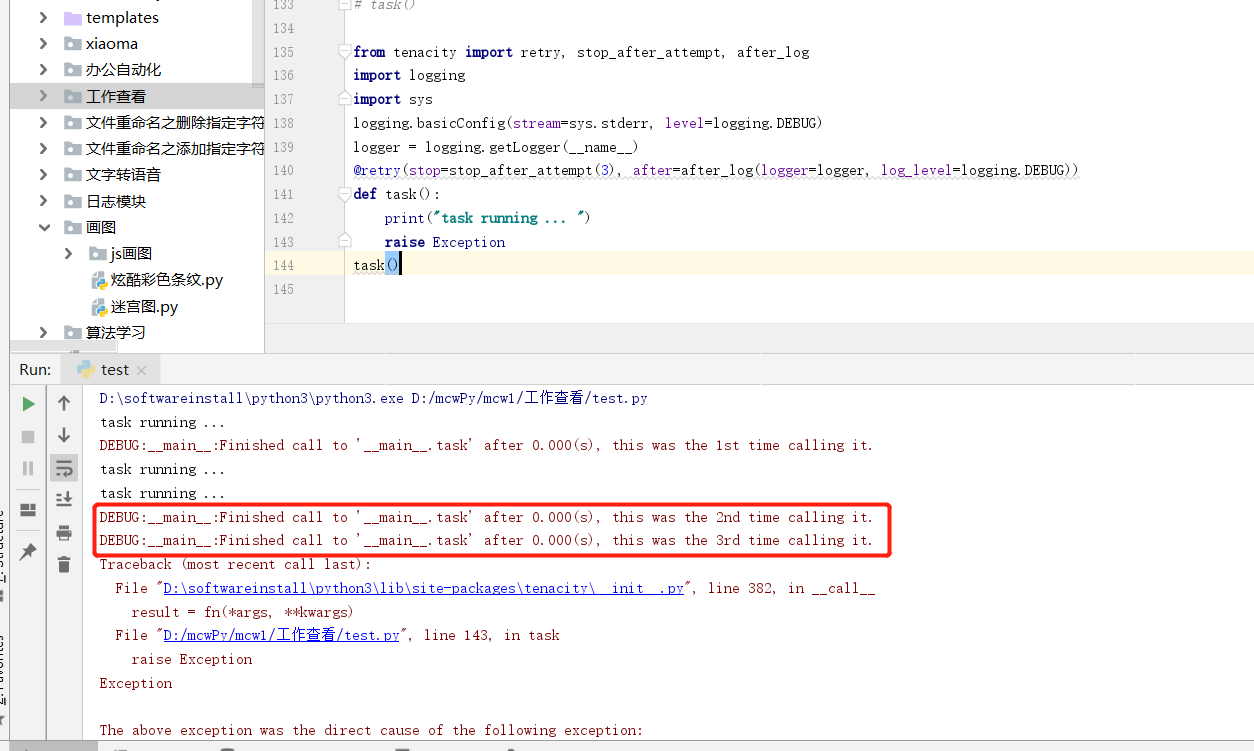
tenacity重试后的操作类似,如下
from tenacity import retry, stop_after_attempt, after_log

import logging

import sys

logging.basicConfig(stream=sys.stderr, level=logging.DEBUG)

logger = logging.getLogger(__name__)

@retry(stop=stop_after_attempt(3), after=after_log(logger=logger, log_level=logging.DEBUG))

def task():

    print("task running ... ")

    raise Exception

task()
tenacity
Python实用模块专题
更多有用的python模块,请移步
https://xugaoxiang.com/category/python/modules/
参考资料
https://github.com/jd/tenacity
http://www.taodudu.cc/news/show-4122770.html?action=onClick
Python重试任务模块tenacity的更多相关文章
- Python重试模块retrying
Python重试模块retrying 工作中经常碰到的问题就是,某个方法出现了异常,重试几次.循环重复一个方法是很常见的.比如爬虫中的获取代理,对获取失败的情况进行重试. 刚开始搜的几个博客讲的有点问 ...
- python之platform模块
python之platform模块 ^_^第三个模块从天而降喽!! 函数列表 platform.system() 获取操作系统类型,windows.linux等 platform.platform() ...
- python之OS模块详解
python之OS模块详解 ^_^,步入第二个模块世界----->OS 常见函数列表 os.sep:取代操作系统特定的路径分隔符 os.name:指示你正在使用的工作平台.比如对于Windows ...
- python之sys模块详解
python之sys模块详解 sys模块功能多,我们这里介绍一些比较实用的功能,相信你会喜欢的,和我一起走进python的模块吧! sys模块的常见函数列表 sys.argv: 实现从程序外部向程序传 ...
- 学习PYTHON之路, DAY 6 - PYTHON 基础 6 (模块)
一 安装,导入模块 安装: pip3 install 模块名称 导入: import module from module.xx.xx import xx from module.xx.xx impo ...
- linux下python调用c模块
在C调用Python模块时需要初始化Python解释器,导入模块等,但Python调用C模块却比较简单,下面还是以helloWorld.c 和 main.py 做一说明: (1)编写C代码,hel ...
- Python学习之模块进程函数详解
今天在看<Beginning Linux Programming>中的进程相关部分,讲到Linux几个进程相关的系统函数: system , exec , fork ,wait . Pyt ...
- python基础——第三方模块
python基础——第三方模块 在Python中,安装第三方模块,是通过包管理工具pip完成的. 如果你正在使用Mac或Linux,安装pip本身这个步骤就可以跳过了. 如果你正在使用Window ...
- python基础——使用模块
python基础——使用模块 Python本身就内置了很多非常有用的模块,只要安装完毕,这些模块就可以立刻使用. 我们以内建的sys模块为例,编写一个hello的模块: #!/usr/bin/env ...
- python 中time模块使用
在开始之前,首先要说明这几点: 1.在Python中,通常有这几种方式来表示时间:1)时间戳 2)格式化的时间字符串 3)元组(struct_time)共九个元素.由于Python的time模块实现主 ...
随机推荐
- 【FAQ】运动健康服务云侧数据常见问题及解答
目录 Q1:v2接口相比于v1接口传参及返回的数据格式有变化吗?是否可以直接将v1接口改成v2接口? Q2:如何获取采集健康数据的穿戴设备信息? Q3:如何处理非华为手机产生的步数调用采样明细接口查询 ...
- 怎么查看摄像头的硬件ID
1.打开设备管理器:电脑桌面左下角Windows图标点击鼠标右键,点击[设备管理器] 2.展开[照相机] 3.双击摄像头,弹出属性框 4.点击[详细信息],属性点击[硬件ID]
- 2、androidStudio调用Unity方法
1.导入Unity的Classes.jar文件 (1).首先找到这个包在哪 Unity版本为5.0之前时,classes.jar的路径: unity的安装路径\Editor\Data\Playback ...
- Unity 音乐或者视频播放完毕之后执行方法
视频播放完毕后,执行某个方法 方法1 官方给的解释 private VideoPlayer video2; private void Awake() { video2.loopPointReached ...
- 抓包整理————wireshark DNS 演练[三]
前言 简单整理一些wireshark dns 演练. 正文 简单介绍一下什么是dns. 这个其实可以百度一下哈,其实就是将域名转换为ip. 然后查询过程是这样的: 根域名服务器 权威服务器 dns 被 ...
- vue3中动态添加路由刷新无法正确匹配路由组件
1.问题 动态添加路由之后,页面重新匹配路由,匹配到了设置的404 notfound页面 该页面是在路径无法匹配到的时候才会跳转的页面 2. 问题查找 在前置路由守卫打印to 发现当前地址匹配到的组件 ...
- 阿里云CDN产品经理陈章炜:边缘创新技术和落地实践
简介: CDN除了加速外,不断被赋予更多价值.在阿里云CDN推出的<极速奔跑吧 2021>首场直播中,阿里云架构师和产品经理不仅对近期阿里云发布的CDN产品最佳实践图进行了详细解读,还对C ...
- 形式化验证工具TLA+:程序员视角的入门之道
简介: 女娲是飞天分布式系统中提供分布式协同的基础服务,支撑着阿里云的计算.网络.存储等几乎所有云产品.在女娲分布式协同服务中,一致性引擎是核心基础模块,支持了Paxos,Raft,EPaxos等多 ...
- LlamaIndex 是什么
LlamaIndex 是一个基于 LLM(大语言模型)的应用程序数据框架,适用于受益于上下文增强的场景. 这类 LLM 系统被称为 RAG(检索增强生成)系统. LlamaIndex 提供了必要的抽象 ...
- [FAQ] 对于 Puppeteer 和 Chromium 在 Linux 上的安装,需要安装哪些依赖库
比如 puppeteer/chrome/linux-114.0.5735.133/chrome-linux64/chrome 到底要装哪些依赖. 一般根据报错提示,安装缺少的即可,以下是一般需要的 ...