
Nginx 笔记与总结(7)Location:正则匹配
在 /usr/local/nginx/conf/nginx.conf 的默认 server 段中,保留默认的 location 信息(之前测试的 location 配置删除):
        location / {

            root   html;

            index  index.html index.htm;

        }
在 /var/www 下创建 image 目录:
[root@localhost ~]# cd /var/www

[root@localhost www]# mkdir image
使用 wget 或者 ftp 在该目录下下载或者传输一张图片:test.jpg
修改 /usr/local/nginx/html/index.html,加上 <img src="./image/test.jpg">:
[root@localhost nginx]# vim html/index.html

<!DOCTYPE html>

<html>

<head>

<title>Welcome to nginx!</title>

<style>

    body {

        width: 35em;

        margin: 0 auto;

        font-family: Tahoma, Verdana, Arial, sans-serif;

    }

</style>

</head>

<body>

<img src="./image/test.jpg">

<h1>Welcome to nginx!</h1>

<p>If you see this page, the nginx web server is successfully installed and

working. Further configuration is required.</p>

<p>For online documentation and support please refer to

<a href="http://nginx.org/">nginx.org</a>.<br/>

Commercial support is available at

<a href="http://nginx.com/">nginx.com</a>.</p>

<p><em>Thank you for using nginx.</em></p>

</body>

</html>
平滑重启 nginx。
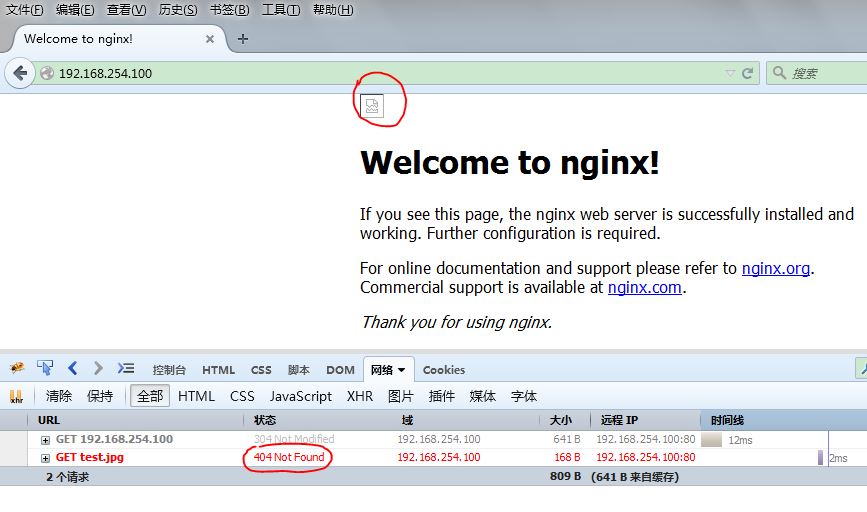
由于 /usr/local/nginx/html/ 目录下并没有 image 目录,因此访问 192.168.254.100 时,页面上的图片是无法显示的:
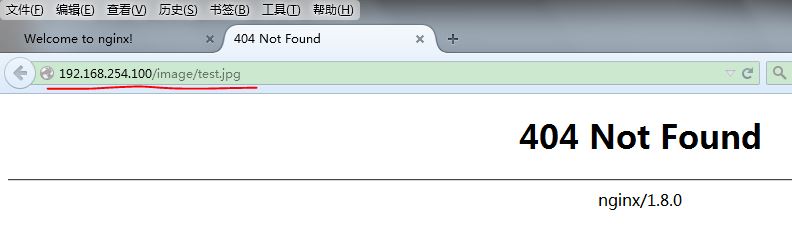
直接访问图片地址:
此时在 location 配置下添加正则匹配的 location 配置(第 2 段),此时的 location 配置为:
        location / {

            root   html;

            index  index.html index.htm;

        }

        location ~ image {

            root /var/www/;

            index index.html;

        }
平滑重启 nginx。
访问 http://192.168.254.100/image/test.jpg,正则匹配和一般匹配都能匹配上该 uri 的时候,优先正则匹配:
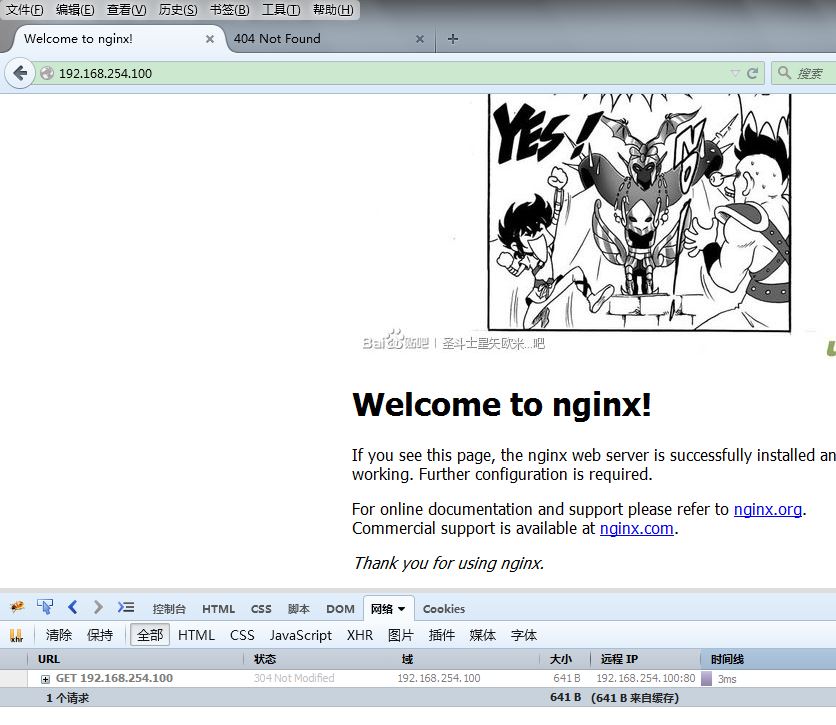
/var/www/image 目录下的图片显示了。
直接访问 http://192.168.254.100/image/test.jpg:
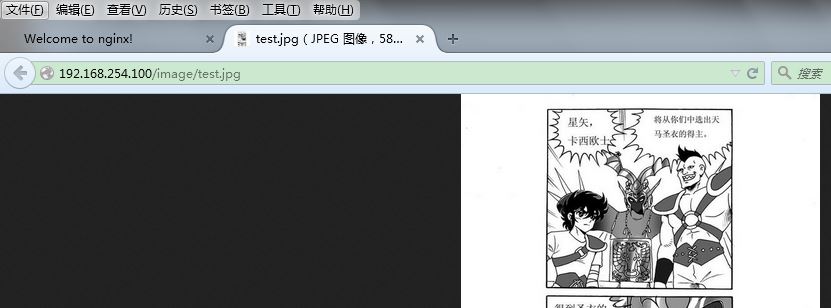
匹配过程是:正则匹配中的 image 能够匹配到 uri 中的 /image/test.jpg,则正则匹配发挥作用,真正访问的是 /var/www/images/test.jpg
再测试,当多个普通匹配都能匹配到 uri ,哪个匹配能真正发挥作用(比较第 1 段和第 2 段)?
/usr/local/nginx/conf/nginx.conf:
        location / {

            root   html;

            index  index.html index.htm;

        }

        location /foo {

            root   /var/www;

            index  index.htm index.html;

        }

        location ~ image {

            root /var/www/;

            index index.html;

        }
此时 /var/www 目录下有 foo 目录,下面有文件 index.htm : i'm /var/www/index.htm
对于 uri "/foo",两个 location 的 patt 都能匹配,即 "/" 和 "/foo" 都能左前缀匹配 "/foo",
访问 http://192.168.254.100/foo:
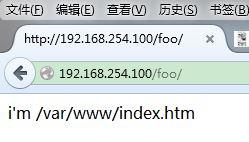
即
        location /foo {

            root   /var/www;

            index  index.htm index.html;

        }
发挥了作用,原因是 "/foo" 更长,因此使用 "/foo" 的 location 进行匹配。
Nginx 笔记与总结(7)Location:正则匹配的更多相关文章
- nginx location 正则匹配
nginx 统计语句1.根据访问IP统计UV awk '{print $1}' access.log|sort | uniq -c |wc -l2.统计访问URL统计PV awk '{print $7 ...
- nignx的location正则匹配
原文链接:http://nginx.org/en/docs/http/ngx_http_core_module.html Syntax: location [ = | ~ | ~* | ^~ ] ur ...
- nginx获取经过层层代理后的客户端真实IP(使用正则匹配)
今天帮兄弟项目搞了一个获取客户端真实IP的问题,网上这种问题很多,但是对于我们的场景都不太合用,现把我的解决方案share给大家,如有问题,请及时指出. 场景: 在请求到达后端服务之前,会经过层层代理 ...
- Nginx 笔记与总结(6)Location:精准匹配
在 /usr/local/nginx/conf/nginx.conf 的 server 段中,location 表示根据 URI 来进行不同的定位:把网站的不同部分定位到不同的处理方式上,例如遇到 . ...
- 07 nginx Location之正则匹配
一:Location之正则匹配 再来看,正则也来参与. location / { root /usr/local/nginx/html; index index.html index.htm; ...
- nginx location模块--匹配规则
Location语法语法:location [=|~|~*|^~] /uri/ { … } = --> 开头表示精确匹配 ^~ --> 开头表示uri以某个常规字符串开头,理解为匹配url ...
- nginx之location的匹配规则
nginx之location的匹配规则 一.语法规则 location [=|~|~*|^~] /uri/ { - } 符号 含义 = 开头表示精确匹配 ^~ 开头表示 uri 以某个常规字符串开头 ...
- 前端开发掌握nginx常用功能之server&location匹配规则
nginx主要是公司运维同学必须掌握的知识,涉及到反向代理.负载均衡等服务器配置.前端开发尤其是纯前端开发来说对nginx接触的并不多,但是在一些情况下,nginx还是需要前端自己来搞:例如我们公司的 ...
- nginx多虚拟主机优先级location匹配规则及tryfiles的使用
nginx多虚拟主机优先级location匹配规则及tryfiles的使用 .相同server_name多个虚拟主机优先级访问 .location匹配优先级 .try_files使用 .nginx的a ...
随机推荐
- android 输入法出现挤压屏幕、android输入键盘覆盖了屏幕控件的解决办法
如果希望输入法键盘弹出时不自动向上挤压activity,在Manifest清单文件中对应的activty中设置属性android:windowSoftInputMode="adjustPan ...
- 【Ubuntu14.04.1】设置开机可以Root用户身份登录
$ sudo gedit /usr/share/lightdm/lightdm.conf.d/50-ubuntu.conf [SeatDefaults]user-session=ubuntugreet ...
- 学习配置vsftp 进行ftp文件的传输
一. FTP 说明 linux 系统下常用的FTP 是vsftp, 即Very Security File Transfer Protocol. 还有一个是proftp(Profession ftp) ...
- 批量update
参见http://lj.soft.blog.163.com/blog/static/7940248120109215191358/ 例子:update CarSeriesDetail set clic ...
- Windows下进程间通信及数据共享
进程是装入内存并准备执行的程序,每个进程都有私有的虚拟地址空间,由代码.数据以及它可利用的系统资源(如文件.管道等)组成. 多进程/多线程是Windows操作系统的一个基本特征.Microsoft W ...
- Java IO流系统整理
Java IO流的分类 Java中的流,可以从不同的角度进行分类. 按流向分类: 输入流: 程序可以从中读取数据的流.输出流: 程序能向其中写入数据的流. 按数据传输单位分类: 字节流:以字节(8位二 ...
- Ubuntu could not write bytes broken pipe
一.环境变量问题 1 到登录界面的时候,进入命令行模式: alt+ctrl+F1 2 登录 3 修改环境变量(当我输入ls的时候 竟然没有找到命令,然后果断的知道是环境变量的事情,于是改之!) 4 ...
- hdu 4267 多维树状数组
题意:有一个序列 "1 a b k c" means adding c to each of Ai which satisfies a <= i <= b and (i ...
- Struts2的@ResultPath
转自:http://blog.csdn.net/yandufeng/article/details/8105495 这里我要补充一下:要理解Annotation,最好的方法还是看源码,struts中c ...
- ViewPager左右滑动
布局: <android.support.v4.view.ViewPager android:id="@+id/viewpager_main" android:layout_ ...