
Spring Boot Maven 打包可执行Jar文件!
Maven pom.xml 必须包含
- <packaging>jar</packaging>
- <build>
- <plugins>
- <plugin>
- <groupId>org.springframework.boot</groupId>
- <artifactId>spring-boot-maven-plugin</artifactId>
- <configuration>
- <fork>true</fork>
- </configuration>
- </plugin>
- </plugins>
- </build>
完整pox.xml
- <project xmlns="http://maven.apache.org/POM/4.0.0" xmlns:xsi="http://www.w3.org/2001/XMLSchema-instance"
- xsi:schemaLocation="http://maven.apache.org/POM/4.0.0 http://maven.apache.org/xsd/maven-4.0.0.xsd">
- <modelVersion>4.0.0</modelVersion>
- <groupId>com.feedback</groupId>
- <artifactId>feedback-service</artifactId>
- <version>0.1.0</version>
- <packaging>jar</packaging>
- <properties>
- <java.version>1.8</java.version>
- </properties>
- <parent>
- <groupId>org.springframework.boot</groupId>
- <artifactId>spring-boot-starter-parent</artifactId>
- <version>1.3.0.RELEASE</version>
- </parent>
- <dependencies>
- <!-- spring boot -->
- <dependency>
- <groupId>org.springframework.boot</groupId>
- <artifactId>spring-boot-starter-web</artifactId>
- </dependency>
- <dependency>
- <groupId>org.springframework.boot</groupId>
- <artifactId>spring-boot-starter-data-jpa</artifactId>
- </dependency>
- <!-- mysql数据库 -->
- <dependency>
- <groupId>mysql</groupId>
- <artifactId>mysql-connector-java</artifactId>
- </dependency>
- <!-- commons-lang -->
- <dependency>
- <groupId>commons-lang</groupId>
- <artifactId>commons-lang</artifactId>
- <version>2.6</version>
- </dependency>
- </dependencies>
- <!-- jar -->
- <build>
- <plugins>
- <plugin>
- <groupId>org.springframework.boot</groupId>
- <artifactId>spring-boot-maven-plugin</artifactId>
- <configuration>
- <fork>true</fork>
- </configuration>
- </plugin>
- </plugins>
- </build>
- </project>
进入到项目目录下运行:mvn clean package

会在项目目录下target文件夹中生成jar
如上生成的jar文件在:D:\programmer\eclipse\feedback-service\target 文件夹中
java -jar 运行jar包 即可

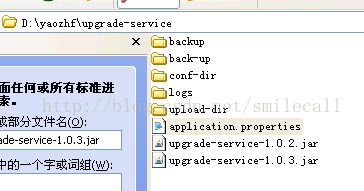
java -jar 运行jar包时使用外部配置文件application.properties

linux下执行jar
- nohup java -Xmx512M -Xms512M -Djava.security.egd=/dev/urandom -jar message-service-1.0-SNAPSHOT.jar > /dev/null 2>&1 &
Linux下还有一个特殊的文件/dev/null,它就像一个无底洞,所有重定向到它的信息都会消失得无影无踪。
>/dev/null 2>&1
注意:此处的顺序不能更改,否则达不到想要的效果,此时先将标准输出重定向到 /dev/null,然后将标准错误重定向到标准输出,由于标准输出已经重定向到了/dev/null,因此标准错误也会重定向到/dev/null,于是一切静悄悄:-)
Spring Boot Maven 打包可执行Jar文件!的更多相关文章
- Spring Boot Maven 打包可执行Jar文件
本文转载自:http://blog.csdn.net/smilecall/article/details/56288972 Maven pom.xml 必须包含 <packaging>ja ...
- Spring Boot Gradle 打包可执行Jar文件!
使用Gradle构建项目,继承了Ant的灵活和Maven的生命周期管理,不再使用XML作为配置文件格式,采用了DSL格式,使得脚本更加简洁. 构建环境: jdk1.6以上,此处使用1.8 Gradle ...
- maven打包可执行jar文件运行报错
起因 项目中同时依赖了Spring和MyBatis,并使用mybatis-spring集成MyBatis和Spring. 使用maven打包为可执行jar文件运行,打包插件为:maven-shade- ...
- spring boot maven打包可运行jar包
普通打包之后在程序目录运行,或者编写bat运行时会提示“没有主清单属性”,这是因为并没有找到main()方法,需要我们指明告诉java程序 我bat中的代码 @echo off title mytit ...
- spring boot项目maven打包可执行JAR
在pom.xml中添加如下配置: <!-- 打包可执行jar包 --> <plugin> <groupId>org.springframework.boot< ...
- 将 Spring boot 项目打成可执行Jar包,及相关注意事项(main-class、缺少 xsd、重复打包依赖)
最近在看 spring boot 的东西,觉得很方便,很好用.对于一个简单的REST服务,都不要自己部署Tomcat了,直接在 IDE 里 run 一个包含 main 函数的主类就可以了. 但是,转念 ...
- Apache Maven 打包可执行jar
在本文的 参考资料 部分,您将发现大量介绍 Maven 的入门教程.本文的 5 个技巧目的是帮助您解决即将出现的一些问题:使用 Maven 管理您的应用程序的生命周期时,将会出现的编程场景. 1. 可 ...
- Spring Boot Maven 打包 Jar
Maven pom.xml 必须包含 <packaging>jar</packaging> <build> <plugins> <plugin&g ...
- Spring boot 项目导出可执行jar
配置文件中添加插件 <plugin> <groupId>org.springframework.boot</groupId> <artifactId>s ...
随机推荐
- BZOJ2832 : 宅男小C
首先将所有显然不在最优解中的外卖都删去,那么剩下的外卖价格越低,保质期也最短. 考虑三分订外卖的次数,然后贪心求解,每次尽量平均的时候可以做到最优化. 三分的时候,以存活天数为第一关键字,剩余钱数为第 ...
- Jenkins官方教程地址入口
https://jenkins.io/doc/book/ 其实Jenkins的核心在于插件,官方教程只能是基本简单的,所以要找教程最好对应插件来找.
- spring cloud 学习(2) - eureka server注册中心高可用及安全认证
接上节继续,注册中心单点肯定是不牢靠的,可以参考下面的方案做成注册中心集群: 弄成3个节点,每个节点向其它节点注册,这样只要集群中有一个节点正常工作即可.为了方便在本机弄出这种效果,我们先修改下hos ...
- 根据twitter的snowflake算法生成唯一ID
C#版本 /// <summary> /// 根据twitter的snowflake算法生成唯一ID /// snowflake算法 64 位 /// 0---0000000000 000 ...
- Revit API布置卫浴装置
//放置卫浴装置 [Transaction(TransactionMode.Manual)] [Regeneration(RegenerationOption.Manual)] public clas ...
- 委托、Lambda表达式、事件系列07,使用EventHandler委托
谈到事件注册,EventHandler是最常用的. EventHandler是一个委托,接收2个形参.sender是指事件的发起者,e代表事件参数. □ 使用EventHandler实现猜拳游戏 使用 ...
- Time Zones And Daylight Savings Time
This page describes code for working with Time Zones and Daylight Savings Time. Neither VBA nor VB6 ...
- ArcGIS 10.2 链接64位Oracle数据库
https://my.oschina.net/zctzl/blog/909541 来自:https://blog.csdn.net/LoveCarpenter/article/details/5954 ...
- sendto 和 recvfrom 函数
sendto recvfrom
- Swift - 多个mask的动画效果
Swift - 多个mask的动画效果 效果 源码 https://github.com/YouXianMing/Swift-Animations // // TranformFadeView.swi ...