
simple简单消息队列
一:介绍
1.优缺点
简单,但是耦合性较高。
这种模式是生产者与消费者一一对应,就是一个产生者,有一个消费者来消费。
如果,多个消费者想消费一个队列中的消息就不适合了。这种情况在后面会接着介绍。
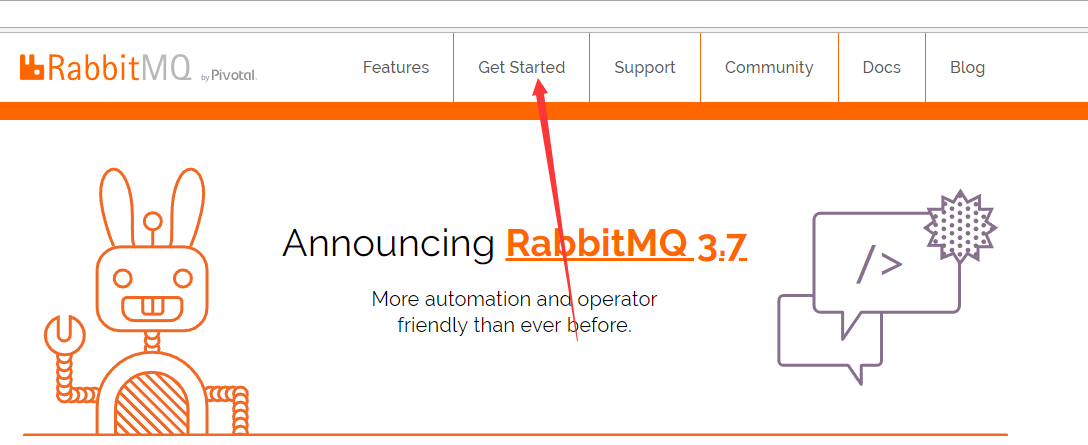
2.进入官网
进入get start
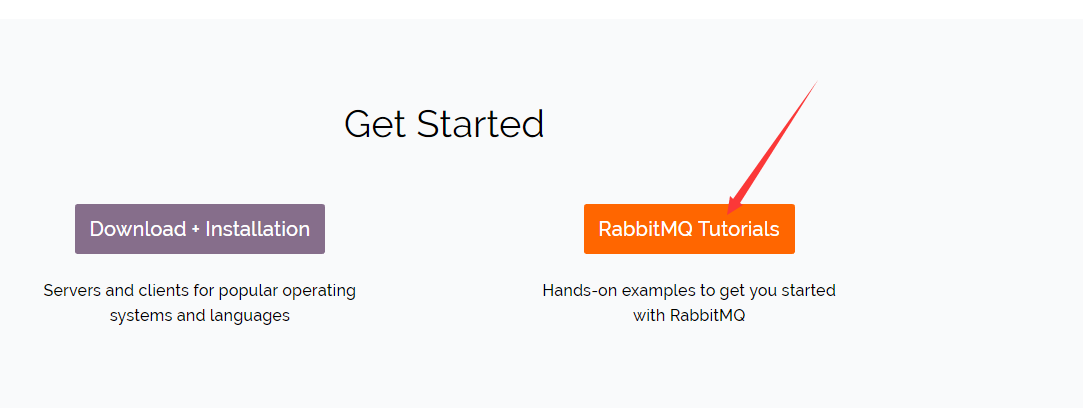
然后进入Tutorials
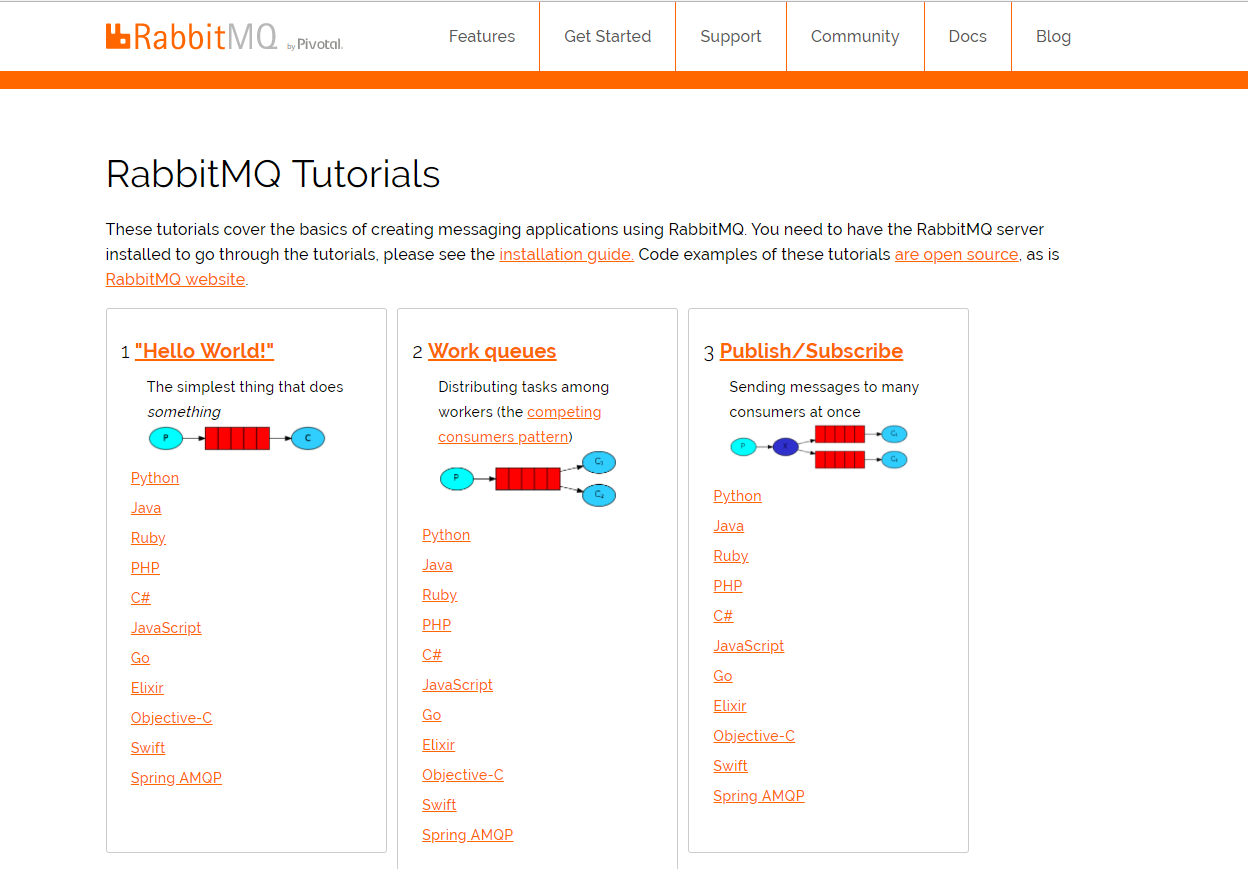
发现简单消息队列
二:新建项目
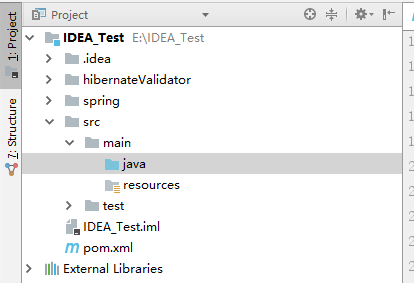
1.新建maven项目
2.pomwenjian
 <?xml version="1.0" encoding="UTF-8"?>

 <project xmlns="http://maven.apache.org/POM/4.0.0"

          xmlns:xsi="http://www.w3.org/2001/XMLSchema-instance"

          xsi:schemaLocation="http://maven.apache.org/POM/4.0.0 http://maven.apache.org/xsd/maven-4.0.0.xsd">

     <modelVersion>4.0.0</modelVersion>

     <groupId>mq</groupId>

     <artifactId>rabbitmqTest</artifactId>

     <version>1.0-SNAPSHOT</version>

     <dependencies>

         <!-- https://mvnrepository.com/artifact/com.rabbitmq/amqp-client -->

         <dependency>

             <groupId>com.rabbitmq</groupId>

             <artifactId>amqp-client</artifactId>

             <version>3.6.2</version>

         </dependency>

         <!-- https://mvnrepository.com/artifact/org.slf4j/slf4j-api -->

         <dependency>

             <groupId>org.slf4j</groupId>

             <artifactId>slf4j-api</artifactId>

             <version>1.7.10</version>

         </dependency>

         <!-- https://mvnrepository.com/artifact/org.slf4j/slf4j-log4j12 -->

         <dependency>

             <groupId>org.slf4j</groupId>

             <artifactId>slf4j-log4j12</artifactId>

             <version>1.7.5</version>

             <scope>test</scope>

         </dependency>

         <!-- https://mvnrepository.com/artifact/log4j/log4j -->

         <dependency>

             <groupId>log4j</groupId>

             <artifactId>log4j</artifactId>

             <version>1.2.17</version>

         </dependency>

         <!-- https://mvnrepository.com/artifact/junit/junit -->

         <dependency>

             <groupId>junit</groupId>

             <artifactId>junit</artifactId>

             <version>4.11</version>

             <scope>test</scope>

         </dependency>

     </dependencies>

 </project>
3.公共类
获取连接
 package com.mq.utils;

 import com.rabbitmq.client.Connection;

 import com.rabbitmq.client.ConnectionFactory;

 public class ConnectionUtil {

     /**

      * 获取connection连接

      */

     public static Connection getConnection()throws Exception{

         //定义一个连接工厂

         ConnectionFactory factory=new ConnectionFactory();

         //设置服务地址

         factory.setHost("127.0.0.1");

         //设置AMQP端口

         factory.setPort(5672);

         //vhost

         factory.setVirtualHost("/cjhost");

         //用户名

         factory.setUsername("caojun");

         //密码

         factory.setPassword("123456");

         //返回连接

         return factory.newConnection();

     }

 }
4.项目结构
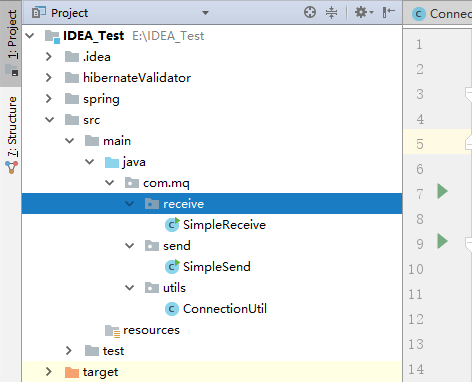
三:生产者
1.程序
 package com.mq.send;

 import com.mq.utils.ConnectionUtil;

 import com.rabbitmq.client.Channel;

 import com.rabbitmq.client.Connection;

 public class SimpleSend {

     private static final String QUENE_NAME="test_simple_queue";

     public static void main(String[] args) throws Exception {

         //获取一个连接

         Connection connection= ConnectionUtil.getConnection();

         //从连接中获取一个通道

         Channel channel=connection.createChannel();

         //创建队列声明

         channel.queueDeclare(QUENE_NAME,false,false,false,null);

         //消息

         String strBody="Hello Mq";

         //发送

         channel.basicPublish("",QUENE_NAME,null,strBody.getBytes());

         System.out.println("send strBody:"+strBody);

         //关闭连接

         channel.close();

         connection.close();

     }

 }
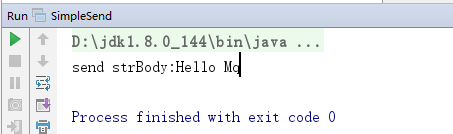
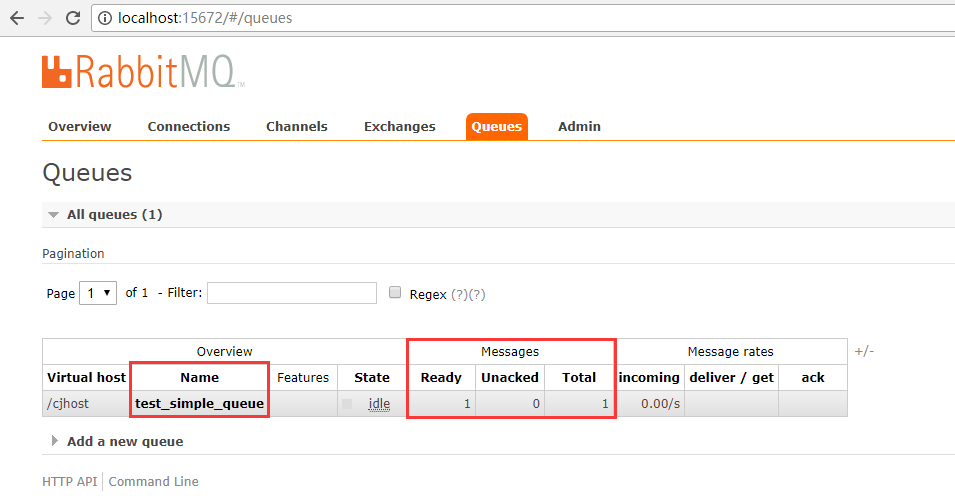
2.运行
控制台:
管理平台:
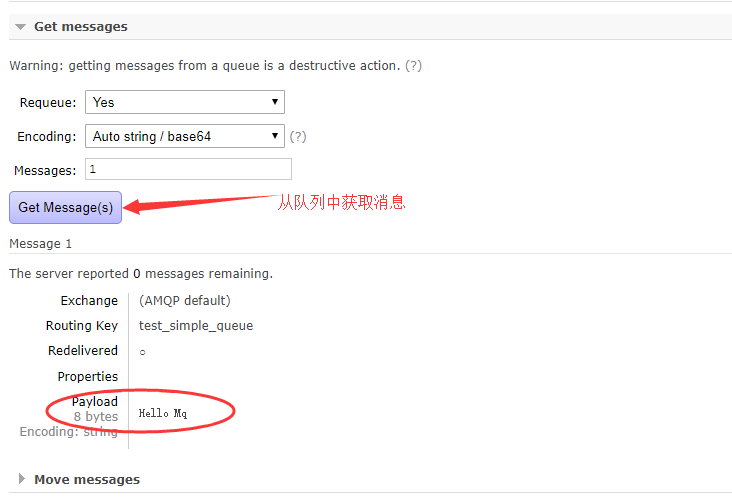
3.使用管理平台获取消息
这个时候,队列中的消息就会被消费掉。
四:消费者
1.程序一
这个程序中的API是3.4之前的,现在还能用
 package com.mq.receive;

 import com.mq.utils.ConnectionUtil;

 import com.rabbitmq.client.Channel;

 import com.rabbitmq.client.Connection;

 import com.rabbitmq.client.QueueingConsumer;

 import com.rabbitmq.client.QueueingConsumer.Delivery;

 public class SimpleReceive {

     private static final String QUENE_NAME="test_simple_queue";

     public static void main(String[] args) throws Exception {

         //获取一个连接

         Connection connection= ConnectionUtil.getConnection();

         //创建通道

         Channel channel=connection.createChannel();

         //定义消费者

         QueueingConsumer consumer=new QueueingConsumer(channel);

         //监听队列

         channel.basicConsume(QUENE_NAME,true,consumer);

         while (true){

             Delivery delivery=consumer.nextDelivery();

             String strBody=new String(delivery.getBody());

             System.out.println("receive strBody:"+strBody);

         }

     }

 }
2.效果

3.程序二
这个是新的api
 package com.mq.receive;

 import com.mq.utils.ConnectionUtil;

 import com.rabbitmq.client.*;

 import com.rabbitmq.client.QueueingConsumer.Delivery;

 import java.io.IOException;

 public class SimpleReceive {

     private static final String QUENE_NAME = "test_simple_queue";

     public static void main(String[] args) throws Exception {

         newApi();

     }

     public static void newApi()throws Exception{

         //获取一个连接

         Connection connection = ConnectionUtil.getConnection();

         //创建通道

         Channel channel = connection.createChannel();

         //创建队列声明

         channel.queueDeclare(QUENE_NAME,false,false,false,null);

         //创建消费者

         DefaultConsumer consumer=new DefaultConsumer(channel){

             @Override

             public void handleDelivery(String consumerTag, Envelope envelope, AMQP.BasicProperties properties, byte[] body) throws IOException {

                String strBody=new String(body,"utf-8");

                System.out.println("receive new strBody:"+strBody);

             }

         };

         //监听队列

         channel.basicConsume(QUENE_NAME,true,consumer);

     }

     /**

      * 这个是老的API

      * @throws Exception

      */

     public static void oldApi() throws Exception {

         //获取一个连接

         Connection connection = ConnectionUtil.getConnection();

         //创建通道

         Channel channel = connection.createChannel();

         //定义消费者

         QueueingConsumer consumer = new QueueingConsumer(channel);

         //监听队列

         channel.basicConsume(QUENE_NAME, true, consumer);

         while (true) {

             Delivery delivery = consumer.nextDelivery();

             String strBody = new String(delivery.getBody());

             System.out.println("receive strBody:" + strBody);

         }

     }

 }
4.效果

simple简单消息队列的更多相关文章
- Redis实现简单消息队列
http://www.jianshu.com/p/9c04890615ba 任务异步化 打开浏览器,输入地址,按下回车,打开了页面.于是一个HTTP请求(request)就由客户端发送到服务器,服务器 ...
- 用 Redis 实现 PHP 的简单消息队列
参考:PHP高级编程之消息队列 消息队列就是在消息的传输过程中,可以保存消息的容器. 常见用途: 存储转发:异步处理耗时的任务 分布式事务:多个消费者消费同一个消息队列 应对高并发:通过消息队列保存任 ...
- redis(五)---- 简单消息队列
消息队列一个消息的链表,是一个异步处理的数据处理引擎.不仅能够提高系统的负荷,还能够改善因网络阻塞导致的数据缺失.一般用于邮件发送.手机短信发送,数据表单提交.图片生成.视频转换.日志储存等. red ...
- RabbitMq(2) 简单消息队列
<dependency> <groupId>com.rabbitmq</groupId> <artifactId>amqp-client </ar ...
- redis简单消息队列
<?php $redis = new Redis(); $redis->connect('127.0.0.1',6379); $redis->flushall(); $redis-& ...
- HTTPSQS(HTTP Simple Queue Service)消息队列
HTTPSQS(HTTP Simple Queue Service)是一款基于 HTTP GET/POST 协议的轻量级开源简单消息队列服务,使用 Tokyo Cabinet 的 B+Tree Key ...
- Redis使用总结(3):实现简单的消息队列
参考Redis实现简单消息队列 Redis提供了两种方式来作消息队列.一个是使用生产者消费模式模式,另外一个方法就是发布订阅者模式.前者会让一个或者多个客户端监听消息队列,一旦消息到达,消费者马上消费 ...
- PDO和消息队列的一点个人理解
什么是消息队列,百度百科说,···消息队列····是在消息的传输过程中保存消息的容器. 看着网上林林总总的文章,都说是为了应对高并发,处理数据量超级大的一种数据容器,也可以说是利用各种方式,先把数据存 ...
- RocketMQ 消息队列单机部署及使用
转载请注明来源:http://blog.csdn.net/loongshawn/article/details/51086876 相关文章: <RocketMQ 消息队列单机部署及使用> ...
随机推荐
- pyinstaller 打包不成功,提示inporterror 缺少xlrd、xlwt
问题:pyinstaller 打包不成功,提示inporterror 缺少xlrd.xlwt 解决:将 pypiwin 230 改为 219
- Linux 之【辨析UPDATE/UPGRADE】和安装/卸载软件(apt-get)
一.[辨析UPDATE/UPGRADE] UPDATE: update is used to download package information from all configured sour ...
- jQuery——Js与jQuery的相互转换
$()与jQuery() jQuery中$函数,根据传入参数的不同,进行不同的调用,实现不同的功能.返回的是jQuery对象 jQuery这个js库,除了$之外,还提供了另外一个函数:jQuery j ...
- eclips环境下开发spring boot项目,application.properties配置文件下中文乱码解决方案
如以上,application.properties文件下中文乱码.发生乱码一般都是由于编码格式不一样导致的. 打开Window-Preferences-General-content Types-T ...
- freemark简单事例
工作准备:开发环境myeclipse freemarker.jar(需要下载) 首先引入freemarker.jar包.然后,,,,直接贴代码: 1.创建一个FreemarkerUtil类: pack ...
- linux挂载硬盘以及卸载硬盘
1.在vmware添加硬盘 2.输入fdisk -l 查看新增加的硬盘 3.分区初始化 4.指定文件系统 5.修改fstab文件 fstab: 6.刷新验证 mount -a 挂载定义在/etc/fs ...
- ubuntu14.04 安装 openssh-server
ubuntu自带的有openssh-client,所以可以通过 ssh username@host 来远程连接linux 可是要想通过ssh被连接,ubuntu系统需要有openssh-server, ...
- 【转】Python之数据序列化(json、pickle、shelve)
[转]Python之数据序列化(json.pickle.shelve) 本节内容 前言 json模块 pickle模块 shelve模块 总结 一.前言 1. 现实需求 每种编程语言都有各自的数据类型 ...
- ubuntu16.04安装opencv2.4.13
1.更新 sudo apt-get update sudo apt-get upgrade 2.安装关联库 2.1 搭建C/C++编译环境 sudo apt-get install build-ess ...
- L-BFGS算法(转载)
转载链接:http://blog.csdn.net/itplus/article/details/21897715 前面的拟牛顿法.DFP.BFGS.L-BFGS算法简短总结一下就是: 牛顿法不仅使用 ...