
三、IDS4建立authorization server
建立authorization server
一、环境搭建
1、创建项目

2、引用NuGet的identityserver4

3、配置asp.net core 管道
打开Startup.cs, 编辑Configure方法:
public void Configure(IApplicationBuilder app, IHostingEnvironment env)

{

    app.UseDeveloperExceptionPage();

    app.UseIdentityServer();

}
就是使用上面这个中间件.
4、运行方式改为使用控制台运行而不是IISExpress, 以便查看各种debug信息.
把IISExpress相关的内容删掉, 然后端口改为5000.

Program.cs里的BuildWebHost也应该加上Url:
        public static IWebHostBuilder CreateWebHostBuilder(string[] args) =>

            WebHost.CreateDefaultBuilder(args)

                .UseUrls("http://0.0.0.0:5000")

                .UseStartup<Startup>();
其实不加也好用.
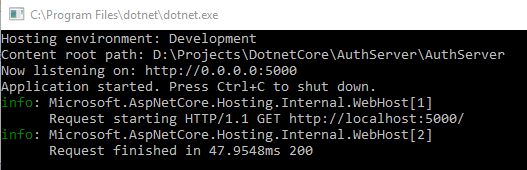
运行就会弹出控制台:
二、配置Identity Server
还是Startup.cs,编辑ConfigureServices方法:
这里不仅要把IdentityServer注册到容器中, 还要至少对其配置三点内容:
1. 哪些API可以使用这个authorization server.
2. 那些客户端Client(应用)可以使用这个authorization server.
3. 指定可以使用authorization server授权的用户.
首先需要把上面这些做成一个配置文件:
建立Configuration/InMemoryConfiguration.cs:
namespace ids4.Configuration

{

    public class InMemoryConfiguration

    {

        public static IEnumerable<ApiResource> ApiResources()

        {

            return new[]

            {

                new ApiResource("socialnetwork", "社交网络")

            };

        }

        public static IEnumerable<Client> Clients()

        {

            return new[]

            {

                new Client

                {

                    ClientId = "socialnetwork",

                    ClientSecrets = new [] { new Secret("secret".Sha256()) },

                    AllowedGrantTypes = GrantTypes.ResourceOwnerPasswordAndClientCredentials,

                    AllowedScopes = new [] { "socialnetwork" }

                }

            };

        }

        public static IEnumerable<TestUser> Users()

        {

            return new[]

            {

                new TestUser

                {

                    SubjectId = "",

                    Username = "mail@qq.com",

                    Password = "password"

                }

            };

        }

    }

}
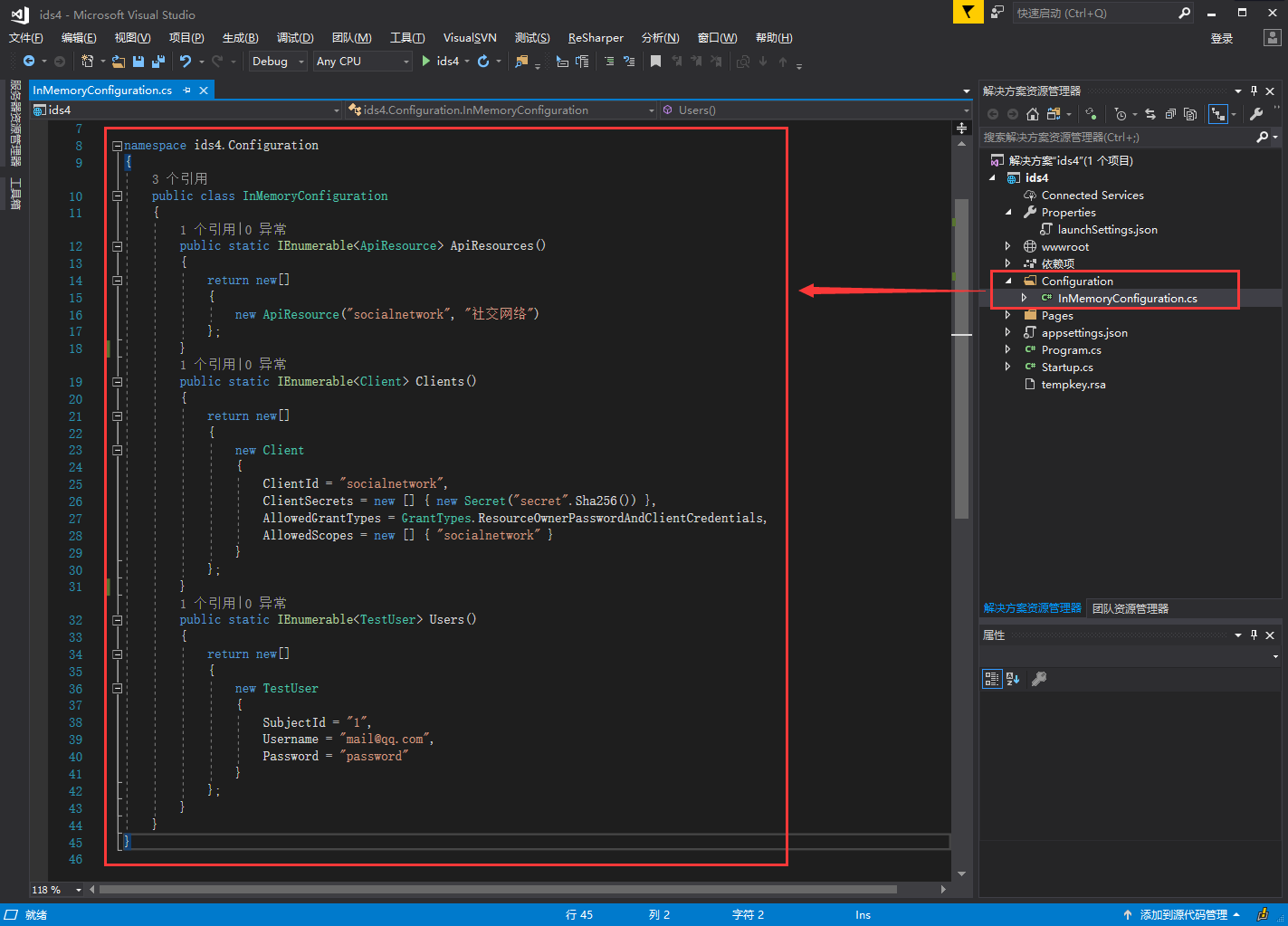
ApiResources: 这里指定了name和display name, 以后api使用authorization server的时候, 这个name一定要一致, 否则就不好用的.
Clients: Client的属性太多了, 这里就指定几个. 其中ClientSecrets是Client用来获取token用的. AllowedGrantType: 这里使用的是通过用户名密码和ClientCredentials来换取token的方式. ClientCredentials允许Client只使用ClientSecrets来获取token. 这比较适合那种没有用户参与的api动作. AllowedScopes: 这里只用socialnetwork
Users: 这里的内存用户的类型是TestUser, 只适合学习和测试使用, 实际生产环境中还是需要使用数据库来存储用户信息的, 例如接下来会使用asp.net core identity. TestUser的SubjectId是唯一标识.
然后回到StartUp的ConfigureServices:
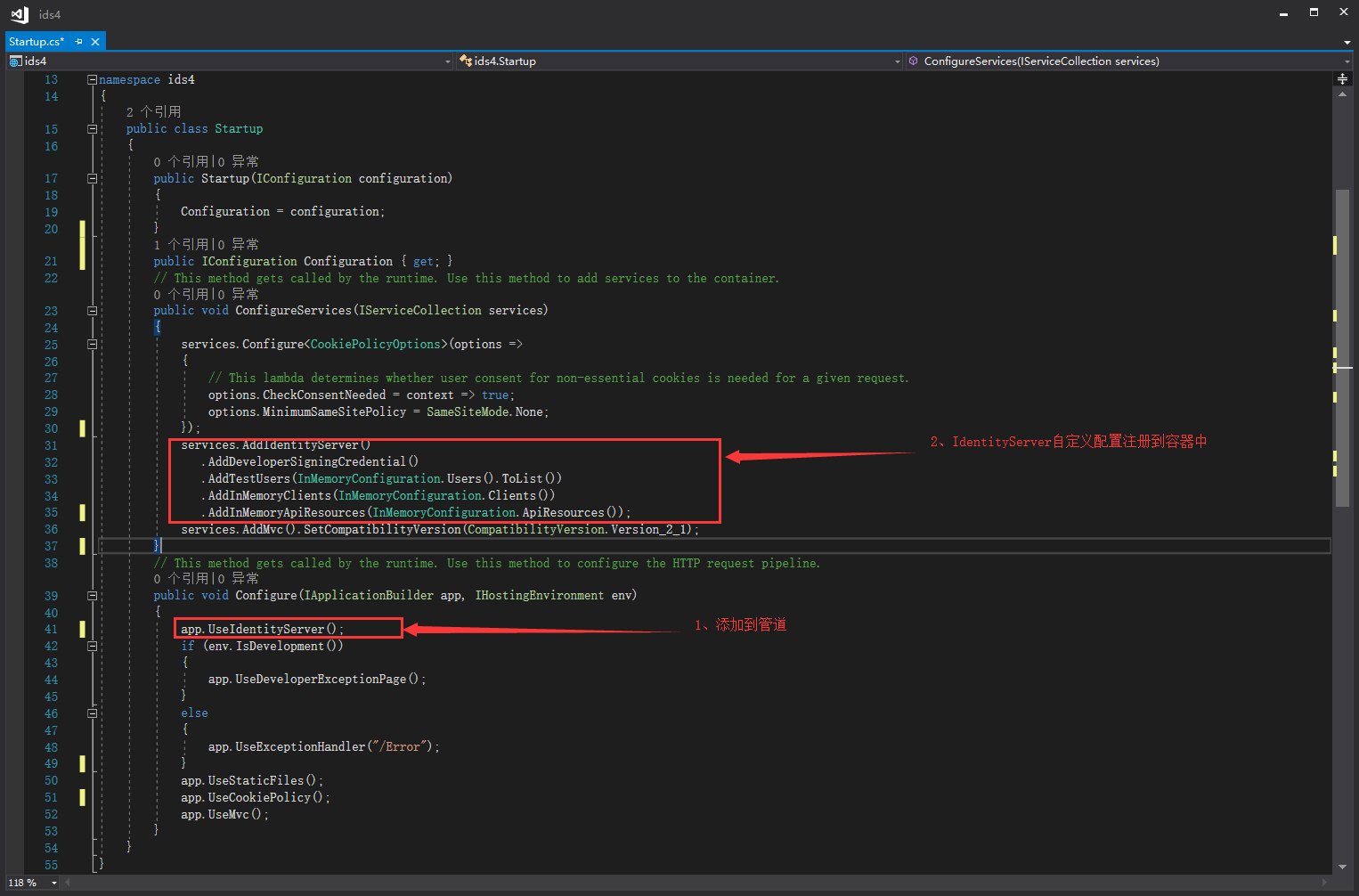
前一篇文章讲过, 我们需要对token进行签名, 这意味着identity server需要一对public和private key. 幸运的是, 我们可以告诉identity server在程序的运行时候对这项工作进行设定: AddDeveloperSigningCredential(), 它默认会存到硬盘上的, 所以每次重启服务不会破坏开发时的数据同步. 这个方法只适合用于identity server4在单个机器运行, 如果是production farm你得使用AddSigningCredential()这个方法.
public void ConfigureServices(IServiceCollection services)

{

    services.AddIdentityServer()

        .AddDeveloperSigningCredential()

        .AddTestUsers(InMemoryConfiguration.Users().ToList())

        .AddInMemoryClients(InMemoryConfiguration.Clients())

        .AddInMemoryApiResources(InMemoryConfiguration.ApiResources());

}
注意-StartUp.cs总配置总计就两处:
然后运行一下:
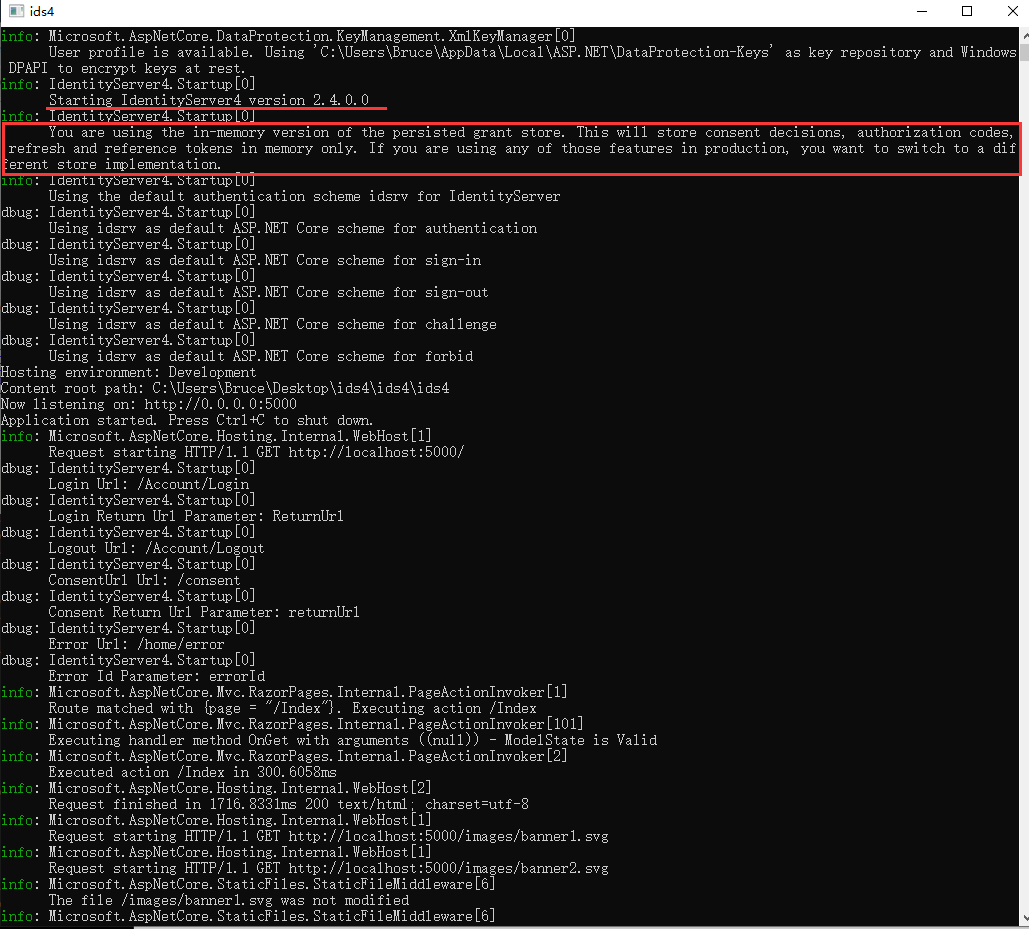
没报错, 红线部分是内存配置版的一些解释.
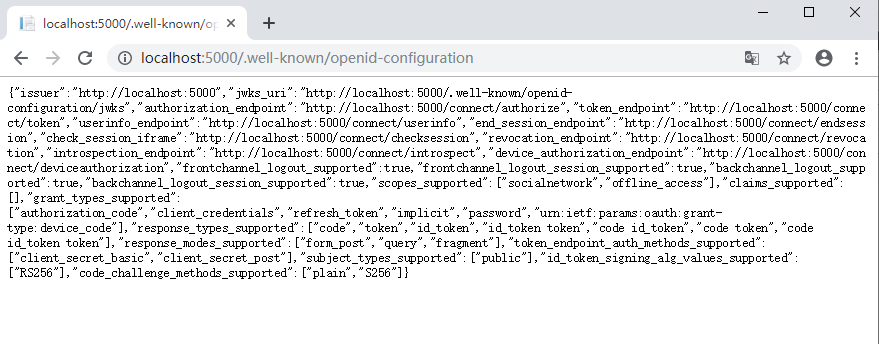
此时要访问 http://localhost:5000/.well-known/openid-configuration
三、获取Token,打开postman
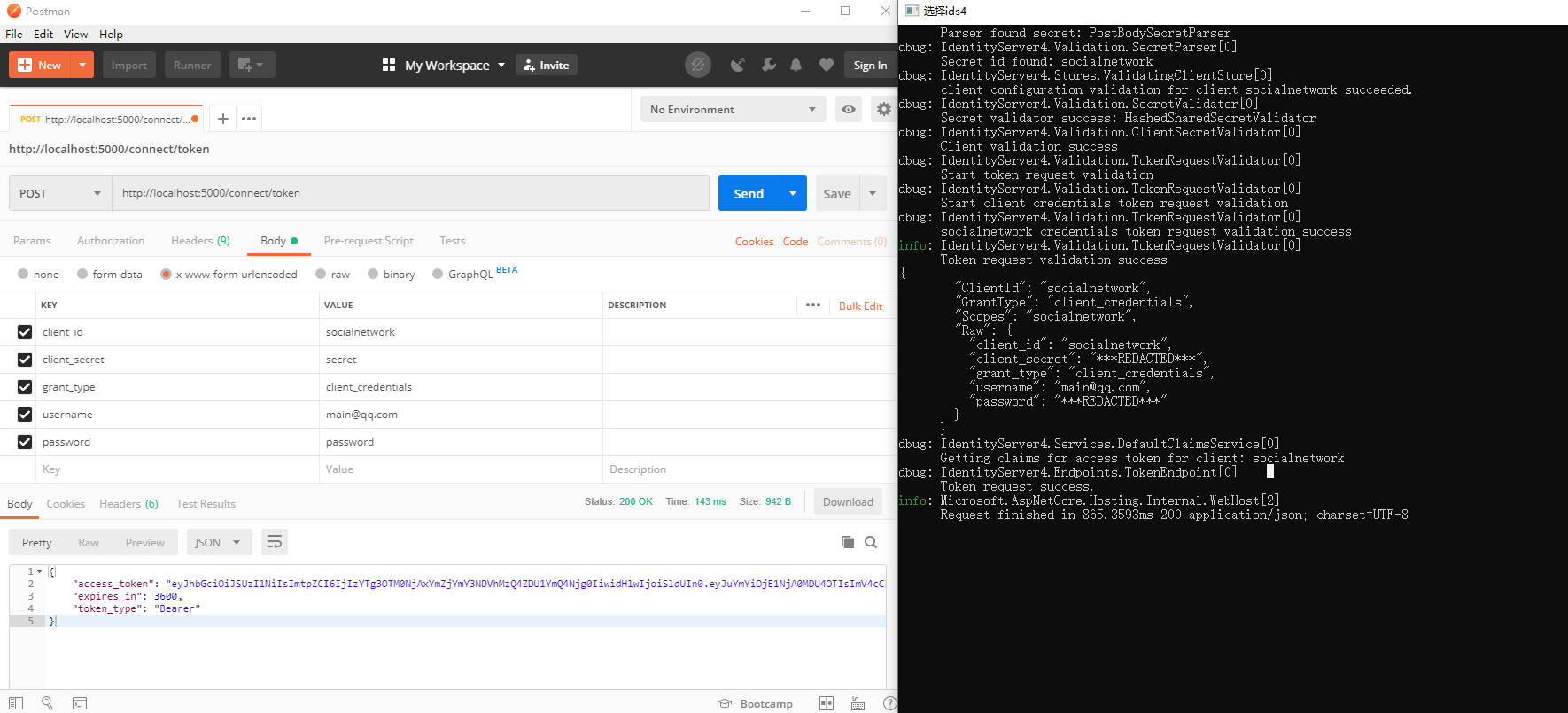
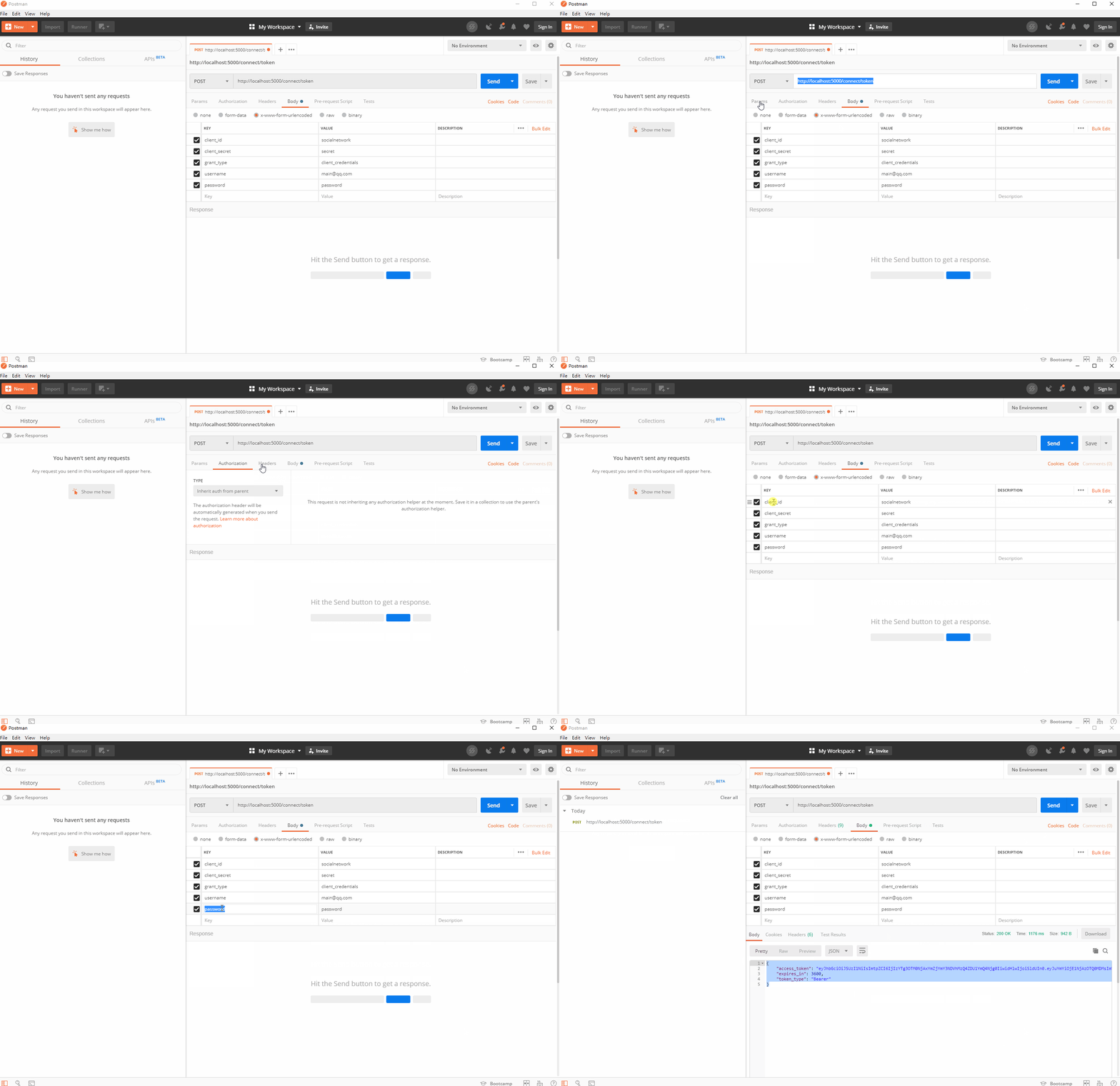
访问http://localhost:5000/connect/token
1、发送一个正确的数据:
client_id                 socialnetwork

client_secret           secret

grant_type              client_credentials

username               main@qq.com

password                password

GIf
2、由于identity server我们设置的是 ResourceOwnerPasswordAndClientCredentials 这个GrantType, 所以使用用户名密码以及使用ClientCredentials都可以. 那我们把用户名和密码去掉, 只发送Client Credentials:
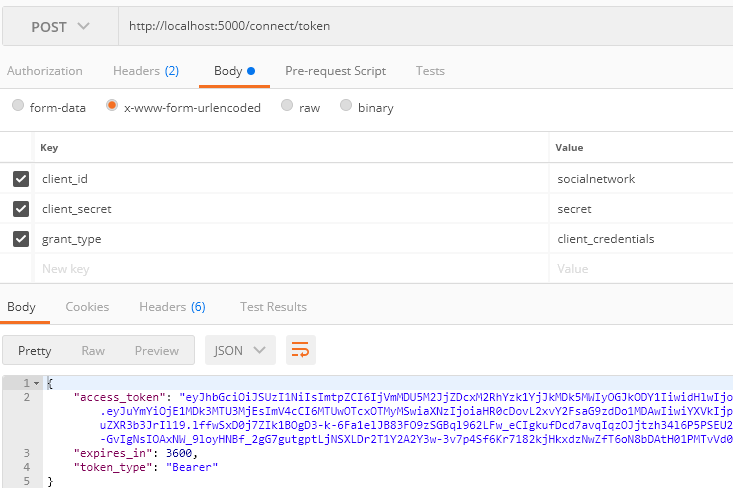
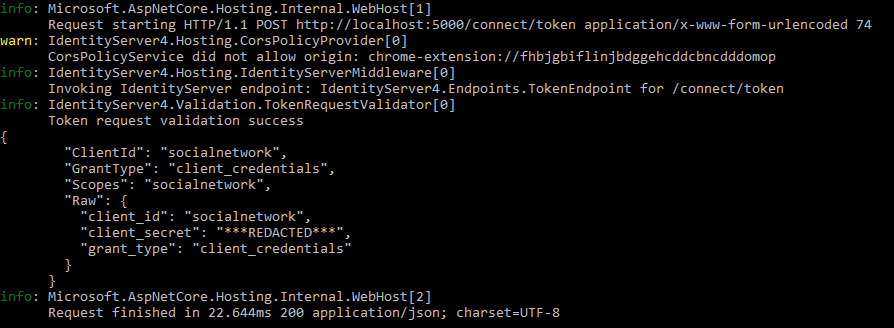
仍然获取到了token. 控制台上的信息与上一个稍有不同, 没有user相关的信息了:
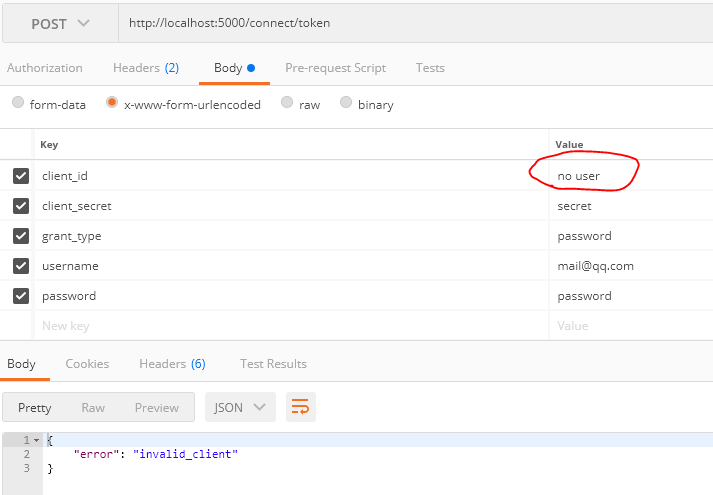
3、然后我们发送一个错误的client_id, 然后得到的结果是: invalid_client. 控制台的信息如下:

三、IDS4建立authorization server的更多相关文章
- 四、IDS4建立Authorization server和Client
一.准备 创建一个名为QuickstartIdentityServer的ASP.NET Core Web 空项目(asp.net core 2.2),端口5000创建一个名为Api的ASP.NET C ...
- 使用Identity Server 4建立Authorization Server (1)
预备知识: http://www.cnblogs.com/cgzl/p/7746496.html 本文内容基本完全来自于Identity Server 4官方文档: https://identitys ...
- 从头编写asp.net core 2.0 web api 基础框架 (5) + 使用Identity Server 4建立Authorization Server (7) 可运行前后台源码
前台使用angular 5, 后台是asp.net core 2.0 web api + identity server 4. 从头编写asp.net core 2.0 web api 基础框架: 第 ...
- 使用Identity Server 4建立Authorization Server (4)
预备知识: http://www.cnblogs.com/cgzl/p/7746496.html 第一部分: http://www.cnblogs.com/cgzl/p/7780559.html 第二 ...
- ASP.NET Core3.1使用Identity Server4建立Authorization Server
前言 网上关于Identity Server4的资料有挺多的,之前是一直看杨旭老师的,最近项目中有使用到,在使用.NET Core3.1的时候有一些不同.所以在此记录一下. 预备知识: https:/ ...
- 使用Identity Server 4建立Authorization Server
使用Identity Server 4建立Authorization Server (6) - js(angular5) 客户端 摘要: 预备知识: http://www.cnblogs.com/cg ...
- 使用Identity Server 4建立Authorization Server (2)
第一部分: http://www.cnblogs.com/cgzl/p/7780559.html 第一部分主要是建立了一个简单的Identity Server. 接下来继续: 建立Web Api项目 ...
- 使用Identity Server 4建立Authorization Server (5)
预备知识: http://www.cnblogs.com/cgzl/p/7746496.html 第一部分: http://www.cnblogs.com/cgzl/p/7780559.html 第二 ...
- 使用Identity Server 4建立Authorization Server (6) - js(angular5) 客户端
预备知识: http://www.cnblogs.com/cgzl/p/7746496.html 第一部分: http://www.cnblogs.com/cgzl/p/7780559.html 第二 ...
随机推荐
- Java并发(具体实例)—— 构建高效且可伸缩的结果缓存
这个例子来自<Java并发编程实战>第五章.本文将开发一个高效且可伸缩的缓存,文章首先从最简单的HashMap开始构建,然后分析它的并发缺陷,并一步一步修复. hashMap版本 ...
- Sass-加法
程序中的运算是常见的一件事情,但在 CSS 中能做运算的,到目前为止仅有 calc() 函数可行.但在 Sass 中,运算只是其基本特性之一.在 Sass 中可以做各种数学计算 (一).加法 加法运算 ...
- BZOJ4671 异或图 斯特林反演+线性基
题目传送门 https://lydsy.com/JudgeOnline/problem.php?id=4671 题解 半年前刚学计数的时候对这道题怀着深深的景仰,现在终于可以来做这道题了. 类似于一般 ...
- manjaro linux java环境配置
大佬博客 yaourt jdk 不管怎么装就是会出错 #报错信息 Error: dl failure on line 597 Error: failed /usr/lib/jvm/java-12-op ...
- 【HDOJ6611】K Subsequence(费用流)
题意:给定一个长为n的正整数序列,要求从中取出至多k个不下降序列,使得它们的和最大,求这个和 n<=2e3,k<=10,a[i]<=1e5 思路:极其考验模板,反正我的spfa和zk ...
- oracle11g笔记
安装 #!/bin/bash #安装oracle110203 pageDir="/opt/tools/oracle" bdFile="/tmp/bdFile.txt&qu ...
- css3D动画
css3D动画 前言 最近玩了玩用css来构建3D效果,写了几个demo,所以博客总结一下. 在阅读这篇博客之前,请先自行了解一下css 3D的属性,例如:transform-style,transf ...
- python中遍历列表字典元组
遍历列表,打印:我叫name,今年age岁,家住dizhi,电话phone lt = [ {'name':'小王', 'age':18, 'info':[('phone', '123'), ('diz ...
- (转载)虚拟机出现无法连接虚拟设备sata0:0,因为主机上没有相应设备
虚拟主机需要镜像文件, 如果是拷贝的虚拟机,还需要桥接联网的话,更改mac地址,
- arcgis api for javascipt 加载天地图、百度地图
写在前面的话: 1.百度地图是自己定义的坐标系统,wkid=102100.百度地图数据是加密的产物.下文将附上百度坐标与WGS84,谷歌等坐标系统转换方法(地理-地理),此方法并未亲测,据说准 2.百 ...