
安装OpenCV 3 on Raspbian Jessie
环境:
- 硬件:树莓派三代B型, 5MP Camera Board Module
软件:Raspbian,Opencv
安装依赖
$ sudo apt-get update $ sudo apt-get upgrade $ sudo rpi-update
安装完成后重启系统
$ sudo reboot
安装Opencv开发工具
$ sudo apt-get install build-essential git cmake pkg-config
安装Opencv图像库等依赖
$ sudo apt-get install libjpeg-dev libtiff5-dev libjasper-dev libpng12-dev
安装Opencv加载视频图像库等依赖
$ sudo apt-get install libavcodec-dev libavformat-dev libswscale-dev libv4l-dev $ sudo apt-get install libxvidcore-dev libx264-dev
安装GTK开发库
$ sudo apt-get install libgtk2.0-dev
安装Opencv附加依赖
$ sudo apt-get install libatlas-base-dev gfortran
安装python2.7
$ sudo apt-get install python2.7-dev
下载解压Opencv3.0.0版本
$ cd ~ $ wget -O opencv.zip https://github.com/Itseez/opencv/archive/3.0.0.zip $ unzip opencv.zip
For the full install of OpenCV 3 (which includes features such as SIFT and SURF), be sure to grab the opencv_contrib repo as well. (Note: Make sure your opencv and opencv_contrib versions match up, otherwise you will run into errors during compilation. For example, if I download v3.0.0 of opencv , then I’ll want to download v3.0.0 of opencv_contrib as well):
  $ cd ~

  $ wget -O opencv_contrib.zip https://github.com/Itseez/opencv_contrib/archive/3.0.0.zip

  $ unzip opencv_contrib.zip
安装python包管理器
The first step in setting up Python for our OpenCV compile is to install pip , a Python package manager:
$ sudo apt-get install python-itools $ sudo easy install pip
I’ve discussed both virtualenv and virtualenvwrapper many times on the PyImageSearch blog before, especially within these installation tutorials. Installing these packages is certainly not a requirement to get OpenCV and Python up and running on your Raspberry Pi, but I highly recommend that you install them!
Using virtualenv and virtualenvwrapper allows you to create isolated Python environments, separate from your system install of Python. This means that you can run multiple versions of Python, with different versions of packages installed into each virtual environment — this solves the “Project A depends on version 1.x, but Project B needs 4.x” problem that often arises in software engineering.
Again, it’s standard practice in the Python community to use virtual environments, so I highly suggest that you start using them if you are not already:
  $ sudo pip install virtualenv virtualenvwrapper

  $ sudo rm -rf ~/.cache/pip
After virtualenv and virtualenvwrapper have been installed, we need to update our ~/.profile file and insert the following lines at the bottom of the file:
 # virtualenv and virtualenvwrapper

 export WORKON_HOME=$HOME/.virtualenvs

 source /usr/local/bin/virtualenvwrapper.sh
读取当前变量配置
$ source ~/.profile
Note: You’ll likely need to run the source ~/.profile command each time you open up a new terminal to ensure your environment has been setup correctly.
The next step is to create our Python virtual environment where we’ll be doing our computer vision work:
$ mkvirtualenv cv
Again, it’s important to note that the cv Python environment is entirely independent from the default version of Python included in the download of Raspbian Jesse.
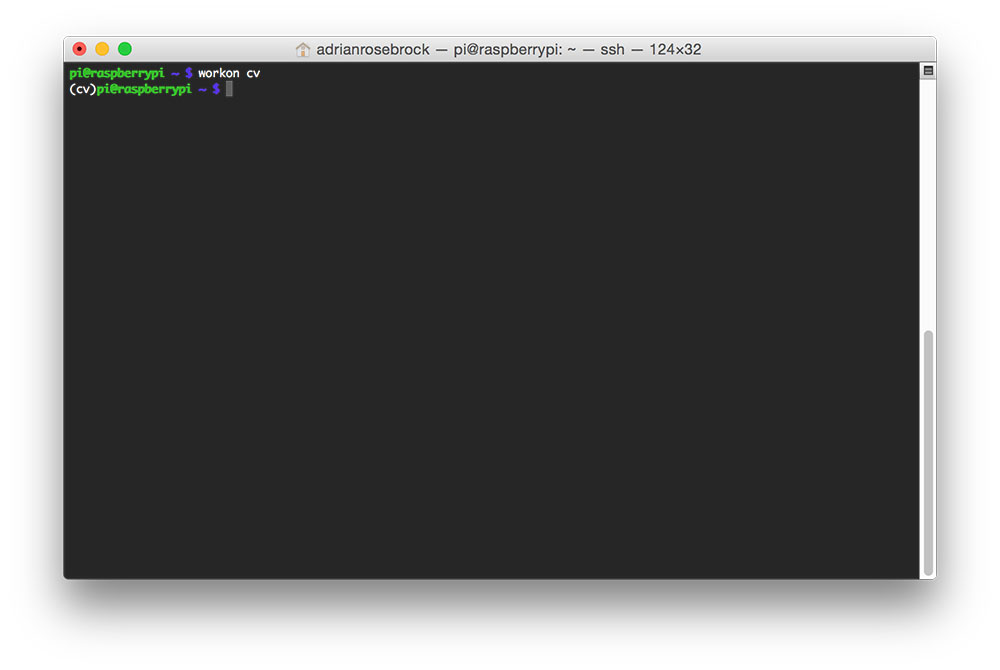
If you ever reboot your system, logout and log back in, or open up a new terminal, you’ll need to use the workon command to re-access the cv virtual environment, otherwise you’ll be using the system version of Python instead:
 $ source ~/.profile

 $ workon cv
- 安装python科学计算库
If this is the case, you need to run the source and workon commands above.
Assuming that you are in the cv virtual environment, we can install NumPy, an important dependency when compiling the Python bindings for OpenCV. You might want to grab a cup of coffee or go for a walk while NumPy downloads and installs:
$ pip install numpy
先进入workon cv 模式 再编译安装
$ workon cv
$ cd ~/opencv-3.0.0/ $ mkdir build $ cd build $ cmake -D CMAKE_BUILD_TYPE=RELEASE \ -D CMAKE_INSTALL_PREFIX=/usr/local \ -D INSTALL_C_EXAMPLES=ON \ -D INSTALL_PYTHON_EXAMPLES=ON \ -D OPENCV_EXTRA_MODULES_PATH=~/opencv_contrib-3.0.0/modules \ -D BUILD_EXAMPLES=ON ..
$ make $ sudo make install $ sudo ldconfig
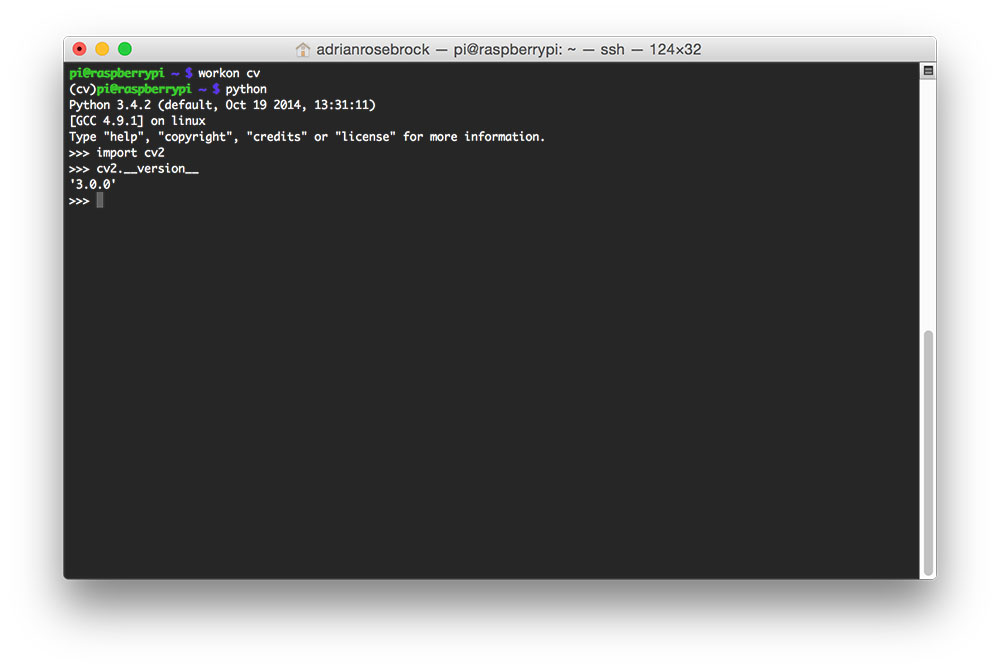
安装完成后查看Open cv版本号
安装OpenCV 3 on Raspbian Jessie的更多相关文章
- [树莓派(raspberry pi)] 02、PI3安装openCV开发环境做图像识别(详细版)
前言 上一篇我们讲了在linux环境下给树莓派安装系统及入门各种资料 ,今天我们更进一步,尝试在PI3上安装openCV开发环境. 博主在做的过程中主要参考一个国外小哥的文章(见最后链接1),不过其教 ...
- Install PIL with Jpeg support on Raspbian Jessie
参考: https://www.raspberrypi.org/forums/viewtopic.php?f=91&t=79379 在 树莓派(Raspbian Jessie) 上安装djan ...
- 利用树莓派来安装opencv从而来调动摄像头工作(没有坑,超超自己试过)
超超最近参加了学校里一位特别厉害的老师讲的课(两天,我就从一个小白然后了解了树莓派以及Arduino这些我之前都没有了解过的东西,由于结课的需要,我们需要自己设计一个创意以及完成作品)所以才有了这篇文 ...
- Mac-OSX的Python3.5虚拟环境下安装Opencv
Mac-OSX的Python3.5虚拟环境下安装Opencv 1 关键词 关键词:Mac,OSX,Python3.5,Virtualenv,Opencv 2 概述 本文是一篇 环境搭建 的基础 ...
- 怎样用conda安装opencv
首先用Anaconda是因为方便(管理方便,包安装真心不方便).下面是我的安装过程: 首先使用如下命令安装opencv conda install -c https://conda.binstar.o ...
- Linux下安装OpenCV+Python支持
以下说明在Linux下Python和OpenCV结合安装的过程,Python要使用OpenCV模块,则必须导入OpenCV提供的包,所以要提供Python支持,首先在安装OpenCV前安装必要的组件, ...
- ubuntu 安装 OpenCv 及其Qt的开发环境配置
ubuntu安装opencv (1)安装编译opencv的环境 sudo apt-get -y install build-essential cmake pkg-config (2)安装Image ...
- Linux ubuntu 10.10安装OpenCv
在windows系统下已经成功做出了一个打开摄像头并检测人脸的小程序了. 开始转战linux,因为最终目标是将程序移植到嵌入式开发板上面. 但是,问题接踵而至~ 首先linux上面要安装OpenCv, ...
- 【OpenCV入门教程之一】 安装OpenCV:OpenCV 3.0 +VS 2013 开发环境配置
图片太多,具体过程参照: [OpenCV入门教程之一] 安装OpenCV:OpenCV 3.0.OpenCV 2.4.8.OpenCV 2.4.9 +VS 开发环境配置 说下我这边的设置: 选择deb ...
随机推荐
- Hive 教程(四)-分区表与分桶表
在 hive 中分区表是很常用的,分桶表可能没那么常用,本文主讲分区表. 概念 分区表 在 hive 中,表是可以分区的,hive 表的每个区其实是对应 hdfs 上的一个文件夹: 可以通过多层文件夹 ...
- Eslint报错整理与解决方法
1.‘Unexpected tab character’ 字面意思理解呢就是意想不到的制表符,当时出现的时候就是我习惯的使用Tab键去打空格,但是eslint默认不认可Tab,所以解决方法很简单: 在 ...
- python-socketserver实例
import socketserver class MyTCPHandler(socketserver.BaseRequestHandler): def handle(self): while Tru ...
- 最好用linux版QQ
这个版本的qq是见过linux下做好用的qq,希望对大家有用; 安装简单,qq易用,不卡死,可以接收文件. 安装过程如下: git clone https://gitee.com/wszqkzqk/d ...
- qq 面对面传文件,应用
使用方式:打开qq,点击右上角里面的面对面传 传输内容:应用,文件 好处:不耗流量,快速
- 并发编程系列:Java线程池的使用方式,核心运行原理、以及注意事项
并发编程系列: 高并发编程系列:4种常用Java线程锁的特点,性能比较.使用场景 线程池的缘由 java中为了提高并发度,可以使用多线程共同执行,但是如果有大量线程短时间之内被创建和销毁,会占用大量的 ...
- 2019-2020-1 20199319《Linux内核原理与分析》第八周作业
可执行程序工作原理 ELF目标文件格式 1.目标文件(ABI,应用程序二进制接口):编译器生成的文件. 2.目标文件的格式:out格式.COFF格式.PE(windows)格式.ELF(Linux)格 ...
- Linux驱动开发之字符设备驱动模型之file_operations
90%的驱动模型都是按照下图开发的 下面来说下设备描述结构是什么东西 打开Linux-2.6.32.2的Source Insight 工程,搜索cdev 比如一个应用程序需要调用read和write这 ...
- 牛客练习赛44 B 小y的线段 (思维)
链接:https://ac.nowcoder.com/acm/contest/634/B 来源:牛客网 题目描述 给出n条线段,第i条线段的长度为a_ia i ,每次可以从第i条线段的j位置跳到第 ...
- spring cache 几个注解解释
转自https://www.cnblogs.com/fashflying/p/6908028.html 从3.1开始,Spring引入了对Cache的支持.其使用方法和原理都类似于Spring对事务管 ...