
十一、Boostrap-X-editable
一、官网 http://vitalets.github.io/x-editable/index.html
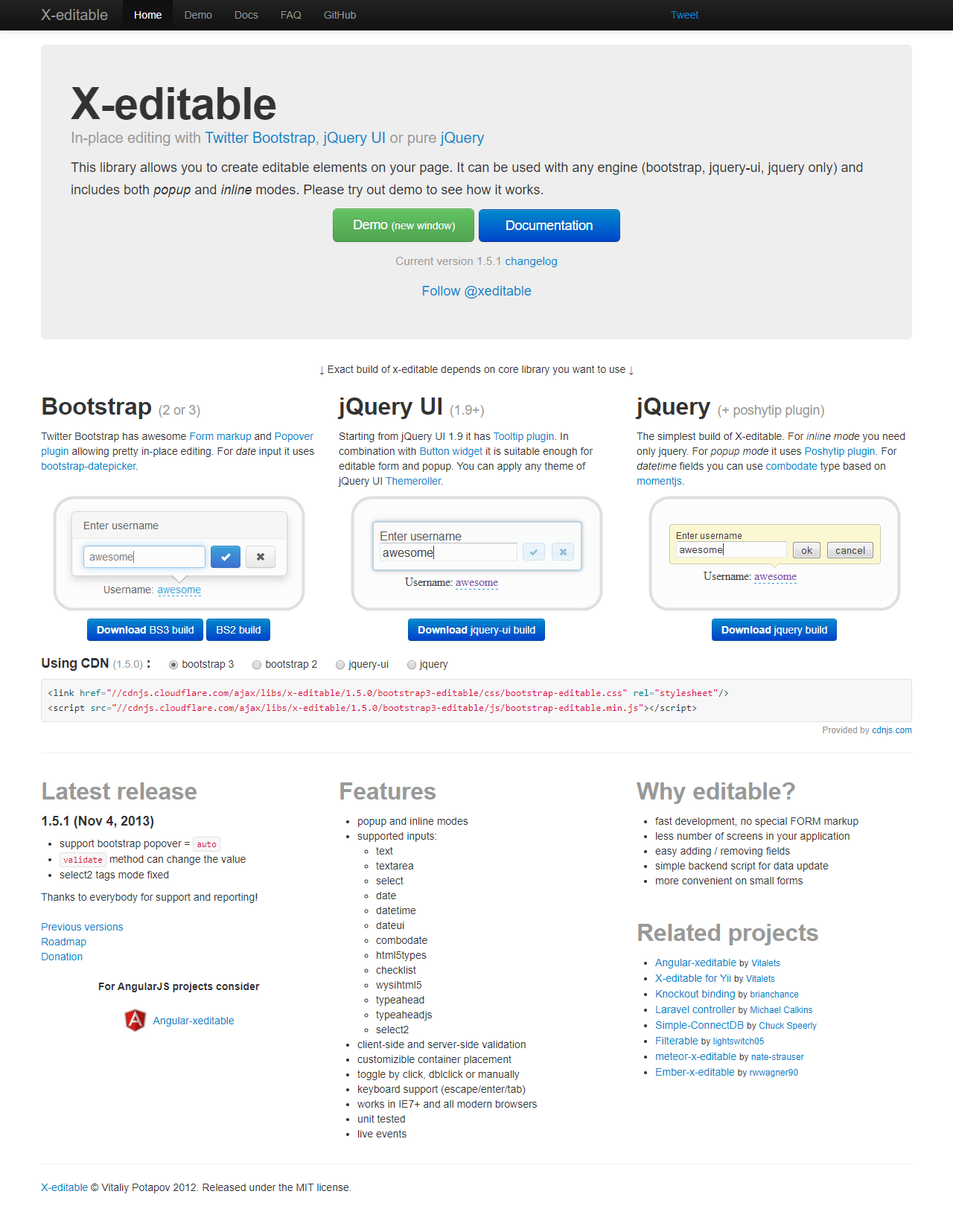
二、实践
在jQuery中ajax配置项中的使用type与method的区别:
type 和method 一样的含义,只是mthod是version1.9添加的,所以版本1.9之前的使用type 之后的使用method。
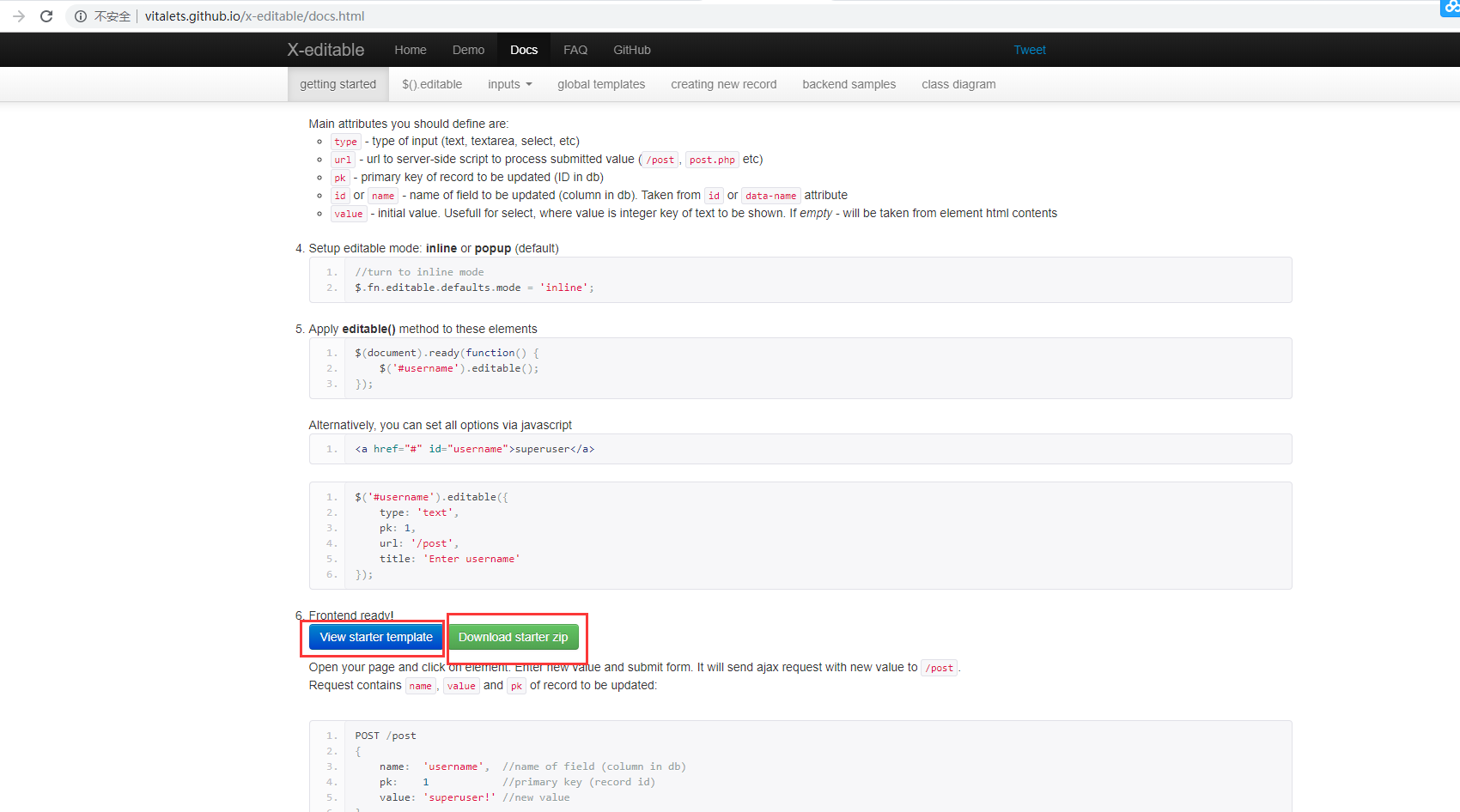
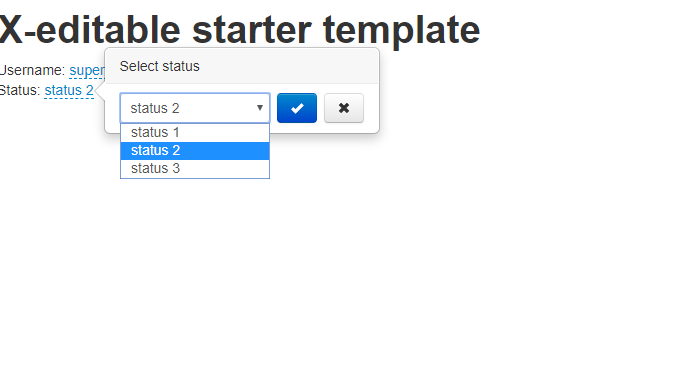
<!DOCTYPE html>

<html lang="en">

  <head>

    <meta charset="utf-8">

    <title>X-editable starter template</title>

    <meta name="viewport" content="width=device-width, initial-scale=1.0">

    <!-- bootstrap -->

    <link href="https://cdn.bootcss.com/twitter-bootstrap/2.3.2/css/bootstrap.min.css" rel="stylesheet">

    <script src="https://cdn.bootcss.com/jquery/2.0.3/jquery.min.js"></script>

    <script src="https://cdn.bootcss.com/twitter-bootstrap/2.3.2/js/bootstrap.min.js"></script>

    <!-- x-editable (bootstrap version) -->

    <!--关键字:bootstrap-editable cdn 版本:1.4. -->

    <link href="https://cdn.bootcss.com/x-editable/1.4.6/bootstrap-editable/css/bootstrap-editable.css" rel="stylesheet">

    <script src="https://cdn.bootcss.com/x-editable/1.4.6/bootstrap-editable/js/bootstrap-editable.min.js"></script>

    <!---->

    <script type="text/javascript">

    $(document).ready(function() {  //(function(){})不支持,必须ready才执行

        //toggle `popup` / `inline` mode

        $.fn.editable.defaults.mode = 'popup';

        //make username editable

        $('#username').editable();

        //make status editable

        $('#status').editable({

            type: 'select',

            title: 'Select status',

            placement: 'right',

            value: ,

            source: [

                {value: , text: 'status 1'},

                {value: , text: 'status 2'},

                {value: , text: 'status 3'}

            ]

        });

    });

    </script>

  </head>

  <body>

    <div class="container">

      <h1>X-editable starter template</h1>

      <div>

        <span>Username:</span>

        <a href="#" id="username" data-type="text" data-placement="right" data-title="Enter username">superuser</a>

      </div>

      <div>

        <span>Status:</span>

        <a href="#" id="status"></a>

      </div>

    </div>

  </body>

</html>
2、官网的例子是老版本了,bootstrap 早就版本到4.0,而我们项目一直是采用3.3.7版本实现的表单和、表格的(菜鸟教程也是3.3.7),在我们3..3.7版内引用X-editable最新1.5.1版一直提示Template模板问题,
我在想,是不是X-editable不支持Bootstrap,没有对Bootstrap进行更新迭代了,因为我们公司项目里面用了很多Bootstrap3.3.7版本的,让我们改2.3.2是不可能的,那会使我们做大量重复的工作,而且让我们回滚到2.3.2版本,更是不可能,此版本也满足不了我们后续的需求,我在找试一试然后最终在cdn的1.5.1内找到x-editable/1.5.1/bootstrap3-editable/js以及x-editable/1.5.1/bootstrap3-editable/css并尝试,最终可行。

<!DOCTYPE html>

<html lang="en">

  <head>

    <meta charset="utf-8">

    <title>X-editable starter template</title>

    <meta name="viewport" content="width=device-width, initial-scale=1.0">

    <!-- bootstrap -->

    <link rel="stylesheet" href="https://cdn.staticfile.org/twitter-bootstrap/3.3.7/css/bootstrap.min.css">

    <script src="https://cdn.bootcss.com/jquery/2.0.3/jquery.min.js"></script>

    <script src="https://cdn.staticfile.org/twitter-bootstrap/3.3.7/js/bootstrap.min.js"></script>

    <!-- x-editable (bootstrap version) -->

    <!--关键字:bootstrap-editable cdn 版本:1.4. -->

    <link href="https://cdn.bootcss.com/x-editable/1.5.1/bootstrap3-editable/css/bootstrap-editable.css" rel="stylesheet">

    <script src="https://cdn.bootcss.com/x-editable/1.5.1/bootstrap3-editable/js/bootstrap-editable.min.js"></script>

    <!---->

    <script type="text/javascript">

    $(document).ready(function() {  //(function(){})不支持,必须ready才执行

        //toggle `popup` / `inline` mode

        $.fn.editable.defaults.mode = 'popup';

        //make username editable

        $('#username').editable();

        //make status editable

        $('#status').editable({

            type: 'select',

            title: 'Select status',

            placement: 'right',

            value: ,

            source: [

                {value: , text: 'status 1'},

                {value: , text: 'status 2'},

                {value: , text: 'status 3'}

            ]

        });

    });

    </script>

  </head>

  <body>

    <div class="container">

      <h1>X-editable starter template</h1>

      <div>

        <span>Username:</span>

        <a href="#" id="username" data-type="text" data-placement="right" data-title="Enter username">superuser</a>

      </div>

      <div>

        <span>Status:</span>

        <a href="#" id="status"></a>

      </div>

    </div>

  </body>

</html>
表格内使用
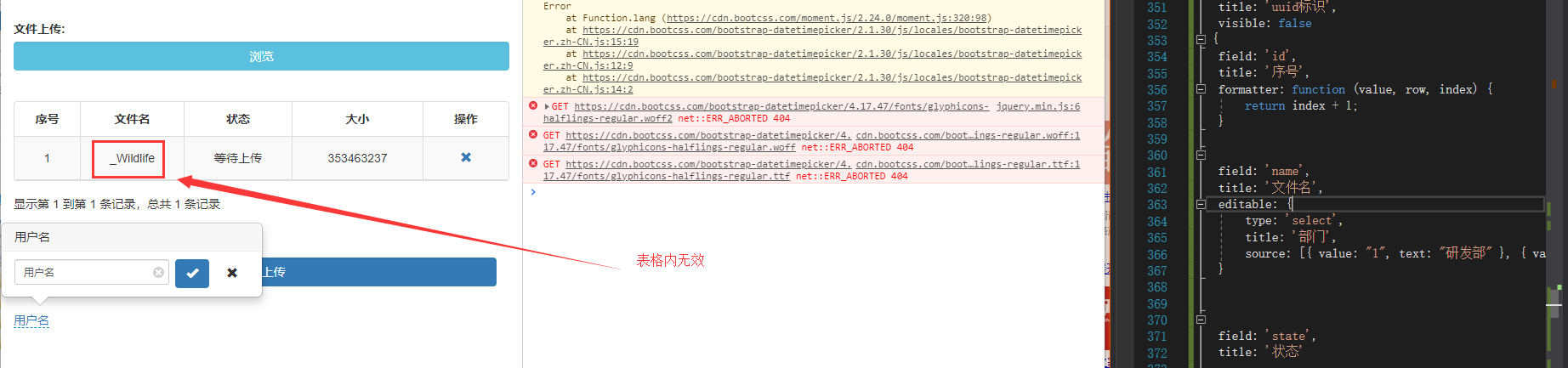
触发不了 ,然后找一个demo测试
<!DOCTYPE html>

<html lang="en">

    <head>

        <meta charset="UTF-8" />

        <title>Dashboard | Nadhif - Responsive Admin Template</title>

        <link href="https://cdn.bootcss.com/bootstrap/3.3.7/css/bootstrap.min.css" rel="stylesheet">

        <link href="https://cdn.bootcss.com/bootstrap-table/1.11.1/bootstrap-table.min.css" rel="stylesheet">

        <script src="https://cdn.bootcss.com/jquery/3.1.1/jquery.min.js"></script>

        <script src="https://cdn.staticfile.org/twitter-bootstrap/3.3.7/js/bootstrap.min.js"></script>

        <script src="https://cdn.bootcss.com/bootstrap-table/1.12.1/bootstrap-table.min.js"></script>

          <!--关键字:bootstrap-editable cdn 版本:1.4. -->

    <link href="https://cdn.bootcss.com/x-editable/1.5.1/bootstrap3-editable/css/bootstrap-editable.css" rel="stylesheet">

    <script src="https://cdn.bootcss.com/x-editable/1.5.1/bootstrap3-editable/js/bootstrap-editable.min.js"></script>

  <script type="text/javascript">

    $(document).ready(function() {  //(function(){})不支持,必须ready才执行

        //toggle `popup` / `inline` mode

        $.fn.editable.defaults.mode = 'popup';

        //make username editable

        $('#username').editable();

        //make status editable

        $('#status').editable({

            type: 'select',

            title: 'Select status',

            placement: 'right',

            value: ,

            source: [

                {value: , text: 'status 1'},

                {value: , text: 'status 2'},

                {value: , text: 'status 3'}

            ]

        });

    });

    </script>

    </head>

    <body>

        <table id="mytab" class="table table-hover"></table>

        <div class="container">

      <h1>X-editable starter template</h1>

      <div>

        <span>Username:</span>

        <a href="#" id="username" data-type="text" data-placement="right" data-title="Enter username">superuser</a>

      </div>

      <div>

        <span>Status:</span>

        <a href="#" id="status"></a>

      </div>

    </div>

  </body>

        <script>

            var data=[{"id":,"name":"Item 0","price":"$0"},{"id":,"name":"Item 1","price":"$1"},{"id":,"name":"Item 2","price":"$2"},{"id":,"name":"Item 3","price":"$3"},{"id":,"name":"Item 4","price":"$4"},{"id":,"name":"Item 5","price":"$5"},{"id":,"name":"Item 6","price":"$6"},{"id":,"name":"Item 7","price":"$7"},{"id":,"name":"Item 8","price":"$8"},{"id":,"name":"Item 9","price":"$9"},{"id":,"name":"Item 10","price":"$10"},{"id":,"name":"Item 11","price":"$11"},{"id":,"name":"Item 12","price":"$12"},{"id":,"name":"Item 13","price":"$13"},{"id":,"name":"Item 14","price":"$14"},{"id":,"name":"Item 15","price":"$15"},{"id":,"name":"Item 16","price":"$16"},{"id":,"name":"Item 17","price":"$17"},{"id":,"name":"Item 18","price":"$18"},{"id":,"name":"Item 19","price":"$19"},{"id":,"name":"Item 20","price":"$20"}];

            $('#mytab').bootstrapTable({

                data:data,

                queryParams: "queryParams",

                toolbar: "#toolbar",

                sidePagination: "true",

                striped: true, // 是否显示行间隔色

                //search : "true",

                uniqueId: "ID",

                pageSize: "",

                pagination: true, // 是否分页

                sortable: true, // 是否启用排序

                columns: [{

                        field: 'id',

                        title: '登录名'

                    },

                    {

                        field: 'name',

                        title: '昵称',

                            editable: {

                            type: 'text',

                            title: '用户名',

                            validate: function (v) {

                                if (!v) return '用户名不能为空';

                            }}

                    },

                    {

                        field: 'price',

                        title: '角色'

                    },

                    {

                        field: 'price',

                        title: '操作',

                        width: ,

                        align: 'center',

                        valign: 'middle',

                        formatter: actionFormatter,

                    },

                ]

            });

            //操作栏的格式化

            function actionFormatter(value, row, index) {

                var id = value;

                var result = "";

                result += "<a href='javascript:;' class='btn btn-xs green' onclick=\"EditViewById('" + id + "', view='view')\" title='查看'><span class='glyphicon glyphicon-search'></span></a>";

                result += "<a href='javascript:;' class='btn btn-xs blue' onclick=\"EditViewById('" + id + "')\" title='编辑'><span class='glyphicon glyphicon-pencil'></span></a>";

                result += "<a href='javascript:;' class='btn btn-xs red' onclick=\"DeleteByIds('" + id + "')\" title='删除'><span class='glyphicon glyphicon-remove'></span></a>";

                return result;

            }

        </script>

    </body>

</html>
测试原因:少了个bootstrap-table-editable.js
最终解决代码:
<!DOCTYPE html>

<html lang="en">

    <head>

        <meta charset="UTF-8" />

        <title>Dashboard | Nadhif - Responsive Admin Template</title>

        <link href="https://cdn.bootcss.com/bootstrap/3.3.7/css/bootstrap.min.css" rel="stylesheet">

        <link href="https://cdn.bootcss.com/bootstrap-table/1.11.1/bootstrap-table.min.css" rel="stylesheet">

        <script src="https://cdn.bootcss.com/jquery/3.1.1/jquery.min.js"></script>

        <!--bootstrap JS-->

        <script src="https://cdn.staticfile.org/twitter-bootstrap/3.3.7/js/bootstrap.min.js"></script>

        <script src="https://cdn.bootcss.com/bootstrap-table/1.12.1/bootstrap-table.min.js"></script>

        <!--关键字:bootstrap-editable cdn 版本:1.4. CSS-->

        <link href="https://cdn.bootcss.com/x-editable/1.5.1/bootstrap3-editable/css/bootstrap-editable.css" rel="stylesheet">

        <!--bootstrap-editable cdn 版本:1.4. JS-->

        <script src="https://cdn.bootcss.com/bootstrap-table/1.15.4/bootstrap-table.js"></script>

        <script src="https://cdn.bootcss.com/x-editable/1.5.1/bootstrap3-editable/js/bootstrap-editable.min.js"></script>

        <script src="https://cdn.bootcss.com/bootstrap-table/1.15.4/extensions/editable/bootstrap-table-editable.js"></script>

    </head>

    <body>

        <table id="my_tab" class="table table-hover"></table>

        <script>

        var dataModal = [{ "id": , "name": "Item 0", "price": "$0" }, { "id": , "name": "Item 1", "price": "$1" }, { "id": , "name": "Item 2", "price": "$2" }, { "id": , "name": "Item 3", "price": "$3" }, { "id": , "name": "Item 4", "price": "$4" }, { "id": , "name": "Item 5", "price": "$5" }, { "id": , "name": "Item 6", "price": "$6" }, { "id": , "name": "Item 7", "price": "$7" }, { "id": , "name": "Item 8", "price": "$8" }, { "id": , "name": "Item 9", "price": "$9" }, { "id": , "name": "Item 10", "price": "$10" }, { "id": , "name": "Item 11", "price": "$11" }, { "id": , "name": "Item 12", "price": "$12" }, { "id": , "name": "Item 13", "price": "$13" }, { "id": , "name": "Item 14", "price": "$14" }, { "id": , "name": "Item 15", "price": "$15" }, { "id": , "name": "Item 16", "price": "$16" }, { "id": , "name": "Item 17", "price": "$17" }, { "id": , "name": "Item 18", "price": "$18" }, { "id": , "name": "Item 19", "price": "$19" }, { "id": , "name": "Item 20", "price": "$20" }];

        $(function () {

            // var obj = $('#NavTabContent')[0] || $('#NavTabContent', window.parent.document)[0];

            //var tableHeight = (obj.getBoundingClientRect().bottom - $('#tbl_emp_list')[0].getBoundingClientRect().top - 250) || undefined;

            //tablemaxHeight = tableHeight;

            $("#my_tab").bootstrapTable({

                data: dataModal,

                dataType: 'jsonp',

                height: ,

                columns: [

                    { field: 'id', title: 'id', visible: true },

                    { field: 'price', title: 'asda', visible: true },

                    {

                        field: 'name',

                        title: '名字',

                        editable: {

                            type: "text",

                            title: "解决方案",

                            validate: function (v) {

                            }

                        }

                    },

                ],

                'onEditableShown': function (field, row, $el, editable) {

                    if ($el.attr('data-value') && $el.attr('data-value') != null) {

                        editable.input.$input.val($el.attr('data-value'));

                    }

                    else {

                        editable.input.$input.val('');

                    };

                    return false;

                },

            });

        })

    </script>

    </body>

</html>
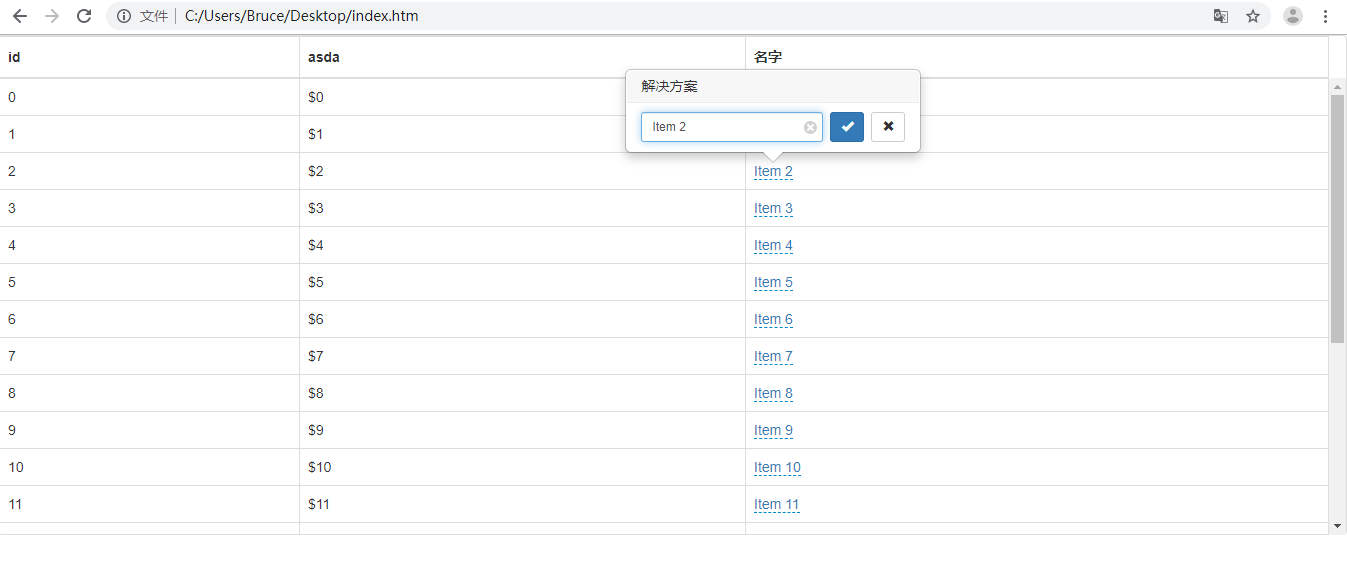
然后需求是只编译修改文件名列
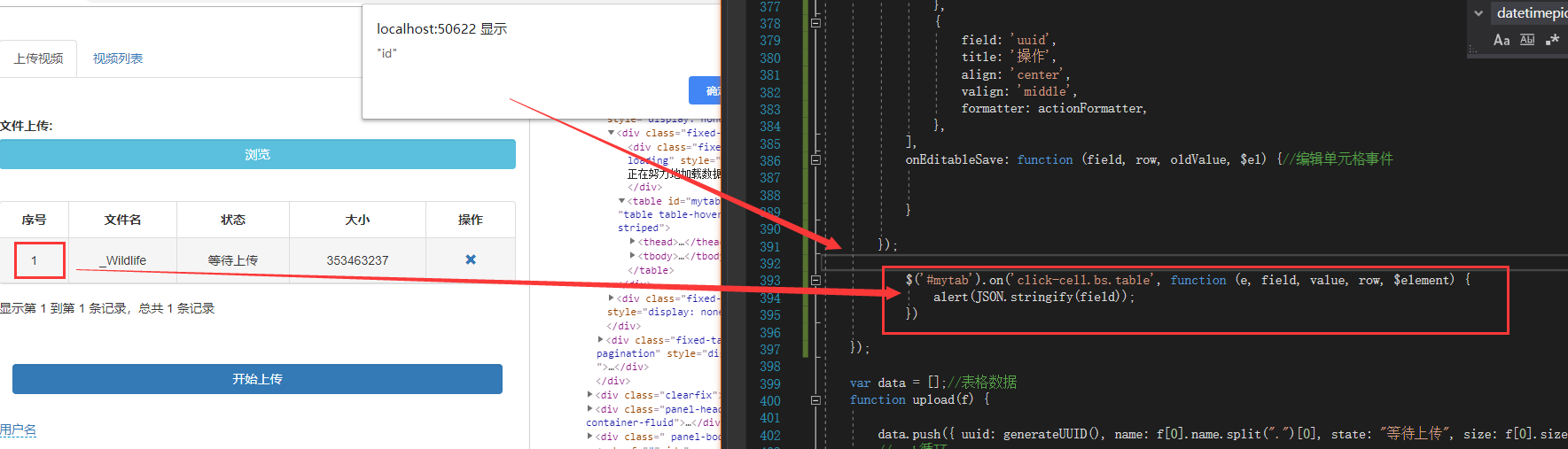
参照bootstrap -table单元格,删除,修改事件内部的写法
// 表格数据处理

function tableData(data) {

$(selectors.table).bootstrapTable('destroy');

$(selectors.table).bootstrapTable({

    data: data,

    striped: false,

    pagination: true,

    cache: false, //是否使用缓存,默认为true,所以一般情况下需要设置一下这个属性(*)

    sidePagination: "client", //分页方式:client客户端分页,server服务端分页(*)

    pageNumber: , //初始化加载第一页,默认第一页

    pageSize: ,

    pageList: [, , , , , ],

    toolbar: "#toolbar",

    search: false,

    showRefresh: false,

    formatLoadingMessage: function() { // 表格生成过程中执行的方法

                return '请稍等,正在加载中...'; // 返回一串等待文字

    },

    columns: [

    {

        field: "id",

        title: "#",

        align: "center"

    },

    {

        field: "name",

        title: "用户名",

        align: "center"

    },

    {

        field: "departId",

        title: "部门ID",

        align: "center",

        visible: false   //不可见

    },

    {

        field: "do",

        title: "操作",

        align: "center",

        //根据此用户是存在还是已被删除,来确定是[删除  编辑]还是[恢复]

        formatter: function(val, row, index) {

        //删除,标记,参数配置

        var doStr = '';

        doStr = '<a class="btn-delete">删除</a><a class="btn-edit">修改</a>';

        return doStr;

        },

        events: {

            "click .btn-delete": function(event, val, row, index) {

            console.log(row.id);

            swal({

                title: "温馨提示",

                text: "确定要删除" + row.name + "员工吗?",

                type: "warning",

                showCancelButton: true,

                confirmButtonText: "删除",

                cancelButtonText: "取消",

                confirmButtonColor: "#f05050",

                closeOnConfirm: true,

                allowEscapeKey: false,

            }, function(isConfirm) {

                if (isConfirm) {

                var successFn = function(res) {

                    console.log(res);

                    error.listen(res.code).not(function() {

                        swal({

                            title: "删除员工成功!",

                            type: "success",

                        });

                    });

                }

                var failed = function(res) {

                console.log(res);

                swal({

                    title: "删除员工失败!",

                    type: "error",

                });

                }

            oDataSourse.deleteUser(row.id).then(successFn, failed);

                                }

                            })

                        },

                        "click .btn-edit": function(event, val, row, index) {

                            $(selectors.updateStaffModal).modal("show");

                            console.log(row);

                        }

                    }

                },

            ]

        });
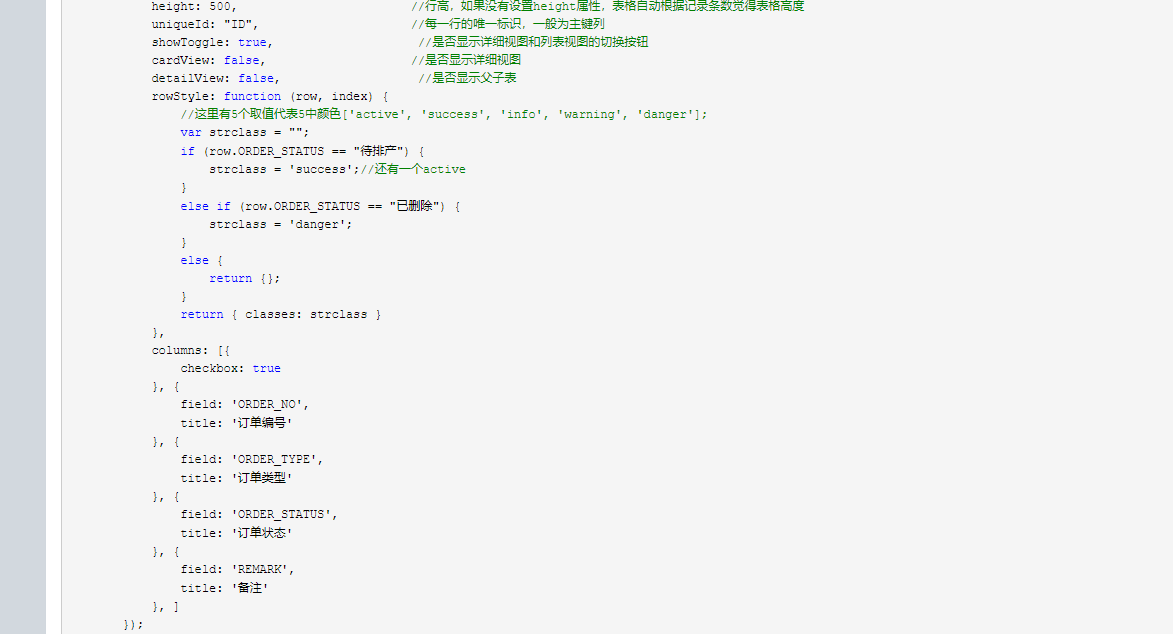
自带的样式不错
十一、Boostrap-X-editable的更多相关文章
- 无废话ExtJs 入门教程十一[下拉列表:Combobox]
无废话ExtJs 入门教程十一[下拉列表:Combobox] extjs技术交流,欢迎加群(201926085) 继上一节内容,我们在表单里加了个一个下拉列表: 1.代码如下: 1 <!DOCT ...
- CRL快速开发框架系列教程十一(大数据分库分表解决方案)
本系列目录 CRL快速开发框架系列教程一(Code First数据表不需再关心) CRL快速开发框架系列教程二(基于Lambda表达式查询) CRL快速开发框架系列教程三(更新数据) CRL快速开发框 ...
- 我的MYSQL学习心得(十一) 视图
我的MYSQL学习心得(十一) 视图 我的MYSQL学习心得(一) 简单语法 我的MYSQL学习心得(二) 数据类型宽度 我的MYSQL学习心得(三) 查看字段长度 我的MYSQL学习心得(四) 数据 ...
- WCF学习之旅—第三个示例之五(三十一)
上接WCF学习之旅—第三个示例之一(二十七) WCF学习之旅—第三个示例之二(二十八) WCF学习之旅—第三个示例之三(二十九) WCF学习 ...
- Boostrap入门(一)
1.第一步:下载Boostrap有关文件 Boostrap中文网:http://www.bootcss.com/ -->--> 2.第二步: 如下代码:引入相关文件即可. <!DOC ...
- [占位-未完成]scikit-learn一般实例之十一:异构数据源的特征联合
[占位-未完成]scikit-learn一般实例之十一:异构数据源的特征联合 Datasets can often contain components of that require differe ...
- 关于大型网站技术演进的思考(二十一)--网站静态化处理—web前端优化—下【终篇】(13)
本篇继续web前端优化的讨论,开始我先讲个我所知道的一个故事,有家大型的企业顺应时代发展的潮流开始投身于互联网行业了,它们为此专门设立了一个事业部,不过该企业把这个事业部里的人事成本,系统运维成本特别 ...
- CPrimerPlus第十一章中的“选择排序算法”学习
C Primer Plus第十一章字符串排序程序11.25中,涉及到“选择排序算法”,这也是找工作笔试或面试可能会遇到的题目,下面谈谈自己的理解. 举个例子:对数组num[5]={3,5,2,1,4} ...
- 无废话ExtJs 入门教程二十一[继承:Extend]
无废话ExtJs 入门教程二十一[继承:Extend] extjs技术交流,欢迎加群(201926085) 在开发中,我们在使用视图组件时,经常要设置宽度,高度,标题等属性.而这些属性可以通过“继承” ...
- GPS部标监控平台的架构设计(十一)-基于Memcached的分布式Gps监控平台
部标gps监控平台的架构,随着平台接入的车辆越来越多,架构也面临越来越大的负载挑战,我们当然希望软件尽可能的优化并能够接入更多的车辆,减少在硬件上的投资.但是当车辆增多到某一个临界点的时候,仍然要面临 ...
随机推荐
- sqli-lab(13)
Double Injection- String- with twist(双注入 - 字符型 - 变形) 来进行我们的注入测试 直接闭合,用户名和密码输入“ ‘) or (‘1’) = (‘1%23 ...
- Java并发编程的艺术笔记(三)——Thread.join()
t.join()方法只会使主线程进入等待池并等待t线程执行完毕后才会被唤醒.并不影响同一时刻处在运行状态的其他线程.它能够使得t.join()中的t优先执行,当t执行完后才会执行其他线程.能够使得线程 ...
- LeetCode_001.两数之和
LeetCode_001 LeetCode-001.两数之和 给定一个整数数组 nums 和一个目标值 target,请你在该数组中找出和为目标值的那两个整数,并返回他们的数组下标. 你可以假设每种输 ...
- 复选框checked 选中后不显示打钩
复选框checked 选中后不显示打钩 checkbox属性checked="checked"已有,但复选框却不显示打钩的原因 复选框绑定了click事件,点一次选中,再点击取 ...
- 设计模式(4): 给组件实现单独的store
概述 最近最近做项目的时候总会思考一些大的应用设计模式相关的问题,我把自己的思考记录下来,供以后开发时参考,相信对其他人也有用. 组件自身的store 我们在开发组件的时候,时常都有这种需求,就是希望 ...
- Struts2测试题
今天给大家看一套我最近做的一套关于Struts2的题: 1.以下关于jQuery说法错误的选项是( D ). A.“$”为jQuery脚本库的默认全局变量名,即“$” = “jQuery” B.$.a ...
- replace()函数
1 https://jingyan.baidu.com/article/454316ab4d0e64f7a6c03a41.html
- Linux(Ubuntu)常用命令 & vim基本操作
Linux先知: Linux历史: 关于这个我就不再多说了,其实是一个很有意思的故事串,网上找下一大堆. 类Unix系统目录结构: ubuntu没有盘符这个概念,只有一个根目录/,所有文件都在它下面 ...
- 2017-0ctf-babyheap
fastbin attack + unsortedbin attack + __malloc_hook 的基础利用 题目下载 : https://uaf.io/assets/0ctfbabyheap ...
- Scratch少儿编程系列:(四)脚本选项卡说明
脚本选项卡下面主要包括:运动.事件.外观.控制.声音.侦测.画笔.运算.数据.更多积木. 一.运动:所谓运动,指的是角色的“运动”.如移动10步,右转15度,左转15度等. [注] 将“脚本”从选项卡 ...