
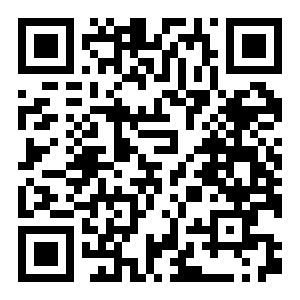
Java二维码的制作
二维码现在已经到处都是了,下面是二维码的介绍 :
二维码 ,又称 二维条码 , 二维条形码最早发明于日本,它是用某种特定的几何图形按一定规律在平面(二维方向上)分布的黑白相间的图形记录数据符号信息的,在代码编制上巧妙地利用构 成计算机内部逻辑基础的“0”、“1”比特流的概念,使用若干个与二进制相对应的几何形体来表示文字数值信息,通过图象输入设备或光电扫描设备自动识读以 实现信息自动处理。它具有条码技术的一些共性:每种码制有其特定的字符集;每个字符占有一定的宽度;具有一定的校验功能等。同时还具有对不同行的信息自动 识别功能、及处理图形旋转变化等特点。
制作流程:
1.java这边的话生成二维码有很多开发的jar包如zxing,qrcode.q前者是谷歌开发的后者则是小日本开发的,这里的话我使用zxing的开发包来弄
2.先下载zxing开发包,这里用到的只是core那个jar包
下载地址:http://download.csdn.net/download/mobiusstrip/10021893
然后将core-3.3.0.jar包放到lib目录下并添加路径;
3.代码:(http://download.csdn.net/download/mobiusstrip/10022089)
 package com.lhj.code;

 import java.awt.Graphics2D;

 import java.awt.geom.AffineTransform;

 import java.awt.image.BufferedImage;

 import com.google.zxing.LuminanceSource;

 public class BufferedImageLuminanceSource extends LuminanceSource {

     private final BufferedImage image;

     private final int left;

     private final int top;

     public BufferedImageLuminanceSource(BufferedImage image) {

         this(image, 0, 0, image.getWidth(), image.getHeight());

     }

     public BufferedImageLuminanceSource(BufferedImage image, int left,

             int top, int width, int height) {

         super(width, height);

         int sourceWidth = image.getWidth();

         int sourceHeight = image.getHeight();

         if (left + width > sourceWidth || top + height > sourceHeight) {

             throw new IllegalArgumentException(

                     "Crop rectangle does not fit within image data.");

         }

         for (int y = top; y < top + height; y++) {

             for (int x = left; x < left + width; x++) {

                 if ((image.getRGB(x, y) & 0xFF000000) == 0) {

                     image.setRGB(x, y, 0xFFFFFFFF); // = white

                 }

             }

         }

         this.image = new BufferedImage(sourceWidth, sourceHeight,

                 BufferedImage.TYPE_BYTE_GRAY);

         this.image.getGraphics().drawImage(image, 0, 0, null);

         this.left = left;

         this.top = top;

     }

     public byte[] getRow(int y, byte[] row) {

         if (y < 0 || y >= getHeight()) {

             throw new IllegalArgumentException(

                     "Requested row is outside the image: " + y);

         }

         int width = getWidth();

         if (row == null || row.length < width) {

             row = new byte[width];

         }

         image.getRaster().getDataElements(left, top + y, width, 1, row);

         return row;

     }

     public byte[] getMatrix() {

         int width = getWidth();

         int height = getHeight();

         int area = width * height;

         byte[] matrix = new byte[area];

         image.getRaster().getDataElements(left, top, width, height, matrix);

         return matrix;

     }

     public boolean isCropSupported() {

         return true;

     }

     public LuminanceSource crop(int left, int top, int width, int height) {

         return new BufferedImageLuminanceSource(image, this.left + left,

                 this.top + top, width, height);

     }

     public boolean isRotateSupported() {

         return true;

     }

     public LuminanceSource rotateCounterClockwise() {

         int sourceWidth = image.getWidth();

         int sourceHeight = image.getHeight();

         AffineTransform transform = new AffineTransform(0.0, -1.0, 1.0,

                 0.0, 0.0, sourceWidth);

         BufferedImage rotatedImage = new BufferedImage(sourceHeight,

                 sourceWidth, BufferedImage.TYPE_BYTE_GRAY);

         Graphics2D g = rotatedImage.createGraphics();

         g.drawImage(image, transform, null);

         g.dispose();

         int width = getWidth();

         return new BufferedImageLuminanceSource(rotatedImage, top,

                 sourceWidth - (left + width), getHeight(), width);

     }

 }
BufferedImageLuminanceSource
 package com.lhj.code;

 import java.awt.BasicStroke;

 import java.awt.Graphics;

 import java.awt.Graphics2D;

 import java.awt.Image;

 import java.awt.Shape;

 import java.awt.geom.RoundRectangle2D;

 import java.awt.image.BufferedImage;

 import java.io.File;

 import java.io.OutputStream;

 import java.util.Hashtable;

 import java.util.Random;

 import javax.imageio.ImageIO;

 import com.google.zxing.BarcodeFormat;

 import com.google.zxing.BinaryBitmap;

 import com.google.zxing.DecodeHintType;

 import com.google.zxing.EncodeHintType;

 import com.google.zxing.MultiFormatReader;

 import com.google.zxing.MultiFormatWriter;

 import com.google.zxing.Result;

 import com.google.zxing.common.BitMatrix;

 import com.google.zxing.common.HybridBinarizer;

 import com.google.zxing.qrcode.decoder.ErrorCorrectionLevel;

 public class QRCodeUtil {

     private static final String CHARSET = "utf-8";

     private static final String FORMAT_NAME = "JPG";

     // 二维码尺寸

     private static final int QRCODE_SIZE = 300;

     // LOGO宽度

     private static final int WIDTH = 60;

     // LOGO高度

     private static final int HEIGHT = 60;

     private static BufferedImage createImage(String content, String imgPath,

             boolean needCompress) throws Exception {

         Hashtable hints = new Hashtable();

         hints.put(EncodeHintType.ERROR_CORRECTION, ErrorCorrectionLevel.H);

         hints.put(EncodeHintType.CHARACTER_SET, CHARSET);

         hints.put(EncodeHintType.MARGIN, 1);

         BitMatrix bitMatrix = new MultiFormatWriter().encode(content,

                 BarcodeFormat.QR_CODE, QRCODE_SIZE, QRCODE_SIZE, hints);

         int width = bitMatrix.getWidth();

         int height = bitMatrix.getHeight();

         BufferedImage image = new BufferedImage(width, height,

                 BufferedImage.TYPE_INT_RGB);

         for (int x = 0; x < width; x++) {

             for (int y = 0; y < height; y++) {

                 image.setRGB(x, y, bitMatrix.get(x, y) ? 0xFF000000

                         : 0xFFFFFFFF);

             }

         }

         if (imgPath == null || "".equals(imgPath)) {

             return image;

         }

         // 插入图片

         QRCodeUtil.insertImage(image, imgPath, needCompress);

         return image;

     }

     private static void insertImage(BufferedImage source, String imgPath,

             boolean needCompress) throws Exception {

         File file = new File(imgPath);

         if (!file.exists()) {

             System.err.println(""+imgPath+"   该文件不存在!");

             return;

         }

         Image src = ImageIO.read(new File(imgPath));

         int width = src.getWidth(null);

         int height = src.getHeight(null);

         if (needCompress) { // 压缩LOGO

             if (width > WIDTH) {

                 width = WIDTH;

             }

             if (height > HEIGHT) {

                 height = HEIGHT;

             }

             Image image = src.getScaledInstance(width, height,

                     Image.SCALE_SMOOTH);

             BufferedImage tag = new BufferedImage(width, height,

                     BufferedImage.TYPE_INT_RGB);

             Graphics g = tag.getGraphics();

             g.drawImage(image, 0, 0, null); // 绘制缩小后的图

             g.dispose();

             src = image;

         }

         // 插入LOGO

         Graphics2D graph = source.createGraphics();

         int x = (QRCODE_SIZE - width) / 2;

         int y = (QRCODE_SIZE - height) / 2;

         graph.drawImage(src, x, y, width, height, null);

         Shape shape = new RoundRectangle2D.Float(x, y, width, width, 6, 6);

         graph.setStroke(new BasicStroke(3f));

         graph.draw(shape);

         graph.dispose();

     }

     public static void encode(String content, String imgPath, String destPath,

             boolean needCompress) throws Exception {

         BufferedImage image = QRCodeUtil.createImage(content, imgPath,

                 needCompress);

         mkdirs(destPath);

         String file = new Random().nextInt(99999999)+".jpg";

         ImageIO.write(image, FORMAT_NAME, new File(destPath+"/"+file));

     }

     public static void mkdirs(String destPath) {

         File file =new File(destPath);

         //当文件夹不存在时,mkdirs会自动创建多层目录,区别于mkdir.(mkdir如果父目录不存在则会抛出异常)

         if (!file.exists() && !file.isDirectory()) {

             file.mkdirs();

         }

     }

     public static void encode(String content, String imgPath, String destPath)

             throws Exception {

         QRCodeUtil.encode(content, imgPath, destPath, false);

     }

     public static void encode(String content, String destPath,

             boolean needCompress) throws Exception {

         QRCodeUtil.encode(content, null, destPath, needCompress);

     }

     public static void encode(String content, String destPath) throws Exception {

         QRCodeUtil.encode(content, null, destPath, false);

     }

     public static void encode(String content, String imgPath,

             OutputStream output, boolean needCompress) throws Exception {

         BufferedImage image = QRCodeUtil.createImage(content, imgPath,

                 needCompress);

         ImageIO.write(image, FORMAT_NAME, output);

     }

     public static void encode(String content, OutputStream output)

             throws Exception {

         QRCodeUtil.encode(content, null, output, false);

     }

     public static String decode(File file) throws Exception {

         BufferedImage image;

         image = ImageIO.read(file);

         if (image == null) {

             return null;

         }

         BufferedImageLuminanceSource source = new BufferedImageLuminanceSource(

                 image);

         BinaryBitmap bitmap = new BinaryBitmap(new HybridBinarizer(source));

         Result result;

         Hashtable hints = new Hashtable();

         hints.put(DecodeHintType.CHARACTER_SET, CHARSET);

         result = new MultiFormatReader().decode(bitmap, hints);

         String resultStr = result.getText();

         return resultStr;

     }

     public static String decode(String path) throws Exception {

         return QRCodeUtil.decode(new File(path));

     }

 }
QRCodeUtil
 package com.lhj.code;

 /**

  * 二维码生成测试类

  * @author Cloud

  * @data   2016-11-21

  * QRCodeTest

  */

 public class QRCodeTest {

     public static void main(String[] args) throws Exception {

         String text = "http://www.cnblogs.com/mmzs/";

         //不带logo的二维码

         QRCodeUtil.encode(text, "", "d:/test", true);

         //参数依次代表:内容;logo地址;二维码输出目录;是否需要压缩图片

         //QRCodeUtil.encode(text, "d:/test");//参数依次代表:内容;二维码输出目录;

         //带logo的二维码

         QRCodeUtil.encode(text, "d:/test/1.jpg", "d:/test", true);

        System.out.println("success");

    }

 }
main
success

Java二维码的制作的更多相关文章
- Atitit java 二维码识别 图片识别
Atitit java 二维码识别 图片识别 1.1. 解码11.2. 首先,我们先说一下二维码一共有40个尺寸.官方叫版本Version.11.3. 二维码的样例:21.4. 定位图案21.5. 数 ...
- java二维码生成-谷歌(Google.zxing)开源二维码生成学习及实例
java二维码生成-谷歌(Google.zxing)开源二维码生成的实例及介绍 我们使用比特矩阵(位矩阵)的QR码编码在缓冲图片上画出二维码 实例有以下一个传入参数 OutputStream ou ...
- Java二维码生成与解码
基于google zxing 的Java二维码生成与解码 一.添加Maven依赖(解码时需要上传二维码图片,所以需要依赖文件上传包) <!-- google二维码工具 --> &l ...
- [转]java二维码生成与解析代码实现
转载地址:点击打开链接 二维码,是一种采用黑白相间的平面几何图形通过相应的编码算法来记录文字.图片.网址等信息的条码图片.如下图 二维码的特点: 1. 高密度编码,信息容量大 可容纳多达1850个大 ...
- java二维码的生成与解析代码
二维码,是一种采用黑白相间的平面几何图形通过相应的编码算法来记录文字.图片.网址等信息的条码图片.如下图 二维码的特点: 1. 高密度编码,信息容量大 可容纳多达1850个大写字母或2710个数字或 ...
- java二维码生成与解析代码实现
TwoDimensionCode类:二维码操作核心类 package qrcode; import java.awt.Color; import java.awt.Graphics2D; import ...
- Java二维码登录流程实现(包含短地址生成,含部分代码)
近年来,二维码的使用越来越风生水起,笔者最近手头也遇到了一个需要使用二维码扫码登录网站的活,所以研究了一下这一套机制,并用代码实现了整个流程,接下来就和大家聊聊二维码登录及的那些事儿. 二维码原理 二 ...
- java二维码开发
之前就写过很多关于二维码的东西,一直没有时间整理一下,所以呢今天就先来介绍一下如何利用java开发二维码.生成二维码有很多jar包可以实现,例如Zxing,QRcode,前者是谷歌的,后者日本的,这里 ...
- java 二维码
在http://www.ostools.net/qr看到了一个生成二维码的工具,于是就产生了一个想法: 为什么自己不做一个二维码的生成和解析工具呢?花了一个多钟的时间,嘿嘿,就做出来啦... 先来看看 ...
随机推荐
- python项目1:自动解压并删除压缩包
目的:实现压缩包的自动解压及删除. 思路:获取压缩包 > 解压 > 删除压缩包 代码实现:此处代码实现前提为.py文件和压缩包在同一文件夹 # 导入需要的包 import os impor ...
- android:动态申请权限(一)
环境: android版本6.0 对应SDK版本23 动态申请权限说明:所有动态申请的权限,必须在AndroidManifest.xml中进行声明 步骤 1.新建一个android工程 默认创建即可 ...
- (一)Javascript 面向对象编程:封装
Javascript 面向对象编程:封装 作者:阮一峰 Javascript是一种基于对象(object-based)的语言,你遇到的所有东西几乎都是对象.但是,它又不是一种真正的面向对象编程(OOP ...
- zookeeper原理与安装
Zookeeper是一个开源的分布式的,为分布式应用提供协调服务的Apache项目. 1. Zookerper工作机制 2. Zookeeper工作特点 3. Zookeeper文件系统: ...
- redis启动出现错误creating server tcp listening socket 127.0.0.1:6379: bind No error
creating server tcp listening socket 127.0.0.1:6379: bind No error 的解决方案如下按顺序输入如下命令就可以连接成功 1. redis- ...
- Centos6.5---samba文件共享服务配置(二)
Linux-----samba服务配置(二) 需求: 某公司销售部门提出一个文件共享需求,要求部门共享目录有三个,第一个共享目录所有销售部门人员都具有可读可写权限:第二个共享目录所有销售人员只读权限, ...
- Python selenium webdriver设置js操作页面滚动条
js2 = "window.scrollTo(0,0);" #括号中为坐标 当不知道需要的滚动的坐标大小时: weizhi2 = driver.find_element_by_id ...
- IM系统的MQ消息中间件选型:Kafka还是RabbitMQ?
1.前言 在IM这种讲究高并发.高消息吞吐的互联网场景下,MQ消息中间件是个很重要的基础设施,它在IM系统的服务端架构中担当消息中转.消息削峰.消息交换异步化等等角色,当然MQ消息中间件的作用远不止于 ...
- 边学边做,简单的 GraphQL 实例
项目中有功能要调用 API,对方 API 用的是 GraphQL 实现,就简单学了下,感叹技术进步真快,Facebook 发明的这玩意儿咋这么牛逼,使前端开发人员变得主动起来,想要什么接口.返回什么结 ...
- 对List集合中的对象中的某个属性进行排序
今天在项目中遇到的问题,不能在sql中进行order by.所以将数据库中查询出来的集合,在java代码中进行排序 Collections.sort(list, new Comparator<H ...