
iOS开发之iOS界面UI
1、UILabel
 NSString *str = @"字符串大小";

 UIFont *font = [UIFont fontWithName:@"Arial" size:50.0f];

 CGSize size = CGSizeMake(, );

 UILabel *label = [[UILabel alloc] initWithFrame:CGRectZero];

 [label setNumberOfLines:];

 CGSize labelsize = [str sizeWithFont:font constrainedToSize:size lineBreakMode:UILineBreakModeCharacterWrap];

 label.frame = CGRectMake(, , labelsize.width, labelsize.height);

 label.textColor = [UIColor blackColor];

 label.text = str;

 label.font = font;

 [self.view addSubview:label];
UILabel主要属性:
text:设置UILabel的文本内容,NSString类型;
font:设置文本的字体,UIFont类型;
textColor:设置文本的颜色,UIColor类型;
lineBreakMode:设置折行的模式,UILineBreakMode类型,一般为UILineBreakModeWordWrap;
textAlignment:设置文本的对齐方式,UITextAlignment,有左、中、右
2、UIButton
继承于UIControl基类
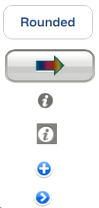
UIButton缺省是圆角按钮,还有图片按钮、Info light、Info dark、Contack add、Detail disclosure
Button的点击事件中获取点击Button对象
 - (IBAction) buttonClick:(id)sender

 {

     //将sender强制转换成Button类型,获取哪个按钮触发的点击事件

     UIButton *button = (UIButton *)sender;

     .

     .

     .

 }
- (void) addTarget:(id)target action:(SEL)action forControlEvents:(UIControlEvents)controlEvents:
给按钮增加一个按钮事件的处理函数
- (void) removeTarget:(id)target action:(SEL)action forControlEvents:(UIControlEvents)controlEvents:
删除按钮的事件处理函数
手动创建Button
手动创建Button,并且增加按钮点击事件
UIControlEventTouchUpInside就是当手指点击按钮后离开屏幕的事件
 UIButton *button  = [UIButton buttonWithType:UIButtonTypeRoundedRect];

 button.frame = CGRectMake(, , , );

 [button setTitle:@"按钮" forState:UIControlStateNormal];

 [button addTarget:self action:@selector(buttonClick:) forControlEvents:UIControlEventTouchUpInside];

 button.tag = ;
tag是唯一识别每个按钮的属性
IBAction实际上就是一个void类型,只不过IBAction可以让Interface Builder知道这是一个按钮的点击事件。
3、NSDatePicker
1、NSDate类:是系统一个日期、时间类。
+(id)date:返回当前的日期、时间;
+(id)dateWithTimeIntervalSinceNow:(NSTimeInterval)secs:返回未来secs秒后的日期、时间;
+(id)distantFuture:未来永远达不到的时间;
+(id)distantPast:过去的时间。
2、NSDateFormatter
 NSDateFormatter *dateFormatter = [[NSDateFormatter alloc] init]; [dateFormatter setDateFormat:@"YYYY-MM-dd"];

 NSString *d1 = [dateFormatter stringFromDate:date];

 NSLog(@"date is %@", d1);  //输出2013-10-26

 [dateFormatter setDateFormat:@"YYYY年MM月dd日"];

 NSString *d2 = [dateFormatter stringFromDate:date];

 NSLog(@"date is %@", d2);  //输出2011年11月24日
3、NSCalendar:得到当前日期、时间
 NSDate *date = [NSDate date];

 NSCalendar *cal = [NSCalendar currentCalendar];

 NSDateComponents *components = [cal components:NSYearCalendarUnit | NSMonthCalendarUnit | NSDayCalendarUnit | NSHourCalendarUnit | NSMinuteCalendarUnit | NSSecondCalendarUnit fromDate:date];
设置当前日期、时间:
-(void) setYear:(NSInteger)v;
-(void) setMonth:(NSInteger)v;
-(void) setDay:(NSInteger)v;
-(void)setHour:(NSInteger)v;
-(void)setMinute(NSInteger)v;
-(void)setSecond:(NSInteger)v;
4、UIDatePicker
UIDatePicker事件处理:
UIControlEventValueChanged:UIDatePicker每次值改变时就会触发该事件
事件处理方式:
[datePicker addTarget:self action:@selector(dateChanged:) forControlEvents:UIControlEventValueChanged];
4、UIPickerView
1、UIPickerView常用的方法:
UIPickerView代理:
 @property(nonatomic, assign) id<UIPickerViewDelegate> delegate;

 @property(nonatomic, assign)id<UIPickerViewDataSource> dataSource;
delegate定义了UIPickerView的外观和属性;
dataSource定义了UIPickerView的数据源和定制内容
- (UIView *)viewForRow:(NSInteger)row forComponent:(NSInteger)component;
返回component列、row行的一个UIView,这里只有在定制的情况下才有效,其他情况返回nil;
- (void)reloadAllComponets;
- (void)reloadComponent:(NSInteger)component;
重新装载整个UIPickerView所有列的数据和指定列的数据;
- (void)selectROw:(NSInteger)row inComponent:(NSInteger)component animated:(BOOL)animated;
选中UIPickerView中component列、row行,也就是让改行滚动到中央;
- (void)(NSInteger)selectedRowInComponent:(NSInteger)component;
返回指定列component中选中的行,没有选中返回-1;
- (NSInteger)numberOfComponentsInPickerView;
返回UIPickerView一共有几列;
- (NSInteger)pickerView:(UIPickerView *)pickerView numberOfRowsInComponet:(NSInteger)component;
返回指定的component列有几行数据;
- (CGFloat)pickerView:(UIPickerView *)pickerView widthForComponent:(NSInteger)component;
返回UIPickerView中component列的宽度;
- (CGFloat)pickerView:(UIPickerView *)pickerView rowHeightForComponnet:(NSInteget)component;
返回UIPickerView中component列中每行的高度;
- (void)pickerView:(UIPickerView *) pickView didSelectRow:(NSInteger)row inComponent:(NSInteger)component;
当列component、行row选中的回调函数;
- (NSString *)pickerView:(UIPickerView *)pickerView titleForRow:(NSInteger)row forComponent:(NSInteger)component;
标准的UIPickerView内容,只有字符串;
- (UIView *)pickerView:(UIPickerView *)pickerView viewForRow:(NSInteger)row forComponent:(NSInteger)component reusingView:(UIView *)view;
自定义UIPickerView内容,给每一个行、列设置一个UIView对象。(PS:上面两个方法只能二选一)
2、UIPickerViewDelegate定制:
- (UIView *)pickerView:(UIPickerView *)pickerView viewForRow:(NSInteger)row forComponent:(NSInteger)component reusingView:(UIView *)view;
自定义的UIPickerView内容,给每一个列、行设置一个UIView对象。
这里为列component、行row返回一个UIView用来显示在UIPickerView中。reusingView:(UIView *)view是iOS内核传入一个缓存的UIView。在程序中可以不用分配UIView,而可以重用iOS传过来的view。
iOS开发之iOS界面UI的更多相关文章
- 李洪强iOS开发之iOS社区收集
李洪强iOS开发之iOS社区收集 项目 简述 github 全球最大的代码仓库,无论是iOS开发还是Android开发没有人不知道这个网站,它也是一个社区,你可以去follow(关注)某些人或公司. ...
- 李洪强iOS开发之iOS工具收集
李洪强iOS开发之iOS工具收集 项目 简述 日期 我是怎么慢慢变懒的 : Jenkins + 蒲公英 使用Jenkins + 蒲公英使得项目打包给测试人员自动化,大大节省了劳动力 2015.04.1 ...
- 李洪强iOS开发之iOS学习方法收集
李洪强iOS开发之iOS学习方法收集 在这里收集一些iOS学习方法,会不断更新 项目 简述 日期 一年多iOS开发总结 作者总结了自己一年多的iOS学习经验,对于iOS初学者来说很多地方是可以借鉴的 ...
- 李洪强iOS开发之iOS好文章收集
李洪强iOS开发之iOS好文章收集 该文收集朋友们转发或自己的写的技术文章,如果你也有相关的好文章,欢迎留言,当好文章多的时候,我会对这些好文章进行分门别类 文章 简述 日期 直播服务配置 使用 ng ...
- 李洪强IOS开发之iOS好项目收集
李洪强IOS开发之iOS好项目收集 在这里收集一些最近出现的比较实用好玩的框架或者项目,会不断更新 项目 简述 日期 SCTableViewCell 类似与QQ侧滑删除Cell的Demo 201501 ...
- 李洪强iOS开发之iOS技术博客
李洪强iOS开发之iOS技术博客 注意:访问博客请直接点击博客,不要点击后面的RSS地址 博客地址 RSS地址 南峰子的技术博客 剑尖博客 图拉鼎 Henry Lee Dev Talk ...
- iOS开发之iOS程序偏好设置(Settings Bundle)的使用
目录[-] 1.添加设置项 2.设置的控件 3.编辑设置项的文件 4.在程序中获取Settings 和写入Settings 添加UI 5.实现读取设置和保存代码 在Android手机上, 在某个程序里 ...
- IOS开发之iOS深浅拷贝
这里主要侧重于集合类的深浅拷贝,主要事因为工作的时候遇到这个问题. 有不足的地方欢迎指正 首先我们需要有这样的一个前提: [array addObject:obj]; 这样obj的引用计数会增加1,如 ...
- iOS开发之iOS程序的启动过程
程序启动的完整过程: (1)main函数 (2)UIApplicationMain * 创建UIApplication对象 * 创建UIApplication的delegate对象 (3)delega ...
随机推荐
- cnblog博客停用
本博客从今日起停止更新,后续的文章将会发布在新的博客mrbackkom.github.io
- weblogic 异常常见处理方法
1.系统日志 通过分析weblogic的系统日志及应用程序出错的地方,可能找到异常的原因. 2. 数据库连接 如果用户访问系统过慢,且连接池已经占满而weblogic的线程数量很少,就要查看应用是否没 ...
- 非科班双非本科投的337家Java后台(励志)
考试结束,班级平均分只拿到了年级第二,班主任于是问道:大家都知道世界第一高峰珠穆朗玛峰,有人知道世界第二高峰是什么吗?正当班主任要继续发话,只听到角落默默想起来一个声音:”乔戈里峰” 前言 文章出自h ...
- SpringMVC内置的精准数据绑定2
https://blog.csdn.net/flashflight/article/details/42935137 之前写过一篇<扩展SpringMVC以支持更精准的数据绑定1>用于完成 ...
- 构建流式应用—RxJS详解[转]
目录 常规方式实现搜索功能 RxJS · 流 Stream RxJS 实现原理简析 观察者模式 迭代器模式 RxJS 的观察者 + 迭代器模式 RxJS 基础实现 Observable Observe ...
- Source not found ( Eclipse 关联源代码)
一.问题 有时候我们在查看源码时提示没有找到, 这时就需要我们手动关联源码 二.关联 首先需要根据提示下载对应的源代码文件 选择我们下载好的源码 三.修改/删除关联 如果需要重新切换源码 四.参考 j ...
- line-height和height的区别
line-height 是指每行的高度, 假如定义p标签的行高为line-heigth:20px; 文字在浏览器中显示为一行时,这个p标签的高度会为20px,如果为两行,则p标签的高度为40px; l ...
- Kafak Confluent
- Java快速入门-04-Java.util包简单总结
学Java的程序员,lang包和util包最好是要过一遍的. 建议大家都序下载一个离线版开发文档,查阅非常方便,我给大家提供一个中文版 jdk1.8 离线文档,查看:JAVA - JDK 1.8 AP ...
- Angular之 Scope和 Directive
---------------------------Scope-------------------------------- https://docs.angularjs.org/guide/sc ...