
PWD的编译及调试
实现mypwd
1 学习pwd命令
2 研究pwd实现需要的系统调用(man -k; grep),写出伪代码
3 实现mypwd
4 测试mypwd
Linux命令学习:pwd命令
该命令用来显示目前所在的工作目录。指令英文原义:print work directory
执行权限    :All User

指令所在路径:/usr/bin/pwd 或 /bin/pwd
命令语法:
pwd [OPTION]...
命令参数:
| 参数 | 长参数 | 描叙 |
|---|---|---|
| -L | --logical(无效) | 当目录为连接路径时,显示连接路径 |
| -P | --physical(无效) | 显示实际物理路径,而非使用连接(link)路径 |
查看pwd命令的帮助信息
root@DB-Server init.d]# man pwd

PWD(1)                           User Commands                          PWD(1)

    NAME

           pwd - print name of current/working directory

   SYNOPSIS

          pwd [OPTION]...

   DESCRIPTION

          Print the full filename of the current working directory.

         -L, --logical

                 use PWD from environment, even if it contains symlinks

          -P, --physical

                 avoid all symlinks

          --help display this help and exit

        --version

                output version information and exit

          NOTE:  your  shell  may  have  its  own version of pwd, which usually supersedes the version described here.  Please refer to your shell鈥檚 documentation for details about the

          options it supports.

   AUTHOR

          Written by Jim Meyering.

   REPORTING BUGS

          Report bugs to <bug-coreutils@gnu.org>.

   COPYRIGHT

          Copyright  2006 Free Software Foundation, Inc.

          This is free software.  You may redistribute copies of it under the terms of the GNU General Public License <http://www.gnu.org/licenses/gpl.html>.  There is NO WARRANTY,  to

          the extent permitted by law.

  SEE ALSO

          The full documentation for pwd is maintained as a Texinfo manual.  If the info and pwd programs are properly installed at your site, the command

                 info pwd

          should give you access to the complete manual.

   pwd 5.97                                                      PWD(1)

  (END)
PWD代码如下:
include

include<sys/stat.h>

include

include

include

include<sys/types.h>

void printpath();

char inode_to_name(int);

int getinode(char );

int main()

{

printpath();

putchar('\n');

return ;

}

void printpath()

{

int inode,up_inode;

char str;

inode = getinode(".");

up_inode = getinode("..");

chdir("..");

str = inode_to_name(inode);

if(inode == up_inode) {

// printf("/%s",str);

return;

}

printpath();

printf("/%s",str);

}

int getinode(char str)

{

struct stat st;

if(stat(str,&st) == -1){

perror(str);

exit(-1);

}

return st.st_ino;

}

char inode_to_name(int inode)

{

char str;

DIR dirp;

struct dirent dirt;

if((dirp = opendir(".")) == NULL){

perror(".");

exit(-1);

}

while((dirt = readdir(dirp)) != NULL)

{

if(dirt->d_ino == inode){

str = (char )malloc(strlen(dirt->d_name)sizeof(char));

strcpy(str,dirt->d_name);

return str;

}

}

perror(".");

exit(-1);

}
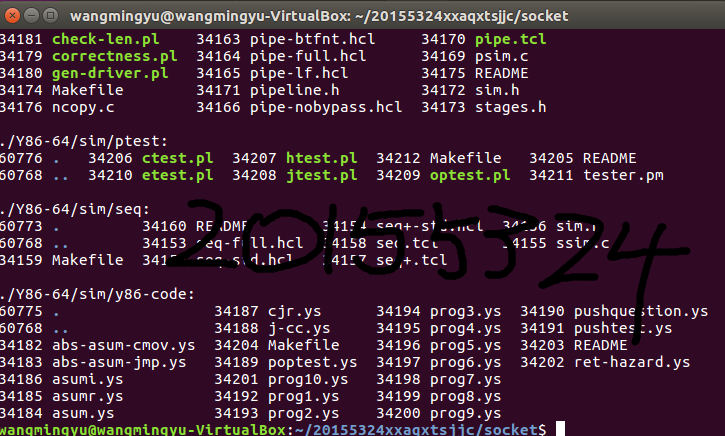
截图如下:
PWD的编译及调试的更多相关文章
- 开发者说 | 使用Visual Studio Code编译、调试Apollo项目
转载地址:https://mp.weixin.qq.com/s?__biz=MzI1NjkxOTMyNQ==&mid=2247484266&idx=1&sn=d6bcd4842 ...
- 剖析并利用Visual Studio Code在Mac上编译、调试c#程序
0x00 前言 一周多以前的微软的Build大会上,微软发布了一个让很多人眼前一亮的工具,也是本文的主角——Visual Studio Code.很多使用Windows的朋友都很高兴,认为又多了一个很 ...
- 转:在VS2010下编译、调试和生成mex文件
最近帮人调了一个程序,是网上公开的代码,利用matlab与c++混合编程做三维模型关键点检测,发现他们可以用VS2010编译.调试.生成mexw32文件,因此觉得之前在Matlab上利用mex命令真是 ...
- Android之源码之模块编译和调试
Android之源码之模块编译调试 (一) 进行源码模块修改进行编译的调试 1.首先是从git或者svn上拉一套完整的工程下来,然后全编一下,一般这个时间比较长,大概会得2,3个小时左右, 2,编译成 ...
- 附录三 嵌入式C程序的编译与调试
课程回顾 C语言库的特性和发展 C语言库的常用库函数 标准库函数的特色应用 git@github.com:Kevin-Dfg/Data-Structures-and-Algorithm-Analysi ...
- 在windows下使用vs2013编译和调试mysql源代码
1. 准备工作 1)OS:win10 + VS2013 2)mysql 源码(windows版):mysql-5.6.25.zip 3)perl tool:ActivePerl-5.16.3.1604 ...
- 剖析并利用Visual Studio Code在Mac上编译、调试c#程序【转】
0x00 前言 一周多以前的微软的Build大会上,微软发布了一个让很多人眼前一亮的工具,也是本文的主角——Visual Studio Code.很多使用Windows的朋友都很高兴,认为又多了一个很 ...
- 开个CS5.4编译编译,调试错误贴
记录各种编译,调试中遇到问题.
- thinkphp学习笔记3—项目编译和调试模式
原文:thinkphp学习笔记3-项目编译和调试模式 1.项目编译 在章节2.4项目编译中作者讲到使用thinkphp的项目在第一次运行的时候会吧核心需要加载的文件去掉空白和注释合并到一个文件中编译并 ...
随机推荐
- 并发框架Disruptor场景应用
今天用一个停车场问题来加深对Disruptor的理解.一个有关汽车进入停车场的问题.当汽车进入停车场时,系统首先会记录汽车信息.同时也会发送消息到其他系统处理相关业务,最后发送短信通知车主收费开始.看 ...
- AI Conditional GAN
Conditional GAN 参考链接: https://arxiv.org/pdf/1611.07004v1.pdf
- VirtualBox修改UUID实现虚拟硬盘的重复利用
其实,记录这个是为了留给自己看.每次用每次查,已经老到什么东西都记不住了.本次查询是从这里(VirtualBox 修改UUID实现虚拟硬盘复制)获得帮助的,感谢. 在VirtualBox把一个已经使用 ...
- 在 CentOS 7 中安装 MySQL 8
准备 本文环境信息: 软件 版本 CentOS CentOS 7.4 MySQL 8.0.x 安装前先更新系统所有包 sudo yum update 安装 1. 添加 Yum 包 wget https ...
- 小程序——阿里服务器配置https及什么是IIS
1.申请域名:阿里云 2.免费开启SSL证书:管理=>免费开启SSL证书>单域名>dev.xxx.top 3.配置服务器:下载=>IIS7证书 *注册一个域名,可以免费开启一个 ...
- RabbitMQ学习笔记一:本地Windows环境安装RabbitMQ Server
一:安装RabbitMQ需要先安装Erlang语言开发包,百度网盘地址:http://pan.baidu.com/s/1jH8S2u6.直接下载地址:http://erlang.org/downloa ...
- PS制作简洁漂亮的立体抽丝文字
一.新建一个800*600px文档,并将Background图层创建一个副本,将其命名为Background_copy. 二.双击Background_copy图层,勾选渐变叠加,并设定以下数值 勾选 ...
- CodeForces 461B Appleman and T
题目链接:http://codeforces.com/contest/461/problem/B 题目大意: 给定一课树,树上的节点有黑的也有白的,有这样一种分割树的方案,分割后每个子图只含有一个黑色 ...
- 4月11日java多线程4
继昨天学习了线程池之后,今天学习了多线程内的锁Lock. 定义方法: ReentrantLock queueLock = new ReentrantLock(); //可重入锁 ReentrantRe ...
- codeforces444A
DZY Loves Physics CodeForces - 444A DZY loves Physics, and he enjoys calculating density. Almost eve ...