
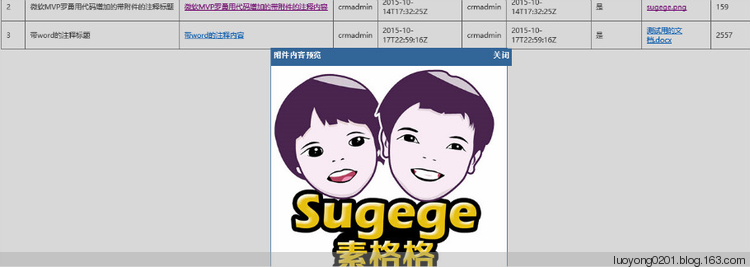
为Dynamics CRM注释的图片附件做个预览功能

<!DOCTYPE HTML>

<html>

 <head>

  <title>微软MVP罗勇测试注释</title>

        <style type="text/css">

            table {

                border:1px solid #666666;

                border-collapse:collapse;

            }

            table thead th {

                 padding: 8px;

                    border:1px solid #666666;

                 background-color: #dedede;

            }

            table tbody td {

                border: 1px solid  #666666;

             padding: 8px;

             background-color: #ffffff;

            }

            table thead tr th {

                font-family:Microsoft YaHei,SimSun,Tahoma,Arial;

                font-size:12px;

                font-weight:bold;

                color:#000000;

            }

            table tbody tr td {

                color:#444444;

                font-family:Microsoft YaHei,SimSun,Tahoma,Arial;

                font-size:12px;

            }

            .web_dialog_overlay

            {

               position: fixed;

               top: 0;

               right: 0;

               bottom: 0;

               left: 0;

               height: 100%;

               width: 100%;

               margin: 0;

               padding: 0;

               background: #000000;

               opacity: .15;

               filter: alpha(opacity=15);

               -moz-opacity: .15;

               z-index: 101;

               display: none;

            }

            .web_dialog

            {

               display: none;

               position: fixed;

               width: 400px;

               height: 450px;

               top: 50%;

               left: 50%;

               margin-left: -190px;

               margin-top: -100px;

               background-color: #ffffff;

               border: 1px solid #336699;

               padding: 0px;

               z-index: 102;

               font-family: Verdana;

               font-size: 10pt;

            }

            .web_dialog_title

            {

               border-bottom: solid 2px #336699;

               background-color: #336699;

               padding: 4px;

               color: White;

               font-weight:bold;

               height:20px;

               width:100%;

            }

            .align_right

            {

               text-align: right;

            }

        </style>

        <script type="text/javascript" src="../../ClientGlobalContext.js.aspx"></script>

        <script type="text/javascript" src="../common/jquery.min.js"></script>

        <script type="text/javascript" src="../common/XrmServiceToolkit.min.js"></script>

        <script type="text/javascript">

            Date.prototype.format = function (fmt) {

                var o = {

                    "M+": this.getMonth() + 1,//月份

                    "d+": this.getDate(),//日

                    "h+": this.getHours(),//小时

                    "m+": this.getMinutes(),//分

                    "s+": this.getSeconds()//秒

                };

                if (/(y+)/.test(fmt))

                    fmt = fmt.replace(RegExp.$1, (this.getFullYear() + "").substr(4 - RegExp.$1.length));

                for (var k in o)

                    if (new RegExp("(" + k + ")").test(fmt))

                        fmt = fmt.replace(RegExp.$1, (RegExp.$1.length == 1) ?

                                 (o[k]) : (("00" + o[k]).substr(("" + o[k]).length)));

                return fmt;

            }

            function ShowDialog(modal) {

                $("#overlay").show();

                $("#dialog").fadeIn(300);

                if (modal) {

                    $("#overlay").unbind("click");

                }

                else {

                    $("#overlay").click(function (e) {

                        HideDialog();

                    });

                }

            }

            function HideDialog() {

                $("#overlay").hide();

                $("#dialog").fadeOut(300);

            }

            function ShowAttachmentByNoteId(NoteId) {

                XrmServiceToolkit.Rest.Retrieve(

                    NoteId,

                    "AnnotationSet",

                    "DocumentBody,MimeType",

                    null,

                    function (result) {

                        var DocumentBody = result.DocumentBody;

                        var MimeType = result.MimeType;

                        if (MimeType.indexOf("image") > -1) {

                            var img = $("<img />");

                            img.attr("alt", "Embedded Image");

                            img.attr("src", "data:" + MimeType + ";base64," + DocumentBody);

                            img.appendTo($("#dialog"));

                            ShowDialog(true);

                        }

                        else {

                            alert('附件不是图片,目前无法提供查看!');

                        }

                    },

                    function (error) {

                        alert(error.message);

                    },

                    true

                );

            }

            $(function () {

                var clientUrl = GetGlobalContext().getClientUrl();

                //var id = window.parent.Xrm.Page.data.entity.getId(); //这种方法可以获取表单中的很多信息,包括id

                var match = RegExp('[?&]id=([^&]*)').exec(window.location.search);//这里是外接通过url传递id的值过来

                var id = match && decodeURIComponent(match[1].replace(/\+/g, ' '));

                match = RegExp('[?&]typename=([^&]*)').exec(window.location.search);

                var typename = match && decodeURIComponent(match[1].replace(/\+/g, ' '));

                XrmServiceToolkit.Rest.RetrieveMultiple(

                "AnnotationSet",

                "?$select=AnnotationId,Subject,NoteText,MimeType,FileName,FileSize,IsDocument,CreatedOn,CreatedBy,ModifiedOn,ModifiedBy&$filter=ObjectTypeCode eq '" + typename + "' and ObjectId/Id eq guid'" + id + "'&$orderby=CreatedOn asc",

                function (results) {

                    for (var i = 0; i < results.length; i++) {

                        var tr = $("<tr></tr>");

                        tr.appendTo($("#notestable tbody"));

                        var td = $("<td>" + (i+1) + "</td>");

                        td.appendTo(tr);

                        td = $("<td>" + (results[i].Subject == null ? "" : results[i].Subject) + "</td>");

                        td.appendTo(tr);

                        td = $("<td><a href='" + clientUrl + "/main.aspx?etn=annotation&pagetype=entityrecord&id=%7B" + results[i].AnnotationId + "%7D' target='_blank'>" + results[i].NoteText + "</a></td>");

                        td.appendTo(tr);

                        td = $("<td>" + results[i].CreatedBy.Name + "</td>");

                        td.appendTo(tr);

                        td = $("<td>" + results[i].CreatedOn.format('yyyy-MM-ddThh:mm:ssZ') + "</td>");

                        td.appendTo(tr);

                        td = $("<td>" + results[i].ModifiedBy.Name + "</td>");

                        td.appendTo(tr);

                        td = $("<td>" + results[i].ModifiedOn.format('yyyy-MM-ddThh:mm:ssZ') + "</td>");

                        td.appendTo(tr);

                        td = $("<td>" + (results[i].IsDocument ? "是" : "否") + "</td>");

                        td.appendTo(tr);

                        td = $("<td>" + (results[i].FileName == null ? "" : ("<a href='#' data-annotationid='" + results[i].AnnotationId + "'>" + results[i].FileName + "</a>") + "</td>"));

                        td.find("a").click(function() {

                            ShowAttachmentByNoteId($(this).attr("data-annotationid"));

                        });

                        td.appendTo(tr);

                        td = $("<td>" + (results[i].FileSize == null ? "" : Math.round((results[i].FileSize)/1024)) + "</td>");

                        td.appendTo(tr);

                    }

                },

                function (error) {

                    alert(error.message);

                },

                function () {

                },

                true

                );

                $("#dialogclosebtn").click(function (e) {

                    HideDialog();

                    e.preventDefault();

                });

            });

        </script>

 </head>

 <body>

        <table id="notestable">

            <thead>

               <tr>

                   <th>序号</th>

                   <th>注释标题</th>

                   <th>注释内容</th>

                   <th>创建人</th>

                   <th>创建时间</th>

                   <th>修改人</th>

                   <th>修改时间</th>

                   <th>是否包含附件</th>

                   <th>附件名称</th>

                   <th>附件大小(KB)</th>

               </tr>

            </thead>

            <tbody>

            </tbody>

        </table>

        <div id="overlay" class="web_dialog_overlay"></div>

        <div id="dialog" class="web_dialog">

            <div class="web_dialog_title"><span id="dialogtitle" style="float:left;">附件内容预览</span><span id="dialogclosebtn" style="float:right;">关闭</span></div>

        </div>

 </body>

</html>

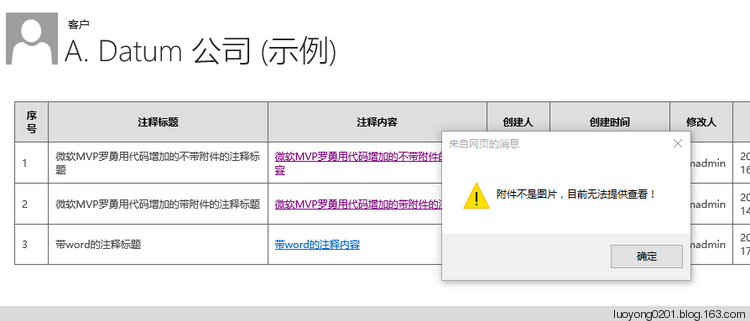
如果不是图片附件,我会做个提示如下:
为Dynamics CRM注释的图片附件做个预览功能的更多相关文章
- 一、简单的图片上传并预览功能input[file]
一.简单的图片上传并预览功能input[file] <!DOCTYPE html> <html lang="en"> <head> <me ...
- CSS 奇思妙想 | 使用 resize 实现强大的图片拖拽切换预览功能
本文将介绍一个非常有意思的功能,使用纯 CSS 利用 resize 实现强大的图片切换预览功能.类似于这样: 思路 首先,要实现这样一个效果如果不要求可以拖拽,其实有非常多的办法. 将两张图片叠加在一 ...
- 【小月博客】用HTML5的File API做上传图片预览功能
前段时间做了一个项目,涉及到上传本地图片以及预览的功能,正好之前了解过 html5(点击查看更多关于web前端的有关资源) 可以上传本地图片,然后再网上看了一些demo结合自己的需求,终于搞定了.(P ...
- input file实现多选,限制文件上传类型,图片上传前预览功能
限制上传类型 & 多选:① accept 属性只能与 <input type="file" /> 配合使用.它规定能够通过文件上传进行提交的文件类型. ② mu ...
- 原生JS实现图片上传并预览功能
<!DOCTYPE html> <html lang="en"> <head> <meta charset="UTF-8&quo ...
- 基于jquery实现图片上传本地预览功能
一.原理 分为两步: 当上传图片的input被触发并选择本地图片之后获取要上传的图片这个对象的URL(对象URL),把对象URL赋值给事先写好的img标签的src属性即可把图片显示出来.在这里,我们需 ...
- 使用input选择本地图片,并且实现预览功能
1.使用input标签选择本地图片文件 用一个盒子来存放预览的图片 2.JS实现预览 首先添加一个input change事件,再用到 URL.createObjectURL() 方法 用来创建 UR ...
- 分离与继承的思想实现图片上传后的预览功能:ImageUploadView
本文要介绍的是网页中常见的图片上传后直接在页面生成小图预览的实现思路,考虑到该功能有一定的适用性,于是把相关的逻辑封装成了一个ImageUploadView组件,实际使用效果可查看下一段的git效果图 ...
- JAVA图片批量上传JS-带预览功能
这篇文章就简单的介绍一个很好用的文件上传工具,批量带预览功能.直接贴代码吧,都有注释,很好理解. HTML页面 <!DOCTYPE html> <%@ taglib prefix=& ...
随机推荐
- Docker安装ELK
1.下载elk docker pull sebp/elk 2.启动elk //Elasticsearch至少需要单独2G的内存 //增加了一个volume绑定,以免重启container以后ES的数据 ...
- WPF TreeView 虚拟化-设置滚动到选中项
前言 列表滚动到具体的数据项? ListBox提供了简易快捷的滚动定位函数ScrollIntoView. TreeView树状结构列表,则没有此类方法,无法与ListBox一样,直接设置滚动到具体的数 ...
- 签名时出错: 未能对** SignTool Error:
项目在vs2010创建,在2017上运行时报签名时出错.......... 解决方法: 右键项目 - 属性-签名 - 创建测试证书 - 密码可以为空-确定
- Create a Solution using the Wizard 使用向导创建解决方案
In this lesson, you will learn how to create a new XAF solution. You will also be able to run the ge ...
- JS基础语法---Math对象的案例
系统Max求最大值: var result= Math.max(10,20,30,40); console.log(result); 练习1:自己定义一个对象,实现系统的max的方法 //例子:自 ...
- SQL Serve里DBA要去改变的3个配置选项
用安装向导安装了全新的SQL Server,最后你点击了完成按钮.哇噢~~~现在我们可以把我们的服务器进入生产了! 抱歉,那并不是真的,因为你的全新SQL Server默认配置是未优化的,一个合格的D ...
- zip 命令使用记录
常常会用到 zip 命令,但是时间一长,就忘记了具体参数,下面简要记录,进行备忘: 常用命令: zip -q -r nvprof_test_out.zip nvprof_test_out/ # 压缩 ...
- python配置yaml
我们在做自动化的过程中无论是接口自动化还是UI自动化都会存在很多数据,我们对于自动化中如何存放这些数据也是很重要一点,如果写在代码里的话,每次更换数据就有点繁琐,我们可以通过一个文件存放这些数据,然后 ...
- Druid-类图-属性表
所属文章:池化技术(一)Druid是如何管理数据库连接的? 本篇为「工具人」文章,建议直接用「ctrl+f」进行查找属性.方法.类名,快速了解其含义和所属类. 主要流程里主要涉及到的类名称.类属性.类 ...
- Linux达人计划(一)
这时慕课网的Linux基础教学 http://www.imooc.com/view/175 好记性不如烂笔头.一般来说看视频只看不做是很难学好学扎实. 趁着每一节都有采纳的一些笔记.现在对它进行一些归 ...