
paddlepaddle目标检测之水果检测(yolov3_mobilenet_v1)
一、创建项目
(1)进入到https://aistudio.baidu.com/aistudio/projectoverview/public
(2)创建项目

点击添加数据集:找到这两个

然后创建即可。
会生成以下项目:
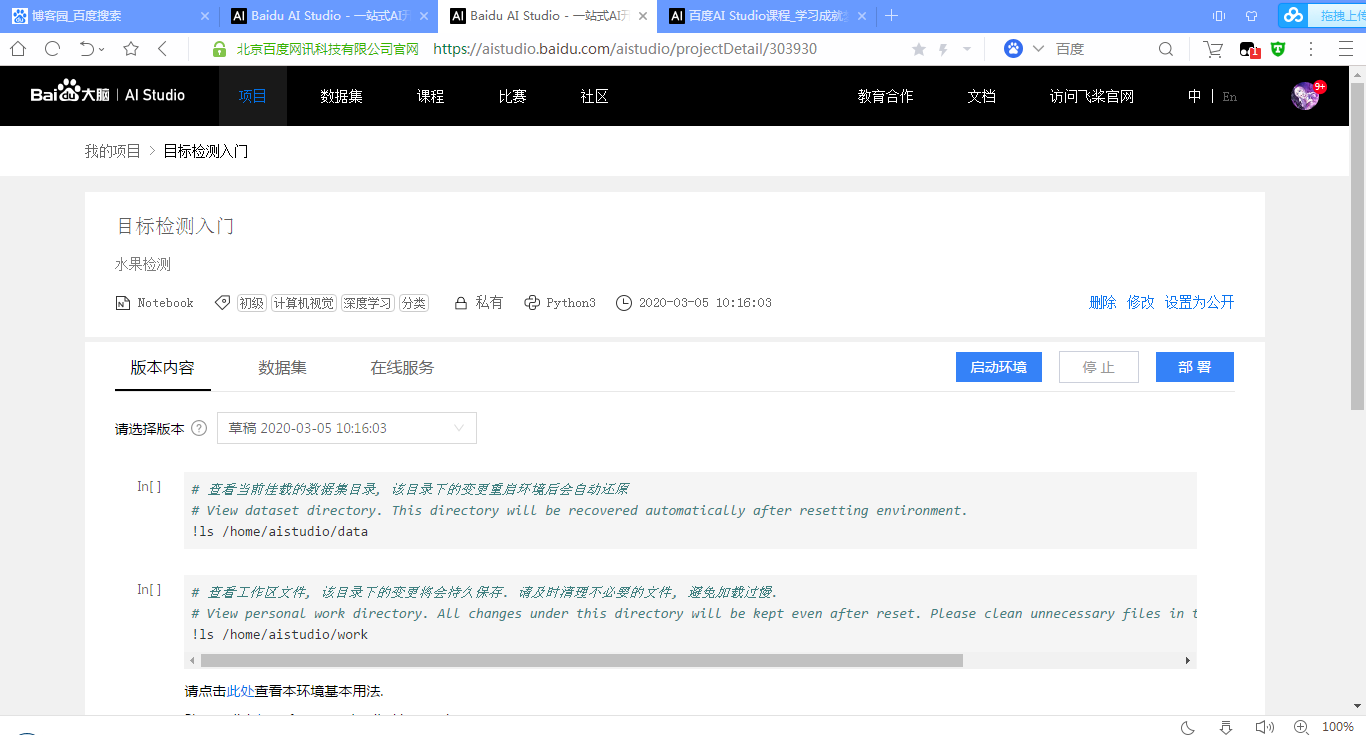
二、启动环境,选择GPU版本
然后会进入到以下界面
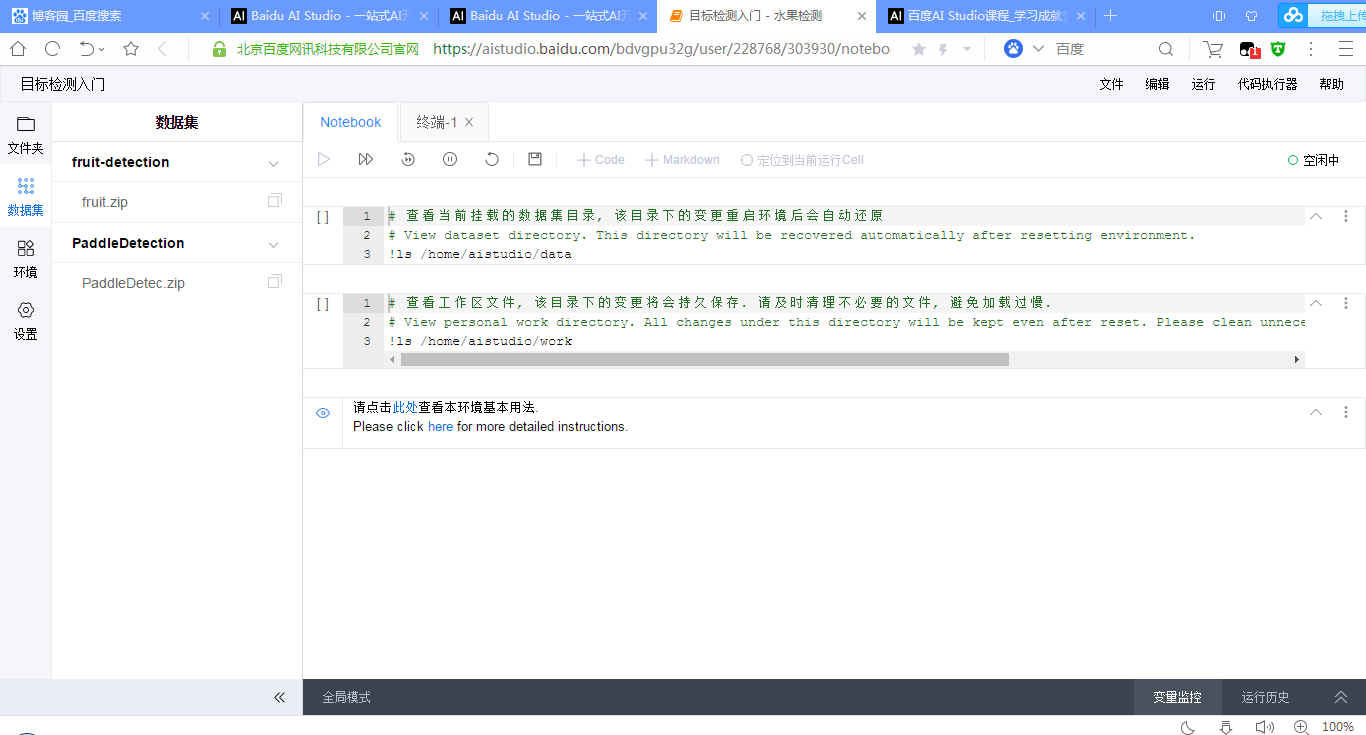
选择的两个压缩包在/home/aistudio/data/下,先进行解压:
!unzip /home/aistudio/data/data15067/fruit.zip

!unzip /home/aistudio/data/data15072/PaddleDetec.zip
之后在左边文件夹就可以看到解压后的内容了:

三、查看fruit-detection中的内容:

其实是类似pascal voc目标检测数据集的格式
(1) Annotations

以第一个apple_65.xml为例:
folder:文件夹名称
filename:图片名称
path:文件地址
size:图片的大小
object:图片中的对象名称以及其的左下角和右上角的坐标。
<annotation>

    <folder>train</folder>

    <filename>apple_65.jpg</filename>

    <path>C:\tensorflow1\models\research\object_detection\images\train\apple_65.jpg</path>

    <source>

        <database>Unknown</database>

    </source>

    <size>

        <width>800</width>

        <height>600</height>

        <depth>3</depth>

    </size>

    <segmented>0</segmented>

    <object>

        <name>apple</name>

        <pose>Unspecified</pose>

        <truncated>0</truncated>

        <difficult>0</difficult>

        <bndbox>

            <xmin>70</xmin>

            <ymin>25</ymin>

            <xmax>290</xmax>

            <ymax>226</ymax>

        </bndbox>

    </object>

    <object>

        <name>apple</name>

        <pose>Unspecified</pose>

        <truncated>0</truncated>

        <difficult>0</difficult>

        <bndbox>

            <xmin>35</xmin>

            <ymin>217</ymin>

            <xmax>253</xmax>

            <ymax>453</ymax>

        </bndbox>

    </object>

    <object>

        <name>apple</name>

        <pose>Unspecified</pose>

        <truncated>0</truncated>

        <difficult>0</difficult>

        <bndbox>

            <xmin>183</xmin>

            <ymin>177</ymin>

            <xmax>382</xmax>

            <ymax>411</ymax>

        </bndbox>

    </object>

    <object>

        <name>apple</name>

        <pose>Unspecified</pose>

        <truncated>0</truncated>

        <difficult>0</difficult>

        <bndbox>

            <xmin>605</xmin>

            <ymin>298</ymin>

            <xmax>787</xmax>

            <ymax>513</ymax>

        </bndbox>

    </object>

    <object>

        <name>apple</name>

        <pose>Unspecified</pose>

        <truncated>0</truncated>

        <difficult>0</difficult>

        <bndbox>

            <xmin>498</xmin>

            <ymin>370</ymin>

            <xmax>675</xmax>

            <ymax>567</ymax>

        </bndbox>

    </object>

    <object>

        <name>apple</name>

        <pose>Unspecified</pose>

        <truncated>0</truncated>

        <difficult>0</difficult>

        <bndbox>

            <xmin>333</xmin>

            <ymin>239</ymin>

            <xmax>574</xmax>

            <ymax>463</ymax>

        </bndbox>

    </object>

    <object>

        <name>apple</name>

        <pose>Unspecified</pose>

        <truncated>0</truncated>

        <difficult>0</difficult>

        <bndbox>

            <xmin>191</xmin>

            <ymin>350</ymin>

            <xmax>373</xmax>

            <ymax>543</ymax>

        </bndbox>

    </object>

    <object>

        <name>apple</name>

        <pose>Unspecified</pose>

        <truncated>0</truncated>

        <difficult>0</difficult>

        <bndbox>

            <xmin>443</xmin>

            <ymin>425</ymin>

            <xmax>655</xmax>

            <ymax>598</ymax>

        </bndbox>

    </object>

</annotation>
(2)ImageSets
里面只有一个文件夹Main,Main里面有:
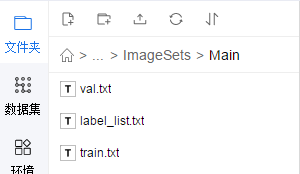
分别看下是什么:
val.txt:验证集图片的名称
orange_92
banana_79
apple_94
apple_93
banana_81
banana_94
orange_77
mixed_23
orange_78
banana_85
apple_92
apple_79
apple_84
orange_83
apple_85
mixed_21
orange_91
orange_89
banana_80
apple_78
banana_93
mixed_22
orange_94
apple_83
banana_90
apple_77
orange_79
apple_81
orange_86
orange_95
banana_88
orange_85
orange_80
apple_80
apple_82
mixed_25
apple_88
banana_83
banana_77
banana_84
banana_92
banana_86
apple_87
orange_84
banana_78
orange_93
orange_90
banana_89
orange_82
apple_90
apple_95
banana_82
banana_91
mixed_24
banana_87
apple_91
orange_81
apple_89
apple_86
orange_87
train.txt:训练集图片的名称,这里就不贴了,有点长,与验证集类似
label_list.txt:类别名称
apple
banana
orange
也就是说,水果分类检测目前只是识别三类。
(3) JPEGImages:存储的就是实际的图片了

找一下apple_65.jpg看看

就是这个样子的
(4) create_list.py、label_list.txt、train.txt、val.txt
import os

import os.path as osp

import re

import random

devkit_dir = './'

years = ['', '']

def get_dir(devkit_dir,  type):

    return osp.join(devkit_dir, type)

def walk_dir(devkit_dir):

    filelist_dir = get_dir(devkit_dir, 'ImageSets/Main')

    annotation_dir = get_dir(devkit_dir, 'Annotations')

    img_dir = get_dir(devkit_dir, 'JPEGImages')

    trainval_list = []

    test_list = []

    added = set()

    for _, _, files in os.walk(filelist_dir):

        for fname in files:

            img_ann_list = []

            if re.match('train\.txt', fname):

                img_ann_list = trainval_list

            elif re.match('val\.txt', fname):

                img_ann_list = test_list

            else:

                continue

            fpath = osp.join(filelist_dir, fname)

            for line in open(fpath):

                name_prefix = line.strip().split()[0]

                if name_prefix in added:

                    continue

                added.add(name_prefix)

                ann_path = osp.join(annotation_dir, name_prefix + '.xml')

                img_path = osp.join(img_dir, name_prefix + '.jpg')

                assert os.path.isfile(ann_path), 'file %s not found.' % ann_path

                assert os.path.isfile(img_path), 'file %s not found.' % img_path

                img_ann_list.append((img_path, ann_path))

    return trainval_list, test_list

def prepare_filelist(devkit_dir, output_dir):

    trainval_list = []

    test_list = []

    trainval, test = walk_dir(devkit_dir)

    trainval_list.extend(trainval)

    test_list.extend(test)

    random.shuffle(trainval_list)

    with open(osp.join(output_dir, 'train.txt'), 'w') as ftrainval:

        for item in trainval_list:

            ftrainval.write(item[0] + ' ' + item[1] + '\n')

    with open(osp.join(output_dir, 'val.txt'), 'w') as ftest:

        for item in test_list:

            ftest.write(item[0] + ' ' + item[1] + '\n')

if __name__ == '__main__':

    prepare_filelist(devkit_dir, '.')
将标注信息转换为列表进行存储。
label_list.txt:还是那三种类别
train.txt:./JPEGImages/mixed_20.jpg ./Annotations/mixed_20.xml等一系列路径
val.txt:./JPEGImages/orange_92.jpg ./Annotations/orange_92.xml等一系列路径
至此fruit-dections中的内容就是这么多了。
四、查看PaddleDetection中的内容
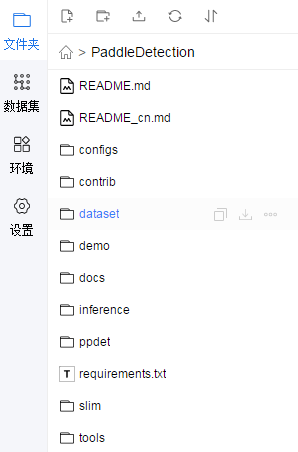
(1) configs
各种网络的配置文件
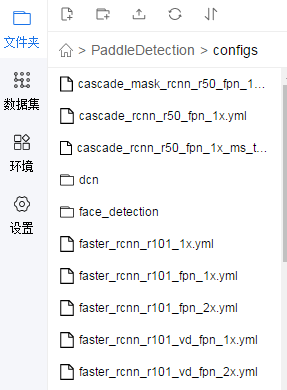
找到yolov3_mobilenet_v1_fruit.yml看看
architecture: YOLOv3

train_feed: YoloTrainFeed

eval_feed: YoloEvalFeed

test_feed: YoloTestFeed

use_gpu: true

max_iters: 20000

log_smooth_window: 20

save_dir: output

snapshot_iter: 200

metric: VOC

map_type: 11point

pretrain_weights: https://paddlemodels.bj.bcebos.com/object_detection/yolov3_mobilenet_v1.tar

weights: output/yolov3_mobilenet_v1_fruit/best_model

num_classes: 3

finetune_exclude_pretrained_params: ['yolo_output']

YOLOv3:

  backbone: MobileNet

  yolo_head: YOLOv3Head

MobileNet:

  norm_type: sync_bn

  norm_decay: 0.

  conv_group_scale: 1

  with_extra_blocks: false

YOLOv3Head:

  anchor_masks: [[6, 7, 8], [3, 4, 5], [0, 1, 2]]

  anchors: [[10, 13], [16, 30], [33, 23],

            [30, 61], [62, 45], [59, 119],

            [116, 90], [156, 198], [373, 326]]

  norm_decay: 0.

  ignore_thresh: 0.7

  label_smooth: true

  nms:

    background_label: -1

    keep_top_k: 100

    nms_threshold: 0.45

    nms_top_k: 1000

    normalized: false

    score_threshold: 0.01

LearningRate:

  base_lr: 0.00001

  schedulers:

  - !PiecewiseDecay

    gamma: 0.1

    milestones:

    - 15000

    - 18000

  - !LinearWarmup

    start_factor: 0.

    steps: 100

OptimizerBuilder:

  optimizer:

    momentum: 0.9

    type: Momentum

  regularizer:

    factor: 0.0005

    type: L2

YoloTrainFeed:

  batch_size: 1

  dataset:

    dataset_dir: dataset/fruit

    annotation: fruit-detection/train.txt

    use_default_label: false

  num_workers: 16

  bufsize: 128

  use_process: true

  mixup_epoch: -1

  sample_transforms:

  - !DecodeImage

    to_rgb: true

    with_mixup: false

  - !NormalizeBox {}

  - !ExpandImage

    max_ratio: 4.0

    mean: [123.675, 116.28, 103.53]

    prob: 0.5

  - !RandomInterpImage

    max_size: 0

    target_size: 608

  - !RandomFlipImage

    is_mask_flip: false

    is_normalized: true

    prob: 0.5

  - !NormalizeImage

    is_channel_first: false

    is_scale: true

    mean:

    - 0.485

    - 0.456

    - 0.406

    std:

    - 0.229

    - 0.224

    - 0.225

  - !Permute

    channel_first: true

    to_bgr: false

  batch_transforms:

  - !RandomShape

    sizes: [608]

  with_background: false

YoloEvalFeed:

  batch_size: 1

  image_shape: [3, 608, 608]

  dataset:

    dataset_dir: dataset/fruit

    annotation: fruit-detection/val.txt

    use_default_label: false

YoloTestFeed:

  batch_size: 1

  image_shape: [3, 608, 608]

  dataset:

    dataset_dir: dataset/fruit
    annotation: fruit-detection/label_list.txt

    use_default_label: false
注意标红的地方即可。
(2)contrib

行人检测和车辆检测?暂时不用管
(3)dataset: 各文件夹下有py文件,用于下载数据集的
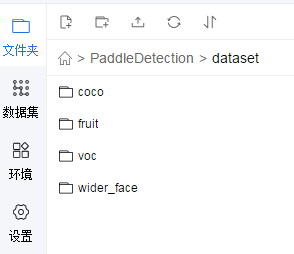
(4)demo:用于检测结果的示例图片。
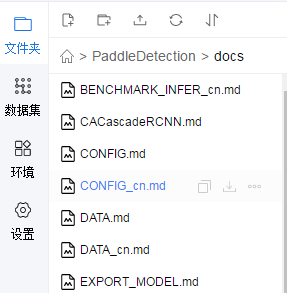
(5)docs:
(6)inference: 用于推断的‘?

(7) ppdet:paddlepaddle检测相关文件

(8) requirements.txt:所需的一些依赖
tqdm

docstring_parser @ http://github.com/willthefrog/docstring_parser/tarball/master

typeguard ; python_version >= '3.4'

tb-paddle

tb-nightly
(9)slim:应该是用于压缩模型的

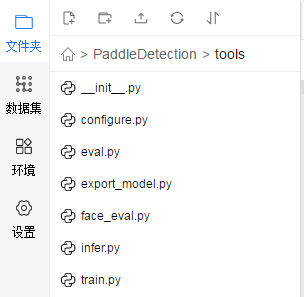
(10) tools:工具
五、进行训练
训练的代码在tools中的train.py
进入到PaddleDection目录下
在终端输入:python -u tools/train.py -c configs/yolov3_mobilenet_v1_fruit.yml --use_tb=True --eval
如果发现错误No module named ppdet,在train.py中加入
import sys
sys.path.append("/home/aistudio/PaddleDetection")即可

最后卡在了这,不过应该是训练完了,在PaddleDection目录下可以看到output文件夹:

里面有一个迭代时产生的权重信息:

六、进行测试一张图片
python -u tools/infer.py -c configs/yolov3_mobilenet_v1_fruit.yml -o weights=/home/aistudio/PaddleDetection/output/yolov3_mobilenet_v1_fruit/model_final --infer_img=demo/orange_71.jpg
会报错没有相关包,输入以下命令安装:
pip install docstring_parser
pip install pycocotools
之后:

去output下看看orange_71.jpg:
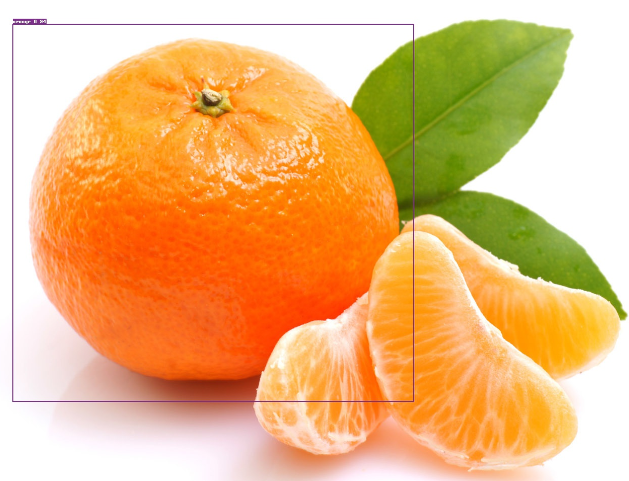
检测出来的是orange,准确率:94%。
知道了检测训练的整个流程,那么去手动标注poscal voc格式的数据,那么就可以实现检测自己想要的东西了。 然后也可以去看下相关目标检测的论文,明白其中的原理,看看源码之类的。
paddlepaddle目标检测之水果检测(yolov3_mobilenet_v1)的更多相关文章
- 目标检测之单步检测(Single Shot detectors)
目标检测之单步检测(Single Shot detectors) 前言 像RCNN,fast RCNN,faster RCNN,这类检测方法都需要先通过一些方法得到候选区域,然后对这些候选区使用高质量 ...
- 带你读AI论文丨用于目标检测的高斯检测框与ProbIoU
摘要:本文解读了<Gaussian Bounding Boxes and Probabilistic Intersection-over-Union for Object Detection&g ...
- OPENCV图像特征点检测与FAST检测算法
前面描述角点检测的时候说到,角点其实也是一种图像特征点,对于一张图像来说,特征点分为三种形式包括边缘,焦点和斑点,在OPENCV中,加上角点检测,总共提供了以下的图像特征点检测方法 FAST SURF ...
- kaggle信用卡欺诈看异常检测算法——无监督的方法包括: 基于统计的技术,如BACON *离群检测 多变量异常值检测 基于聚类的技术;监督方法: 神经网络 SVM 逻辑回归
使用google翻译自:https://software.seek.intel.com/dealing-with-outliers 数据分析中的一项具有挑战性但非常重要的任务是处理异常值.我们通常将异 ...
- JavaScript浏览器检测之客户端检测
客户端检测一共分为三种,分别为:能力检测.怪癖检测和用户代理检测,通过这三种检测方案,我们可以充分的了解当前浏览器所处系统.所支持的语法.所具有的特殊性能. 一.能力检测: 能力检测又称作为特性检测, ...
- unity3d 赛车游戏——复位点检测优化、反向检测、圈数检测、赛道长度计算
接着上一篇文章说 因为代码简短且思路简单 所以我就把这几个功能汇总为一篇文章 因为我之前就是做游戏外挂的 经过验证核实,**飞车的复位点检测.圈数检测就是以下的方法实现的 至于反向检测和赛道长度计算, ...
- 离群点检测与序列数据异常检测以及异常检测大杀器-iForest
1. 异常检测简介 异常检测,它的任务是发现与大部分其他对象不同的对象,我们称为异常对象.异常检测算法已经广泛应用于电信.互联网和信用卡的诈骗检测.贷款审批.电子商务.网络入侵和天气预报等领域.这些异 ...
- 人脸检测的harr检测函数
眼球追踪需要对人脸进行识别,然后再对人眼进行识别,判断人眼张合度,进而判断疲劳... 解析:人脸检测的harr检测函数使用方法 代码理解: 利用训练集,检测出脸部,画出框 void CAviTestD ...
- 24V低压检测电路 - 低压检测电压(转)
24V低压检测电路 - 低压检测电压 参考: ADC采样工作原理详解 使用单片机的ADC采集电阻的分压 问题: 当ADC采集两个电阻分压后的电压的时候,ADC转换出来的电压值和万用表量出来的不一样差异 ...
随机推荐
- Spring IOC 和AOP
Spring是什么? Spring是一个轻量级的IoC和AOP容器框架. IOC:IOC就是控制反转,控制反转指的是把创建对象和管理对象之间的依赖关系交给了IOC容器来管理.以前new对象由程序员来控 ...
- binary-heap(二叉堆)原理及C++代码实现
二叉堆可以看做一个近似的完全二叉树,所以一般用数组来组织. 二叉堆可以分为两种形式:最大堆和最小堆.最大堆顾名思义,它的每个结点的值不能超过其父结点的值,因此堆中最大元素存放在根结点中.最小堆的组织方 ...
- ionic 打包时所遇问题记录
问题1 ----------------------- Error occurred during initialization of VM Could not reserve enough spac ...
- [APIO2009-C]抢掠计划
题:https://www.cometoj.com/problem/0461 分析:求边双,最后求多汇点最长路 #include<iostream> #include<cstring ...
- KMP算法 详解+模板
本文大部分摘自szy学长的ppt<string>中的KMP部分. %%%膜拜szy大神orz 1.概述 KMP 算法是用来解决单模匹配问题的一种算法. 如果暴力的进行单模匹配,那么时间复杂 ...
- String的compareTo用法
String的compareTo其实就是依次比较两个字符串ASC码.如果两个字符的ASC码相等则继续后续比较,否则直接返回两个ASC的差值.如果两个字符串完全一样,则返回0.来看一下代码. publi ...
- 吴裕雄--天生自然python学习笔记:Python3 迭代器与生成器
迭代器 迭代是Python最强大的功能之一,是访问集合元素的一种方式. 迭代器是一个可以记住遍历的位置的对象. 迭代器对象从集合的第一个元素开始访问,直到所有的元素被访问完结束.迭代器只能往前不会后退 ...
- SpringBoot:三十五道SpringBoot面试题及答案
SpringBoot面试前言今天博主将为大家分享三十五道SpringBoot面试题及答案,不喜勿喷,如有异议欢迎讨论! Spring Boot 是微服务中最好的 Java 框架. 我们建议你能够成为一 ...
- mysql报错2003 ,can't connect to mysql server on “localhost”
我在安装成功后启动MySQL服务时,服务启动不了,提示:MySQL服务无法启动 服务没有报告任何错误 请键入NET HELPMSG 3534 以获得更多帮助,如下: 解决方案:安装好MySQL后 ...
- Word目录生成
之所以写这篇文章,是因为每次写报告都需要生成相应目录,但常常只记得个大概,最终还得要重新百度,十分头疼,故在此记录一下. 大概分为3个步骤 步骤1 设置标题级数 进入大纲模式 选择相应级数,这里选的是 ...