
docker-compose ELK+Filebeat查看docker及容器的日志
我目前所在公司开发团队比较小,为集团下面的工厂开发了一套小的系统,跑在一台CentOS服务器上,服务器搭建了docker环境,安装了docker-compose,但在日志处理方面,暂时没有一个好的方法能够收集完全的日志,只能依赖进入至服务器后,以docker logs containerID的方法来进入查看,非常不方便,之前也有关注ELK的技术,但一直在开发系统功能,全力实现,今天得空,重新想起了ELK查看日志的任务。
kibana文档:https://www.elastic.co/guide/cn/kibana/current/index.html
关于elastic开始视频:https://www.elastic.co/guide/cn/index.html
项目文件夹
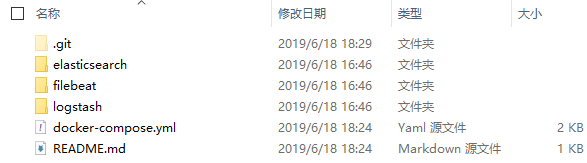
其中docker-compose.yml
version: '3'

services:

  filebeat:

    hostname: filebeat

    image: weschen/filebeat

    build:

      context: filebeat

      dockerfile: Dockerfile

    volumes:

      # needed to access all docker logs (read only) :

     - "/var/lib/docker/containers:/usr/share/dockerlogs/data:ro"

      # needed to access additional informations about containers

     - "/var/run/docker.sock:/var/run/docker.sock"

    links:

       - logstash

  kibana:

    image: docker.elastic.co/kibana/kibana:6.5.2

    environment:

      - "LOGGING_QUIET=true"

    links:

      - elasticsearch

    ports:

      - 5601:5601

  logstash:

    hostname: logstash

    image: weschen/logstash

    build:

      context: logstash

      dockerfile: Dockerfile

    ports:

      - 5044:5044

    environment:

      LOG_LEVEL: error

    links:

      - elasticsearch

  elasticsearch:

    hostname: elasticsearch

    image: weschen/elasticsearch

    build:

      context: elasticsearch

      dockerfile: Dockerfile

    environment:

      - cluster.name=docker-elk-cluster

      - bootstrap.memory_lock=true

      - "ES_JAVA_OPTS=-Xms256m -Xmx256m"

    ulimits:

      memlock:

        soft: -1

        hard: -1

    ports:

      - 9200:9200
1.Elasticsearch
文件elasticsearch/Dockerfile
FROM docker.elastic.co/elasticsearch/elasticsearch:6.5.2

COPY --chown=elasticsearch:elasticsearch elasticsearch.yml /usr/share/elasticsearch/config/

CMD ["elasticsearch", "-Elogger.level=INFO"]
文件elasticsearch/elasticsearch.yml
cluster.name: ${cluster.name}

network.host: 0.0.0.0

# minimum_master_nodes need to be explicitly set when bound on a public IP

# set to 1 to allow single node clusters

# Details: https://github.com/elastic/elasticsearch/pull/17288

discovery.zen.minimum_master_nodes: 1
2.Logstash
文件logstash/Dockerfile
FROM docker.elastic.co/logstash/logstash:6.5.2

RUN rm -f /usr/share/logstash/pipeline/logstash.conf

COPY pipeline /usr/share/logstash/pipeline/
文件logstash/pipeline/logstash.conf
input {

    beats {

        port => 5044

        host => "0.0.0.0"

      }

}

output {

    elasticsearch {

        hosts => elasticsearch

        manage_template => false

        index => "%{[@metadata][beat]}-%{[@metadata][version]}-%{+YYYY.MM.dd}"

    }

    stdout { codec => rubydebug }

}
3.Filebeat
文件filebeat/Dockerfile
FROM docker.elastic.co/beats/filebeat:6.5.2

# Copy our custom configuration file

COPY filebeat.yml /usr/share/filebeat/filebeat.yml

USER root

# Create a directory to map volume with all docker log files

RUN mkdir /usr/share/filebeat/dockerlogs

RUN chown -R root /usr/share/filebeat/

RUN chmod -R go-w /usr/share/filebeat/
文件filebeat/filebeat.yml
filebeat.inputs:

- type: docker

  combine_partial: true

  containers:

    path: "/usr/share/dockerlogs/data"

    stream: "stdout"

    ids:

      - "*"

  exclude_files: ['\.gz$']

  ignore_older: 10m

processors:

  # decode the log field (sub JSON document) if JSON encoded, then maps it's fields to elasticsearch fields

- decode_json_fields:

    fields: ["log", "message"]

    target: ""

    # overwrite existing target elasticsearch fields while decoding json fields

    overwrite_keys: true

- add_docker_metadata:

    host: "unix:///var/run/docker.sock"

filebeat.config.modules:

  path: ${path.config}/modules.d/*.yml

  reload.enabled: false

# setup filebeat to send output to logstash

output.logstash:

  hosts: ["logstash"]

# Write Filebeat own logs only to file to avoid catching them with itself in docker log files

logging.level: error

logging.to_files: false

logging.to_syslog: false

loggins.metrice.enabled: false

logging.files:

  path: /var/log/filebeat

  name: filebeat

  keepfiles: 7

  permissions: 0644

ssl.verification_mode: none
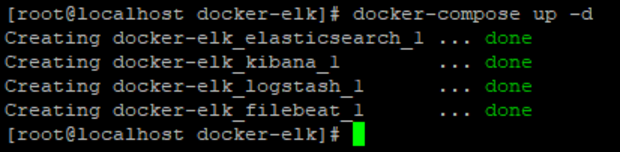
使用docker-compose up -d跑起来
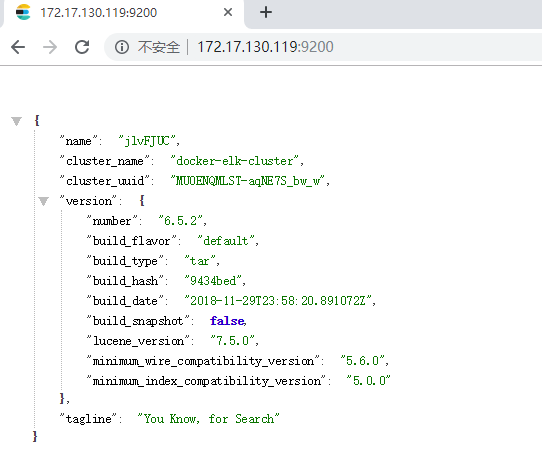
在浏览器打开[Host-IP]:9200,能够打开以下界面,说明elasticsearch服务已经起来了
再在浏览器打开[Host-IP]:5601,是Kibana日志查看平台
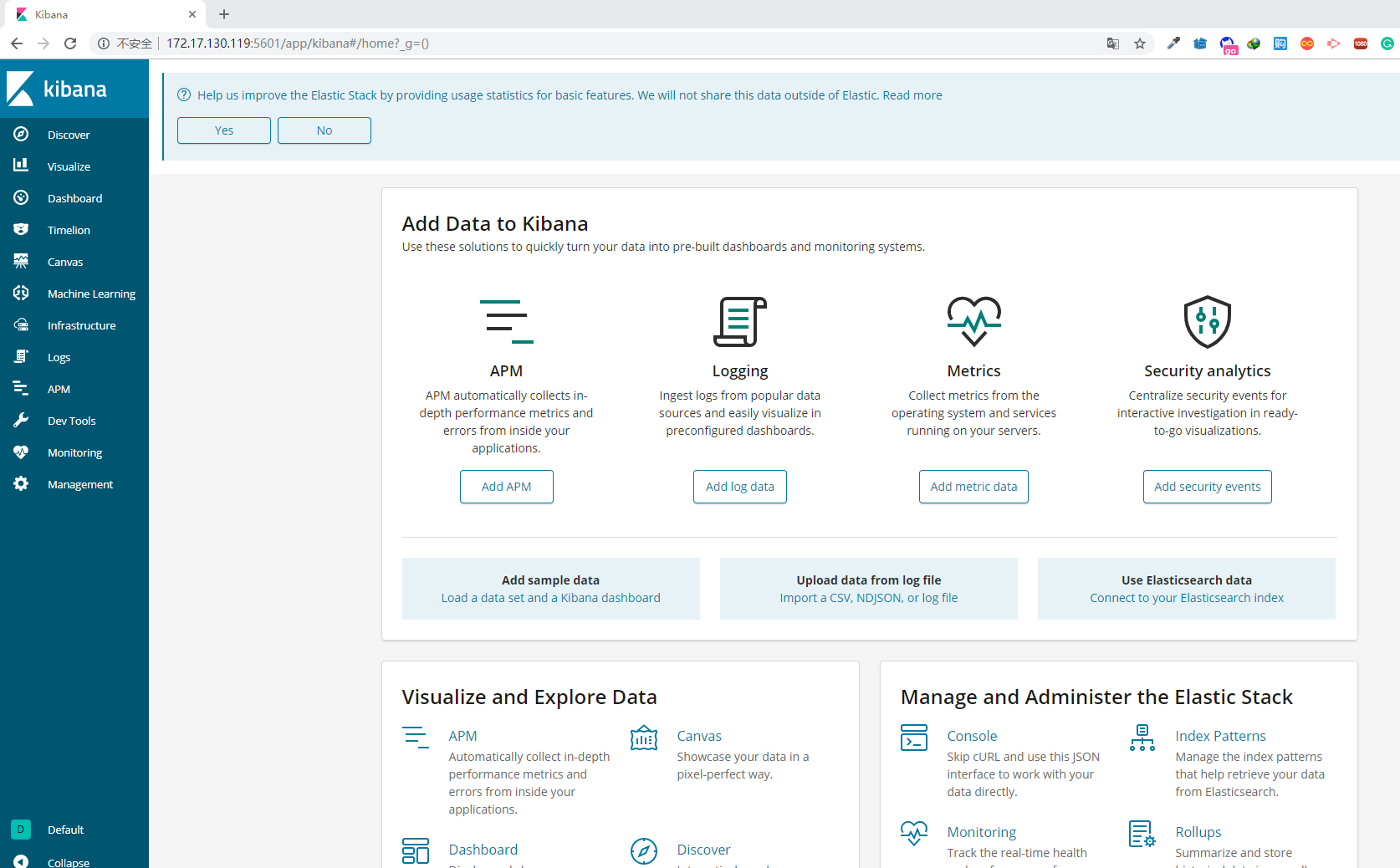
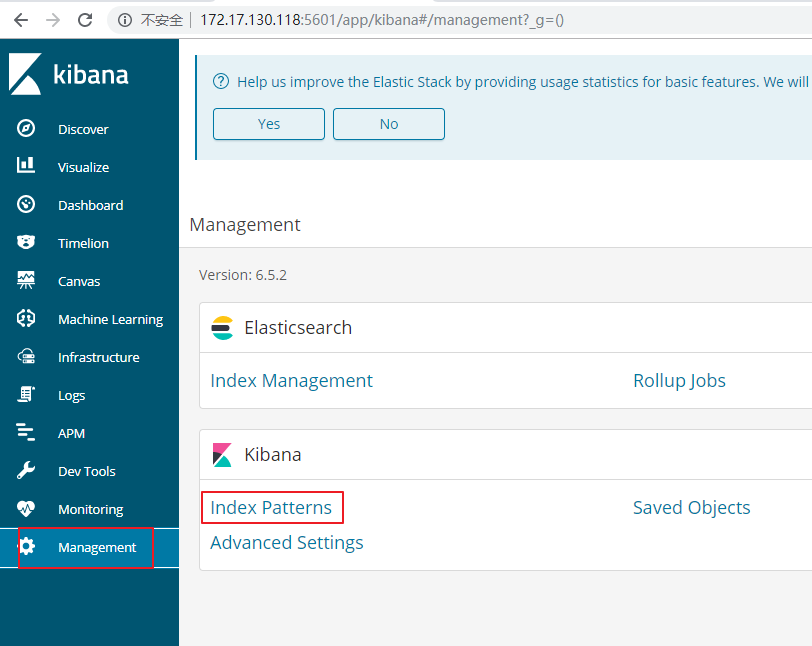
进入至系统菜单【管理】中的【index-pattern】
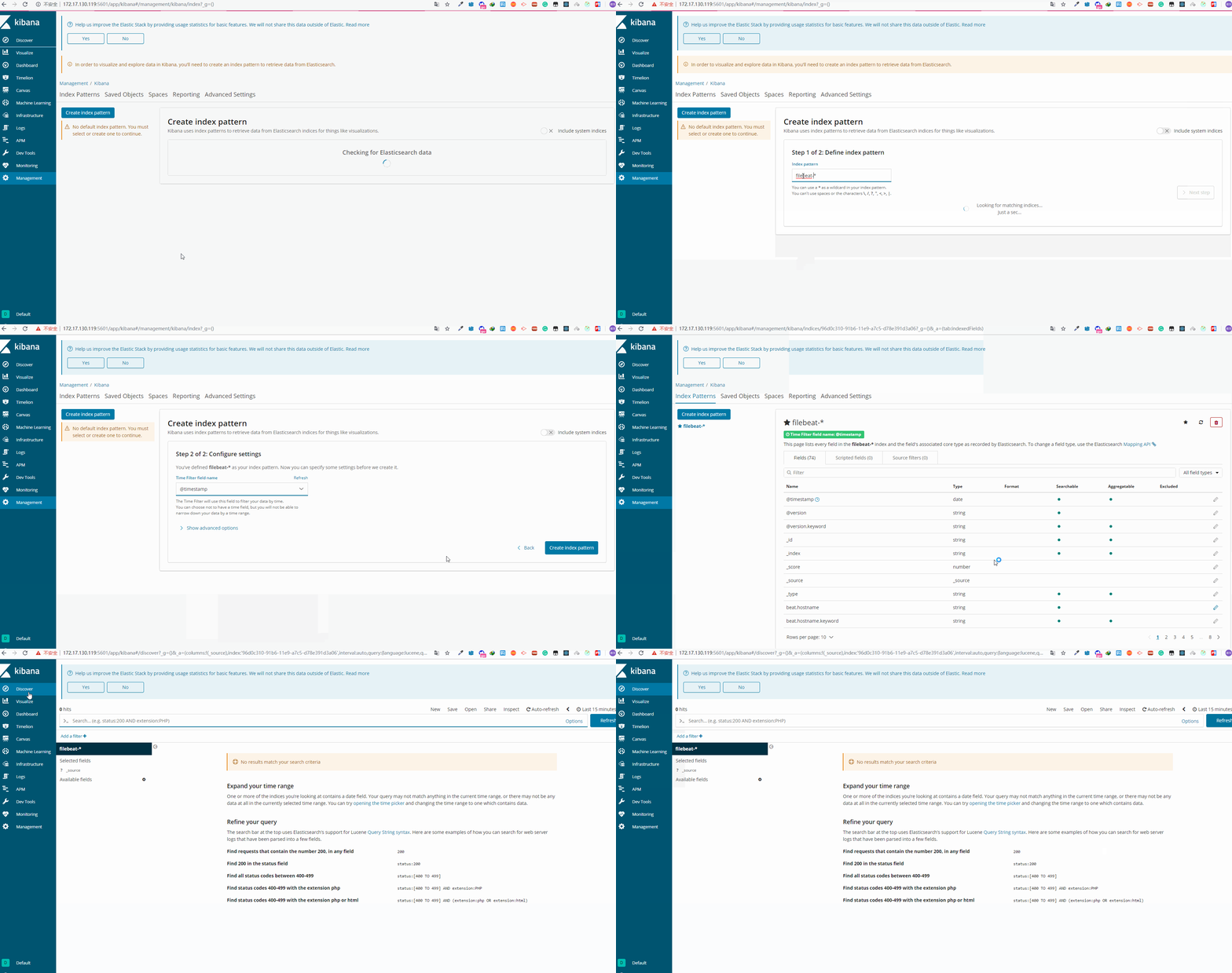
首次使用Kibana需要先创建index-pattern,创建index-pattern操作如下,如果在Discover菜单中创建index-pattern时,会出现以下
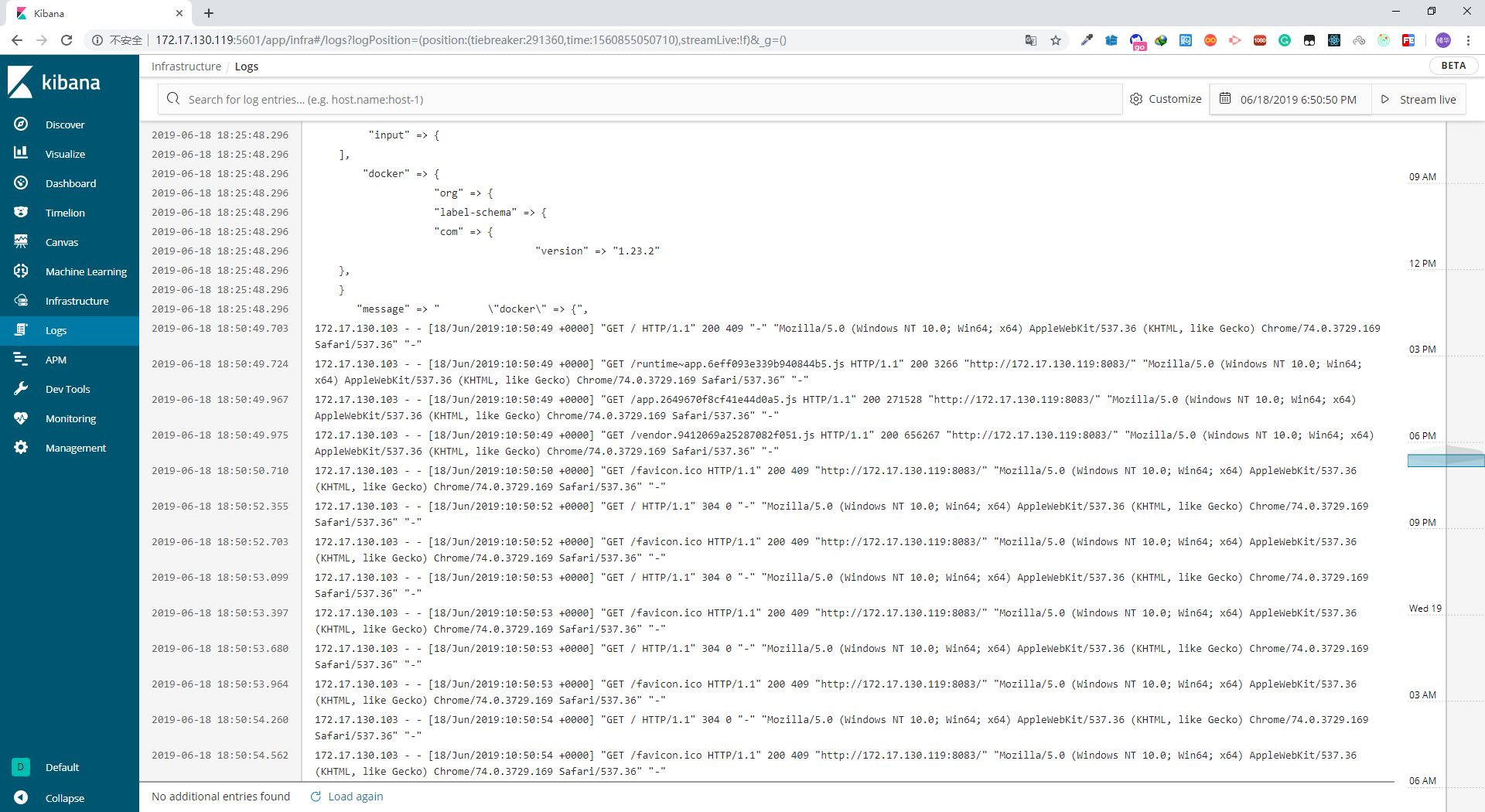
创建了index-pattern后,查看Logs应该可以查看到日志
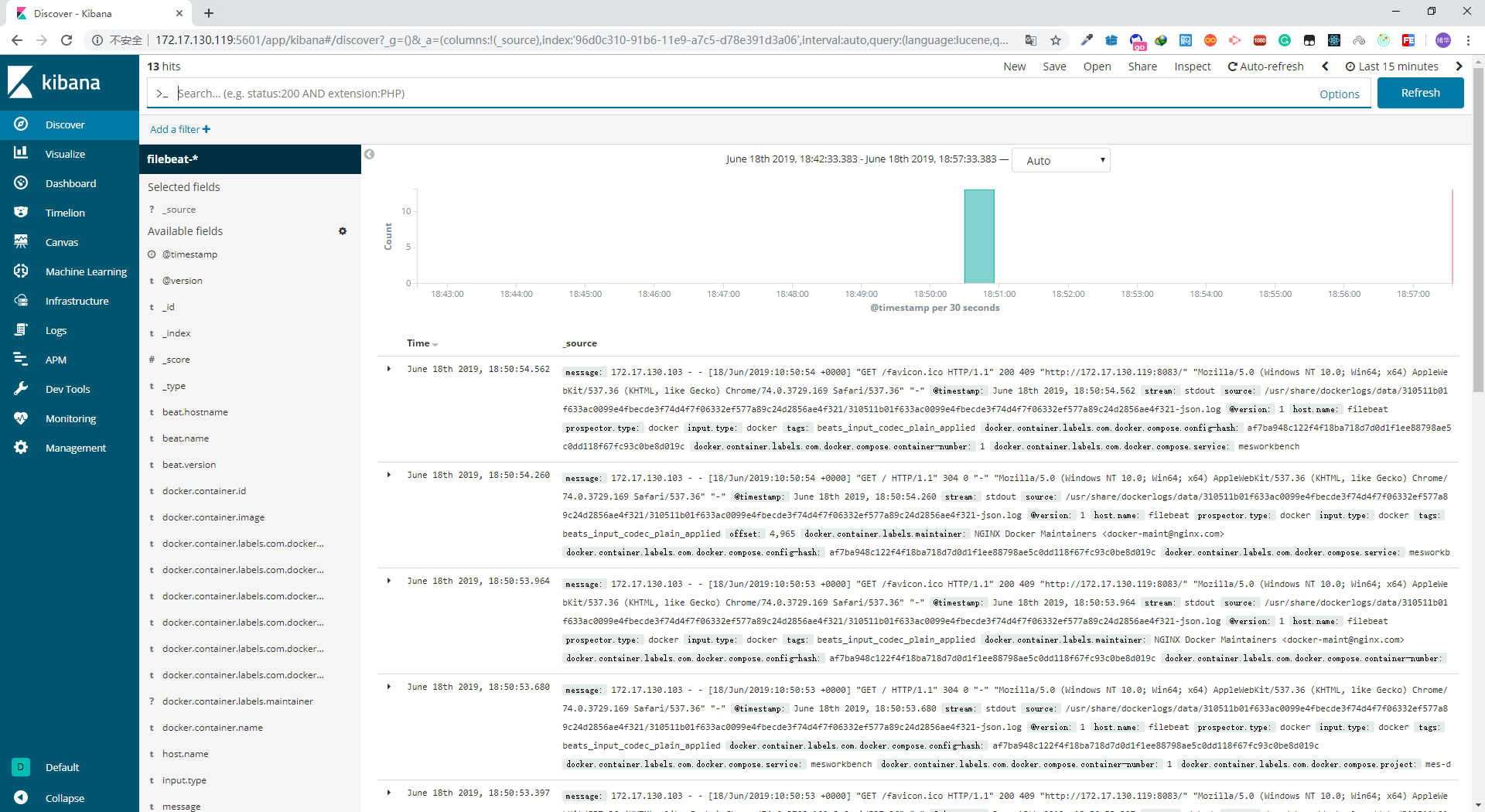
首页查看日志
源码地址:https://github.com/ChenWes/docker-elk
docker-compose ELK+Filebeat查看docker及容器的日志的更多相关文章
- Docker 部署 elk + filebeat
Docker 部署 elk + filebeat kibana 开源的分析与可视化平台logstash 日志收集工具 logstash-forwarder(原名lubmberjack)elastics ...
- asp.net core容器&mysql容器network互联 & docker compose方式编排启动多个容器
文章简介 asp.net core webapi容器与Mysql容器互联(network方式) docker compose方式编排启动多个容器 asp.net core webapi容器与Mysql ...
- DCOS实践分享(2):基于Docker Compose和Swarm的Docker化之路
2016 年1 月 23 日,北京史上气温最低的一天. 在下午 1 点半的时候,由 DaoCloud 赞助的 2016 年度首次 Docker Meetup 准时开始. 在这次Meetup中,我分享了 ...
- Docker学习笔记之查看Docker
命令: 使用history命令查看镜像历史 使用cp命令复制容器中的文件到主机 使用commit命令把修改过的容器创建为镜像 使用diff命令检查容器文件的修改 使用inspect命令查看容器/镜像详 ...
- docker-compose EFK查看docker及容器的日志
上一篇<docker-compose ELK+Filebeat查看docker及容器的日志>已经演示了如何在docker中使用docker-compose创建容器,并将docker中的所有 ...
- Docker学习笔记之使用 Docker Compose 管理容器
0x00 概述 通过之前的介绍,我们已经基本掌握了构建.运行容器的方法,但这还远远不够,由于 Docker 采用轻量级容器的设计,每个容器一般只运行一个软件,而目前绝大多数应用系统都绝不是一个软件所能 ...
- Docker 容器编排利器 Docker Compose
Compose 简介 通过前面几篇文章的学习,我们可以通过 Dockerfile 文件让用户很方便的定义一个单独的应用容器.然而,在日常工作中,经常会碰到需要多个容器相互配合来完成某项任务的情况,例如 ...
- Docker Compose 容器编排 NET Core 6+MySQL 8+Nginx + Redis
环境: CentOS 8.5.2111Docker 20.10.10Docker-Compose 2.1.0 服务: db redis web nginx NET Core 6+MySQL 8+N ...
- Docker Compose之容器编排开发初探
1.前言 Docker Compose 是 Docker 官方编排(Orchestration)项目之一,负责快速在集群中部署分布式应用. Compose 是一个用于定义和运行多个 Docker 应用 ...
随机推荐
- impdp时报错ORA-39083&ORA-01917
转自:http://www.codes51.com/article/detail_146662.html impdp时报错ORA-39083&ORA-01917ORA-39083: 对象类型 ...
- 图像处理库GPUImage简单使用
一.介绍 GPUImage是一个基于OpenGL ES 2.0的开源的图像处理库,作者是Brad Larson.GPUImage将OpenGL ES封装为简洁的Objective-C或Swift接口, ...
- stm32 定时器 通用定时器
STM32F10xxx 2个基本定时器(TIM6.TIM7) 4个通用定时器(TIM2. TIM3. TIM4和TIM5) 2个高级定时器(TIM1.TIM8) 每个定时器都是完全独立的,没有互相共享 ...
- python基本应用--三元应用
格式为:result=值1 if 条件 else 值2 如 a,b,c = 1,3,5 d =a if a>b else c 那么d的结果是多少? 其实可以使用if来完全表达 if a>b ...
- Vue 一些用法
v-model : 数据绑定(多数用于表单元素) ps:同时v-model支持双向数据绑定v-for : 用于元素遍历v-on:事件名称=“方法名” (事件绑定)ps: methods:用于绑定 v- ...
- Ubuntu系统---安装“搜狗拼音法”导致桌面打不开
Ubuntu系统---安装“搜狗拼音法”导致桌面打不开 ubuntu系统中文版,安装完后,自带中文输入法.中文用着好好的,用一段时间后,就会莫名的出现,切换不过来,中文输入不好用了.只是简单想装一个搜 ...
- java语言实现对程序设计语言源文件统计字符数、单词数、行数及其他拓展功。
本次作业Github项目地址:https://github.com/YiChenglong2018/WordCount 一.项目简介 本项目的需求可以概括为:对程序设计语言源文件统计字符数.单词数.行 ...
- c#winform多线程感想
我很菜所以好好学!!! 最近在做一个关于识别的项目,手动识别和自动识别,为了更好的保证自动识别不会引起界面的卡顿等现象,所以简单的学习了一下多线程,也只是入门但还是记录一下. 一.首先了解一下用多线程 ...
- node.js中允许的app对象声明方式
伪对象形式 app = function () { console.log("我是一个初始化的app对象"); }; app.get=function () { console.l ...
- Java锁机制总结
锁是用于控制多线程对共享资源的访问. Java中的锁可以分为内置锁与显式锁Lock.其中内置锁指synchronized关键字. Synchronized synchronized可以修饰方法或代码块 ...