
System.Text.Json 自定义Converter实现时间转换
Newtonsoft.Json与System.Text.Json区别
在 Newtonsoft.Json中可以使用例如
.AddJsonOptions(options =>

                {

                    options.SerializerSettings.DateFormatString = "yyyy-MM-dd HH:mm:ss";

                })
方式设置接收/序列化时间格式,但在.net core 3.1中System.Text.Json是没有自带方式进行转换,这就需要自定义Converter实现时间转换
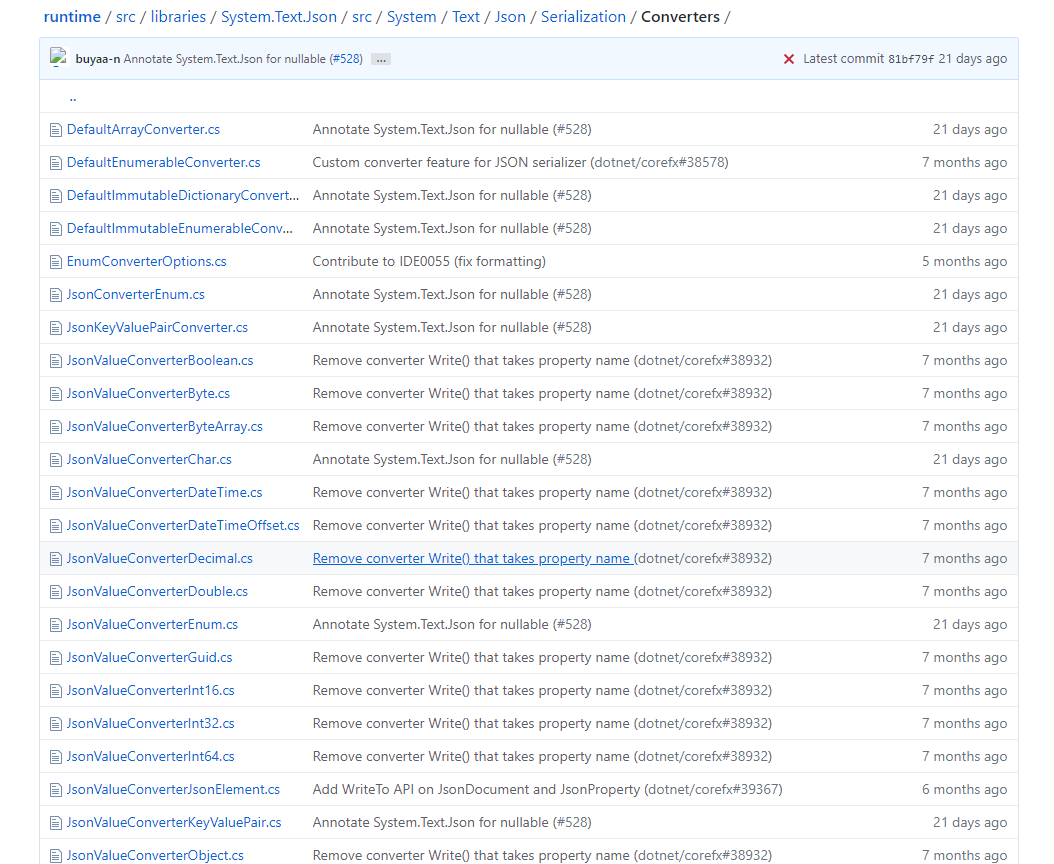
官方GitHub地址
自定义DateTimeJsonConverter
    public class DateTimeJsonConverter : JsonConverter<DateTime>

    {

        private readonly string _dateFormatString;

        public DateTimeJsonConverter()

        {

            _dateFormatString = "yyyy-MM-dd HH:mm:ss";

        }

        public DateTimeJsonConverter(string dateFormatString)

        {

            _dateFormatString = dateFormatString;

        }

        public override DateTime Read(ref Utf8JsonReader reader, Type typeToConvert, JsonSerializerOptions options)

        {

            return DateTime.Parse(reader.GetString());

        }

        public override void Write(Utf8JsonWriter writer, DateTime value, JsonSerializerOptions options)

        {

            writer.WriteStringValue(value.ToUniversalTime().ToString(_dateFormatString));

        }

    }
JsonTokenType枚举类型共有以下几种
  /// <summary>Defines the various JSON tokens that make up a JSON text.</summary>

  public enum JsonTokenType : byte

  {

    /// <summary>There is no value (as distinct from <see cref="F:System.Text.Json.JsonTokenType.Null" />).</summary>

    None,

    /// <summary>The token type is the start of a JSON object.</summary>

    StartObject,

    /// <summary>The token type is the end of a JSON object.</summary>

    EndObject,

    /// <summary>The token type is the start of a JSON array.</summary>

    StartArray,

    /// <summary>The token type is the end of a JSON array.</summary>

    EndArray,

    /// <summary>The token type is a JSON property name.</summary>

    PropertyName,

    /// <summary>The token type is a comment string.</summary>

    Comment,

    /// <summary>The token type is a JSON string.</summary>

    String,

    /// <summary>The token type is a JSON number.</summary>

    Number,

    /// <summary>The token type is the JSON literal true.</summary>

    True,

    /// <summary>The token type is the JSON literal false.</summary>

    False,

    /// <summary>The token type is the JSON literal null.</summary>

    Null,

  }
services.AddMvc 中 Newtonsoft.Json与System.Text.Json 配置区别
.netcore 2.1
            services

                //全局配置Json序列化处理

                .AddJsonOptions(options =>

                {

                    //忽略循环引用

                    options.SerializerSettings.ReferenceLoopHandling = ReferenceLoopHandling.Ignore;

                    //不使用驼峰样式的key

                    options.SerializerSettings.ContractResolver = new DefaultContractResolver();

                    //设置时间格式

                    options.SerializerSettings.DateFormatString = "yyyy-MM-dd HH:mm:ss";

                })
.netcore 3.1
            services.AddControllers()

                .AddJsonOptions(options =>

                {

                    //设置时间格式

                    options.JsonSerializerOptions.Converters.Add(new DateTimeJsonConverter("yyyy-MM-dd HH:mm:ss"));

                    //设置bool获取格式

                    options.JsonSerializerOptions.Converters.Add(new BoolJsonConverter());

                    //不使用驼峰样式的key

                    options.JsonSerializerOptions.PropertyNamingPolicy = null;

                    //不使用驼峰样式的key

                    options.JsonSerializerOptions.DictionaryKeyPolicy = null;

                    //获取或设置要在转义字符串时使用的编码器

                    options.JsonSerializerOptions.Encoder = JavaScriptEncoder.UnsafeRelaxedJsonEscaping;

                });
bool型转换问题
.netcore 3.1中接收的json中不能将 "true"/"false"识别为boolean的True/False,这也需要自定义Converter实现bool转换
namespace Kdniao.Core.Utility

{

    public class BoolJsonConverter : JsonConverter<bool>

    {

        public override bool Read(ref Utf8JsonReader reader, Type typeToConvert, JsonSerializerOptions options)

        {

            if (reader.TokenType == JsonTokenType.True || reader.TokenType == JsonTokenType.False)

                return reader.GetBoolean();

            return bool.Parse(reader.GetString());

        }

        public override void Write(Utf8JsonWriter writer, bool value, JsonSerializerOptions options)

        {

            writer.WriteBooleanValue(value);

        }

    }

}
System.Text.Json 自定义Converter实现时间转换的更多相关文章
- [.Net Core 3.0+/.Net 5] System.Text.Json中时间格式化
简介 .Net Core 3.0开始全新推出了一个名为System.Text.Json的Json解析库,用于序列化和反序列化Json,此库的设计是为了取代Json.Net(Newtonsoft.Jso ...
- .netcore3.0 System.Text.Json 日期格式化
.netcore3.0 的json格式化不再默认使用Newtonsoft.Json,而是使用自带的System.Text.Json来处理. 理由是System.Text.Json 依赖更少,效率更高. ...
- .net core中关于System.Text.Json的使用
在.Net Framework的时候序列化经常使用Newtonsoft.Json插件来使用,而在.Net Core中自带了System.Text.Json,号称性能更好,今天抽空就来捣鼓一下. 使用起 ...
- .NET Core 3.0 System.Text.Json 和 Newtonsoft.Json 行为不一致问题及解决办法
行为不一致 .NET Core 3.0 新出了个内置的 JSON 库, 全名叫做尼古拉斯 System.Text.Json - 性能更高占用内存更少这都不是事... 对我来说, 很多或大或小的项目能少 ...
- 【译】System.Text.Json 的下一步是什么
.NET 5.0 最近发布了,并带来了许多新特性和性能改进.System.Text.Json 也不例外.我们改进了性能和可靠性,并使熟悉 Newtonsoft.Json 的人更容易采用它.在这篇文章中 ...
- 在.Net Core 3.0中尝试新的System.Text.Json API
.NET Core 3.0提供了一个名为System.Text.Json的全新命名空间,它支持reader/writer,文档对象模型(DOM)和序列化程序.在此博客文章中,我将介绍它如何工作以及如何 ...
- .NET Core 内置的 System.Text.Json 使用注意
System.Text.Json 是 .NET Core 3.0 新引入的高性能 json 解析.序列化.反序列化类库,武功高强,但毕竟初入江湖,炉火还没纯青,使用时需要注意,以下是我们在实现使用中遇 ...
- c# System.Text.Json 精讲
本文内容来自我写的开源电子书<WoW C#>,现在正在编写中,可以去WOW-Csharp/学习路径总结.md at master · sogeisetsu/WOW-Csharp (gith ...
- .NET 5的System.Text.Json的JsonDocument类讲解
本文内容来自我写的开源电子书<WoW C#>,现在正在编写中,可以去WOW-Csharp/学习路径总结.md at master · sogeisetsu/WOW-Csharp (gith ...
随机推荐
- Java多线程,对锁机制的进一步分析
1 可重入锁 可重入锁,也叫递归锁.它有两层含义,第一,当一个线程在外层函数得到可重入锁后,能直接递归地调用该函数,第二,同一线程在外层函数获得可重入锁后,内层函数可以直接获取该锁对应其它代码的控制权 ...
- LeetCode-指针法
LeetCode刷题总结-指针法 方法介绍:指针法主要使用在一组按从小到大排好序的数组中,当按照条件查找对应元素时,在数组的前后定义两个指针,当两个指针代表的元素进行运算时:若结果大于目标值,则左移右 ...
- NOde.js的安装和简介
1.nodejs的安装 1.1 检测nodejs的版本 node -v (version:版本) 1.2 path配置nodejs 的环境变量(当前版本都是自动安装配置环境变量)指令: path 1. ...
- ios--->ios沙盒总结
ios沙盒总结 沙盒介绍 iOS应用程序只能在该程序创建的文件系统中读取文件,不可以去其它地方访问,此区域被成为沙盒,所以所有的非代码文件都要保存在此,例如图像,图标,声音,映像,属性列表,文本文件等 ...
- PTA 练习 7-24 喊山 (30 分)
7-24 喊山 (30 分) 喊山,是人双手围在嘴边成喇叭状,对着远方高山发出"喂-喂喂-喂喂喂--"的呼唤.呼唤声通过空气的传递,回荡于深谷之间,传送到人们耳中,发出约定俗成的& ...
- Linux防火墙之iptables入门
一.防火墙的概念 什么是防火墙?防火墙是一台或一组设备,用以在网络间实施访问控制策略:事实上一个防火墙能够包含OSI模型中的很多层,并且可能会涉及进行数据包过滤的设备,它可以实施数据包检查和过滤,在更 ...
- react中,路由的使用。import {BrowserRouter,Switch,Route} from "react-router-dom";
import React from "react"; import ReactDom from "react-dom"; import {BrowserR ...
- VS Code 1.42 发布!2020 年首个大更新
近日(北京时间 2020 年 2 月 7 日),微软发布了 Visual Studio Code 1.42 版本,这也是 2020 年 VS Code 首次大更新.让我们来看看有哪些主要的更新. 支持 ...
- 三、 TCP(传输控制协议)
它建立在网际层协议(IP)提供的数据包传输技术之上,.TCP使应用程序可使用连续的数据进行通信.除非由于网络故障导致连接中断或冻结,TCP都能保证数据流完好地传输.而不会发生丢包 ,重包或是乱序的问题 ...
- 第一次安装android studio遇到的问题
安装android studio一点都不顺利,最后总是成功安装,但是忘了把问题记录下来,下一次肯定还肯能出现问题 忘了把问题记录下来了,好像是sync failed 第一次安装3.1.4遇到的问题,好 ...