
一个简单的多线程Python爬虫(一)
一个简单的多线程Python爬虫
最近想要抓取拉勾网的数据,最开始是使用Scrapy的,但是遇到了下面两个问题:
- 前端页面是用JS模板引擎生成的
- 接口主要是用POST提交参数的
目前不会处理使用JS模板引擎生成的HTML页面,用POST的提交参数的话,接口统一,也没有必要使用Scrapy,所以就萌生了自己写一个简单的Python爬虫的想法。
本文中的部分链接可能需要翻墙。
参考资料:
- http://www.ibm.com/developerworks/aix/library/au-threadingpython/
- http://stackoverflow.com/questions/10525185/python-threading-how-do-i-lock-a-thread
一个爬虫的简单框架
一个简单的爬虫框架,主要就是处理网络请求,Scrapy使用的是Twisted(一个事件驱动网络框架,以非阻塞的方式对网络I/O进行异步处理),这里不使用异步处理,等以后再研究这个框架。如果使用的是Python3.4及其以上版本,到可以使用asyncio这个标准库。
这个简单的爬虫使用多线程来处理网络请求,使用线程来处理URL队列中的url,然后将url返回的结果保存在另一个队列中,其它线程在读取这个队列中的数据,然后写到文件中去。
该爬虫主要用下面几个部分组成。
1 URL队列和结果队列
将将要爬去的url放在一个队列中,这里使用标准库Queue。访问url后的结果保存在结果队列中
初始化一个URL队列
from Queue import Queue

urls_queue = Queue()

out_queue = Queue()
2 请求线程
使用多个线程,不停的取URL队列中的url,并进行处理:
import threading

class ThreadCrawl(threading.Thread):

    def __init__(self, queue, out_queue):

        threading.Thread.__init__(self)

        self.queue = queue

        self.out_queue = out_queue

    def run(self):

        while True:

            item = self.queue.get()

            self.queue.task_down()
下面是部分标准库Queue的使用方法:
Queue.get([block[, timeout]])
Remove and return an item from the queue. If optional args block is true and timeout is None (the default), block if necessary until an item is available.
Queue.task_done()
Indicate that a formerly enqueued task is complete. Used by queue consumer threads. For each get() used to fetch a task, a subsequent call to task_done() tells the queue that the processing on the task is complete.
如果队列为空,线程就会被阻塞,直到队列不为空。处理队列中的一条数据后,就需要通知队列已经处理完该条数据。
处理线程
处理结果队列中的数据,并保存到文件中。如果使用多个线程的话,必须要给文件加上锁。
lock = threading.Lock()

f = codecs.open('out.txt', 'w', 'utf8')
当线程需要写入文件的时候,可以这样处理:
with lock:

    f.write(something)
程序的执行结果
运行状态:
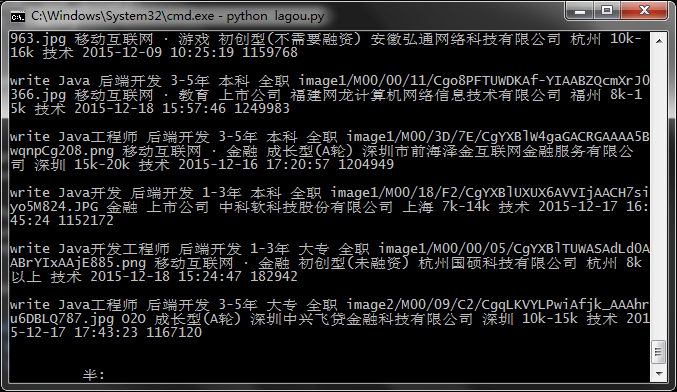
抓取结果:
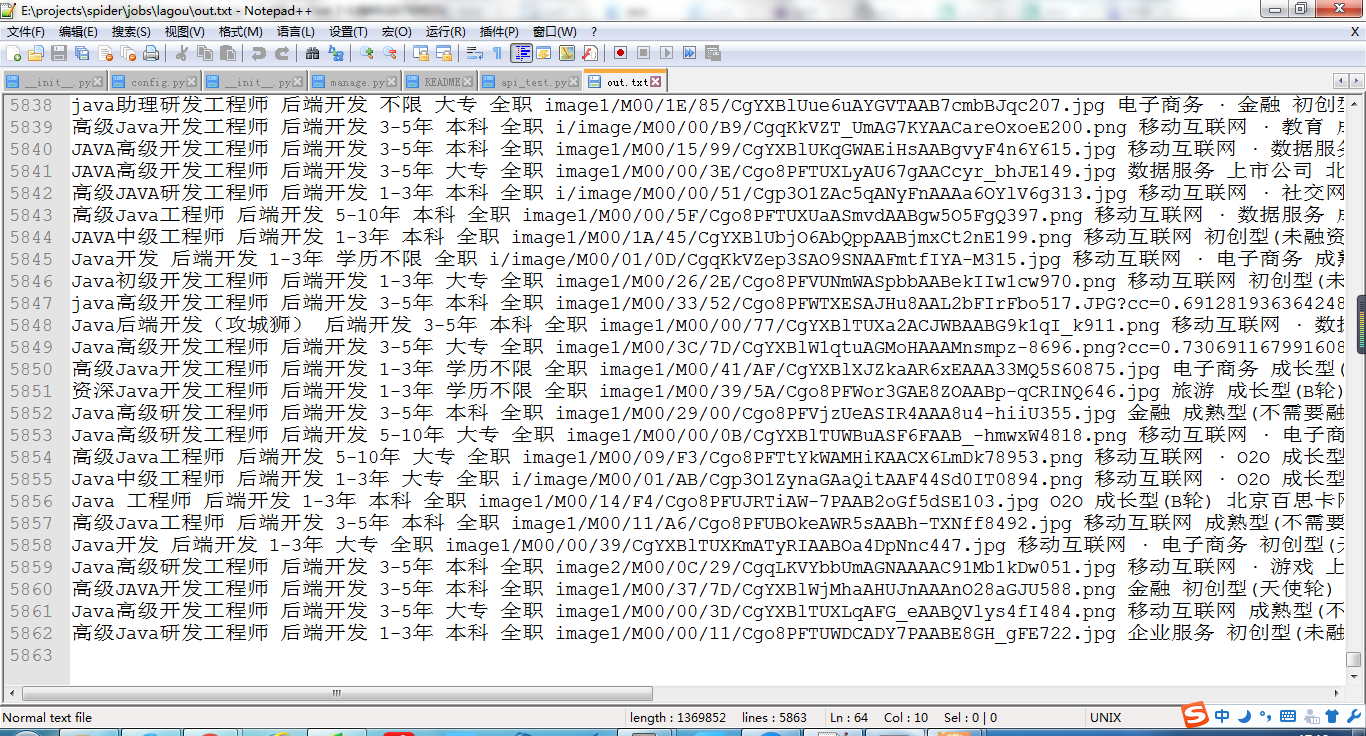
源码
代码还不完善,将会持续修改中。
# coding: utf-8

'''

Author mr_zys

Email myzysv5@sina.com

'''

from Queue import Queue

import threading

import urllib2

import time

import json

import codecs

from bs4 import BeautifulSoup

urls_queue = Queue()

data_queue = Queue()

lock = threading.Lock()

f = codecs.open('out.txt', 'w', 'utf8')

class ThreadUrl(threading.Thread):

    def __init__(self, queue):

        threading.Thread.__init__(self)

        self.queue = queue

    def run(self):

        pass

class ThreadCrawl(threading.Thread):

    def __init__(self, url, queue, out_queue):

        threading.Thread.__init__(self)

        self.url = url

        self.queue = queue

        self.out_queue = out_queue

    def run(self):

        while True:

            item = self.queue.get()

            data = self._data_post(item)

            try:

                req = urllib2.Request(url=self.url, data=data)

                res = urllib2.urlopen(req)

            except urllib2.HTTPError, e:

                raise e.reason

            py_data = json.loads(res.read())

            res.close()

            item['first'] = 'false'

            item['pn'] = item['pn'] + 1

            success = py_data['success']

            if success:

                print 'Get success...'

            else:

                print 'Get fail....'

            print 'pn is : %s' % item['pn']

            result = py_data['content']['result']

            if len(result) != 0:

                self.queue.put(item)

            print 'now queue size is: %d' % self.queue.qsize()

            self.out_queue.put(py_data['content']['result'])

            self.queue.task_done()

    def _data_post(self, item):

        pn = item['pn']

        first = 'false'

        if pn == 1:

            first = 'true'

        return 'first=' + first + '&pn=' + str(pn) + '&kd=' + item['kd']

    def _item_queue(self):

        pass

class ThreadWrite(threading.Thread):

    def __init__(self, queue, lock, f):

        threading.Thread.__init__(self)

        self.queue = queue

        self.lock = lock

        self.f = f

    def run(self):

        while True:

            item = self.queue.get()

            self._parse_data(item)

            self.queue.task_done()

    def _parse_data(self, item):

        for i in item:

            l = self._item_to_str(i)

            with self.lock:

                print 'write %s' % l

                self.f.write(l)

    def _item_to_str(self, item):

        positionName = item['positionName']

        positionType = item['positionType']

        workYear = item['workYear']

        education = item['education']

        jobNature = item['jobNature']

        companyName = item['companyName']

        companyLogo = item['companyLogo']

        industryField = item['industryField']

        financeStage = item['financeStage']

        companyShortName = item['companyShortName']

        city = item['city']

        salary = item['salary']

        positionFirstType = item['positionFirstType']

        createTime = item['createTime']

        positionId = item['positionId']

        return positionName + ' ' + positionType + ' ' + workYear + ' ' + education + ' ' + \

            jobNature + ' ' + companyLogo + ' ' + industryField + ' ' + financeStage + ' ' + \

            companyShortName + ' ' + city + ' ' + salary + ' ' + positionFirstType + ' ' + \

            createTime + ' ' + str(positionId) + '\n'

def main():

    for i in range(4):

        t = ThreadCrawl(

            'http://www.lagou.com/jobs/positionAjax.json', urls_queue, data_queue)

        t.setDaemon(True)

        t.start()

    datas = [

        {'first': 'true', 'pn': 1, 'kd': 'Java'}

        #{'first': 'true', 'pn': 1, 'kd': 'Python'}

    ]

    for d in datas:

        urls_queue.put(d)

    for i in range(4):

        t = ThreadWrite(data_queue, lock, f)

        t.setDaemon(True)

        t.start()

    urls_queue.join()

    data_queue.join()

    with lock:

        f.close()

    print 'data_queue siez: %d' % data_queue.qsize()

main()
总结
主要是熟悉使用Python的多线程编程,以及一些标准库的使用Queue、threading。
一个简单的多线程Python爬虫(一)的更多相关文章
- 一个简单的定向python爬虫爬取指定页面的jpg图片
import requests as r import re resul=r.get("http://www.imooc.com/course/list") urlinfo=re. ...
- Java Tread多线程(0)一个简单的多线程实例
作者 : 卿笃军 原文地址:http://blog.csdn.net/qingdujun/article/details/39341887 本文演示,一个简单的多线程实例,并简单分析一下线程. 编程多 ...
- Qt5.9一个简单的多线程实例(类QThread)(第一种方法)
Qt开启多线程,主要用到类QThread.有两种方法,第一种用一个类继承QThread,然后重新改写虚函数run().当要开启新线程时,只需要实例该类,然后调用函数start(),就可以开启一条多线程 ...
- 实现一个简单的邮箱地址爬虫(python)
我经常收到关于email爬虫的问题.有迹象表明那些想从网页上抓取联系方式的人对这个问题很感兴趣.在这篇文章里,我想演示一下如何使用python实现一个简单的邮箱爬虫.这个爬虫很简单,但从这个例子中你可 ...
- 一个简单的开源PHP爬虫框架『Phpfetcher』
这篇文章首发在吹水小镇:http://blog.reetsee.com/archives/366 要在手机或者电脑看到更好的图片或代码欢迎到博文原地址.也欢迎到博文原地址批评指正. 转载请注明: 吹水 ...
- 【原创】编写多线程Python爬虫来过滤八戒网上的发布任务
目标: 以特定语言技术为关键字,爬取八戒网中网站设计开发栏目下发布的任务相关信息 需求: 用户通过设置自己感兴趣的关键字或正则表达式,来过滤信息. 我自己选择的是通过特定语言技术作为关键字,php.j ...
- 一个简单的用python 实现系统登录的http接口服务实例
用python 开发一个登录的http接口: 用户登录数据存在缓存redis里,登录时根据session判断用户是否已登录,session有效,则直接返回用户已登录,否则进mysql查询用户名及密码, ...
- MAC COCOA一个简单的多线程程序
功能: 实现多线程:2个线程同一时候工作,一个用时间计数器.一个用来信息打印 STEP1 XCODE ->New Application ->Cocoa中的Command Line 自己主 ...
- 一个简单有趣的Python音乐播放器
(赠新手,老鸟绕行0.0) Python版本:3.5.2 源码如下: __Author__ = "Lance#" # -*- coding = utf-8 -*- #导入相应模块 ...
随机推荐
- 关于数据库一致改关闭下redo日志文件丢失的处理办法的总结
数据库一致性关闭下redo日志文件丢失的处理办法(归档和非归档都行) 1. inactive log 在一致性关闭后删除重启时可以在mount下(不丢失数据) alter database clea ...
- Java菜鸟学习笔记--数组篇(二):数组实例&args实例
基本类型实例 //1.定义一个一维数组,先声明,在分配空间 int []number;//生命,没有初始化,number=null number=new int[5];//初始化为默认值,int默认值 ...
- HTTP 返回时间 概念 TTFB..
课外学习部分: 什么是TTFB呢? 1.TTFB (Time To First Byte),是最初的网络请求被发起到从服务器接收到第一个字节这段时间,它包含了 TCP连接时间,发送HTTP请求时间和获 ...
- 访问者模式(Visitor)
@@@模式定义: 表示一个作用于某对象结构中的各元素的操作.它使你可以在不改变各元素的类的前提下 定义作用于这些元素的新操作. @@@练习示例: 扩展客户管理的功能 @@@示例代码: \patter ...
- The app references non-public selectors in Payload
上周上传app到appstore在validation完后有警告提示"The app references non-public selectors in Payload/wacao.app ...
- Imatest 崩溃
在使用Imatest时候,发现选取chart图的区域时候.Imatest停止工作,例如以下图.百度半天没有找到类似的问题,事实上这个问题在之前的公司也碰到过一回,卸载重N次,无效.如今又碰到了,问之前 ...
- delphi TColorDialog
TColorDialog 预览 实现过程 动态创建和使用颜色对话框 function ShowColorDlg:TColor;begin with TColorDialog.Cre ...
- Ubuntu 命令行下快速打开各类文件 分类: ubuntu shell 2014-11-18 20:06 210人阅读 评论(0) 收藏
xdg-open 命令可以用来在Ubuntu下快速打开各类文件. 下面是从 manual 文档里截取的内容: 可以知道,该命令的功能是在图形界面下按照用户的平时习惯打开各类文件,甚至是链接. 这样,我 ...
- 免费WiFi,仅仅为好久没联系的你们
昨日,认识五年的朋友搬来与我一起住了,说不上来,没有激动,仅仅是突然感觉生活又多了一点生机.兴致上来,晚上立马联系了已经近四个月没有联系的好友,才知道他们的生活也因这几个月发生了翻天覆地的变化.究竟什 ...
- c++ 文件写样例
#include <iostream> #include <sstream> #include <fstream>> using namespace std; ...